Plex Setup on a Seedbox
On this page ▾
Direct Play vs Transcoding
  PLAYBACK MODES
  ═══════════════════════════════════════════════════════

  Direct Play (best)             Transcode (fallback)
  ┌──────────────────────┐      ┌──────────────────────┐
  │ File plays as-is     │      │ Server converts video │
  │ No CPU usage         │      │ Uses CPU heavily      │
  │ Full quality         │      │ May reduce quality    │
  │ Fastest streaming    │      │ Slower start          │
  └──────────────────────┘      └──────────────────────┘

  When does transcoding happen?
  ├── Device can't play format (e.g., HEVC on old TV)
  ├── Subtitles are "burned in" (image-based subs)
  ├── Bandwidth too low for full quality
  └── Client requests lower quality

  ┌──────────────────────────────────────────────────┐
  │  TIP: Use MP4/MKV with H.264 + SRT subtitles    │
  │  for maximum Direct Play compatibility.          │
  └──────────────────────────────────────────────────┘
The Complete Media Stack
  RECOMMENDED PLEX ECOSYSTEM
  ═══════════════════════════════════════════════════════

  Discovery          Download           Organize          Stream
  ─────────          ────────           ────────          ──────

  Overseerr ───▶ Sonarr (TV) ────▶ Renames & ───▶ Plex
  (requests)     Radarr (Movies)    moves files     (streams)
                 ▲                                  │
                 │                                  ▼
              Prowlarr ◀──────────────────────── Tautulli
              (indexers)                          (analytics)
How Plex Works on Your Seedbox
  PLEX STREAMING ARCHITECTURE
  ═══════════════════════════════════════════════════════

  Your Seedbox                              Your Devices

  ┌──────────────────────────┐
  │ Media Files              │
  │ /downloads/movies/       │
  │ /downloads/tv-shows/     │            ┌───────────┐
  │ /downloads/music/        │            │ 📱 Phone  │
  └───────────┬──────────────┘            │  (app)    │
              │                           └─────┬─────┘
              ▼                                 │
  ┌──────────────────────────┐            ┌─────▼─────┐
  │     Plex Media Server    │◀──stream──▶│ 💻 Browser│
  │                          │            └─────┬─────┘
  │  Scans library           │                  │
  │  Fetches metadata        │            ┌─────▼─────┐
  │  Transcodes if needed    │◀──stream──▶│ 📺 TV     │
  │  Streams to devices      │            │ (app)     │
  │                          │            └───────────┘
  │  Port: 32400             │
  └──────────────────────────┘       Direct Play = best quality
                                     Transcode = compatibility
  PLEX SETUP CHECKLIST
  ═══════════════════════════════

  1. Install Plex          ✓ One-click from client area
  2. Claim server          ✓ Link to your Plex account
  3. Add libraries         → Point to /downloads/movies etc
  4. Enable remote access  → Settings → Remote Access
  5. Install app on device → plex.tv/downloads
  6. Stream!               🎬
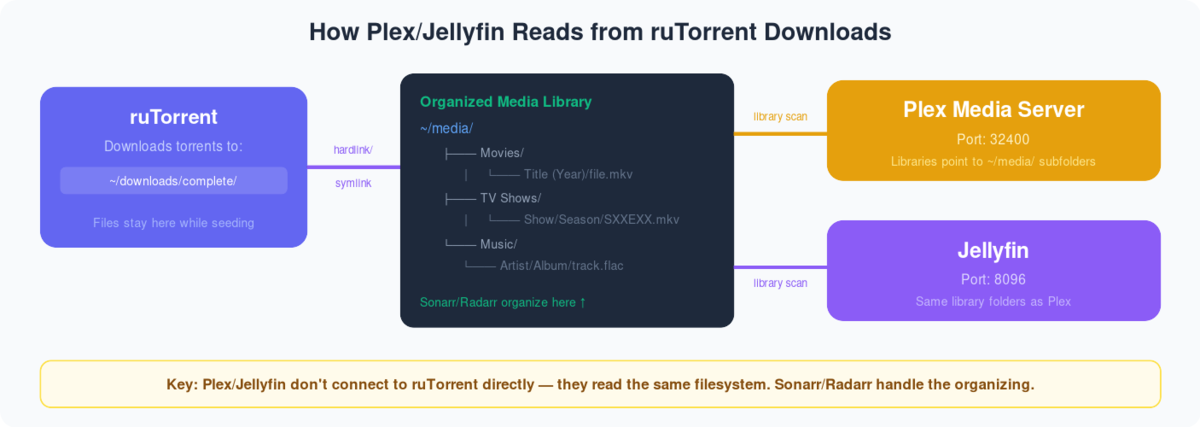
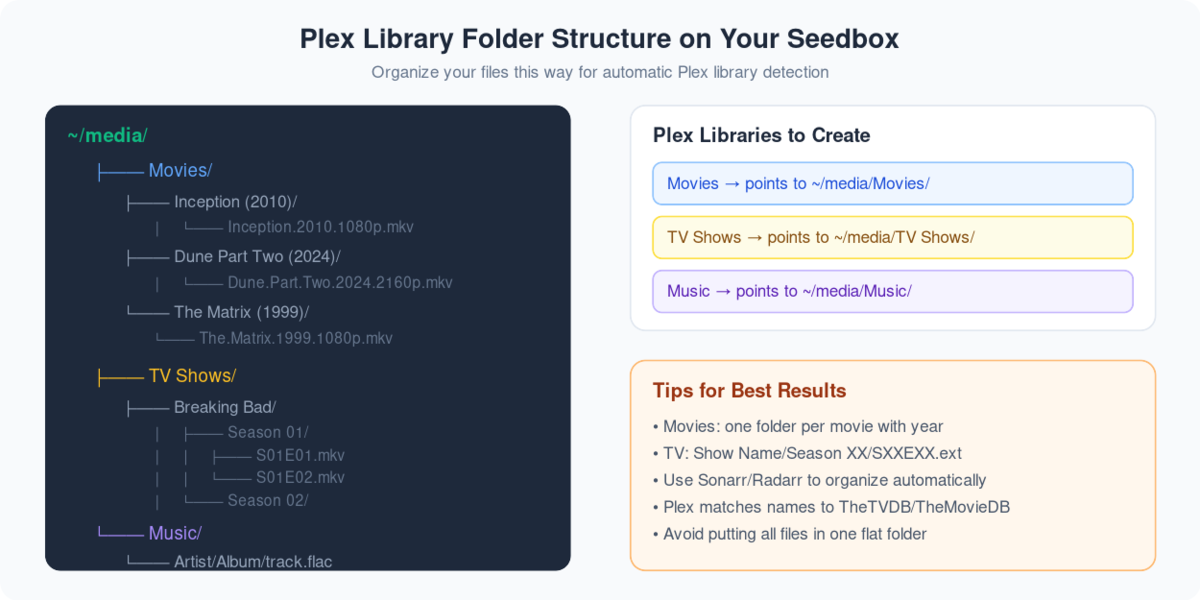
Plex turns your seedbox into a full media center: your downloads live on the server and stream to any device — phone, browser, or TV — without ever touching your home connection.
Every EvoSeedbox plan supports Plex as a one-click app. To follow this guide you need a seedbox and a Plex account — a free account is enough; Plex Pass adds extras like hardware transcoding and mobile downloads, so consider it if you’re a power user.
Steps to set-up Plex
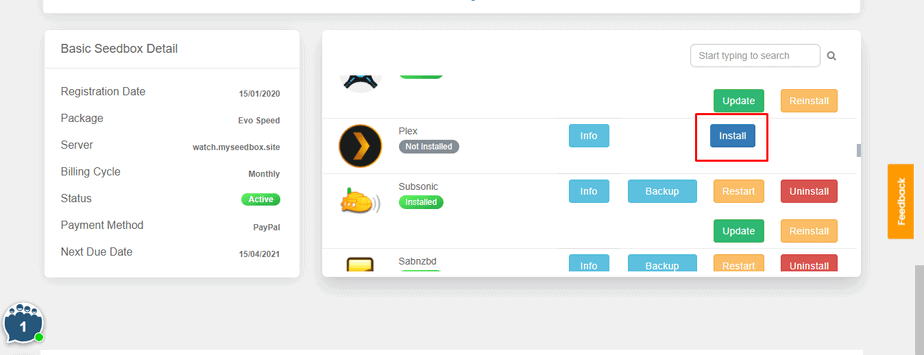
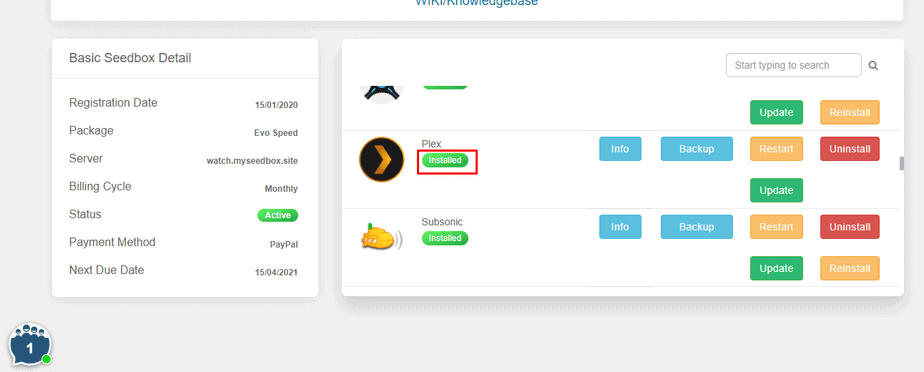
Step 1: Log in to your Seedbox account and install Plex.
Step 2: Generate a Plex code.
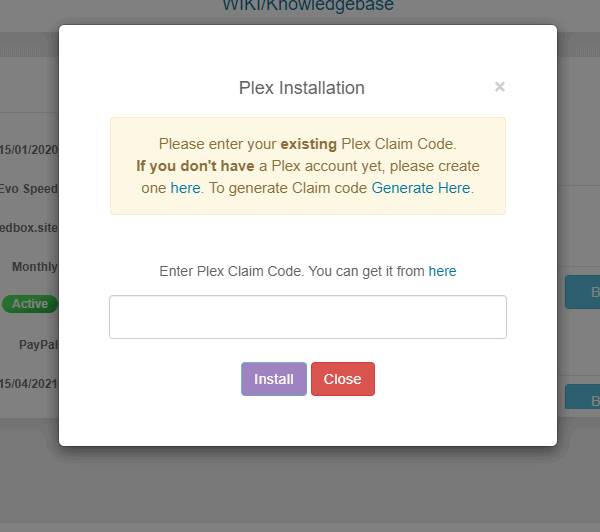
Step 3: Copy your Plex code and paste it in the section.
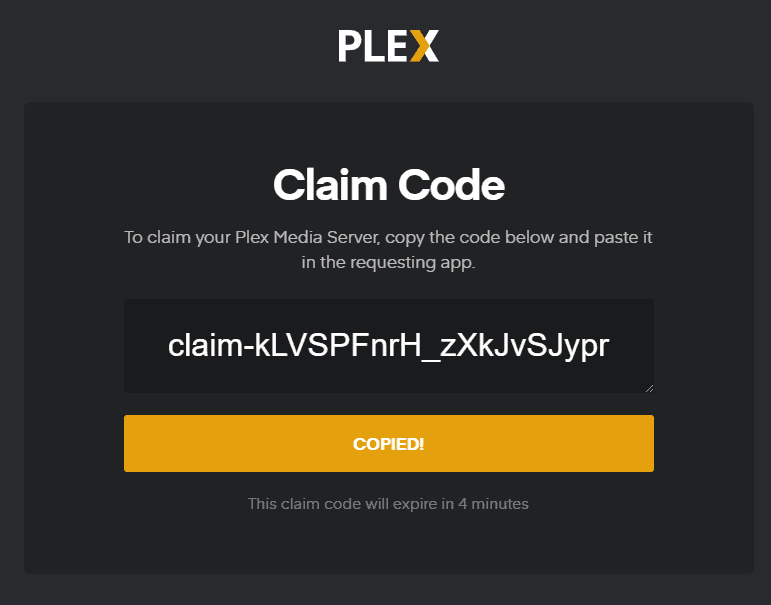
Step 4: Your Plex is installed and configured with your Seedbox.
How to Set up Plex?
After you have configured your seedbox with your Plex account, you will see the following screen.
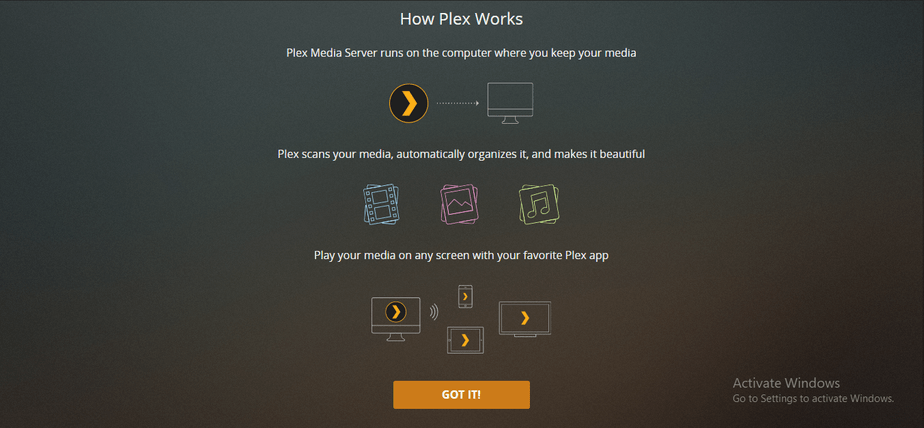
Click the “GOT IT!” button and move to the first step of setting up.
Step 1: Name your media server.
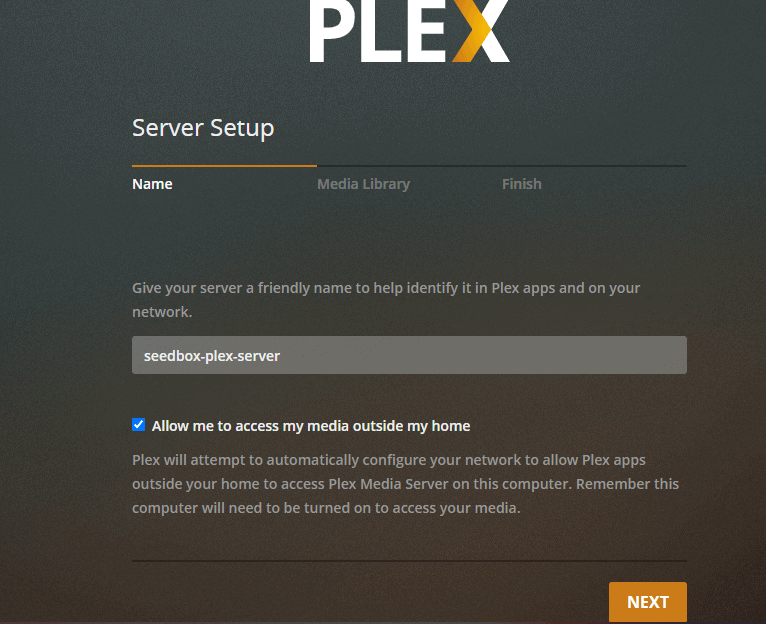
Step 2: Add library to your Plex Media Center.
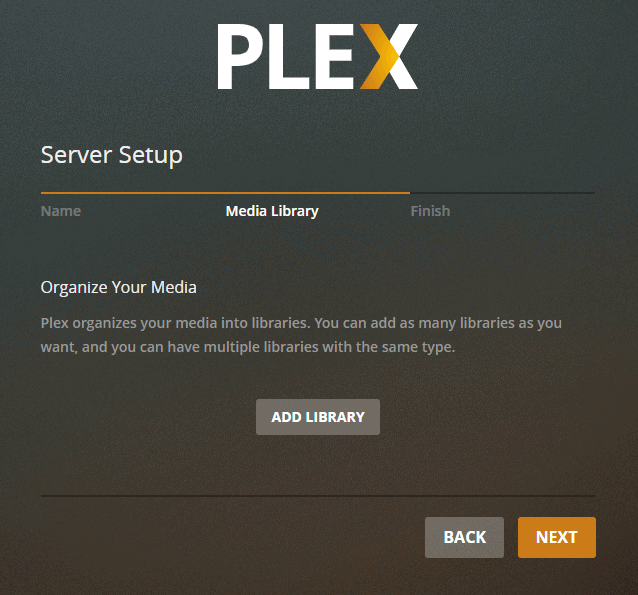
Step 3: Select the type of media you want to add.
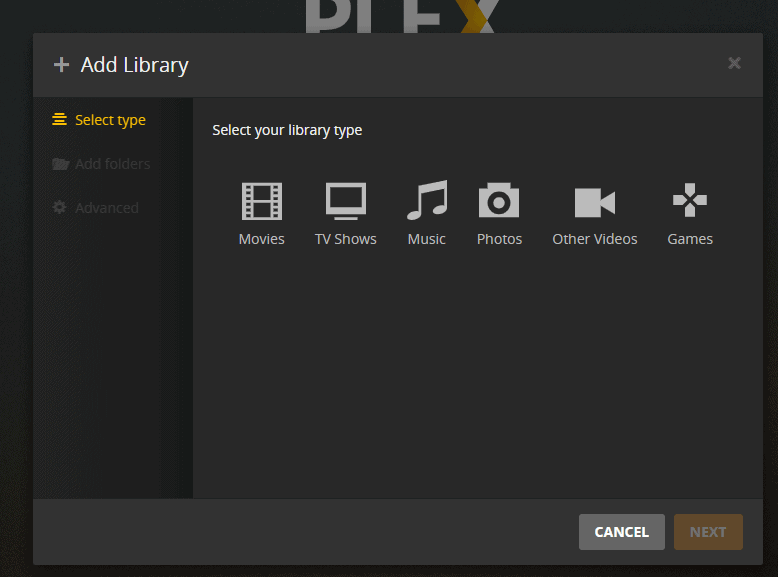
Step 4: Name your folder, select the language and click on next.
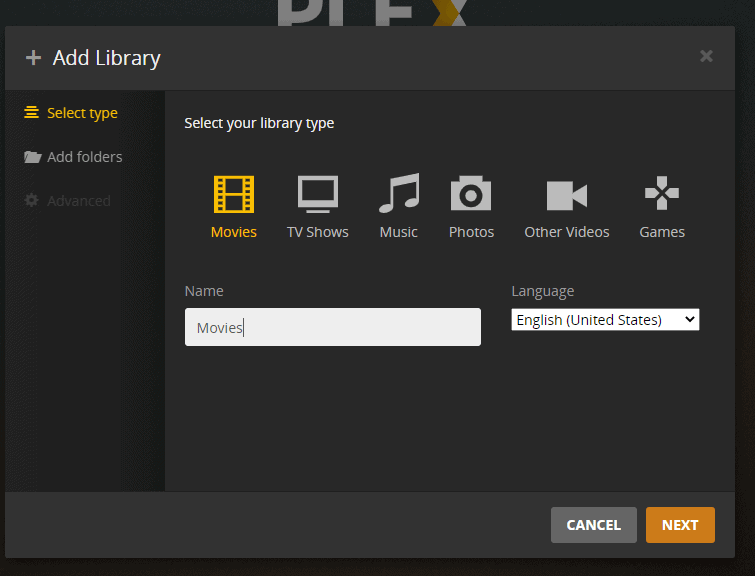
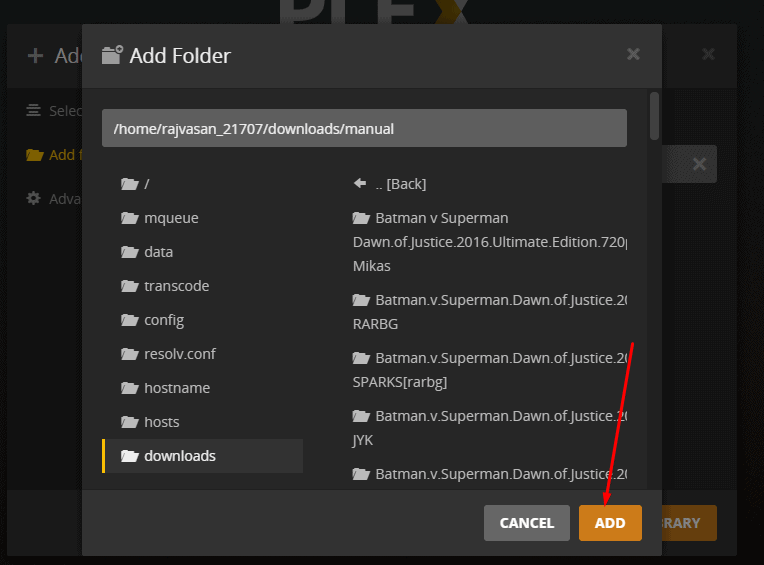
Step 5: Browse and add the movie folder from your seedbox.
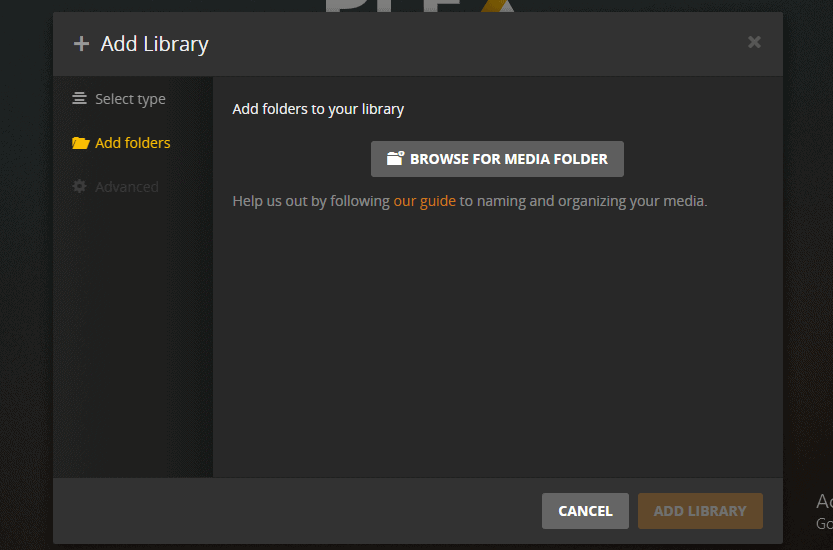
Step 6: Set the path and click on the Add button
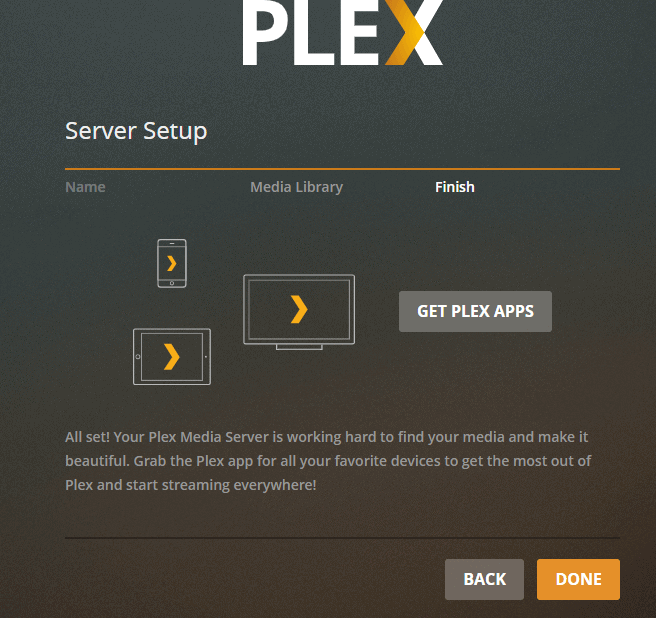
Step 7: Click on done and your Plex server setup is complete.
Streaming 4K in Plex
Transcoding 4K media is very CPU-hungry and generally not practical on shared plans — but you can Direct Play 4K by streaming at original quality. Set your Plex client’s quality to “Original” or “Maximum”. See the 4K streaming guide for details.
Note: Direct-playing 4K requires a fast connection on the viewing side — roughly 150 Mbps for high-bitrate files.
Plex Scanner Option
Plex can scan your library on a timer or detect changes as they happen. If Sonarr or Radarr are importing your media, either option works — new items appear shortly after import.
Which Plan for How Many Streams?
Plex is one of the most popular apps on our fleet — it’s installed on more than 150 EvoSeedbox accounts — so we have a clear picture of what each tier comfortably serves:
- Shared plans (Blitz, Speed, Blaze, Dash): plenty for a household. Direct Play streams barely touch the CPU, so several people can watch at once; keep simultaneous transcodes to 1-2.
- Dedicated plans (Spidey and up): cores are reserved for you, so heavy transcoding, 4K and many concurrent viewers are all on the table.
The biggest lever is Direct Play vs transcoding, not the plan — get your clients Direct Playing and even the entry Blitz plan streams beautifully. Every tier includes Plex as a one-click app, and you can tune performance further if you share with a lot of users.
Related Guides
- Plex Seedbox Plans & Features
- Add Plex Libraries
- Secure Plex Connections
- Tune Plex Performance
- Fix Library Permissions
- Media Naming for Plex
- Jellyfin Alternative
- How to Use Emby with Your Seedbox
Frequently Asked Questions
Do I need Plex Pass to use Plex on a seedbox?
No. A free Plex account works fully with your seedbox. Plex Pass adds extras such as hardware transcoding on supported hardware, mobile downloads and skip-intro — nice to have, not required.
Why does my video buffer or lower its quality?
Usually the client is forcing a transcode or your local connection can’t sustain the bitrate. Set the client quality to “Original” for Direct Play, prefer H.264 files with SRT subtitles, and check Plex performance tuning.
Can Sonarr and Radarr add new media to Plex automatically?
Yes — point their root folders at the directories your Plex libraries watch and new downloads appear automatically. The *arr stack guide walks through the whole pipeline.
Plex says my server is offline — what do I check first?
Open the app from your client area to confirm it’s running, then re-check Settings → Remote Access. If it still misbehaves, our App Doctor usually repairs it automatically within minutes; otherwise open a ticket.
Related articles
Put this into practice
EvoSeedbox ships with one-click app installs and up to 10 Gbps per box.


