“Login failed — check the username and password”
On this page ▾
This message means the server answered, but rejected the username or password you sent. It is the seedbox (SFTP) login that evoftp needs, and it is checked on every connection, so a password that worked last week can stop working after a reset. If the evoftp login failed on a server that worked last week, the password is probably stale (second cause below); otherwise go through the causes in order. Overview: evoftp guide.
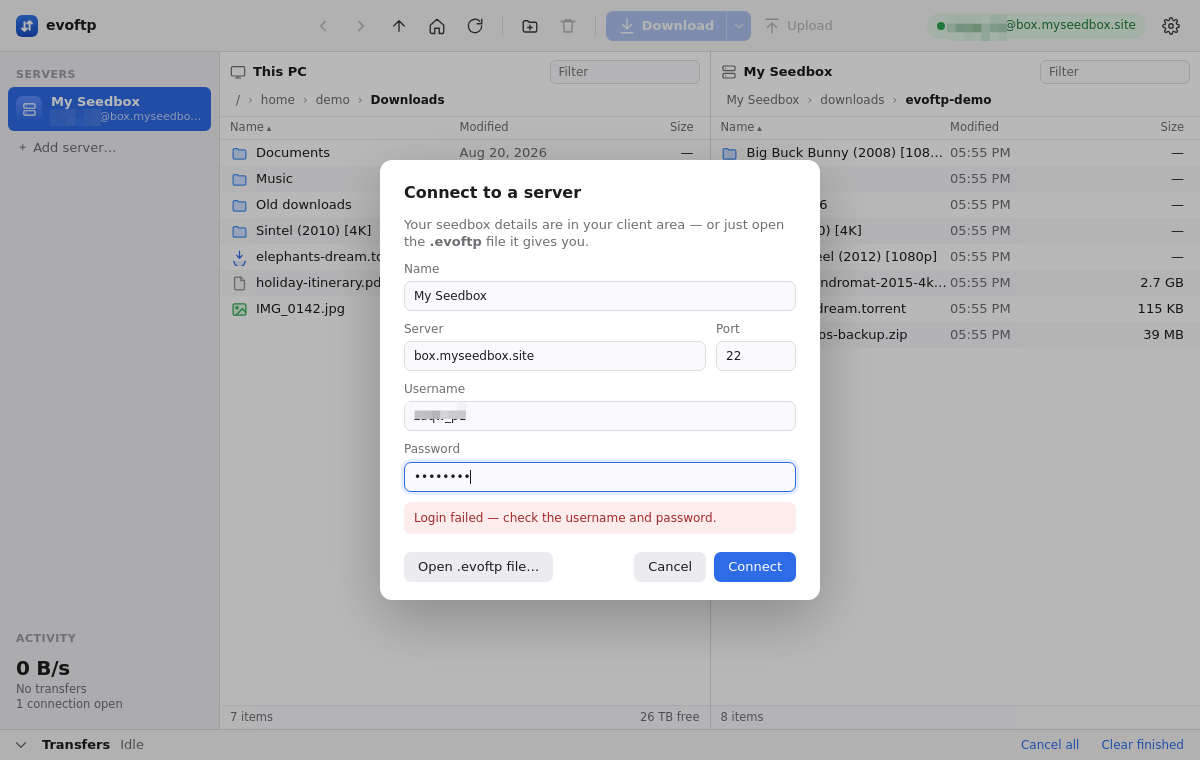
If you clicked the server in the sidebar rather than the Connect button, the same problem shows as the raw text “All configured authentication methods failed”. Treat it the same way.
You typed the client-area password
The seedbox password is not the password you use to log in to the client area. It is a separate password, generated for the box, and it is the one ruTorrent and SFTP both accept.
- Log in to the client area and open your seedbox service page.
- Copy the SFTP password shown there.
- In evoftp, right-click the server in the sidebar → Edit…, paste it into the password field and click Connect.
You can also skip the typing: on the service page, open the “Desktop app” row and download the connection file again. It is built in the browser at that moment, so it always carries the current password; double-click it and evoftp connects.
The saved password is stale
evoftp stores the password you gave it and never fetches a new one. If you reset the seedbox password in the client area, or support reset it for you, the copy in evoftp is now wrong. Fix it the same way: right-click the server → Edit… and paste the new password, or re-download the connection file.
The username is not the seedbox username
Use the username exactly as the service page shows it. On many accounts it carries a suffix such as _p12345; that suffix is part of the username, not a label. The client-area email address is never the username. Check the field in the connect dialog for stray spaces before and after the name; evoftp trims them, but a wrong character in the middle is passed through as typed.
Too many wrong attempts
Several wrong passwords in a row temporarily block your address on the server. From that point the symptom changes: instead of “Login failed” you get a timeout, even with the right password. Wait a while and try again, or open a ticket and support will clear it. The next page, “Connection timed out” and ECONNREFUSED, covers that case.
Note: evoftp only supports password login. SSH keys are not used, so a key set up for another client does not help here.
Overview: evoftp guide.
Related articles
Put this into practice
EvoSeedbox ships with one-click app installs and up to 10 Gbps per box.
