Remote Path Mapping Explained: Fix Sonarr and Radarr Import Errors
On this page ▾
Remote path mapping is the single most common cause of the “Sonarr/Radarr grabbed my release, the download finished, but it never showed up in my library” problem. The good news: on an EvoSeedbox seedbox you almost never need it. The confusing news: the instant your setup involves two machines or two different Docker mounts, you probably do. This guide explains what remote path mapping actually is, the mental model that makes it click, exactly when you need it, and how to fix the errors it causes.
What Remote Path Mapping Actually Is
A remote path mapping is a path translation rule. Your download client (ruTorrent/rTorrent, qBittorrent, etc.) finishes a download and tells the *arr app, “I saved this file at /path/A/.” Sonarr or Radarr then walks to /path/A/ to import the file. If the *arr app sees a different filesystem than the download client, that path is meaningless to it — the folder doesn’t exist from where Sonarr is standing. A remote path mapping rewrites the download client’s reported path into a path the *arr app can actually reach.
Concrete example. Your seedbox’s ruTorrent reports completed downloads at /home/youruser/downloads/. But you run Sonarr at home, and you’ve mounted the seedbox over SSHFS at /mnt/seedbox/. To Sonarr, the file lives at /mnt/seedbox/downloads/, not /home/youruser/downloads/. A mapping that says “when the client says /home/youruser/downloads/, look in /mnt/seedbox/downloads/ instead” makes the import work.
The Mental Model
Keep one sentence in your head: the *arr app must be able to open the finished file, at the exact path the download client reports, from its own point of view. Remote path mapping exists only to reconcile the difference between “where the client says it is” and “where the *arr app can find it.” If both apps see the identical path on the identical filesystem, there is nothing to reconcile — and a mapping would only break things. If they see different paths, you must supply the translation manually, because neither app can guess the other’s filesystem layout.
When You Need It — and When You Don’t
- Everything on the same EvoSeedbox seedbox → NOT needed. Sonarr, Radarr, and ruTorrent all run on the same box and share one filesystem. The path the client reports is the same path the *arr app reads. Leave Remote Path Mappings empty — permissions are pre-configured, so imports and hardlinks just work. Adding a mapping here is a common self-inflicted wound. See setting up Sonarr and how to use Radarr with your seedbox.
- Home *arr → remote seedbox (hybrid) → NEEDED. Sonarr/Radarr run on your home PC or home NAS; the download client runs on the seedbox. The two machines have different filesystems, so you must map the seedbox path to your local mount. This is the classic case — see connect home Sonarr to a remote seedbox.
- Docker with mismatched mounts → MAYBE. If your Sonarr and download-client containers mount the same host directory at different paths (e.g. client sees
/downloads, Sonarr sees/data/torrents), you either fix the volume mappings so both use one identical path, or add a remote path mapping. Matching the mounts is the cleaner fix. A ready-made, correctly-mounted stack is covered in quick arr stack setup.
How to Add a Remote Path Mapping in Sonarr / Radarr
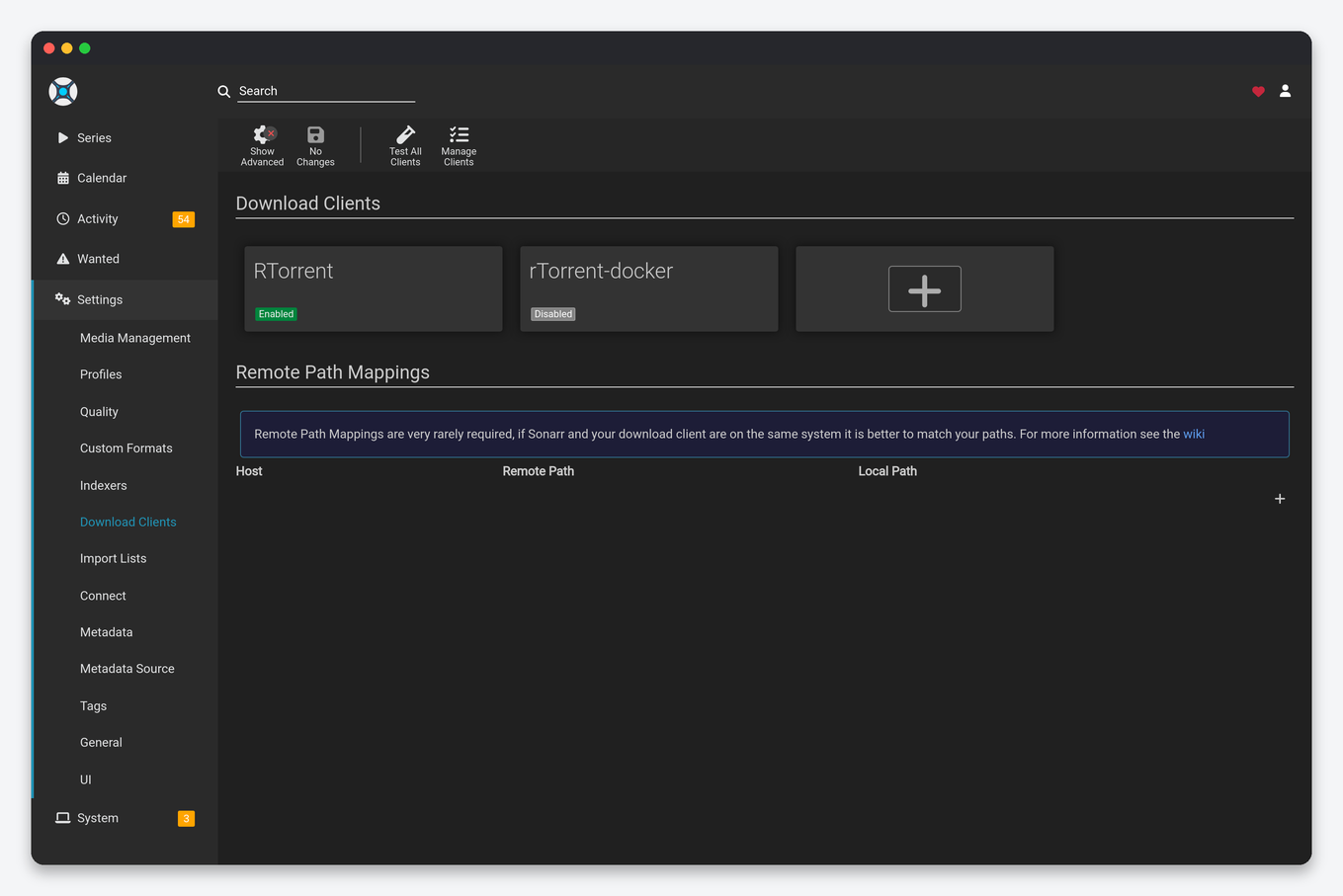
The path is identical in both apps: Settings → Download Clients → Remote Path Mappings → Add (+). You fill three fields:
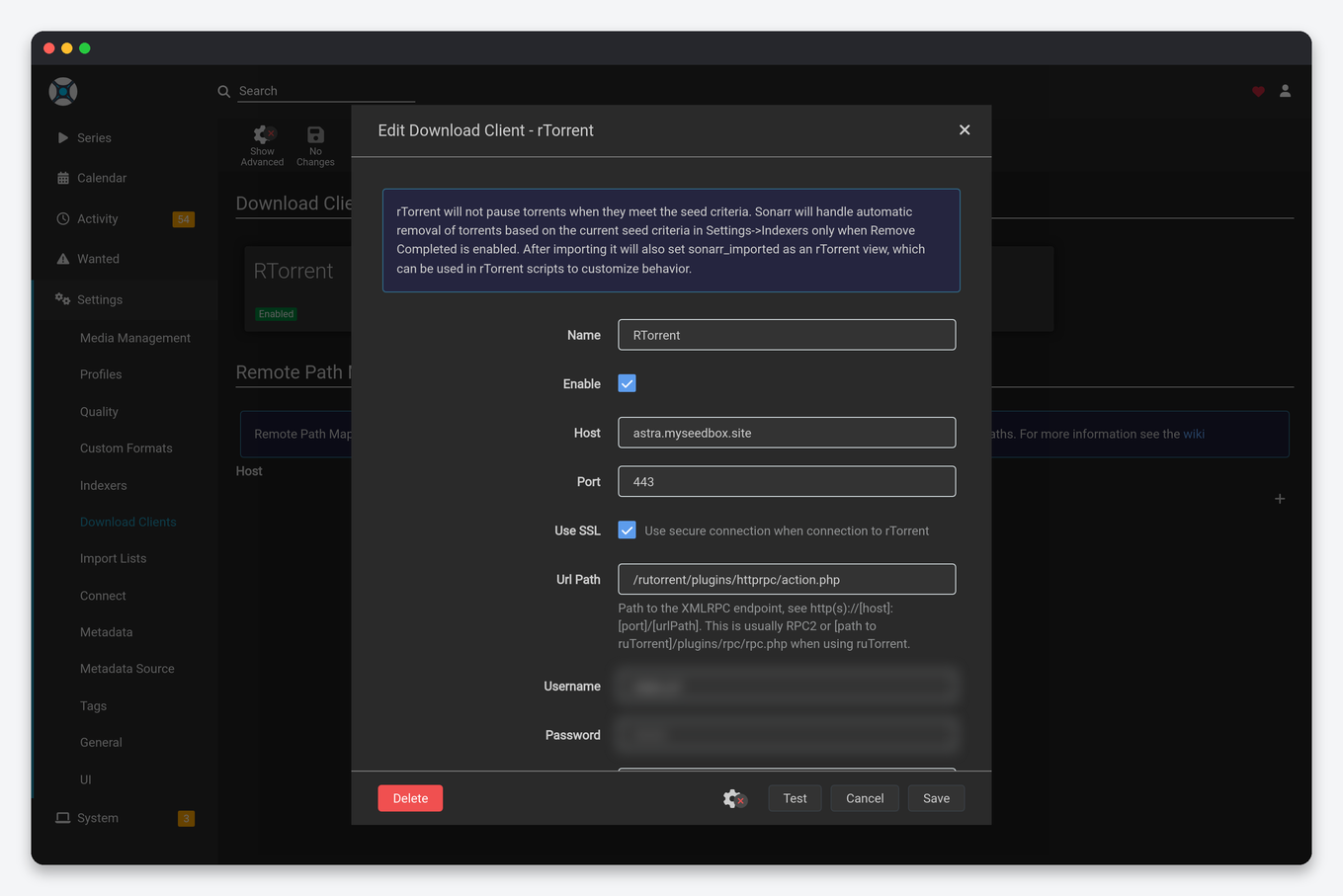
- Host — must match exactly the Host/hostname you entered in the download client’s connection settings above (e.g.
seedbox.myseedbox.siteor an IP). If these don’t match character-for-character, the mapping is ignored. - Remote Path — the path as the download client reports it (the seedbox-side path), e.g.
/home/youruser/downloads/. - Local Path — the path where the *arr app can reach that same content, e.g.
/mnt/seedbox/downloads/.
Worked example (home Sonarr, SSHFS/rclone mount): You mounted the seedbox with sshfs [email protected]:/home/youruser /mnt/seedbox (or an equivalent rclone mount). ruTorrent reports downloads at /home/youruser/downloads/. Your mapping is: Host = seedbox.myseedbox.site, Remote Path = /home/youruser/downloads/, Local Path = /mnt/seedbox/downloads/. Save, then in the download client trigger a re-import or test with a completed item. Trailing slashes should be consistent, and the Local Path must be a directory Sonarr already has read/write access to.
The Exact Errors and What They Mean
- “Import failed, path does not exist or is not accessible: /home/youruser/downloads/…” — Sonarr looked at the client-reported path and found nothing there. This is a missing or wrong remote path mapping (or a mount that isn’t actually mounted). Ninety percent of “downloaded but not imported” reports are this.
- “Permission denied” — the path resolves, but the *arr app’s user can’t read the file or write to the destination. On a home setup this is usually the SSHFS/mount user or a Docker PUID/PGID mismatch. On an EvoSeedbox same-box setup permissions are pre-configured, so this points at your local side.
- “No files found are eligible for import” — the folder was found but held nothing importable: a still-extracting archive, a sample file, a wrong category/label, or a completed download that hasn’t been moved out of an incomplete directory. Not always a path-mapping fault — check the release contents.
Diagnosis Checklist
- Read the actual error. In Sonarr/Radarr go to Activity → Queue, hover the warning icon on the stuck item, and read the literal path in the message. That path is your clue.
- Check the path exists from the *arr app’s view. From the machine running Sonarr, confirm the file is reachable —
ls -la /mnt/seedbox/downloads/. If it’s empty, your mount dropped or your mapping is wrong. - Check permissions. Confirm the *arr user can read the source and write the destination. On Docker, verify PUID/PGID match the file owner.
- Verify Host matches. The mapping’s Host field must equal the download client’s Host field exactly.
- Rule out client-side issues. If the download itself errored (ruTorrent hash-check, unpack failure), fix that first — see common ruTorrent errors and how to fix them.
EvoSeedbox note: if your Sonarr, Radarr, and ruTorrent all live on the same EvoSeedbox seedbox, you should have zero remote path mappings — leave the section blank and imports work out of the box, because it’s all one filesystem with permissions already set. Only the hybrid home-*arr-to-seedbox case needs a mapping (see the hybrid guide), and a full clean stack is in quick arr stack setup. Want it all pre-wired? See our plans.
Frequently Asked Questions
Do I need remote path mapping on my EvoSeedbox seedbox?
No. When Sonarr, Radarr, and ruTorrent all run on the same EvoSeedbox seedbox they share one filesystem, so the download client’s reported path is the exact path the *arr app reads. Leave Remote Path Mappings empty. Permissions are pre-configured, so imports and hardlinks work without any mapping.
Why did adding a mapping break my imports?
Because you added a translation where none was needed. On a same-box setup a mapping rewrites a correct path into a wrong one, so Sonarr then looks in a folder that doesn’t exist. If everything runs on one machine, delete the mapping and the “path does not exist” error should clear.
My download finished but Sonarr says “path does not exist” — what now?
Open Activity → Queue and read the literal path in the error. That’s the path the client reported. Confirm whether the *arr app can actually reach it. If your *arr app is on a different machine than the client, add a remote path mapping translating that path to your local mount. If it’s the same machine, remove any stray mapping.
What’s the difference between Remote Path and Local Path?
Remote Path is where the download client says the file is (the seedbox side). Local Path is where the *arr app can actually open that same file from its own point of view (your local mount). The mapping simply rewrites the first into the second.
Do I need remote path mapping if I run everything in Docker?
Only if your containers mount the same host folder at different internal paths. The cleaner fix is to give both the download client and the *arr app the identical volume path (e.g. both use /data), which removes the need for any mapping. Otherwise, add a mapping bridging the two container paths.
Why does hardlinking fail even when the path is correct?
Hardlinks require the download folder and the media library to sit on the same filesystem/volume. Across an SSHFS or rclone mount, or across two different Docker volumes, hardlinks silently fall back to slow copies or fail outright. On a same-box EvoSeedbox setup they work natively because it’s one filesystem — another reason the all-on-seedbox layout is the simplest to run.
Related articles
Put this into practice
EvoSeedbox ships with one-click app installs and up to 10 Gbps per box.


