Requestrr: Discord Bot for Sonarr, Radarr and Seerr Requests
On this page ▾
Requestrr is a Discord bot that lets people in your server request movies and shows by chat, and passes each request to Sonarr, Radarr, Seerr (Overseerr) or Ombi. If you already run Seerr, point Requestrr at it so its approval rules and quotas apply; otherwise connect Sonarr and Radarr directly. Current platform is Discord only, but the bot was built around the ideology of quick adaptation for new features as well as new platforms.
Install Requestrr onto your seed box.

Once it's installed, click the eye icon and launch the application. You'll be asked to make a new account, go ahead and do that, then log in.
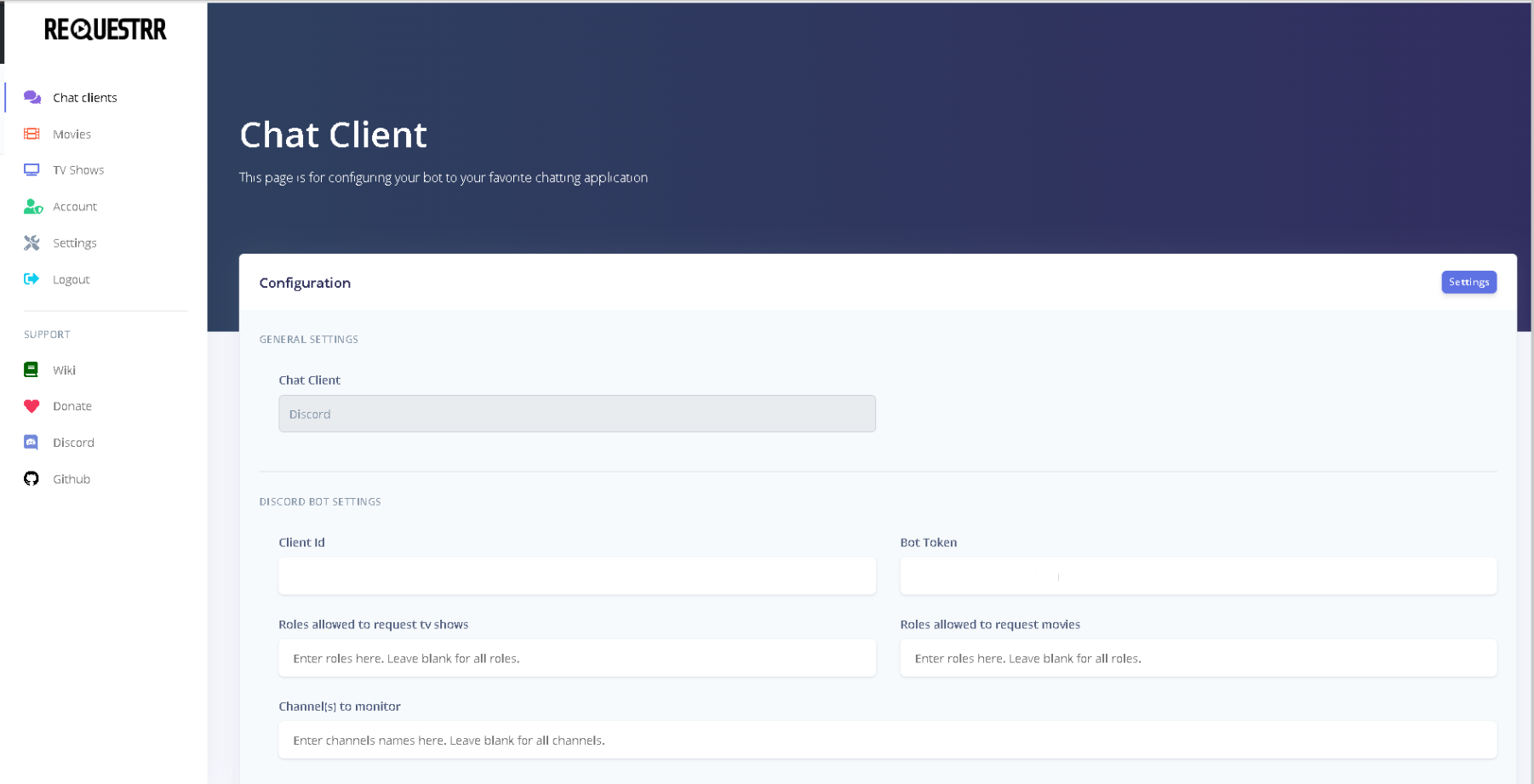
This is what you will see.
Next log into your discord account in your web bowser. And navigate to the Developer Portal.
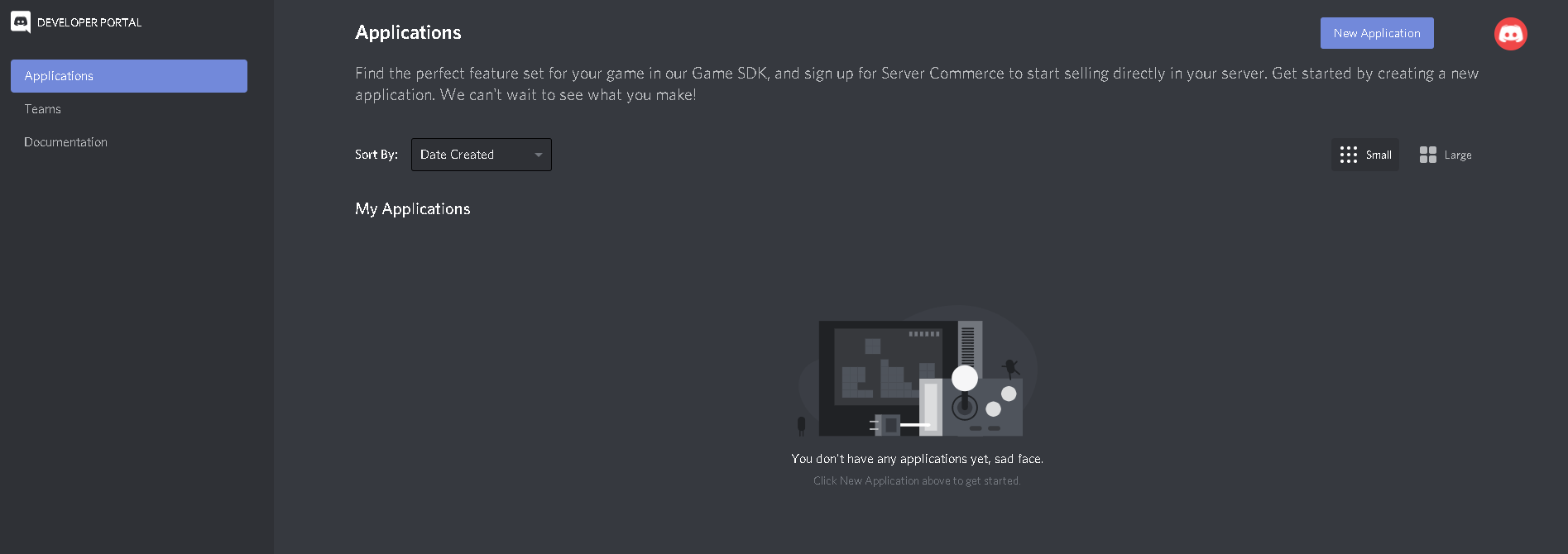
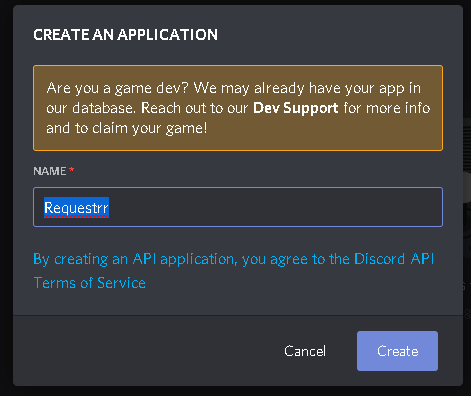
Click "New Application" and name it Requestrr
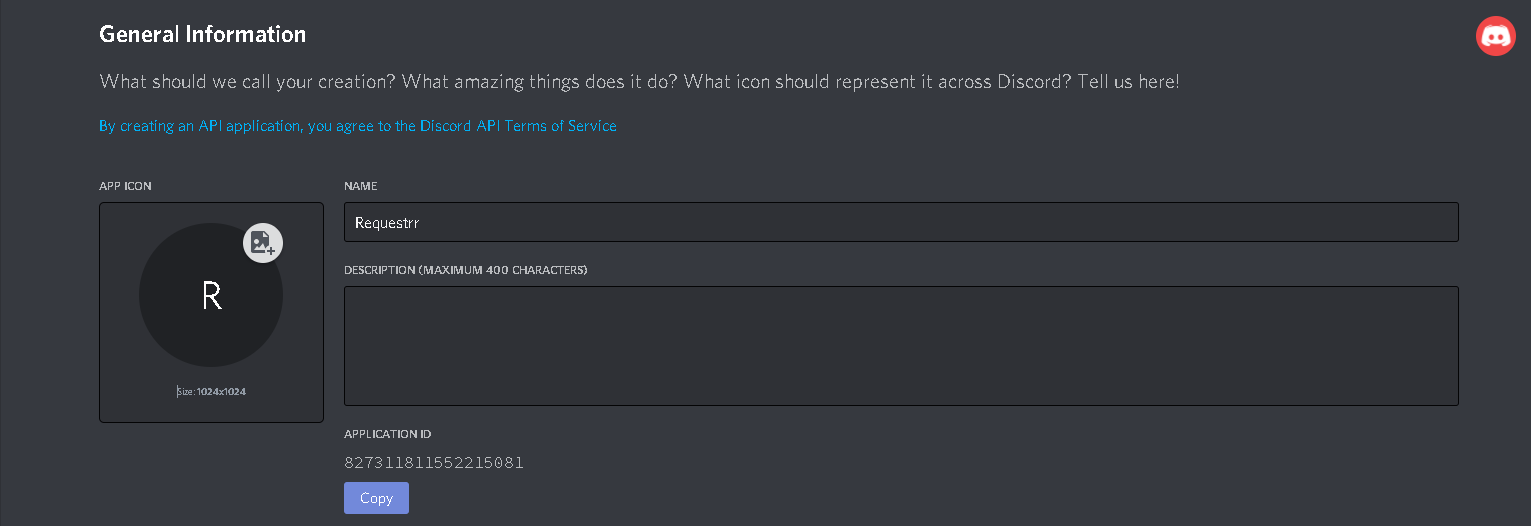
This is what you will see once the application is created.
Copy the Application ID and paste it into the "Client ID" field from your chat client area(The 2nd picture in this guide.)
Now we need to go back to developer portal and make the bot. Click on the name of the Requestrr application from the above link.
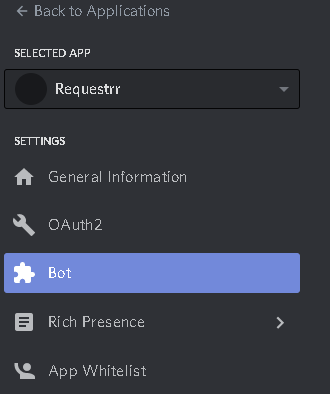
Now click on "Bot" on the left side, and then on the right side of your screen, click add bot.
From here you MUST enable these settings. (Presence intent AND Server membrs intent ) This will not work if you do not enable them.
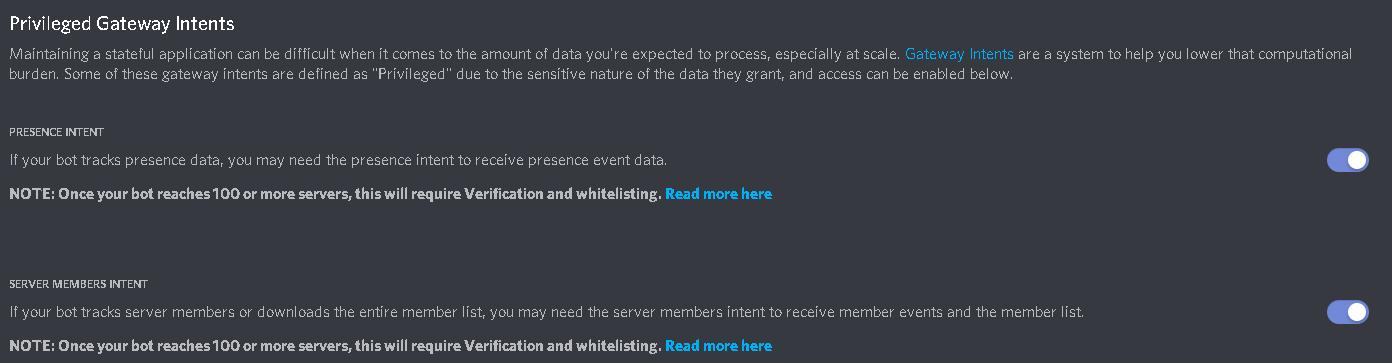
Once those are enabled, scroll back up and under "Token", press copy.
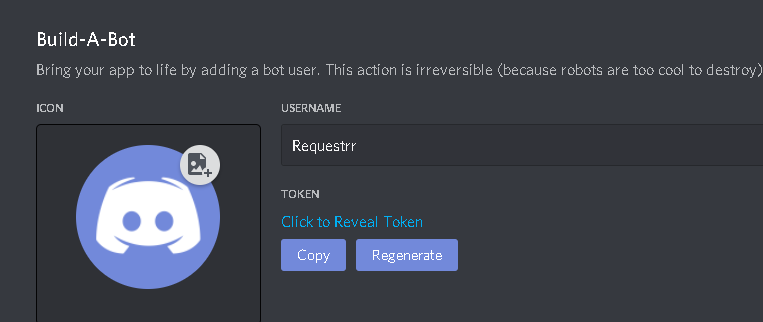
Paste that into the field called "Bot Token" from image 2 of this guide.
Now scroll down to the bottom and click "Test Settings"
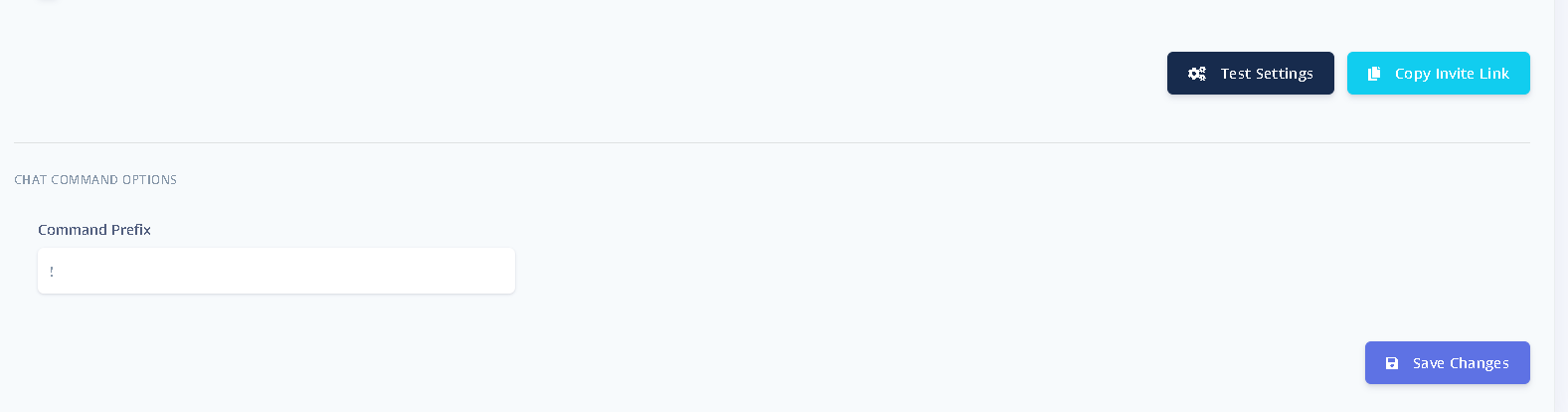
The error will tell you what is wrong, if anything. If no errors, click "Save changes"
Now go to your discord settings and make a new server by clicking the "+" sign and selecting the appropriate options for your set up.

Now that your server is completed, click the copy invite link from where you did the test settings and saved changes.

Paste that into your web browser and you will be asked what server should the bot join. Select your server. Once the bot has joined, it's time to make sure everything is working.
In your server chat type "!ping", and the bot will reply "!pong" if it is connected.
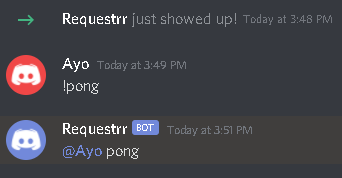
Congrats! The hard part is now done.
What Requestrr does
Requestrr puts a request front-end inside Discord. Instead of handing people a Sonarr or Radarr login,
they type a command in your server, pick from the search results, and the request goes straight into
Sonarr, Radarr or Ombi. You keep the download stack private, and nobody needs an account on it.
It is Discord-only. If you want a web-based request portal instead, Overseerr is the better fit and is
also in the one-click app installer.
What you need before starting
- Requestrr installed from your client area’s app installer.
- A Discord account, and the Manage Server permission on the server you want the bot
in. - At least one of Sonarr, Radarr or Ombi already running, with its API key to hand.
Requestrr port and connecting your *arr apps
Requestrr listens on port 4545 inside its container; on your seedbox that is mapped to
a dedicated port shown in your client area, which is what you open in the browser.
When you add Sonarr or Radarr inside Requestrr’s settings, point it at your existing instance and paste
its API key. Test the connection before saving — a wrong API key produces a bot that appears to work
in Discord but silently fails on every request.
Troubleshooting
- The bot shows offline in Discord — the bot token was not saved, or was
regenerated in the Developer Portal after being pasted. Copy it again and restart Requestrr. - Commands do nothing — the bot is missing permissions in that channel. It needs
to read and send messages, and to embed links. - Requests vanish — check the Sonarr/Radarr connection test inside Requestrr
rather than the Discord side; a failed API key fails quietly.
Related articles
Put this into practice
EvoSeedbox ships with one-click app installs and up to 10 Gbps per box.


