Jellyseerr Setup: Media Requests for Jellyfin on Your Seedbox
On this page ▾
Jellyseerr is a media request and discovery tool designed for Jellyfin users. It lets you (and anyone you share your seedbox with) browse trending movies and TV shows, request downloads, and track when they’re available — all through a beautiful Netflix-like interface. Think of it as a storefront for your media library.
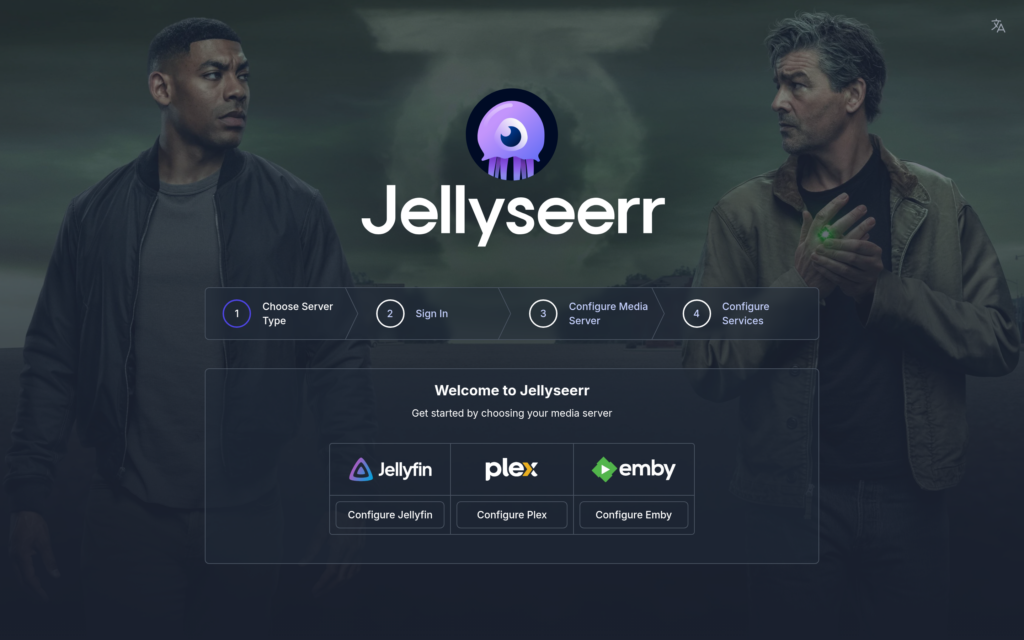
Why Use Jellyseerr?
- Discover content — Browse trending, popular, and upcoming movies and TV shows
- Request system — Request media and it’s automatically downloaded via Sonarr/Radarr
- Multi-user — Share with friends/family — they request, your seedbox downloads
- Status tracking — See what’s requested, downloading, and available
- Jellyfin native — Built specifically for Jellyfin (use Overseerr for Plex)
How It Works
  THE REQUEST FLOW
  ═══════════════════════════════════════════════════════

  User browses               Jellyseerr            Sonarr / Radarr
  Jellyseerr                 processes              downloads
                             request

  ┌──────────────┐       ┌──────────────┐       ┌──────────────┐
  │ 👤 "I want   │       │              │       │              │
  │  to watch    │──req──▶│  Checks if   │──api──▶│  Searches    │
  │  Dune 2"     │       │  already in  │       │  indexers    │
  └──────────────┘       │  library     │       │  via Prowlarr│
                         │              │       └──────┬───────┘
                         │  ❌ Not found │              │
                         │  → sends to  │         Downloads
                         │    Radarr    │              │
                         └──────────────┘              ▼
                                                 ┌──────────────┐
  ┌──────────────┐                               │  rTorrent    │
  │ 📧 "Dune 2   │                               │  downloads   │
  │  is now      │◀──────── available ───────────│  the file    │
  │  available!" │                               └──────┬───────┘
  └──────────────┘                                      │
                                                        ▼
                                                 ┌──────────────┐
                                                 │  Jellyfin    │
                                                 │  adds to     │
                                                 │  library ✓   │
                                                 └──────────────┘
Prerequisites
- Jellyfin installed and configured with media libraries
- Sonarr (for TV) and/or Radarr (for movies) installed
- Prowlarr or Jackett for indexer search
Step 1: Install Jellyseerr
- Log in to your EvoSeedbox Client Area
- Go to Services > your seedbox > Apps
- Find Jellyseerr and click Install
- Click Open when ready
  WHAT GETS INSTALLED
  ───────────────────

  ┌────────────────────────────────┐
  │ Docker: fallenbagel/jellyseerr │
  │ Internal port: 5055            │
  │ Config: ~/userdockers/         │
  │         jellyseerr/            │
  │ Health: /api/v1/status         │
  └────────────────────────────────┘
Step 2: Connect to Jellyfin
On first launch, Jellyseerr guides you through connecting to your media server:
- Select Jellyfin as your media server
- Enter your Jellyfin URL (from your dashboard)
- Sign in with your Jellyfin credentials
- Jellyseerr will scan your existing libraries to know what you already have
Step 3: Connect to Sonarr & Radarr
This tells Jellyseerr where to send download requests:
  JELLYSEERR CONNECTIONS
  ═══════════════════════════════════════════════

  Jellyseerr
       │
       ├──── Jellyfin
       │     "What do we already have?"
       │     Shows existing library to users
       │
       ├──── Radarr
       │     "Download this movie"
       │     URL + API key from Radarr settings
       │
       └──── Sonarr
             "Download this TV show"
             URL + API key from Sonarr settings

  Settings → each service → Add Server:
  • Server URL (HTTPS from your dashboard)
  • API Key (from app Settings → General)
  • Quality Profile (which quality to use)
  • Root Folder (where to save downloads)
Step 4: Browse and Request
Once connected, Jellyseerr shows a beautiful discovery interface:
  JELLYSEERR INTERFACE
  ═══════════════════════════════════════════════════════

  ┌─────────────────────────────────────────────────────┐
  │  🔍 Search movies & TV shows...                    │
  ├─────────────────────────────────────────────────────┤
  │                                                     │
  │  TRENDING NOW                                       │
  │  ┌──────┐ ┌──────┐ ┌──────┐ ┌──────┐ ┌──────┐     │
  │  │ 🎬   │ │ 🎬   │ │ 🎬   │ │ 🎬   │ │ 🎬   │     │
  │  │Movie1│ │Movie2│ │Movie3│ │Movie4│ │Movie5│     │
  │  │      │ │      │ │      │ │      │ │      │     │
  │  │ ✅   │ │ 🟡   │ │  ⬜  │ │  ⬜  │ │ ✅   │     │
  │  └──────┘ └──────┘ └──────┘ └──────┘ └──────┘     │
  │                                                     │
  │  ✅ = In library   🟡 = Requested   ⬜ = Available  │
  ├─────────────────────────────────────────────────────┤
  │  POPULAR TV SHOWS                                   │
  │  ┌──────┐ ┌──────┐ ┌──────┐ ┌──────┐              │
  │  │ 📺   │ │ 📺   │ │ 📺   │ │ 📺   │              │
  │  │Show1 │ │Show2 │ │Show3 │ │Show4 │              │
  │  └──────┘ └──────┘ └──────┘ └──────┘              │
  └─────────────────────────────────────────────────────┘

  Click any title → View details → Click "Request" ✓
- Search any movie or TV show by name
- Browse trending, popular, upcoming, and recently added
- Request with one click — Sonarr/Radarr handles the rest
- Track status — See if your request is pending, downloading, or available
Jellyseerr vs Overseerr
  COMPARISON
  ══════════════════════════════════════════════════

  Jellyseerr                    Overseerr
  ──────────                    ─────────
  For Jellyfin ✓                For Plex ✓
  Fork of Overseerr             Original project
  Jellyfin SSO login            Plex SSO login
  Same UI and features          Same UI and features

  ┌──────────────────────────────────────────────────┐
  │  Using Jellyfin? → Install Jellyseerr            │
  │  Using Plex?     → Install Overseerr             │
  │  Both are available on your seedbox.             │
  └──────────────────────────────────────────────────┘
Sharing with Others
One of Jellyseerr’s best features is multi-user support. You can invite friends and family to browse and request content:
- Go to Settings > Users
- Users who log in via Jellyfin are automatically imported
- Set permissions per user (auto-approve requests, request limits, etc.)
- Share your Jellyseerr URL — they browse and request, your seedbox downloads
Manage Jellyseerr from your phone: Jellyseerr in Dashboarr, the free Android and iOS app that connects straight to your seedbox apps.
Troubleshooting
Requests Stuck on “Pending”
- Verify Sonarr/Radarr connection in Settings (green checkmark = connected)
- Check that Sonarr/Radarr has indexers configured
- Look at Sonarr/Radarr’s activity tab for download errors
Movies Show as “Available” But Not in Jellyfin
- Jellyfin may need to scan its library. Go to Jellyfin Dashboard → Libraries → Scan
- Check that Radarr’s root folder matches Jellyfin’s movie library path
Frequently Asked Questions
Do my users need Jellyfin accounts?
Yes — Jellyseerr authenticates against your Jellyfin server, so anyone with a Jellyfin login can sign into Jellyseerr with the same credentials. Their request permissions are whatever you set under Settings > Users.
Can Jellyseerr and Overseerr run side by side?
Yes. If you serve both Jellyfin and Plex audiences, run both apps and point them at the same Sonarr/Radarr instances — requests from either land in one download pipeline.
Does Jellyseerr download anything itself?
No — it only manages discovery and requests. Sonarr and Radarr do the searching, your torrent client does the downloading, and Jellyfin serves the result. That’s why Jellyseerr uses almost no resources.
Which plan do I need for a shared Jellyfin + Jellyseerr setup?
Any plan runs the apps; what matters is storage for the library you are building. Compare storage tiers on the pricing page.
Related Guides
Related articles
Put this into practice
EvoSeedbox ships with one-click app installs and up to 10 Gbps per box.


