Auto-Label New Downloads by Type (TV, Movies, Music, Books)
On this page ▾
Labels are how ruTorrent filters, Sonarr, Radarr and many scripts decide what a download is. This flow reads each finished torrent’s name and sets the label for you, with rules you can edit in plain JavaScript.
Before you start
Nothing to create — this flow only talks to your seedbox, which is already connected.
Open the template
- From the client area, open your seedbox service and click Open Liteflow on the Automation card.
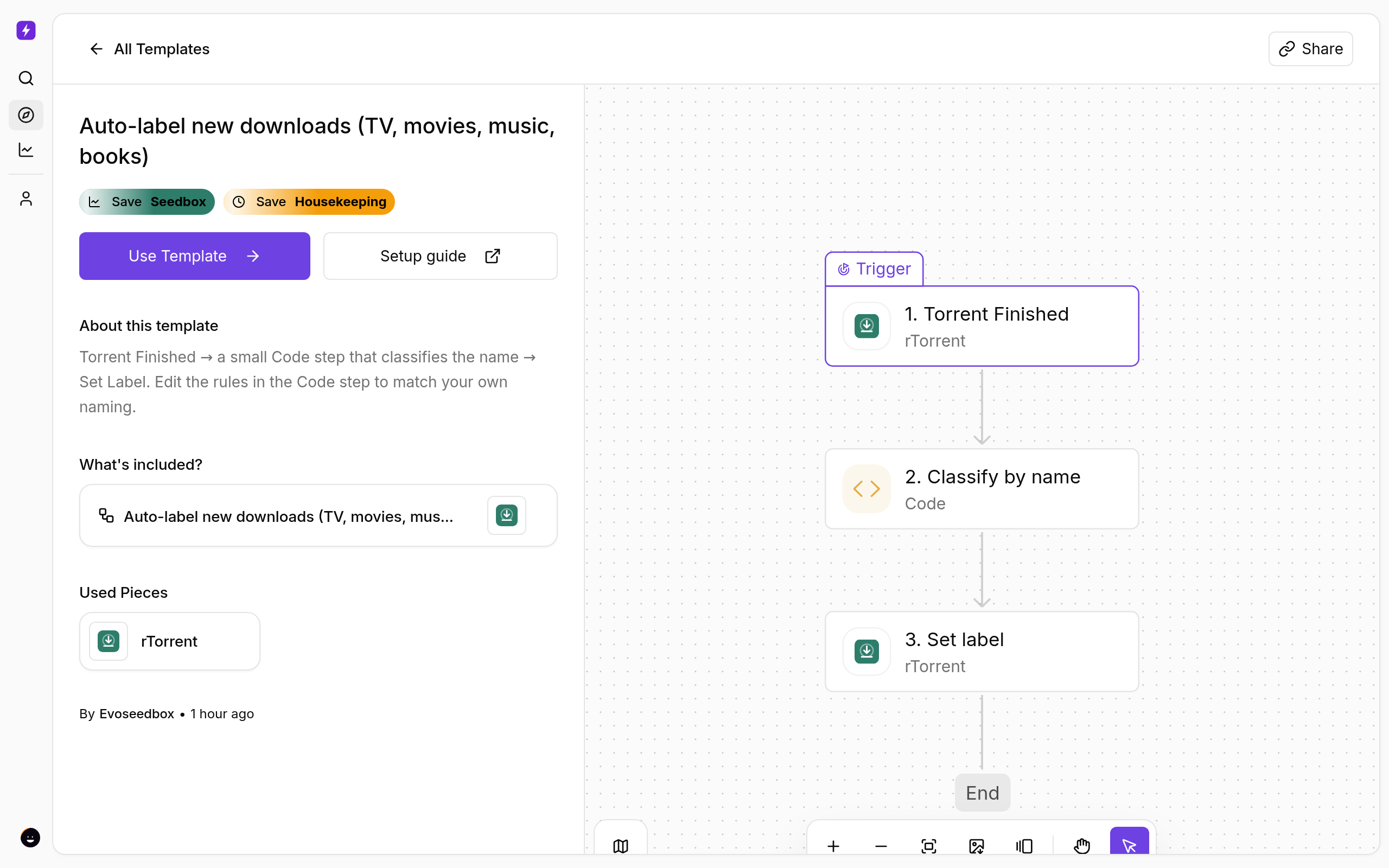
- Click Create New → Start from Template and choose Auto-label new downloads (TV, movies, music, books).
- Click Use Template, keep Personal Project, and Confirm. The flow opens in the builder with every step in place.
How it decides
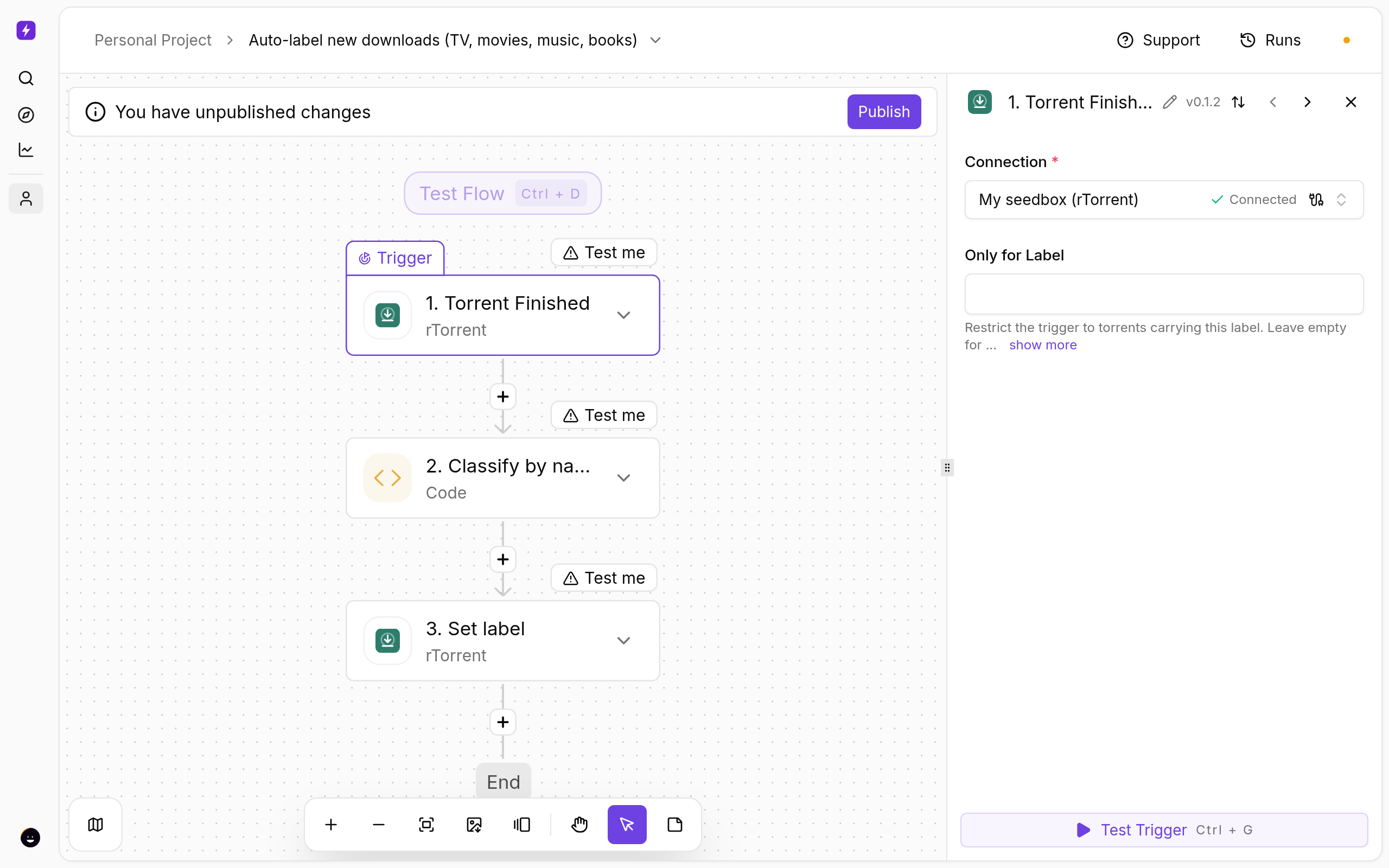
The Classify by name Code step looks for patterns: S01E02 or season means tv; a year plus 1080p/2160p/BluRay/WEB-DL means movies; FLAC/MP3/discography means music; epub/mobi/audiobook means books; everything else gets other.
Change the rules
- Click Classify by name and edit the code. Each
return { label: '…' }line is a rule; add your own regular expression above the last line. - Click Test step to see which label a recent torrent would get.
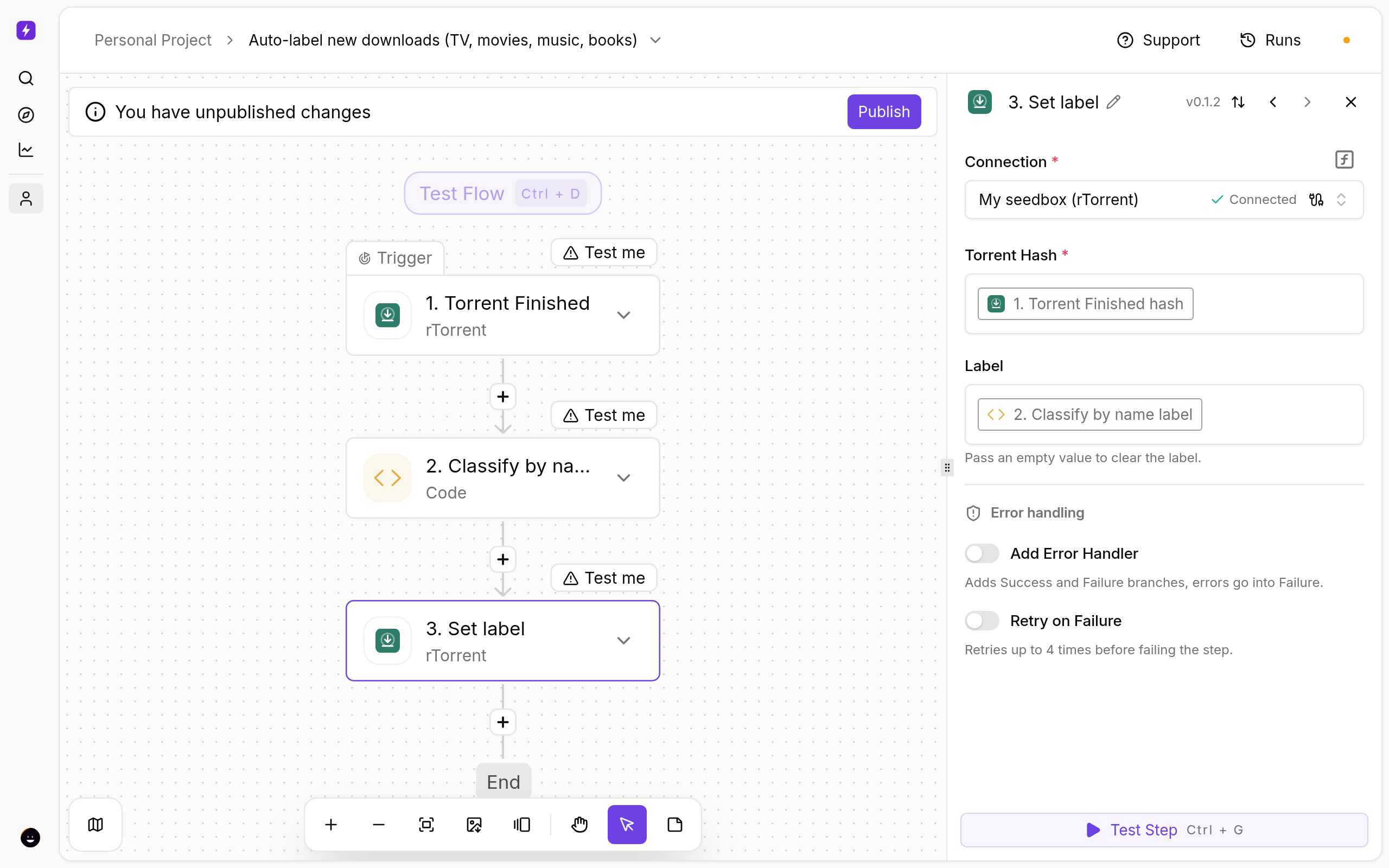
- The Set label step applies
step_1.labelto the torrent — nothing to change there.
Test and publish
- Click a step and use Test step to see real data from your seedbox before going live.
- Click Publish. The flow is now on; the switch on the Automations page turns it off again.
- Open Runs whenever you want to see what fired and what each step returned.
If Something Does Not Work
- Everything becomes
other— your releases use different naming; add a rule matching a word they always contain. - Label not visible in ruTorrent — refresh ruTorrent; labels are applied a few seconds after the torrent finishes.
- The seedbox step fails — open Connections and reconnect My seedbox (rTorrent). It uses the same username and password as ruTorrent.
Variations
- Combine with the Telegram template by adding a Send Telegram message step after Set label that includes
step_1.label. - Label by tracker instead: use
trigger.nametogether with the torrent’s directory field.
More
New to Liteflow? Start with Liteflow: Automate Your Seedbox. Want a template that is not here? Click Suggest it on the Automation card in the client area.
← PreviousAuto-Download From an RSS Feed With Filters Next →Autobrr vs autodl-irssi: Which Should You Use in 2026?
Related articles
Autobrr vs autodl-irssi: Which Should You Use in 2026? →
Auto-Download From an RSS Feed With Filters →
Automatically Move Finished Downloads From Your Seedbox to a NAS →
AudiobookBay Automated: Search and Download Audiobooks on Your Seedbox →
Beginner’s Guide to Nextcloud →
Add Torrents to Your Seedbox From Telegram →
Put this into practice
EvoSeedbox ships with one-click app installs and up to 10 Gbps per box.
