Liteflow: Automate Your Seedbox (Telegram Alerts, Labels, Sonarr & Radarr)
On this page ▾
What Is Liteflow?
Liteflow is Evoseedbox’s built-in automation tool. It lets you connect what happens on your seedbox to the apps you already use: when a torrent finishes, send yourself a Telegram message, tag it, stop it at a ratio, or hand it to Sonarr or Radarr. Workflows run on our side — nothing to install, nothing to keep running at home.
Liteflow is included with every Evoseedbox plan. Your seedbox is connected for you the first time you open it.
How to Open It
- Log in to the client area and open your seedbox service.
- Find the Automation card in the right-hand column and click Open Liteflow.
- Liteflow opens signed in as you. There is no separate password — the button is your login.
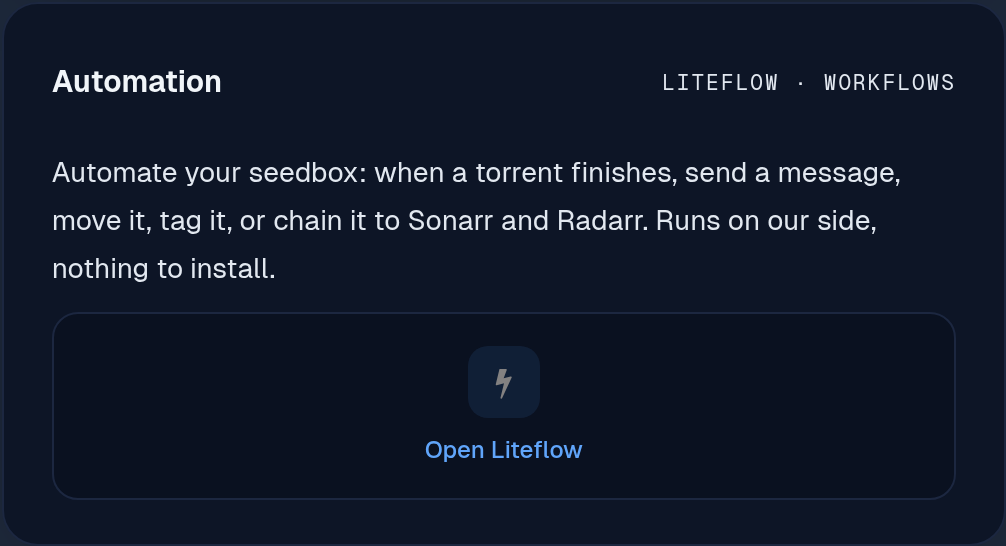
The first open takes a few seconds while your workspace is created. After that it is instant.
What Is Already Set Up
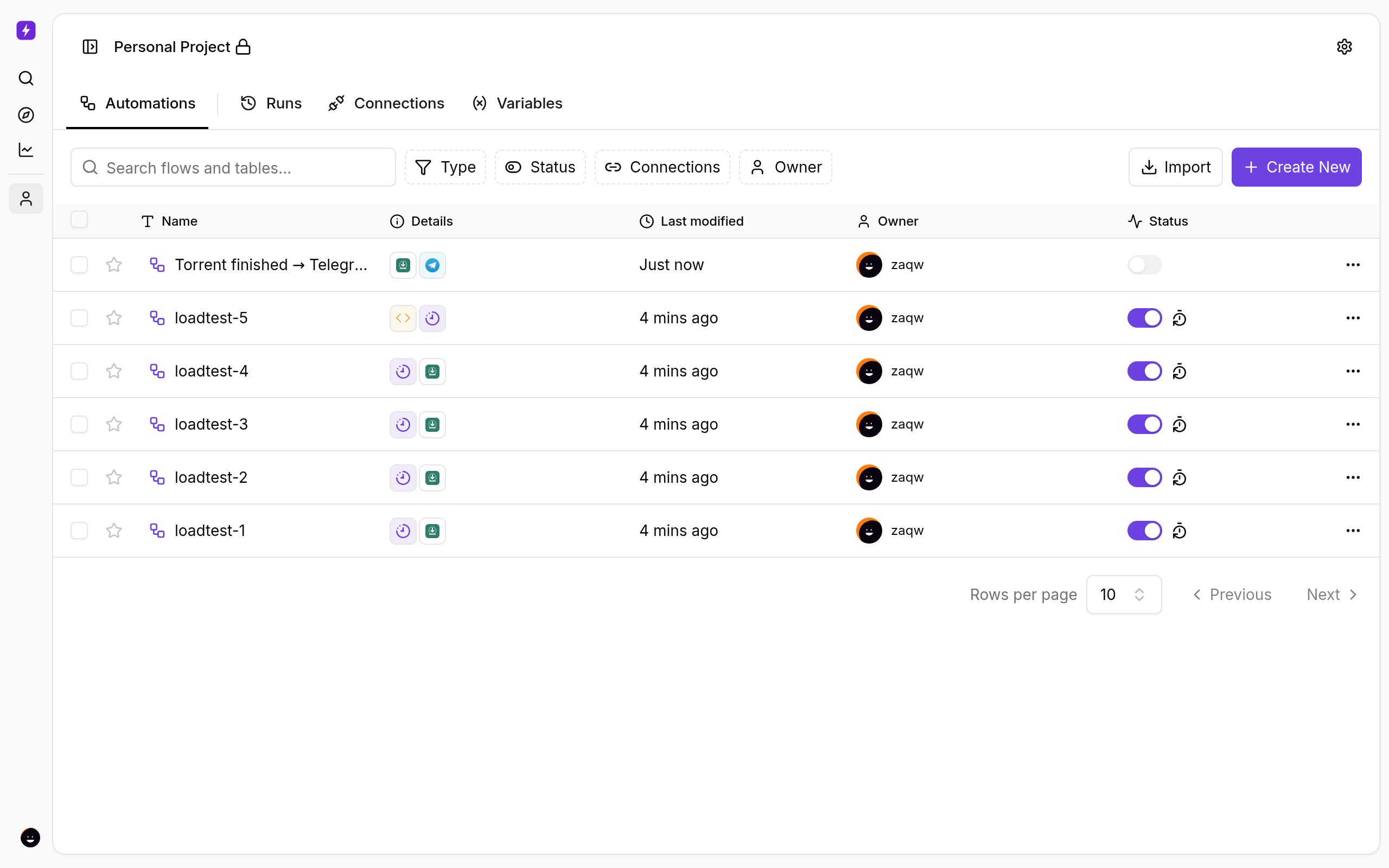
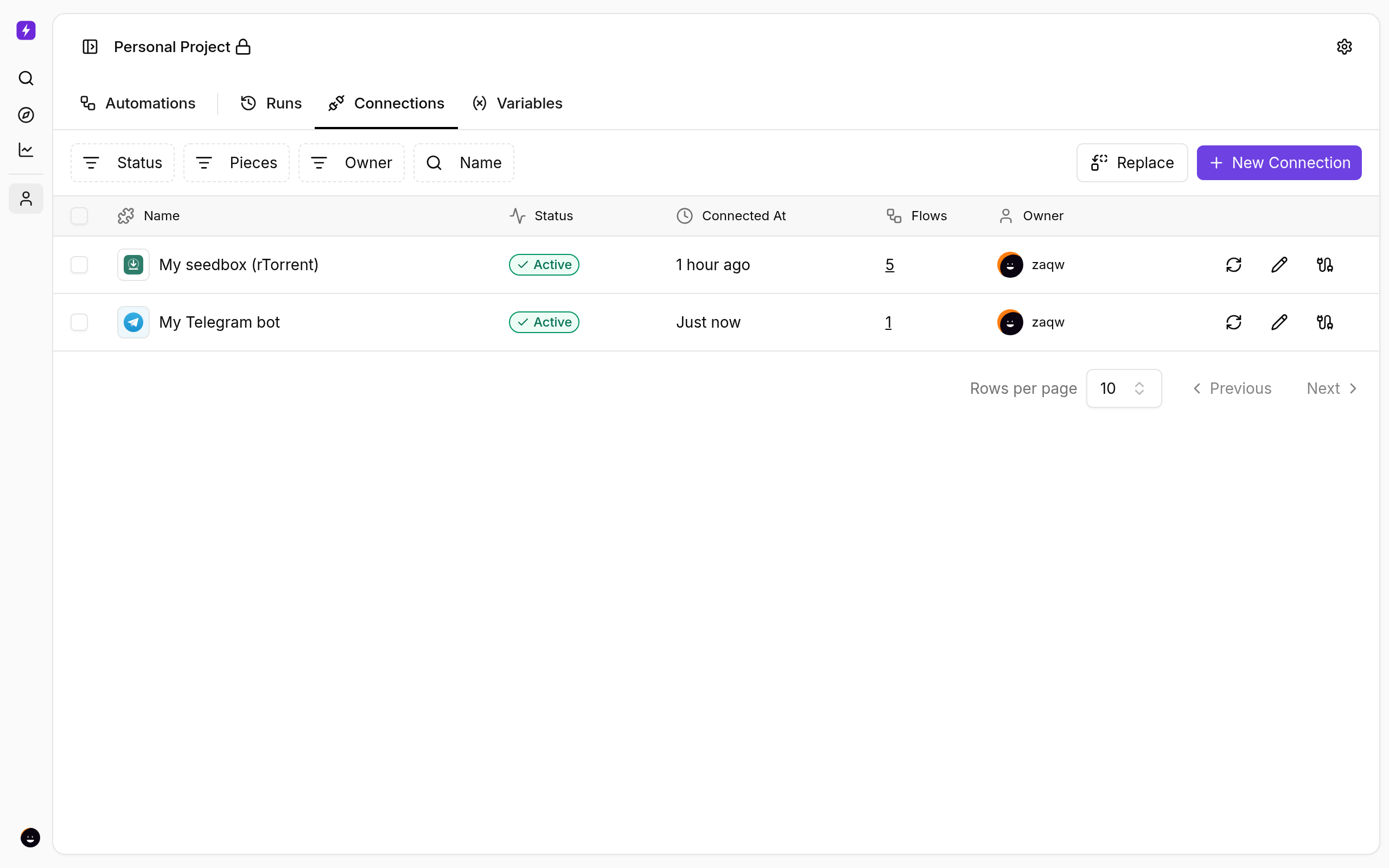
- Your seedbox connection — under Connections you will find My seedbox (rTorrent), already pointing at your box with your own credentials. Every rTorrent step can use it straight away.
- Your own private workspace — your flows, runs and connections are yours alone. Nobody else on the cluster can see them.
- Up to 10 active flows per seedbox. A flow only counts while it is switched on.
Start From a Template
You do not have to build from scratch. Click Use Templates on the Automations page and pick one of the ready-made seedbox flows. Each one opens in the builder with every step filled in — you only choose your connections (your seedbox is already there) and press Publish.
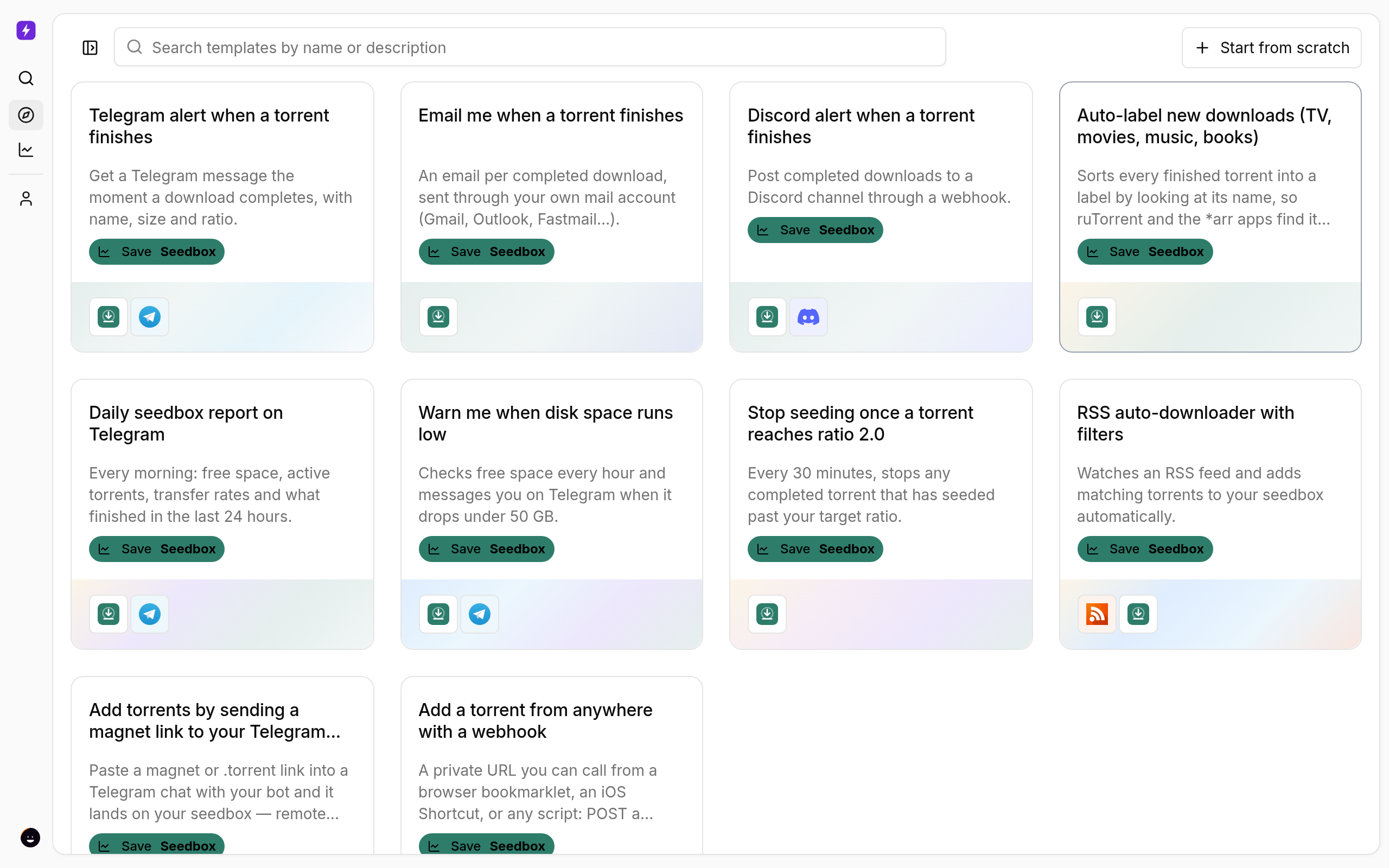
- Telegram alert when a torrent finishes — name, size and ratio, the moment a download completes.
- Email me when a torrent finishes — the same alert by email through your own mail account.
- Discord alert when a torrent finishes — posts to a channel through a webhook.
- Auto-label new downloads — sorts finished torrents into tv, movies, music or books from the name, so ruTorrent, Sonarr and Radarr find them where they expect.
- Daily seedbox report on Telegram — every morning: free space, active torrents, transfer rates and what finished in the last 24 hours.
- Warn me when disk space runs low — an hourly check that messages you under 50 GB (change the threshold in the flow).
- Stop seeding once a torrent reaches ratio 2.0 — checks every 30 minutes and stops anything past your target ratio.
- RSS auto-downloader with filters — watches a feed and adds matching torrents with a label; edit the include/exclude patterns.
- Add torrents by sending a magnet link to your Telegram bot — paste a link into a chat with your bot and it lands on your seedbox.
- Add a torrent from anywhere with a webhook — a private URL for bookmarklets, iOS Shortcuts or scripts.
Want one that is not here? Use Suggest it on the Automation card in the client area, or open a ticket titled Liteflow automation idea. We build popular requests as templates for everyone.
Step-by-Step Tutorials
Every template has its own guide with screenshots and the exact setup steps (bot tokens, app passwords, webhooks):
- Get a Telegram Message When a Torrent Finishes on Your Seedbox
- Email Yourself When a Torrent Finishes on Your Seedbox
- Post Finished Torrents to a Discord Channel
- Auto-Label New Downloads by Type (TV, Movies, Music, Books)
- A Daily Seedbox Report on Telegram
- Get Warned Before Your Seedbox Runs Out of Space
- Stop Seeding Automatically at a Target Ratio
- Auto-Download From an RSS Feed With Filters
- Add Torrents to Your Seedbox From Telegram
- Add Torrents to Your Seedbox From Any App With a Webhook
Your First Flow: Telegram Message When a Torrent Finishes
This is the flow most people build first, and it takes about two minutes.
1. Create a Telegram bot
- In Telegram, message @BotFather and send
/newbot. Follow the prompts and copy the bot token it gives you. - Start a chat with your new bot and send it any message.
- Open
https://api.telegram.org/bot<YOUR_TOKEN>/getUpdatesin a browser and note the"id"under"chat"— that is your chat ID.
2. Build the flow
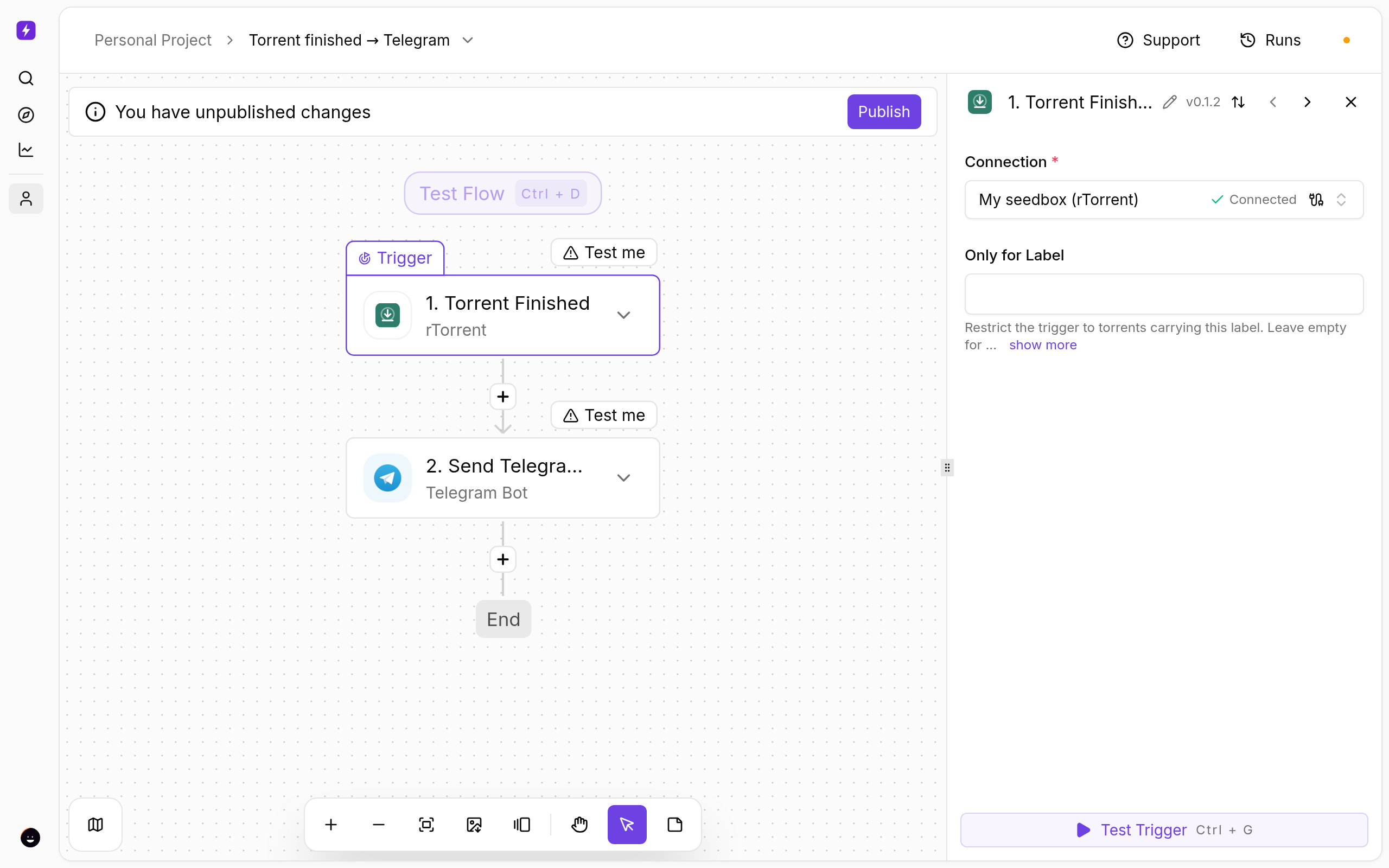
- In Liteflow, click Build a Flow → Start from scratch.
- Click Select Trigger, search for rTorrent and choose Torrent Finished. Pick My seedbox (rTorrent) as the connection. Leave Only for Label empty to catch everything, or enter a label (for example
tv) to watch just that one. - Click the + below the trigger, search for Telegram and choose Send Text Message.
- Create a connection with your bot token, enter your chat ID, and write the message. Click into the message box to insert values from the trigger, for example the torrent name and ratio.
- Click Publish. From now on, every finished torrent sends you a message.
More Ideas
- Stop seeding at a ratio — Torrent Finished → a short Code step that checks
ratio→ Control Torrent: Stop. - Tag by tracker or name — Torrent Finished → Set Label, so ruTorrent, Sonarr and Radarr pick it up where you want it.
- A daily summary — Schedule: every day → Get Status → one Telegram or Discord message with free space and active torrents.
- Chain your apps — Sonarr, Radarr, Plex and the rest are available as steps; anything with a web API can be reached with the HTTP step.
Good to Know
- Runs — open Runs to see every time a flow fired, what it received and what each step returned. This is the first place to look when something does not happen.
- Testing — every step has a Test step button, so you can see real data from your seedbox before you publish.
- Labels — the label a flow sees is the one ruTorrent shows. Set labels in ruTorrent or with the Set Label step.
- Code steps run in a sealed sandbox: plain JavaScript, no filesystem, no network. Use the HTTP step to call out.
- If your service is suspended, flows pause and the button is disabled until it is active again. If a service is cancelled, your flows are exported to a backup file in your seedbox home folder so you can import them later.
Need Help?
Open a ticket from the client area with the name of the flow and a screenshot of the run. We can see the same run log you can and will point you to the step that needs attention.
Related articles
Put this into practice
EvoSeedbox ships with one-click app installs and up to 10 Gbps per box.
