SABnzbd Settings Explained: Every Config Page for a Seedbox
On this page ▾
This is the setting-by-setting reference for SABnzbd as installed on an EvoSeedbox: every page under Config, what each option does, its default, and the value that suits a seedbox with a fast line, plenty of CPU and a home folder shared with Sonarr, Radarr and Lidarr. Labels and help text were captured from the running app (SABnzbd 4.x, Glitter interface). Adding your first Usenet server and connecting the *arr apps is covered in the SABnzbd setup guide; this page is for everything after that. Most pages have an Advanced Settings toggle at the top right; the tables below include the advanced options and say so.
How SABnzbd is laid out on the seedbox
SABnzbd runs in its own container as your user. Its configuration and database live under /config (the container name for the app’s config folder); your downloads land in /home/<user>/downloads/sabnzbd/ with incomplete and complete subfolders, and the watched folder is /home/<user>/downloads/watch. Because the download folders are inside your home directory, Sonarr and Radarr can import from them directly and hardlink instead of copying. The web interface is reached through the HTTPS link in the client area; the port shown on the General page is the container’s internal port and is not what you type in a browser.
General
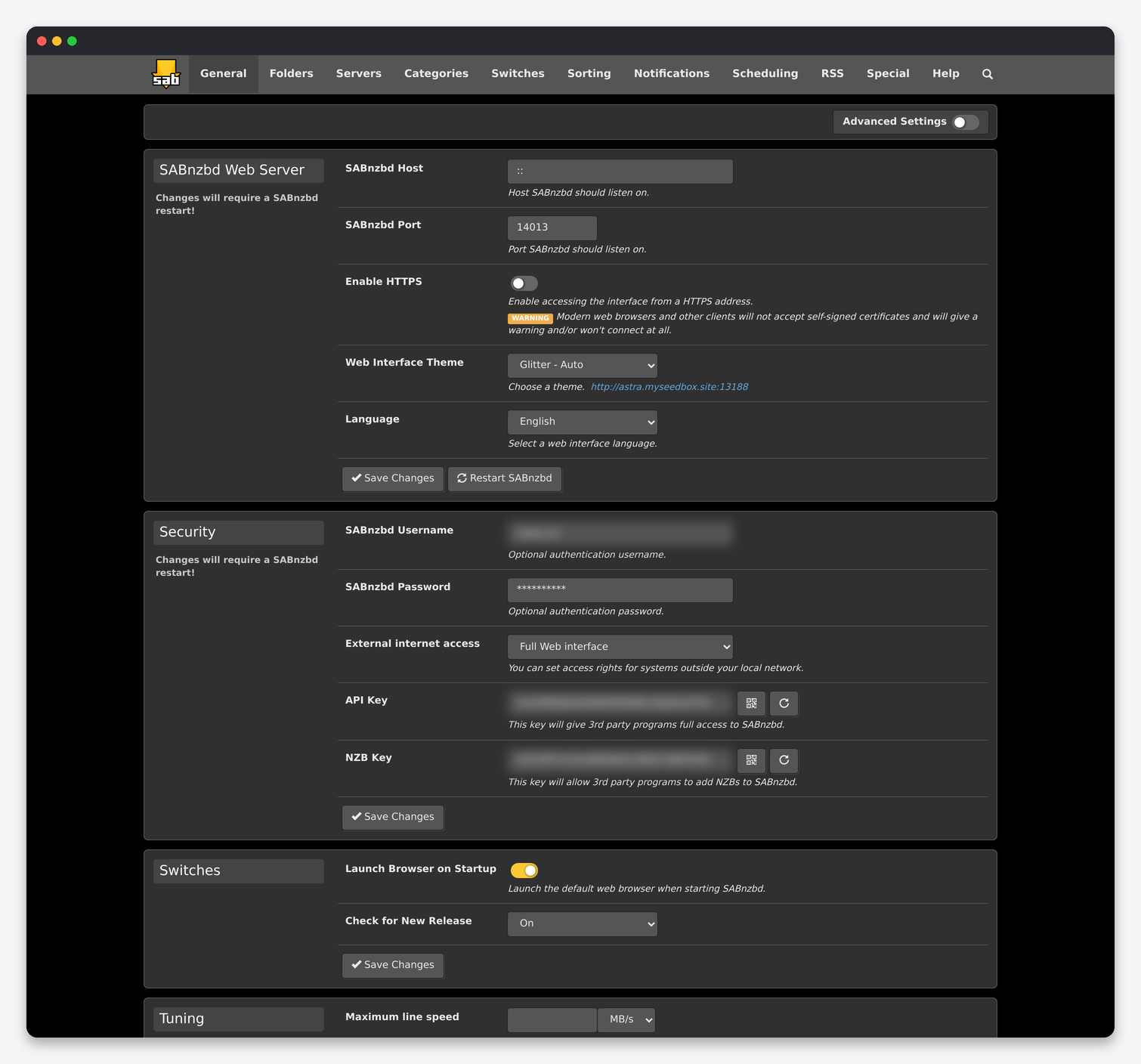
| Setting | What it does | Default | Seedbox |
|---|---|---|---|
| SABnzbd Host / Port | Address and port the built-in web server listens on inside the container. | :: / 8080 | Leave as installed. The public HTTPS port is added by the seedbox proxy. |
| Enable HTTPS (advanced) | Serve the interface with SABnzbd’s own self-signed certificate. | Off | Off. The proxy already terminates HTTPS with a valid certificate. |
| Web Interface Theme | Glitter in Auto, Light or Dark, or the Plush classic skin. | Glitter – Auto | Your choice. |
| Language | Interface language. | English | Your choice. |
| SABnzbd Username / Password | Login for the web interface. | Set by the installer | Keep both set. The interface is reachable from the internet. |
| External internet access | What non-local addresses may do: full interface, add NZBs only, API only, or nothing. | Full Web interface | Full. Every connection to a seedbox is “external”, so a stricter value locks you out. Rely on the username and password. |
| API Key | Full-access key used by Sonarr, Radarr, Lidarr and Dashboarr. | Generated | Paste it into each *arr download client entry; regenerate it if it ever leaks and update the apps. |
| NZB Key | Restricted key that can only add NZBs. | Generated | Use it for indexer “send to SAB” buttons and browser extensions instead of the full key. |
| Launch Browser on Startup | Open a local browser when SABnzbd starts. | On | Irrelevant in a container; off. |
| Check for New Release | Check GitHub for a newer version and show a banner; “Also test releases” includes betas. | On | On is fine, but updates arrive with the container image, not from this button. |
| Maximum line speed | Your connection speed. The queue’s percentage limiter is calculated from it. | Empty | Set it to your plan’s line speed (for example 1000 MB/s on a 10 Gbit box is unrealistic; 100 MB/s is a sensible ceiling) so the speed limit slider means something. |
| Create backup / Restore backup | Zip the config and databases to the Backup Folder, or restore one (needs a restart). | – | Take one before large changes. Scheduled backups are on the Scheduling page. |
Folders
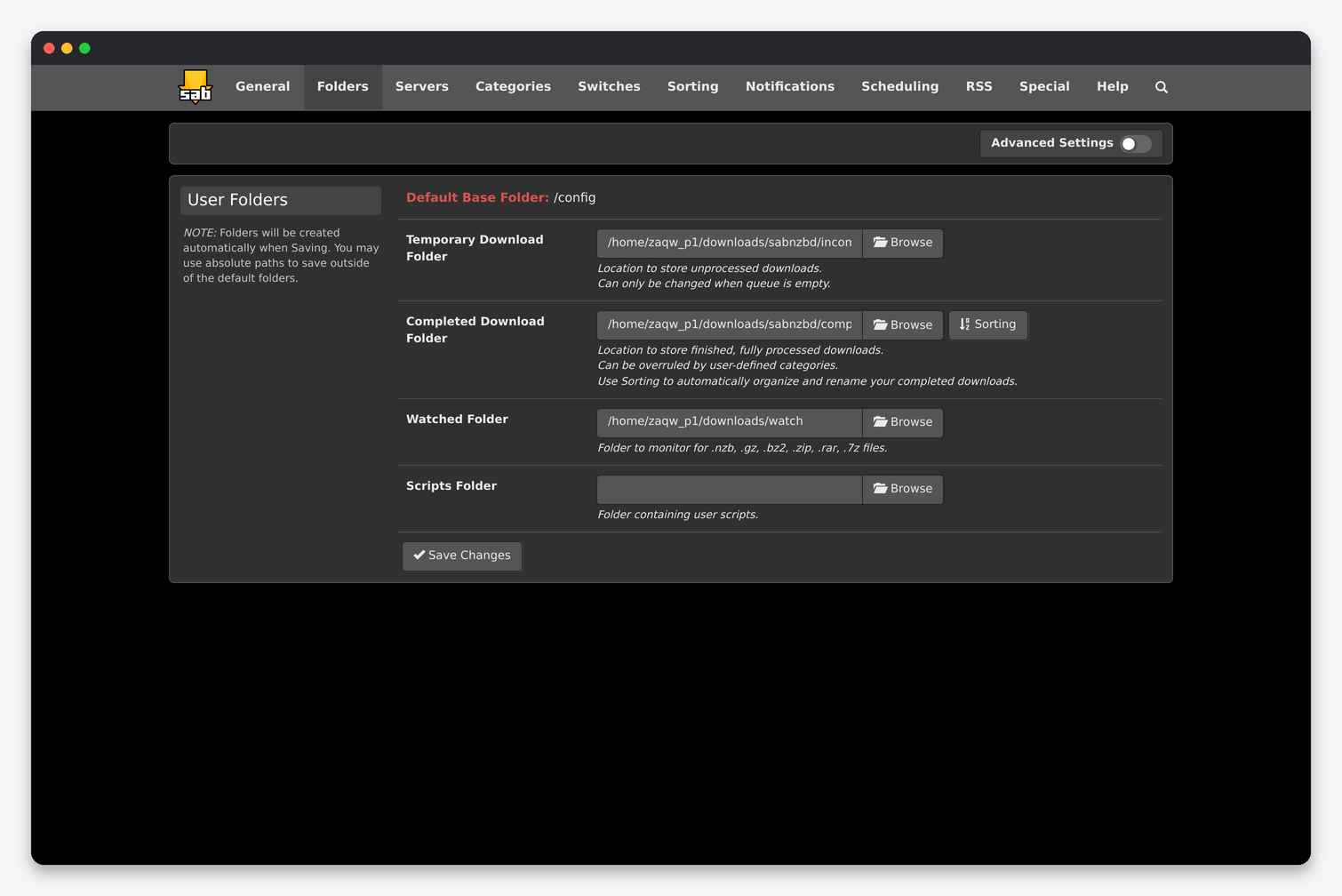
| Setting | What it does | Seedbox |
|---|---|---|
| Temporary Download Folder | Where articles are assembled while a job downloads. Can only be changed with an empty queue. | /home/<user>/downloads/sabnzbd/incomplete. Keep it on the same filesystem as the completed folder so the final move is instant. |
| Completed Download Folder | Where finished, post-processed jobs end up. Categories can override it. | /home/<user>/downloads/sabnzbd/complete. This is the path you give Sonarr and Radarr as the download client’s folder; keep it inside downloads so imports hardlink. |
| Watched Folder | Folder polled for .nzb, .gz, .bz2, .zip, .rar and .7z files. |
/home/<user>/downloads/watch. Drop an NZB there by SFTP or through File Manager and it is queued on the next scan. |
| Watched Folder Scan Speed (advanced) | Seconds between scans of the watched folder. | 5. |
| Scripts Folder | Folder containing user post-processing scripts. | /config/scripts. Create it, upload scripts, tick them executable in File Manager. |
| Email Templates Folder (advanced) | Custom templates for email notifications. | Empty. |
| Password file (advanced) | Text file with one archive password per line, tried on every encrypted RAR. | Useful for indexers that always use the same password; keep it in /config. |
| Backup Folder (advanced) | Where Create backup writes. | /config/backup. |
| .nzb Backup Folder (advanced) | Keep a copy of every NZB added. | Empty unless you re-queue often. |
| Log Folder / Admin Folder (advanced) | Where logs and the queue database live. | Leave alone; the container expects them in /config. |
Servers
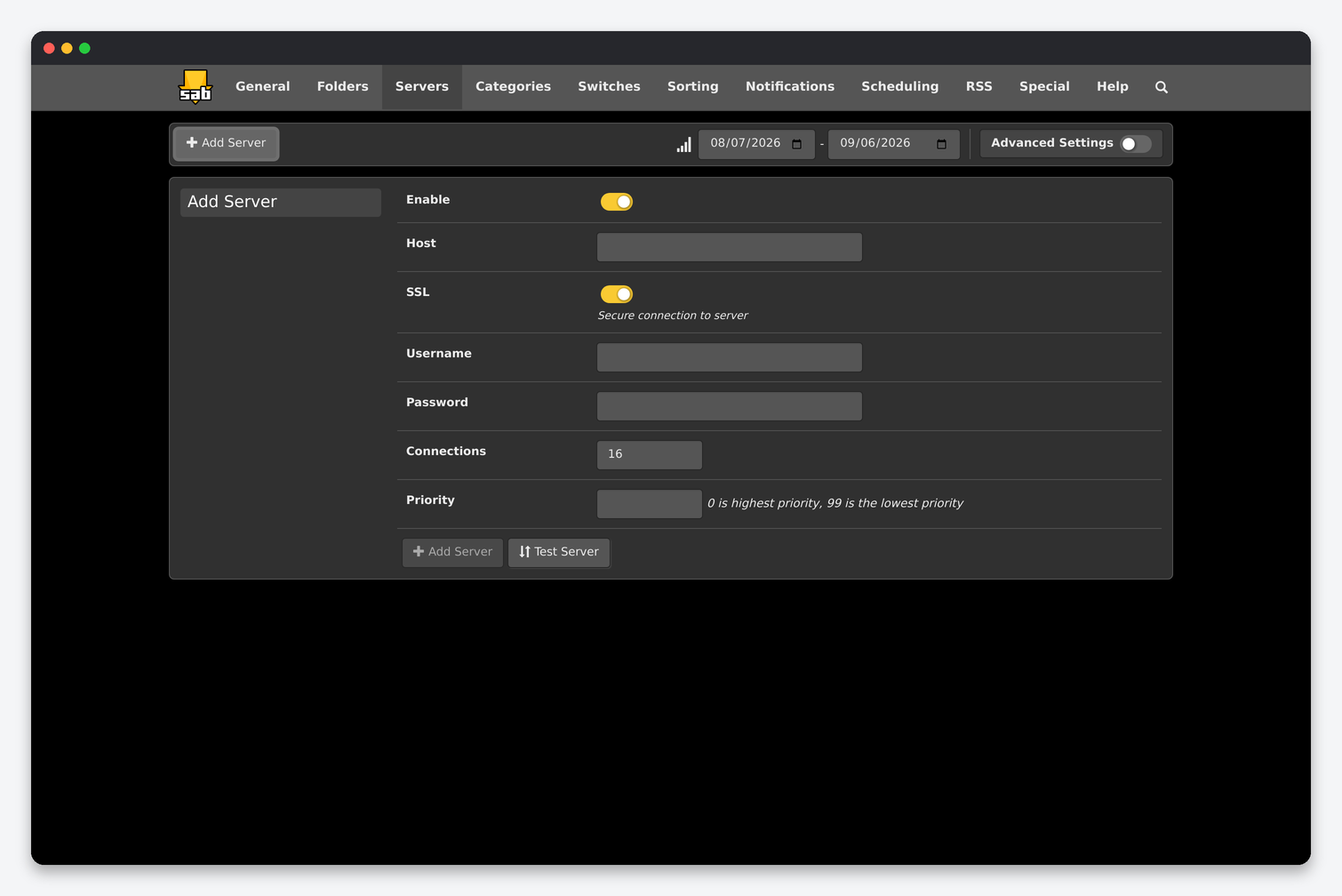
| Setting | What it does | Default | Seedbox |
|---|---|---|---|
| Enable | Use this server. | On | On. Disable a block account instead of deleting it when it runs out. |
| Host / Port | Your provider’s NNTP address. | – / 563 | Use the EU or US entry point closest to your server’s location, not your home. 563 with SSL. |
| SSL | Encrypt the connection to the provider. | On | On. Also SSL Verification (advanced) Strict; loosen it only if the provider’s certificate is broken. |
| Username / Password | Provider account. | – | – |
| Connections | Parallel NNTP connections. | 16 | Start at your account’s limit minus 2. On a seedbox line 20 to 30 connections saturate most providers; more just queues on their side. |
| Priority | Order in which servers are tried, 0 first. | 0 | Primary unlimited account 0, block account 1. SABnzbd only touches priority 1 for articles missing from priority 0. |
| Retention time (advanced) | Days of retention the server claims; older articles are skipped for this server. | Empty | Set it for block accounts with short retention so they are not asked for old posts. |
| Timeout (advanced) | Seconds before a stalled connection is dropped. | 60 | 60. |
| Server usage / quota (advanced) | Track downloaded volume and pause the server at a limit. | Off | Set the block account’s remaining GB so it never over-runs. |
| Server Options: Optional / Required / Notes (advanced) | Optional: ignore if unreachable. Required: fail the job if this server fails. | Off | Optional for block accounts. |
Categories
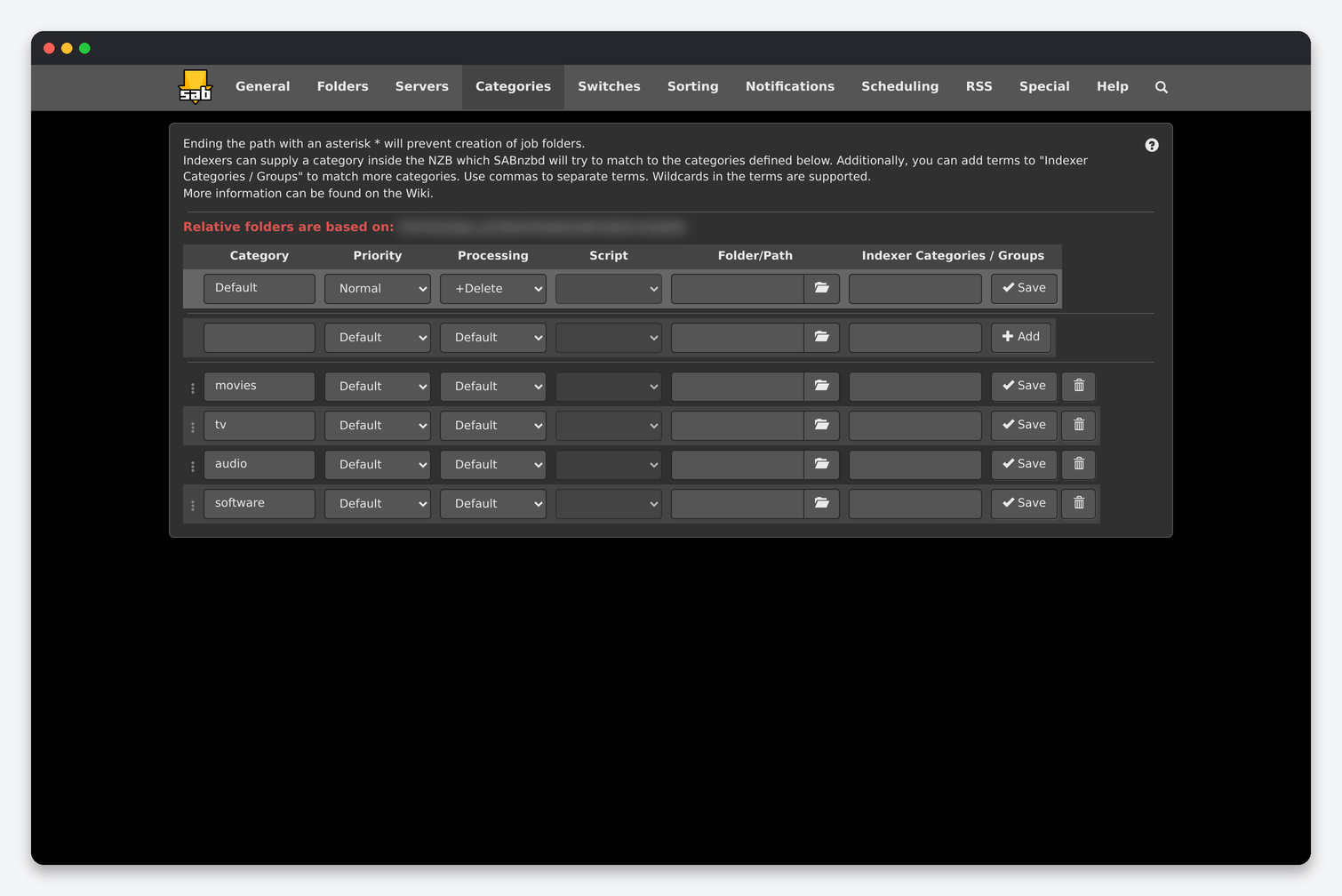
A category is what makes SABnzbd and the *arr apps agree on where a download lands. The installer creates movies, tv, audio and software; Sonarr, Radarr and Lidarr send their category name with every NZB. Columns:
| Column | What it does | Seedbox |
|---|---|---|
| Priority | Default queue priority for jobs in this category: Force, High, Normal, Low, Paused. | Normal. Use Low for software so media always goes first. |
| Processing | How far post-processing goes: Download only, +Repair, +Unpack, +Delete (remove the archives after unpacking). | +Delete for every media category. Anything less leaves RAR sets behind and the *arr import copies the extracted file while the archive keeps taking space. |
| Script | User script run after processing. | None; Sonarr and Radarr do the work. |
| Folder/Path | Subfolder (or absolute path) for completed jobs. Ending it with * stops SABnzbd creating a job folder. |
Leave empty: jobs go to complete/<category>/, which is exactly the layout the *arr download client expects. |
| Indexer Categories / Groups | Comma-separated terms (wildcards allowed) matched against the category or newsgroup the NZB carries, to assign this category automatically. | movies*, 2000-2999 for movies and tv*, 5000-5999 for tv catch NZBs added by hand or from the watched folder. |
Switches
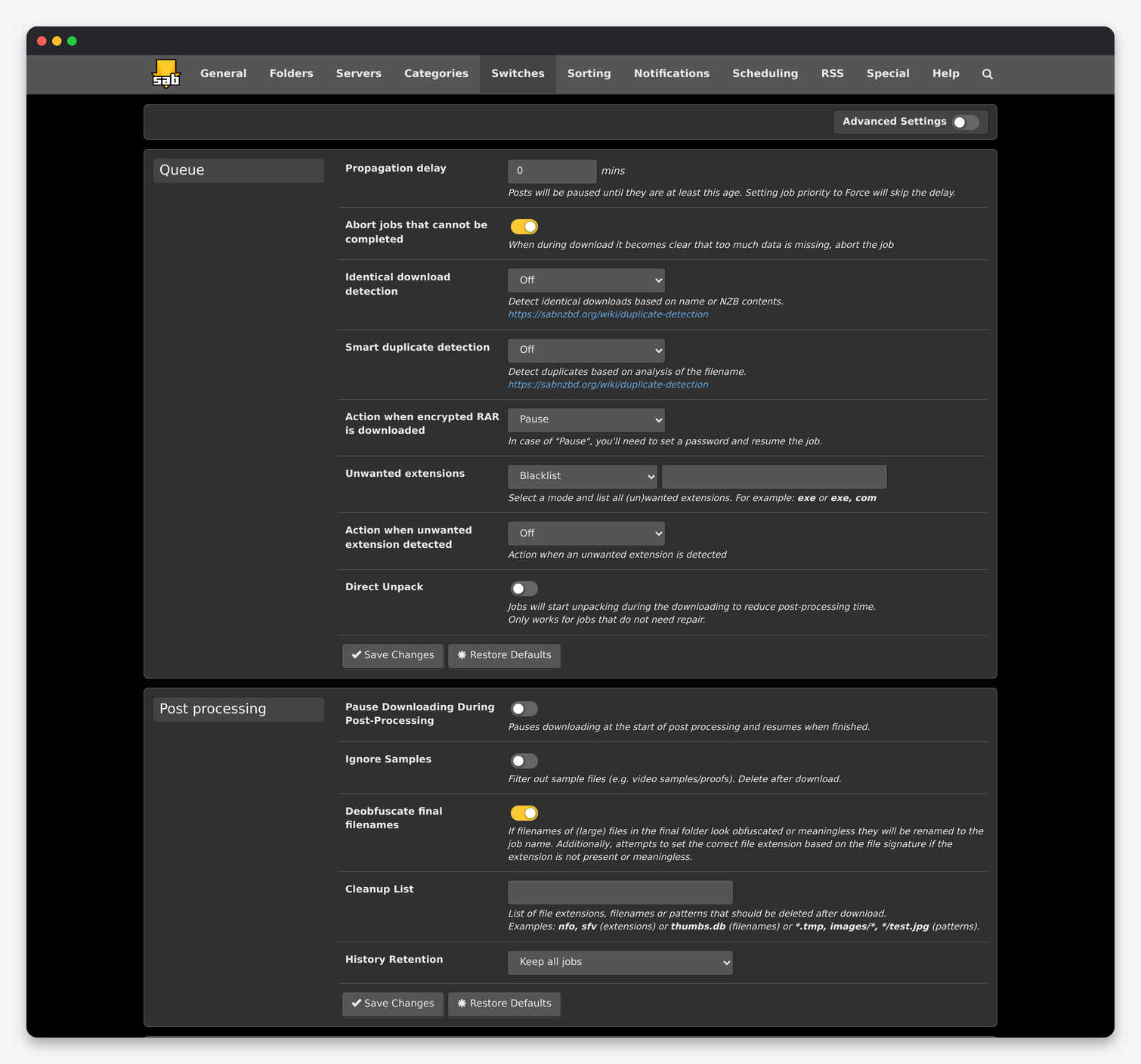
| Setting | What it does | Default | Seedbox |
|---|---|---|---|
| Propagation delay | Minutes a post must be old before it is downloaded; Force priority skips it. | 0 | 10. Brand-new posts often have missing articles for the first minutes and fail; a short delay is cheaper than a retry. |
| Abort jobs that cannot be completed | Stop early when too much is missing. | On | On. Sonarr and Radarr then grab the next release. |
| Identical download detection | Same name or NZB contents already in history or queue: Off, Tag, Pause, Fail, Discard. | Off | Fail job. The *arr app sees the failure and does not sit on a paused duplicate. |
| Smart duplicate detection | Duplicate by parsed title, season and episode. | Off | Off. Sonarr already decides whether a repeat is an upgrade. |
| Action when encrypted RAR is downloaded | Off, Pause, or Fail the job. | Off | Fail job. A paused job waits forever for a password nobody has; a failure lets the *arr app move on. |
| Unwanted extensions | Blacklist or whitelist of file extensions inside the job. | Empty | Blacklist exe, bat, cmd, scr, lnk, vbs, js. |
| Action when unwanted extension detected | Off, Pause, Fail. | Off | Fail job. |
| Direct Unpack | Unpack while still downloading; only for jobs that need no repair. | Off | On. On a seedbox the CPU is idle during download and this removes most of the post-processing wait. |
| Pause Downloading During Post-Processing | Stop the download while repairing or unpacking. | Off | Off. There is enough CPU and disk bandwidth to do both. |
| Ignore Samples | Delete sample files after download. | Off | On. |
| Deobfuscate final filenames | Rename meaningless file names to the job name and fix the extension from the file signature. | On | On. Without it Sonarr sees a8f3e1...mkv and refuses to import. |
| Cleanup List | Extensions, names or patterns deleted after download. | Empty | nfo, sfv, srr, nzb, txt, url, *.sample*. |
| History Retention | Keep all jobs, or archive or delete after N jobs or N days. | Keep all | Move to archive after 30 days. The history table gets slow at a few thousand rows. |
| Quota: Size / Period / Reset day / Auto resume | Stop downloading after a monthly (or daily, weekly) volume. | Off | Off. Seedbox plans are unmetered for Usenet; set it only to protect a block account. |
| Advanced: Check result of unpacking, SFV check, Pre-queue script, Post-processing script timeout, Extra PAR2 parameters, Process only verified jobs | Integrity and script behaviour. | Various | Leave the defaults. Multicore PAR2 is already used. |
Sorting
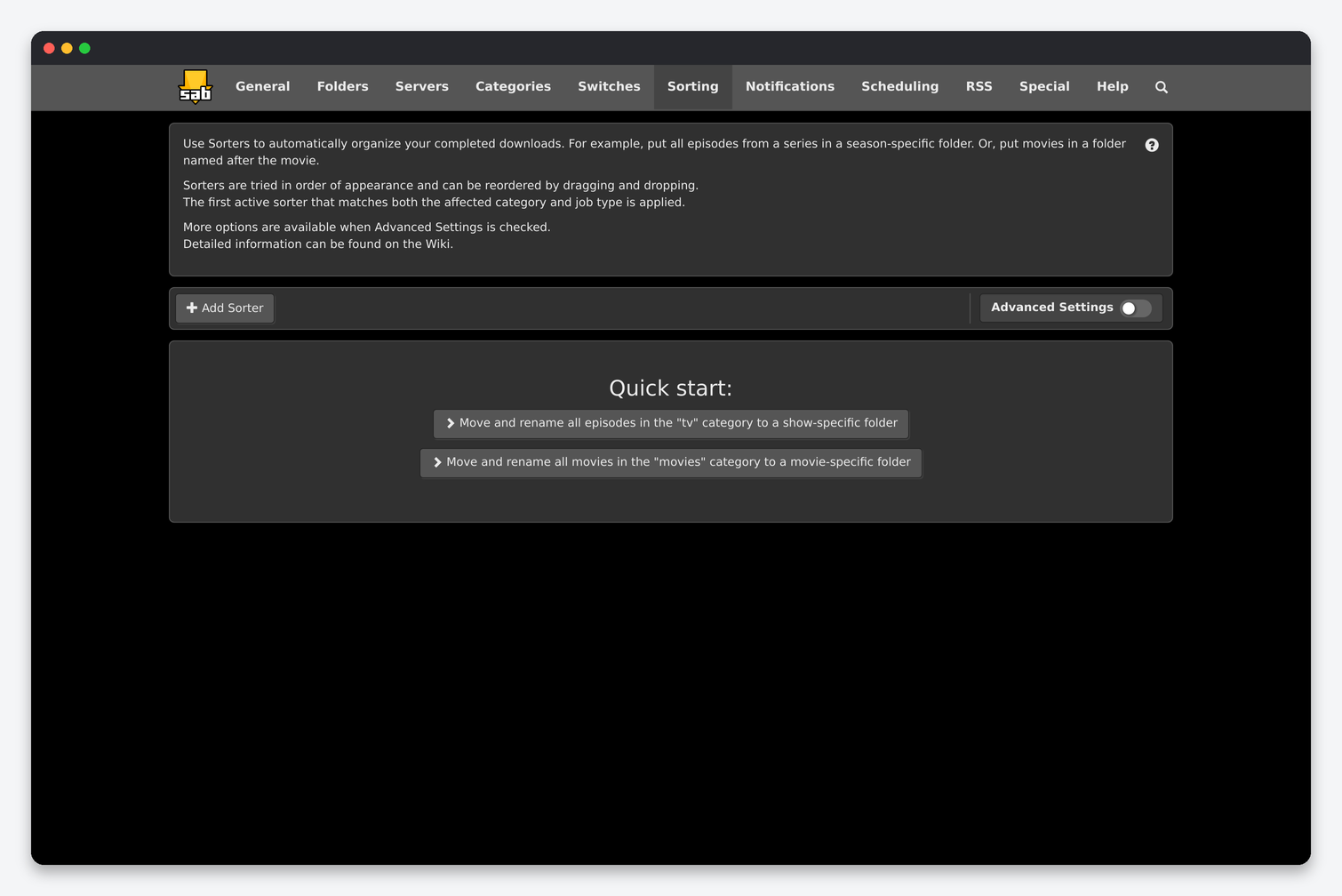
Sorters move and rename completed jobs by parsed title, season, episode or year using a pattern such as %sn/Season %s/%sn - S%0sE%0e - %en.%ext, limited to chosen categories. On a seedbox where Sonarr, Radarr and Lidarr import from the completed folder, leave sorting off: a sorter renames the files before the *arr app sees them, the import then fails to match, and the job is stranded. Sorting is only worth enabling for a category no other app manages, for example a personal docs category. The two quick-start buttons create sorters for the tv and movies categories; do not use them with an *arr stack.
Notifications
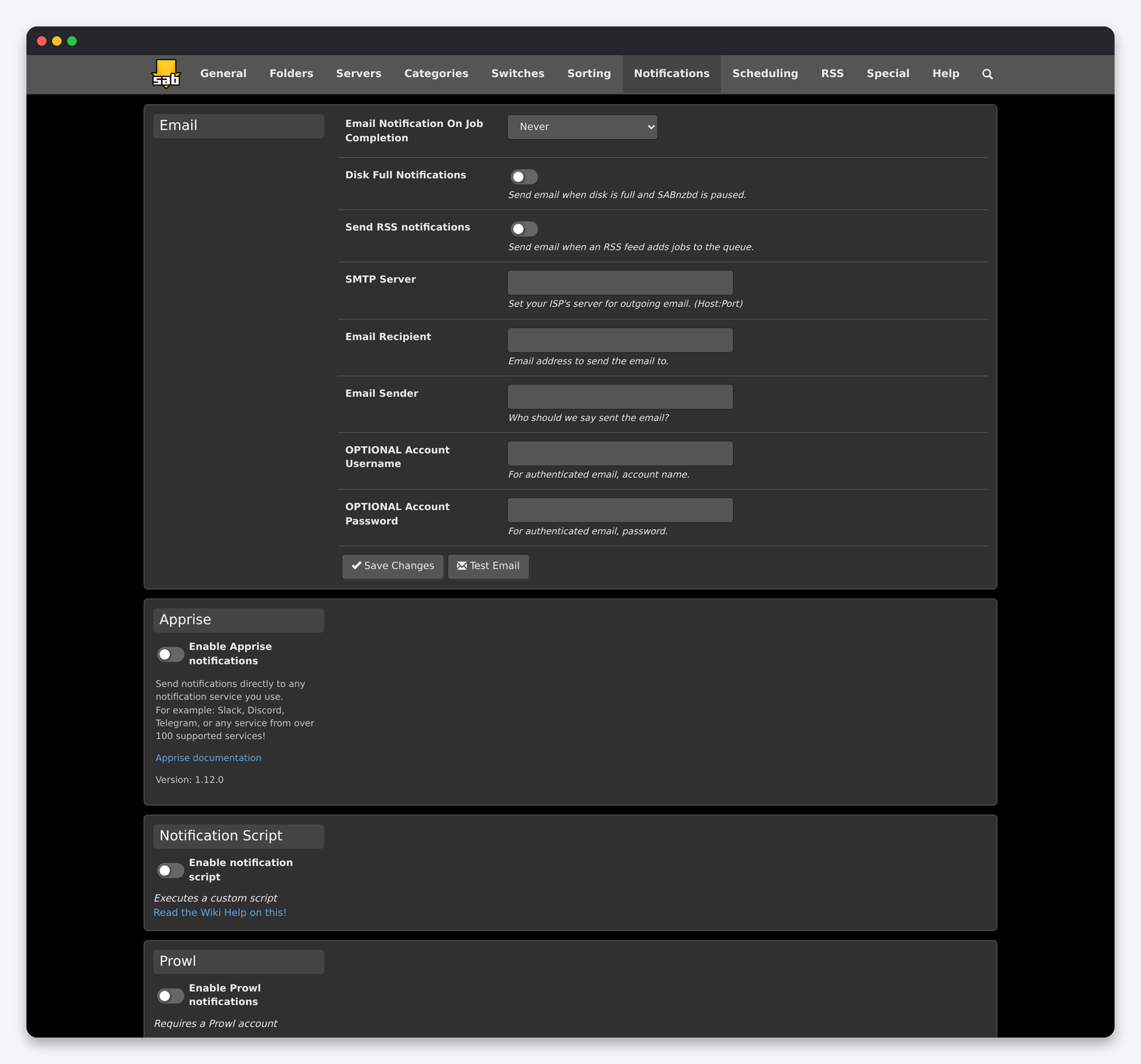
| Section | What it does | Seedbox |
|---|---|---|
| Send mail on job completion (Never, Always, Error-only), on disk full, on RSS adds; SMTP server, recipient, sender, optional login. | Error-only to a mailbox you read; the SMTP server must accept authenticated mail from the server’s IP. Test Email checks it. | |
| Apprise | One URL per service: Discord, Telegram, Slack, ntfy and over 100 more. Tick which events (added, completed, failed, disk full, warnings) go where. | The best option. A tgram://bot_token/chat_id or discord://id/token line gives you failure alerts in seconds. |
| Notification Script | Run a script with the event as arguments. | Only if you have something custom to trigger. |
| Prowl / Pushover / Pushbullet | Native push services; each needs an account key and lets you choose events and priorities. | Use Apprise instead unless you already pay for one. |
Scheduling
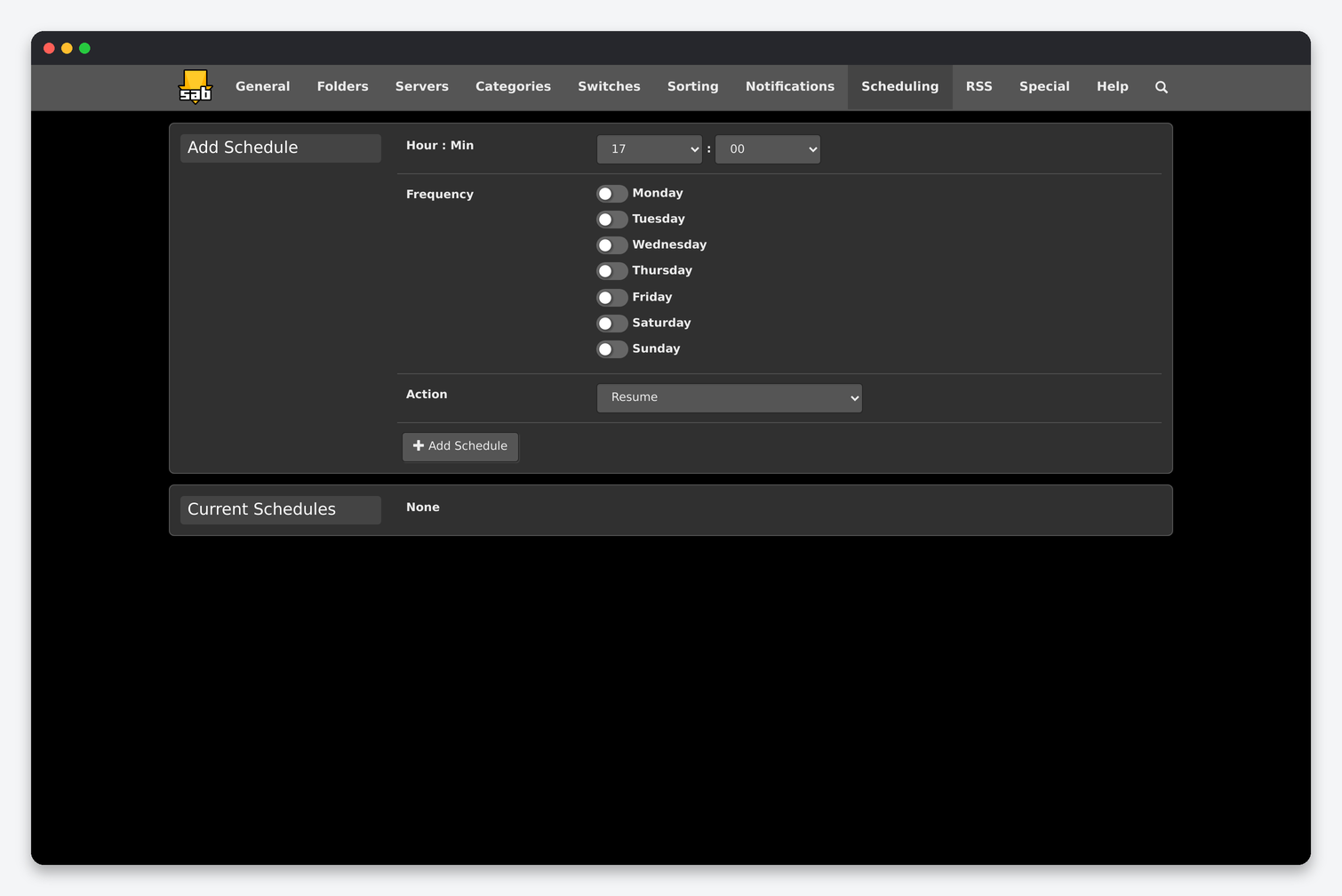
A schedule is a time, a set of weekdays and an action: Resume, Pause, Pause All, Shutdown, Restart, Speedlimit (with a percentage), pause or resume post-processing, scan the watched folder, read RSS feeds, create a backup, remove failed or completed jobs, pause or resume by priority, enable or disable quota, or pause and resume a single category. Two useful ones on a seedbox: Create backup once a week, and Remove completed jobs nightly if you do not use History Retention. Speed limiting by time of day is for home lines; a seedbox line is not shared with your evening streaming.
RSS
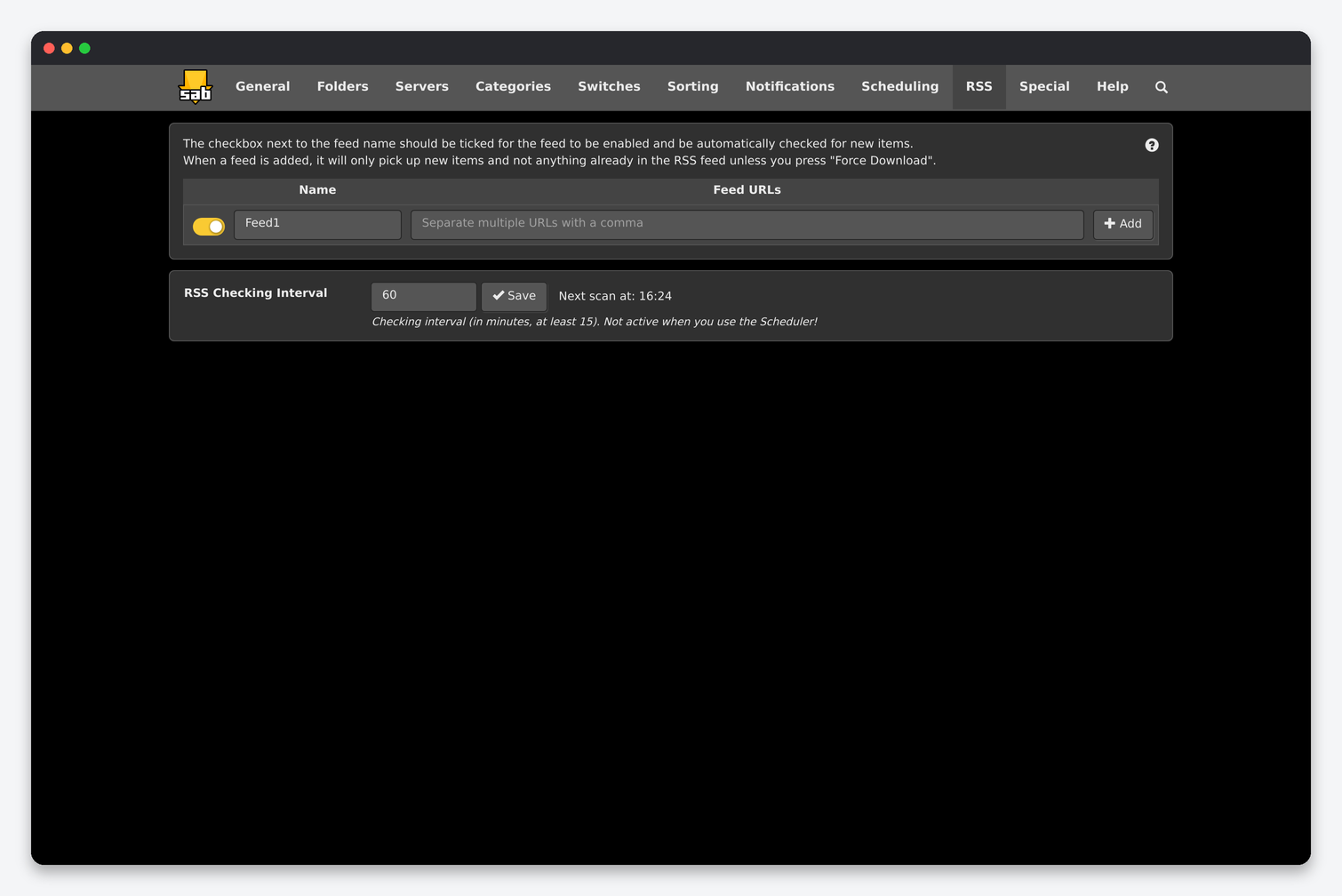
Each feed has a name, one or more URLs, a category and priority, and accept or reject filters with size limits. The checking interval (minimum 15 minutes, ignored when a “Read RSS feeds” schedule exists) applies to all feeds. A newly added feed only picks up items published after it was added unless you press Force Download. With Sonarr, Radarr and Lidarr installed you do not need SABnzbd’s RSS: the *arr apps run their own RSS sync against your indexers and know what you already have. Use it only for a feed nothing else manages.
Special
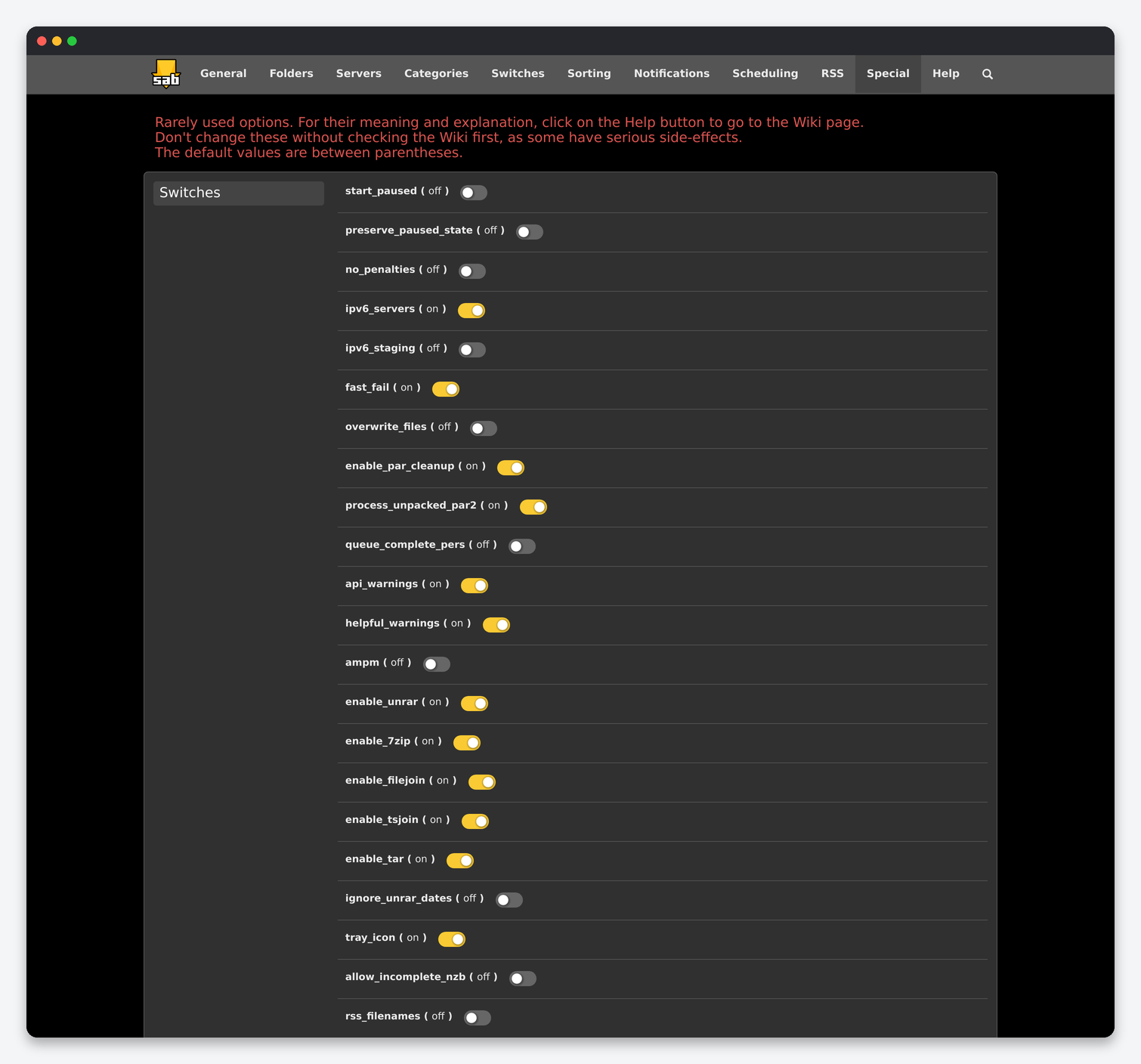
These are the options without a proper form. Most should stay at their defaults; the ones that matter on a seedbox:
| Option | What it does | Default | Seedbox |
|---|---|---|---|
| receive_threads | Threads decoding incoming articles. | 2 | 2 to 4. Raise it only if the queue shows CPU-bound speeds below your line. |
| direct_unpack_threads | Parallel unpack threads for Direct Unpack. | 3 | 3. |
| direct_write | Write decoded articles straight into the final file instead of a temp file per article. | on | on. Halves disk writes. |
| enable_par_cleanup | Delete PAR2 files after a successful job. | on | on. |
| process_unpacked_par2 | Run PAR2 verification on files found inside an archive. | on | on. |
| enable_unrar / enable_7zip / enable_filejoin / enable_tsjoin | Which unpackers run. | on | on. |
| fast_fail | Fail an article as soon as one server reports it missing instead of retrying. | on | on with one provider; off if you have a block account that fills gaps. |
| size_limit | Reject jobs larger than this (for example 50G) by marking them low priority and paused. | 0 | Set it to a bit below your free space so one giant job cannot fill the disk. |
| req_completion_rate | Percentage of articles that must exist before a job is considered completable. | 100.2 | Leave it. Lower values stop the abort logic working. |
| max_foldername_length | Truncate long job folder names. | 246 | Leave it. |
| html_login | Use the HTML login page instead of browser Basic auth. | on | on. |
| x_frame_options | Send the header that blocks embedding SABnzbd in a frame. | on | on. Dashboards such as Organizr need it off; Dashboarr uses the API and does not. |
| host_whitelist / verify_xff_header / local_ranges | Hostnames allowed in the Host header, and how forwarded headers are trusted. | Set by installer | Leave them. The installer whitelists the container hostname; clearing it produces “Access denied – Hostname verification failed”. |
| allow_old_ssl_tls | Accept TLS 1.0/1.1 from the news server. | off | off. |
| ipv6_servers | Use IPv6 addresses for news servers when offered. | on | on; SABnzbd falls back to IPv4 by itself. |
| enable_broadcast / ssdp_broadcast_interval | Announce SABnzbd on the local network. | on | off. Nothing on the server’s LAN should discover it. |
| start_paused / preserve_paused_state | Start with the queue paused, or remember the paused state across restarts. | off | off. |
Settings that are not under Config
- Queue → speed limit: the percentage slider in the top bar is relative to Maximum line speed on the General page.
- Queue → job menu: per-job category, priority and processing, and the password field for encrypted jobs.
- Status and interface options (the icon next to the queue): connection test per server, warnings log, orphaned jobs in the temporary folder, and per-browser display options such as refresh rate and date format.
- Wizard (Config → Help → Wizard) re-runs the first-time server setup without touching the rest.
FAQ
Which defaults should every seedbox user change?
Direct Unpack on, encrypted RAR and unwanted extensions set to Fail job, identical download detection Fail job, Propagation delay 10 minutes, Ignore Samples on, a Cleanup List, History Retention 30 days, and Apprise notifications for failures. Keep Sorting and RSS off when Sonarr, Radarr or Lidarr manage the category.
Sonarr says the download client path is wrong. Which folder do I give it?
The Completed Download Folder from the Folders page, which is /home/<user>/downloads/sabnzbd/complete. Both apps see the same home folder, so no remote path mapping is needed.
Why is my speed lower than the line?
In order of likelihood: the provider’s connection limit, the wrong provider entry point (use the one nearest the server), SSL on a very old block account, or Direct Unpack off with a queue of large RAR sets. The per-server graph on the Servers page shows which account is actually delivering.
Where is the config file?
sabnzbd.ini in the config folder holds every option on these pages, including the API key; the queue and history are SQLite files in the admin folder next to it. Both are included in Create backup.
Related: SABnzbd setup on a seedbox · NZBGet settings reference · Sonarr settings reference · SABnzbd in Dashboarr
Related articles
Put this into practice
EvoSeedbox ships with one-click app installs and up to 10 Gbps per box.
