Connect Jellyfin to Dashboarr
On this page ▾
To connect Jellyfin to Dashboarr, add a Jellyfin instance with the Jellyfin HTTPS address from your client area as the Remote URL and an API key created in Jellyfin under Dashboard → API Keys. Dashboarr then shows Now Playing, Recently Added, Continue Watching and your libraries. Part of the Dashboarr seedbox setup guide.
What you need
| Field in Dashboarr | Value on EvoSeedbox |
|---|---|
| Service | Jellyfin (under Media servers) |
| Local URL | leave empty |
| Remote URL | Jellyfin’s HTTPS address from the app card, https://SERVER.myseedbox.site:13xxx |
| API Key | Jellyfin → Dashboard → API Keys → “+” → give it the name Dashboarr → copy the key |
| Always use Remote URL | on |
Finish Jellyfin’s first-run wizard (admin user, at least one library) before connecting; an unconfigured server answers the probe but shows nothing.
Step by step
- In Jellyfin, open Dashboard (the admin area) → API Keys, create a key named Dashboarr and copy it.
- Dashboarr → Settings → Integrations → Browse services → Jellyfin.
- Remote URL = the HTTPS address, API Key = the key, Always use Remote URL on.
- Test Connection (probes
/System/Info/Public), then Save.
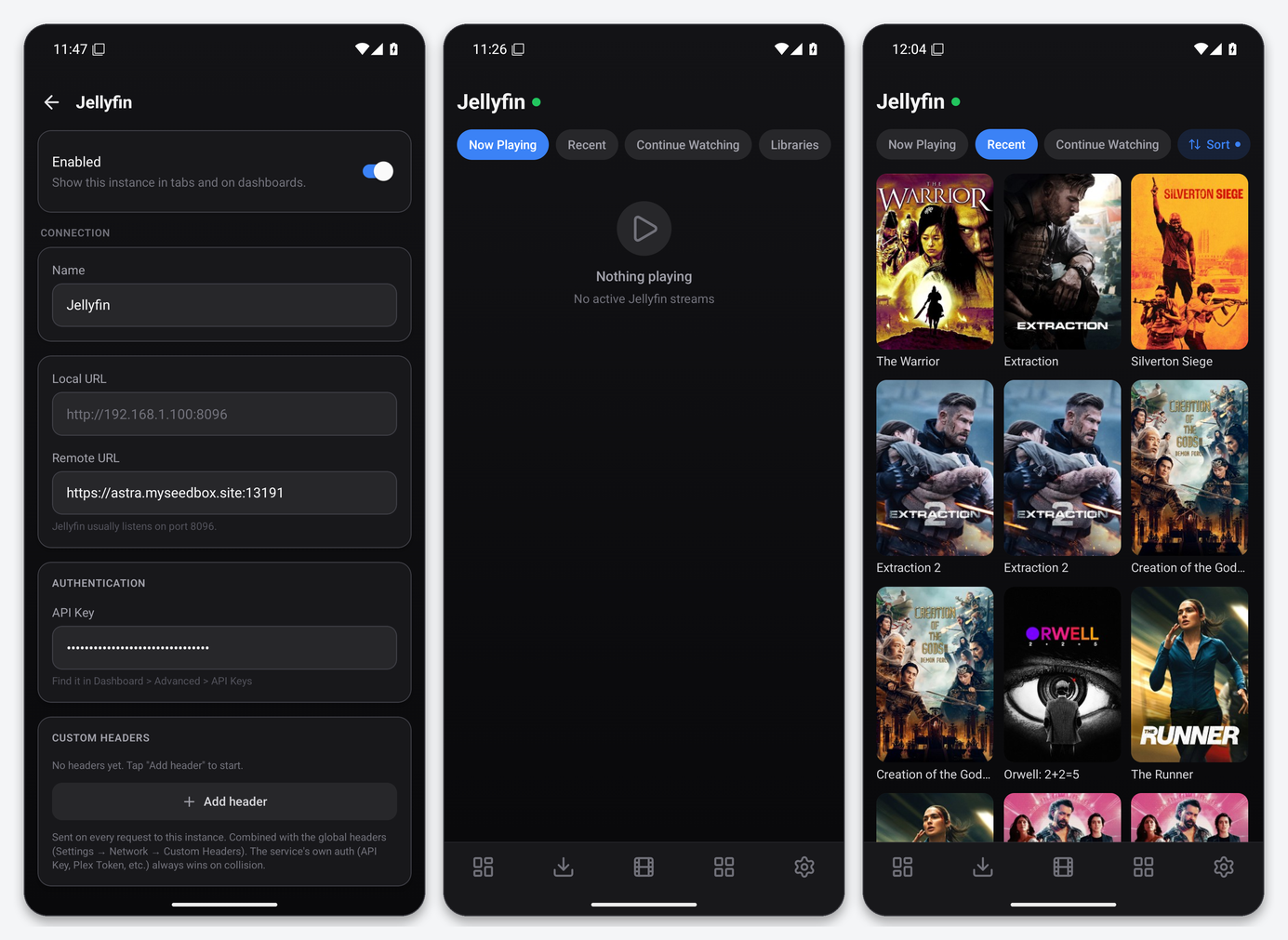
What the Jellyfin tab gives you
- Now Playing: active sessions with user, device and progress.
- Recent: recently added items, sortable by date, title or year.
- Continue Watching: resume points from all users the key can see.
- Libraries: your libraries as a browsable grid.
Dashboarr authenticates with the Authorization: MediaBrowser header shape, which works even when Jellyfin’s legacy X-Emby-Token header is disabled, and falls back to an ApiKey query parameter if a proxy already owns the Authorization header. On EvoSeedbox neither caveat applies.
Widgets
Jellyfin Now Playing, Combined Now Playing and Service Health. For watch history and statistics, Dashboarr also supports Jellystat, which reads from Jellyfin; that integration is not covered here.
Troubleshooting
| Symptom | Fix |
|---|---|
| Test passes but every tab is empty | The first-run wizard was not completed or no library exists. Finish it in Jellyfin Web. |
| 401 Unauthorized | The key was deleted in Dashboard → API Keys. Create a new one. |
| Posters missing | Jellyfin is still fetching metadata after a library scan. Refresh later. |
FAQ
Can I use my user’s password instead of an API key?
No. Dashboarr’s Jellyfin integration is API-key only; keys are created by an administrator.
Jellyfin and Emby both?
Yes. They are separate service types with the same screens; see the Emby page.
Related articles
Put this into practice
EvoSeedbox ships with one-click app installs and up to 10 Gbps per box.
