Dashboarr on a seedbox: the complete setup guide (Android & iOS)
On this page ▾
Dashboarr is a free, open-source app for Android and iOS that puts your whole seedbox stack on one phone screen: rTorrent, Radarr, Sonarr, Prowlarr, Plex, SABnzbd and about twenty other services, each talking directly to your EvoSeedbox server over HTTPS. There is no account, no relay and no subscription. This guide walks through installing it, adding your first service, the exact URL pattern every EvoSeedbox app uses, and the workspace, tab and widget features that make it a genuine nzb360 alternative on iPhone as well as Android.
Every screenshot below was taken on a live EvoSeedbox account. Follow the per-service pages linked at the end for the exact fields each app needs.
What Dashboarr is and why it fits a seedbox
Dashboarr (GPL-3.0, source on GitHub) is built with Expo and React Native. It is a pure client: the app stores your service URLs and API keys in the phone’s secure storage and calls each service’s own REST or XML-RPC API. Nothing passes through a third-party server. That matters on a seedbox because every app you install with us already has a public HTTPS address with a valid certificate, so the app works identically on Wi-Fi, mobile data and abroad, with no VPN, port forward or dynamic DNS to set up.
| Dashboarr service | EvoSeedbox app | Credential the app asks for |
|---|---|---|
| rTorrent | ruTorrent (every plan) | ruTorrent username and password |
| Radarr, Sonarr, Lidarr, Prowlarr, Bazarr | same-name apps | API key |
| Jackett | Jackett | API key |
| Seerr | Overseerr or Jellyseerr | API key |
| Plex | Plex Media Server | Sign in with Plex, or a token |
| Jellyfin, Emby | Jellyfin, Emby | API key |
| Tautulli | Tautulli | API key |
| Navidrome | Navidrome | Navidrome username and password |
| SABnzbd | SABnzbd | API key |
| NZBGet | NZBGet | Control username and password |
| Autobrr, Cleanuparr | Autobrr, Cleanuparr | API key |
qBittorrent, Deluge, Transmission, Glances, unRAID, Tdarr, Pi-hole and Tracearr also appear in Dashboarr’s catalogue. They are not part of the EvoSeedbox app store, so they are not covered here.
Step 1: install the app
- Android: Dashboarr on Google Play. A signed APK for de-Googled phones is attached to every GitHub release; sideloaded installs do not auto-update.
- iOS and iPadOS: Dashboarr on the App Store.
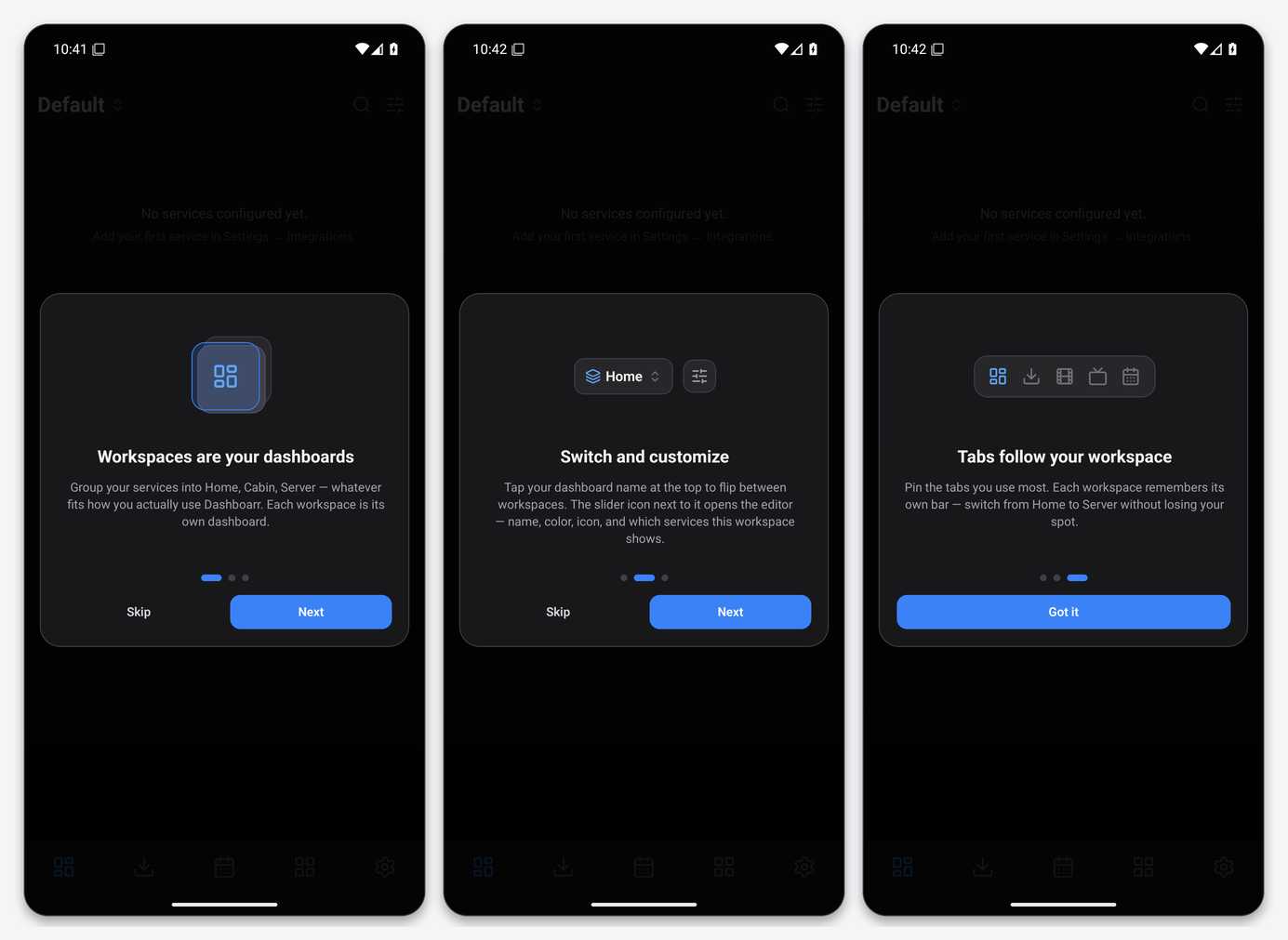
On first launch the app asks for notification permission (it uses local notifications for download-complete and service-offline alerts even without the optional backend) and shows a three-card tour of the workspace model. Version 1.17.0 is used throughout this guide.
Step 2: find your app’s URL and credential
Every application installed from the EvoSeedbox client area gets its own HTTPS address in the form https://SERVER.myseedbox.site:PORT, where SERVER is your server name and PORT is a five-digit number starting with 13. The client area shows this address on each app’s card. Use that HTTPS address, not the plain-HTTP IP address that some app cards also list, so the connection is encrypted end to end and Dashboarr’s certificate check passes without enabling “Allow invalid certificates”.
ruTorrent is the exception: it lives on the server’s root address with no port, so its Dashboarr URL is simply https://SERVER.myseedbox.site.
Where each app hides its API key is covered in the per-service pages, but the pattern is consistent: Radarr, Sonarr, Lidarr, Prowlarr and Bazarr keep it under Settings → General → Security; SABnzbd under Config → General; Seerr under Settings → General; Tautulli under Settings → Web Interface → API; Jellyfin under Dashboard → API Keys. Dashboarr prints the same hint under the key field for each service.
Step 3: add a service
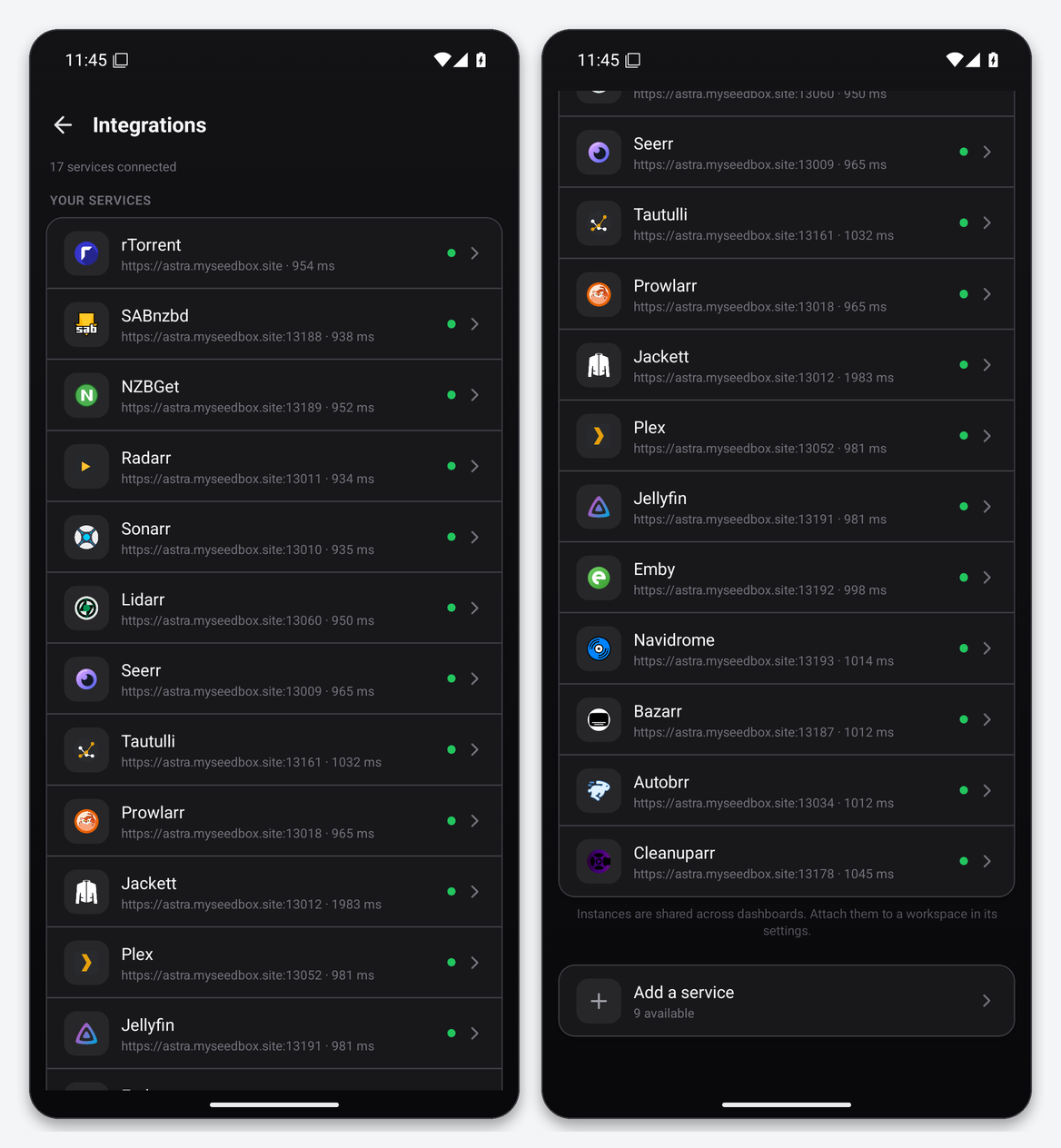
Open Settings → Integrations → Browse services. The catalogue is grouped into download clients, media automation, indexers, media servers and monitoring. Tap a service to open its instance editor.
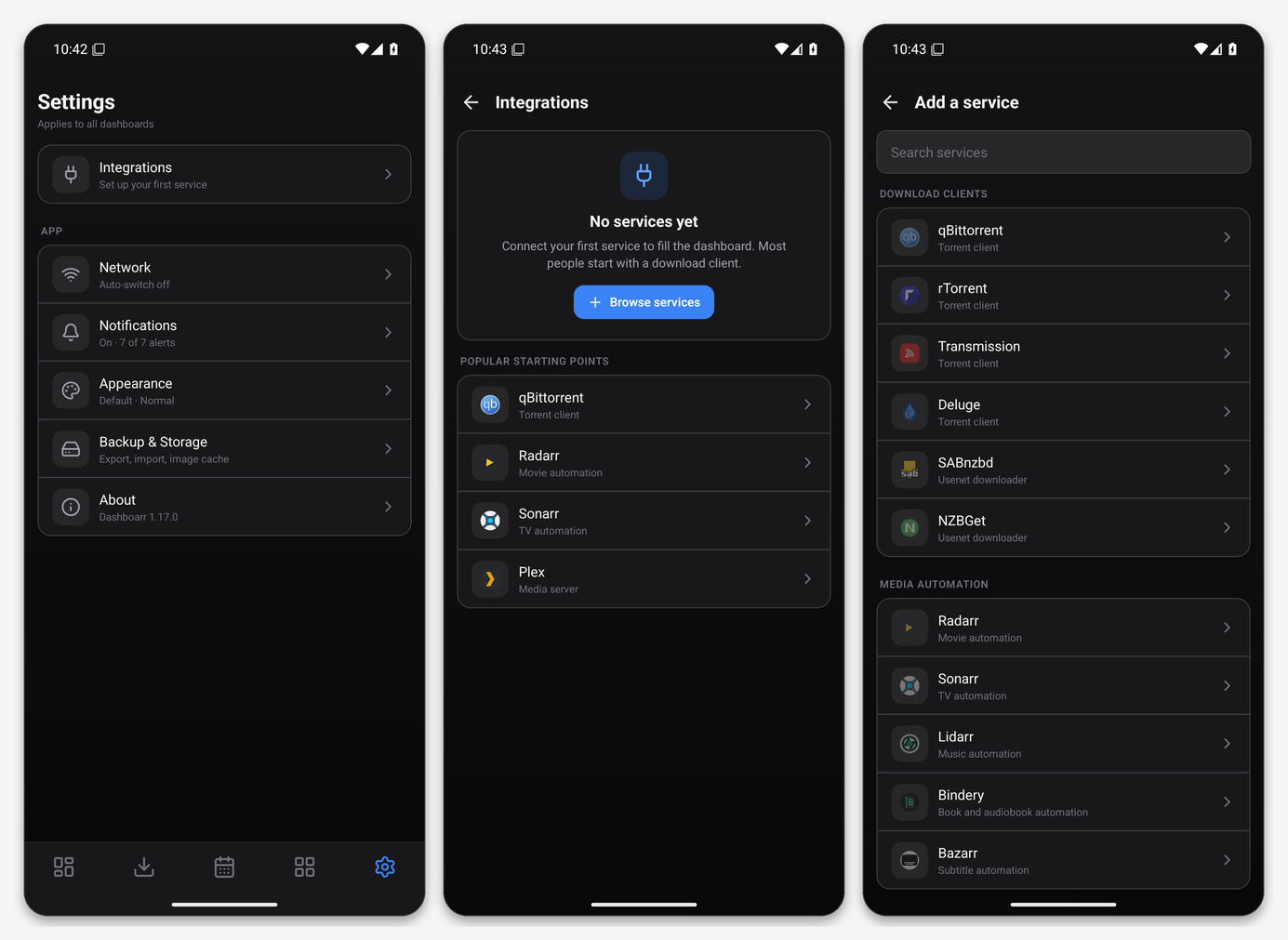
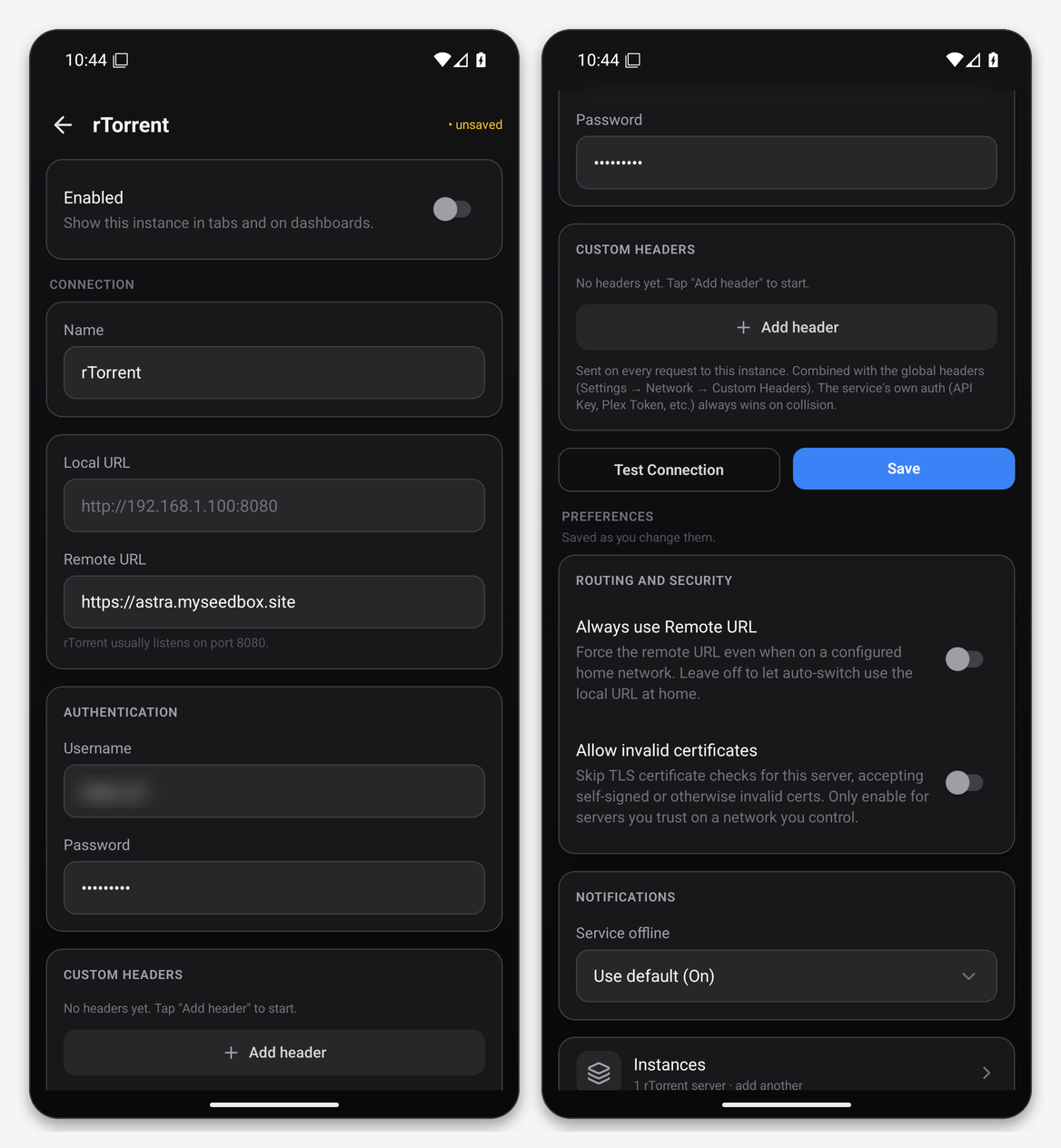
The editor has the same layout for every service:
- Name: anything you like. It becomes the tab and widget label, which matters once you run two Radarrs.
- Local URL and Remote URL: Dashboarr is designed for home servers that have a LAN address and a public address. A seedbox has only a public address, so leave Local URL empty and put the HTTPS address in Remote URL.
- Authentication: an API key field, or username and password for rTorrent, NZBGet and Navidrome.
- Custom headers: only needed if you have put your own reverse proxy with header authentication in front of a service. Leave empty.
- Scroll down and switch on Always use Remote URL. With no home network configured the app already falls back to the remote URL, but the switch makes the behaviour explicit and survives a later home-network setup.
- Tap Test Connection. A green toast reading “Connected via remote URL in NNN ms” means the URL, certificate and credential are all correct. Then tap Save.
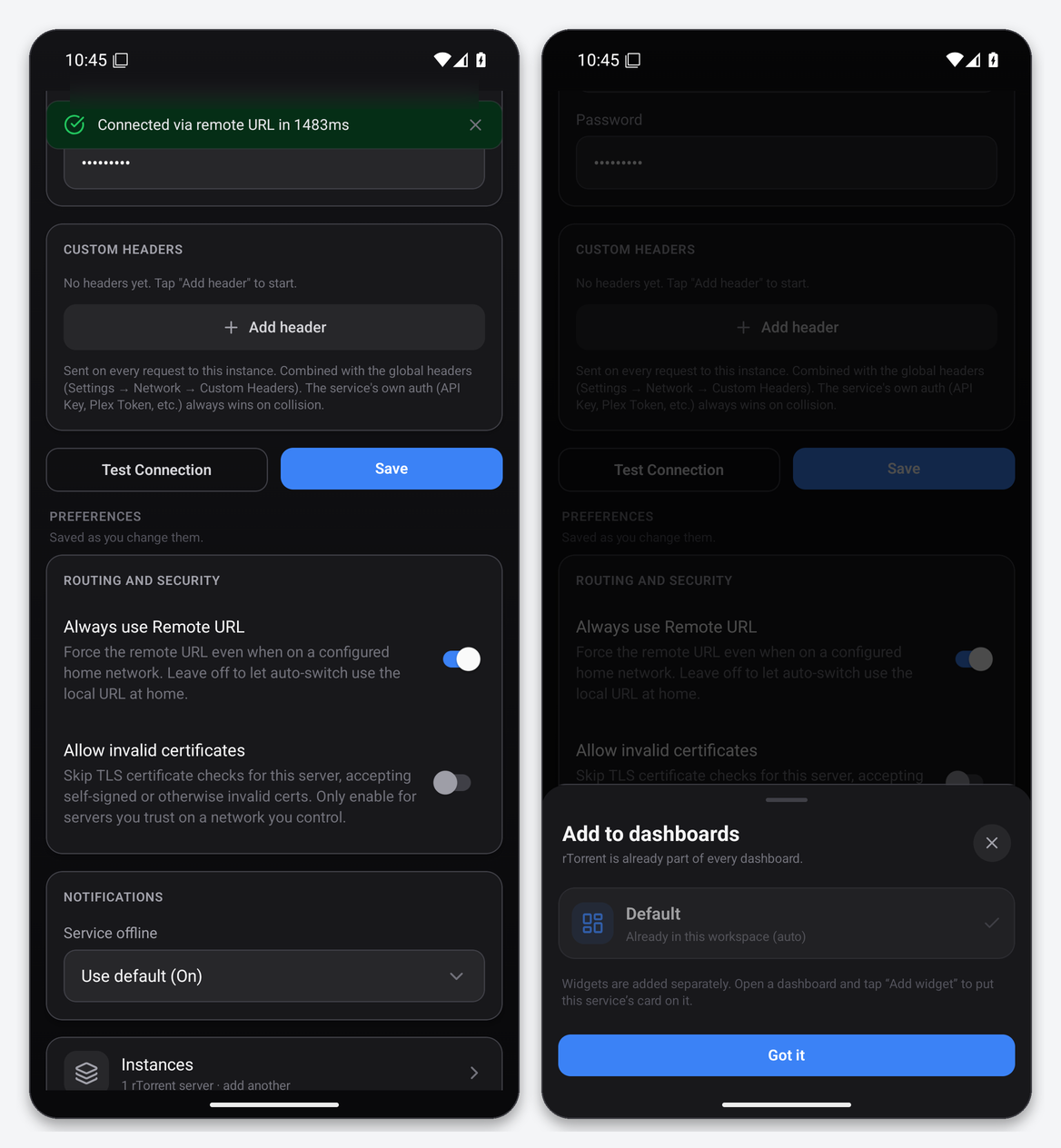
After the first save Dashboarr offers to attach the instance to your dashboards. The default dashboard is in auto-attach mode, so every new service joins it automatically.
Reading the Test Connection messages
| Message | Meaning on a seedbox |
|---|---|
| Connected via remote URL in … ms | Done. Typical latency from Europe or North America is 200–1,000 ms. |
| Wrong username or password / Invalid API key | Re-copy the key. For rTorrent, use the ruTorrent login, not your client-area password. |
| Unexpected HTML / login page | The URL points at a web UI rather than the API. Check the port and remove any trailing path. |
| Certificate error | You typed the plain-IP address. Switch to the https://SERVER.myseedbox.site:PORT form. Do not enable “Allow invalid certificates”. |
| Timed out | The app itself is stopped. Open the app from the client area first, or restart it there. |
Step 4: skip the typing with a config file
Typing a dozen URLs and 32-character API keys on a phone keyboard is the slowest part of setup. Dashboarr’s Settings → Backup & Storage → Import settings accepts an unencrypted JSON file written on a computer, which the developer documents as a supported path rather than a workaround. Encrypted exports use the same screen and always require a passphrase.
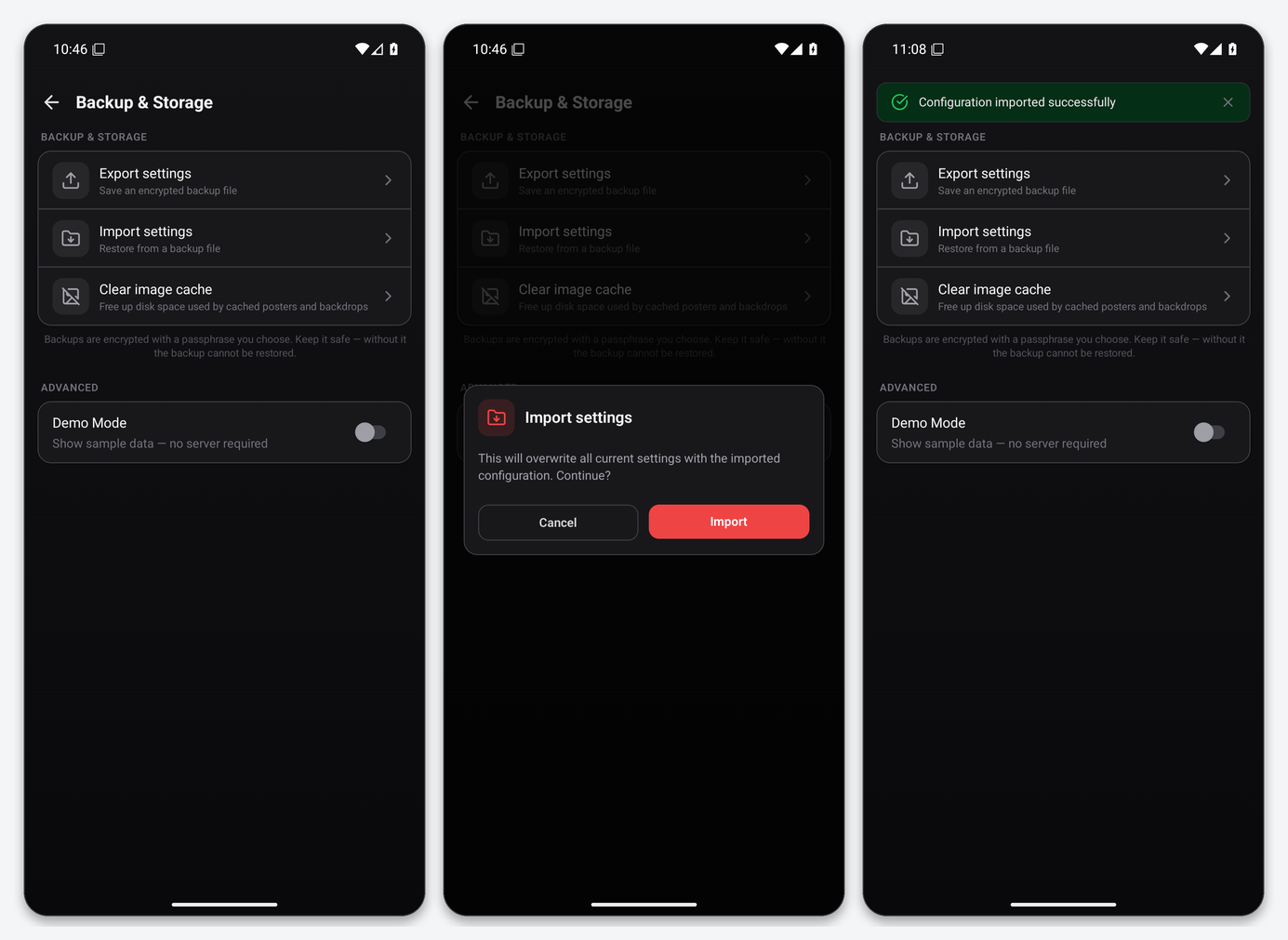
A minimal file for one ruTorrent and one Radarr looks like this. The version must not be higher than the app supports: 1.17.0 accepts up to 49, and an older number is migrated forward automatically.
{
  "version": 49,
  "exportedAt": "2026-09-05T22:00:00.000Z",
  "services": {
    "rtorrent": [{ "id": "rtorrent-1", "enabled": true, "name": "rTorrent",
                   "localUrl": "", "remoteUrl": "https://SERVER.myseedbox.site", "useRemote": true }],
    "radarr":   [{ "id": "radarr-1", "enabled": true, "name": "Radarr",
                   "localUrl": "", "remoteUrl": "https://SERVER.myseedbox.site:13011", "useRemote": true }]
  },
  "secrets": {
    "rtorrent-1": { "username": "YOUR_RUTORRENT_USER", "password": "YOUR_RUTORRENT_PASSWORD" },
    "radarr-1":   { "apiKey": "YOUR_RADARR_API_KEY" }
  },
  "autoSwitchNetwork": false,
  "homeNetworks": [],
  "dashboards": [{ "id": "dash-1", "name": "Seedbox", "widgets": [],
                   "pinnedTabs": ["downloads", "movies", "services"] }],
  "activeDashboardId": "dash-1"
}
Rules that reject a file: every URL needs a scheme (https://) or must be ""; instance ids must be unique across all services; a secrets key that matches no instance id is silently dropped, which shows up as a service that loads but cannot authenticate. Service keys must be exactly rtorrent, radarr, sonarr, lidarr, prowlarr, jackett, overseerr (used for Seerr and Jellyseerr), plex, jellyfin, emby, tautulli, navidrome, bazarr, sabnzbd, nzbget, autobrr and cleanuparr. Treat the file as a password vault and delete it from both devices after importing.
Step 5: dashboards, tabs and widgets
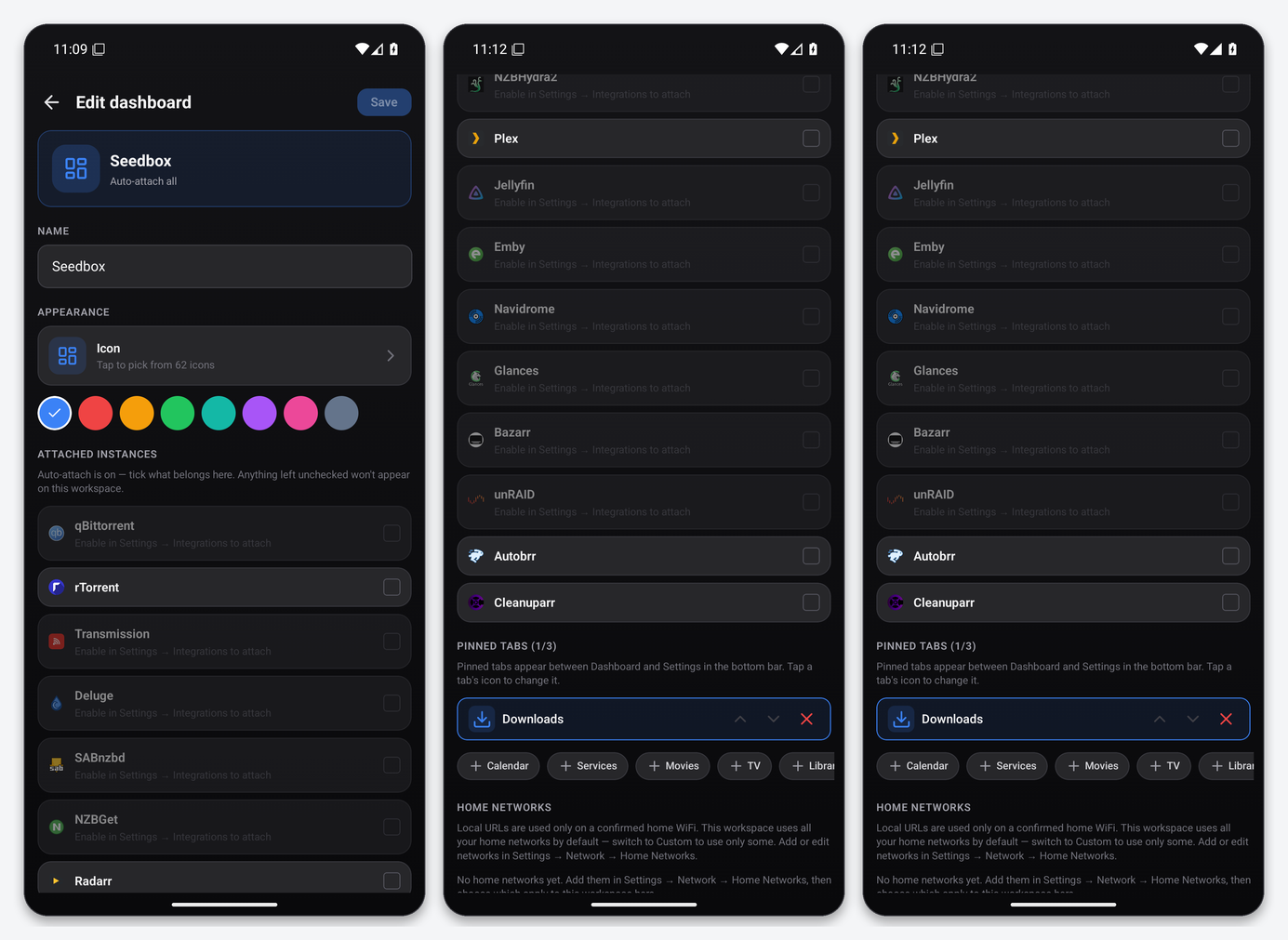
Dashboarr organises everything into workspaces (the app calls them dashboards). Tap the name at the top left to switch, or the slider icon to edit. Each workspace has its own name, icon, colour, attached instances and up to three pinned tabs that sit between Dashboard and Settings in the bottom bar. For a seedbox, Downloads, Movies and Services is a sensible trio: Downloads is the rTorrent (and Usenet) queue, Movies is Radarr, and Services is the grid from which every other integration opens.
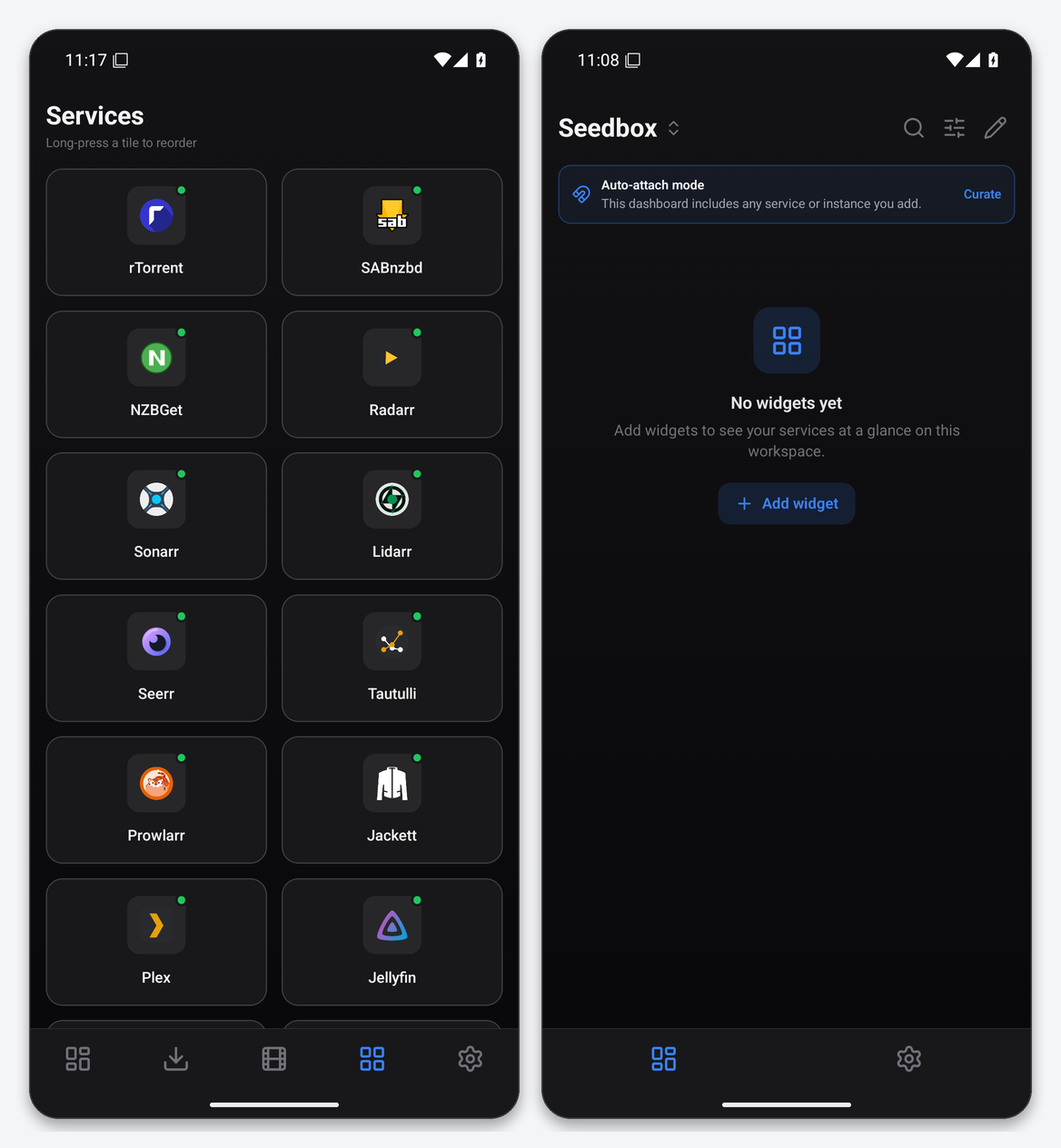
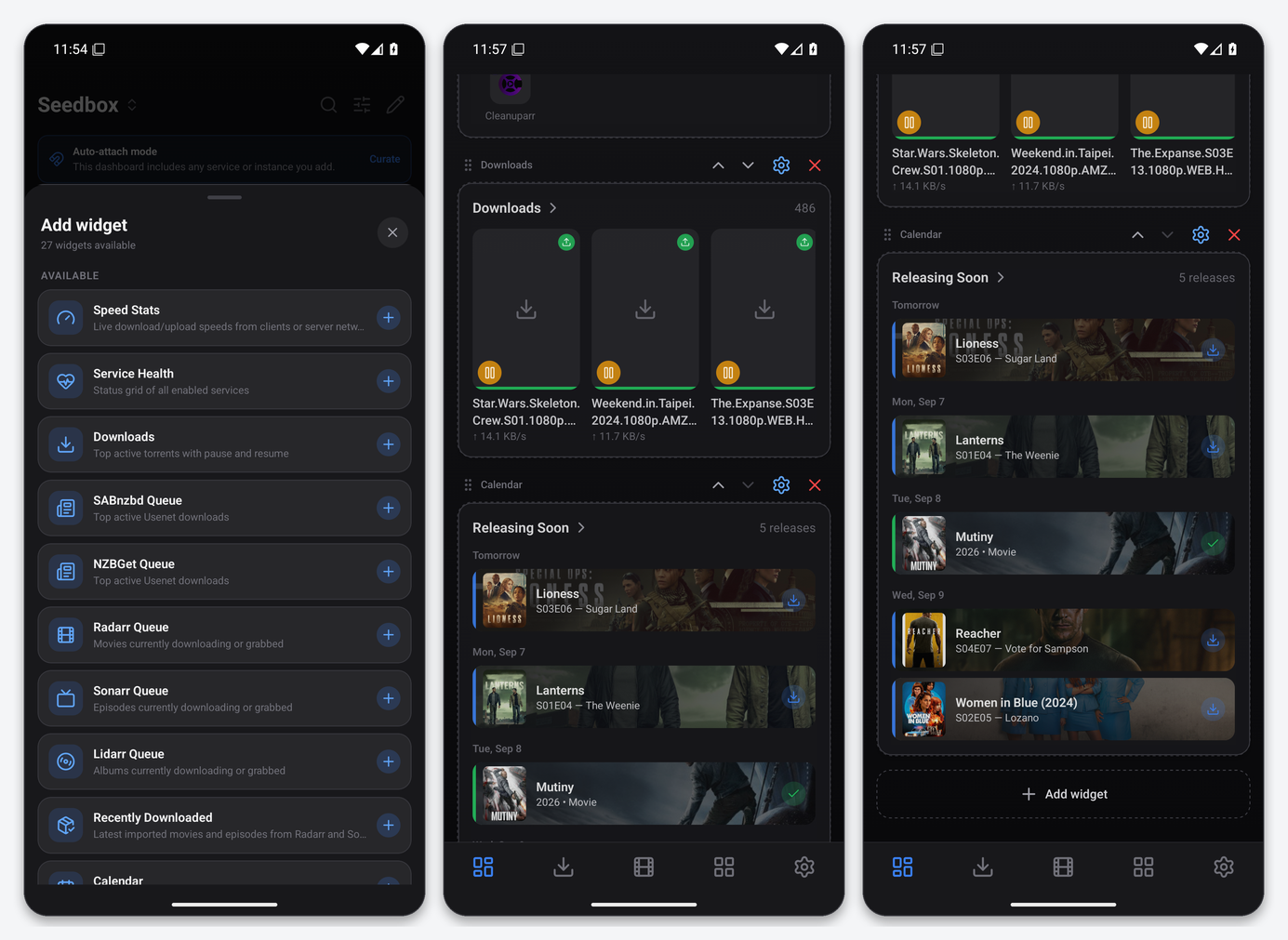
Widgets are added from the dashboard itself with Add widget. Twenty-seven are available in 1.17.0; the most useful on a seedbox are Speed Stats (live rTorrent throughput and lifetime totals), Downloads (top active torrents with pause and resume), Service Health (a status grid of every enabled service), Calendar (Sonarr air dates merged with Radarr release dates), Radarr Queue, Sonarr Queue and Recently Downloaded.
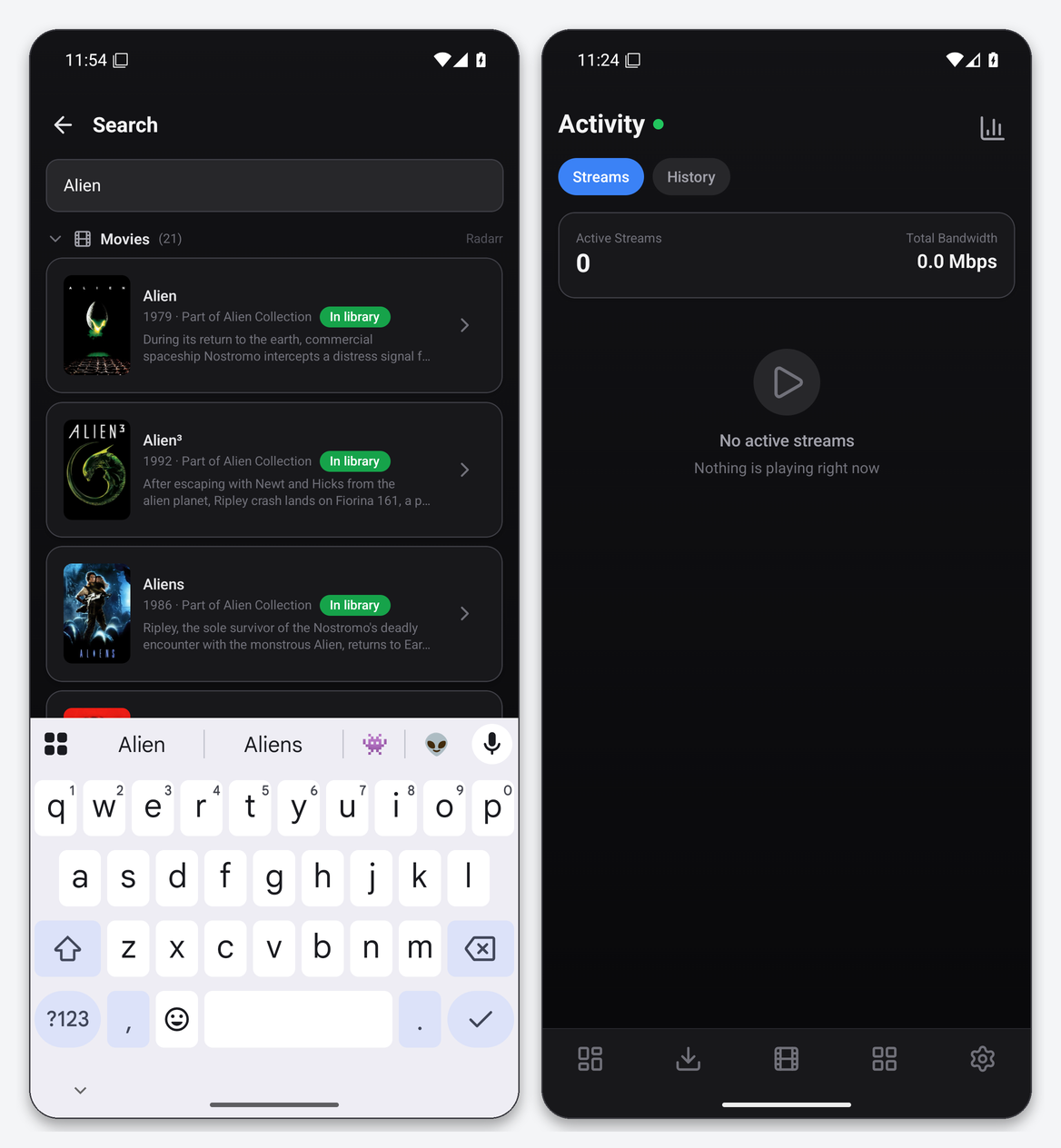
Global search (the magnifier on the dashboard) queries every attached service at once and groups results by source, so one query shows a Radarr library match, a Seerr request option and an indexer release side by side.
Notifications
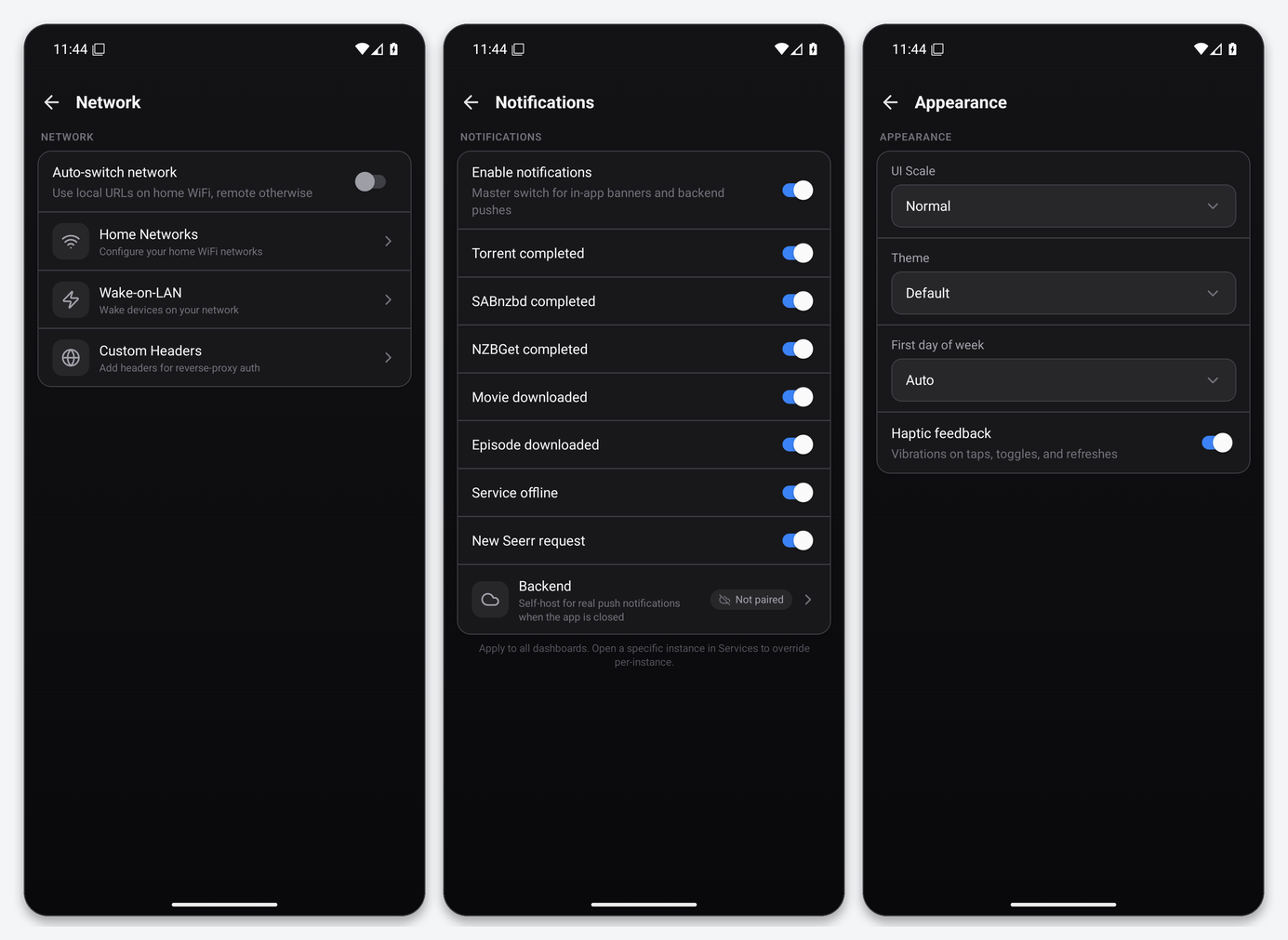
Settings → Notifications has a master switch and seven categories: torrent completed, SABnzbd completed, NZBGet completed, movie downloaded, episode downloaded, service offline and new Seerr request. Without the optional backend these are local notifications, raised while the app is open or recently backgrounded. True push while the app is closed needs Dashboarr’s self-hosted companion backend, a Docker container designed to run next to a home media stack. It is not one of the apps we offer, so treat push as a home-server feature.
Security notes
- API keys are stored in the phone’s secure enclave via expo-secure-store; the editor masks them after saving.
- Every EvoSeedbox app address uses a publicly trusted certificate, so leave “Allow invalid certificates” off.
- Dashboarr has full control of whatever you connect: it can delete torrents, remove movies and approve requests. Protect the phone with a lock screen, and export backups only with a passphrase.
- If a key is ever exposed, regenerate it in the app’s own settings page and update Dashboarr. Nothing on the server needs to change.
Connect each service
Each page below shows the filled-in editor for that app and what the finished screen looks like on a real account.
- rTorrent / ruTorrent
- Radarr · Sonarr · Lidarr
- Prowlarr · Jackett
- Seerr / Overseerr
- Plex · Jellyfin · Emby · Tautulli
- Navidrome · Bazarr
- SABnzbd · NZBGet
- Autobrr · Cleanuparr
FAQ
Is Dashboarr free?
Yes. It is GPL-3.0 open source with no paid tier, no ads and no account. The developer accepts optional Ko-fi donations.
Does it replace nzb360?
For most seedbox users, yes, and it is the only one of the two available on iPhone. nzb360 still has deeper per-torrent detail for rTorrent (file lists and per-torrent limits), which Dashboarr does not expose for that client yet.
Can I add two servers or two Radarr instances?
Yes. Every service supports multiple instances, each with its own name; switch between them inside the tab, or aggregate them on the dashboard. Put each server’s instances in their own workspace to keep the tabs tidy.
Do I need a VPN or to open ports?
No. Every EvoSeedbox app already has a public HTTPS address. Dashboarr’s local/remote switching and home-network detection exist for home servers; leave auto-switch off.
Why does the speed limit screen show a huge download number?
rTorrent reports the global limit that your plan applies. Dashboarr displays it in KB/s; leave it alone unless you deliberately want to throttle below your plan speed.
Where do I report app bugs?
Dashboarr issues go to the developer’s GitHub issue tracker (Settings → About → Report an issue pre-fills the version). Problems with the seedbox side of the connection go to our support desk.
Related articles
Put this into practice
EvoSeedbox ships with one-click app installs and up to 10 Gbps per box.
