Common ruTorrent Errors and How to Fix Them
On this page ▾
Troubleshooting Flowchart
Use this flowchart to quickly diagnose your issue:
  ruTorrent DIAGNOSTIC FLOWCHART
  ═══════════════════════════════════════════════════════

  What's the problem?
       │
       ├── Can't log in?
       │   ├── Wrong password → Check client area for credentials
       │   ├── 502/503 error → rTorrent may be down, restart from dashboard
       │   └── "Unauthorized" → Clear browser cache, try incognito
       │
       ├── Torrent has red ✕?
       │   ├── "Disk full" → Free space (see disk quotas guide)
       │   ├── "Hash check" → Re-check torrent (right-click → Hash Check)
       │   └── "Tracker error" → Tracker may be down, wait & retry
       │
       ├── Download speed is 0?
       │   ├── Seeds = 0 → No seeders available, try another torrent
       │   ├── "Queued" → Increase queue limit (see queue guide)
       │   └── Disk full → Free space first
       │
       ├── Torrent stopped automatically?
       │   ├── Public torrent → Normal! See seeding rules guide
       │   └── Private torrent → Check disk space & upload limits
       │
       └── ruTorrent loads but blank/broken?
           ├── Clear browser cache (Ctrl+Shift+Del)
           ├── Try different browser
           └── Disable browser extensions
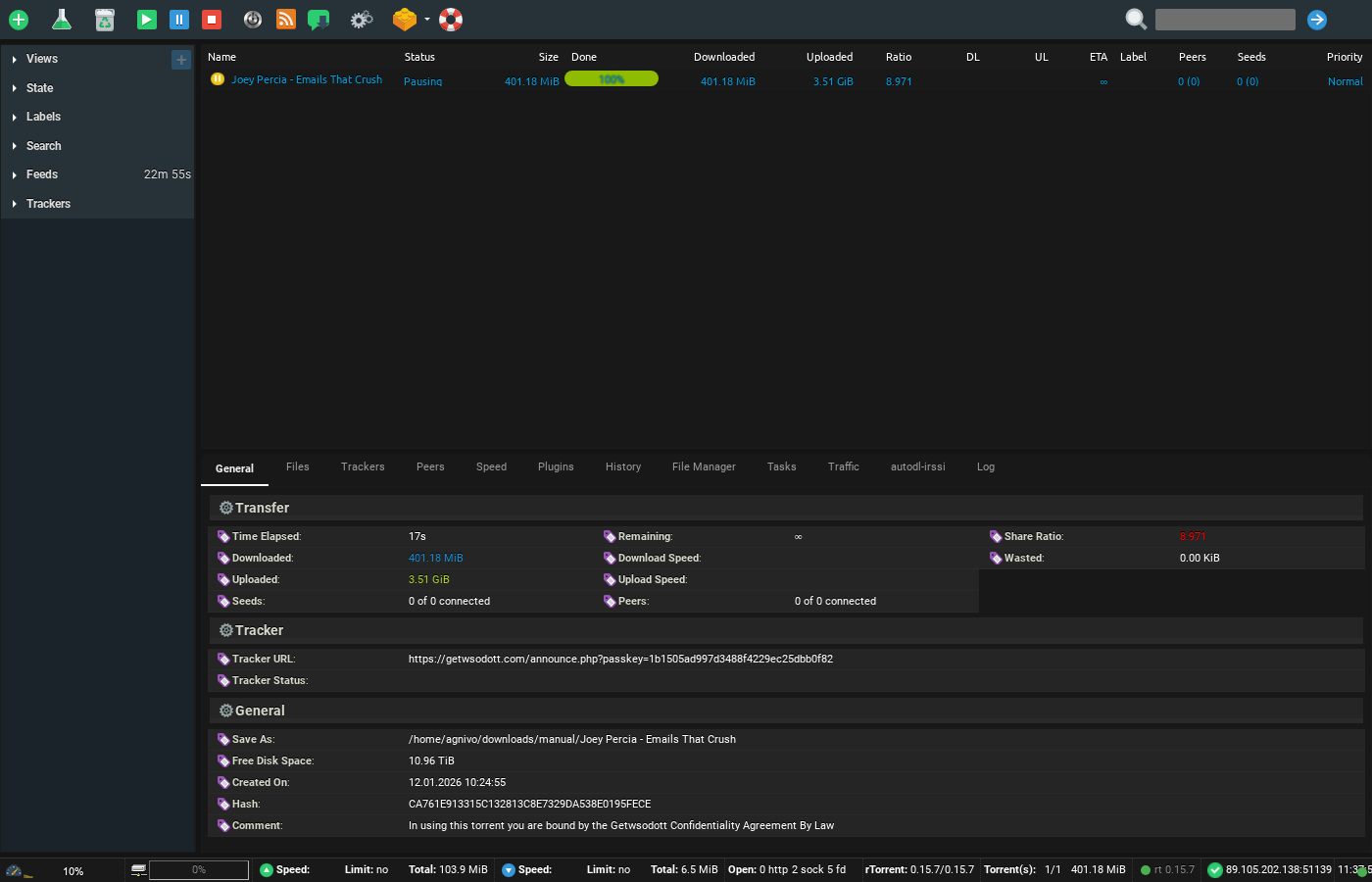
ruTorrent is known for the vast functionality it provides — and with many features comes a higher chance of running into the occasional error. Most of these errors are small, and their fixes are even smaller. This article covers the common ruTorrent errors and how to fix each one.
Error: Bad data from the tracker / Bad Tracker Data
Solution: This occurs when the tracker is overloaded. The best response is patience — wait for the torrent to stabilize. If the error persists for a long time, consider grabbing a fresh copy of the torrent file.
Error: Problem connecting to tracker — timeout exceeded / HTTP Error 503: Connect failed / (10061, “Connection refused”) / (111, “Connection refused”)
Solution: These are all tracker-side connection problems that appear when a tracker is under heavy traffic or briefly offline. Keep ruTorrent running — the torrent will reconnect automatically once the tracker responds again. Nothing on your seedbox needs fixing.
Error: Problem connecting to tracker — HTTP Error 404: Not Found
Solution: The torrent is no longer registered on the tracker. Download a current .torrent from the site and re-add it.
Error: Problem connecting to tracker — HTTP Error 400: Not Authorized
Solution: The torrent is very old and has been removed from the tracker, or your passkey in the announce URL is no longer valid. Re-download the .torrent from the tracker site.
Error: Problem connecting to tracker — HTTP Error 407: Proxy Authentication Required
Solution: Verify your login credentials for the tracker/proxy and re-establish the connection.
Error: IOError — [Errno13] Permission denied
Solution: This usually means a second ruTorrent/rTorrent instance is trying to use the same session — trackers don’t allow duplicate connections from one passkey. Restart rTorrent from your dashboard so only a single instance is running.
Error: Connecting to peers
Solution: Not actually an error — there may simply be no peers available at the moment. Leave the torrent running; it will progress as soon as peers appear.
Error: Problem connecting with tracker — (10054, “Connection reset by peer”)
Solution: The remote side closed the connection. This is transient and outside your control — the torrent will retry on the next announce.
Error: PHP module PCRE is not installed. ruTorrent will not work.
Solution: A PHP module is missing on the server. Please raise a ticket and mention the exact error — we fix this server-side.
Error: Rejected by tracker — Port XXXX is blacklisted
Solution: The connection is using a port that the tracker refuses (commonly ISP-throttled default BitTorrent ports). Check the tracker’s FAQ for its allowed port ranges — and if your client needs to be moved to a compliant port, open a ticket and we’ll change it.
Error: Web server can’t access rTorrent’s session directory for reading. ruTorrent will not work.
Solution: A filesystem permissions problem on the server. Contact support — this needs fixing on our side.
Error: rTorrent’s user can’t access settings/torrents directory (read/write/execute) — several variants
Solution: All of these variants point to a broken/incomplete ruTorrent installation or wrong directory permissions. Please contact support — our App Doctor usually repairs these automatically, but if you’re seeing one live, we’ll fix it manually.
Error: Bad link to rTorrent. Check if it is really running. Check $scgi_port and $scgi_host settings in config.php and scgi_port in rTorrent configuration file.
Solution: rTorrent has stopped or failed to start. Restart it from your dashboard; if the error persists (or you can still see your torrent list underneath the error), the SCGI configuration is out of sync — open a ticket and we’ll re-sync it.
Error: rTorrent is compiled with incorrect version of xmlrpc-c library, without i8 support. Version must be >= 1.11.
Solution: Older xmlrpc-c builds don’t support 64-bit integers, so values above 2 GB display as negative numbers and some Settings dialogs misbehave. The fix is server-side: rTorrent itself must be built against xmlrpc-c ≥ 1.11 (having the library installed isn’t enough). Our standard images are built correctly — if you see this, open a ticket.
Error: plugin: rTorrent’s user can’t access PHP interpreter. Plug-in will not work.
Solution: The PHP command-line interpreter (php-cli) is missing or inaccessible — a web server can run PHP (e.g. via FPM/FastCGI) without the CLI interpreter that ruTorrent plugins need. This is a server-side fix: open a support ticket and we’ll sort it.
Error: xxx plugin: Plugin will not work. Web-server can’t access external program (program name)
Solution: A helper program that the plugin depends on (e.g. unrar, ffmpeg, mediainfo) is missing from the server. Contact support and we will install/repair it.
These are the most common errors. If you’ve hit something not listed here, contact our support team for assistance.
Related
- ruTorrent getting started
- Fixing a torrent with a red cross
- Seeding rules and upload limits explained
- Restarting ruTorrent on your seedbox
- Why is my seedbox slow?
- Every ruTorrent setting explained
- Organise finished torrents by label with EvoSeedboxBot
- Manage rTorrent from your phone with Dashboarr
- EvoFTP: free SFTP client for downloading from your seedbox
Frequently Asked Questions
Why do tracker errors usually fix themselves?
Most tracker errors (timeouts, 503s, connection refused) are on the tracker’s side, not your seedbox. rTorrent re-announces automatically on a timer, so once the tracker recovers, the error clears without any action from you.
How do I restart rTorrent on my seedbox?
Use the restart option in your EvoSeedbox dashboard — see restarting ruTorrent. Our monitoring also detects crashed instances and restarts them automatically.
A torrent shows a red cross — is that one of these errors?
Usually it’s disk space, a failed hash check, or a tracker rejection. The red cross guide walks through the exact fix for each cause.
Which of these errors should I NOT try to fix myself?
Anything mentioning permissions, missing PHP modules, missing external programs, or xmlrpc-c versions is server-side — open a ticket. Everything tracker-related is safe to simply wait out or retry.
Related articles
Put this into practice
EvoSeedbox ships with one-click app installs and up to 10 Gbps per box.


