Connect Radarr to Dashboarr
On this page ▾
To connect Radarr to Dashboarr, add a Radarr instance, paste your Radarr HTTPS address from the client area as the Remote URL, and enter the API key from Radarr’s Settings → General → Security. Dashboarr then shows your library, queue and wanted list, adds movies with a quality profile and root folder, and surfaces Radarr’s own health warnings on the Movies tab. This is one of the per-service pages of the Dashboarr seedbox setup guide.
What you need
| Field in Dashboarr | Value on EvoSeedbox |
|---|---|
| Service | Radarr (under Media automation) |
| Local URL | leave empty |
| Remote URL | the Radarr HTTPS address on the app’s card in your client area, in the form https://SERVER.myseedbox.site:13xxx. Enter the bare origin with no /api/v3. |
| API Key | Radarr → Settings → General → Security → API Key (32 hex characters) |
| Always use Remote URL | on |
Radarr on EvoSeedbox uses Forms authentication for its web UI. The API key bypasses that login, so Dashboarr never needs your Radarr username and password.
Step by step
- In Radarr, open Settings → General, scroll to Security and copy the API key. On a phone, tap the key field, select all, copy.
- In Dashboarr, open Settings → Integrations → Browse services → Radarr.
- Paste the HTTPS address into Remote URL and the key into API Key. Leave Local URL empty.
- Switch on Always use Remote URL, tap Test Connection, then Save.
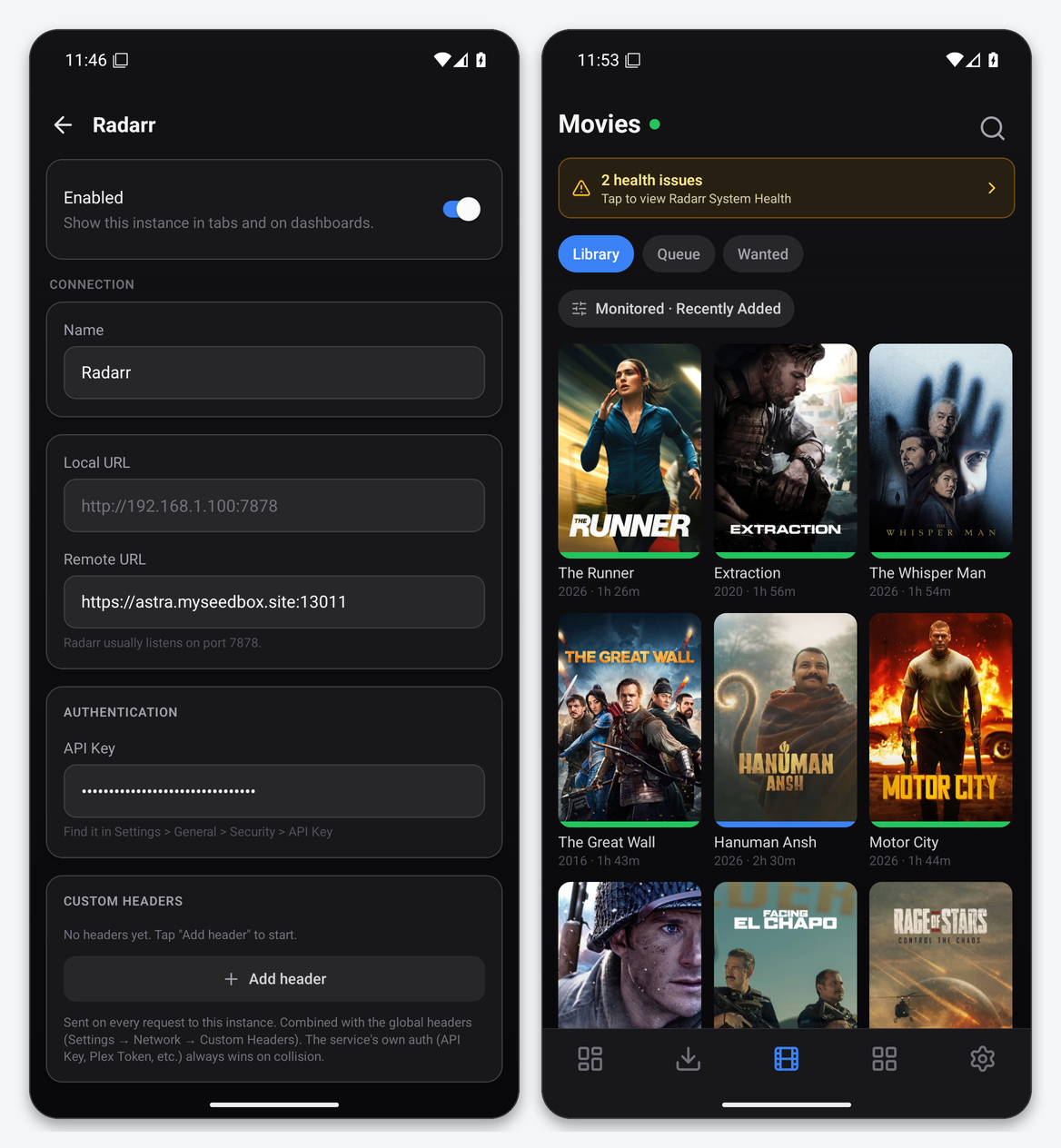
Dashboarr’s Test Connection for Radarr calls /api/v3/system/status with your key and only accepts a JSON 200, so a wrong port fails loudly instead of passing silently against a login page.
What the Movies tab gives you
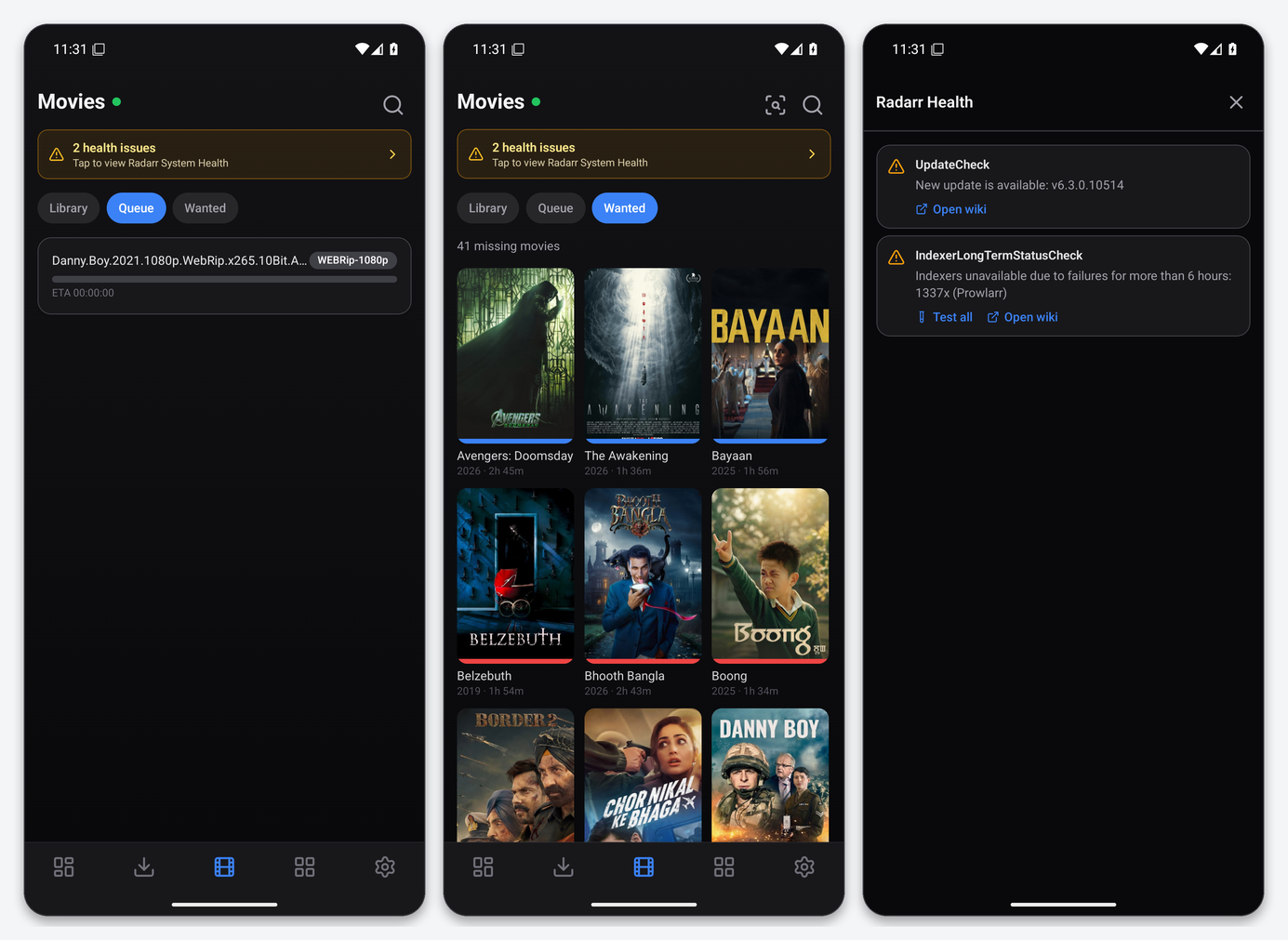
- Library: a poster grid with filter and sort (monitored, recently added, title, year, size), and a status bar under each poster. Tap a poster for the detail screen.
- Queue: what Radarr is currently grabbing or importing, with quality and ETA, plus a queue issues banner when an import is blocked.
- Wanted: missing monitored movies, with a search action per title.
- Health banner: Radarr’s own system-health checks (indexer failures, update available, download client problems) with the same “Open wiki” and “Test all” actions as the web UI.
Movie detail and adding a movie
The detail screen shows TMDB rating, status, studio, file size and the exact file with its resolution, codec and audio, then actions for Monitored, quality profile, Search, IMDb and More (delete, edit). Add movie searches TMDB through Radarr; results already in your library are tagged In library. Adding asks for the quality profile and root folder; Dashboarr can remember defaults per instance so it becomes a two-tap job.
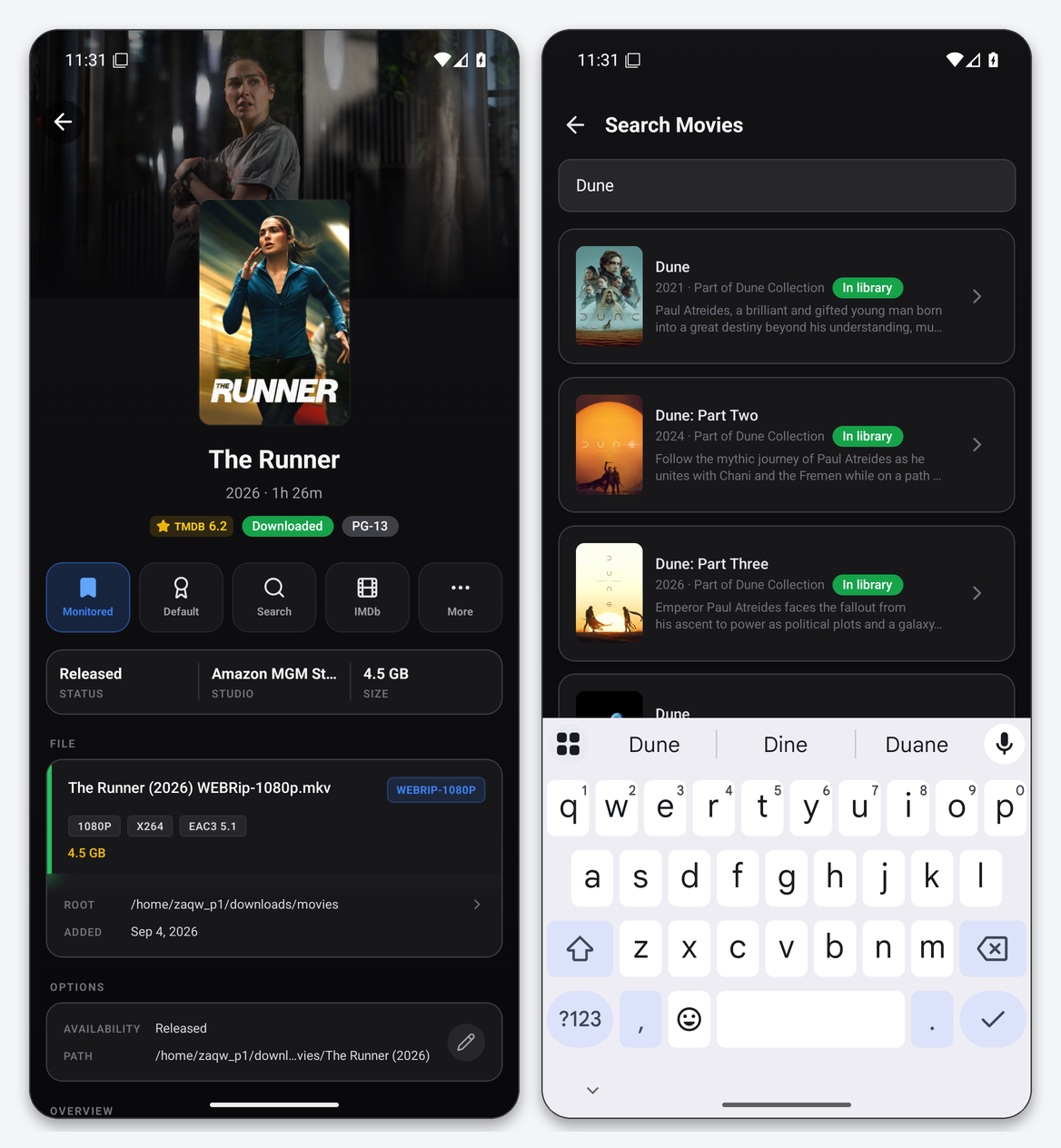
Root folders on an EvoSeedbox Radarr are under your home directory (for example /home/USERNAME/downloads/movies). Pick the same one your existing library uses so imports land next to it.
Dashboard widgets that use Radarr
Radarr Queue, Recently Downloaded (imports from Radarr and Sonarr), Calendar (release dates merged with Sonarr air dates, with a choice of digital, physical or cinema date) and Service Health. The Still Pending widget lists monitored movies that have passed their chosen release date without a file.
Troubleshooting
| Symptom | Fix |
|---|---|
| Invalid API key | Copy it again from Settings → General → Security. Keys are 32 lowercase hex characters; a trailing space from the clipboard breaks it. |
| Test returns a login page / HTML | The URL is Radarr’s web UI on the wrong port, or has a path appended. Use the bare HTTPS origin. |
| Posters missing | Radarr has not cached artwork yet, or the movie has no TMDB poster. Pull to refresh; posters load through Radarr’s image proxy, not directly from TMDB. |
| Add movie says the root folder is missing | Set at least one root folder in Radarr → Settings → Media Management first. |
| Health banner: “Indexers unavailable due to failures” | That is Radarr’s own message about a Prowlarr or Jackett indexer. Fix it in Prowlarr; the banner clears on the next health check. |
FAQ
Can I run a 4K Radarr and a 1080p Radarr?
Yes. Add both as separate instances with different names; the Movies tab gets an instance switcher and the dashboard can aggregate both queues.
Does Dashboarr change anything in Radarr on its own?
No. It reads through the API and only writes when you tap an action (add, monitor, search, delete). It never edits settings, profiles or download clients.
Which Radarr versions work?
Any Radarr with the v3 API, which is every current release we install.
Related articles
Put this into practice
EvoSeedbox ships with one-click app installs and up to 10 Gbps per box.
