The .evoftp file doesn’t open evoftp
On this page ▾
The evoftp file not opening when you double-click it means your computer does not yet know which program owns the .evoftp type, or it points at a copy of evoftp that has since moved. evoftp registers the type itself the first time it runs, so the fix is almost always “run the app once from the right place”. Try these in order.
Windows: evoftp has not been run from its permanent folder
The Windows build is a portable exe with no installer. Every time it starts it registers .evoftp files and evoftp:// links for your Windows user account (no admin rights needed), pointing at the exe’s current location.
- Move
evoftp-windows.exesomewhere permanent, for exampleC:\Tools\or your Documents folder — not the Downloads folder you clear from time to time. - Double-click the exe once and let it open.
- Close it, then double-click your
.evoftpfile.
Windows: you moved, renamed or deleted the exe
The registration stores the exe’s path. If you moved it after the first run, Windows is trying to start a file that is no longer there.
- Run the exe once from its new location. That rewrites the registration.
- If you deleted it, download it again from https://neo.myseedbox.site/share/evoftp/, put it in a permanent folder and run it once.
macOS: the file opens in a text editor, or nothing happens
- Open evoftp once on its own first (macOS blocks the first launch of an unsigned app — see the next page).
- Right-click the
.evoftpfile → Open With → evoftp. - To make it permanent: right-click → Get Info → Open with: evoftp → Change All…. You can also tick Always Open With in the Open With submenu.
Linux: the AppImage is not a registered application
- Make sure the AppImage is executable (
chmod +x evoftp-linux.AppImage) and starts on its own. - In your file manager, right-click the
.evoftpfile → Open With → Other application and browse to the AppImage. Tick the “always use” option if offered.
You can also install AppImageLauncher, which adds a menu entry and file associations for any AppImage.
Fallback: open the file from inside evoftp
- Start evoftp.
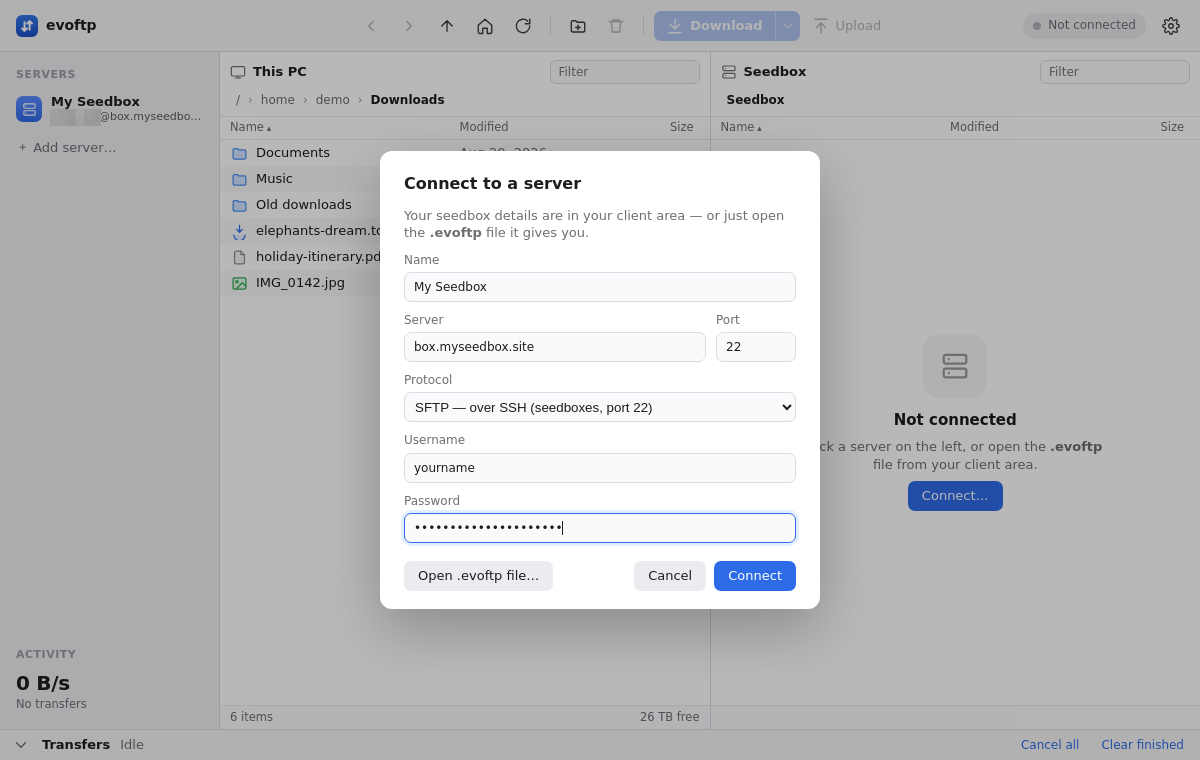
- In the Connect dialog, click Open .evoftp file… and pick the file.
- evoftp saves the server to the sidebar and connects.
You only need the file once. After that, click the server in the sidebar.
The browser saved it as .json or .txt
evoftp only recognises files that end in .evoftp. A file called yourname.evoftp.json or yourname.txt is ignored on double-click and hidden by the Open dialog. Rename it to yourname.evoftp — the contents are plain text, so renaming is enough. On Windows, turn on File name extensions in Explorer’s View menu first so you can see what you are renaming. If evoftp says Could not read connection file, the file was truncated or edited; download a fresh one from the client area.
Note: The Windows registration is per user account and per exe path. Each Windows user who wants double-click to work must run the exe once themselves.
Overview: evoftp guide.
Related articles
Put this into practice
EvoSeedbox ships with one-click app installs and up to 10 Gbps per box.
