Post Finished Torrents to a Discord Channel
On this page ▾
Good for shared seedboxes and households: every completed download is posted to a Discord channel. It uses a channel webhook, so there is no bot to create and nothing to host.
Before you start: a channel webhook
- In Discord, open the channel’s settings (gear) → Integrations → Webhooks → New Webhook.
- Give it a name (this is the sender name) and click Copy Webhook URL.
Open the template
- From the client area, open your seedbox service and click Open Liteflow on the Automation card.
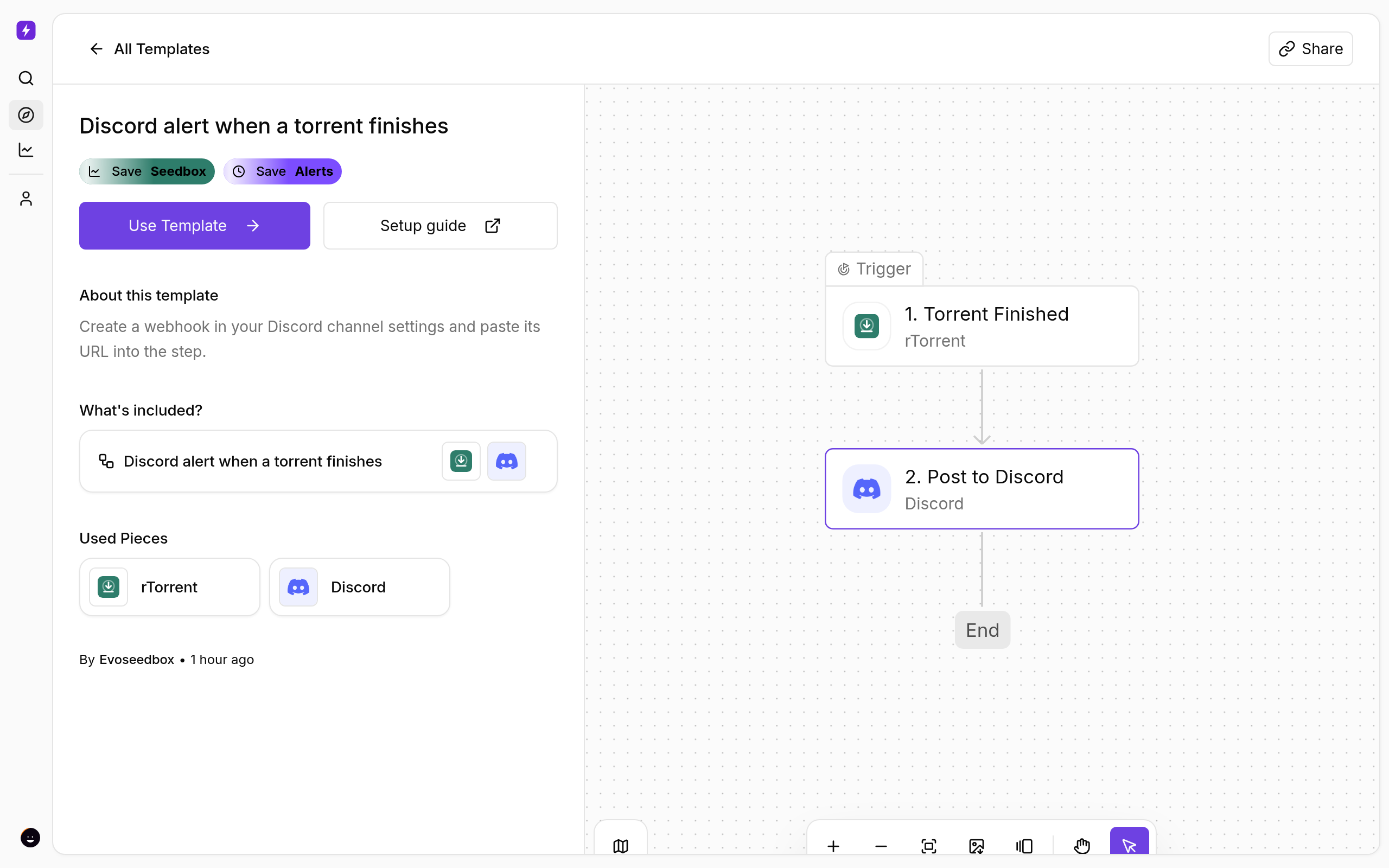
- Click Create New → Start from Template and choose Discord alert when a torrent finishes.
- Click Use Template, keep Personal Project, and Confirm. The flow opens in the builder with every step in place.
Fill in the Discord step
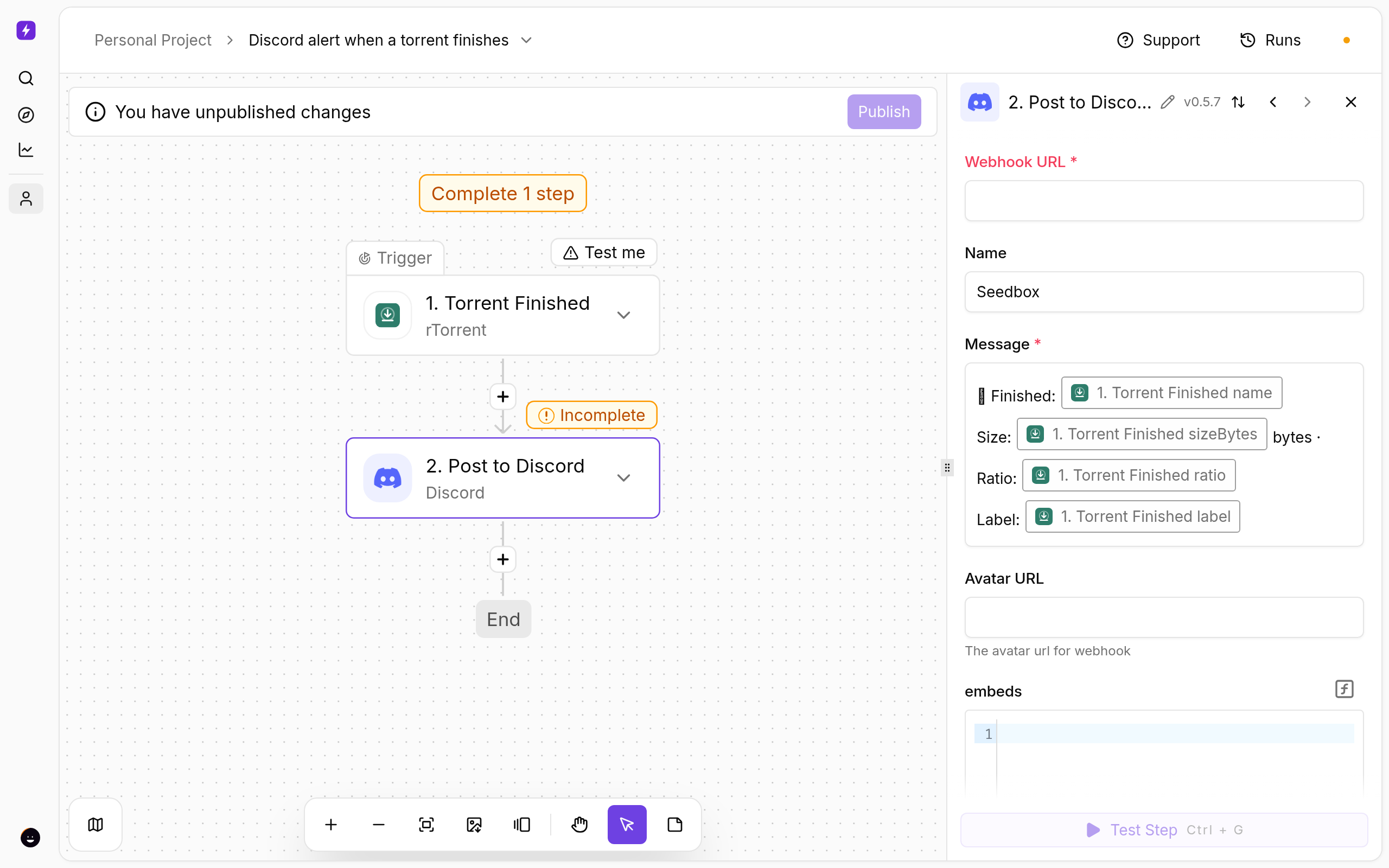
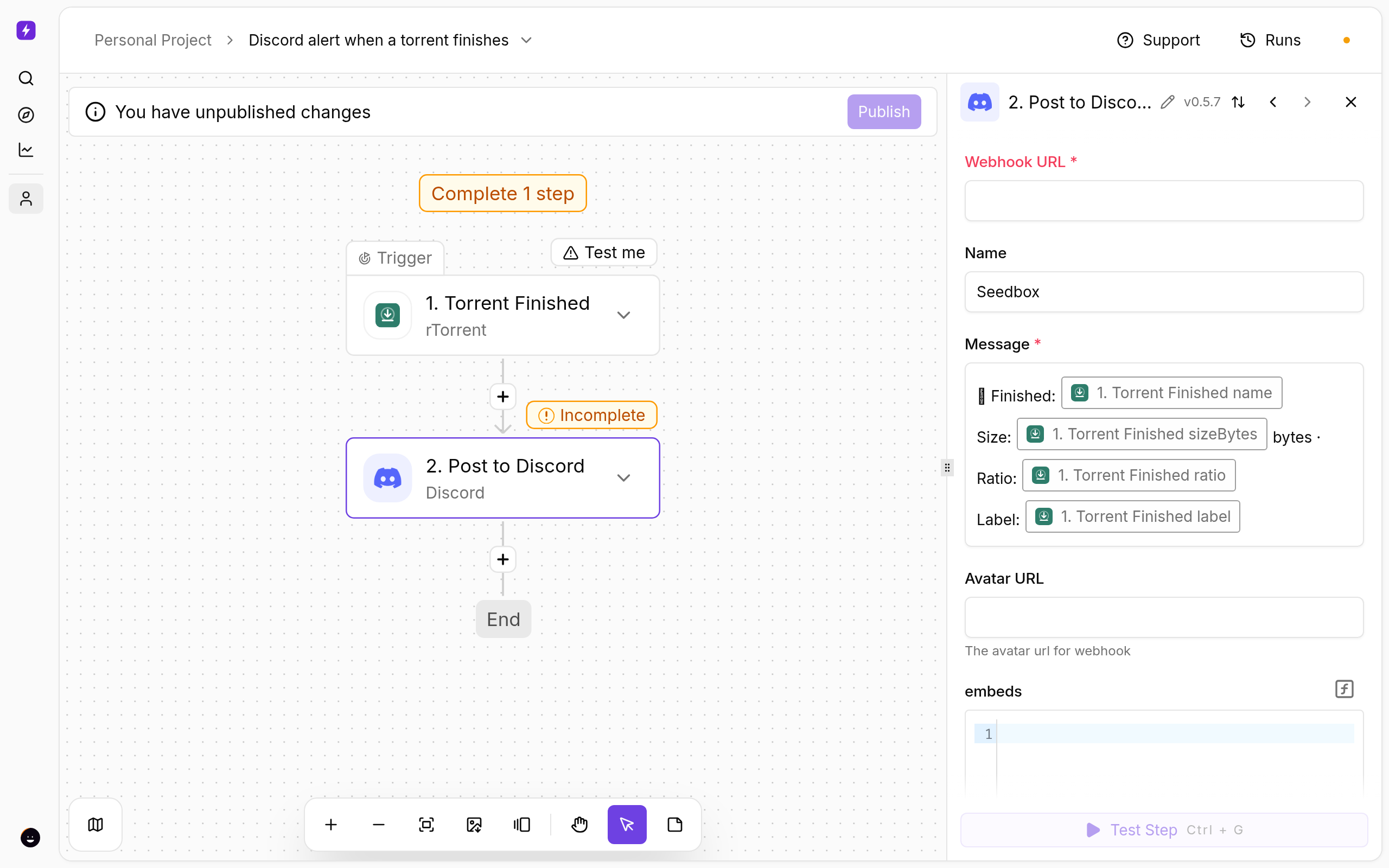
- Click Post to Discord and paste the webhook URL into Webhook URL.
- The message is pre-filled with the torrent name, size and ratio; edit it freely. Discord supports Markdown here.
Test and publish
- Click a step and use Test step to see real data from your seedbox before going live.
- Click Publish. The flow is now on; the switch on the Automations page turns it off again.
- Open Runs whenever you want to see what fired and what each step returned.
If Something Does Not Work
- Nothing appears — the webhook URL was deleted or regenerated in Discord; copy it again.
- The seedbox step fails — open Connections and reconnect My seedbox (rTorrent). It uses the same username and password as ruTorrent.
Variations
- Use Only for Label on the trigger to post only one category (for example
movies). - Add an Embeds JSON for rich cards with a title and colour.
More
New to Liteflow? Start with Liteflow: Automate Your Seedbox. Want a template that is not here? Click Suggest it on the Automation card in the client area.
← PreviousPortainer Setup: Manage Docker Containers on Your Seedbox Next →Refresh Plex or Jellyfin the Moment a Download Finishes
Related articles
Refresh Plex or Jellyfin the Moment a Download Finishes →
Portainer Setup: Manage Docker Containers on Your Seedbox →
SABnzbd Setup Guide: Usenet Downloads on Your Seedbox →
OwnCloud Setup Guide →
Schedule When Your Seedbox Downloads and Seeds →
NZBGet Setup Guide: Usenet Downloads on Your Seedbox →
Put this into practice
EvoSeedbox ships with one-click app installs and up to 10 Gbps per box.
