Adding a torrent by dropping it in the watch folder
On this page ▾
By the end of this page you will have started a torrent on your seedbox without opening ruTorrent, by dropping the .torrent file into the downloads/watch folder with evoftp. rTorrent checks that folder every few seconds and starts anything it finds.
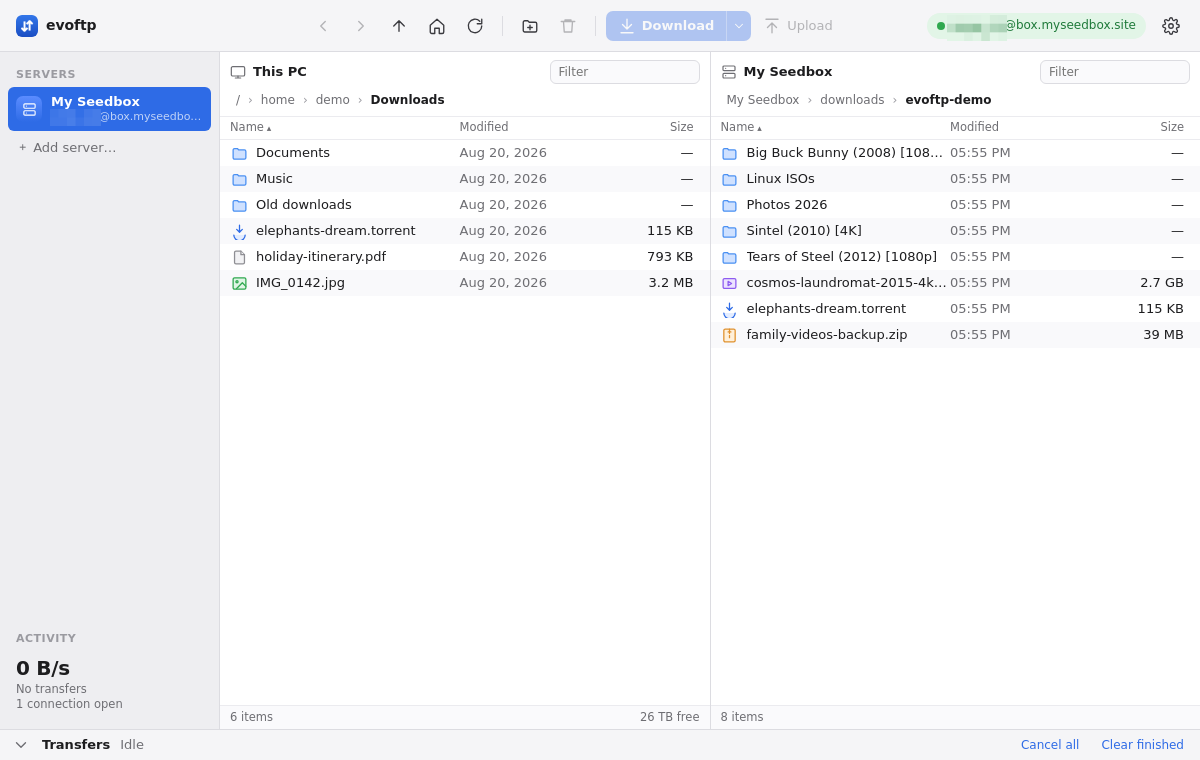
Opening the watch folder
- Connect to your seedbox.
- In the right pane, double-click downloads, then watch. The breadcrumbs should read downloads › watch. If you are somewhere else, click the home button in the toolbar first.
Dropping the torrent file
- Drag the
.torrentfile from your desktop, Explorer or Finder and drop it onto the right pane. - Watch the Transfers drawer: the evoftp watch folder torrent upload is a small file, so the row goes to Done almost immediately.
- Press Ctrl/⌘+R a few seconds later. The
.torrentfile has gone: rTorrent removes it fromwatchas it loads it, and the torrent is now running in ruTorrent.
You can also browse to the file in the left pane, select it and click Upload (Ctrl/⌘+U). Several .torrent files dropped together each start their own torrent.
Drop the files themselves, not a folder containing them. A folder is uploaded as a subfolder of watch, and rTorrent only looks at files directly inside watch.
What the watch folder accepts
- .torrent files — anything ending in
.torrentis loaded and started straight away. - Magnet links — not here. A magnet link is text, not a file; saving it as
.torrentdoes not make it one. Paste magnet links into ruTorrent’s Add dialog instead. - Anything else — ignored and left in the folder. A
.torrentthat browsers renamed to.txtor.htmlsits there too; rename it and it will load.
For the other ways to add a torrent, including ruTorrent’s Add button, see Adding a torrent to your seedbox.
If the file is still there after a minute
- Check the name ends in exactly
.torrent. - Check it is inside
downloads/watch, not in a subfolder or indownloadsitself. - Open ruTorrent. If it does not load, rTorrent is not running and nothing is watching the folder; open a ticket.
- If the torrent appears in ruTorrent with an error, the file itself is broken or the tracker refused it; the watch folder did its job.
Note: evoftp only moves the file. Everything after that, including where the download lands, is rTorrent’s normal behaviour.
Overview: evoftp guide.
Related articles
Put this into practice
EvoSeedbox ships with one-click app installs and up to 10 Gbps per box.
