How to Log into ruTorrent
On this page ▾
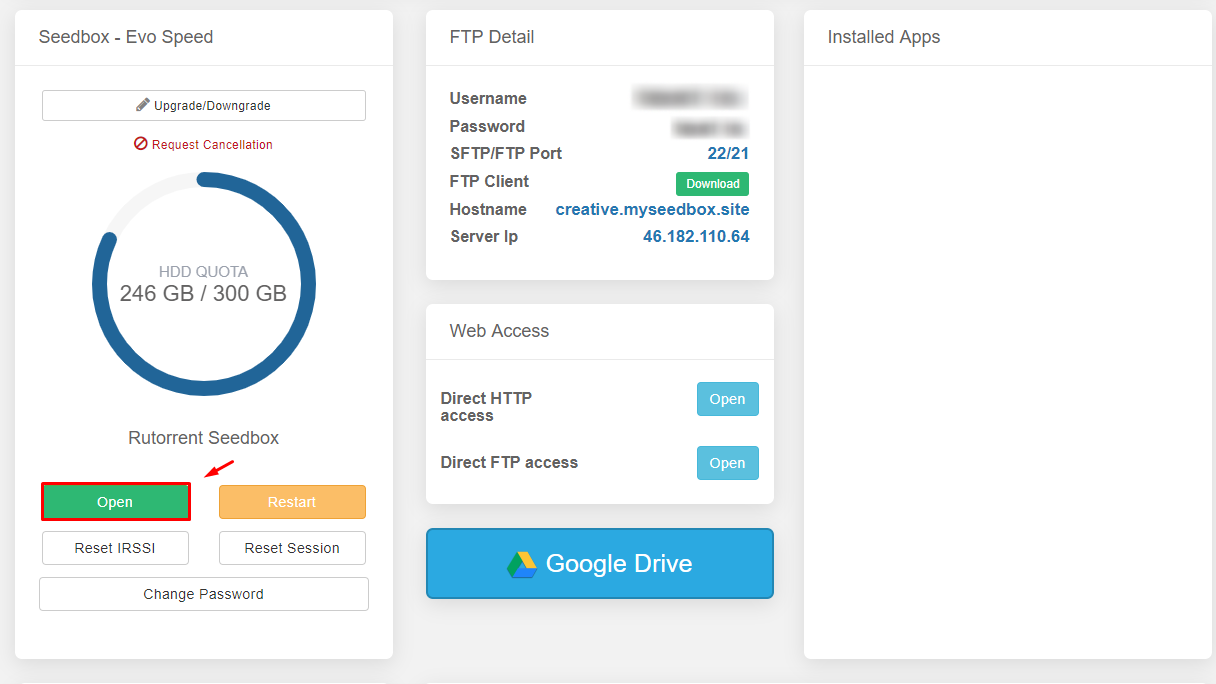
You can easily login rutorrent web interface by clicking on the green open button:
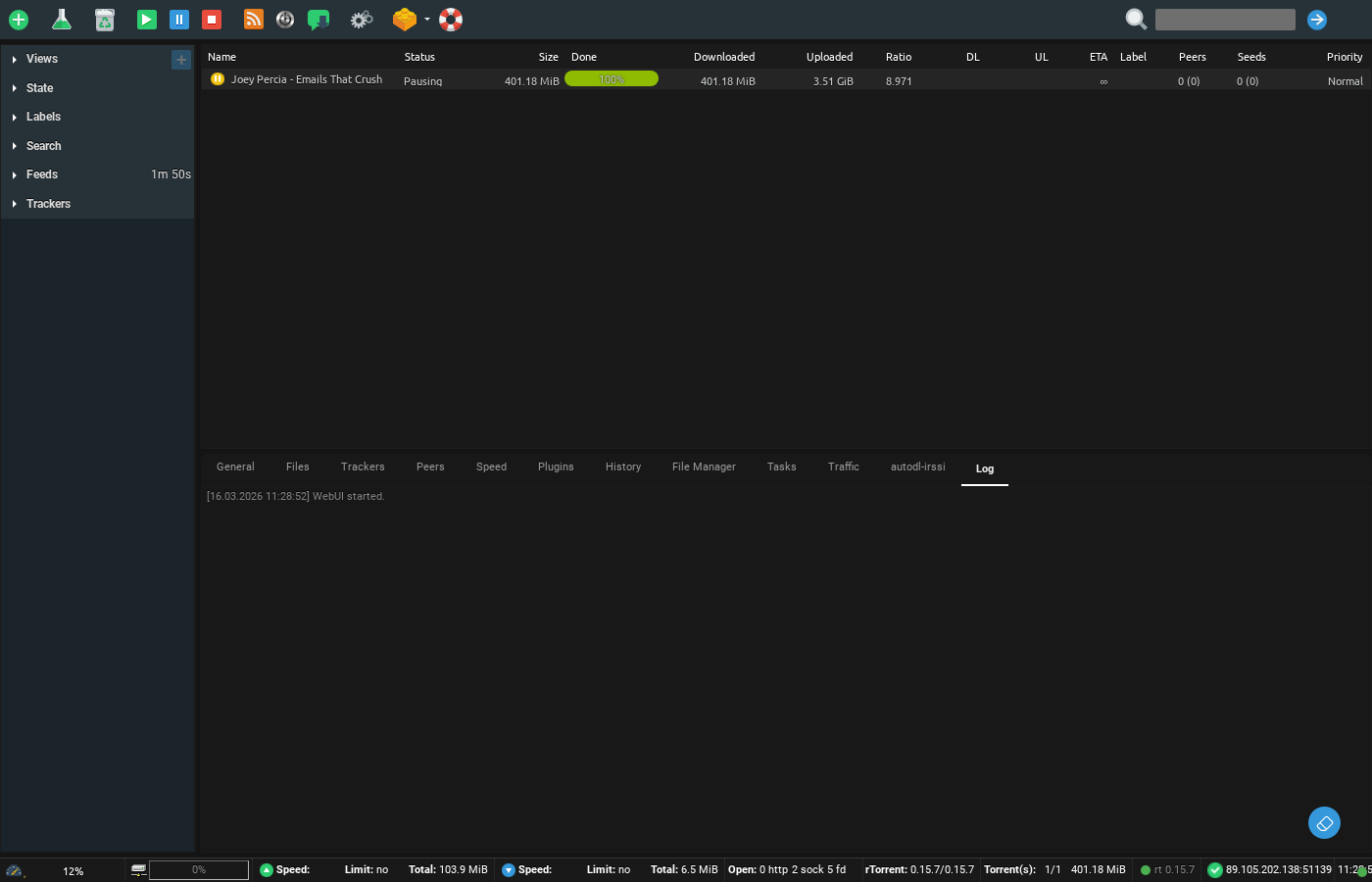
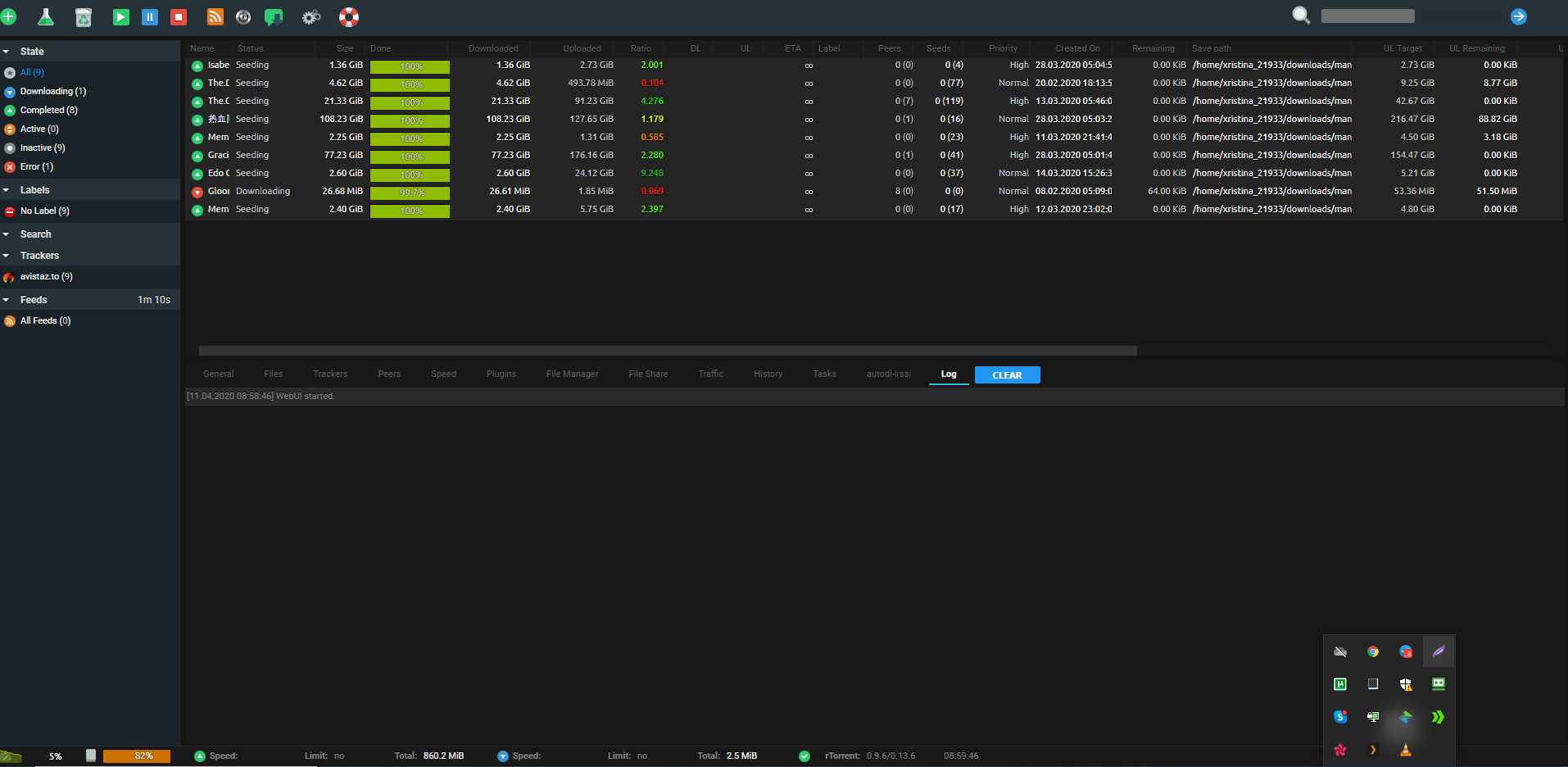
The username and password are already loaded in the button link so rutorrent will directly open, we recommend that you right click and open in a new tab. Once you open rutorrent it will look something like this:
Accessing ruTorrent Web Interface
ruTorrent is the primary web-based torrent client on your Evoseedbox. It runs entirely in your browser — no software installation needed.
Method 1: Quick Launch (Recommended)
- Log in to your client area and open your seedbox dashboard
- Find the ruTorrent section and click the green Open button
- Right-click and select “Open in new tab” for the best experience
- ruTorrent opens automatically with your credentials pre-loaded
Method 2: Direct URL Access
You can also access ruTorrent directly by entering your seedbox URL in the browser address bar. When prompted, enter your seedbox username and password.
ruTorrent Interface Overview
- Top toolbar: Settings, add torrent, RSS feeds, and plugin controls
- Torrent list: All active, downloading, and seeding torrents
- Bottom panel: Details, trackers, peers, files, and speed graphs for the selected torrent
- File Manager tab: Browse and manage all files on your seedbox
Related Guides
← PreviousruTorrent: Complete Guide, Plugins & Setup Next →How to Add a Magnet Link in ruTorrent (and .torrent Files)
Related articles
How to Add a Magnet Link in ruTorrent (and .torrent Files) →
ruTorrent: Complete Guide, Plugins & Setup →
Guide to Increase Download and Upload Queues in ruTorrent →
Ultimate Guide to Setting Up Transdrone on Seedbox →
How to Create a Torrent in ruTorrent →
Torrent Seeding Rules and Upload Limits Explained →
Put this into practice
EvoSeedbox ships with one-click app installs and up to 10 Gbps per box.


