Connect Sonarr to Dashboarr
On this page ▾
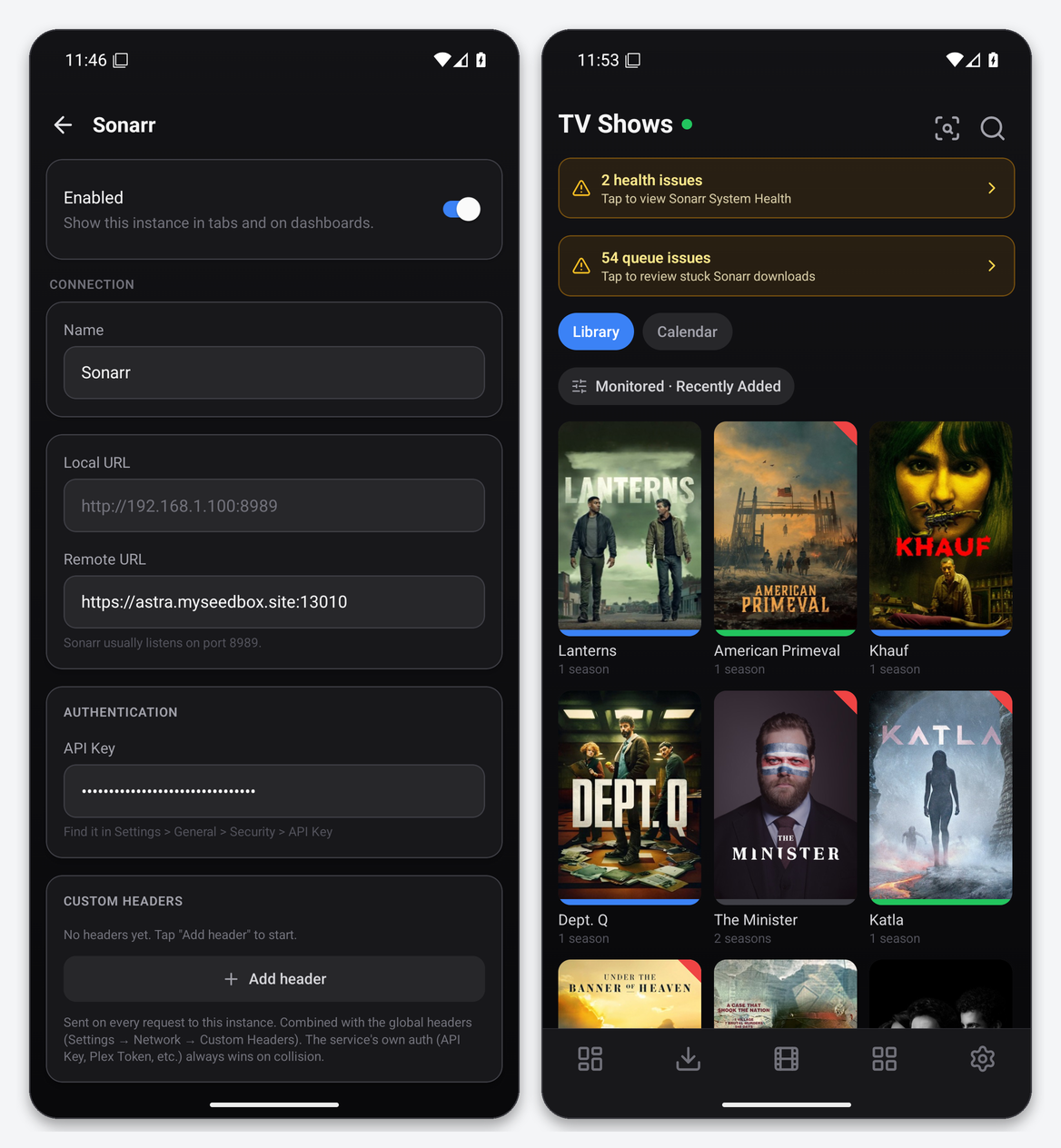
To connect Sonarr to Dashboarr, add a Sonarr instance, use the Sonarr HTTPS address from your client area as the Remote URL, and paste the API key from Sonarr’s Settings → General → Security. You get the series library, an airing calendar, the queue with blocked-import diagnostics, a one-tap “search all missing episodes”, and Sonarr’s health checks on the TV tab. Part of the Dashboarr seedbox setup guide.
What you need
| Field in Dashboarr | Value on EvoSeedbox |
|---|---|
| Service | Sonarr (under Media automation) |
| Local URL | leave empty |
| Remote URL | the Sonarr HTTPS address on the app’s card, https://SERVER.myseedbox.site:13xxx, with no /api/v3 |
| API Key | Sonarr → Settings → General → Security → API Key |
| Always use Remote URL | on |
Step by step
- Copy the API key from Sonarr (Settings → General, then the Security block).
- In Dashboarr: Settings → Integrations → Browse services → Sonarr.
- Paste the HTTPS address in Remote URL, the key in API Key, switch on Always use Remote URL.
- Test Connection (it calls
/api/v3/system/statuswith the key and only accepts JSON), then Save.
What the TV tab gives you
- Library grid with a series status filter (continuing, ended, upcoming), monitored filter and sort options.
- Calendar: upcoming episodes grouped by day, with the episode title and code. The dashboard Calendar widget merges this with Radarr release dates.
- Search all missing episodes (the magnifier with a badge in the header) triggers Sonarr’s MissingEpisodeSearch command after a confirmation.
- Queue issues banner: opens a sheet listing every item Sonarr cannot import automatically, with Sonarr’s exact reason, so you can fix a title mismatch or a missing file before it clogs the queue.
- Health banner: Sonarr’s system-health checks with Open wiki and Test all.
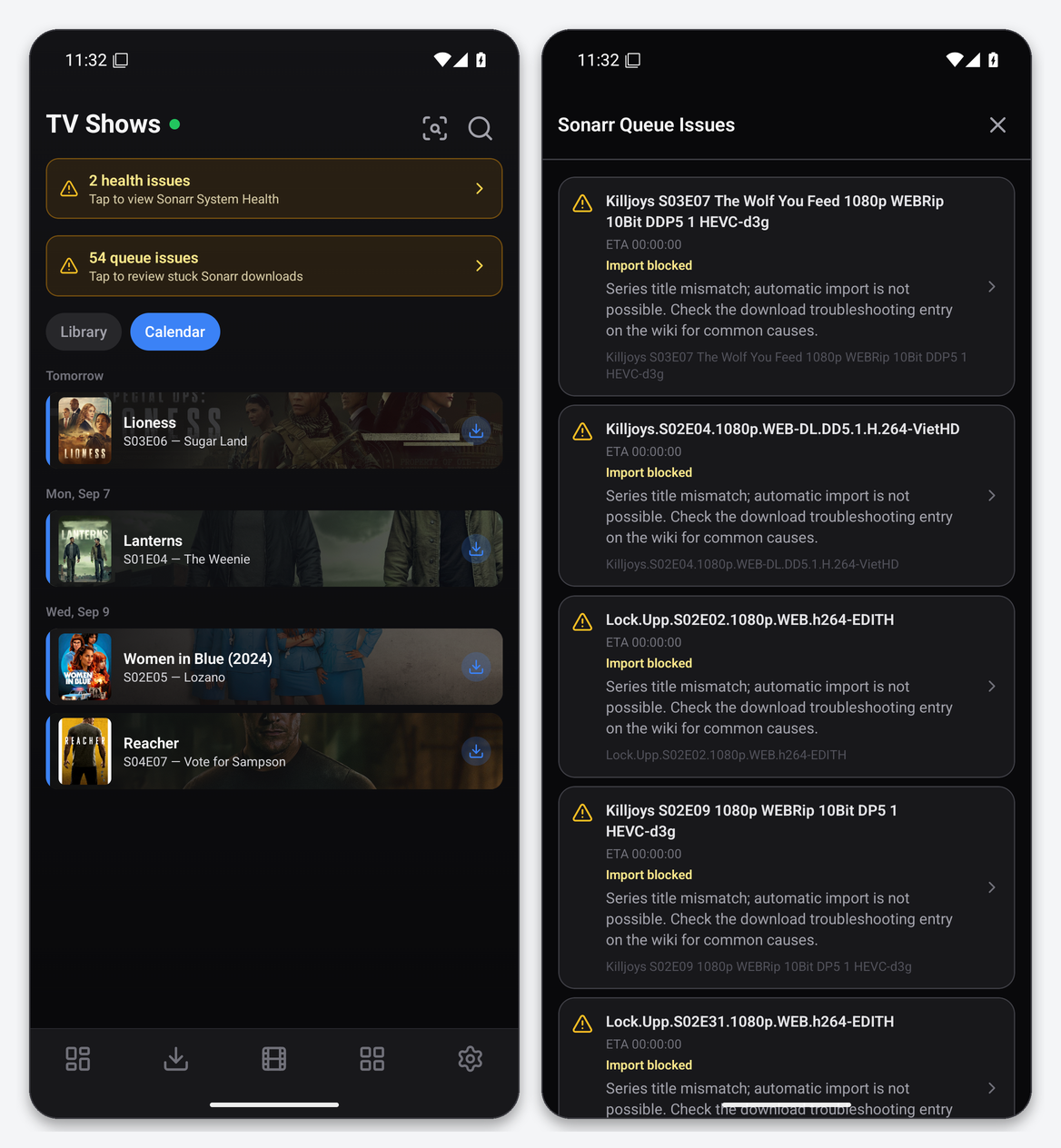
On the test account the queue banner reported 54 blocked items, all of them the classic “series title mismatch” caused by release names that Sonarr cannot map to a series. That is exactly the kind of problem you fix in Sonarr’s Activity → Queue with a manual import; Dashboarr shows you the list so you know it is there.
Series detail and adding a series
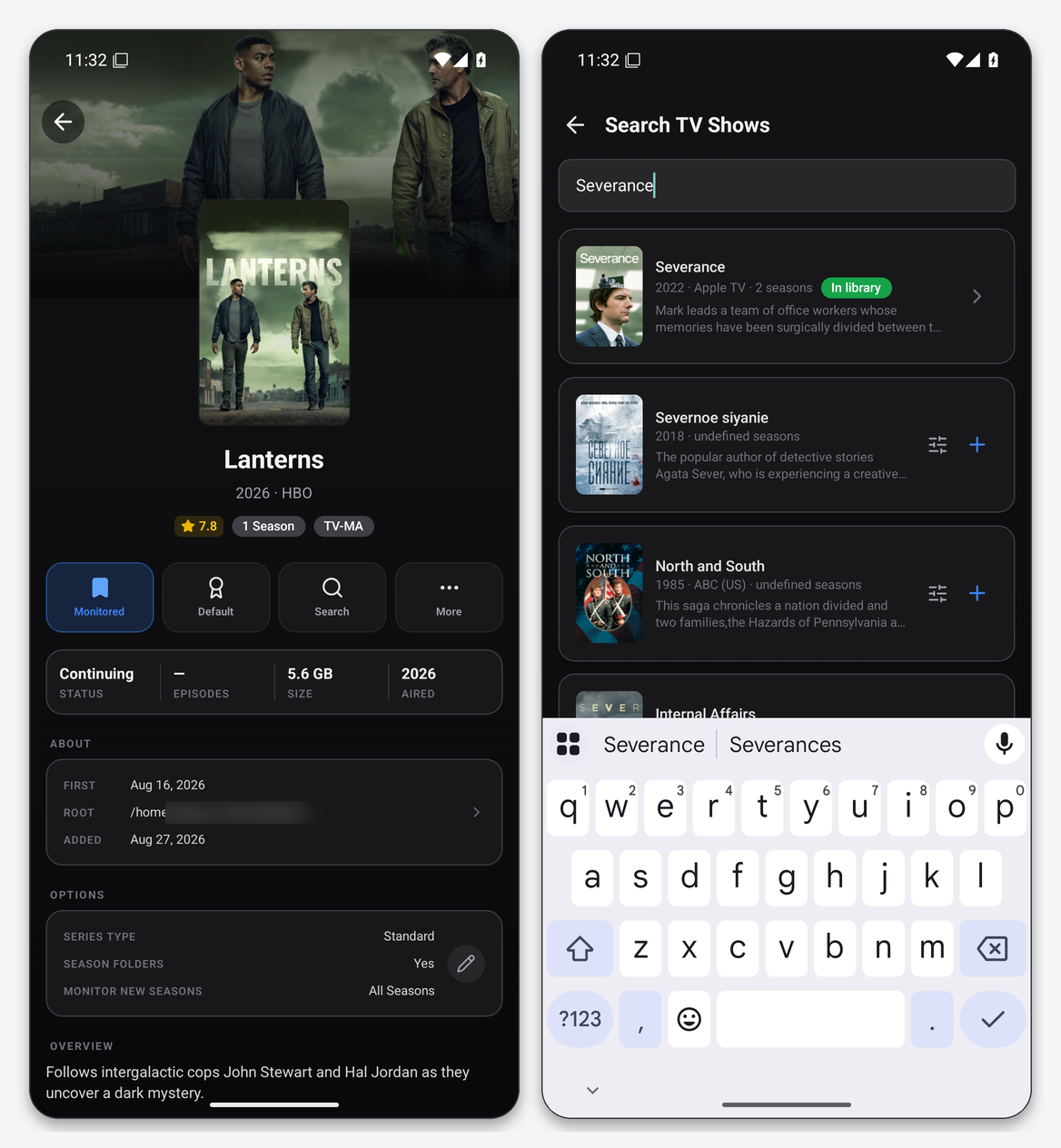
The detail screen shows rating, season count, status, size on disk, root folder, dates and series options (type, season folders, monitor). Actions: Monitored toggle, quality profile, Search and More. Tap a season to reach episodes and per-episode search. Add series searches TheTVDB through Sonarr; results already in your library are tagged, and adding asks for quality profile, root folder, monitor mode and series type.
Widgets that use Sonarr
Sonarr Queue, Calendar, Recently Downloaded and Service Health. Episode-downloaded notifications fire when the queue transitions to imported while the app is open.
Troubleshooting
| Symptom | Fix |
|---|---|
| Invalid API key | Re-copy from Settings → General → Security. Sonarr and Radarr keys look identical in format; make sure you did not paste the Radarr one. |
| Calendar is empty | Only monitored series with known air dates in the next weeks appear. Toggle Include unmonitored in the Calendar filter if you want everything. |
| Many “Import blocked” items | Open Sonarr’s Activity → Queue and use manual import; Dashboarr shows the list but the mapping is done in Sonarr. |
| Posters missing | Sonarr has not fetched the artwork yet. Pull to refresh later. |
FAQ
Can Dashboarr set episode monitoring?
Yes: per series (Monitored toggle), per season and per episode from the season list.
Anime and daily series?
Series type is shown in the detail options and can be chosen when adding; Sonarr handles the numbering.
Sonarr v3 or v4?
Both use the v3 API that Dashboarr talks to. Every Sonarr we install is v4.
Related articles
Put this into practice
EvoSeedbox ships with one-click app installs and up to 10 Gbps per box.
