Why evoftp splits files into segments
On this page ▾
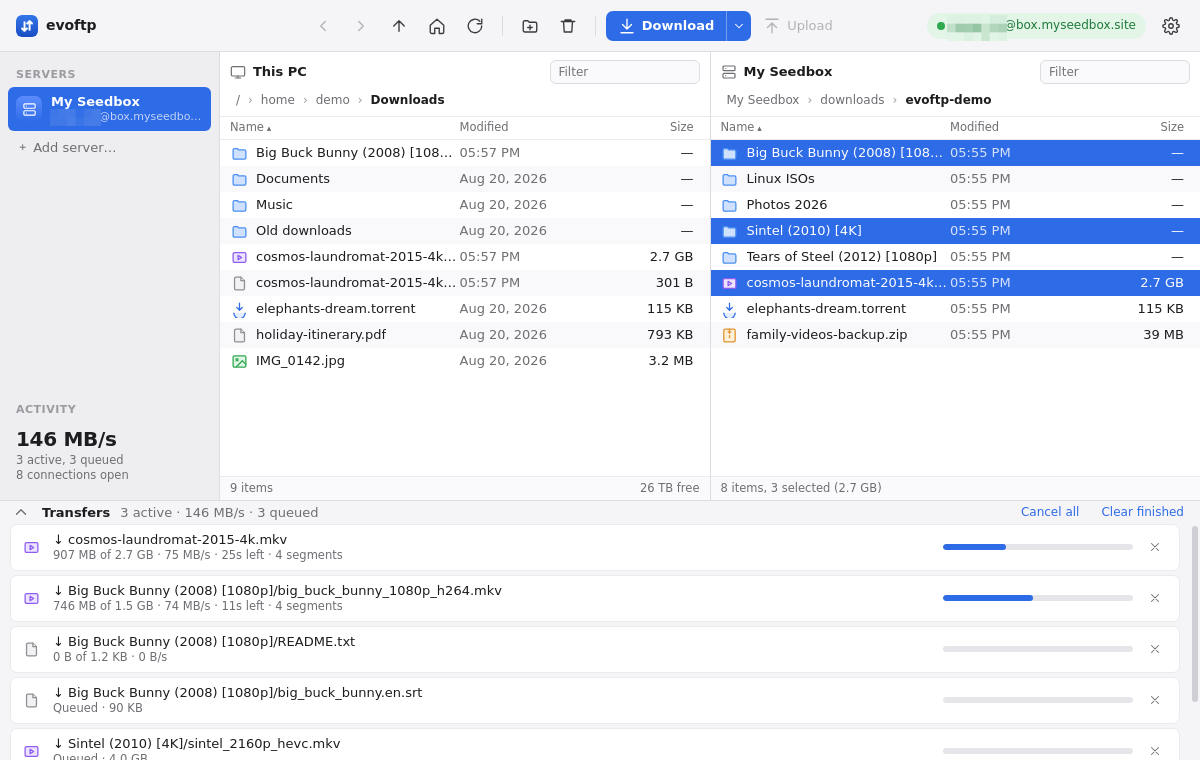
evoftp segments every file over 8 MB: it splits the file into byte ranges and pulls each range over its own SSH connection at the same time, writing straight into one file on your disk. This page explains why that makes a difference and what happens under the hood; the general background is in segmented downloads over SFTP.
Why one connection is slow
An SFTP connection can only have so much data on the way to you at once — sent by the server, not yet acknowledged by your computer. Once that amount is in flight, the server waits a full round trip before sending more. So one connection moves at most that amount per round trip, whatever your line can carry. With 1 MiB in flight over a 400 ms round trip, that is about 2.5 MB/s.
What evoftp does about it
- Several ranges, several connections. A file is cut into up to 8 ranges (4 in the Balanced profile, never smaller than 4 MB each), and each range gets its own SSH connection. Each connection is still capped by the round trip, but there are several, so the cap adds up. The total number of connections is limited by your profile, so the server never sees a flood.
- Written straight into place. Your file is created at its full size before the first byte arrives, and every piece is written at its own offset. There is no merge step at the end and nothing is buffered in memory; the file is complete the moment the last piece lands. A small
<file>.evoftp-partsidecar records which ranges are done, which is how an interrupted download resumes. - A window sized from your ping. The amount kept in flight on each connection is set automatically from the measured round trip when the first connection opens — about 1 MB on a fast local link, 4 MB at 100 ms, 16 MB at 400 ms and beyond. The Long distance profile pins it at 16 MB; Custom lets you set 1–16 MB by hand.
- Work stealing. When one range finishes early, evoftp splits the largest range still running (if it has at least 16 MB left) and hands the second half to the freed connection. The end of a download keeps every connection busy instead of dwindling to one slow one.
What this looks like in practice
In our tests, a Mac in India at 250–700 ms round trip to a European seedbox pulled about 2.4 MB/s on a single connection. With the 16 MB window and 8 segments the same download ran at the line’s full speed. On a link next to the server, a 1.07 GB file arrived in 4.9 seconds. Your numbers will differ with your line, your distance and your disk.
Choosing how much to segment
The profiles in Settings set the segments per file, the files transferred at once and the total connections; see transfer profiles. For a single download you can override the number from the Download ▾ menu. Files under 8 MB always use one connection.
Note: Segments cannot beat your line or your disk. Once the sidebar speed matches what your connection can carry, more connections add nothing, and a slow external drive caps parallel writes first.
Overview: evoftp guide.
Related articles
Put this into practice
EvoSeedbox ships with one-click app installs and up to 10 Gbps per box.
