Watch Together in EvoPlex: how the relay works
On this page ▾
By the end of this page you will have watched a film in sync with someone on another device using EvoPlex’s Watch Together, and you will know what the relay in the middle does — and, just as important, what it never touches.
What the relay does
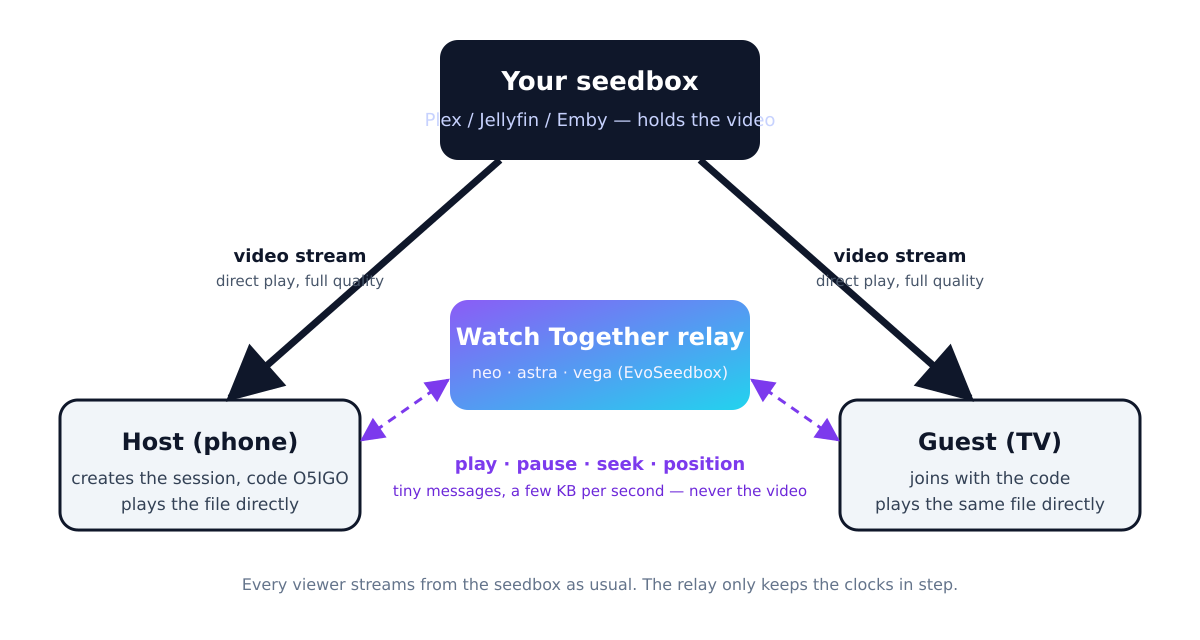
Watch Together needs two things to happen at once: every viewer has to play the same file, and their players have to stay at the same position. EvoPlex splits those two jobs.
- The video comes from your seedbox exactly as it does when you watch alone. Each viewer’s EvoPlex opens the file from Plex, Jellyfin or Emby and direct-plays it at full quality. Nothing is re-encoded and nothing is copied anywhere.
- The sync messages go through the relay. When the host presses play, pauses or seeks, their EvoPlex sends a message of a few hundred bytes to the relay, which forwards it to everyone in the room. While playing, the host also sends its position every two seconds so guests can correct drift. That is the whole traffic: a few kilobytes per second per room, never a frame of video.
The relay keeps a room only in memory while it is open — the code, who is in it, and the last position. It stores no account details, no watch history and no titles. When the host ends the session, the room is gone.
EvoSeedbox runs three relays, on neo, astra and vega. The five-character session code decides which one a room lives on, so the host and every guest end up on the same relay without ever choosing one. If a relay is down, EvoPlex simply mints a code that lands on one that is up. A room holds up to eight people.
Before you start
- Everyone needs EvoPlex signed in to a server that has the film. Usually that is one seedbox: the host’s Plex server shared with friends, or a Jellyfin or Emby server with a user for each of them.
- Each viewer streams the file themselves, so two viewers use twice the bandwidth from the seedbox. Direct play keeps the quality but does not save traffic.
- Install EvoPlex on each device from the EvoPlex downloads folder (Android phones, tablets and TVs).
Creating a session
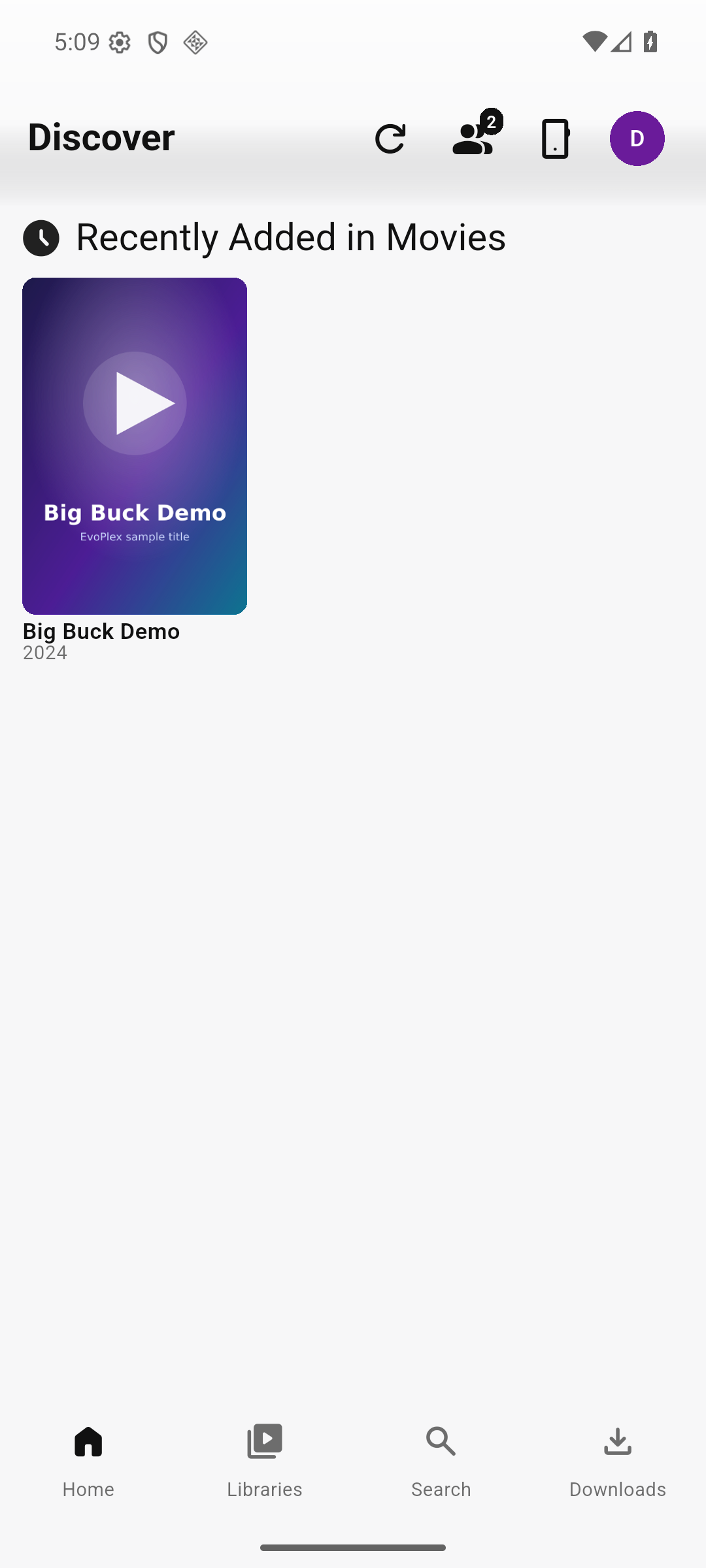
- On the Home screen, tap the Watch Together icon — the two people at the top right.
- Tap Create Session.
- Choose who may control playback. Host Only means only you can play, pause or seek; Anyone lets every guest do it.
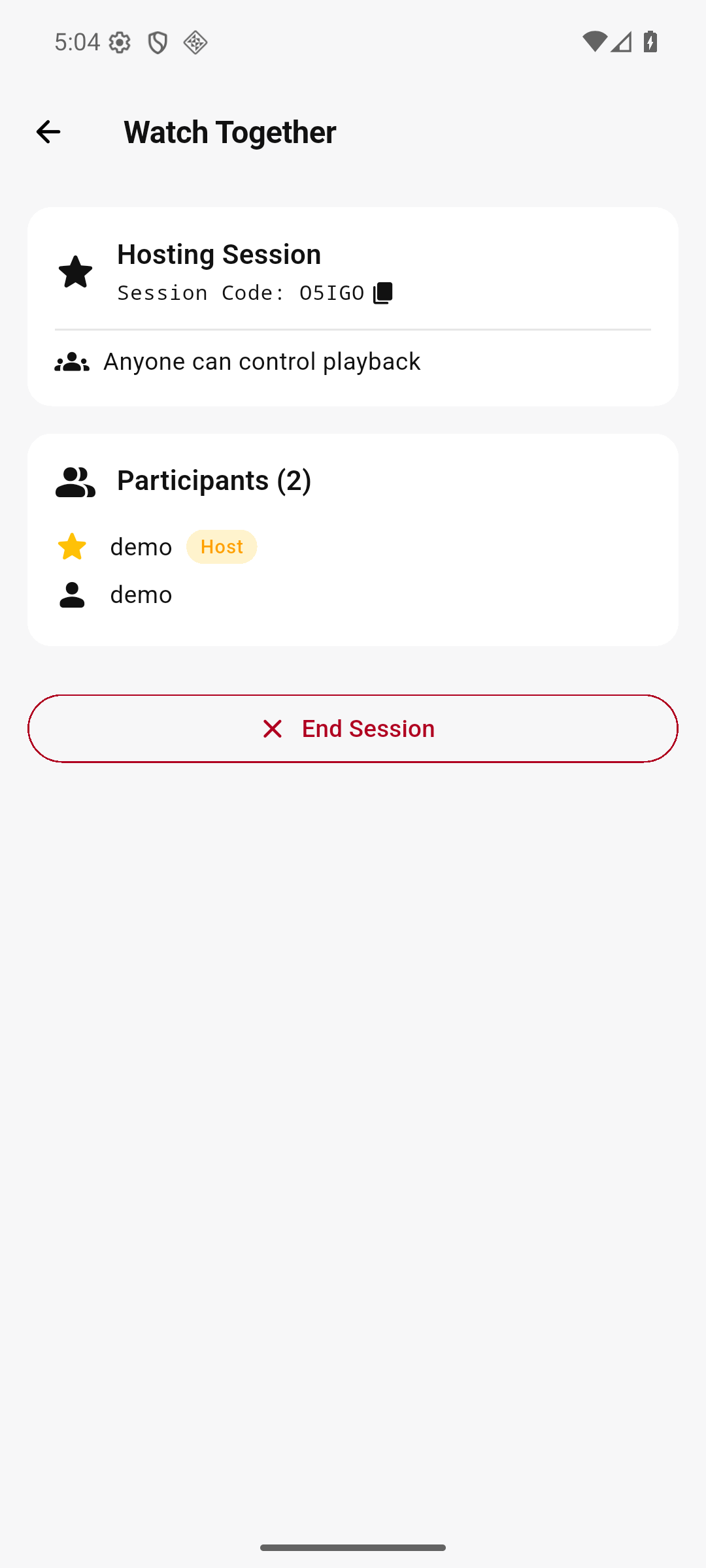
- Read the five-character Session Code to your guests, or tap the copy icon next to it and send it to them.
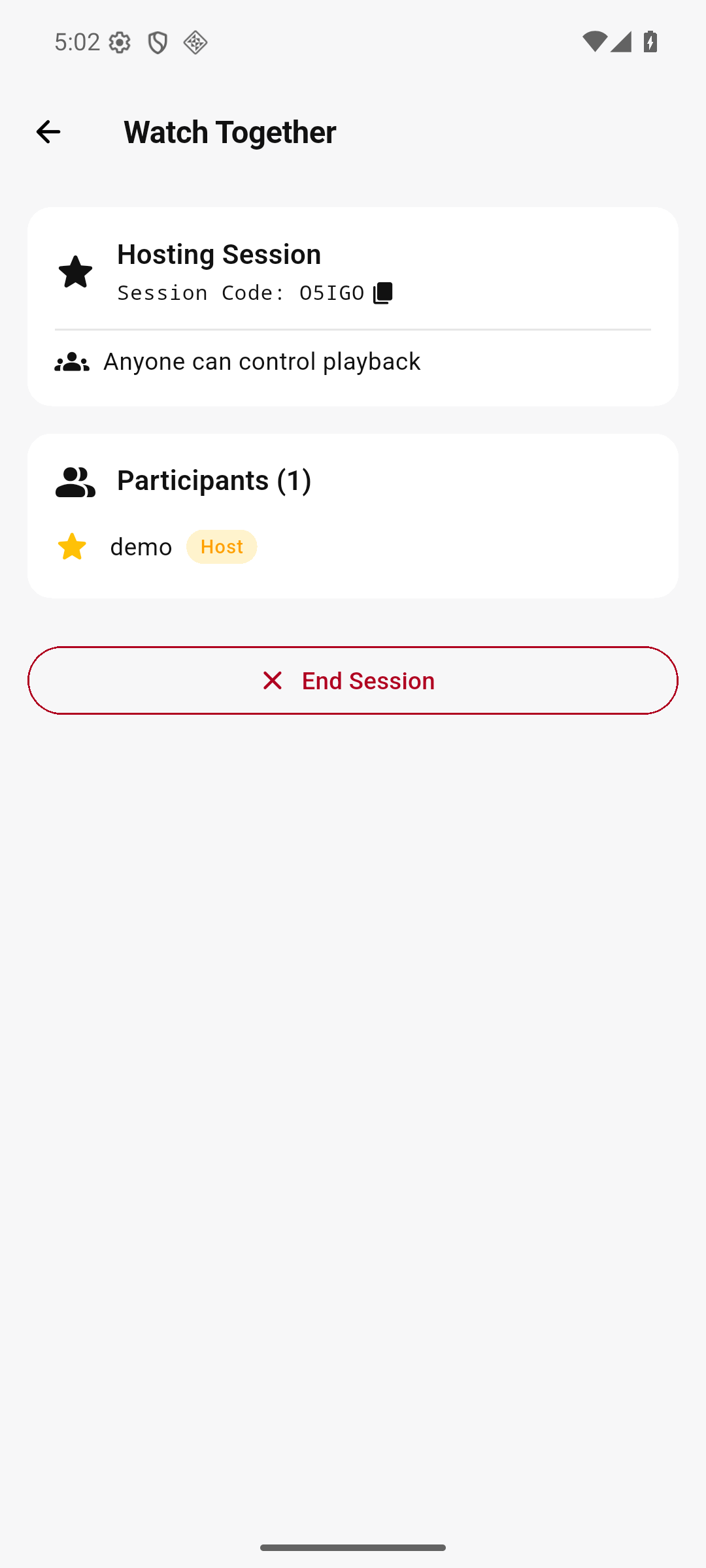
Codes use capital letters and digits. If a guest cannot get in, check the letter O against the digit 0 and I against 1 — those are the usual mix-ups.
Joining a session
- Open Watch Together from the Home screen on your device.
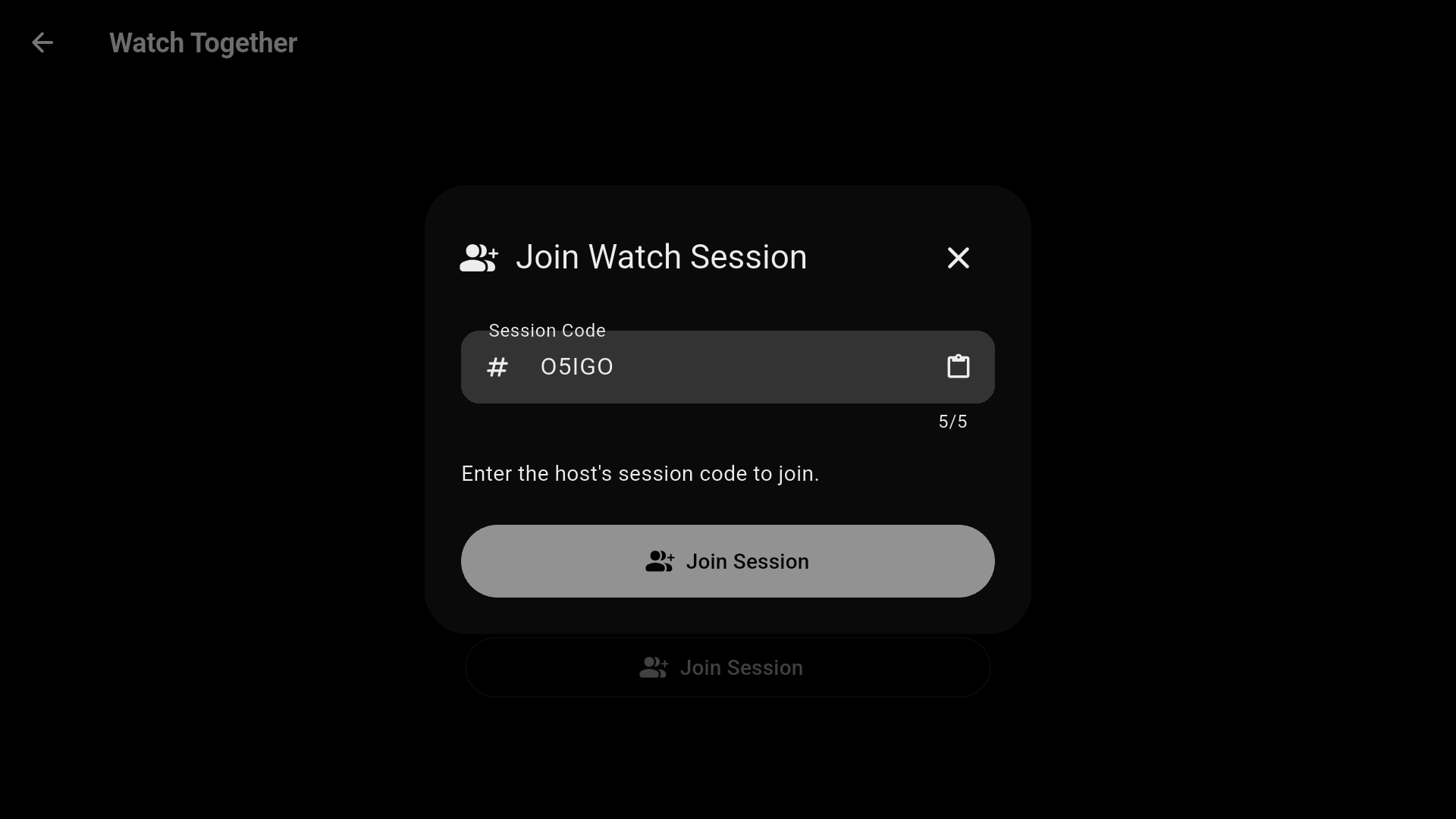
- Tap Join Session and enter the host’s code.
- Tap Join Session in the dialog. Your name appears in the host’s participant list, and the host appears in yours with a Host badge.
Watching in sync
- The host opens the film and presses Play. Every guest’s EvoPlex opens the same title and starts at the same position by itself.
- Pausing, resuming and seeking are mirrored on every device. If you chose Anyone, guests can do this too.
- The badge at the top of the player shows how many people are in the room; the host’s badge also says HOST.
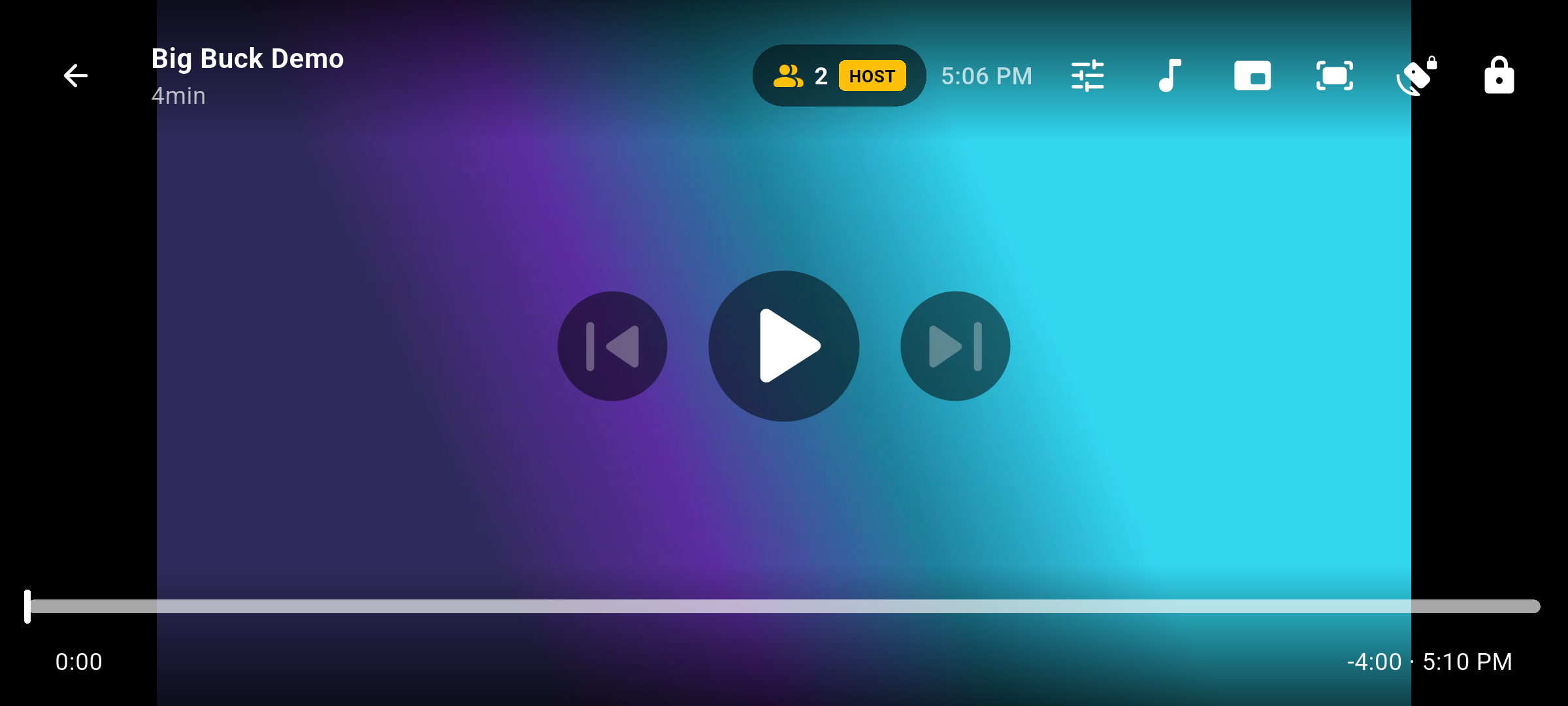
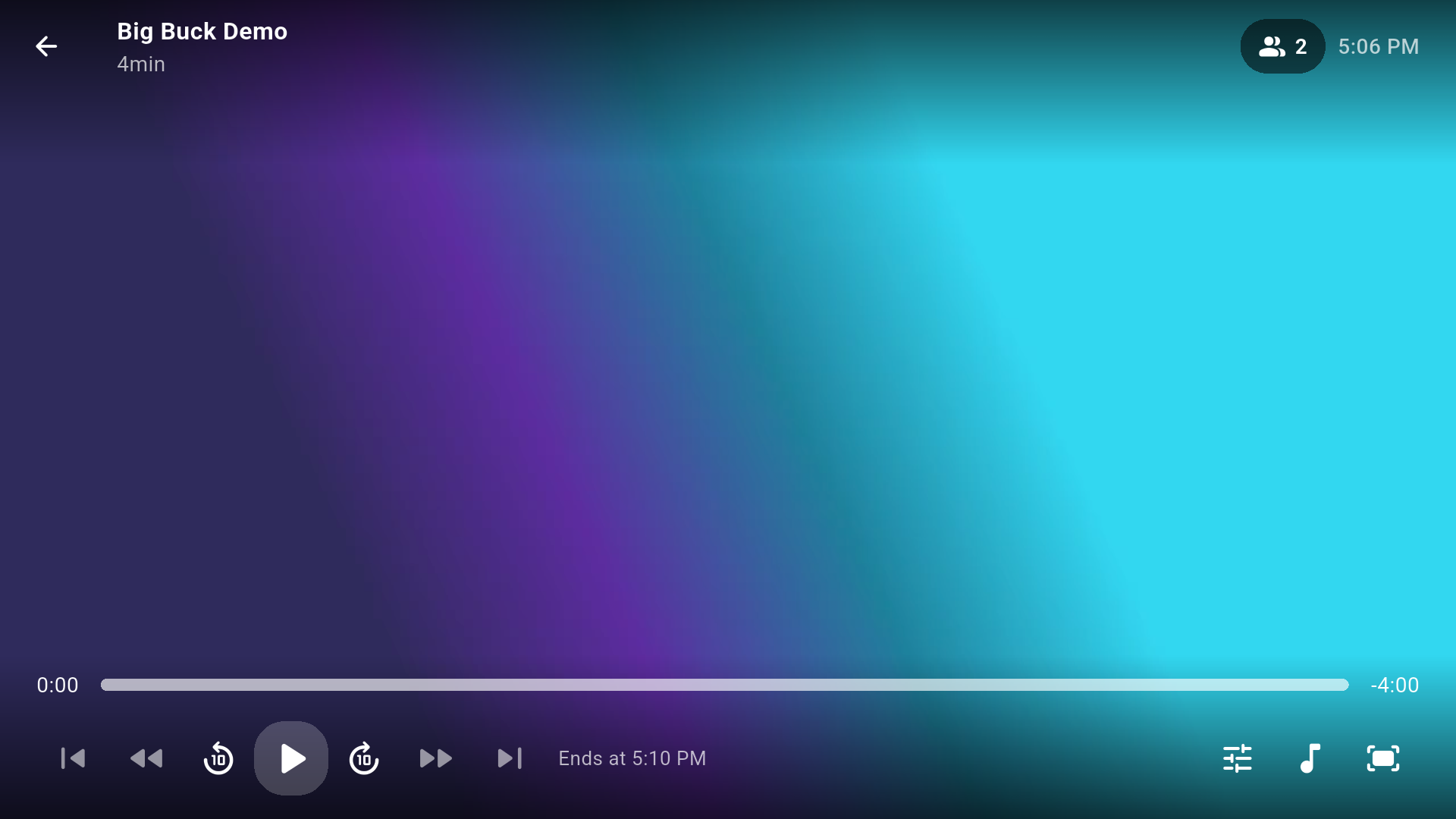
If a guest falls behind — a slow connection, a buffering pause — their player catches up on its own from the host’s position messages. Guests can leave with Leave Session; the room ends when the host taps End Session.
Note: guests need the same title in their own library view. A film the host can see but a guest’s Plex share or Jellyfin user cannot will play for the host only.
If something does not work
- A red card says the relay is unavailable. Your device cannot reach any relay. Check the connection first. Then open Settings → Advanced → Watch Together relay: it should be empty. A stale address there overrides all three EvoSeedbox relays.
- “Session not found” when joining. The code was mistyped, or the host has already ended the session. Ask for the code again.
- Everyone is in the room but the film opens only for the host. The guest’s account cannot see that title. Share the library, or add the guest as a user on the server.
- Playback keeps pausing for one person. That viewer’s own stream from the seedbox is too slow for the file. Watch Together cannot lower the quality — EvoPlex always direct-plays — so pick a smaller version of the film for that session.
Running your own relay
You do not need to. If you want to anyway — for a private group, or to keep sync traffic on your own server — the relay is the server/ directory of the EvoPlex source, a single small program with no database. Run it behind HTTPS, then put its address in Settings → Advanced → Watch Together relay on every device in the group. Everyone in a room must use the same relay address. The source, including the relay, is in the EvoPlex downloads folder alongside the app.
Put this into practice
EvoSeedbox ships with one-click app installs and up to 10 Gbps per box.
