Connect Seerr / Overseerr to Dashboarr
On this page ▾
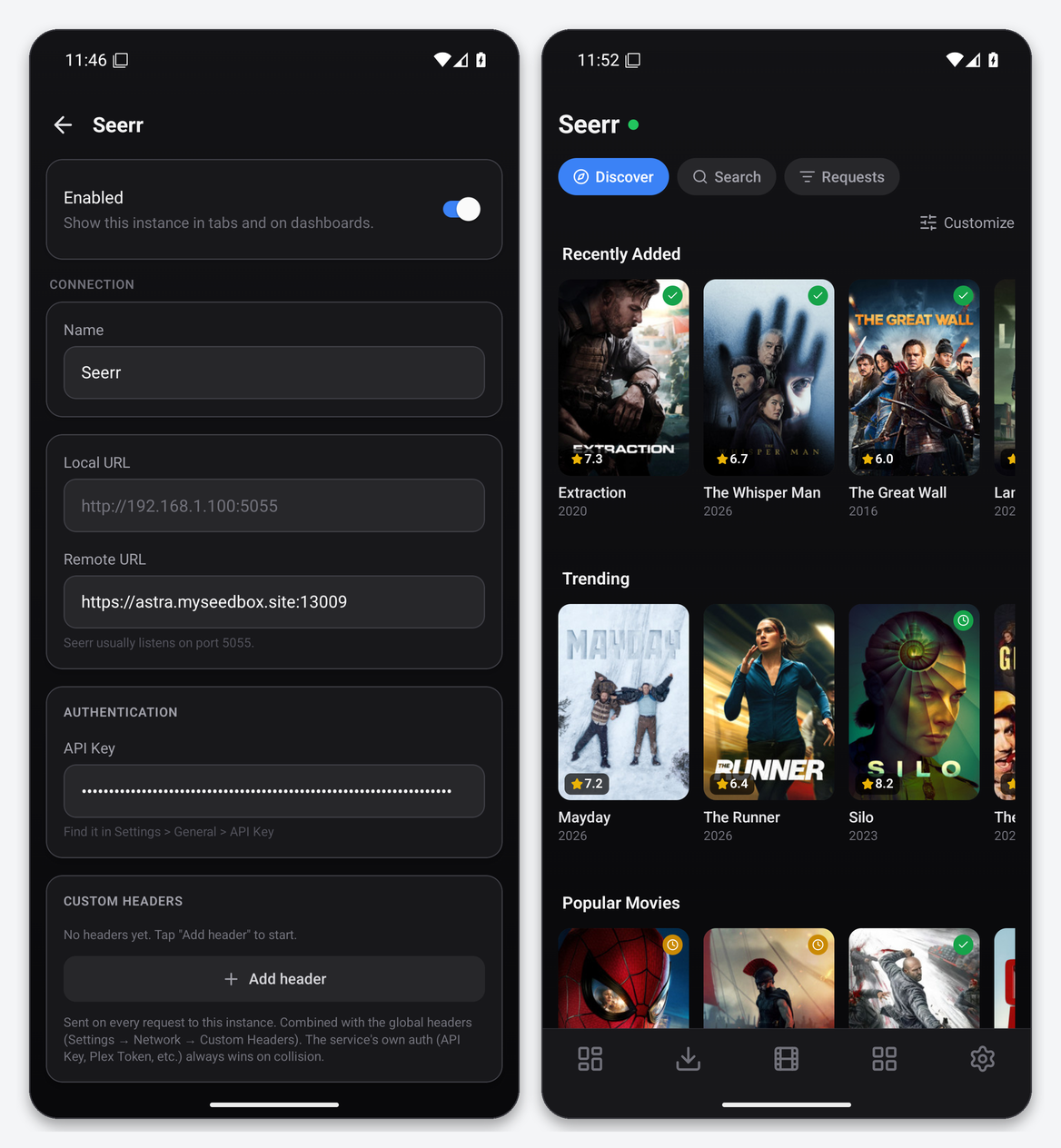
To connect Seerr (or Overseerr and Jellyseerr, which share the same API) to Dashboarr, add a Seerr instance with the app’s HTTPS address from your client area as the Remote URL and the API key from Settings → General in Seerr. Dashboarr gives you the Discover feed with customisable sliders, search, and the request list with approve and decline actions. Part of the Dashboarr seedbox setup guide.
What you need
| Field in Dashboarr | Value on EvoSeedbox |
|---|---|
| Service | Seerr (under Media automation). Use it for Overseerr and Jellyseerr too; the service id is still overseerr in config files. |
| Local URL | leave empty |
| Remote URL | the Overseerr or Jellyseerr HTTPS address from the app card, https://SERVER.myseedbox.site:13xxx |
| API Key | Seerr → Settings → General → API Key (a long base64-looking string) |
| Always use Remote URL | on |
One setting matters on the Seerr side: CSRF protection must be off (Settings → General). With it on, the API becomes read-only for Dashboarr and every request submission fails with 403 “invalid csrf token”. It is off by default in the versions we install.
Step by step
- In Seerr, open Settings → General and copy the API key.
- Dashboarr → Settings → Integrations → Browse services → Seerr.
- Remote URL = the HTTPS address, API Key = the key, Always use Remote URL on.
- Test Connection (probes
/api/v1/status), then Save.
What the Requests tab gives you
- Discover: Seerr’s sliders (recently added, trending, popular, upcoming, plus any custom ones) as poster rows with rating badges. Customize reorders and toggles sliders.
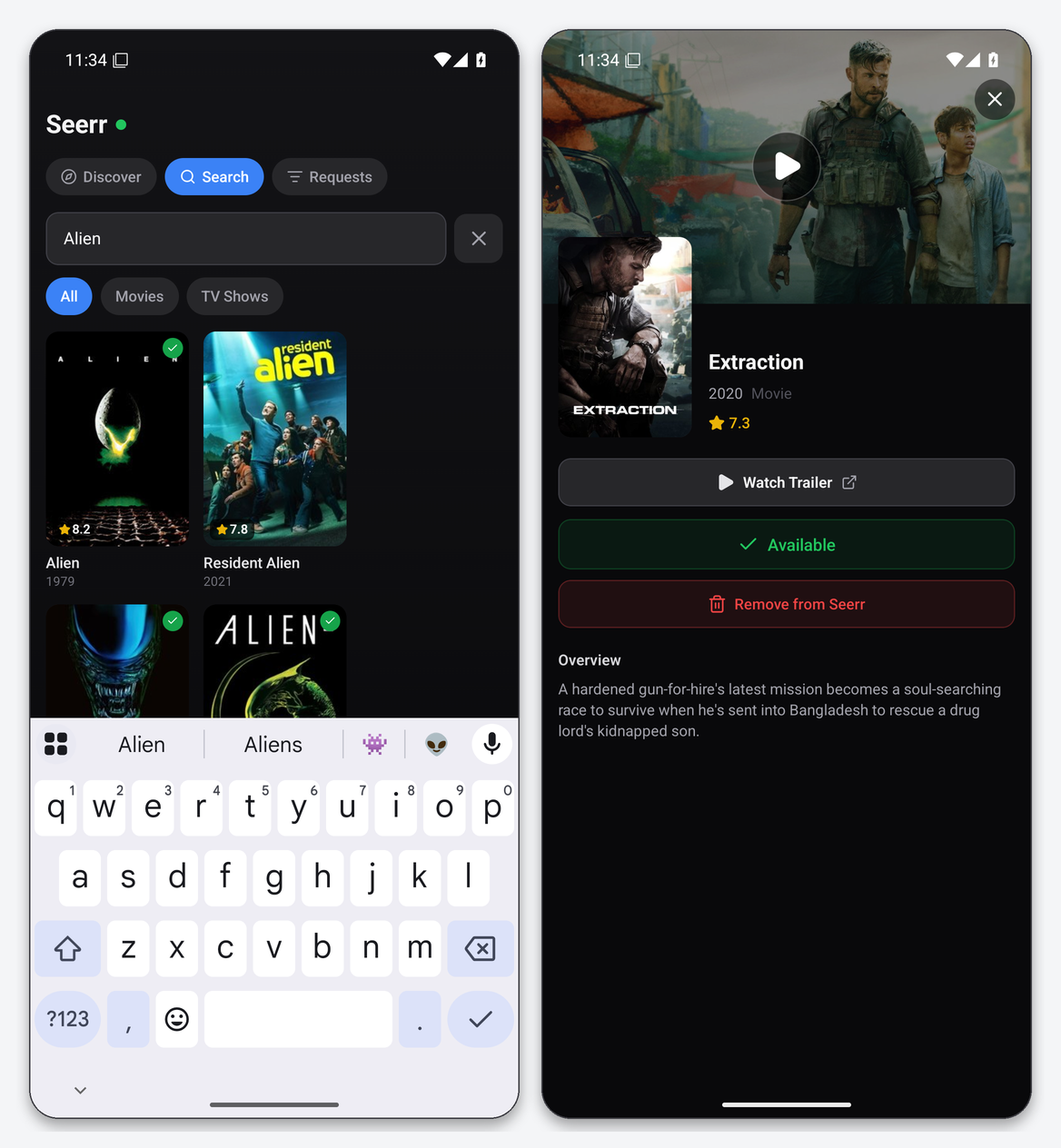
- Search: TMDB search through Seerr with All / Movies / TV filters; availability badges show what is already in Plex or Jellyfin.
- Requests: every request with status, requester and date, and a per-row action menu to approve or decline as the admin the API key belongs to.
- Detail: rating, year, overview, trailer link, availability, and Request or Remove from Seerr.
Requests made from Dashboarr are submitted as the user who owns the API key, which is normally the Seerr admin, so they are auto-approved if your Seerr is configured that way. Approving someone else’s request triggers the same Radarr or Sonarr add that the web UI does.
Widgets and notifications
Seerr Requests lists pending requests on the dashboard. A New Seerr request notification fires when the pending list grows while the app is open.
Troubleshooting
| Symptom | Fix |
|---|---|
| Requesting fails with 403 | CSRF protection is on in Seerr → Settings → General. Turn it off and save. |
| Invalid API key | Copy it again. Seerr keys are long and the clipboard may add a newline. |
| Discover empty | Seerr cannot reach TMDB, or the sliders are all hidden. Check Seerr’s web UI first. |
| Availability wrong | Seerr’s Plex or Jellyfin scan is stale. Run a sync from Seerr → Settings. |
FAQ
Overseerr, Jellyseerr or Seerr?
Seerr is the merged successor of Overseerr and Jellyseerr; all three expose the same v1 API and Dashboarr treats them as one service type.
Can other users of my Seerr use Dashboarr?
Only with an API key, which is admin-level. Dashboarr is a single-admin tool here; give regular users the Seerr web UI or its PWA instead.
Related articles
Put this into practice
EvoSeedbox ships with one-click app installs and up to 10 Gbps per box.
