NZBGet Settings Explained: Paths, Servers, Queue, Repair and Unpack
On this page ▾
This is the setting-by-setting reference for NZBGet as installed on an EvoSeedbox: every section under Settings, what each option does, its default, and the value that suits a seedbox with a fast line and a home folder shared with Sonarr, Radarr and Lidarr. Option names and help text were captured from the running app (NZBGet 24.x, the maintained nzbget-ng line). Adding your news server and connecting the *arr apps is in the NZBGet setup guide; this page is for everything after that. Remember that NZBGet saves nothing until you press Save all changes at the bottom of the left menu, and most changes take effect only after the reload it offers.
How NZBGet is laid out on the seedbox
NZBGet runs in its own container as your user. /config inside the container is the app’s config folder and holds nzbget.conf, the queue, the incoming nzb folder and scripts; /downloads is your /home/<user>/downloads. The installer sets DestDir to /downloads/completed and InterDir to /downloads/intermediate, so completed jobs appear at /home/<user>/downloads/completed/<Category>/, which is inside the folder Sonarr and Radarr can hardlink from. The web interface is reached through the HTTPS link in the client area; the ControlPort shown under Security is internal to the container.
Paths
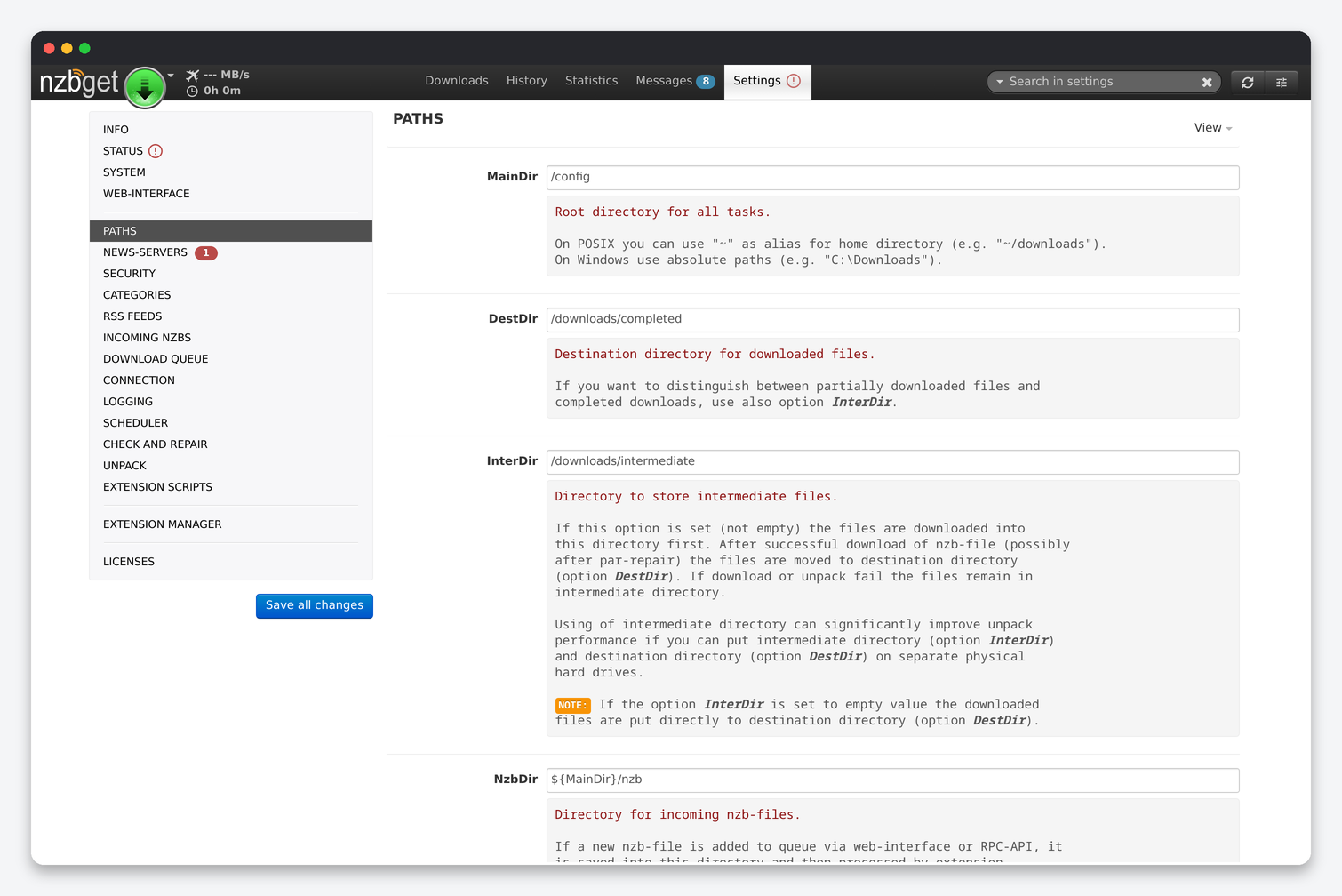
| Option | What it does | Seedbox value |
|---|---|---|
| MainDir | Root for every relative path below. | /config. Leave it. |
| DestDir | Where finished downloads go. | /downloads/completed. Give Sonarr and Radarr the host path /home/<user>/downloads/completed; no remote path mapping is needed because both apps see the same folder. |
| InterDir | Downloads are assembled here first and moved to DestDir only after a successful download and repair. Failed jobs stay here. | /downloads/intermediate. Same filesystem as DestDir, so the final move is a rename. Clear it occasionally; failed jobs are not deleted automatically. |
| NzbDir | Incoming folder: every NZB added through the interface or API is saved here, and the folder is watched for new NZBs and archives. A file dropped in a subfolder gets that subfolder’s name as its category. | /config/nzb. Create nzb/Movies and nzb/Series if you drop NZBs by hand and want them categorised. |
| QueueDir | Program state: queue, history, RSS state, statistics. | /config/queue. |
| TempDir | Temporary files. | /config/tmp. |
| WebDir | The web interface files. Empty disables the interface but not the RPC server. | Leave it. |
| ScriptDir | One or more folders (comma-separated) holding extension scripts. | /config/scripts. Extensions installed by the Extension Manager land here. |
| LockFile / LogFile / ConfigTemplate / RequiredDir | Daemon lock, log file location, template used for new options, directories that must be mounted before NZBGet starts. | Leave them. RequiredDir is useful only when a download folder is a network mount. |
| CertStore | CA certificate bundle for TLS verification. | Leave it. Needed for CertCheck under News-Servers. |
News-Servers
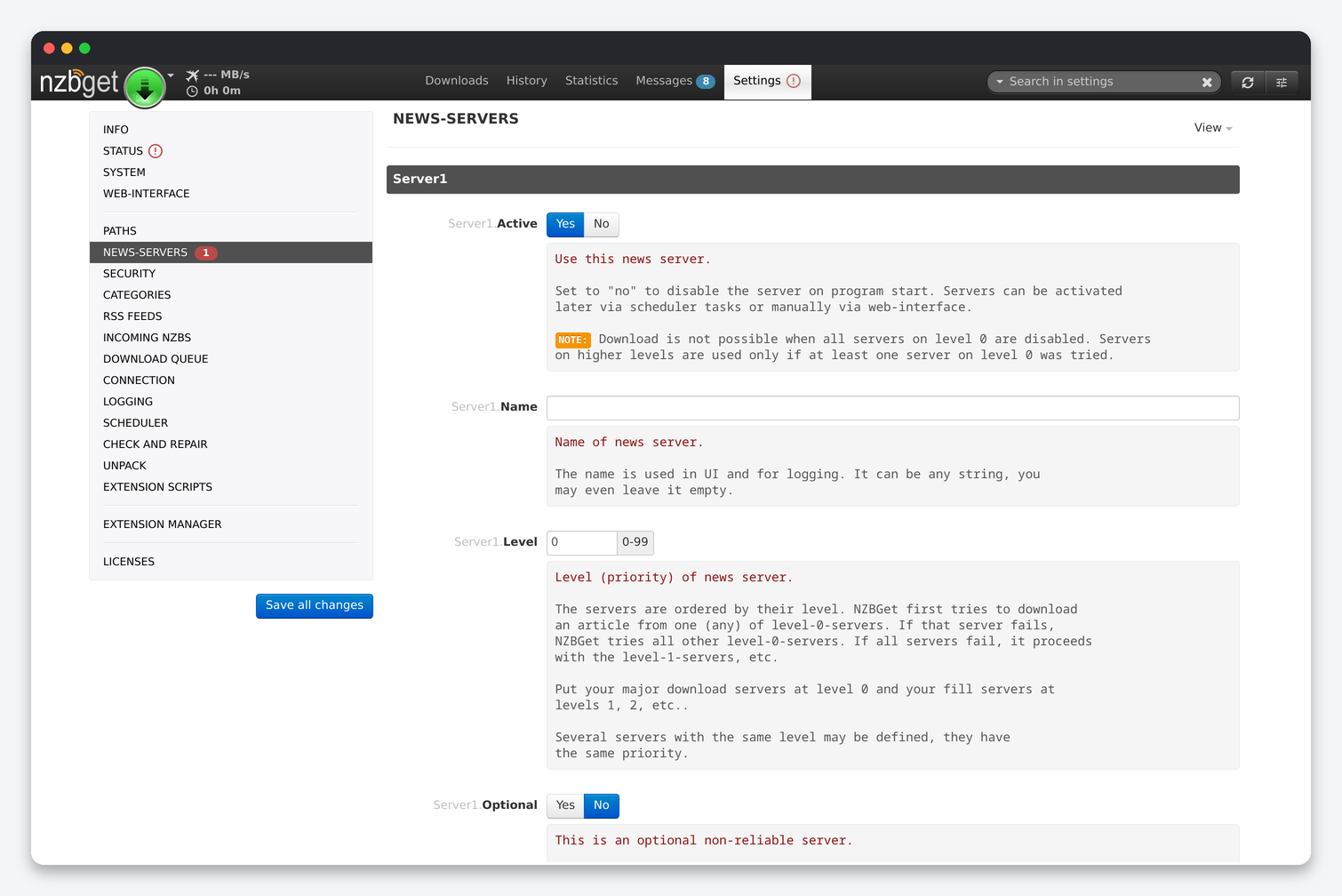
| Option | What it does | Default | Seedbox |
|---|---|---|---|
| Active | Use this server. Download is impossible if every level-0 server is disabled. | Yes | Yes. Set a block account to No when it runs out rather than deleting it. |
| Name | Label for the interface and log. | Empty | Provider name. |
| Level | Priority. All level-0 servers are tried first; level 1 only for articles every level-0 server failed on. | 0 | Unlimited account 0, block account 1. |
| Optional | Ignore the server if it cannot be reached instead of waiting for it. | No | Yes for block accounts and any secondary provider. |
| Group | Servers in the same non-zero group share a backend; if one fails on an article the others in the group are not tried. | 0 | Put two accounts on the same backbone in one group so you do not pay twice for the same missing article. |
| Host / Port / Encryption | Provider address, port and TLS. | –, 119, No | Encryption Yes and port 563. Use the provider’s entry point closest to the server’s data centre. |
| Username / Password | Provider login. | – | – |
| JoinGroup | Send a GROUP command before fetching. Rarely needed. | No | No. |
| Cipher | OpenSSL cipher string. | Empty | Empty. Modern providers negotiate a fast cipher. |
| Connections | Parallel connections to this server. | 4 | Your account’s limit minus 2; 20 to 30 saturates most providers from a seedbox line. Fewer, faster connections beat many stalled ones. |
| Retention | Days of retention this server has; older articles are not requested from it. | 0 (unknown) | Set it for a block account with short retention. |
| IpVersion | Prefer IPv4, IPv6 or auto. | auto | auto. |
| Notes | Free text. | – | Renewal date of a block account. |
| CertCheck (global) | Verify the provider certificate. | Yes | Yes. |
Security
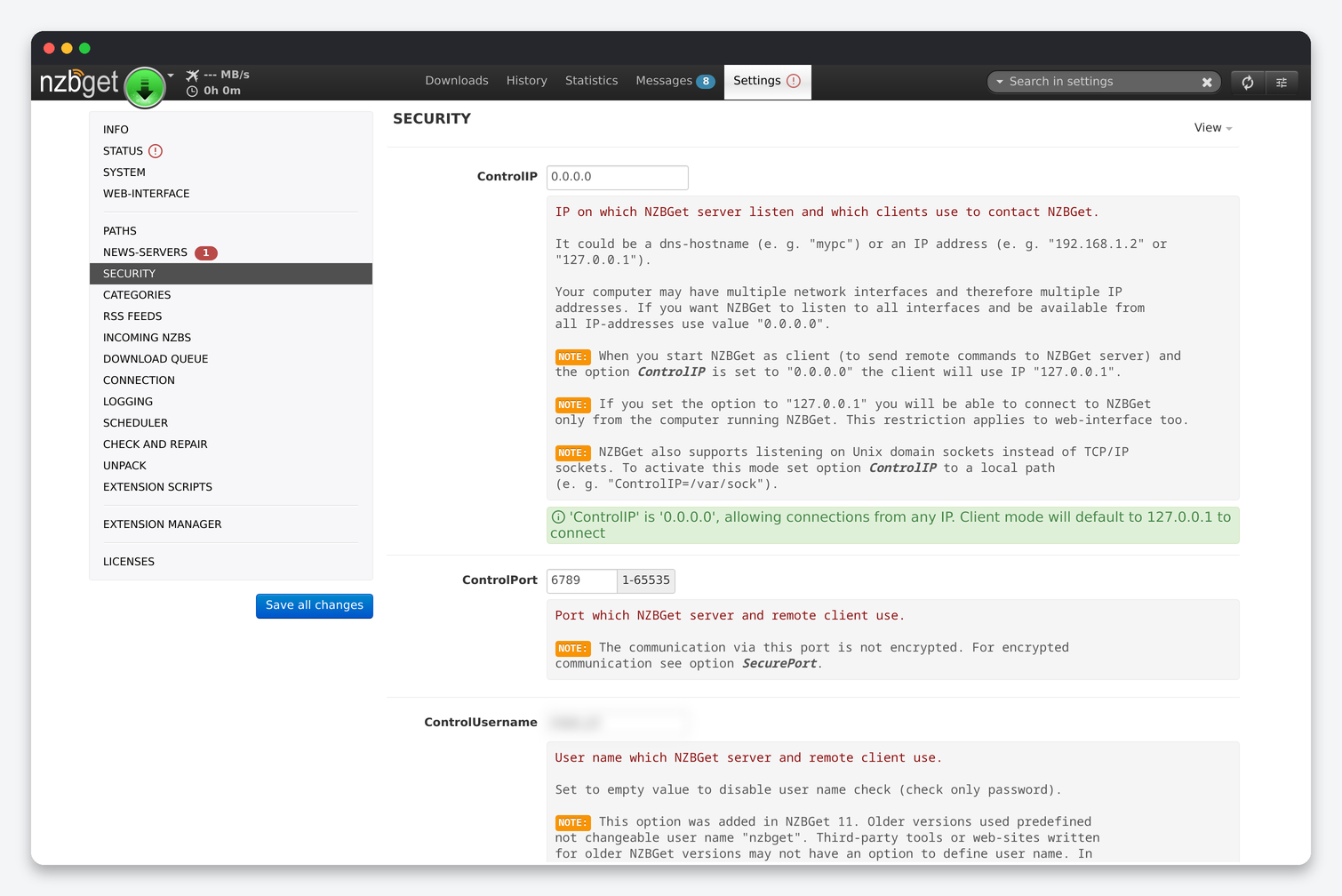
| Option | What it does | Seedbox |
|---|---|---|
| ControlIP / ControlPort | Address and port the interface and RPC listen on inside the container. | 0.0.0.0 and 6789. Leave both; the seedbox proxy maps them to your HTTPS port. |
| ControlUsername / ControlPassword | Interface login, also used by Sonarr, Radarr, Lidarr and Dashboarr. | Keep both set. The interface is reachable from the internet; an empty password means anyone can control your downloads. |
| RestrictedUsername / RestrictedPassword | A second login that can see and control the queue but cannot change settings or see passwords. | Give this one to the *arr apps and to Dashboarr; they only need queue access. Keep the main login for yourself. |
| AddUsername / AddPassword | A login that can only add NZBs. | Use it for indexer “send to NZBGet” buttons. |
| FormAuth | Login form instead of browser Basic authentication. | Yes. |
| SecureControl / SecurePort / SecureCert / SecureKey | Serve HTTPS from NZBGet itself with your own certificate. | No. The proxy already provides HTTPS with a valid certificate. |
| AuthorizedIP | Comma-separated addresses that skip authentication. | Empty. |
| DaemonUsername / UMask | Unix user and permissions for created files. | Leave them. The container already runs as your user; files are created with your ownership. |
Categories
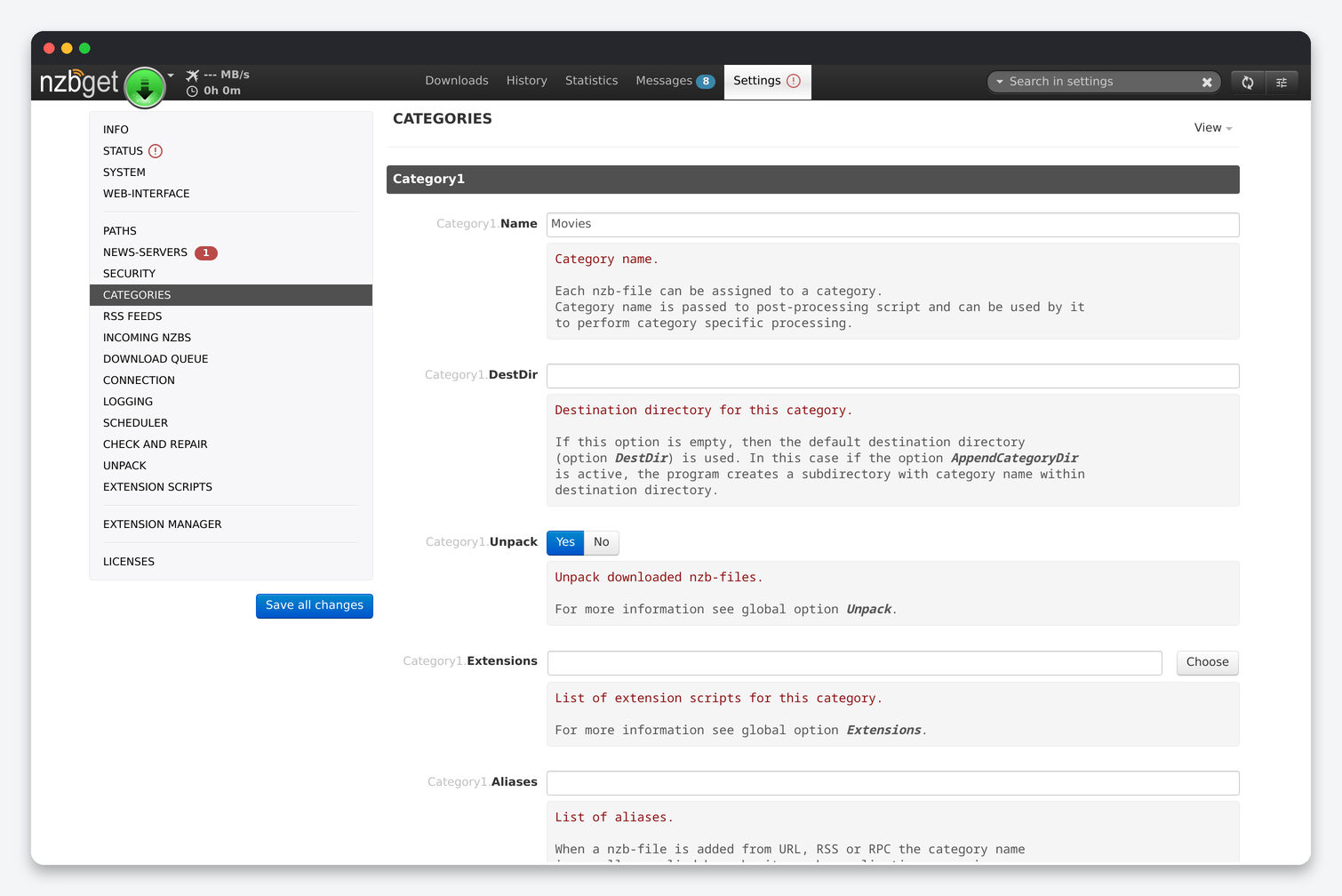
| Option | What it does | Seedbox |
|---|---|---|
| Name | The category the *arr apps send with each NZB. | Use exactly the name entered in Sonarr’s or Radarr’s download client (Series, Movies); NZBGet matches by name. |
| DestDir | Destination for this category; empty uses the global DestDir plus a subfolder named after the category (when AppendCategoryDir is on). | Empty. completed/Series and completed/Movies is the layout the *arr download client expects. |
| Unpack | Override the global Unpack for this category. | Yes. |
| Extensions | Extension scripts for this category, overriding the global list. | Empty unless a script is category-specific (Video Sort for a category no *arr app manages). |
| Aliases | Names supplied by indexers or RSS that map to this category, with * and ? wildcards. |
TV*, 5000, 5040 for Series and Movie*, 2000, 2040 for Movies catch NZBs added by hand. |
RSS Feeds
Each feed has a name, URL, interval, backlog, pause-on-add, category and priority, plus a filter language that accepts or rejects by title, size, age, category and duplicate score. With Sonarr, Radarr and Lidarr installed you do not need NZBGet’s RSS: the *arr apps run RSS sync against your indexers and know what you already have. Add a feed here only for something no other app manages.
Incoming NZBs
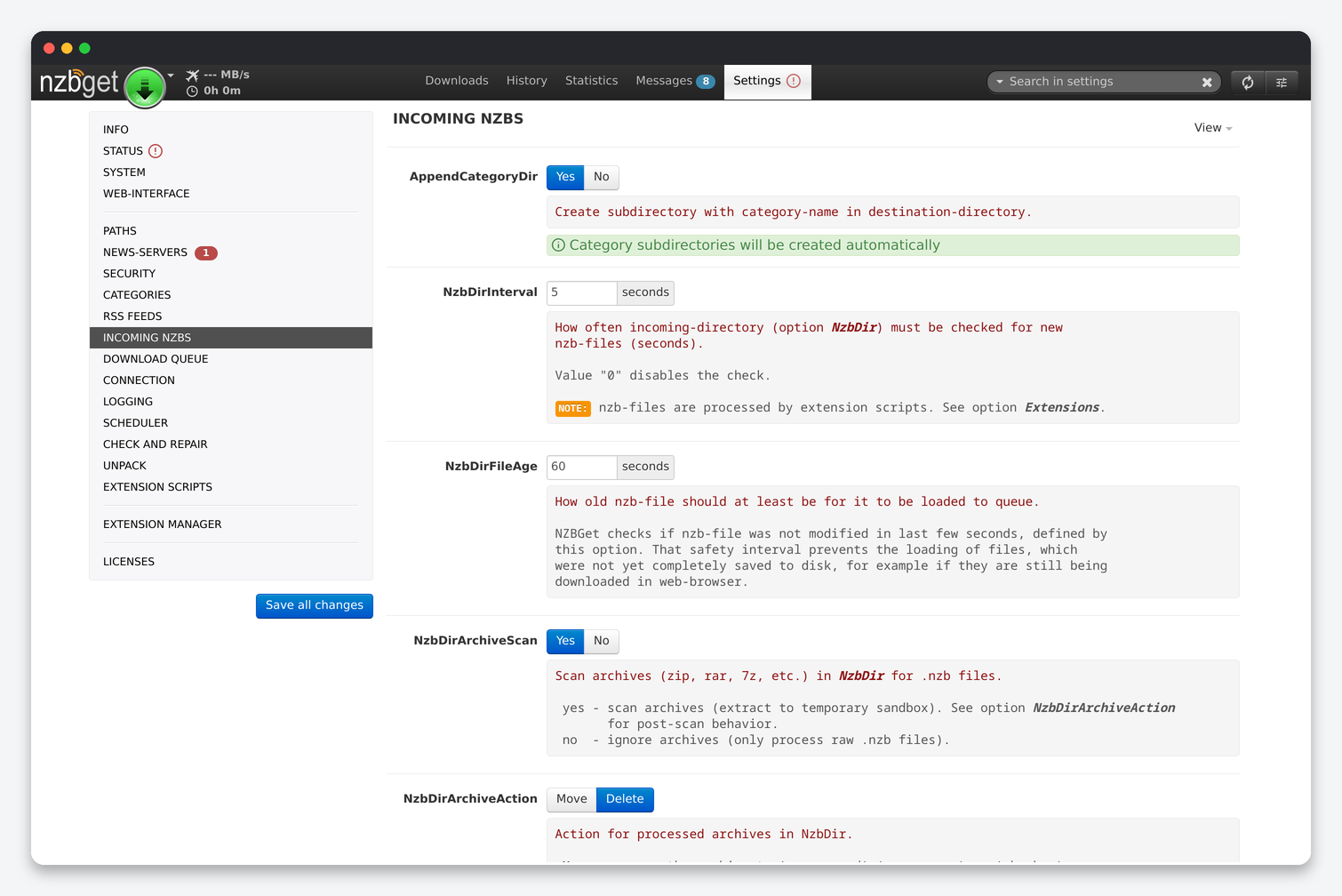
| Option | What it does | Default | Seedbox |
|---|---|---|---|
| AppendCategoryDir | Create a subfolder named after the category inside DestDir. | Yes | Yes. Turning it off puts every category in one folder and Sonarr and Radarr will both scan everything. |
| NzbDirInterval | Seconds between scans of NzbDir; 0 disables the watch. | 5 | 5. |
| NzbDirFileAge | Seconds a file must be unchanged before it is loaded, so half-uploaded NZBs are not read. | 60 | 10. SFTP uploads finish quickly. |
| NzbDirArchiveScan / NzbDirArchiveAction | Extract NZBs from zip, rar and 7z archives dropped in NzbDir, then move or delete the archive. | Yes / Move | Yes / Delete. |
| DupeCheck | Skip an NZB whose title already succeeded in history, queue a duplicate as backup if the first is still downloading, and detect duplicate entries inside an NZB. | Yes | Yes. Sonarr and Radarr handle failures by trying another release, and NZBGet’s backup logic helps when they grab the same title twice. |
Download Queue
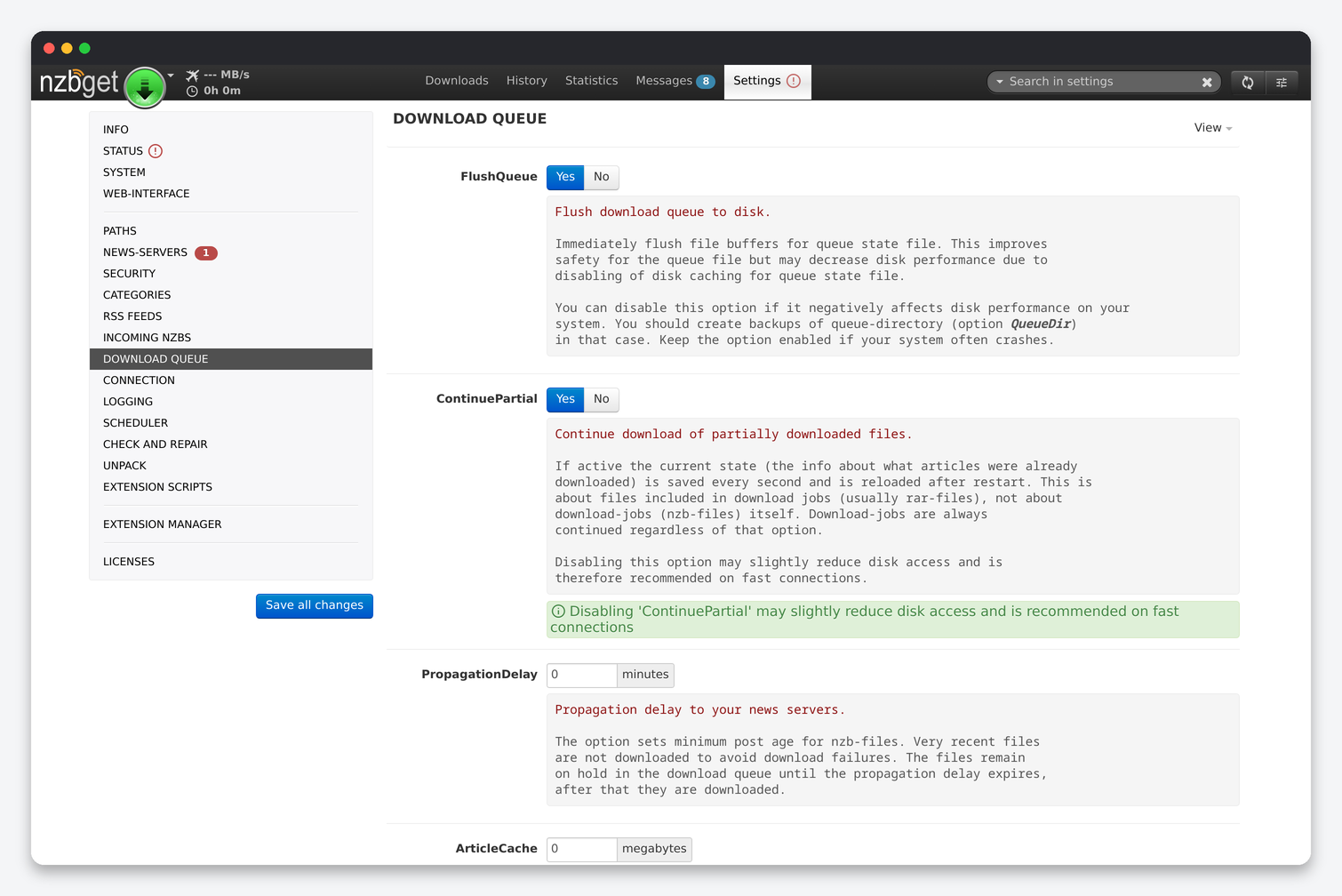
| Option | What it does | Default | Seedbox |
|---|---|---|---|
| FlushQueue | fsync the queue file on every change. Safer after a crash, slower disk. | Yes | Yes. The cost is small and the queue survives a server reset. |
| ContinuePartial | Save per-file progress every second so a restart resumes mid-file. | Yes | No. NZBGet itself recommends off on fast connections; a restart only re-downloads the current file. |
| PropagationDelay | Minimum age in minutes before a post is downloaded, to avoid failures on posts still propagating. | 0 | 10. |
| ArticleCache | Megabytes of RAM for decoded articles before they are written. With DirectWrite a small cache (50 to 200 MB) already removes most fragmentation. | 0 | 200. The installer leaves it at 0 and NZBGet warns about it; 200 MB fits any plan’s memory limit. |
| DirectWrite | Write articles straight into the final file at their offset instead of one temp file per article. | Yes | Yes. Never turn it off on a seedbox. |
| WriteBuffer | Kilobytes of write buffer per output file; 0 uses the system default, 1024 is a good value with many connections. | 0 | 1024. |
| FileNaming | Name files by article subject, by NZB file name, or auto. | auto | auto. |
| ReorderFiles | Download files in the order they must be unpacked (first RAR first) so DirectUnpack works. | Yes | Yes. |
| PostStrategy | Post-process one job at a time (sequential), balanced, aggressive, or rocket (fully parallel). | balanced | aggressive. The seedbox CPU can repair one job while unpacking another. |
| DiskSpace | Pause downloading when free space on DestDir or InterDir drops below this many MB. | 250 | 5000. A 250 MB margin is not enough to finish unpacking a 4K remux. |
| NzbCleanupDisk | Delete the NZB from NzbDir after the job is processed. | Yes | Yes. |
| KeepHistory | Days to keep completed jobs in history; 0 keeps forever. | 30 | 30. |
| FeedHistory | Days to remember RSS items. | 7 | 7. |
| SkipWrite | Test mode: download but discard. Never enable it in normal use. | No | No. |
Connection
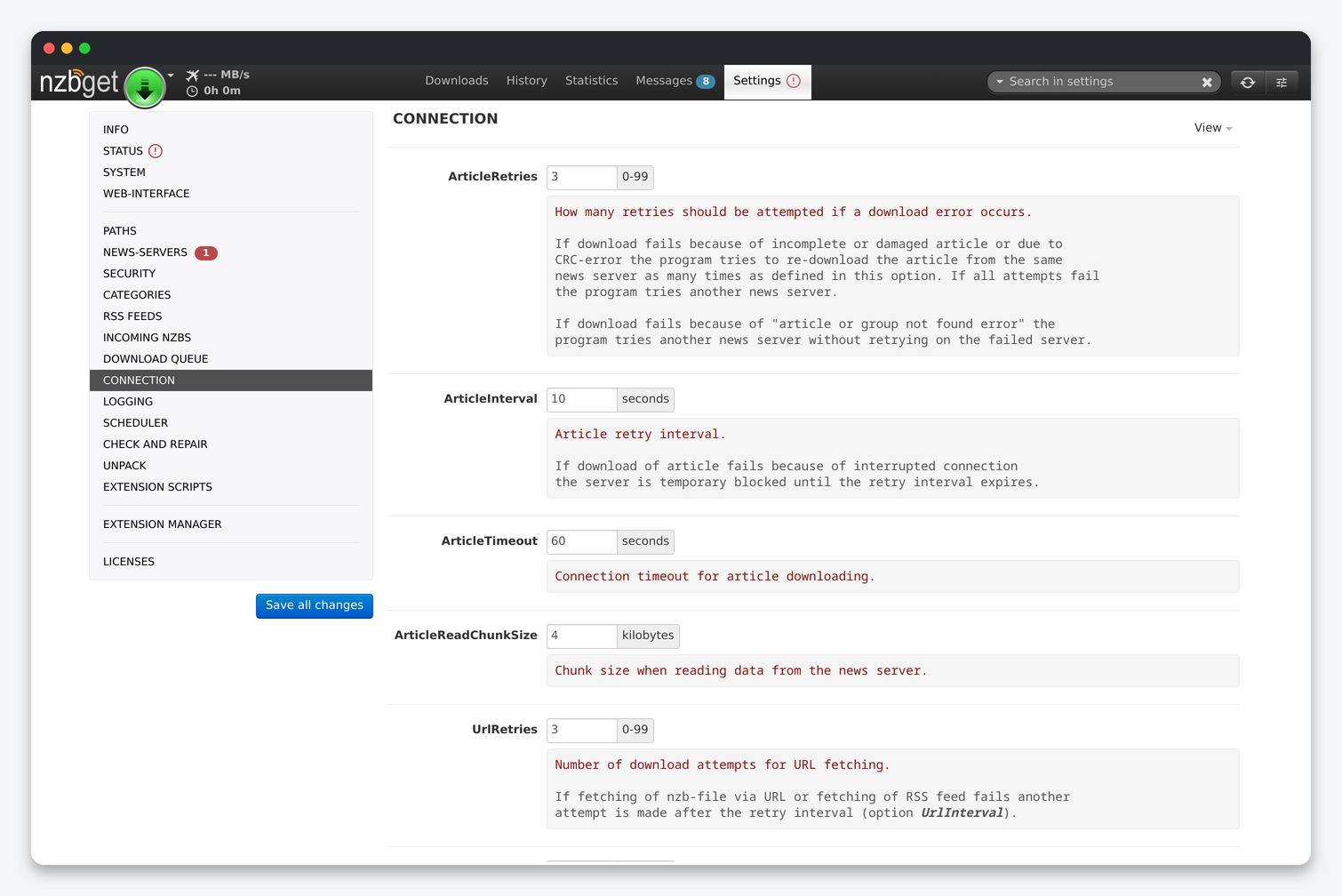
| Option | What it does | Default | Seedbox |
|---|---|---|---|
| ArticleRetries / ArticleInterval / ArticleTimeout | Retries per server for a damaged article, seconds a server is blocked after a dropped connection, and the connection timeout. | 3 / 10 / 60 | 3 / 10 / 60. Raise retries only if a provider is flaky; “article not found” does not retry anyway. |
| ArticleReadChunkSize | Read chunk in KB. | 4 | 16. Fewer system calls on a fast line. |
| UrlRetries / UrlInterval / UrlTimeout / UrlConnections / UrlForce | Fetching NZBs and RSS by URL: retries, interval, timeout, parallel fetches, and whether URL fetches run while the queue is paused. | 3 / 10 / 60 / 4 / Yes | Defaults. |
| RemoteTimeout | Timeout for browser and API clients. | 90 | 90. |
| DownloadRate | Speed limit in KB/s applied at start; 0 is unlimited. Changeable from the interface. | 0 | 0. |
| MonthlyQuota / QuotaStartDay / DailyQuota | Stop downloading after a monthly or daily volume in MB. | 0 | 0. Set a monthly quota only to protect a block account. |
Logging
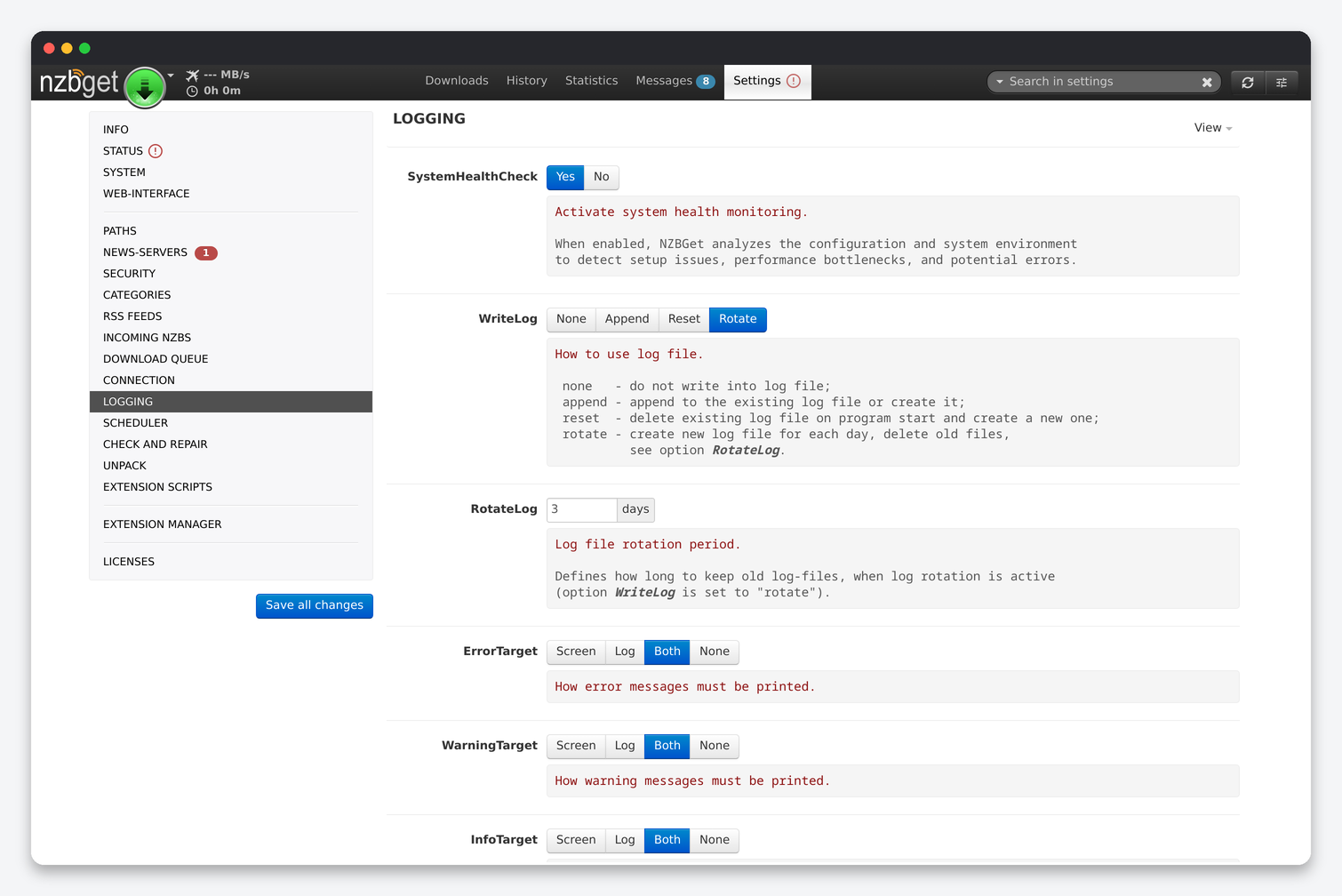
| Option | What it does | Seedbox |
|---|---|---|
| SystemHealthCheck | Analyse the configuration and environment and show hints (the info and warning boxes on the settings pages come from it). | Yes. It is what told us ArticleCache was off. |
| WriteLog / RotateLog | none, append, reset or rotate the log file; rotate keeps N days. | rotate, 3 days. The installer sets this. |
| ErrorTarget / WarningTarget / InfoTarget / DetailTarget / DebugTarget | Where each message class goes: screen, log, both or none. | Errors and warnings to both; info to log; detail and debug none. Detail logging on a busy queue fills the log quickly. |
| LogBuffer | Messages kept in the Messages tab. | 1000. |
| NzbLog | Keep a per-job log viewable from the history details. | Yes. It is the first thing to read when an import fails. |
| CrashTrace / CrashDump / TimeCorrection | Debug aids and a manual timezone offset. | Defaults. The container’s TZ is already set to the server’s zone. |
Scheduler
A task is a time (or a list, or an interval such as *:00,*:30), weekdays and a command: pause or resume download, post-processing or scan; set the download rate; activate or deactivate a specific server; fetch feeds; run an extension; or execute a process. The useful one on a seedbox is ActivateServer / DeactivateServer for a block account you only want used at night. Speed schedules are for shared home lines and can stay unused.
Check and Repair
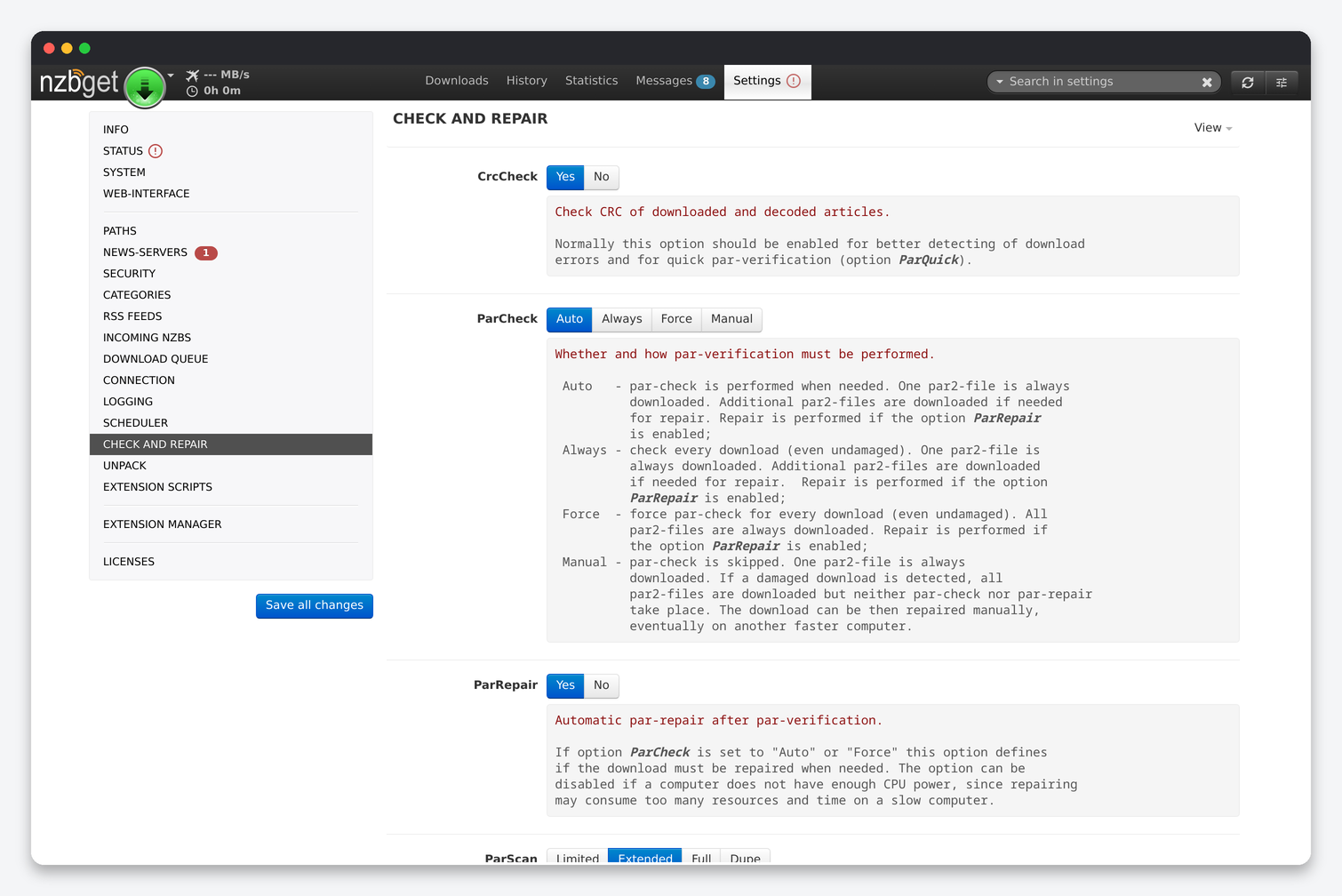
| Option | What it does | Default | Seedbox |
|---|---|---|---|
| CrcCheck | Verify the CRC of each decoded article so damage is detected during download. | Yes | Yes. It makes ParQuick possible. |
| ParCheck | auto (only when damage was seen), always, force (download all PAR2 files every time) or manual. | auto | auto. |
| ParRepair | Repair automatically after verification. | Yes | Yes. |
| ParScan | limited, extended, full or dupe: how many files are scanned to find missing blocks. | extended | extended. |
| ParQuick | Verify with checksums computed during download instead of re-reading files. | Yes | Yes. Saves a full read of every job. |
| ParBuffer | MB of memory for the repair. | 16 | 256. Repairs of large sets are several times faster. |
| ParThreads | CPU threads for repair; 0 uses all cores. | 0 | 0. The seedbox CPU limit for your container still applies. |
| ParIgnoreExt | Extensions ignored during verification (sample files, nfo). | .sfv, .nzb, .nfo | Default. |
| ParRename | Restore original file names from PAR2 data when they were obfuscated. | Yes | Yes. |
| RarRename | Rename obfuscated RAR parts by their content. | Yes | Yes. |
| DirectRename | Rename obfuscated files while downloading, so DirectUnpack can work on them. | No | Yes. Most modern posts are obfuscated. |
| HealthCheck | What to do when a download is too damaged to repair: delete, park (keep for manual repair), pause or none. | park | delete. A parked job is invisible to Sonarr and Radarr and just uses disk; on failure they grab another release. |
| ParTimeLimit | Minutes after which a repair is abandoned. | 0 | 0. |
| ParPauseQueue | Pause downloading during repair. | No | No. |
| ParCleanupQueue | Delete PAR2 files after a successful job. | Yes | Yes. |
Unpack
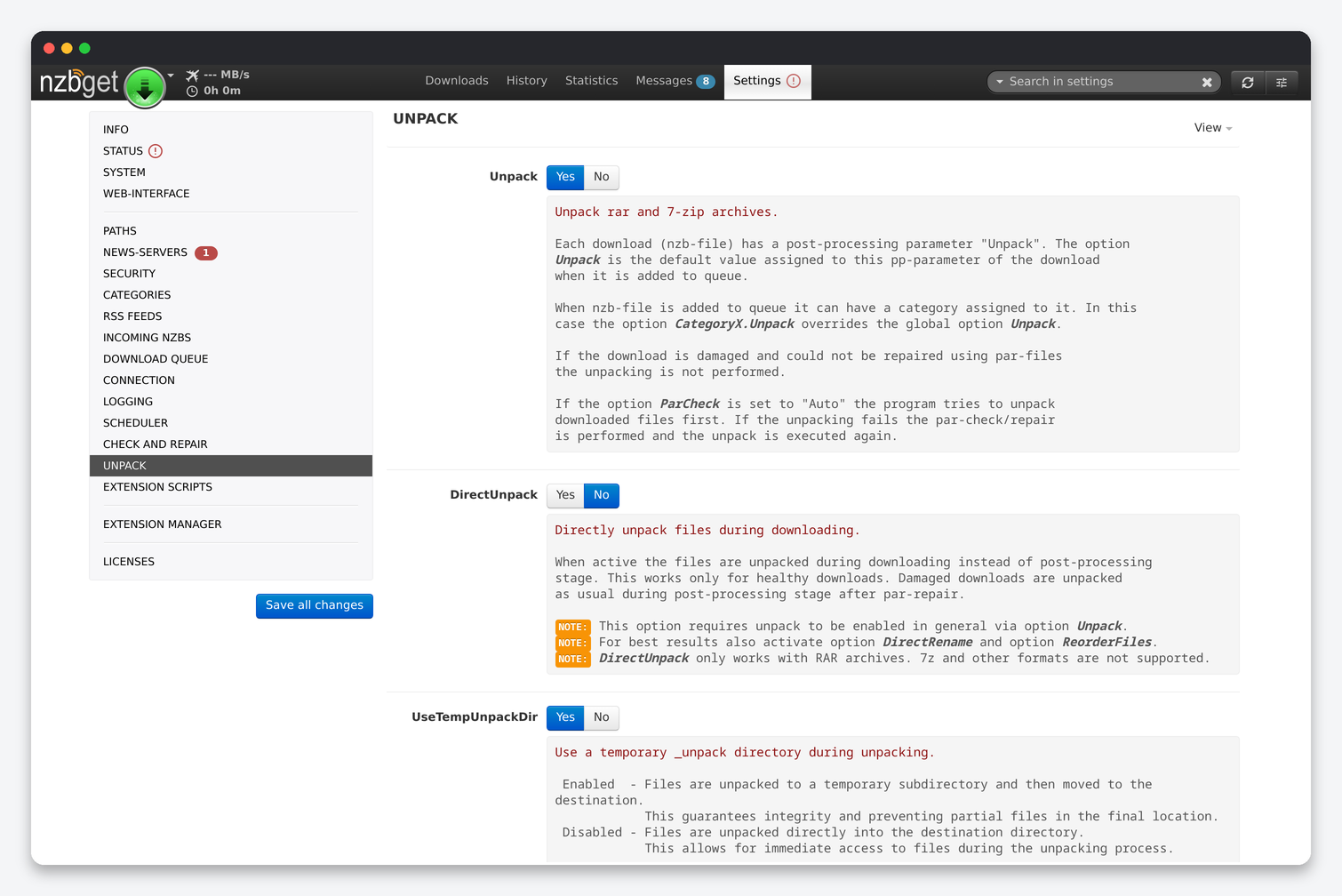
| Option | What it does | Default | Seedbox |
|---|---|---|---|
| Unpack | Unpack RAR and 7z archives after download (the category can override it). | Yes | Yes. |
| DirectUnpack | Unpack RAR sets while the job is still downloading. Needs ReorderFiles and works best with DirectRename. | No | Yes. Removes most of the post-processing wait on large jobs. |
| UseTempUnpackDir | Unpack into _unpack and move when complete, so partial files never appear in the final folder. |
Yes | Yes. Sonarr and Radarr would otherwise try to import a half-written file. |
| UnpackPauseQueue | Pause download while unpacking. | No | No. |
| UnpackCleanupDisk | Delete the archives after a successful unpack. | Yes | Yes. Otherwise every job takes double the space until you clean up by hand. |
| UnrarCmd / SevenZipCmd | Paths to the unpackers, with optional extra switches. | unrar / 7z | Leave them; both are in the container. |
| ExtCleanupDisk | Extensions or file names deleted after unpacking. | .par2, .sfv | .par2, .sfv, .nfo, .srr, .url, .txt, sample*. |
| UnpackIgnoreExt | Archives that should not be unpacked (for example .cbr comic files). | .cbr | Default. |
| UnpackPassFile | Text file with passwords to try on encrypted archives. | Empty | /config/passwords.txt if your indexer publishes a standard password. |
Extension Scripts and Extension Manager
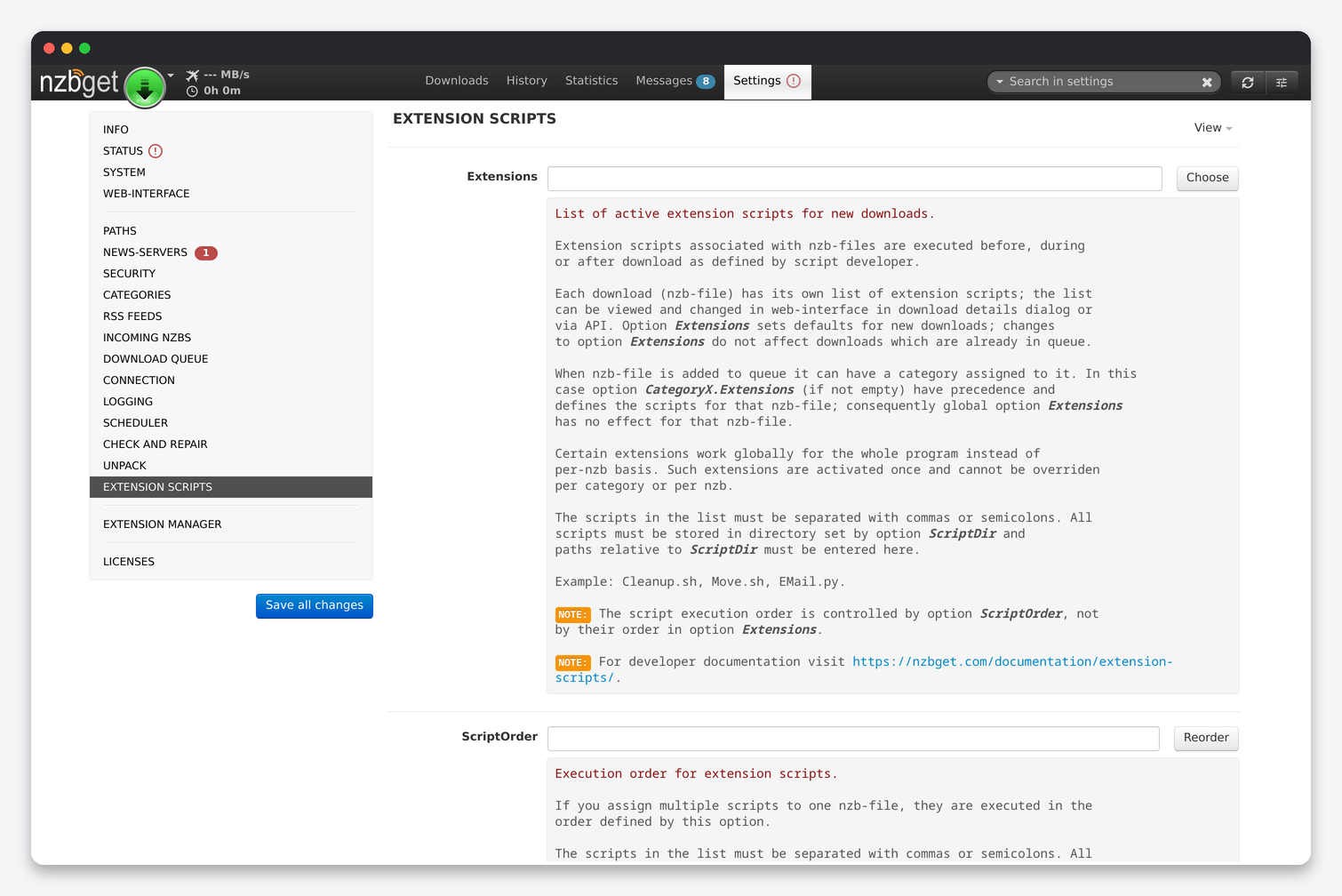
| Option | What it does | Seedbox |
|---|---|---|
| Extensions | The scripts run for every new download (a category or an individual job can override the list). | Empty with an *arr stack. The apps do the sorting and notifying. |
| ScriptOrder | Execution order when several scripts are assigned. | Only matters with more than one script. |
| ScriptPauseQueue | Pause download while a post-processing script runs. | No. |
| ShellOverride | Interpreter per extension, for example .py=/usr/bin/python3. |
Empty; the container finds Python by itself. |
| EventInterval | Minimum seconds between two runs of a queue-event script. | Default. |
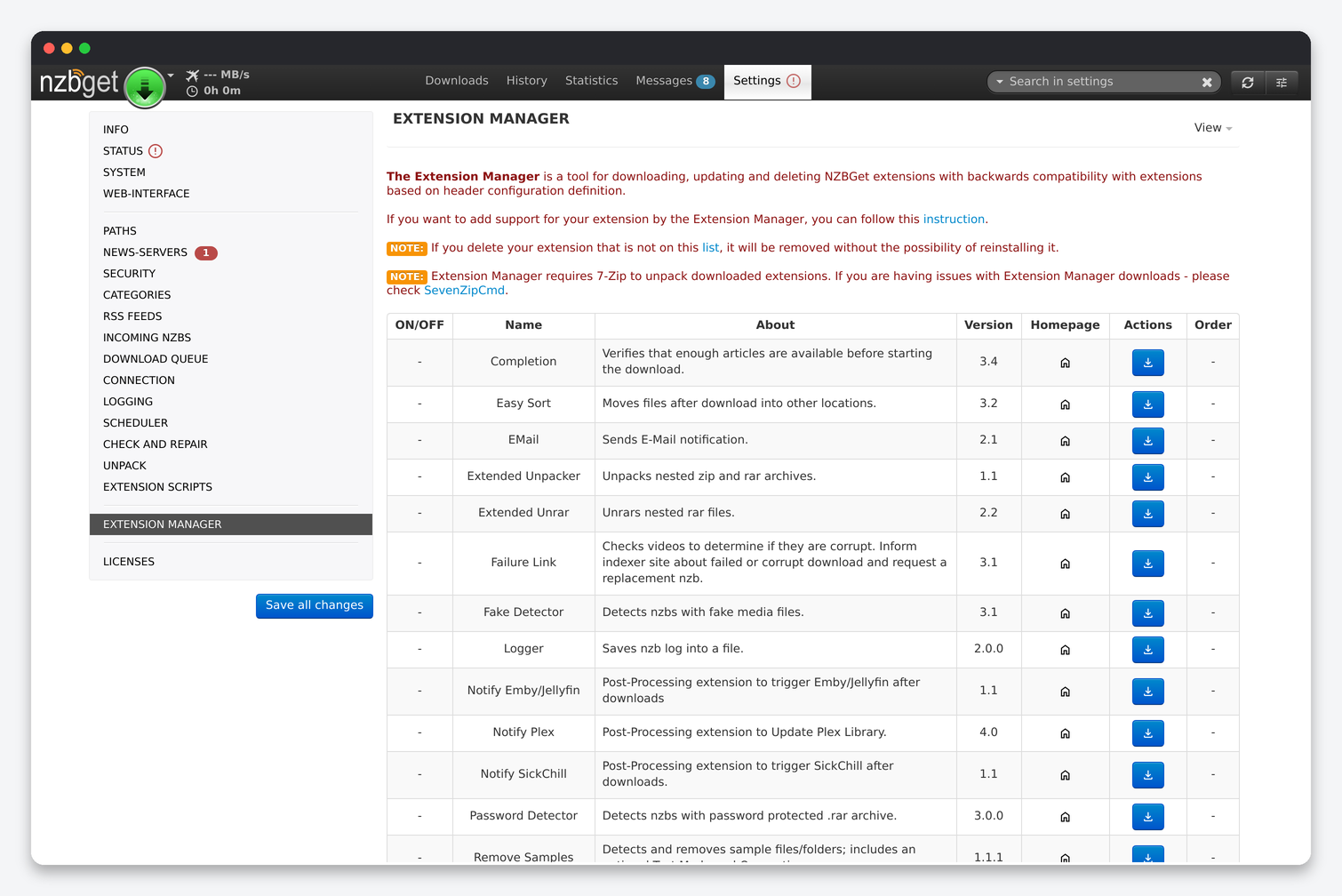
The Extension Manager downloads maintained extensions into ScriptDir. Worth installing on a seedbox: Completion (checks that enough articles exist before downloading, so incomplete posts fail in seconds instead of after a full download), Password Detector and Fake Detector (fail encrypted or fake posts early, which matters because Sonarr and Radarr only move on when a job fails), and Notify Plex or Notify Emby/Jellyfin if your media server does not watch the library folder. Skip Video Sort and Easy Sort for categories an *arr app imports from; they rename files before the app sees them and the import fails.
Web-Interface
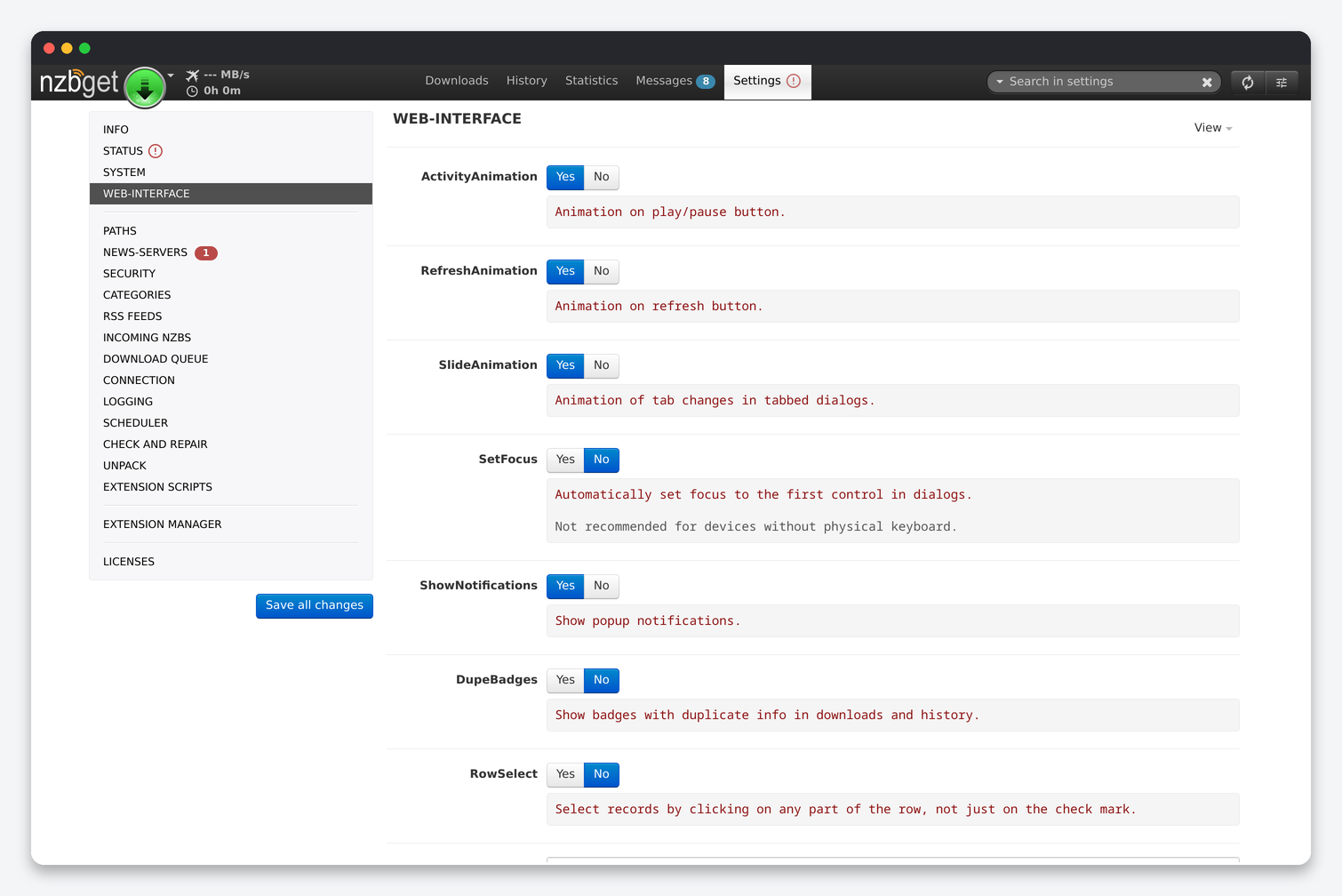
Cosmetic options: activity, refresh and slide animations, focus in dialogs, popup notifications, duplicate badges, whole-row selection, the browser window title pattern (for example %[COUNT]% %SPEED-% NZBGet) and how many refresh attempts are made after a communication error before the interface stops refreshing. Nothing here affects downloading.
Settings that are not under Settings
- Download tab → job menu: per-job category, priority, post-processing parameters (Unpack, extensions) and the password for encrypted jobs.
- Speed limit (the gauge in the top bar) overrides DownloadRate until restart.
- Settings → Status shows the health-check results in one place, including which news server is failing.
- Settings → System holds the Backup and Restore buttons for
nzbget.conf.
FAQ
Which defaults should every seedbox user change?
ArticleCache 200, WriteBuffer 1024, ContinuePartial off, DirectUnpack and DirectRename on, HealthCheck delete, DiskSpace 5000, ParBuffer 256, PostStrategy aggressive, PropagationDelay 10, and a restricted user for the *arr apps. Then install the Completion, Password Detector and Fake Detector extensions.
Which folder do I give Sonarr and Radarr?
The host path of DestDir: /home/<user>/downloads/completed. The category subfolder is added automatically because AppendCategoryDir is on, and no remote path mapping is needed.
Why does a failed job stay in the queue instead of being replaced?
HealthCheck is set to park (the default). A parked job is neither a success nor a failure to Sonarr and Radarr, so they wait. Set it to delete.
Where is the config file?
nzbget.conf in the config folder holds every option on these pages, including the news server password; the queue and history are in the queue folder next to it. Settings → System → Backup saves the config.
Related: NZBGet setup on a seedbox · SABnzbd settings reference · Radarr settings reference · NZBGet in Dashboarr
Related articles
Put this into practice
EvoSeedbox ships with one-click app installs and up to 10 Gbps per box.
