Connect Tautulli to Dashboarr
On this page ▾
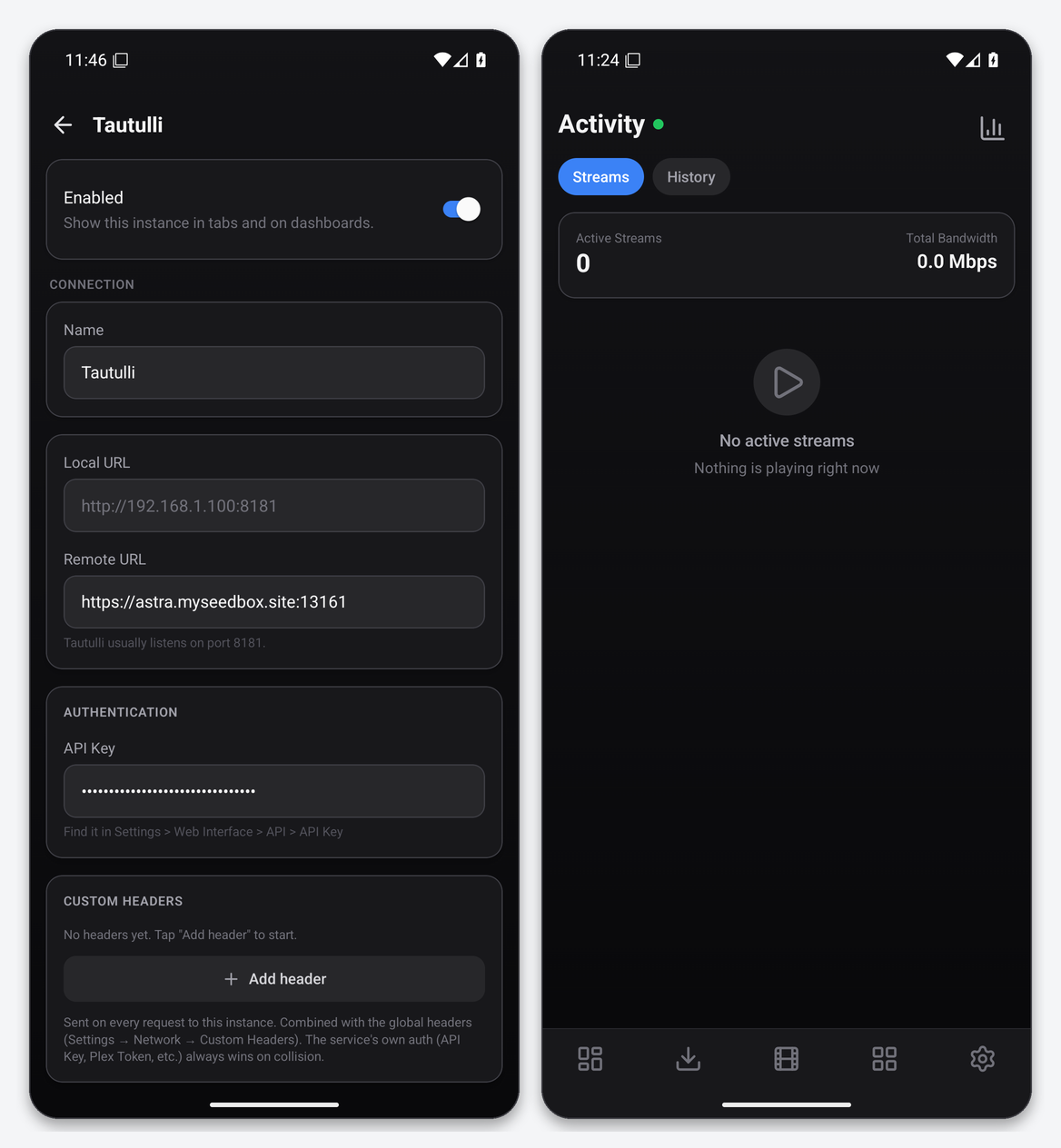
To connect Tautulli to Dashboarr, add a Tautulli instance with the Tautulli HTTPS address from your client area as the Remote URL and the API key from Tautulli’s Settings → Web Interface → API. Dashboarr’s Activity tab then shows live Plex streams with bandwidth, the playback history, and a Stats screen with plays by day, weekday, hour and most active users. Part of the Dashboarr seedbox setup guide.
What you need
| Field in Dashboarr | Value on EvoSeedbox |
|---|---|
| Service | Tautulli (under Monitoring) |
| Local URL | leave empty |
| Remote URL | Tautulli’s HTTPS address from the app card, https://SERVER.myseedbox.site:13xxx |
| API Key | Tautulli → Settings → Web Interface → API → API Key, with Enable API ticked (it is on by default in our install) |
| Always use Remote URL | on |
Step by step
- In Tautulli, Settings → Web Interface, scroll to API, copy the key.
- Dashboarr → Settings → Integrations → Browse services → Tautulli.
- Remote URL = the HTTPS address, API Key = the key, Always use Remote URL on.
- Test Connection, then Save.
What the Activity tab gives you
- Streams: each active session with user, player, title, transcode or direct-play state, and the aggregate bandwidth at the top.
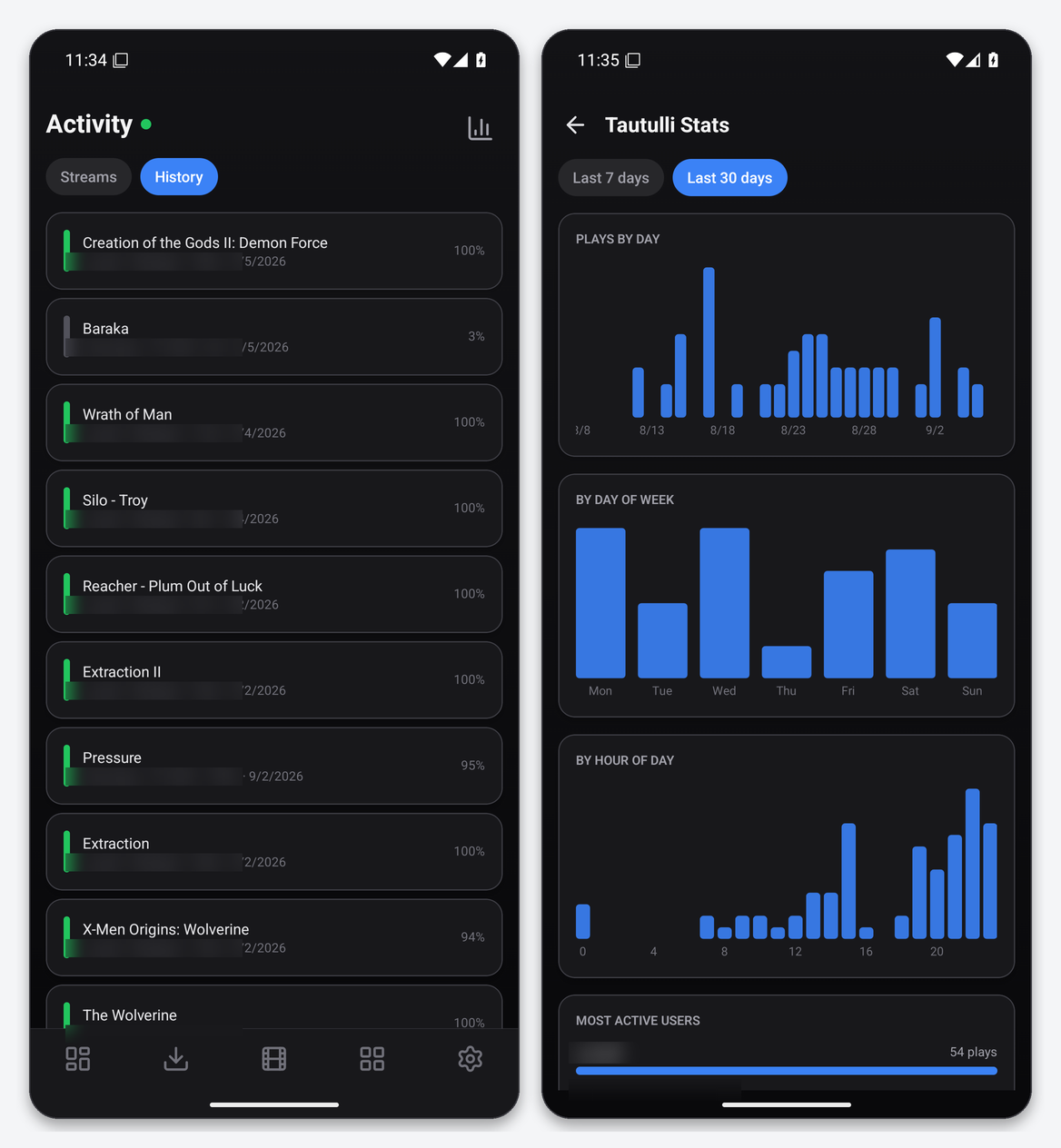
- History: the playback log with user, device, duration, date and completion percentage.
- Stats (the chart icon): plays by day, by day of week, by hour of day, and most active users, for the last 7 or 30 days.
Because the API key travels as a query parameter, Tautulli requests look like /api/v2?apikey=…&cmd=get_activity. Posters come through Tautulli’s image proxy, which Dashboarr calls via the API route rather than the web route, so an API-key-only client still gets artwork.
Widgets
Stream Monitor and Streaming Bandwidth use Tautulli, and the Combined Now Playing widget merges Tautulli with Jellyfin and Emby sessions if you run more than one server.
Troubleshooting
| Symptom | Fix |
|---|---|
| Invalid API key | Enable API must be ticked in Settings → Web Interface. Regenerating the key there invalidates the old one. |
| No streams while Plex is playing | Tautulli itself has lost contact with Plex. Check Tautulli’s own Activity page and its Plex Media Server settings. |
| History empty | Tautulli only logs sessions it has observed since installation. |
FAQ
Can Dashboarr stop a stream?
Not in the current version. Stream termination stays in Tautulli’s web UI.
Tautulli or the Plex integration?
Use both. The Plex integration browses libraries; Tautulli provides history and statistics that Plex’s API does not expose.
Related articles
Put this into practice
EvoSeedbox ships with one-click app installs and up to 10 Gbps per box.
