Настройка Plex on вашим Seedbox
On this page ▾
How Plex Works on Your Seedbox
  PLEX STREAMING ARCHITECTURE
  ═══════════════════════════════════════════════════════

  Your Seedbox                              Your Devices

  ┌──────────────────────────┐
  │ Media Files              │
  │ /downloads/movies/       │
  │ /downloads/tv-shows/     │            ┌───────────┐
  │ /downloads/music/        │            │ 📱 Phone  │
  └───────────┬──────────────┘            │  (app)    │
              │                           └─────┬─────┘
              ▼                                 │
  ┌──────────────────────────┐            ┌─────▼─────┐
  │     Plex Media Server    │◀──stream──▶│ 💻 Browser│
  │                          │            └─────┬─────┘
  │  Scans library           │                  │
  │  Fetches metadata        │            ┌─────▼─────┐
  │  Transcodes if needed    │◀──stream──▶│ 📺 TV     │
  │  Streams to devices      │            │ (app)     │
  │                          │            └───────────┘
  │  Port: 32400             │
  └──────────────────────────┘       Direct Play = best quality
                                     Transcode = compatibility
  PLEX SETUP CHECKLIST
  ═══════════════════════════════

  1. Install Plex          ✓ One-click from client area
  2. Claim server          ✓ Link to your Plex account
  3. Add libraries         → Point to /downloads/movies etc
  4. Enable remote access  → Settings → Remote Access
  5. Install app on device → plex.tv/downloads
  6. Stream!               🎬
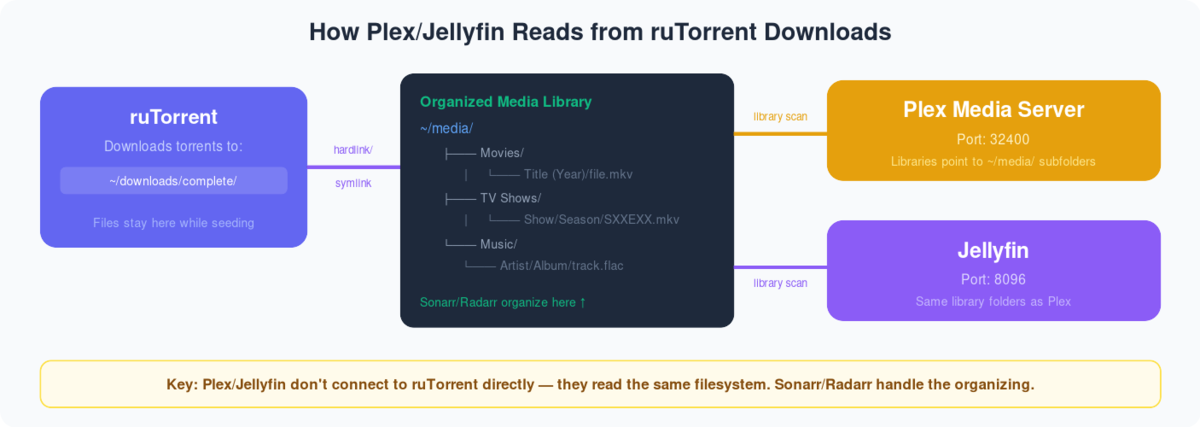
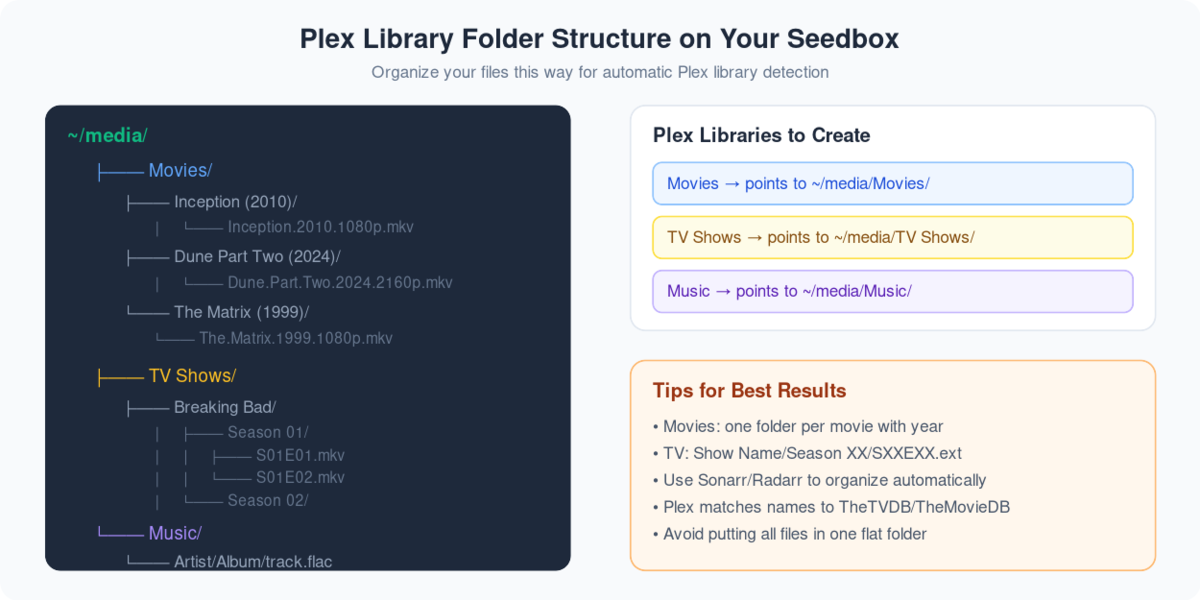
Plex is an application that can bring a Seedbox to life. Plex is an application that can make your remote server seedbox to a media center.
Using Plex, вы можете stream and manage your media файлы на the go!
Before accessing the benefits of Plex, you нужно take a few steps to настроить it with вашим seedbox.
Вы будете need a Seedbox and a Plex account. This Plex account can be a free one. Plex pass has added benefits, so if you are a power user then go for it!
Steps to set-up Plex
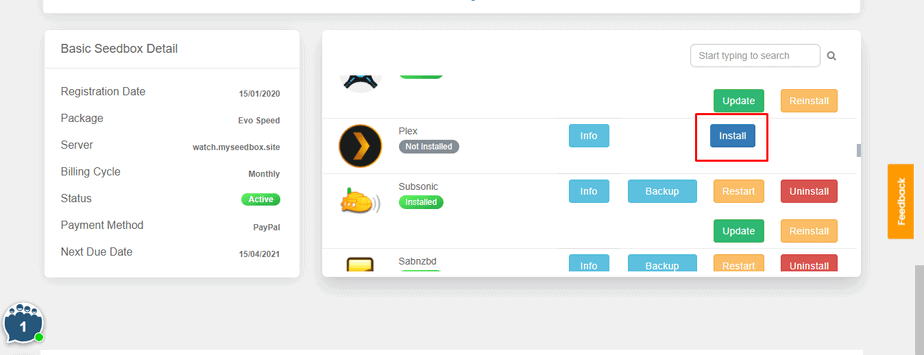
Шаг 1: Войти на ваш Seedbox account and install Plex.
Шаг 2: Generate a Plex code.
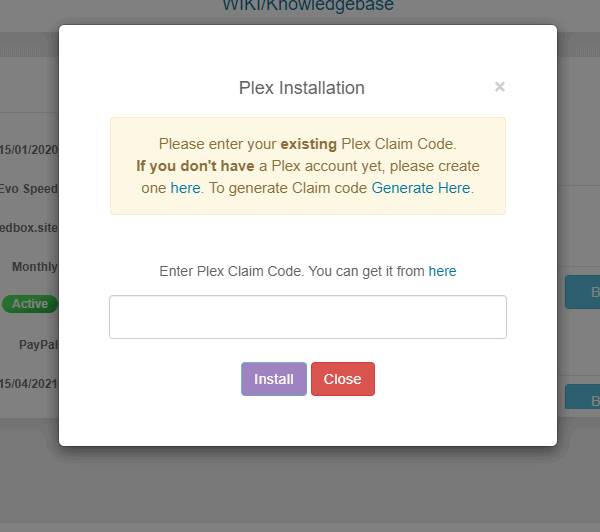
Шаг 3: Copy your Plex code and paste it in the section.

Step 4: Your Plex is installed and настроитьd with your Seedbox.
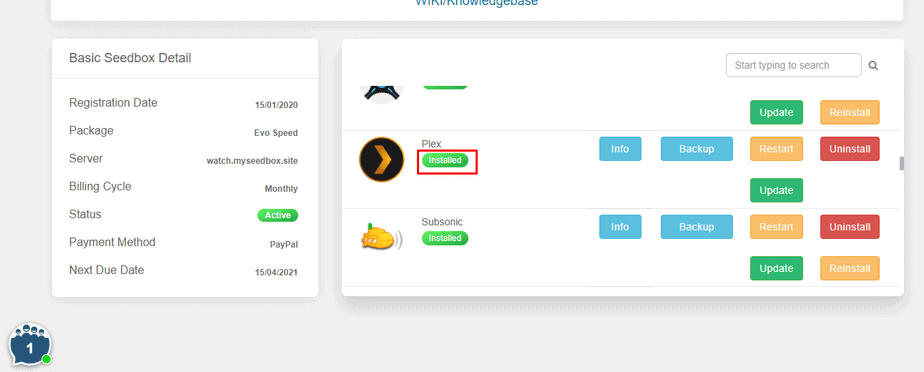
Как Set up Plex?
After you have настроитьd вашим seedbox with your Plex account, вы будете see the following screen.
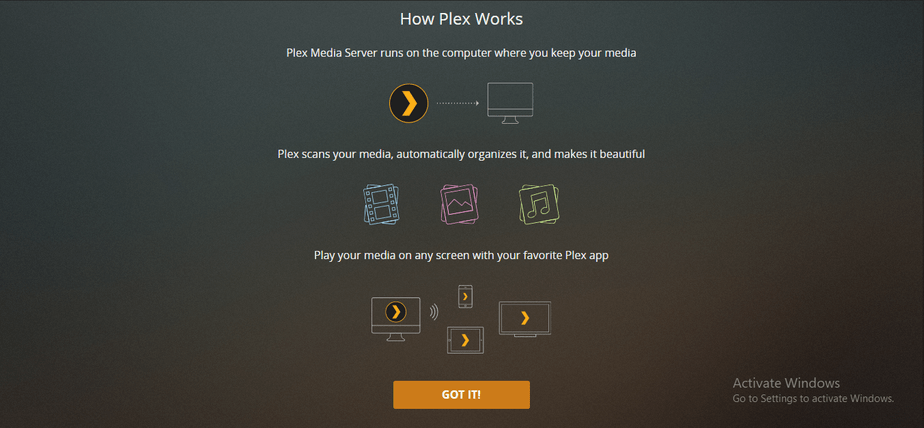
Click and the “GOT IT!” кнопка and move to the first step of setting up.
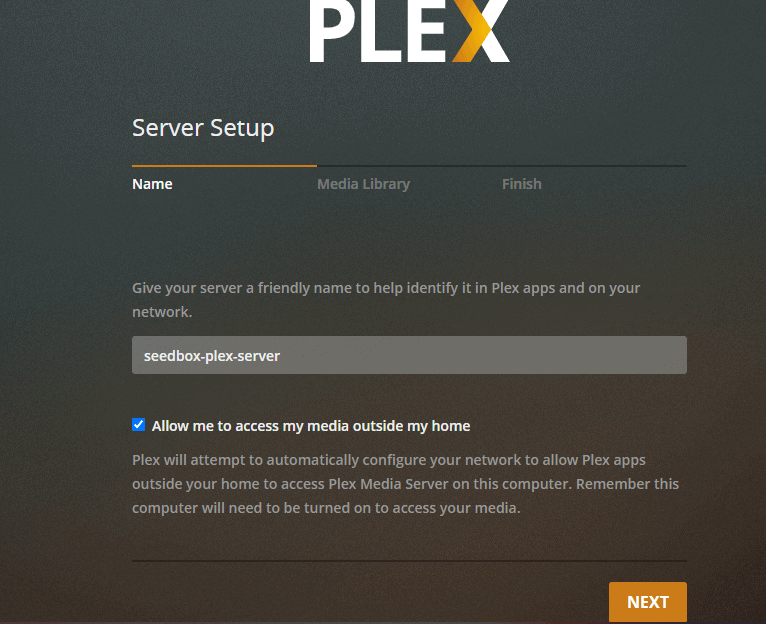
Шаг 1: Name your media server.
Шаг 2: Add library на ваш Plex Media Center.
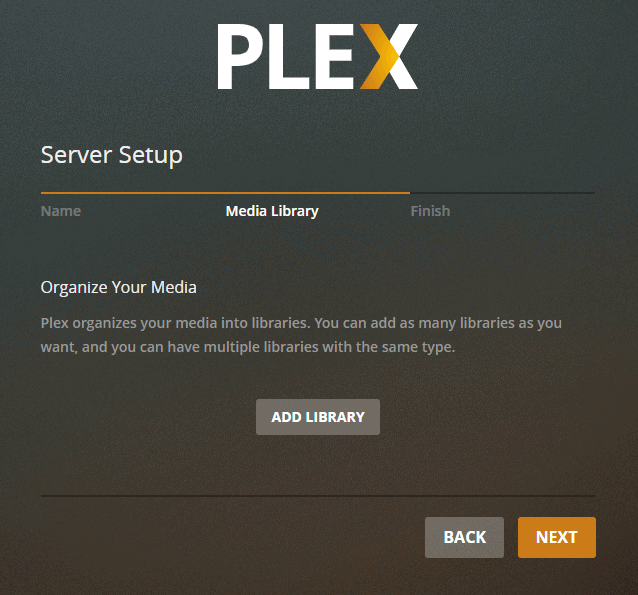
Шаг 3: Выберите the type of media you хотите add.
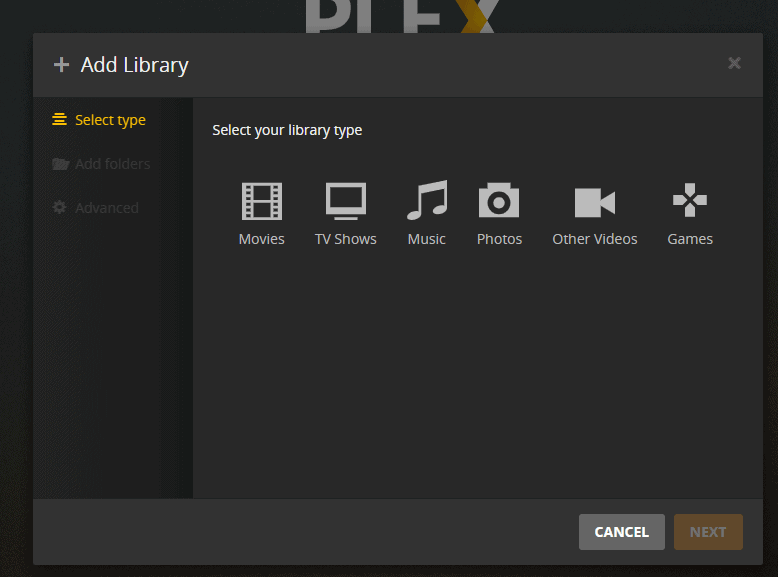
Step 4: Name your folder, select the language and click on next.
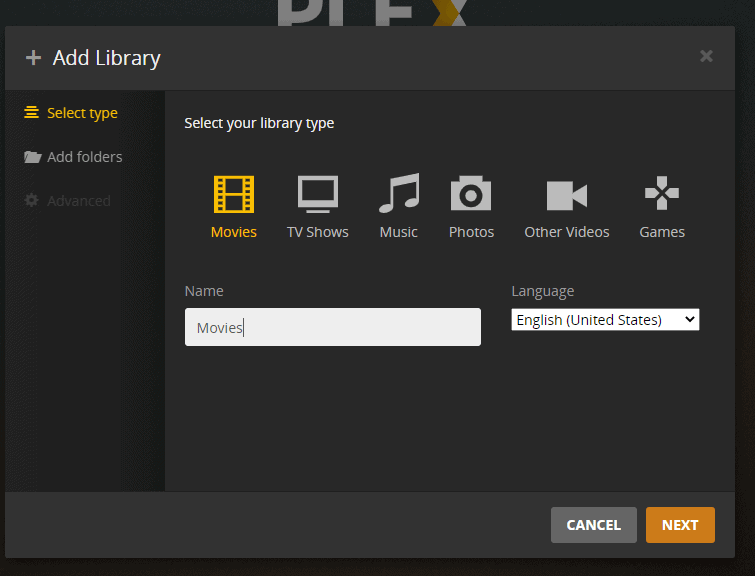
Step 5: Browse and add the movie folder from вашим seedbox.
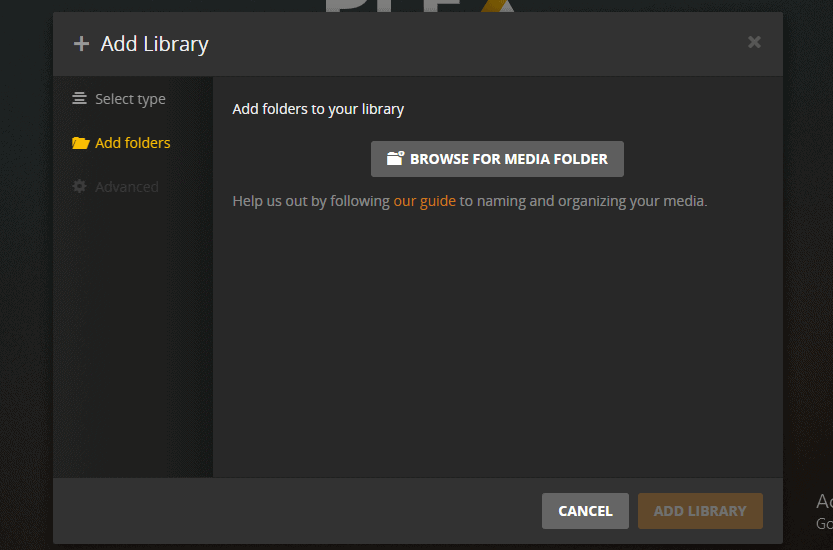
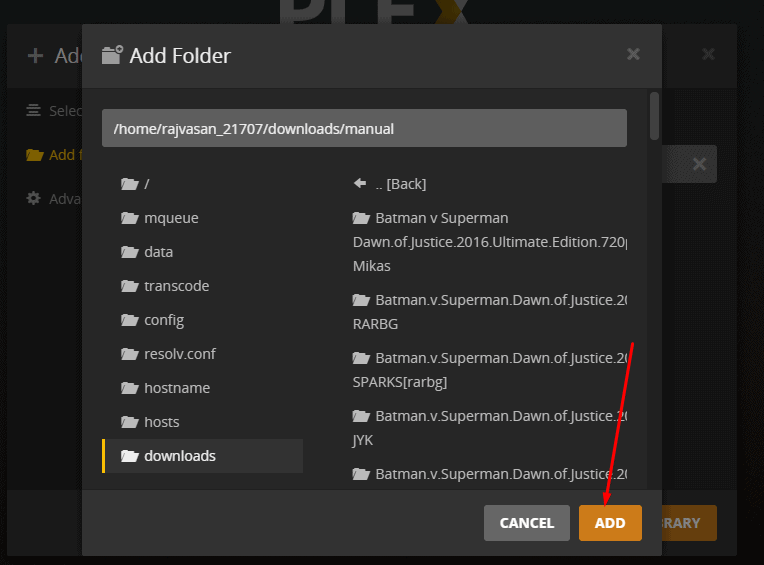
Step 6: Set the path and click on the Add кнопка
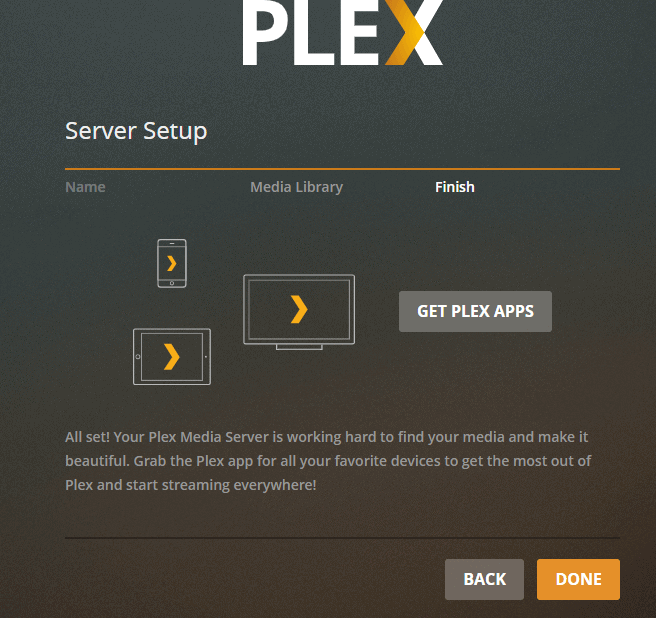
Step 7: Нажмите на done and your Plex server setup is complete.
Streaming 4K in Plex
Transcoding 4K media to play on Plex will not be possible as it requires a lot of CPU power. But, вы можете directly stream 4K media on Plex. To do that, change the settings to stream at original quality.
Примечание: This will require a high-speed internet connection. Somewhere around 150Mbps.
Plex Scanner Option
There are two different scanning options given in Plex. One is timed out and detects new media. Choose anyone for optimum results.
Связанные руководства
Direct Play vs Transcoding
  PLAYBACK MODES
  ═══════════════════════════════════════════════════════

  Direct Play (best)             Transcode (fallback)
  ┌──────────────────────┐      ┌──────────────────────┐
  │ File plays as-is     │      │ Server converts video │
  │ No CPU usage         │      │ Uses CPU heavily      │
  │ Full quality         │      │ May reduce quality    │
  │ Fastest streaming    │      │ Slower start          │
  └──────────────────────┘      └──────────────────────┘

  When does transcoding happen?
  ├── Device can't play format (e.g., HEVC on old TV)
  ├── Subtitles are "burned in" (image-based subs)
  ├── Bandwidth too low for full quality
  └── Client requests lower quality

  ┌──────────────────────────────────────────────────┐
  │  TIP: Use MP4/MKV with H.264 + SRT subtitles    │
  │  for maximum Direct Play compatibility.          │
  └──────────────────────────────────────────────────┘
The Complete Media Stack
  RECOMMENDED PLEX ECOSYSTEM
  ═══════════════════════════════════════════════════════

  Discovery          Download           Organize          Stream
  ─────────          ────────           ────────          ──────

  Overseerr ───▶ Sonarr (TV) ────▶ Renames & ───▶ Plex
  (requests)     Radarr (Movies)    moves files     (streams)
                 ▲                                  │
                 │                                  ▼
              Prowlarr ◀──────────────────────── Tautulli
              (indexers)                          (analytics)
Put this into practice
EvoSeedbox ships with one-click app installs and up to 10 Gbps per box.


