Lidarr Settings Explained: Every Option, Tuned for a Seedbox
On this page ▾
This is the setting-by-setting reference for Lidarr as installed on an EvoSeedbox: each tab under Settings, what every option does, its default, and the value that fits a seedbox where Lidarr, rTorrent and your music player share one home directory. Labels and help text were captured from the running app with Show Advanced on. The first-run connection to rTorrent and Prowlarr is in the Lidarr setup guide; this page is for tuning after that. Lidarr is a Sonarr fork, so most tabs match Sonarr’s, but music brings its own settings: metadata profiles, track naming, fingerprinting and tag writing.
Media Management
Track Naming
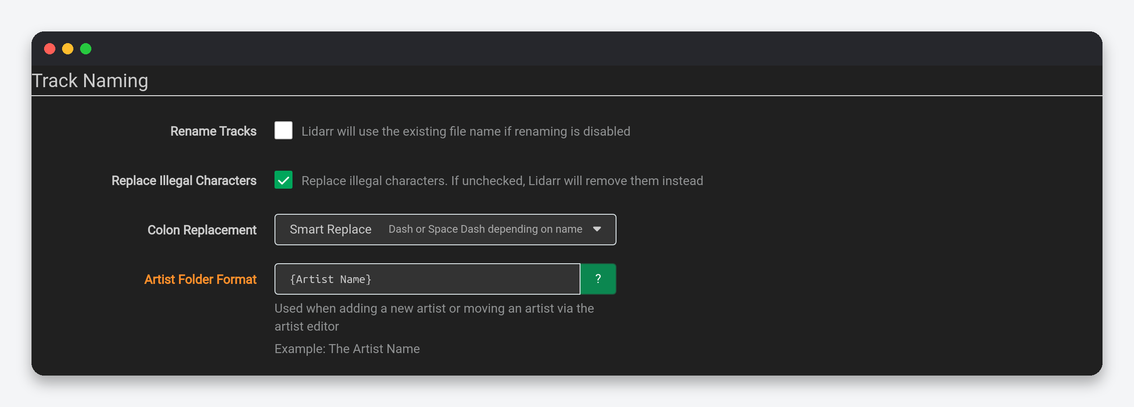
| Setting | What it does | Default | Seedbox |
|---|---|---|---|
| Rename Tracks | Rename files on import with the formats below; off keeps the release’s file names. | Off | On. Release names are inconsistent; players and Navidrome’s folder browsing benefit from a uniform scheme. |
| Replace Illegal Characters | Swap filesystem-illegal characters rather than delete them. | On | On. |
| Colon Replacement | Delete, Dash, Space Dash, Space Dash Space, Smart Replace. | Smart Replace | Space Dash Space. |
| Standard Track Format | Template for tracks in a single-disc album. | {Album Title}/{track:00} - {Track Title} |
Keep; add {Artist Name} - before the track number if you also browse files by hand. |
| Multi Disc Track Format | Template when an album has several discs, adds {medium:00}. |
Album/Disc/track | Keep. |
| Artist Folder Format | Folder created for a new artist. | {Artist Name} |
{Artist CleanName} avoids characters that break SFTP clients. |
Folders and Importing
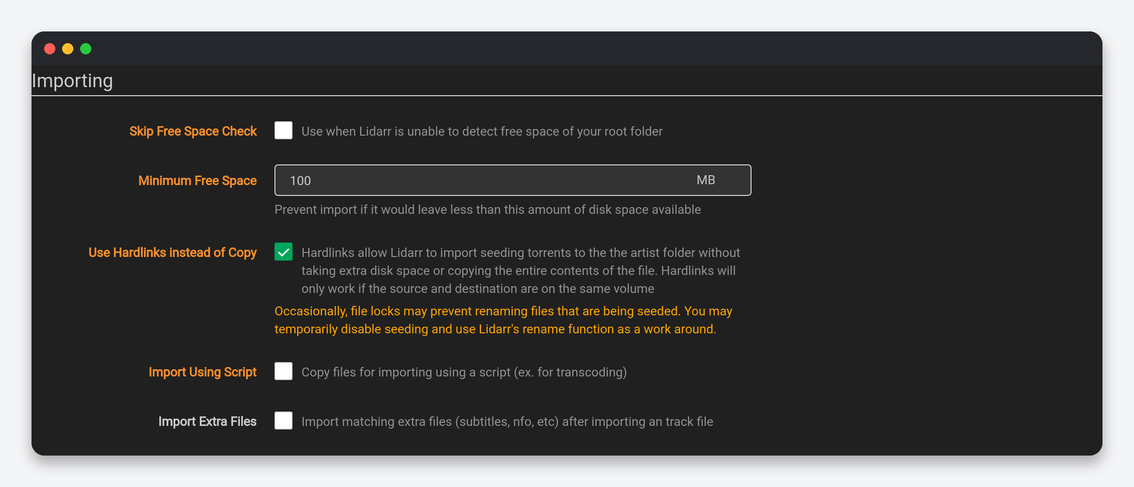
| Setting | What it does | Default | Seedbox |
|---|---|---|---|
| Create empty artist folders | Make the artist folder on add. | Off | Off. |
| Delete empty folders | Remove empty artist and album folders on rescans and deletes. | Off | On. Music libraries accumulate empty album folders after upgrades. |
| Skip Free Space Check / Minimum Free Space | Free-space guard on import. | Off / 100 MB | Off / 5000. Albums are small; the guard mostly protects Plex transcodes. |
| Use Hardlinks instead of Copy | Import seeding files as hardlinks. | On | On, with the root folder inside your home directory. |
| Import Using Script | Hand the copy to a script (transcode FLAC to MP3, for example). | Off | Off unless you keep a lossy mirror; a script that transcodes breaks the hardlink benefit. |
| Import Extra Files | Bring cue sheets, logs and lyrics along. | Off | On with cue,log,lrc for lossless libraries. |
File Management
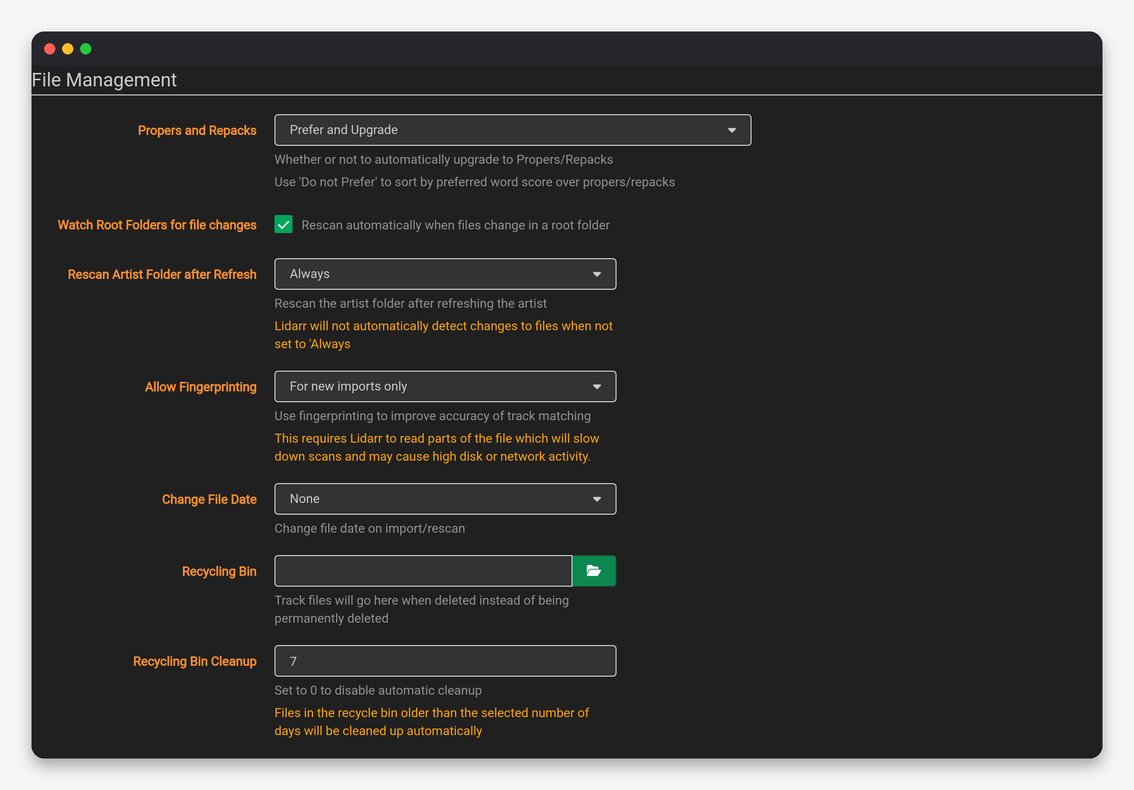
| Setting | What it does | Default | Seedbox |
|---|---|---|---|
| Propers and Repacks | Whether a re-release replaces the file. | Prefer and Upgrade | Keep. |
| Watch Root Folders for file changes | Rescan automatically when files change under a root folder. | On | Off. On a large library the watcher costs CPU and the disk is not shared with anything that adds files behind Lidarr’s back; use manual rescans. |
| Rescan Artist Folder after Refresh | Rescan disk when metadata refreshes. | Always | After Manual Refresh. |
| Allow Fingerprinting | Use AcoustID audio fingerprints to match tracks when tags are poor: Never, For new imports, Always. | For new imports | For new imports. It reads part of every file, so “Always” makes rescans slow. |
| Change File Date | Set the file date to the album release date. | None | None. |
| Recycling Bin / Cleanup | Deleted files go here for N days. | Empty / 7 | /home/USERNAME/downloads/.recycle, 3 days. |
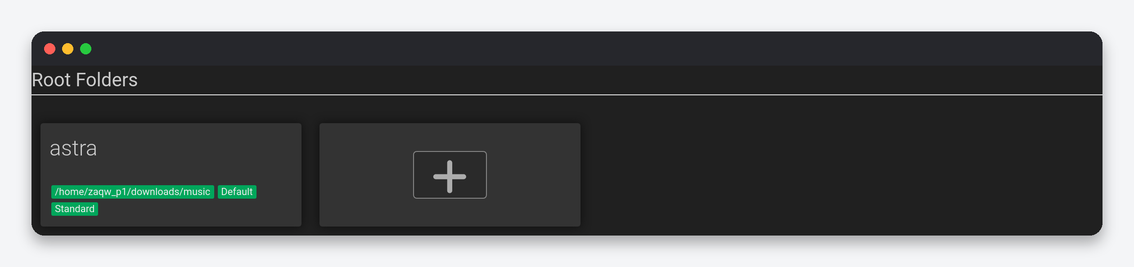
Permissions stay off. Root Folders are richer than Sonarr’s: each root folder carries its own default quality profile, metadata profile, monitor setting and tags, so a second root folder can be “lossless archive” while the first is “everyday MP3”. Keep them inside your home directory.
Profiles
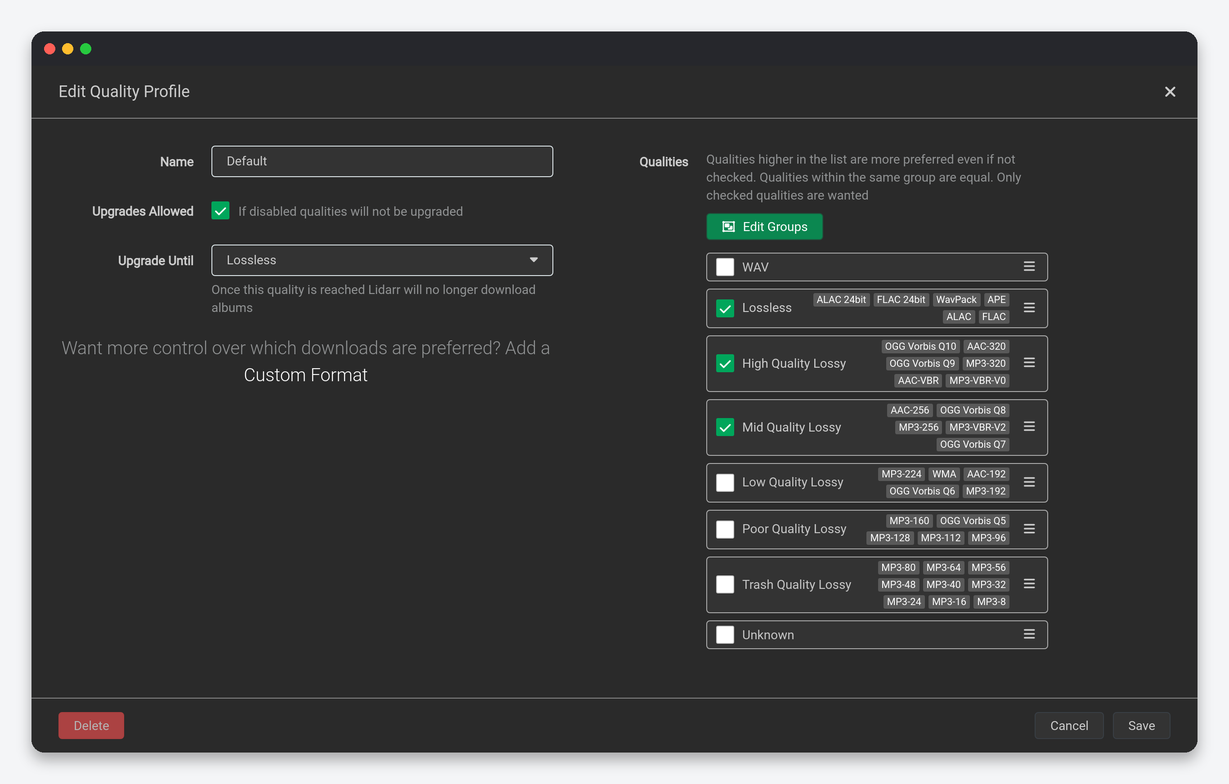
| Setting | What it does | Seedbox |
|---|---|---|
| Upgrades Allowed / Upgrade Until | Replace files when a better quality appears, up to the cutoff. | On, cutoff FLAC for archives or MP3-320 for phone libraries. |
| Qualities | Tick and rank: Unknown, MP3 VBR/CBR tiers, AAC, OGG, WMA, ALAC, FLAC, FLAC 24bit, WAV. | Lossless: FLAC and FLAC 24bit ticked, MP3-320 allowed as fallback below them. Lossy: MP3-320 and MP3-VBR-V0 grouped. |
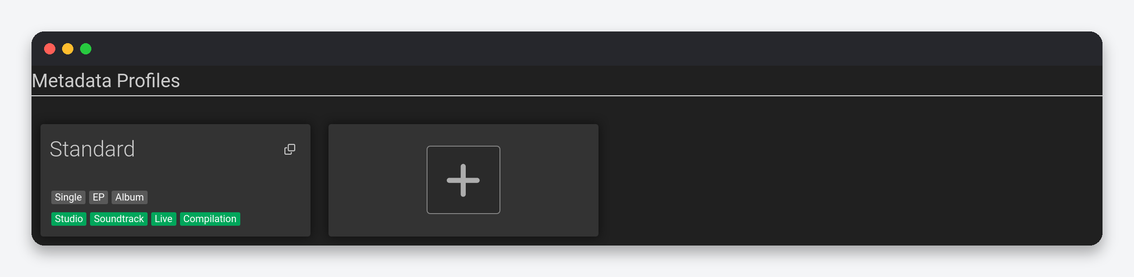
Metadata Profiles exist only in Lidarr. Each one ticks primary types (Album, EP, Single, Broadcast, Other), secondary types (Studio, Compilation, Soundtrack, Spokenword, Interview, Live, Remix, DJ-mix, Mixtape, Demo, Audio drama) and release statuses (Official, Promotional, Bootleg, Pseudo-release), plus “Skip release with missing MusicBrainz release group”. The default Standard profile monitors Album, EP and Single with Studio secondary type and Official status. Adding Live and Compilation multiplies the wanted list for any long-running artist; adding Bootleg brings in unofficial recordings that rarely exist on trackers. None is for artists you only want to track. Delay Profiles and Release Profiles work as in Sonarr; a release profile with a must-contain of your favourite scene group is still the practical way to prefer groups here, because Lidarr’s custom formats are lighter than Radarr’s.
Quality
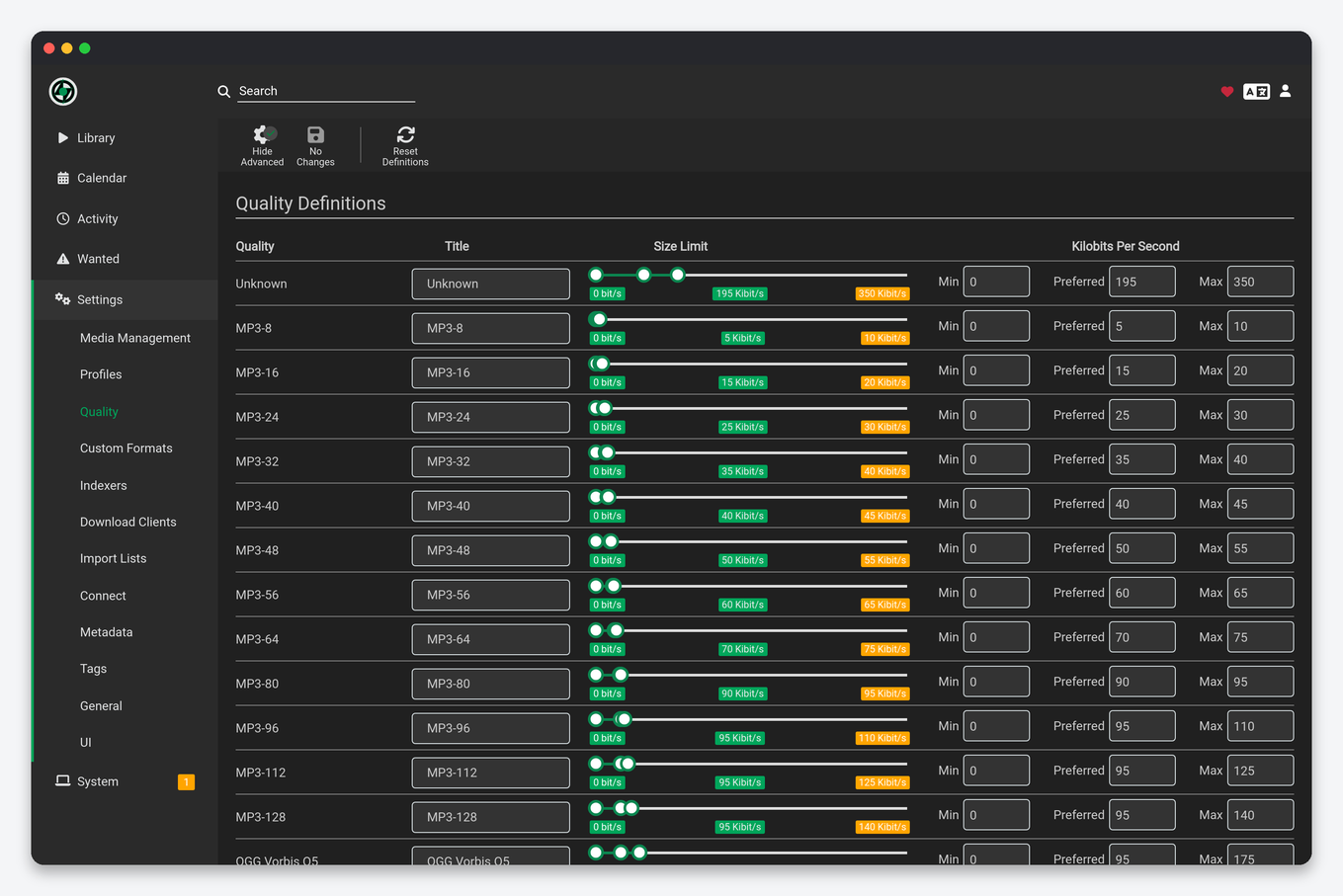
Lidarr’s definitions are bitrates: each quality has a minimum and maximum kbps. The defaults are right for almost everyone; the one adjustment worth making is lowering the FLAC 24bit maximum if you do not want hi-res masters, which are three to four times the size of CD-quality FLAC for no audible gain on most equipment.
Indexers
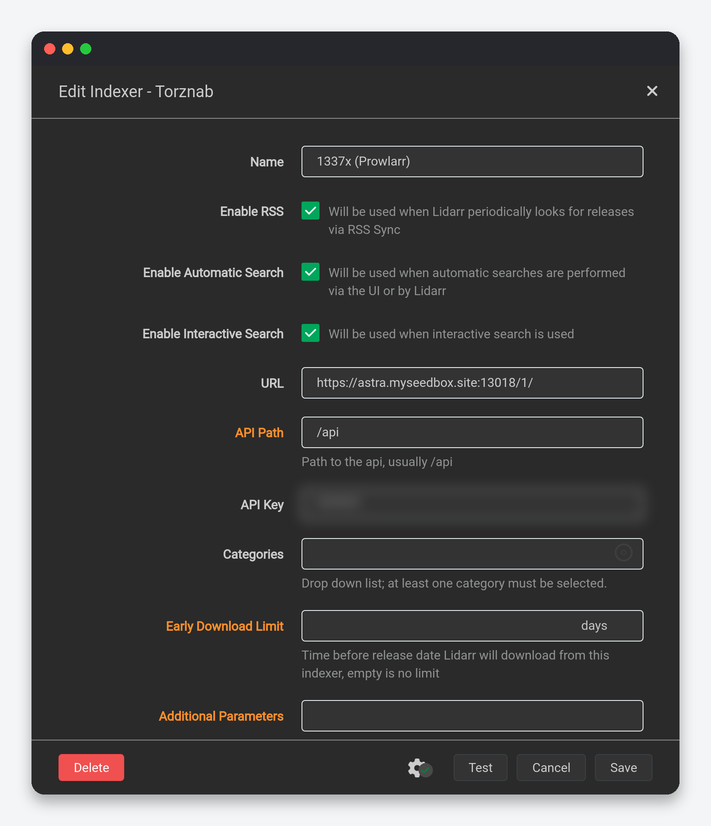
| Setting | What it does | Seedbox |
|---|---|---|
| Enable RSS / Automatic Search / Interactive Search | Which search paths use this indexer. | All on. Music RSS is low volume, so RSS can stay on even for rate-limited trackers. |
| Categories | Torznab audio categories. | Managed by Prowlarr; make sure Audio, Audio/MP3 and Audio/Lossless are all mapped. |
| Early Download Limit | Days before the release date Lidarr may grab from this indexer; empty is no limit. | Empty, or 7 on trackers that leak pre-release promos. |
| Minimum Seeders | Reject releases below this. | 2. Music torrents have few seeders; 1 accepts dead torrents, 5 rejects most of the catalogue. |
| Seed Ratio / Seed Time / Discography Seed Time | Seeding targets sent to rTorrent, with a separate one for discography packs. | The tracker’s rule; discography packs at least 7 days, they are the largest files Lidarr grabs. |
| Reject Blocklisted Torrent Hashes While Grabbing | Re-check the blocklist at grab time. | On. |
| Indexer Priority | Tiebreaker between equal releases. | Music-focused private tracker 5, general trackers 25. |
Options (Minimum Age, Retention, Maximum Size, RSS Sync Interval) match Sonarr’s. Set Maximum Size to 5000 MB so a discography pack cannot fill the plan, and keep RSS Sync at 60 minutes.
Download Clients
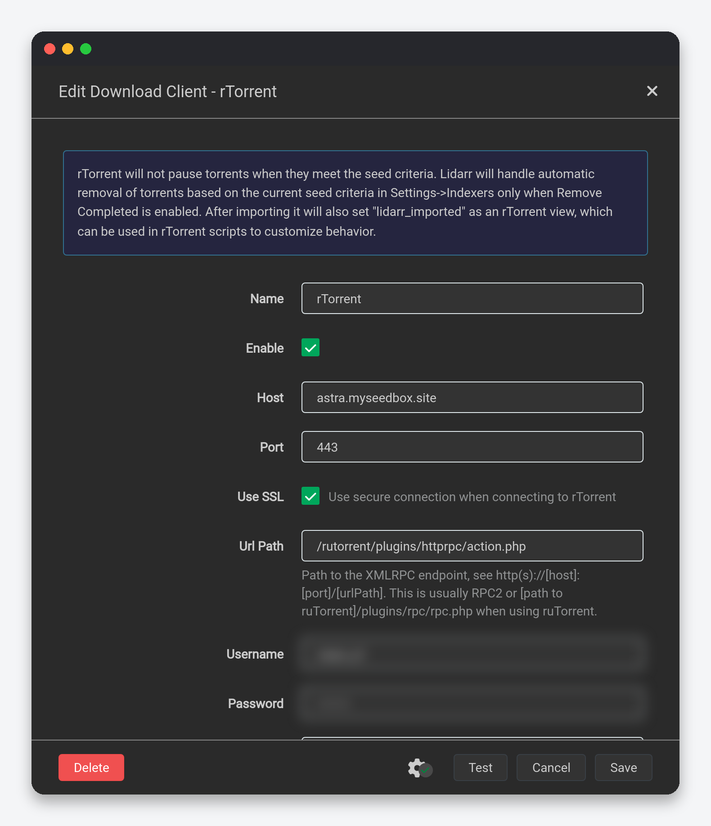
| Setting | What it does | Seedbox |
|---|---|---|
| Host, Port, Use SSL, Url Path | rTorrent’s XML-RPC endpoint. | Your server name, 443, SSL on, /rutorrent/plugins/httprpc/action.php. |
| Category | rTorrent label for Lidarr’s torrents. | music. |
| Post-Import Category | Label switched on after import; torrents keeping it are never removed. | music-imported if you want seeding music separated in ruTorrent. |
| Recent Priority / Older Priority | rTorrent priority for albums released within 14 days versus older. | Normal / Normal. |
| Add Stopped, Client Priority, Directory | As in Sonarr. | Off, 1, empty. |

Remove Completed ships on in Lidarr (Sonarr and Radarr ship it off). Switch it off on a seedbox: with it on, Lidarr removes the torrent from rTorrent after import, seeding stops and private-tracker ratio suffers, while the hardlinked library copy already costs nothing extra. Keep Remove Failed on and the check interval at 1 minute. Remote Path Mappings stay empty.
Import Lists
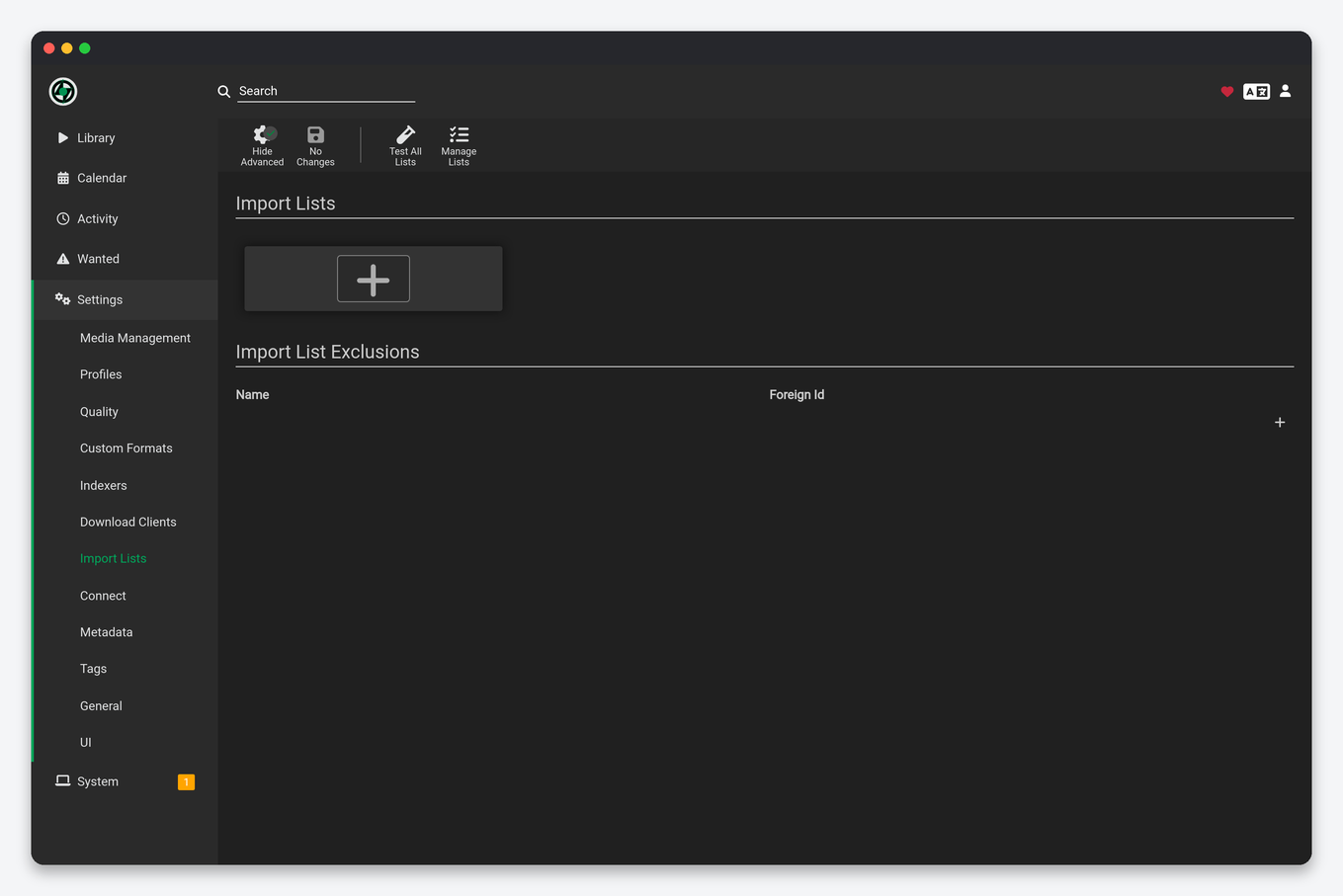
Lists add artists automatically: Spotify (playlists, followed artists, saved albums), Last.fm (user, tag), MusicBrainz series, Headphones, a Lidarr list, and another Lidarr instance. Each list sets a root folder, both profiles and a monitor option (“all albums” versus “none” versus “new”). Start every list with monitor set to None or Future albums: a Spotify library of 500 artists with “all albums” is several thousand wanted releases and a full seedbox within a week. Import List Exclusions stops removed artists from returning.
Connect and Metadata
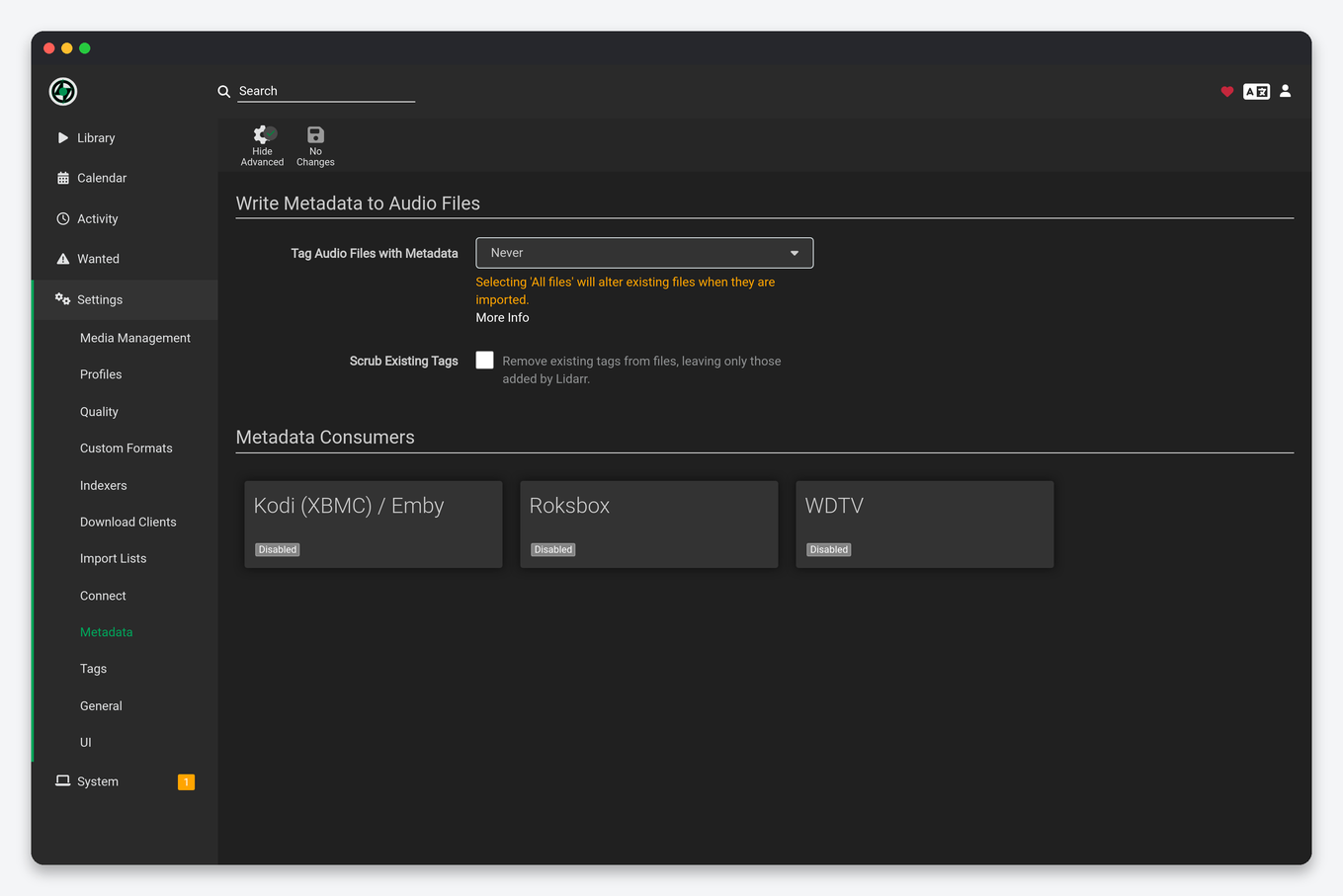
Connect matches Sonarr (Plex Media Server, Discord, Telegram, Webhook, Custom Script) with music events: On Grab, On Release Import, On Upgrade, On Rename, On Artist Delete, On Album Delete, On Health Issue, On Track Retag. Add Plex or a Navidrome rescan webhook so a new album appears without waiting. Metadata has two parts unique to Lidarr. Tag Audio Files with Metadata (Never, New files only, All files) writes MusicBrainz-correct tags into the audio files themselves, which is what makes Navidrome and Plex show the right album, year and artwork; use New files only, since All files rewrites your existing library on the next rescan. Scrub Existing Tags wipes tags Lidarr did not write; leave it off unless a release group stuffed junk into the tags. Metadata Consumers write NFO and artwork for Kodi and Roksbox; enable Kodi only if Kodi or Jellyfin read the folder.
General and UI
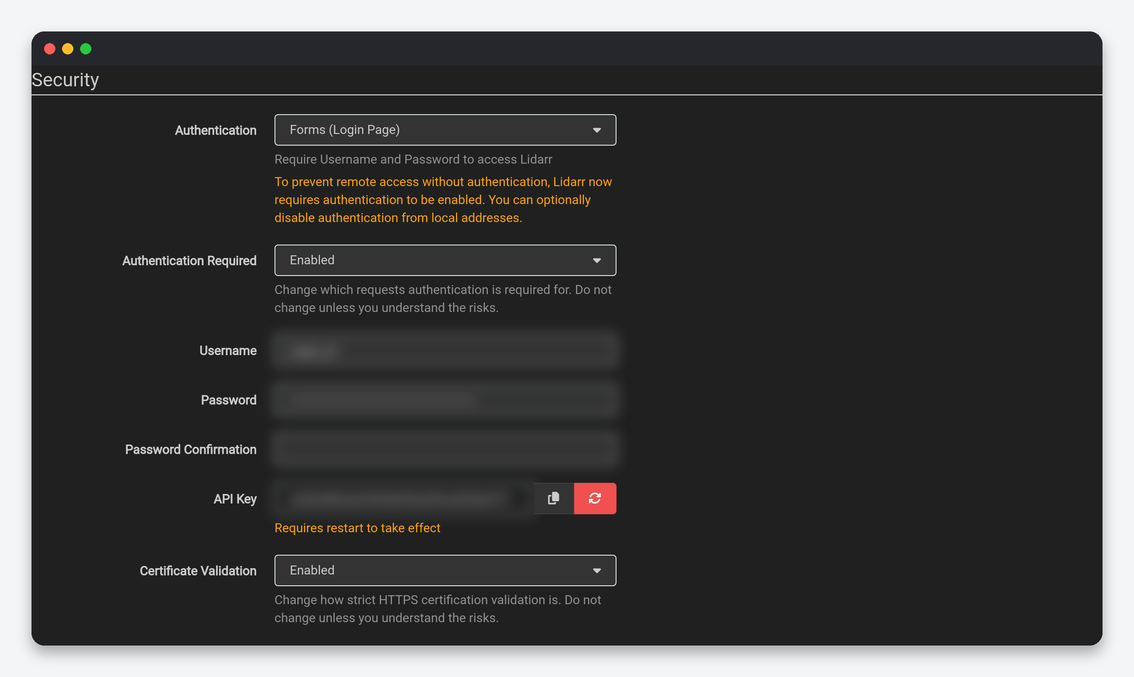
Host, Security, Proxy, Logging, Analytics, Updates and Backups are identical to Sonarr’s tab and the same advice applies: leave the port and URL base as installed, Forms authentication required everywhere, regenerate the API key on a leak and update Prowlarr and Dashboarr, updates through the client area (Docker mechanism, Automatic off), backups every 7 days kept for 28. The Sonarr settings reference has the full table.
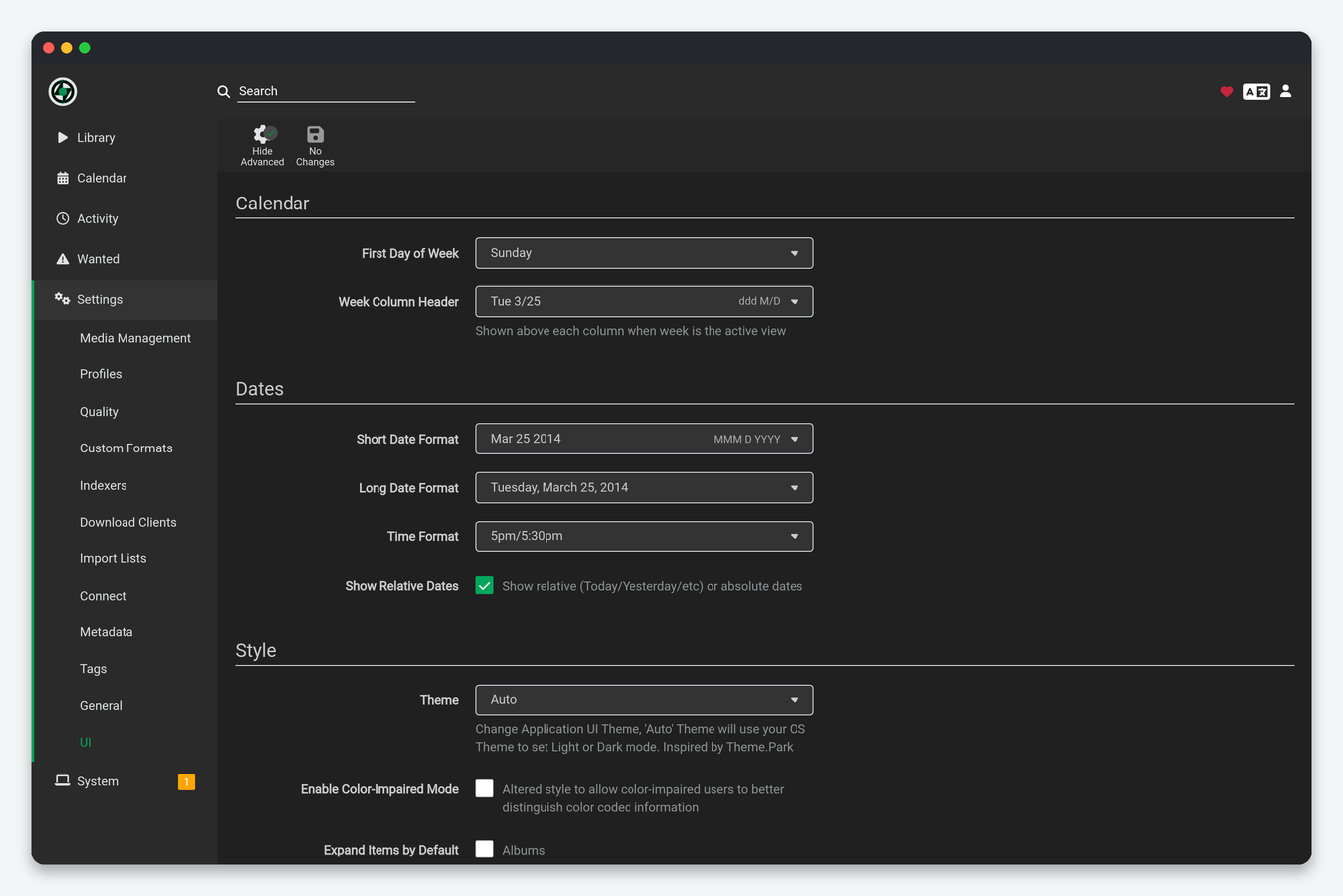
UI adds Expand Items by Default: which release types (Albums, EPs, Singles, Broadcast, Other) open expanded on the artist page. Expand Albums only; the rest keeps long discographies readable.
Settings that live elsewhere
- Artist → Edit / Mass Edit: quality and metadata profile, monitor option, root folder and tags per artist.
- Album → Edit: the monitored release (edition) of an album, which is the fix when the wrong track count blocks an import.
- Wanted → Manual Import: map a downloaded folder to an album by hand when MusicBrainz matching fails.
- System → Tasks: RSS sync, refresh, and the MusicBrainz metadata refresh interval.
FAQ
Which defaults should every seedbox user change?
Rename Tracks on, Delete empty folders on, Watch Root Folders off, Remove Completed off, tag writing set to New files only, Maximum Size in indexer options, and a metadata profile that excludes Live and Compilation unless you want them.
Why does an album download but never import?
The release’s track count differs from the MusicBrainz release Lidarr monitors. Change the monitored release on the album page or use Manual Import; no setting on this page fixes a data mismatch.
Does Lidarr transcode?
No. It stores what it grabs; use a quality profile to control formats, or a Navidrome transcoding profile for playback on the go.
Related: Lidarr setup on a seedbox · Sonarr settings explained · Navidrome in Dashboarr · Lidarr in Dashboarr
Related articles
Put this into practice
EvoSeedbox ships with one-click app installs and up to 10 Gbps per box.
