Radarr and Sonarr Quality Profiles: Settings, Sizes, Custom Formats and 4K
On this page ▾
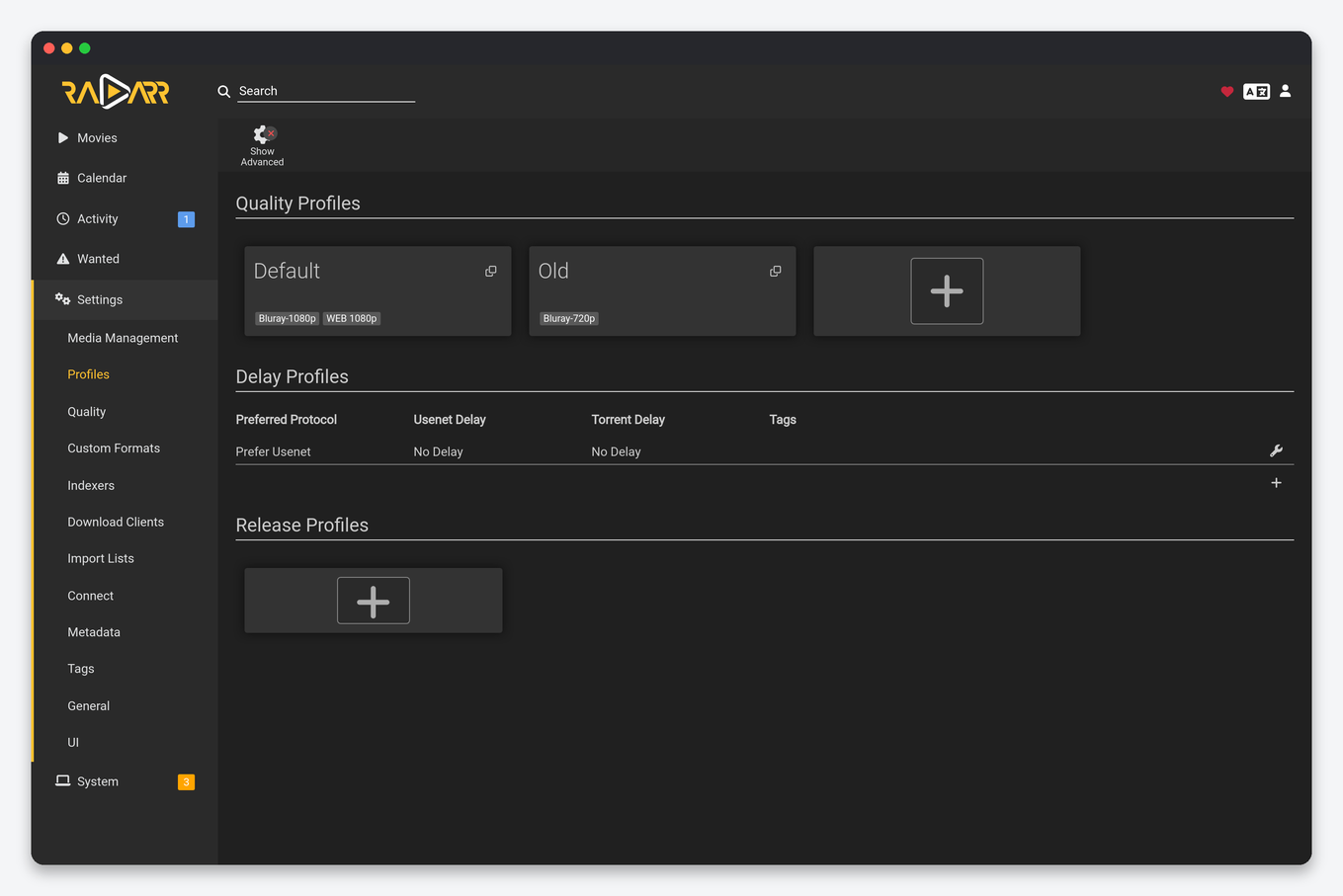
Quality profiles are the rules Radarr and Sonarr use to decide which release to grab and when to replace it. Get them right and the seedbox fills with files you actually want to keep; get them wrong and you either download 60 GB remuxes into a 1 TB plan or sit on 480p rips forever. This guide explains the three layers involved (quality definitions, quality profiles and custom formats), gives copy-ready profiles for 1080p, 4K and a dual 1080p + 4K setup, shows where each setting lives, and covers the differences between Radarr and Sonarr that catch people out. Screenshots are from a live EvoSeedbox account.
The three layers, and which one you are actually changing
| Layer | Where | What it controls |
|---|---|---|
| Quality definitions | Settings → Quality | The size range per quality (MB per minute). A release outside the range is rejected even if the profile allows the quality. |
| Quality profile | Settings → Profiles | Which qualities are allowed, their ranking, the upgrade cutoff, and (Radarr) the minimum custom-format score. |
| Custom formats | Settings → Custom Formats | Scored tags matched against the release name: codec, HDR type, audio, release group, “bad” words. Scores are added inside each profile. |
Most “why did it grab that” questions are answered by the layer people never open: quality definitions. The profile said 1080p was fine, but the 1080p release was 900 MB, below the minimum, so Radarr took the 720p file that fit.
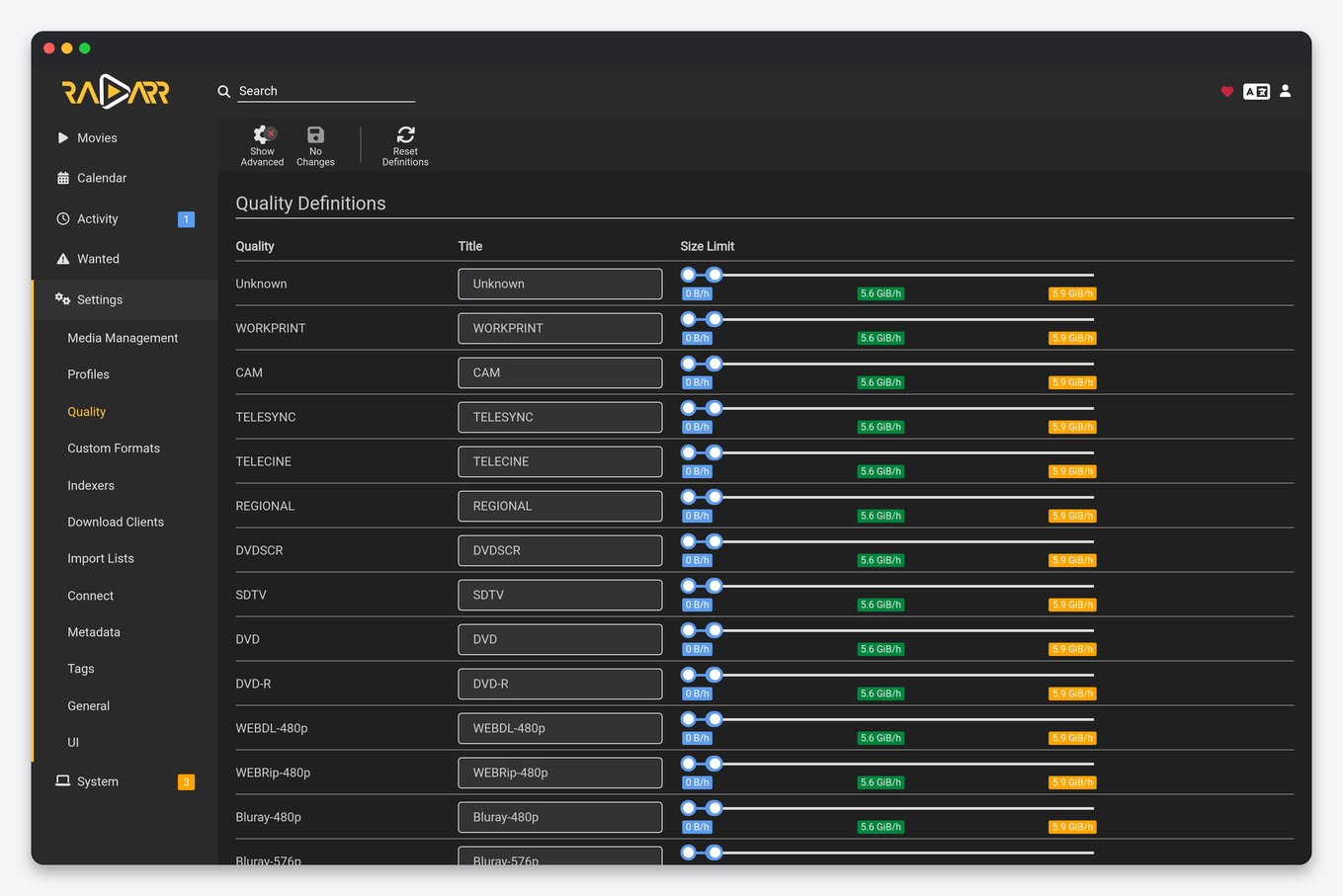
Recommended quality definitions for a seedbox
The defaults are tuned for home NAS storage. On a seedbox you usually want tighter maximums, because a plan is shared between downloads and seeding and there is no “just add another disk”.
| Quality | Min (MB/min) | Preferred | Max | Typical 2 h movie |
|---|---|---|---|---|
| HDTV-720p / WEBDL-720p | 10 | 25 | 50 | 1.2 to 3 GB |
| WEBDL-1080p / Bluray-1080p | 20 | 60 | 120 | 2.5 to 8 GB |
| Remux-1080p | 100 | 200 | 300 | 15 to 35 GB |
| WEBDL-2160p | 50 | 120 | 250 | 6 to 20 GB |
| Bluray-2160p | 100 | 250 | 400 | 15 to 50 GB |
| Remux-2160p | 250 | 400 | 600 | 50 to 80 GB |
Sonarr uses the same units but per episode minute, so a 45-minute episode at 60 MB/min is about 2.7 GB. Leave the minimums low enough that WEB-DL encodes from streaming services are not rejected; those are often smaller than the same quality from Blu-ray.
Copy-ready quality profiles
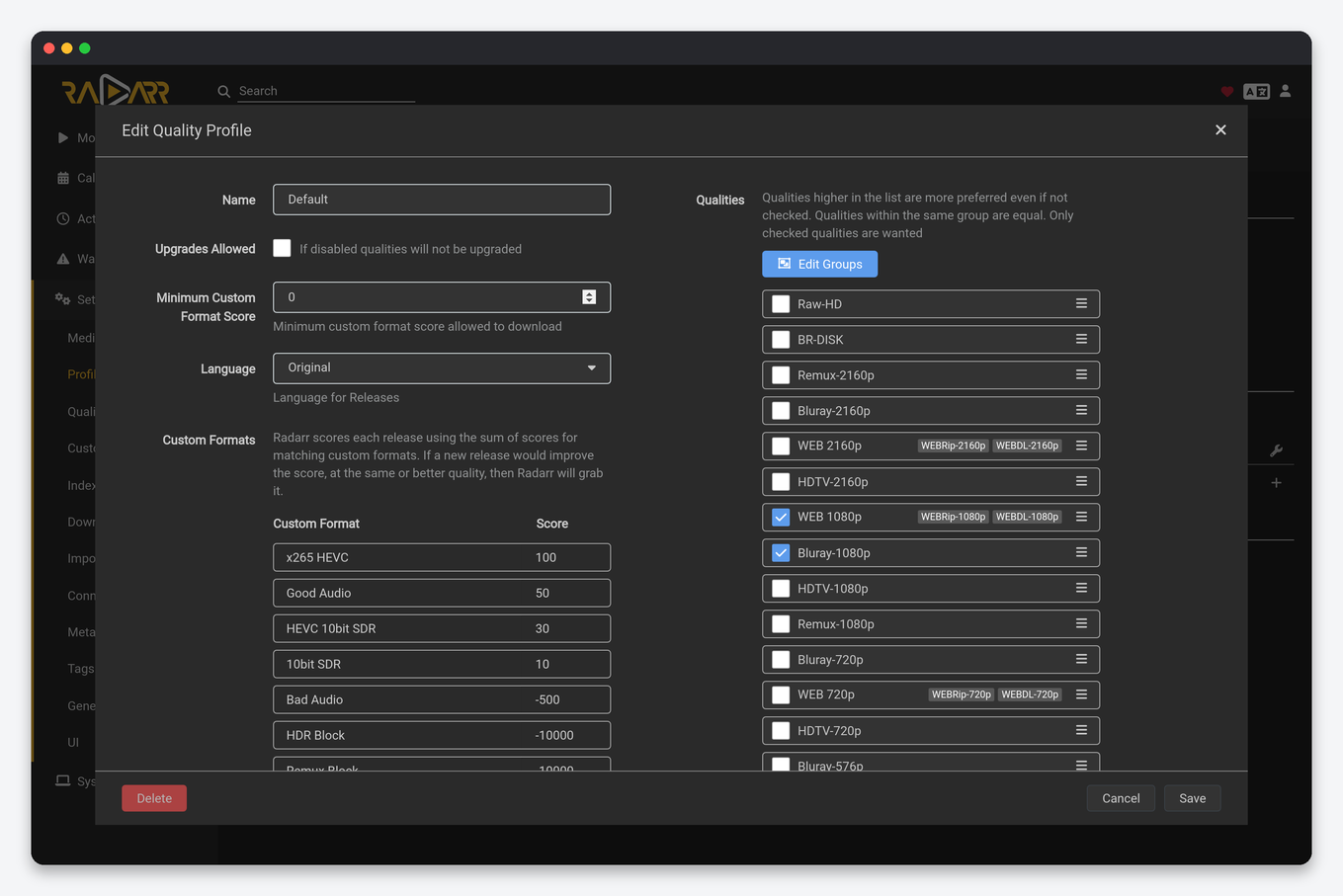
HD-1080p (most people)
| Setting | Value |
|---|---|
| Allowed, top to bottom | Bluray-1080p, WEBDL-1080p, WEBRip-1080p, HDTV-1080p, Bluray-720p, WEBDL-720p |
| Upgrades allowed | Yes |
| Upgrade until | Bluray-1080p |
| Minimum custom format score (Radarr) | 0 |
Grouping WEBDL-1080p and WEBRip-1080p into one tier (drag one onto the other) stops Radarr “upgrading” from a WEBRip to a WEB-DL of the same source, which is a re-download for no visible gain.
UHD-2160p (4K only)
| Setting | Value |
|---|---|
| Allowed | Bluray-2160p, WEBDL-2160p, WEBRip-2160p (add Remux-2160p only with a plan of 4 TB or more) |
| Upgrade until | Bluray-2160p |
| Custom formats | HDR10 +100, Dolby Vision with HDR10 fallback +150, DV without fallback −10000, x265 +50 |
The Dolby Vision fallback score is the one that matters: a DV-only file (profile 5, no HDR10 layer) plays green and purple on anything that is not a compatible TV, and a strongly negative score is the only reliable way to keep those out.
Dual 1080p + 4K
Radarr and Sonarr can hold only one file per movie or episode. To keep both a 1080p and a 4K copy you run two instances: install Radarr twice from the client area (the second gets its own port and address), give each its own root folder (movies and movies-4k), assign the HD-1080p profile to one and UHD-2160p to the other, and point Plex at both folders as one library. Seerr, Prowlarr and Dashboarr all support two Radarrs; in Seerr the second instance is marked as the 4K server so users can request either. Do not try to do this with a single instance and a profile that allows both: it will only ever keep the highest one.
Custom formats: the layer that makes profiles smart
A custom format is a set of conditions matched against the release title and, after download, the media info. Each profile gives every format a score, and Radarr grabs the release with the highest total score among those the profile allows. Sonarr v4 has the same system.
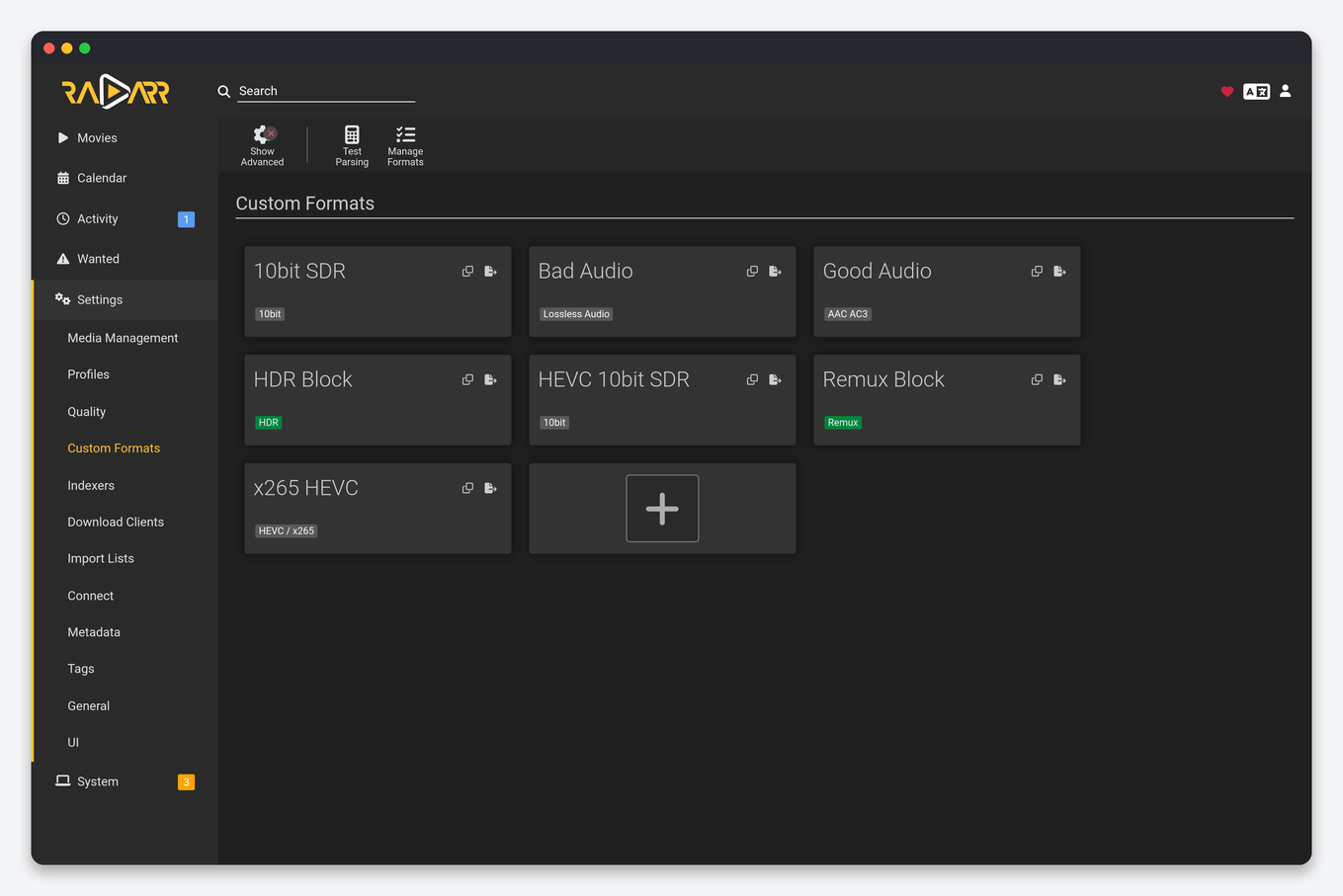
A minimal set that covers most seedbox libraries:
| Custom format | Score | Purpose |
|---|---|---|
| x265 / HEVC (1080p) | +20 to +50 | Smaller files at the same quality; raise the score on small plans |
| Remux | −10000 on 1080p profiles | Keeps 30 GB files out of an HD profile without banning the quality |
| Bad audio (AAC 2.0 on 4K) | −100 | Prefer surround tracks on 4K |
| HDR10+, HDR10, DV with fallback | +50 to +150 | Ranking of HDR flavours |
| Cam, Telesync, Screener | −10000 | Never grab a pre-release copy |
| Language: not original | −1000 | Avoid dubbed releases when you want the original audio |
The community TRaSH guides publish JSON for every format above that you can import with the Custom Format “import” button; use them as a starting point and adjust the scores rather than building conditions by hand.
Sonarr differences
Sonarr’s profiles look identical but behave differently in three ways. Sizes are per episode minute, so a season pack is judged on the whole. “Upgrade until” interacts with season packs: Sonarr prefers a pack when several episodes are wanted, then upgrades single episodes. And Sonarr has release profiles (Settings → Profiles, lower down) in addition to custom formats, which is where preferred words such as release groups usually live in older setups; on Sonarr v4 move them into custom formats so scoring is consistent with Radarr.
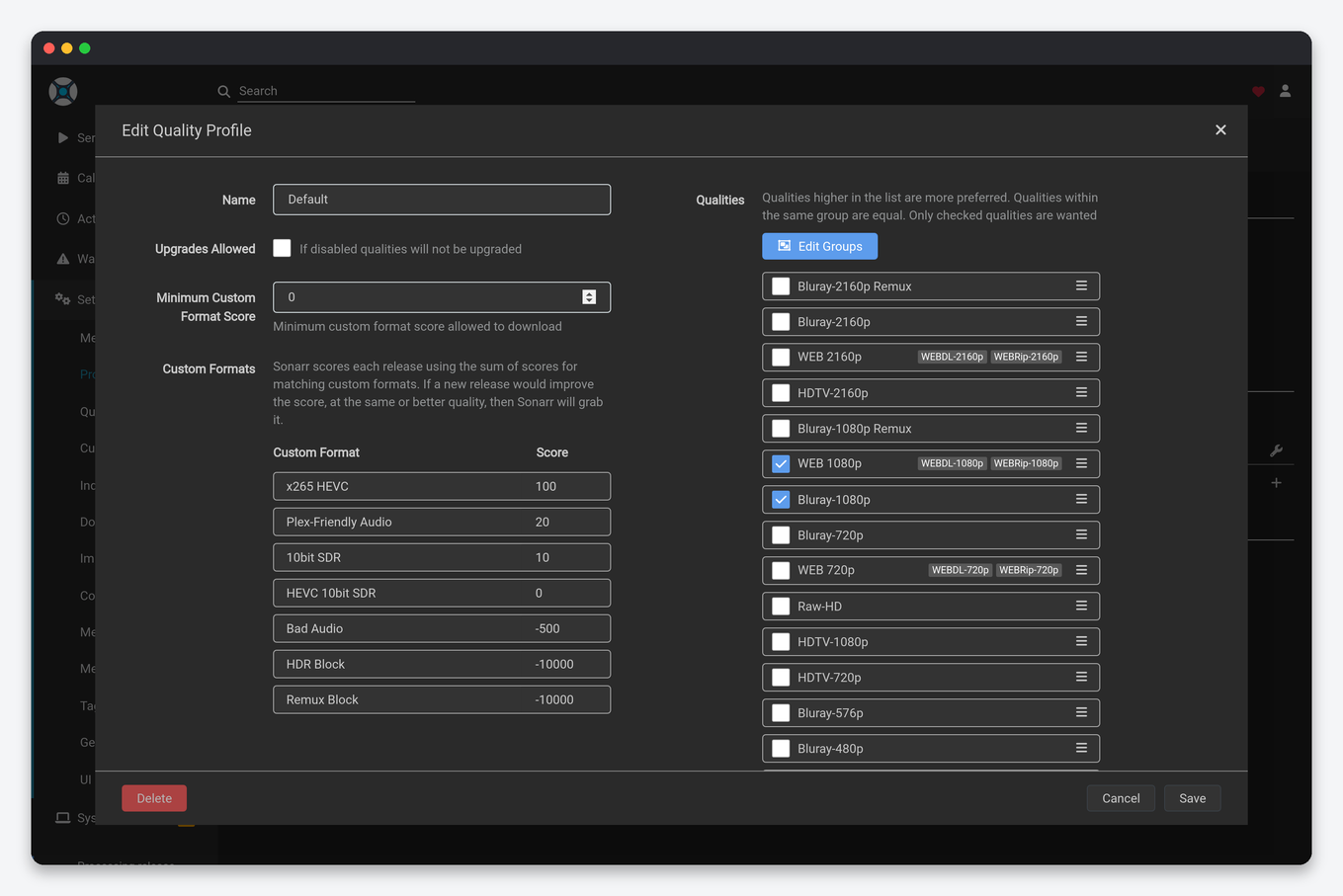
Setting the default profile and applying changes
Changing a profile does not touch existing movies until you apply it. Under Movies (or Series) → Select → Edit, choose the profile and save; then Search → Search All or wait for the RSS sync to pick up upgrades. The profile offered by default when adding is the first one in the list, so drag your preferred profile to the top. When adding through Seerr or Dashboarr, the default profile is set per connection in that app’s settings, not in Radarr.
Storage arithmetic for a seedbox plan
| Plan size | Profile that fits | Approximate library |
|---|---|---|
| 1 TB | HD-1080p with x265 preferred, max 80 MB/min | 250 movies or 40 seasons |
| 2 to 4 TB | HD-1080p, Bluray-1080p allowed | 500 to 1,000 movies |
| 4 TB and up | UHD-2160p for favourites, HD for the rest (two instances) | 100 4K titles plus 800 HD |
Remember that files still seeding count against the quota until you remove the torrent, so plan for roughly 1.3 times the library size while ratios build.
FAQ
Why does Radarr grab a 720p file when 1080p exists?
Either the 1080p release is outside its size range in quality definitions, or a custom format with a negative score pulled it below the 720p one. The release’s rejection reason shows in Activity → History → the release row.
What does “proper” and “repack” mean?
A re-release fixing a problem with the first one. Both get a small automatic bonus so they replace the earlier file; Settings → Profiles → “Propers and Repacks” controls whether that happens.
Should I use “Any” profile?
No. “Any” grabs the first thing found and never upgrades cleanly. Copy HD-1080p above instead.
Does Dashboarr let me change the profile from my phone?
Yes: the movie and series detail screens in Dashboarr expose the profile picker and Monitored toggle.
Related: Radarr setup · Sonarr setup · Remote path mapping · Disk usage and quotas · All Sonarr settings explained · All Radarr settings explained · Prowlarr settings · Naming schemes for Plex and Jellyfin · Dashboarr mobile app
Related articles
Put this into practice
EvoSeedbox ships with one-click app installs and up to 10 Gbps per box.


