Connect Prowlarr to Dashboarr
On this page ▾
To connect Prowlarr to Dashboarr, add a Prowlarr instance with the Prowlarr HTTPS address from your client area as the Remote URL and the API key from Prowlarr’s Settings → General → Security. Dashboarr then lists every indexer with its priority and an enable/disable switch, searches all indexers at once, grabs a release straight into rTorrent through Prowlarr, and shows per-indexer query, grab and failure statistics. Part of the Dashboarr seedbox setup guide.
What you need
| Field in Dashboarr | Value on EvoSeedbox |
|---|---|
| Service | Prowlarr (under Indexers) |
| Local URL | leave empty |
| Remote URL | Prowlarr’s HTTPS address from the app card, https://SERVER.myseedbox.site:13xxx, no /api/v1 |
| API Key | Prowlarr → Settings → General → Security → API Key |
| Always use Remote URL | on |
Step by step
- Copy the API key from Prowlarr → Settings → General → Security.
- Dashboarr → Settings → Integrations → Browse services → Prowlarr.
- Paste the HTTPS address as Remote URL and the key, switch on Always use Remote URL.
- Test Connection (calls
/api/v1/system/status), then Save.
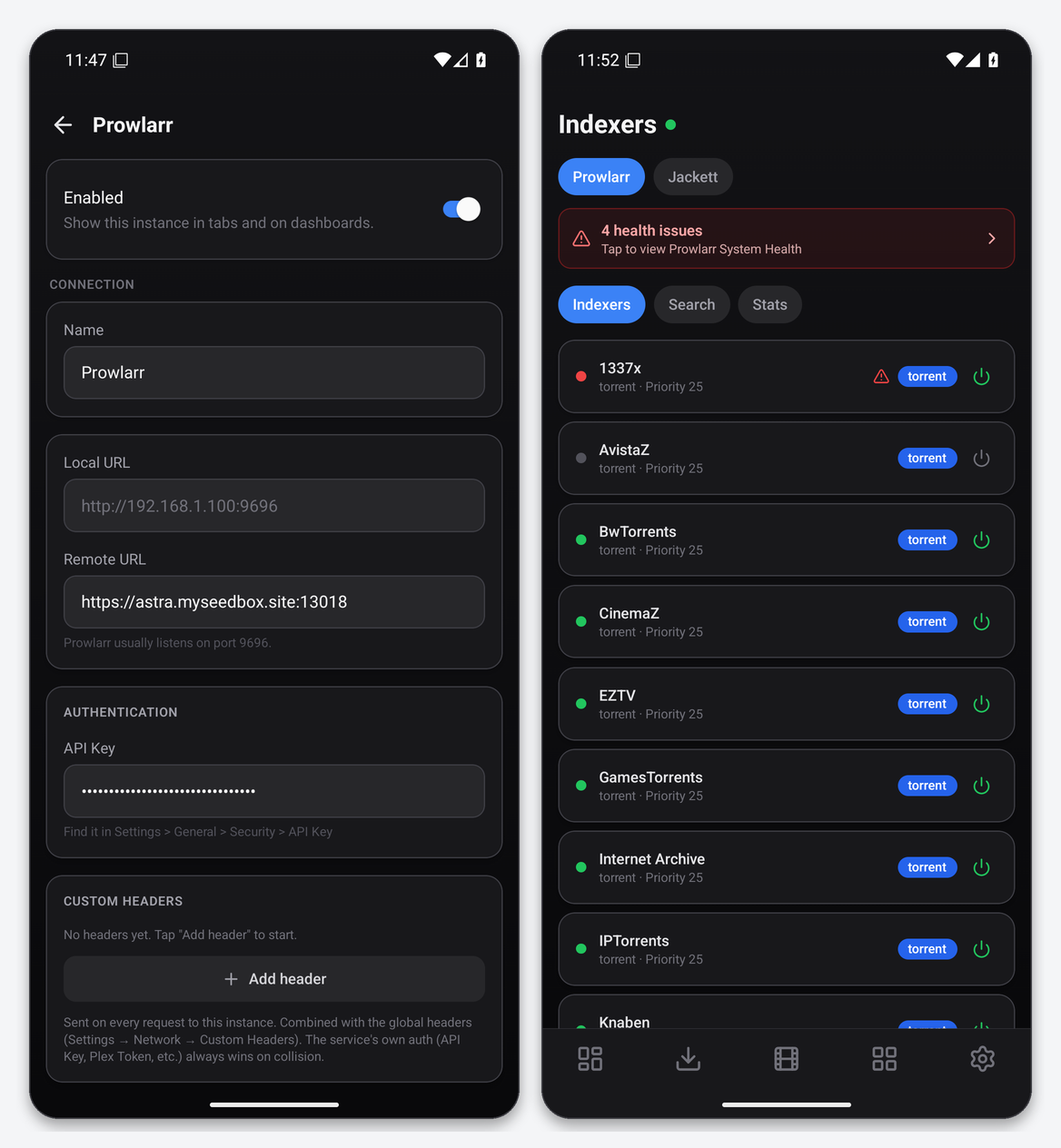
What the Indexers tab gives you
- Indexers: every indexer configured in Prowlarr with type (torrent or usenet), priority and a power switch that enables or disables it in Prowlarr itself, which is handy when a tracker is down and Radarr keeps tripping over it.
- Search: one query across all indexers, with size, indexer name, seeders and leechers per result. Tap a result for the grab flow: Prowlarr sends it to a download client configured in Prowlarr, or you can open the release page.
- Stats: queries, grabs, failures and average response time per indexer, the same numbers as Prowlarr’s Stats page.
- Health banner: Prowlarr’s health checks, typically “indexers unavailable due to failures”, with Test all.
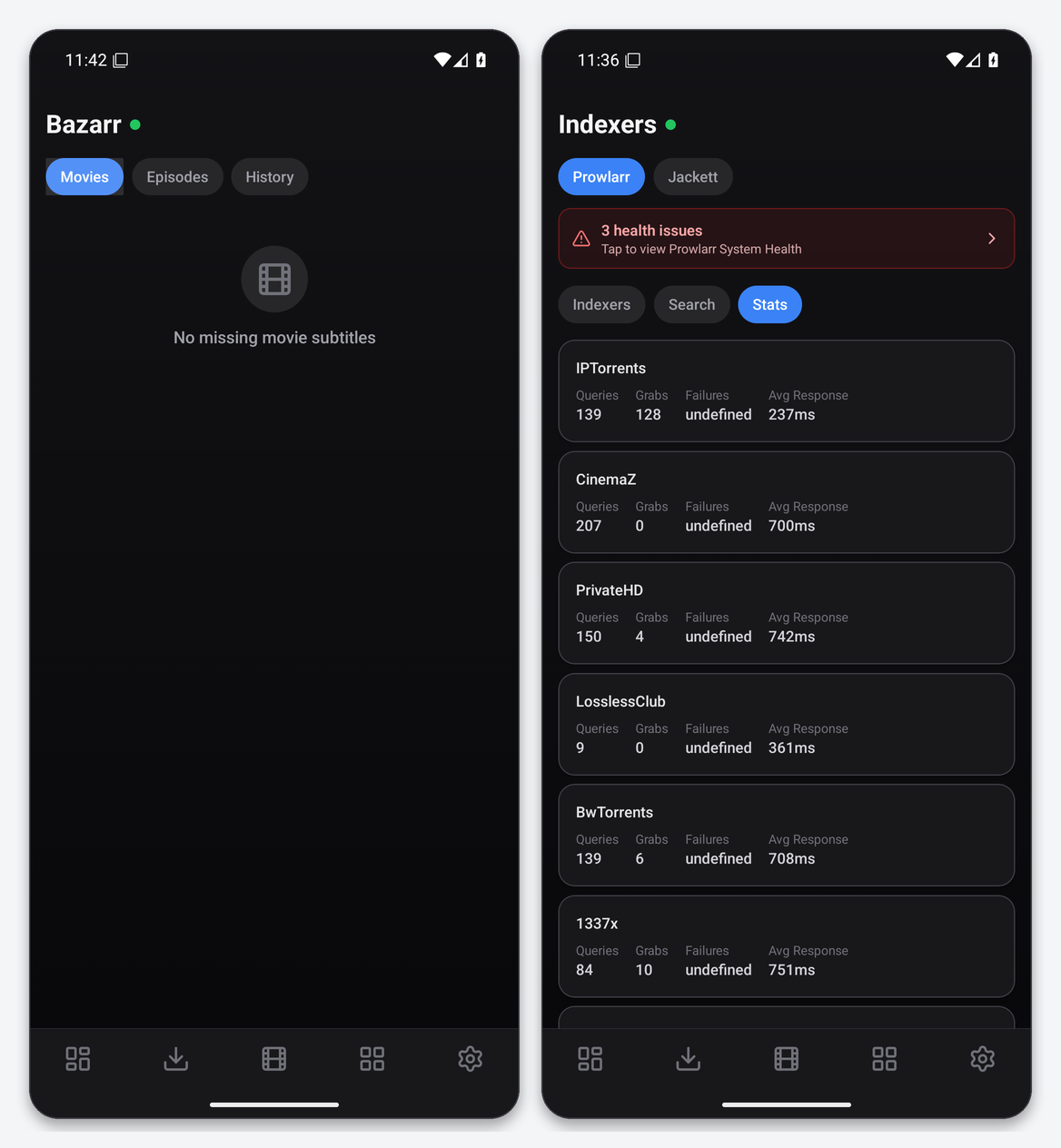
A first search can take a while: Prowlarr fans the query out to every enabled indexer and waits for the slowest one, so a search that touches a sleepy tracker can run 30–60 seconds. Dashboarr shows “Searching…” until Prowlarr answers; later searches are faster because Prowlarr caches indexer capabilities.
Grabbing a release
Grab sends the release to the download client that Prowlarr knows about. Make sure Prowlarr → Settings → Download Clients has your rTorrent configured (the same entry that Radarr and Sonarr use). Grabs made from Dashboarr appear in the Downloads tab within a refresh cycle and count in Prowlarr’s grab statistics, but they bypass Radarr and Sonarr, so nothing will rename or import them; use the *arr add flows when you want automation.
Widgets
Prowlarr Stats summarises queries and grabs for the last day, and Service Health includes Prowlarr’s status.
Troubleshooting
| Symptom | Fix |
|---|---|
| Invalid API key | Re-copy from Settings → General → Security. Prowlarr, Radarr and Sonarr keys look identical; check you took the right one. |
| Search stays on “Searching…” | A slow or failing indexer. Give it a minute; disable the indexer flagged in the Health banner if it keeps happening. |
| Grab fails | No download client is configured in Prowlarr, or it failed its test. Fix in Prowlarr → Settings → Download Clients. |
| Indexer switch does nothing | Some indexers are disabled by Prowlarr because of repeated failures; re-enable them from Prowlarr after fixing the cause. |
FAQ
Can Dashboarr add or configure indexers?
No. It lists, toggles, searches and grabs. Adding indexers, Cardigann definitions and FlareSolverr settings stay in Prowlarr’s web UI.
Prowlarr or Jackett?
Both work in Dashboarr. Prowlarr adds the enable/disable switch, health checks and stats; Jackett offers per-indexer search and test buttons. See the Jackett page.
Related articles
Put this into practice
EvoSeedbox ships with one-click app installs and up to 10 Gbps per box.
