Connect Navidrome to Dashboarr
On this page ▾
To connect Navidrome to Dashboarr, add a Navidrome instance with the Navidrome HTTPS address from your client area as the Remote URL and your Navidrome username and password; there is no API key. Dashboarr shows library totals, what is playing, quick and full scans, a browser with search, and your playlists. Part of the Dashboarr seedbox setup guide.
What you need
| Field in Dashboarr | Value on EvoSeedbox |
|---|---|
| Service | Navidrome (under Media servers) |
| Local URL | leave empty |
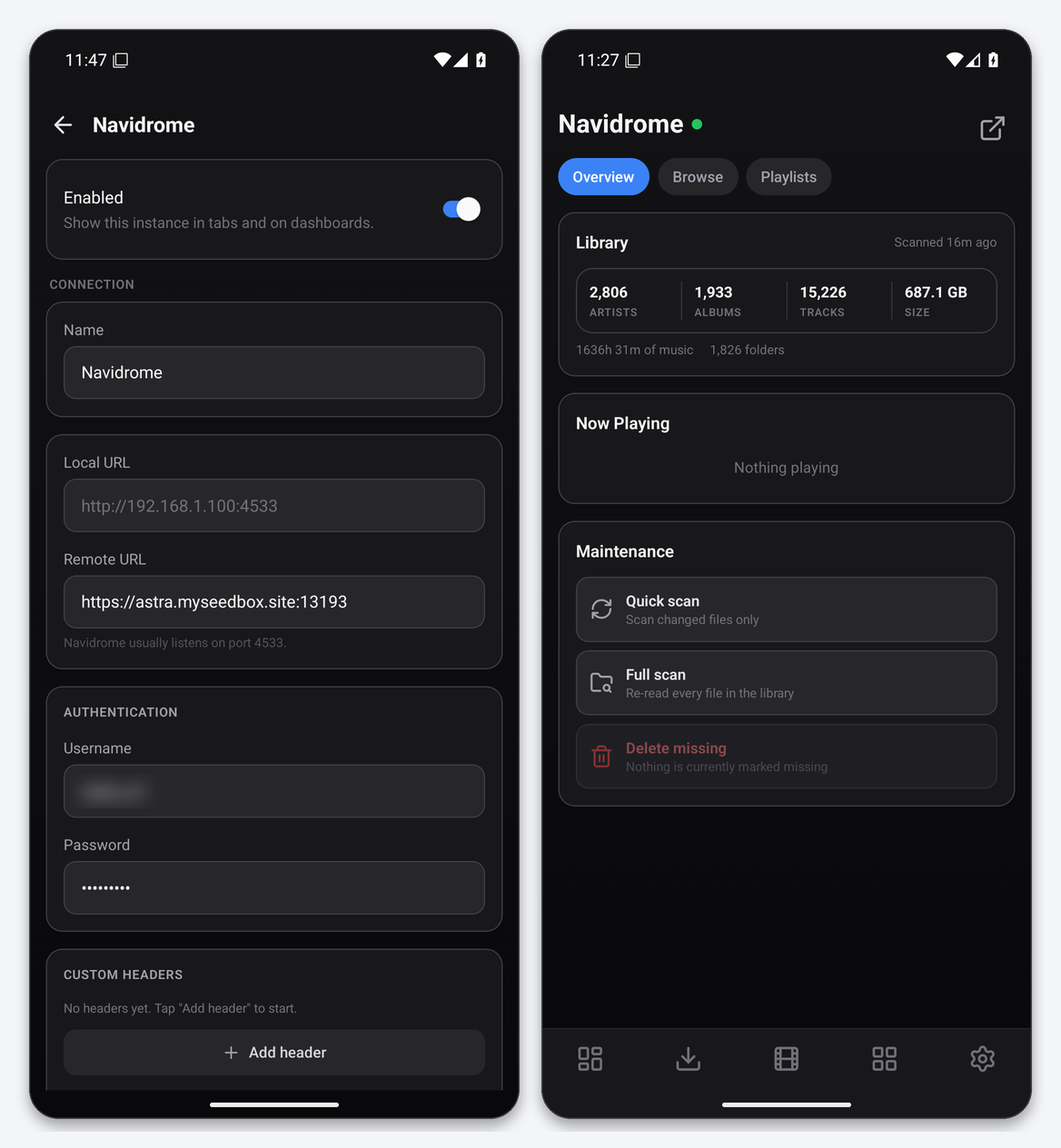
| Remote URL | Navidrome’s HTTPS address from the app card, https://SERVER.myseedbox.site:13xxx |
| Username / Password | the Navidrome login you created in its first-run screen (an admin account unlocks scans) |
| Always use Remote URL | on |
Step by step
- Open Navidrome once and create the admin user if you have not yet.
- Dashboarr → Settings → Integrations → Browse services → Navidrome.
- Remote URL = the HTTPS address, then username and password, Always use Remote URL on.
- Test Connection (probes the OpenSubsonic extensions endpoint), then Save.
How authentication works
Dashboarr never sends your Navidrome password in a request. It derives a Subsonic token (an MD5 of the password plus a random salt) for the Subsonic endpoints, and logs in once to Navidrome’s native API for a JWT used by the scan and playlist calls. Changing the password in Navidrome therefore requires re-entering it in Dashboarr; the editor clears the cached session when you save.
What the Navidrome tab gives you
- Overview: artists, albums, tracks, total size, hours of music and folder count; Now Playing; and three maintenance actions behind confirmations: quick scan, full scan and delete missing files.
- Browse: recently added albums and a live search across artists, albums and tracks.
- Playlists: every playlist with track counts. Any row opens the record in Navidrome’s own web UI (the top-right button).
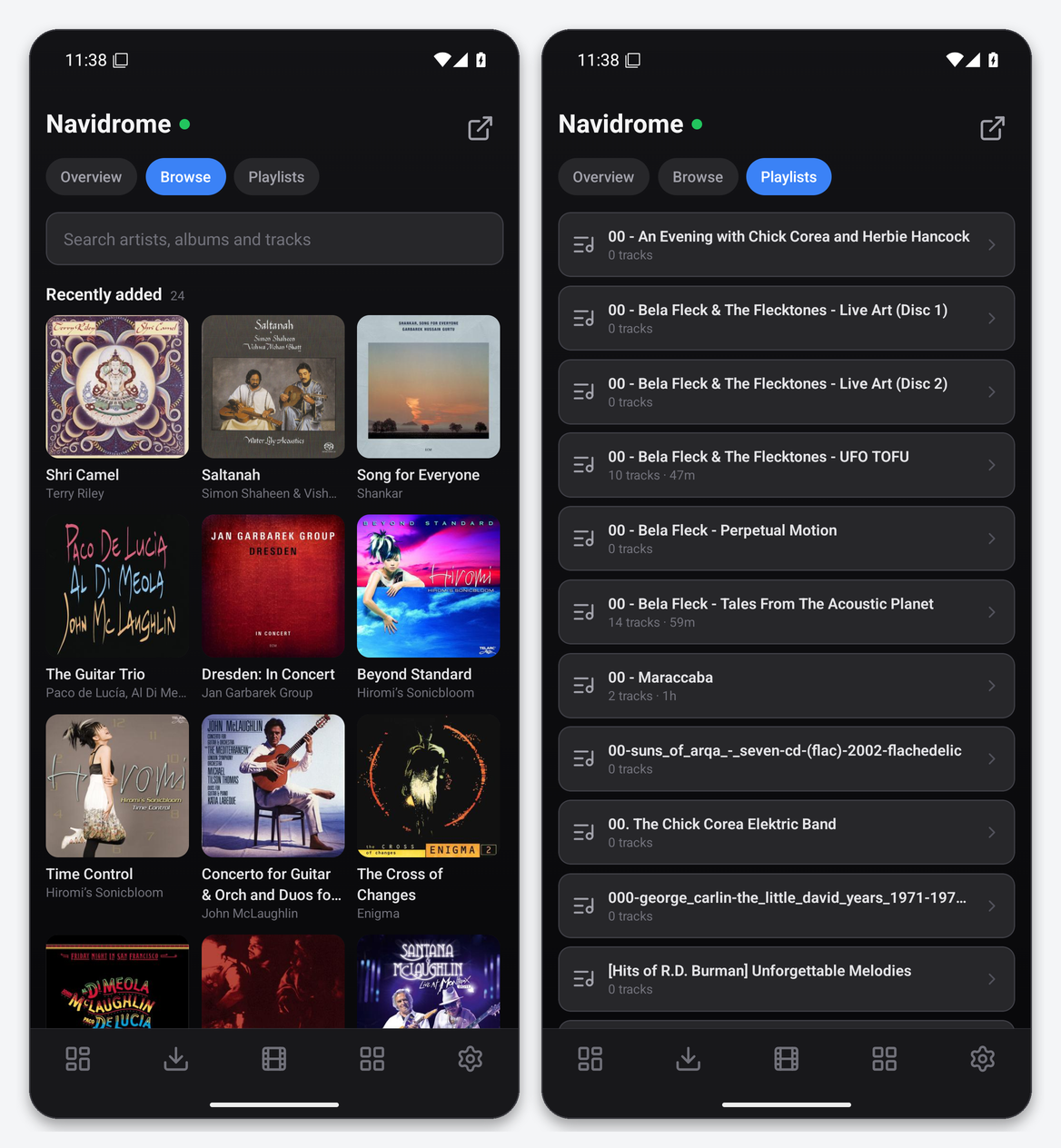
Scans run on the server; a quick scan of a 700 GB library on the test account finished in under a second because Navidrome only looks at changed folders. Full scans re-read every file and can take minutes.
Widgets
Navidrome Library shows the counters on the dashboard; Service Health includes the server.
Troubleshooting
| Symptom | Fix |
|---|---|
| Wrong username or password | Navidrome usernames are case-insensitive for login but must match an existing user; create the account in Navidrome Web first. |
| Scan buttons greyed out | The user is not an administrator in Navidrome. |
| Counts are zero | Navidrome’s music folder is empty or not yet scanned. Run a full scan. |
FAQ
Can Dashboarr play music?
No; it is a monitor and remote for the server. Use a Subsonic client for playback.
Does it work with other Subsonic servers?
The integration targets Navidrome and its native API for scans and playlists; other Subsonic servers are not supported.
Related articles
Put this into practice
EvoSeedbox ships with one-click app installs and up to 10 Gbps per box.
