Radarr Settings Explained: Every Option, Tuned for a Seedbox
On this page ▾
This is a setting-by-setting reference for Radarr as installed on an EvoSeedbox: every tab under Settings, what each option does, its default, and the value that fits a seedbox where Radarr, rTorrent and Plex share one disk. Labels and help text come from the running app with Show Advanced switched on. For the first-time connection to rTorrent and Prowlarr, read the Radarr setup guide first; this page is for everything after that. Radarr and Sonarr share most of their settings, so where they differ the movie-specific behaviour is called out.
Media Management
Movie Naming
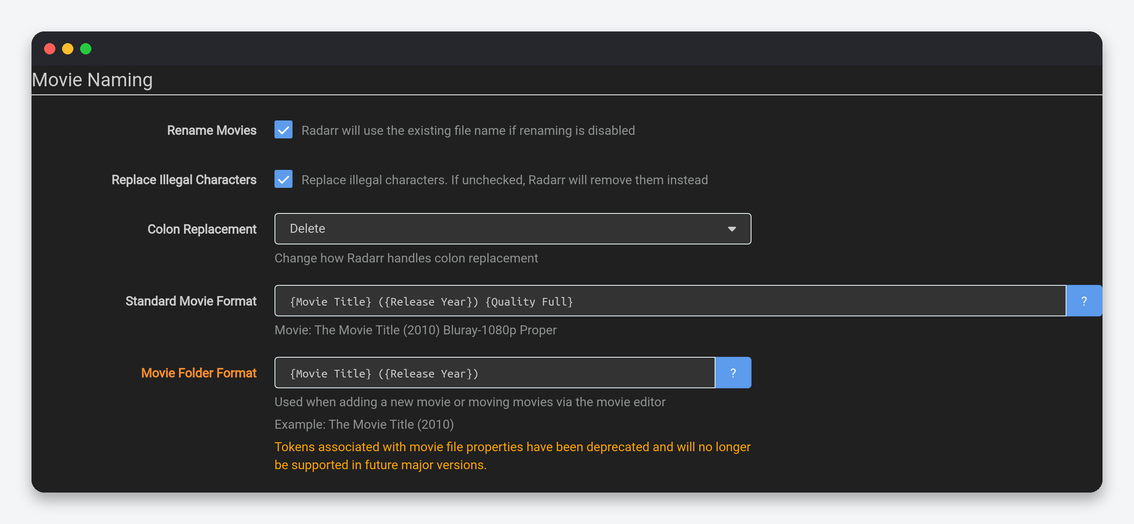
| Setting | What it does | Default | Seedbox |
|---|---|---|---|
| Rename Movies | Rename the file on import using the format below; off keeps the release name. | On | On. |
| Replace Illegal Characters | Swap filesystem-illegal characters for safe ones instead of dropping them. | On | On. |
| Colon Replacement | Delete, Dash, Space Dash, Space Dash Space or Smart Replace. | Smart Replace | Space Dash Space. |
| Standard Movie Format | Token template for the file name; preview updates live. | {Movie Title} ({Release Year}) {Quality Full} |
Add {edition-{Edition Tags}} so Director’s Cut and Theatrical copies keep distinct names, and [{Custom Formats}] if you want HDR type visible. Plex reads {edition-...} natively. |
| Movie Folder Format | Folder created for a new movie. | {Movie Title} ({Release Year}) |
Keep. Add {tmdb-{TmdbId}} or {imdb-{ImdbId}} at the end if Plex or Jellyfin ever mismatch a title; both agents honour the ID. |
Folders and Importing
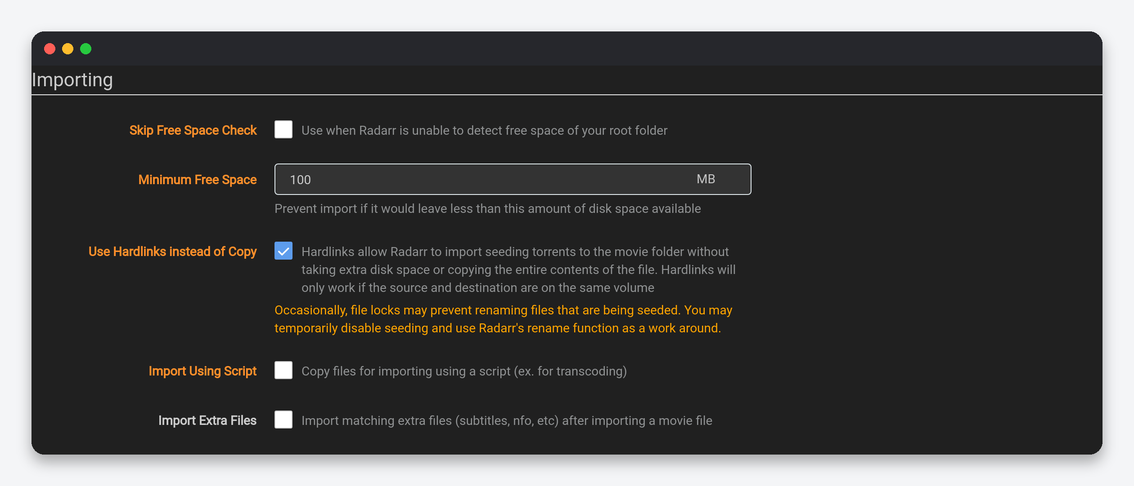
| Setting | What it does | Default | Seedbox |
|---|---|---|---|
| Create empty movie folders | Make the folder as soon as a movie is added. | Off | Off. Unlike series, an empty movie folder only confuses Plex scans. |
| Delete empty folders | Remove empty movie folders on rescans and deletes. | On | On. |
| Skip Free Space Check | Ignore free-space detection failures. | Off | Off. |
| Minimum Free Space (MB) | Refuse an import that would leave less than this free. | 100 | 30000. A single 4K movie is 20 to 60 GB; keep room for the rest of the queue. |
| Use Hardlinks instead of Copy | Import a seeding file as a hardlink so it costs no extra space. | On | On. Requires the movie root folder to be inside your home directory, on the same filesystem as rTorrent’s download folder. |
| Import Using Script | Hand the copy step to a script. | Off | Off. |
| Import Extra Files | Bring subtitles and other sidecars along. | Off | On with srt,sub,idx unless Bazarr manages subtitles. |
File Management
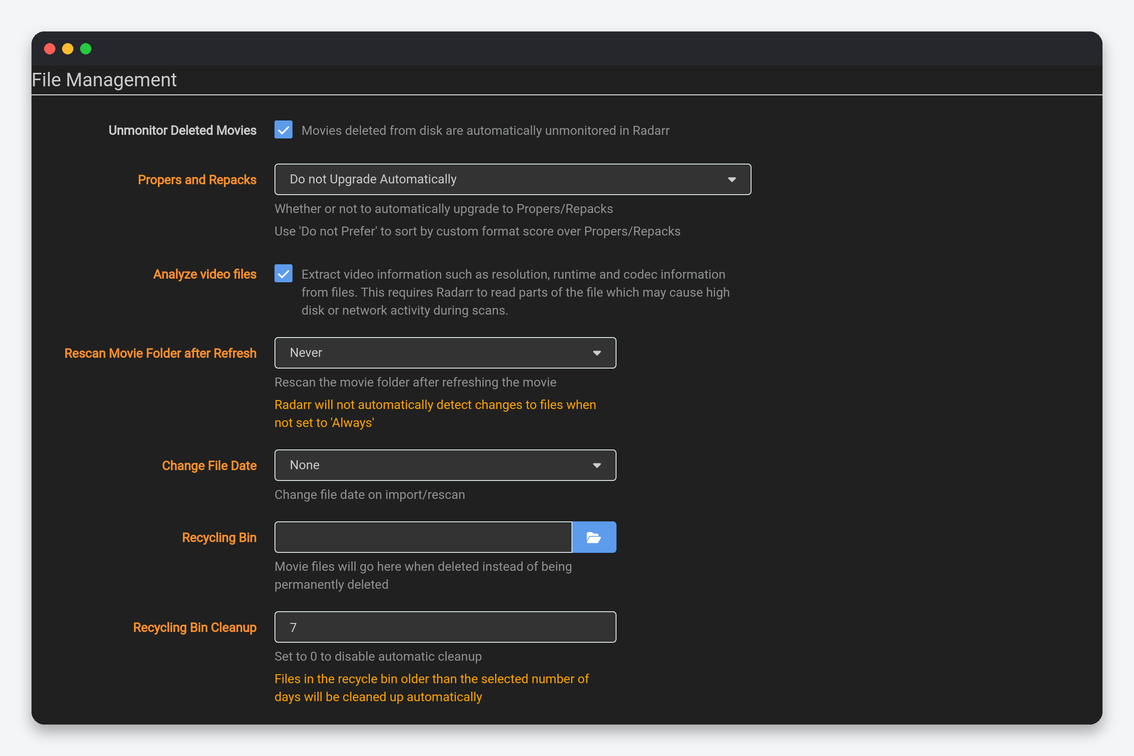
| Setting | What it does | Default | Seedbox |
|---|---|---|---|
| Unmonitor Deleted Movies | Stop monitoring a movie whose file was removed outside Radarr. | On | On, so a movie you deleted on purpose is not re-grabbed at the next RSS sync. |
| Propers and Repacks | Whether a PROPER or REPACK replaces the current file. | Prefer and Upgrade | Do not Prefer once custom-format scoring is set up. |
| Analyze video files | Read codec, resolution and runtime on import. | On | On. |
| Rescan Movie Folder after Refresh | Rescan the disk whenever metadata refreshes. | Always | After Manual Refresh. |
| Change File Date | Set the file’s date to the cinema or physical release date. | None | None. |
| Recycling Bin / Cleanup | Where deleted files go, and how many days they stay. | Empty / 7 | /home/USERNAME/downloads/.recycle, 3 days. Bin contents count against your quota. |
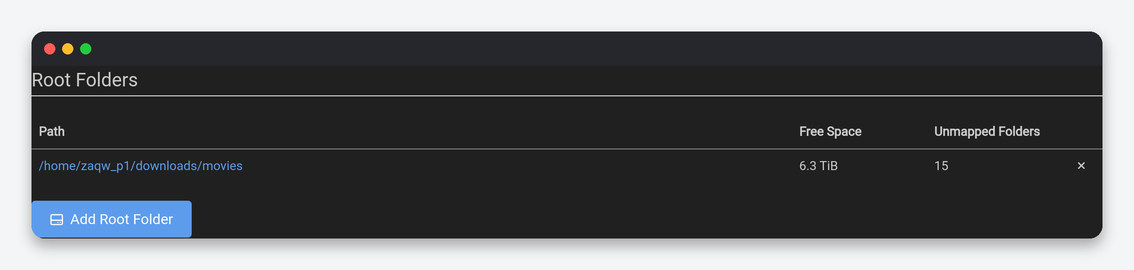
Permissions stay off; every app on the seedbox already runs as your user. Root Folders: one folder under your home for movies, and a second one only for a separate 4K library or a kids library.
Profiles
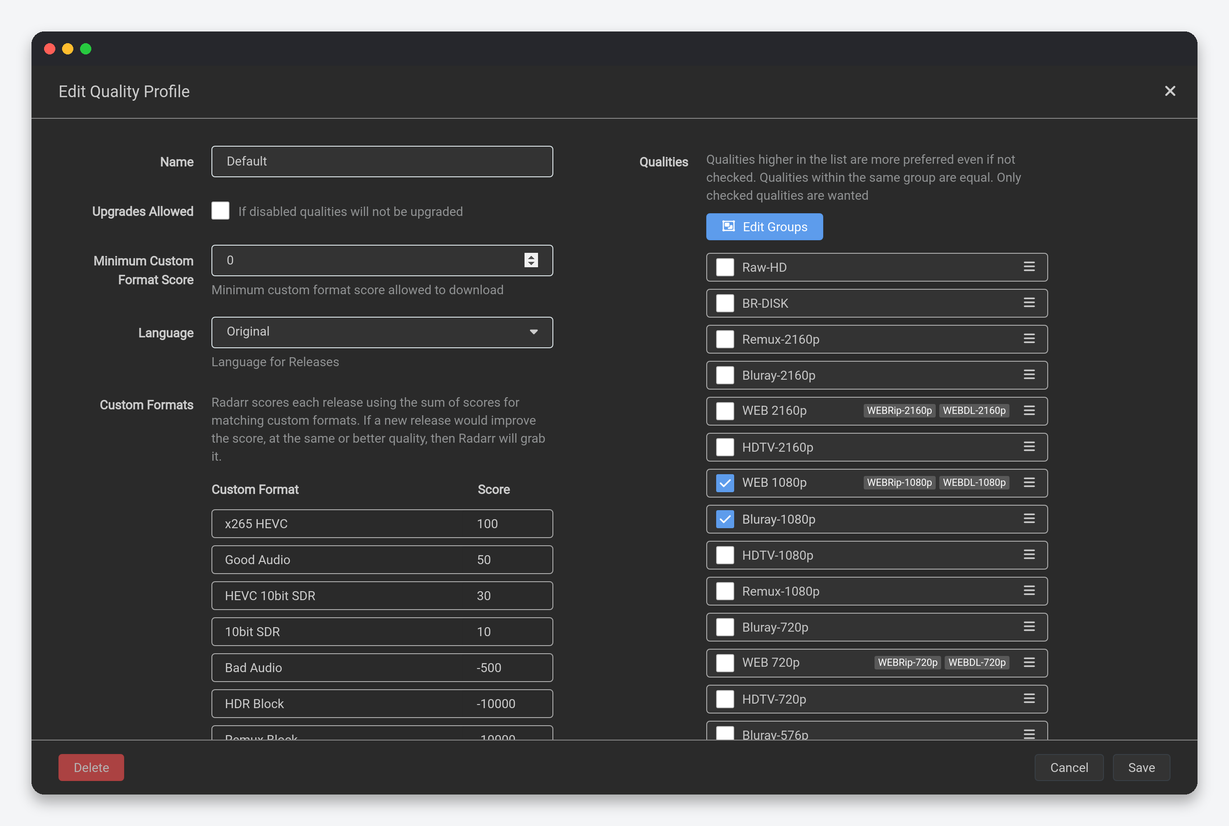
| Setting | What it does | Seedbox |
|---|---|---|
| Upgrades Allowed | Replace a file when a better quality or higher score appears. | On, with Upgrade Until set. |
| Upgrade Until | Quality at which upgrading stops. | Bluray-1080p; Bluray-2160p only with several TB free. |
| Minimum Custom Format Score | Reject releases below this total. | 0 to begin, raised once negative formats exist. |
| Upgrade Until Custom Format Score | Stop score-driven upgrades at this total. | The sum of the formats you care about. |
| Language | Language required for releases; Radarr has it inside the profile rather than a release profile. | Original. “Any” lets dubbed releases through. |
| Qualities | Tick and rank; grouped qualities are equal. | Group WEBDL and WEBRip per resolution; keep Remux out of HD profiles. |
Delay Profiles work as in Sonarr: preferred protocol and a wait before grabbing. Radarr adds “Bypass if Highest Quality” and “Bypass if Above Custom Format Score”, which let a release skip the delay when it already meets your cutoff. Copy-ready profiles, size limits and a starter set of custom formats are in the quality profiles guide.
Quality
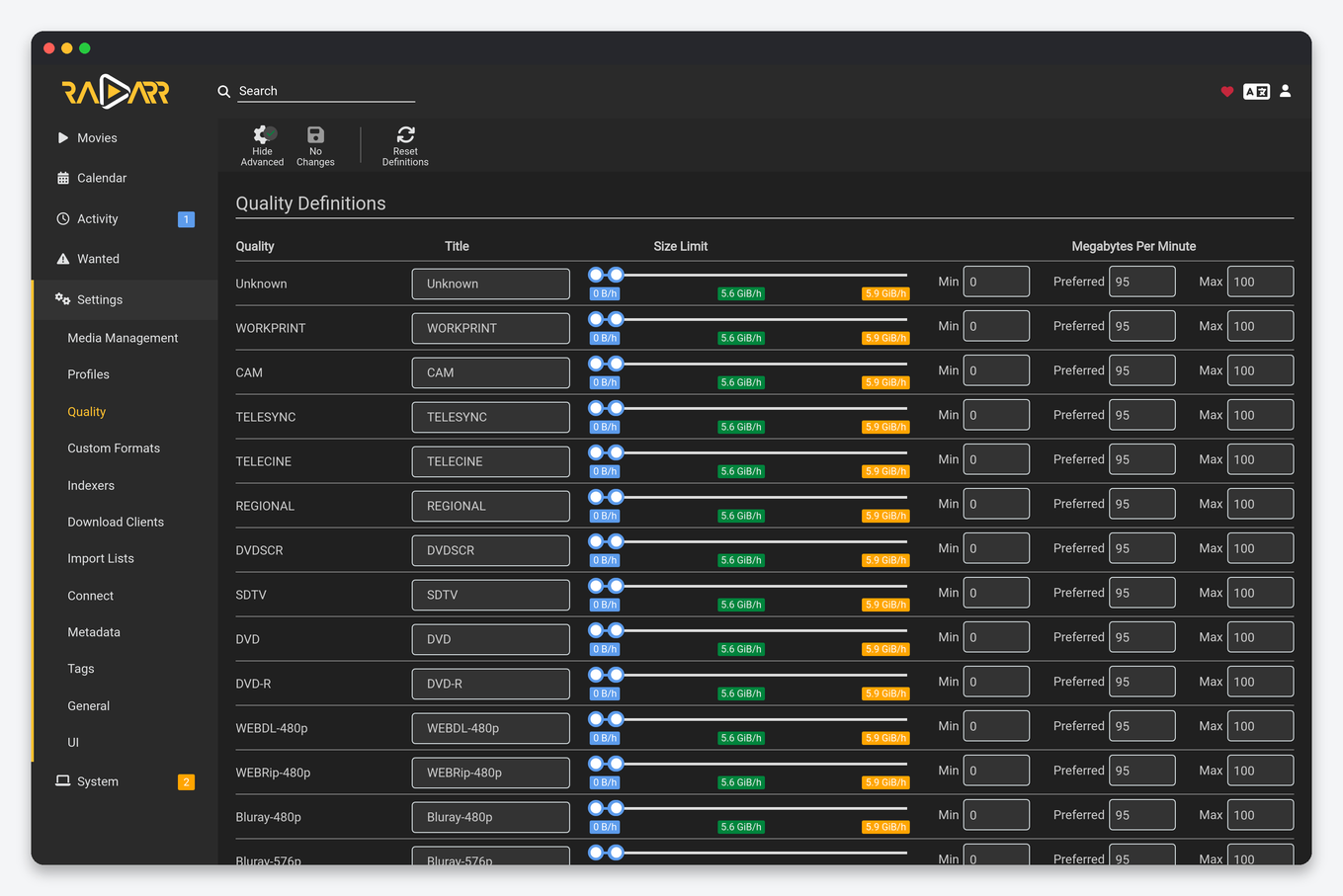
Radarr’s ranges matter more than Sonarr’s because movies are long: a 2160p maximum of 250 MB/min already means a 30 GB file for a two-hour film. Suggested seedbox ceilings: 720p 50, 1080p 100 to 120, 2160p 250, Remux qualities 400. Lower the 1080p maximum to 80 on plans under 2 TB. A release outside the range is rejected even if its quality is allowed, which is the most common reason a wanted movie “never finds anything”.
Custom Formats
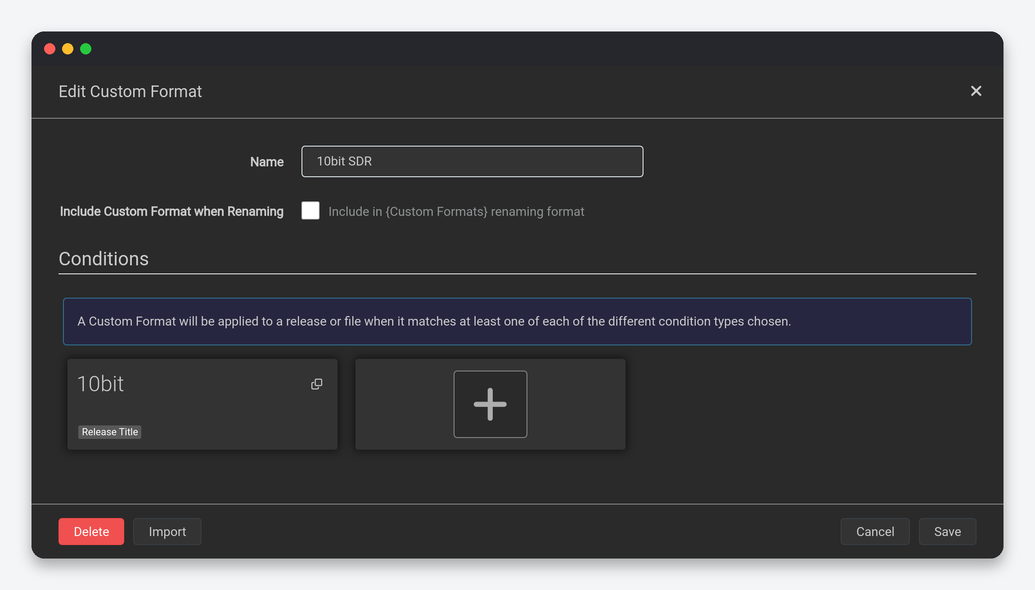
A format is a named set of conditions (release title regex, source, resolution, edition, language, release group, size, indexer flag, quality modifier), each optionally required or negated. Formats only act when a quality profile gives them a score; the editor above scores them per profile. Radarr’s condition list adds Edition (Director’s Cut, IMAX, Extended) and Quality Modifier (Remux, Screener, Raw HD, BR-Disk), which is how you keep full Blu-ray disc rips out of a profile. Import the community JSON for HDR, audio and unwanted formats rather than typing regexes, and switch Include Custom Format when Renaming on only for the formats you want in file names.
Indexers
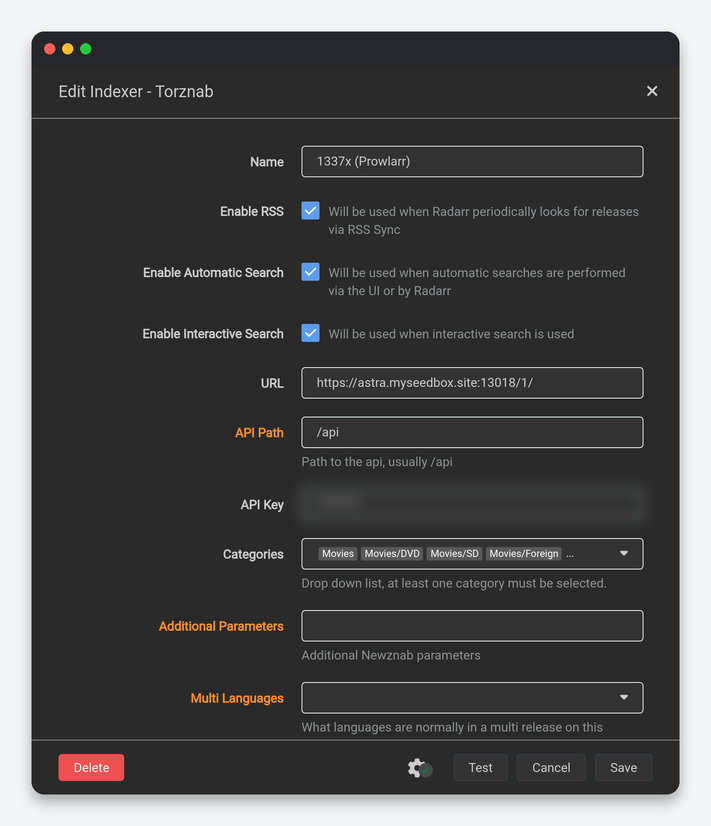
| Setting | What it does | Seedbox |
|---|---|---|
| Enable RSS / Automatic Search / Interactive Search | Which search paths may use the indexer. | All on; RSS off for rate-limited trackers. |
| Categories | Torznab movie categories requested. | Managed by Prowlarr. |
| Remove year from search query | Search “Title” instead of “Title 2021”. | Off, except for a tracker whose search breaks with years. |
| Minimum Seeders | Reject releases with fewer seeders. | 3 public, 1 private. |
| Seed Ratio / Seed Time | Seeding targets passed to rTorrent; empty uses the client default. | The tracker’s own rule so Radarr never asks rTorrent to stop early. |
| Required Flags | Only grab releases carrying indexer flags such as Freeleech or Internal. | Empty, or Freeleech on a ratio-sensitive tracker. |
| Reject Blocklisted Torrent Hashes While Grabbing | Re-check blocklisted hashes at grab time. | On. |
| Indexer Priority | 1 highest to 50; tiebreaker for equal releases. | Private 10, public 30. |
| Download Client / Tags | Pin the indexer to a client or to tagged movies. | Empty. |
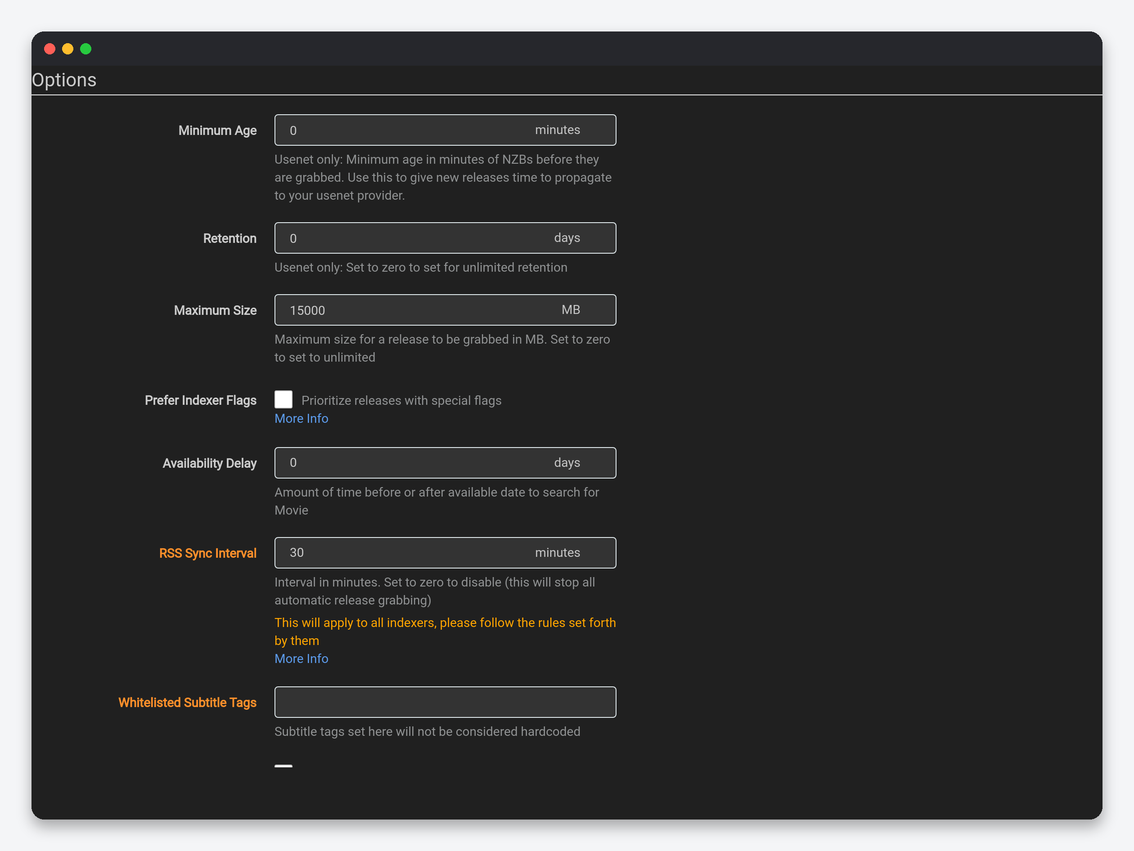
Options: Minimum Age and Retention are Usenet-only. Maximum Size caps every grab; 0 is unlimited, 20000 MB is a sensible ceiling on a 1 TB plan. RSS Sync Interval defaults to 60 minutes for Radarr (Sonarr’s is 15); leave it at 60, movie releases are not time-critical and private trackers dislike frequent polling. Availability Delay (days) shifts every movie’s “available” date, so Radarr starts searching a few days after a digital release when good encodes exist, or a few days before if you want the first release. Allow Hardcoded Subs and Whitelisted Subtitle Tags let you accept releases with burnt-in subtitles for chosen languages; leave them off.
Download Clients
| Setting | What it does | Seedbox |
|---|---|---|
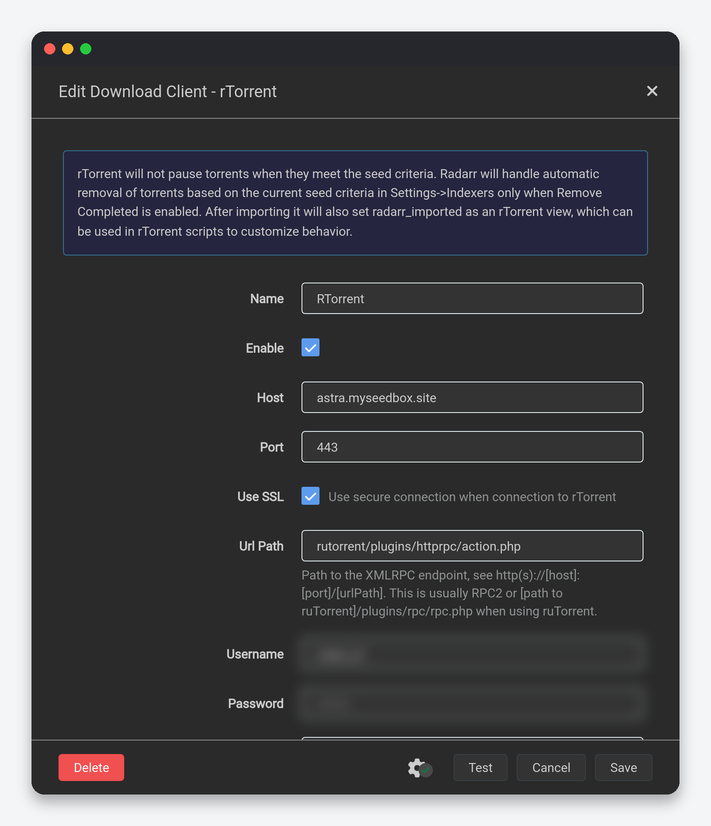
| Host, Port, Use SSL, Url Path | rTorrent’s XML-RPC endpoint through the web server. | Your server name, 443, SSL on, rutorrent/plugins/httprpc/action.php. |
| Category | rTorrent label for Radarr’s torrents. | movies. |
| Post-Import Category | Label applied after import; those torrents are never removed by Radarr. | movies-imported if you want them visibly separated in ruTorrent. |
| Directory | Override rTorrent’s download directory. | Empty. |
| Recent Priority / Older Priority | rTorrent priority for movies released within 21 days versus older. | Recent High, Older Normal. |
| Add Stopped | Add torrents paused. | Off. |
| Client Priority | Order between several clients. | 1. |
| Setting | What it does | Seedbox |
|---|---|---|
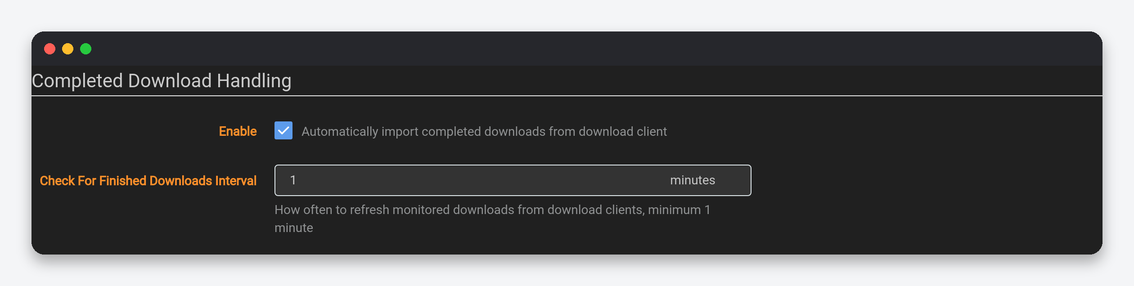
| Enable | Import finished downloads automatically. | On. |
| Remove Completed | Remove the torrent from rTorrent after import. | Off. Keeps seeding and ratio intact; the hardlink is the library copy. |
| Check For Finished Downloads Interval | Queue polling interval, minutes. | 1. |
| Redownload / Remove (failed) | Grab another release and drop the failed torrent. | On / On. |
Remote Path Mappings stay empty on a seedbox; they are for a Radarr running at home or on a NAS, covered in remote path mapping explained.
Import Lists
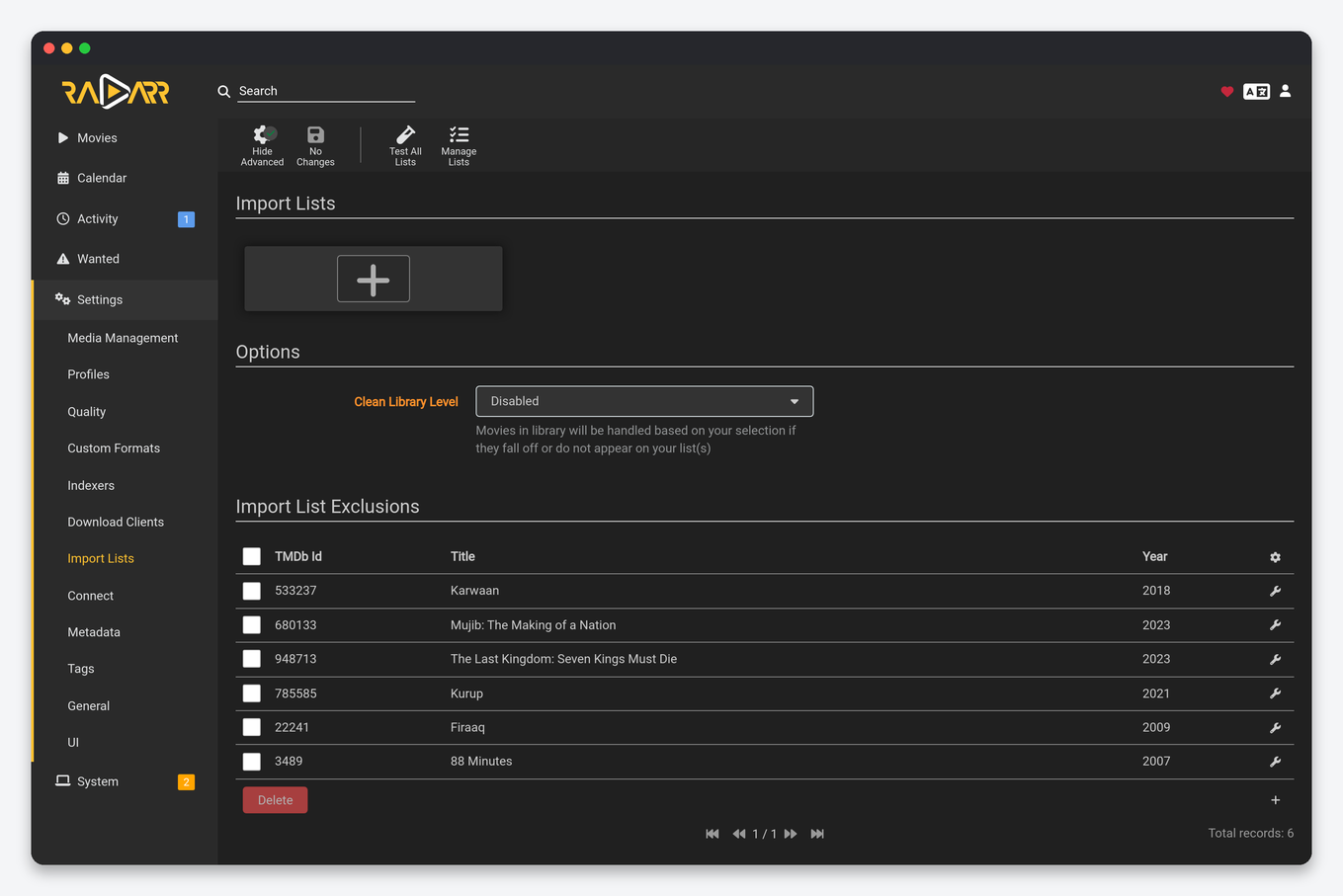
Radarr’s lists are the main way people fill a movie library: Trakt lists and watchlists, IMDb lists, TMDb collections, popular and discover lists, Plex watchlist, Radarr’s own lists and another Radarr instance. Each list carries its own monitor setting (Movie Only, Movie and Collection, None), search-on-add, quality profile, root folder and minimum availability. List Update Interval is global (default 6 hours). Clean Library Level: Keep and Unmonitor. Import List Exclusions holds titles you removed so a list cannot bring them back. A popular-movies list without a request limit is the fastest way to fill a quota; start with a watchlist.
Connect
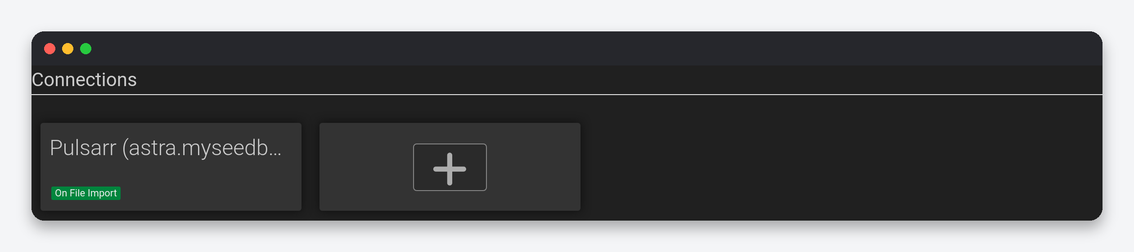
Connections fire On Grab, On Import, On Upgrade, On Rename, On Movie Added, On Movie Delete, On Movie File Delete, On Health Issue and On Application Update. Plex Media Server (instant library update after import), Discord or Telegram, Webhook (Dashboarr backend, Liteflow) and Custom Script are the useful ones; tick Include Health Warnings on one of them.
Metadata
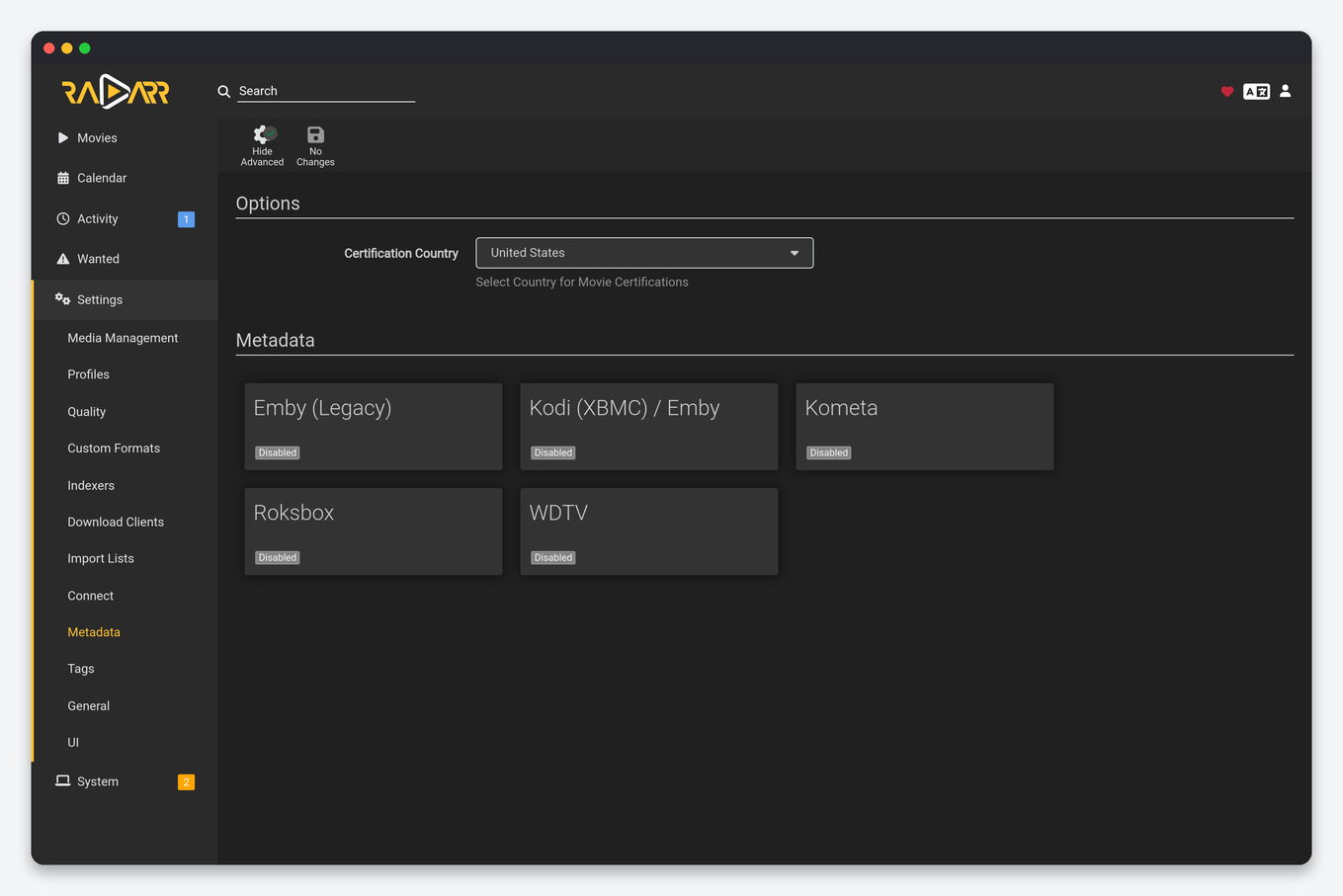
Certification Country decides which rating (PG-13, 15, FSK 16) Radarr shows and uses in naming tokens and custom formats. Kodi/Emby writes movie.nfo and images next to the file for Jellyfin, Emby and Kodi; Plex ignores them, so leave it off on a Plex-only box to save quota. Roksbox and WDTV are legacy.
Tags
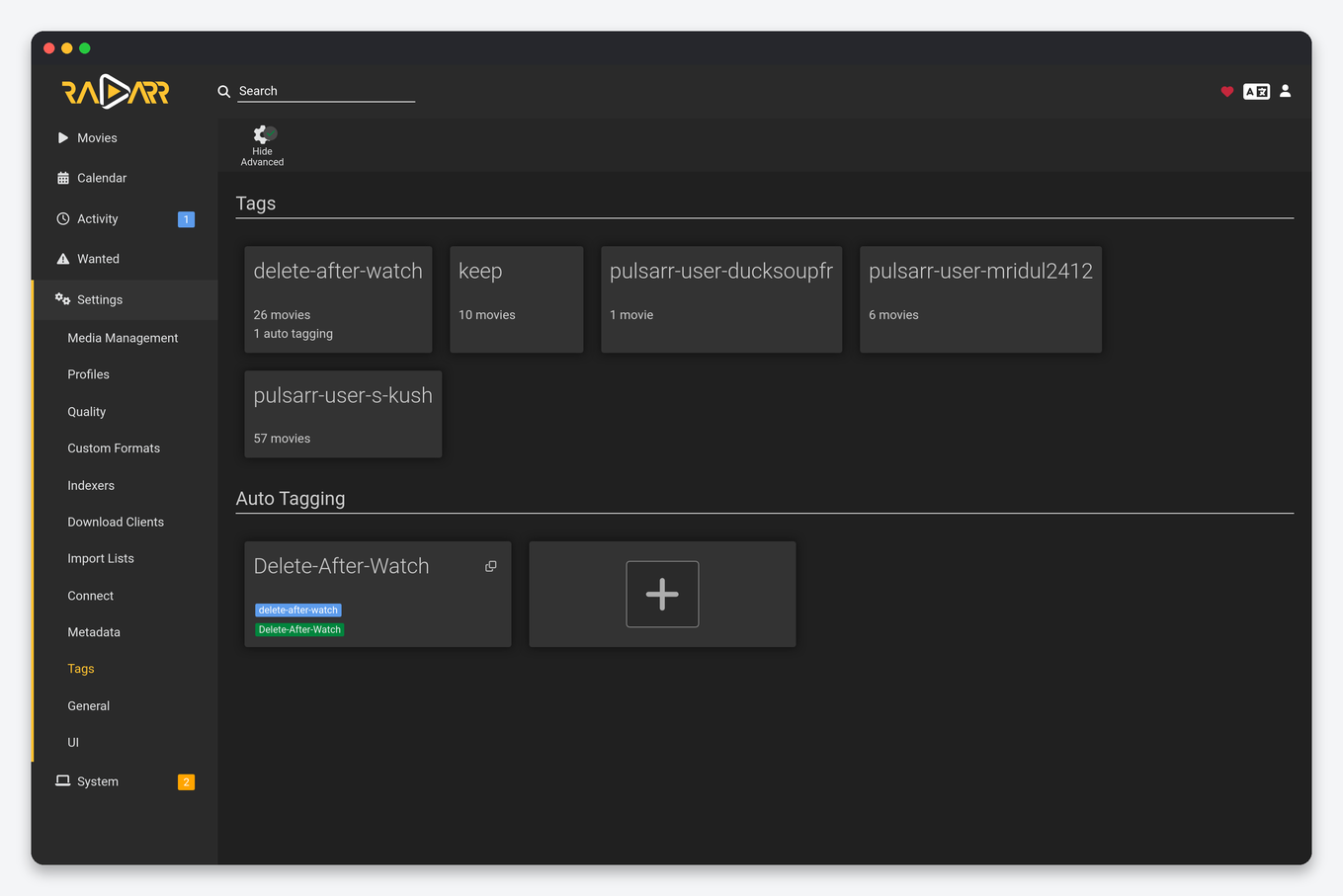
Tags restrict indexers, download clients, connections, lists and delay profiles to tagged movies. Auto Tagging adds tags by rule: genre, original language, root folder, year, certification, TMDb collection. Common seedbox use: tag anime by original language and route it to a separate root folder and an anime-friendly indexer.
General
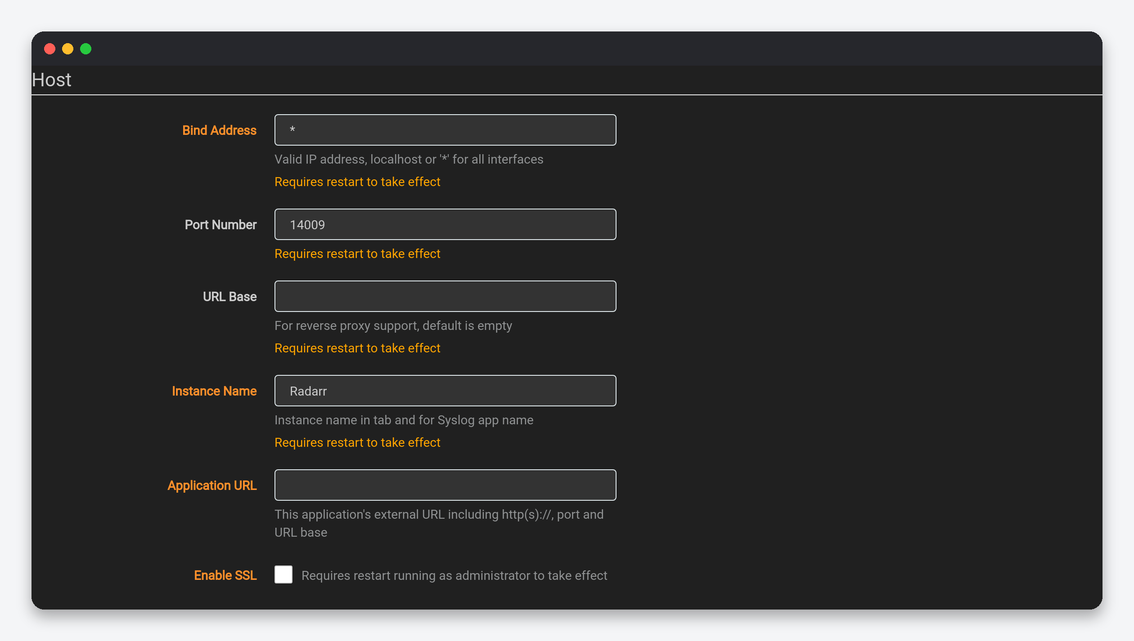
| Setting | What it does | Seedbox |
|---|---|---|
| Bind Address / Port Number / URL Base | Listener and path prefix inside the container. | Leave as installed; the HTTPS port in your client area depends on them. |
| Instance Name | Tab title and syslog name. | “Radarr 4K” on a second instance. |
| Application URL | External URL used in notifications and by Seerr. | Your HTTPS app address. |
| Enable SSL | Radarr’s own TLS. | Off; our proxy terminates TLS. |
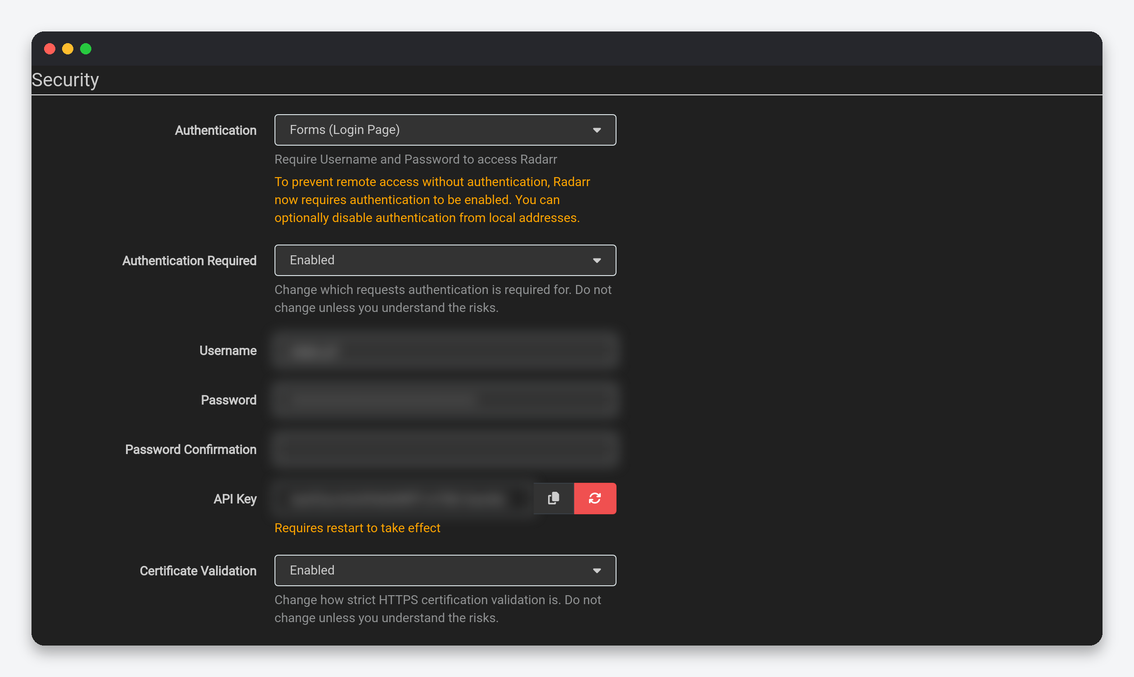
| Setting | What it does | Seedbox |
|---|---|---|
| Authentication / Authentication Required | Login method and scope. | Forms, Enabled. |
| Username / Password | Web login. | Set by the installer; change here after a seedbox password change. |
| API Key | Used by Prowlarr, Bazarr, Seerr, Dashboarr and Cleanuparr. | Regenerate on any leak and update every consumer. |
| Certificate Validation | Strictness for outbound HTTPS. | Enabled. |
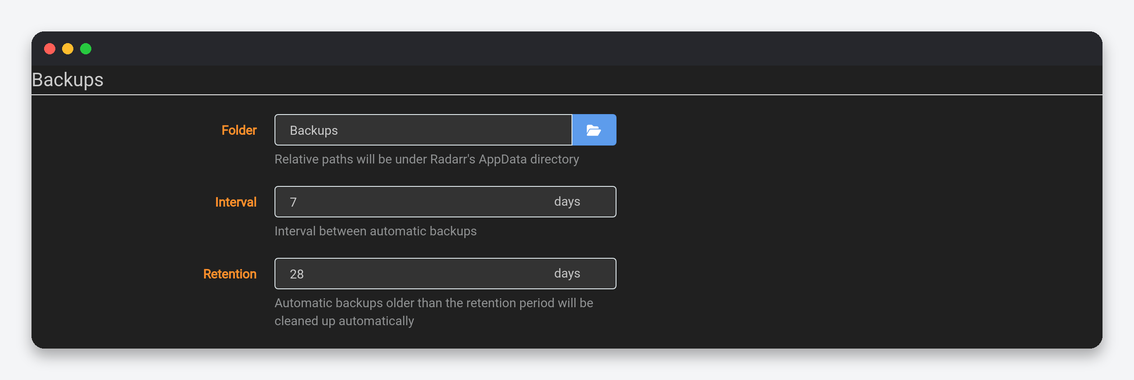
Proxy off. Log Level Info at 1 MB; Trace only while debugging. Updates: branch master, Automatic off, Mechanism Docker, because updates arrive with the container image through the client area. Backups: every 7 days, 28 days retention; take a manual one under System → Backup before large profile changes.
UI
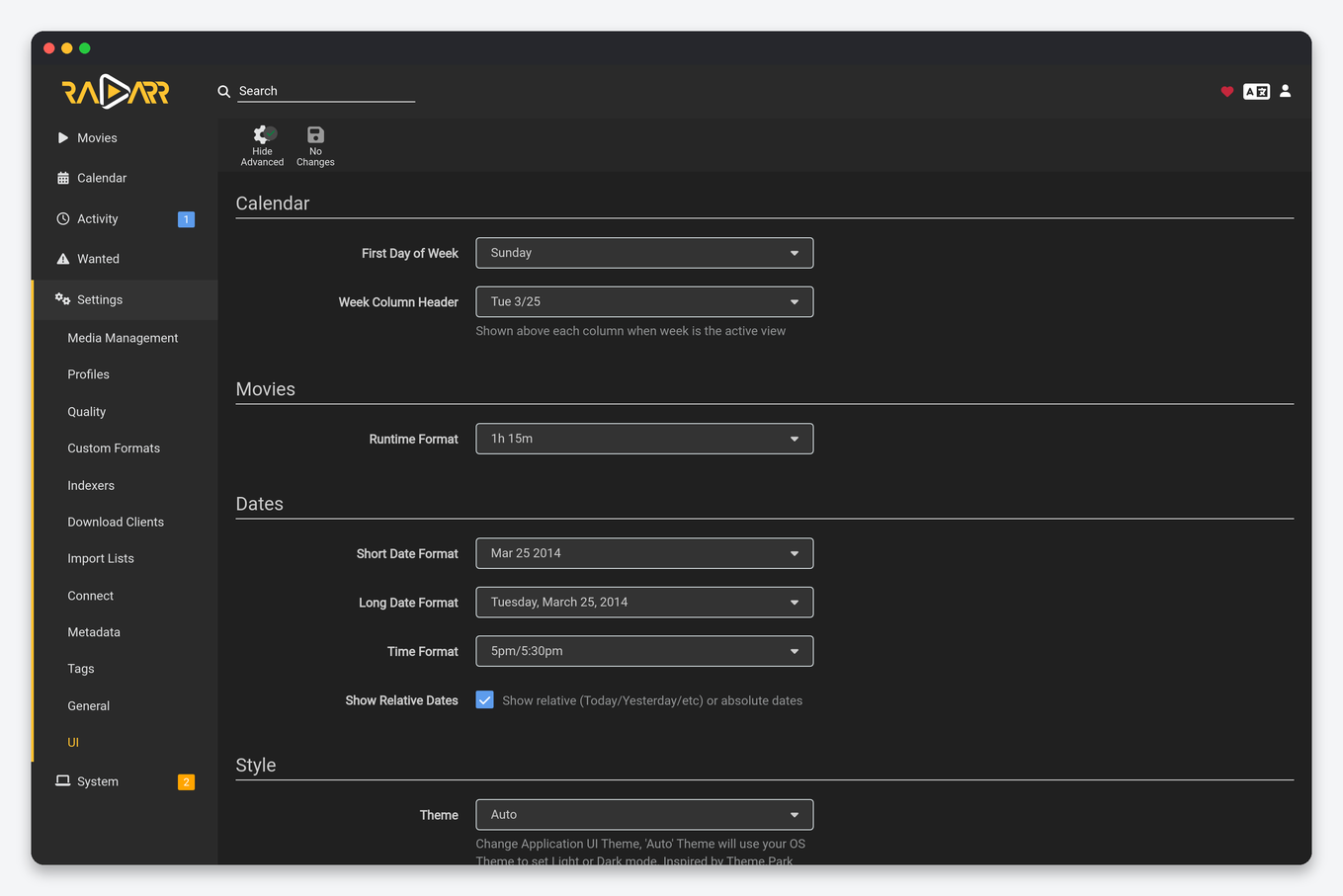
Beyond the calendar, date and theme options shared with Sonarr, Radarr adds Runtime Format (45m or 1h 45m) and Movie Info Language, which sets the language of titles and overviews pulled from TMDb independently of the interface language. Set Movie Info Language to your own language and keep file naming in the original title if your Plex agent expects it.
Settings that live elsewhere
- Movies → Edit / Mass Edit: profile, minimum availability, root folder and monitored state per movie. Minimum Availability (Announced, In Cinemas, Released) is per movie and decides when searching starts.
- Movies → Collections: monitor a whole TMDb collection so sequels are added automatically.
- System → Tasks: intervals and run-now for RSS sync, refresh, backup and list sync.
- Activity → Blocklist: releases marked bad; “Blocklist and Search” from the queue is the right way to reject one.
FAQ
Which defaults should every seedbox user change?
Minimum Free Space to 30000, Rescan Movie Folder to After Manual Refresh, a Recycling Bin with a short cleanup, Maximum Size in indexer options, Remove Completed left off, and a quality profile with a real cutoff instead of “Any”.
Why does Radarr say a movie is not yet available?
Minimum Availability on the movie is later than today’s date, or Availability Delay in indexer options pushed it. Both are per your settings, not a Radarr bug.
Can I run 1080p and 4K in one Radarr?
No. One file per movie; the dual setup uses two instances, described in the quality profiles guide.
Related: Radarr setup on a seedbox · Quality profiles and custom formats · Sonarr settings explained · Radarr in Dashboarr
Related articles
Put this into practice
EvoSeedbox ships with one-click app installs and up to 10 Gbps per box.
