Connect Plex to Dashboarr
On this page ▾
To connect Plex to Dashboarr, add a Plex instance, tap Connect with Plex to sign in with your Plex account, and pick your EvoSeedbox server; Dashboarr fills in the token and, on a seedbox, you then replace the URLs with the Plex HTTPS address from your client area. You get Now Playing, Recently Added, On Deck and a library browser. Part of the Dashboarr seedbox setup guide.
Two ways to authenticate
| Method | How | When to use |
|---|---|---|
| Connect with Plex (recommended) | Opens plex.tv in the browser, you approve the PIN, Dashboarr receives a per-server access token and lists your servers | Any claimed Plex Media Server, which is what our installer sets up when you sign in during the Plex setup wizard |
| Paste a token | Enter an X-Plex-Token in the API Key field | Servers that are not claimed, or when you want to use a token you already have |
Either way, set the Remote URL to the Plex HTTPS address from your client area (https://SERVER.myseedbox.site:13xxx, the same one that opens Plex Web). Connect with Plex may pre-fill a plex.direct address; replace it, since plex.direct names depend on Plex’s relay and are slower than our direct HTTPS route.
Step by step
- Dashboarr → Settings → Integrations → Browse services → Plex.
- Tap Connect with Plex, approve in the browser, and choose your server if more than one is listed. The token field fills itself.
- Set Remote URL to the HTTPS address from the client area and leave Local URL empty. Switch on Always use Remote URL.
- Test Connection (probes
/identity), then Save.
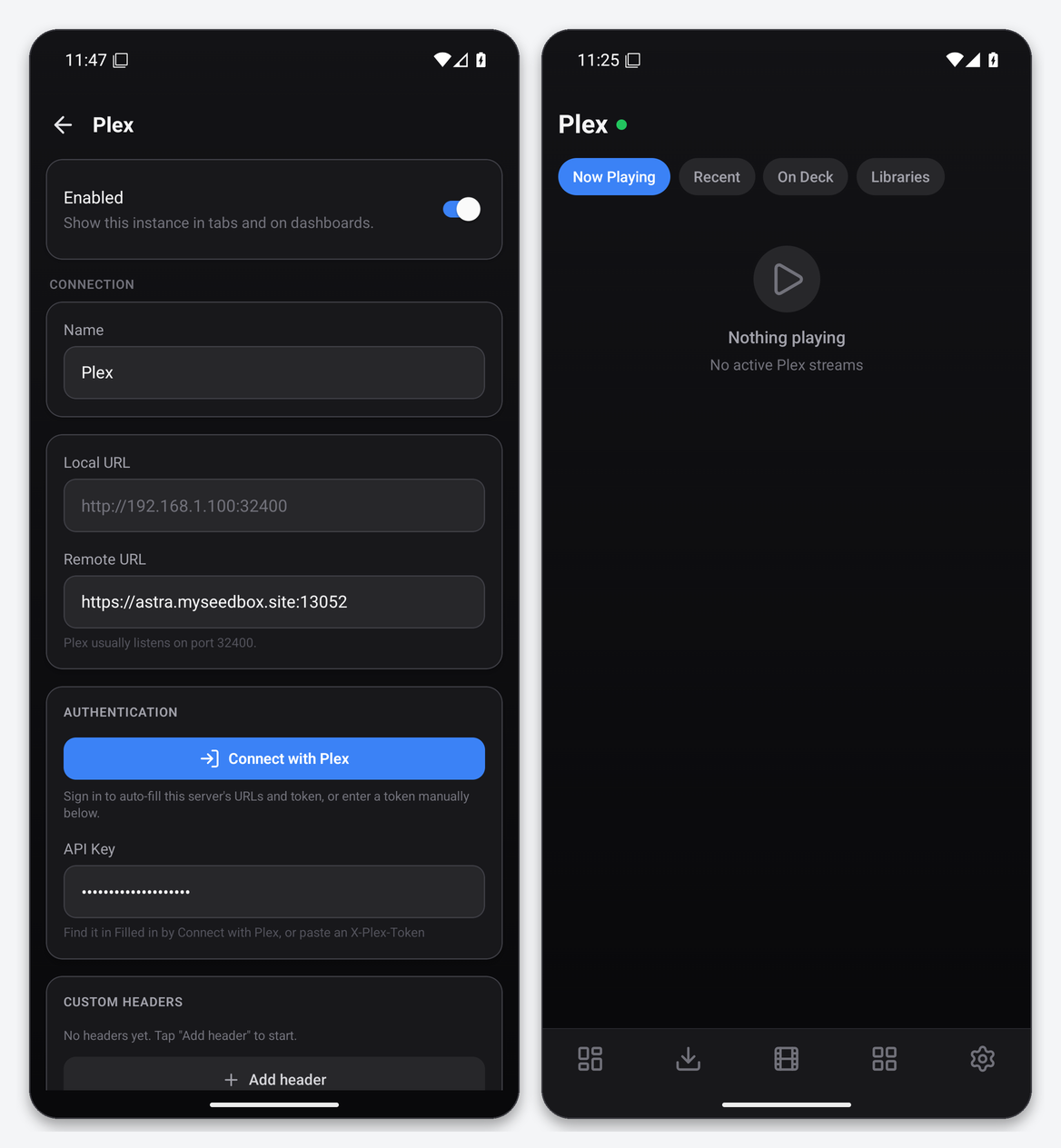
What the Plex tab gives you
- Now Playing: active sessions with user, player, quality and progress, and a stream tile on the dashboard through the Plex Now Playing widget.
- Recent: recently added items across libraries, sortable.
- On Deck: continue-watching entries.
- Libraries: your sections (Movies, TV Shows, Music) with a browsable grid.
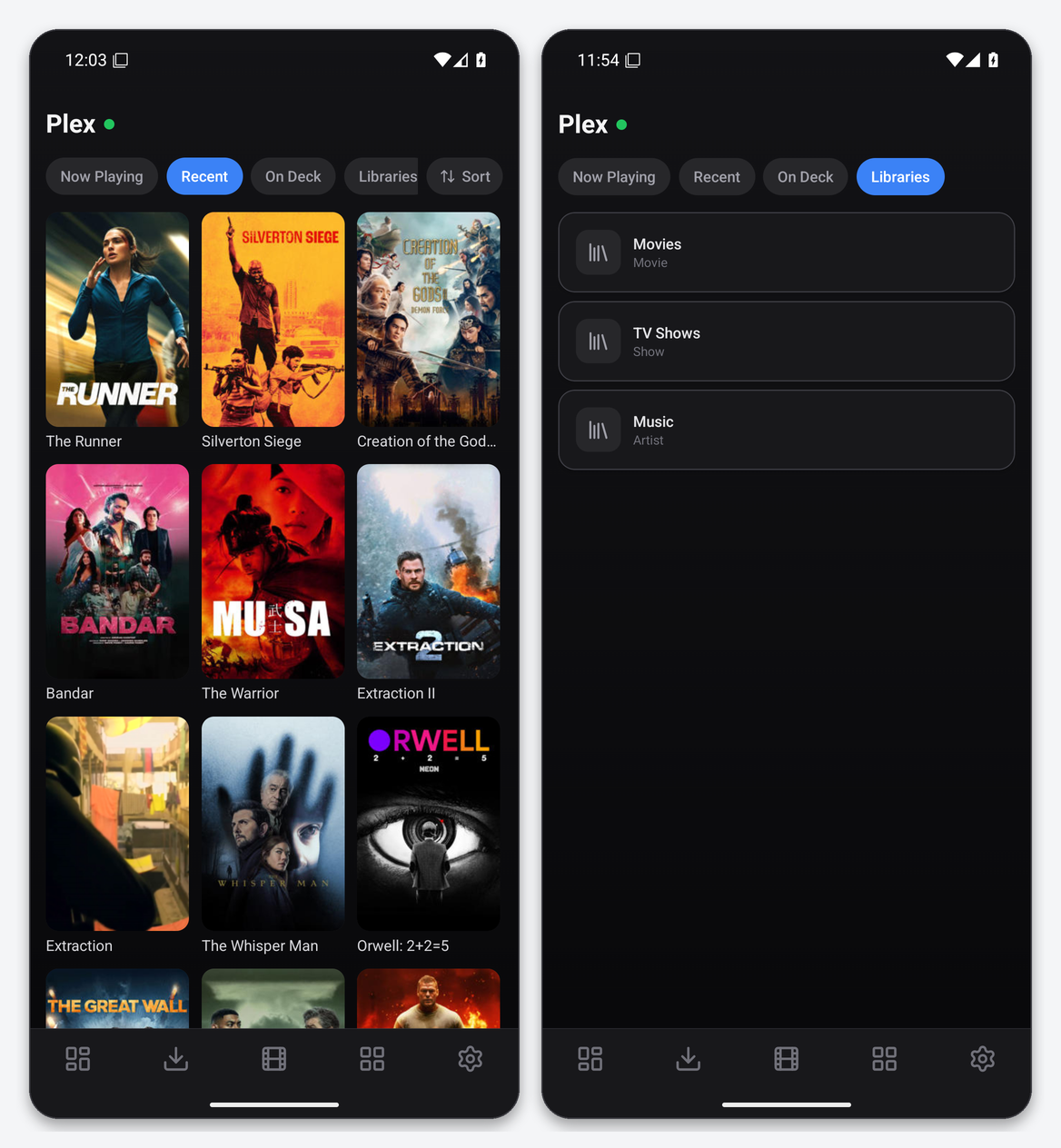
Dashboarr is a monitor, not a player: tapping a poster shows details and does not start playback. Use the Plex app for that. For watch statistics, bandwidth and history, pair it with Tautulli.
Troubleshooting
| Symptom | Fix |
|---|---|
| Connect with Plex lists no server | The server is not claimed by your account. Open Plex Web on the seedbox, sign in, and finish the claim, or paste a token instead. |
| 401 after connecting | You are using the account token against a server shared with you. Connect with Plex again and pick the server so Dashboarr stores the per-server token. |
| Slow or failing images | The Remote URL is a plex.direct address. Replace it with the HTTPS address from the client area. |
| Test passes, tabs empty | Libraries are still scanning or the token belongs to a managed user without library access. |
FAQ
Does this count as a remote-access Plex connection?
No. Dashboarr talks to your server’s HTTPS address directly, so Plex’s Remote Access setting and Plex Pass are irrelevant to it.
Can I revoke Dashboarr later?
Yes: plex.tv → Settings → Authorized Devices, remove the Dashboarr entry. The token stops working immediately.
Related articles
Put this into practice
EvoSeedbox ships with one-click app installs and up to 10 Gbps per box.
