How to Use Jackett: Setup, Indexers & API Key
On this page ▾
Jackett is a proxy that turns the search pages of torrent sites into one standard API, so Sonarr, Radarr and Lidarr can search dozens of trackers through a single address and API key. On an EvoSeedbox it installs from the client area with one click and comes with FlareSolverr for Cloudflare-protected sites.
Note: While Jackett still works, Prowlarr is the recommended modern replacement. Prowlarr automatically syncs indexers to all your *arr apps — no more configuring each app separately. See our Prowlarr migration guide.
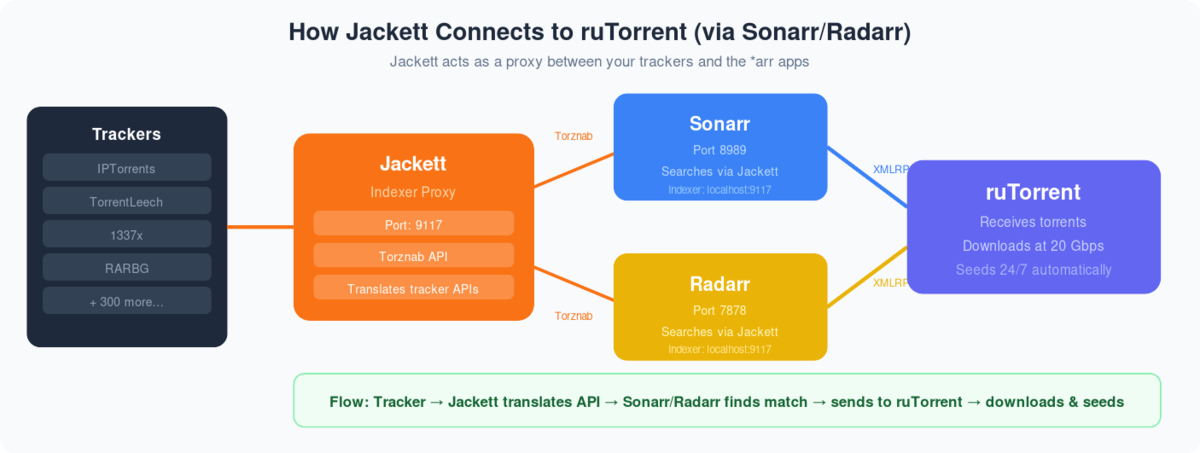
What is Jackett? Jackett is a ‘Bit-torrent’ indexer service that can be used along with radarr and Sonarr to add torrent indexing sites all at one place without needing to visit multiple sites for finding the right torrent.
How to setup jackett and add indexer on evoseedbox?
Step 1. Login in your client area:
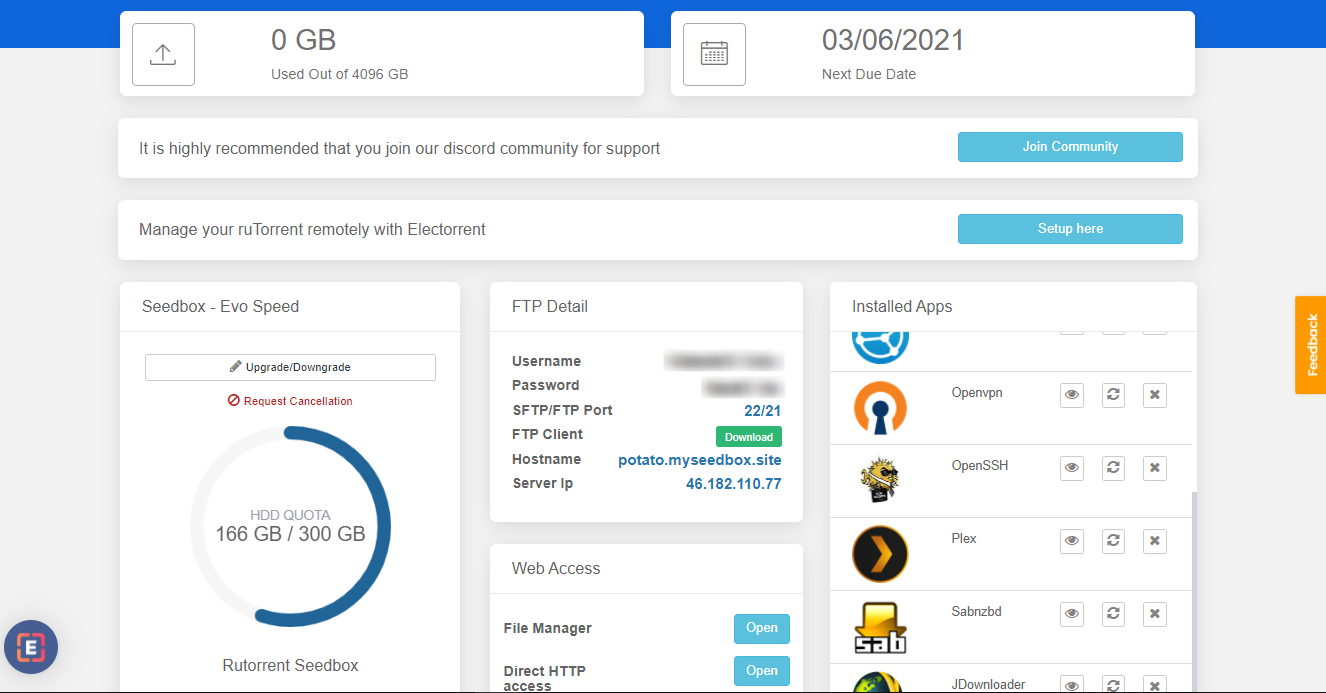
Step 2. Search for jackett app in the apps section and install the app.
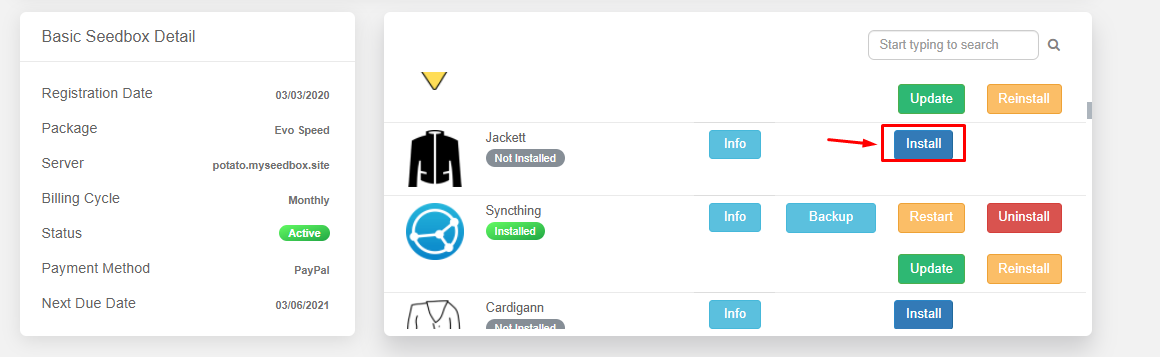
Step 3. From the installed apps section open the Jackett app.
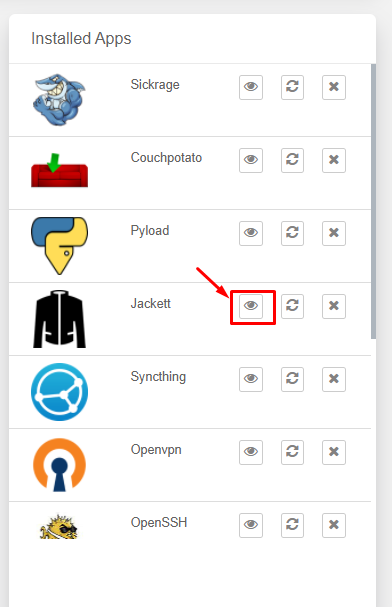
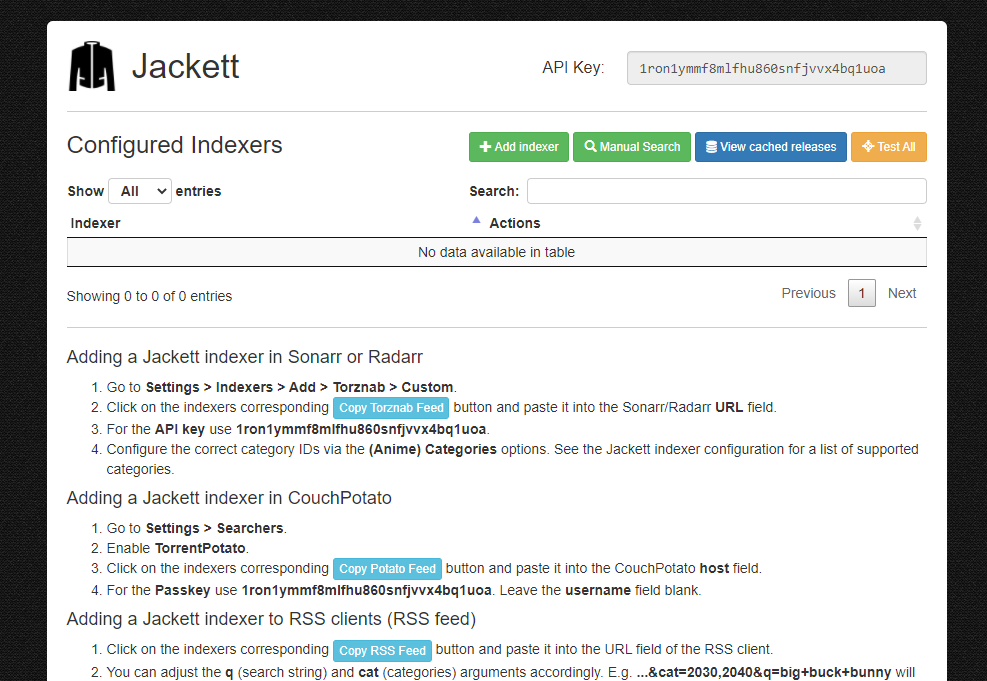
Step 4. You will see the Jackett interface as shown below:
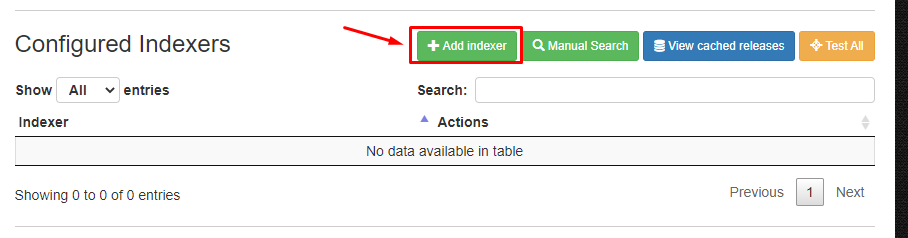
Step 5. To add an index click on the ‘ADD Indexer ‘ in the top menu as shown below.
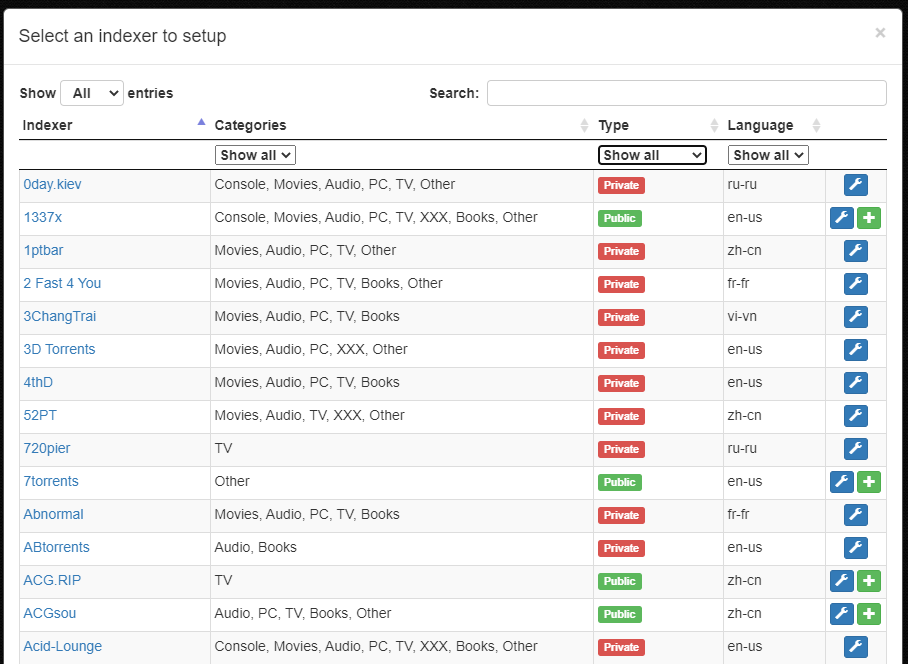
Step 6. A new window will open where you can filter indexers based on type of trackers and search for specific name.
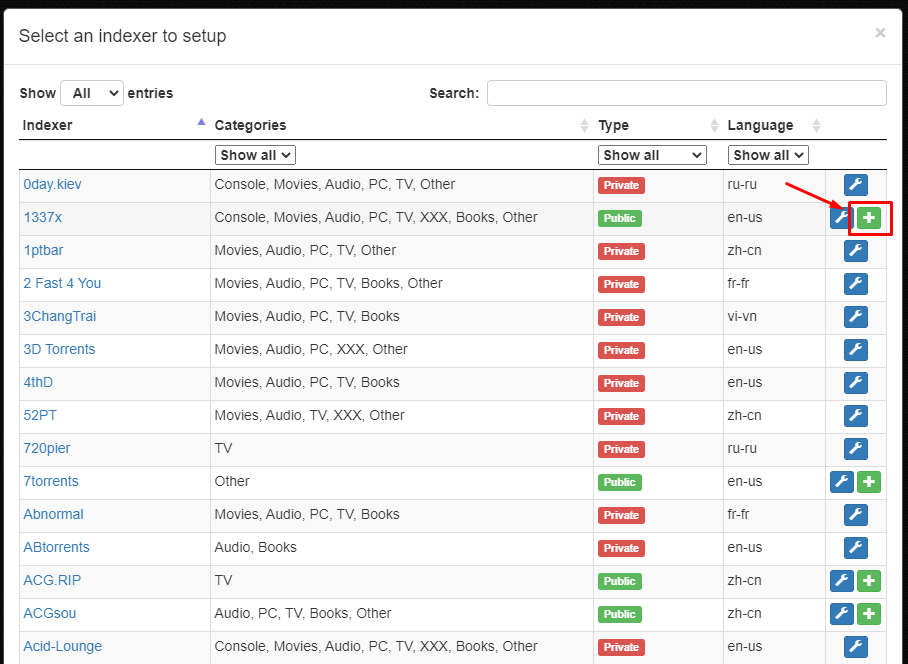
Step 7. To add a index click on the ‘+’ button present in the right most side.
Step 8. After the successful addition of index.You can see the indexer on the main interface of the app.
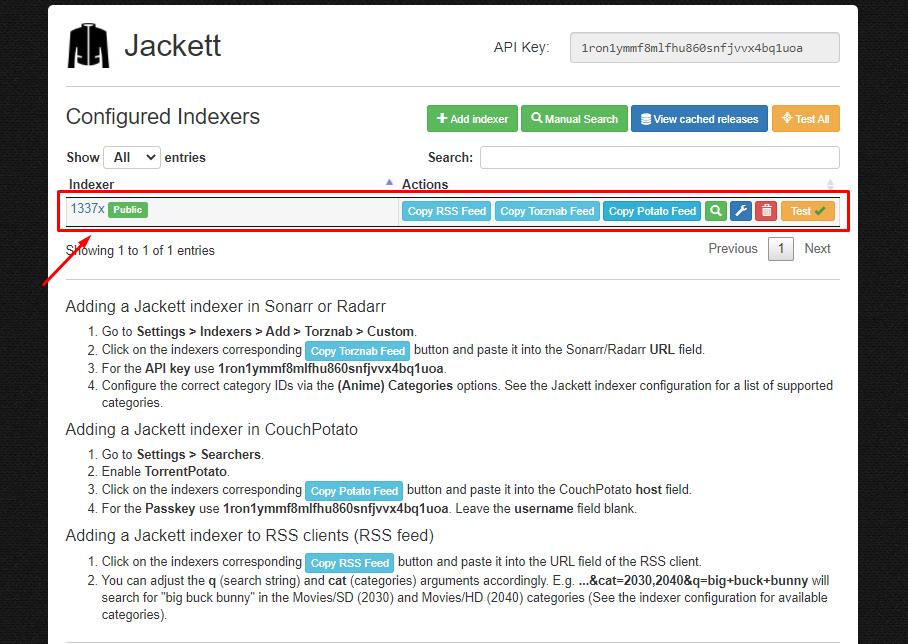
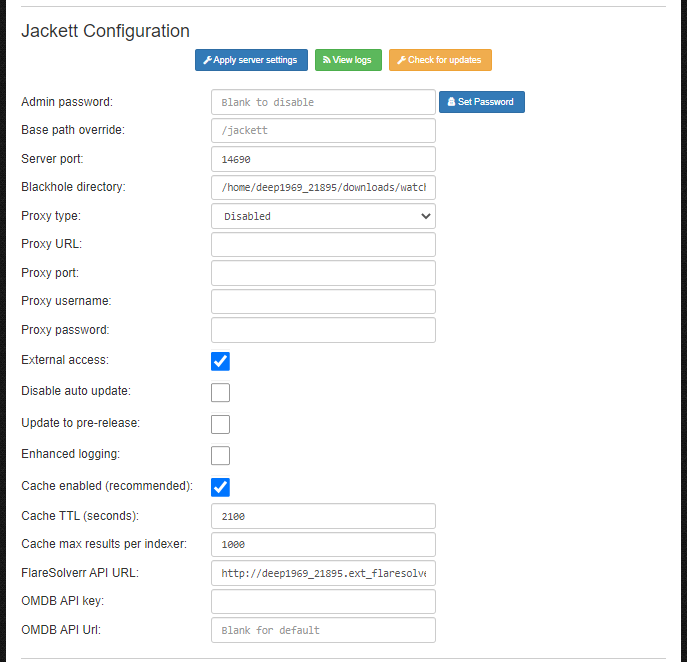
Step 9. You can edit the configuration of the app in the ‘Jackett Configuration’.
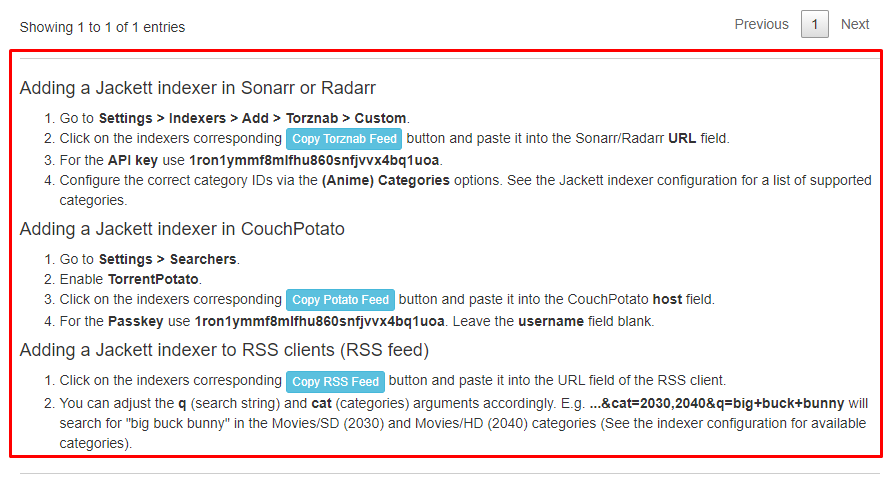
Step 10. To add Jackett indexer in Sonarr, Radarr ,Couch Potato and RSS feeds. Refer to the instructions provide in the main interface of the app.
Where to find your Jackett API key
Sonarr, Radarr and every other Torznab client needs your Jackett API key before it will accept an indexer. It is a 32-character string shown in the top-right of the Jackett dashboard under API Key — click it to copy. The same key covers every indexer you have added; there is no separate key per tracker.
If you regenerate it, every app you have already connected stops working until you paste the new key into each one, so only regenerate it if you think it has leaked.
Connecting Jackett to Sonarr and Radarr
Jackett publishes each indexer as a Torznab feed. In Jackett, click Copy Torznab Feed next to the indexer you want, then in Sonarr or Radarr:
- Open Settings → Indexers → Add → Torznab.
- Paste the copied URL into the URL field.
- Paste your Jackett API Key.
- Pick the categories you want, then hit Test before saving.
You repeat that for every indexer, in every app. That repetition is exactly the chore Prowlarr removes, which is why we recommend Prowlarr for new setups.
Jackett itself never downloads anything. It finds releases and hands them to Sonarr or Radarr, which pass the torrent to your download client — on EvoSeedbox that is rTorrent with the ruTorrent web interface.
Cloudflare-blocked indexers: already handled
The most common Jackett failure is an indexer that suddenly returns a Cloudflare challenge instead of results. Jackett cannot answer that challenge on its own — it needs FlareSolverr, a headless browser that solves it and returns the cookie.
On EvoSeedbox this is already wired up. Installing Jackett from the one-click app installer also deploys a FlareSolverr companion container and writes its address straight into your Jackett configuration with a 55-second timeout. There is nothing to install and no FlareSolverr field for you to fill in — you can see it already populated under Jackett Configuration.
Keeping Jackett updated
Indexer definitions break constantly, because trackers keep changing their markup. An out-of-date Jackett shows failing indexers that have nothing actually wrong with them. Automatic updates are enabled on EvoSeedbox installs, and the running version is shown at the bottom of the dashboard. If an indexer starts failing, check you are current and re-test before assuming the tracker is down.
Is Jackett safe?
Jackett is open source and widely used. Two practical things are worth knowing.
Your API key grants access to every indexer you have configured, including any private tracker credentials stored in them. Treat it like a password, and never paste it into a forum post or a screenshot when asking for help.
On EvoSeedbox your Jackett listens on its own dedicated port and is protected by an admin password, so anyone who finds the port gets a login screen rather than your indexer list. Do not disable that password.
Jackett or Prowlarr?
Use Prowlarr for anything new. It does the same job, but it pushes indexers to your apps automatically, so adding a tracker is one action instead of one action per app — and it ships 622 indexer definitions with built-in health tracking. Jackett is still a fine choice if you already have it working, or if you need an indexer definition that only Jackett carries.
Manage Jackett from your phone: Jackett in Dashboarr, the free Android and iOS app that connects straight to your seedbox apps.
Every option on every settings page, with defaults and seedbox values, is in the Jackett settings reference.
Related Guides
Related articles
Put this into practice
EvoSeedbox ships with one-click app installs and up to 10 Gbps per box.


