Requestrr Part 1 – Configuração de the Discord Bot
On this page ▾
Requestrr is a chatbot usado para simplify using services like Sonarr/Radarr/Ombi via the use of chat. Current platform is Discord only, but the bot was built around the ideology of quick adaptation for new features as well as new platforms.
Instalar Requestrr onpara o seu seed box.

Once it's installed, click the eye icon and launch o aplicativolication. You'll be asked to make a new account, go ahead and do that, then log in.
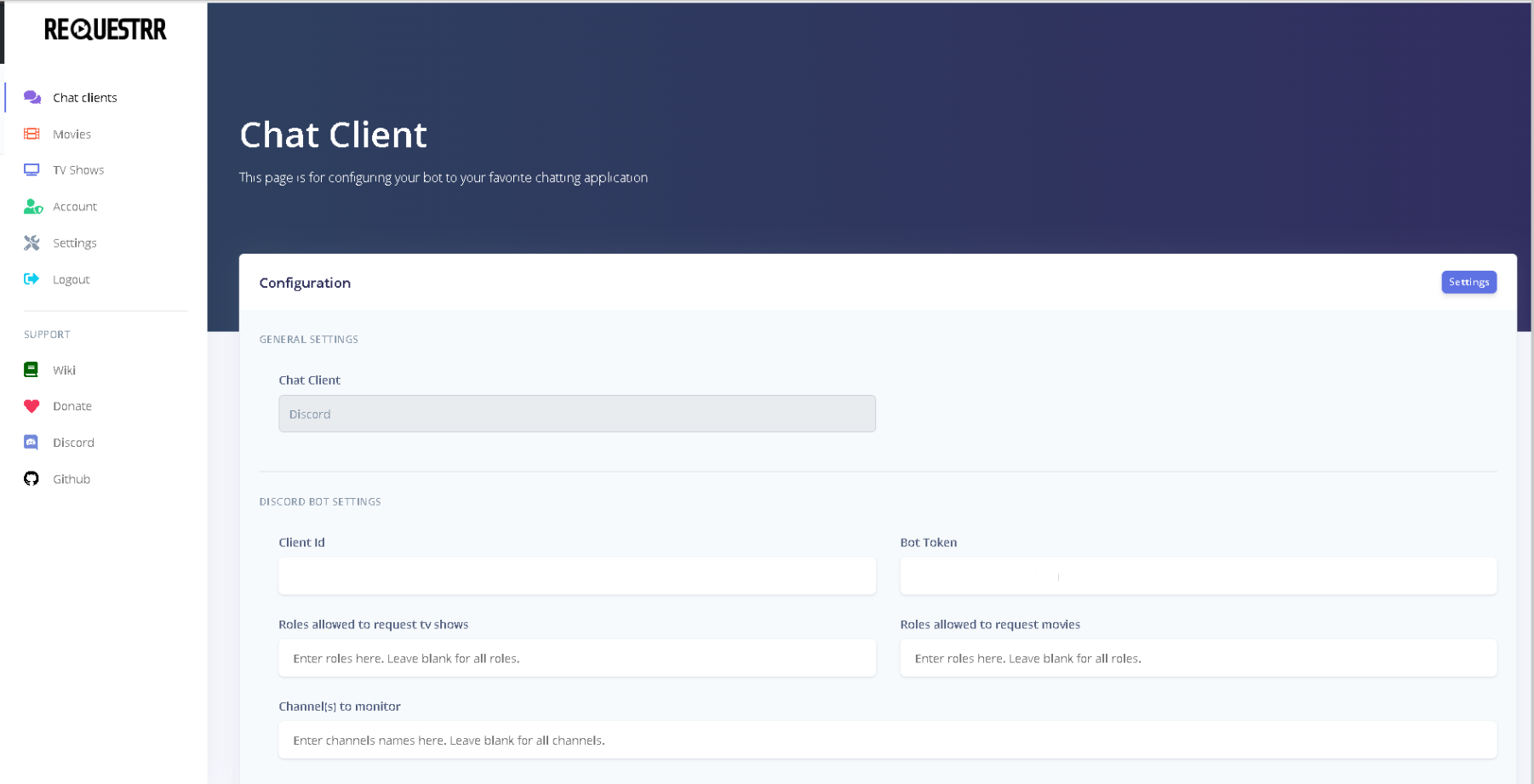
Isto é what você vai see.
Próximo log inpara o seu discord account no seu web bowser. And navigate para o Developer Portal.
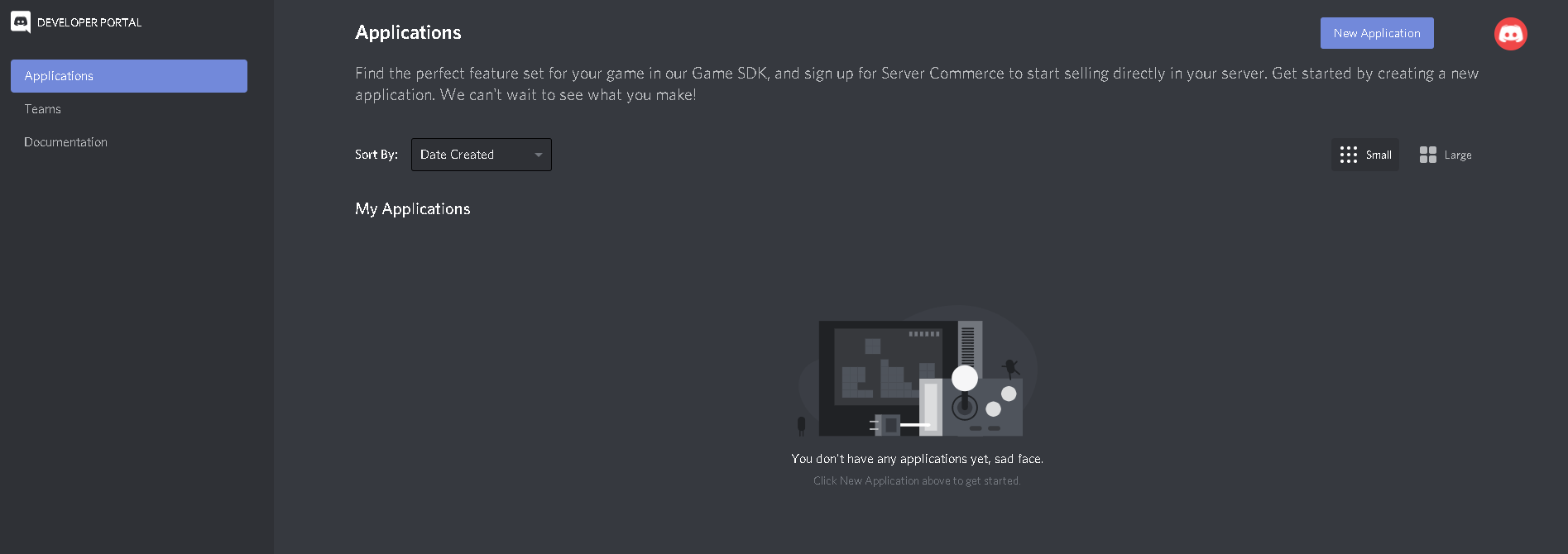
Click "New Application" and name it Requestrr
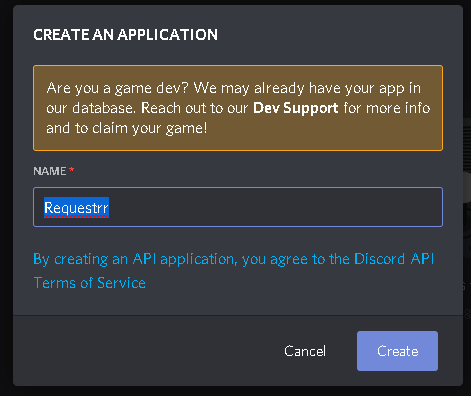
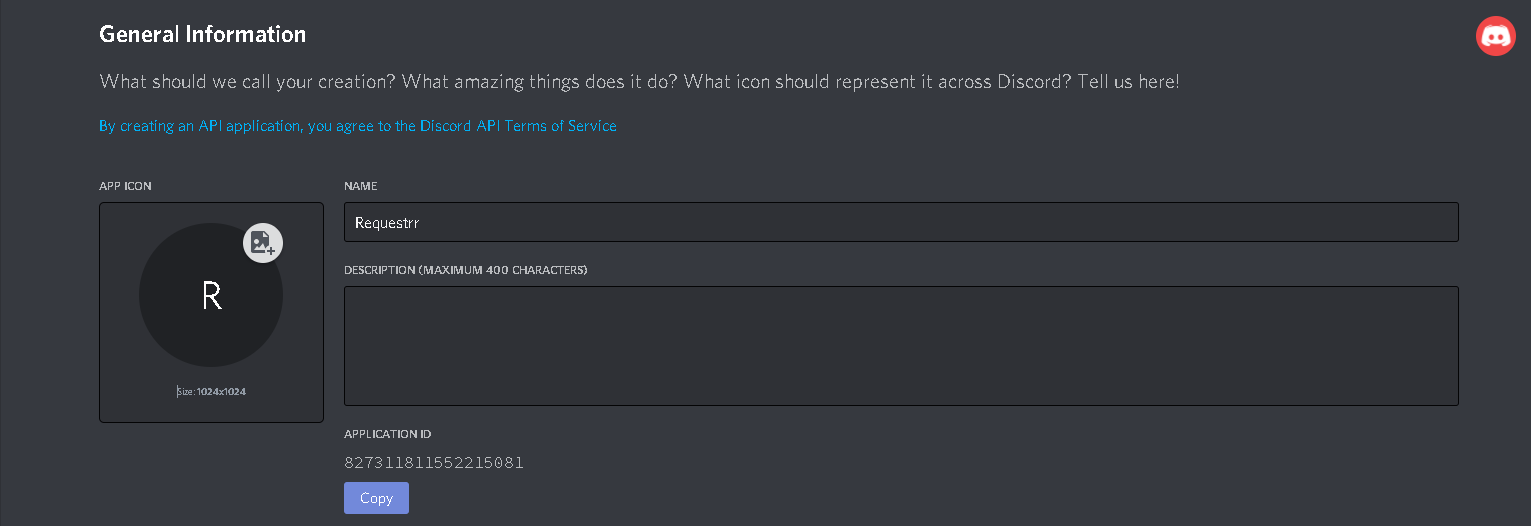
Isto é what você vai see once o aplicativolication is created.
Copy the Application ID and paste it inpara o "Client ID" field do seu chat área do cliente(The 2nd picture in this guide.)
Now we precisa go back to developer portal and make the bot. Clique em the name of the Requestrr application do above link.
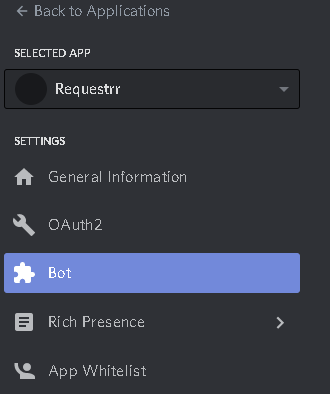
Now click on "Bot" on the left side, and then on the right side of your screen, click add bot.
From here you MUST enable these settings. (Presence intent AND Server membrs intent ) This will not work if you do not enable them.
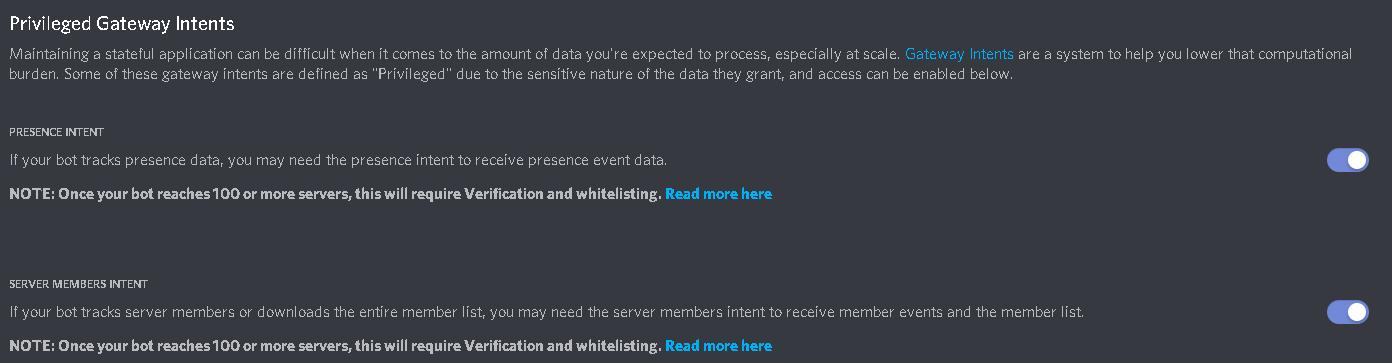
Once those are enabled, scroll back up and under "Token", press copy.
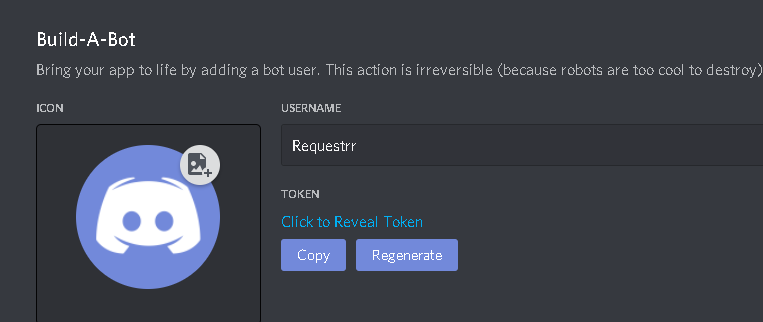
Paste that inpara o field called "Bot Token" from image 2 of this guide.
Now role para baixo para o bottom and click "Test Settings"
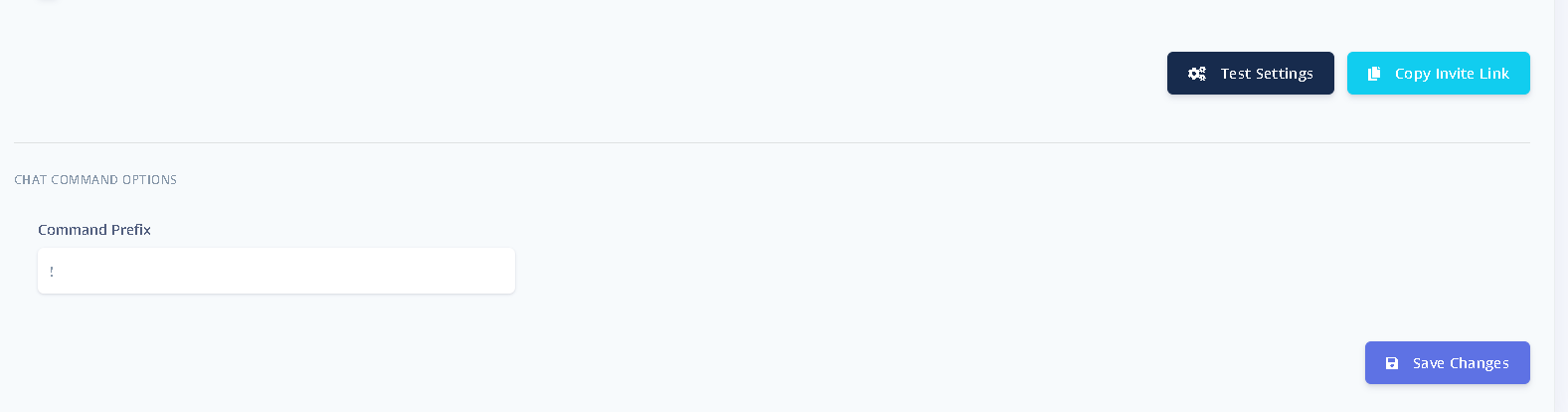
The error will tell you what is wrong, if anything. If no errors, click "Salvar changes"
Now go para o seu discord settings and make a new server by clicking the "+" sign and selecting o aplicativoropriate options for your set up.

Now that your server is completed, click the copy invite link from where you did the test settings and saved changes.

Paste that inpara o seu web browser and you será solicitado what server should the bot join. Selecione your server. Once the bot has joined, it's time to make sure everything is working.
In your server chat type "!ping", and the bot will reply "!pong" if it is conectared.
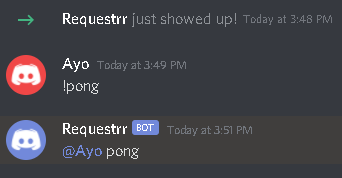
Congrats! The hard part is now done.
Put this into practice
EvoSeedbox ships with one-click app installs and up to 10 Gbps per box.


