方法: Use Jackett with Seedbox
On this page ▾
Note: While Jackett still works, Prowlarr is the recommended modern replacement. Prowlarr automatically syncs indexers to all your *arr apps — no more configuring each app separately. See our Prowlarr migration guide.
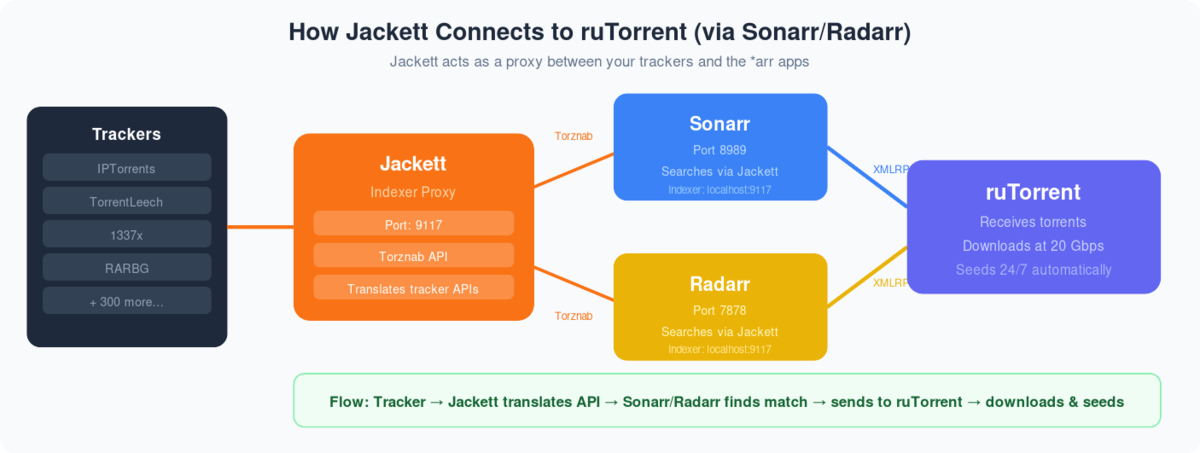
What is Jackett? Jackett is a ‘Bit-torrent’ indexer service that can be used along with radarr and Sonarr to add torrent indexing sites all at one place without needing to visit multiple sites for finding the right torrent.
方法: setup jackett and add indexer on evoseedbox?
ステップ 1. Login あなたの中の クライアントエリア:
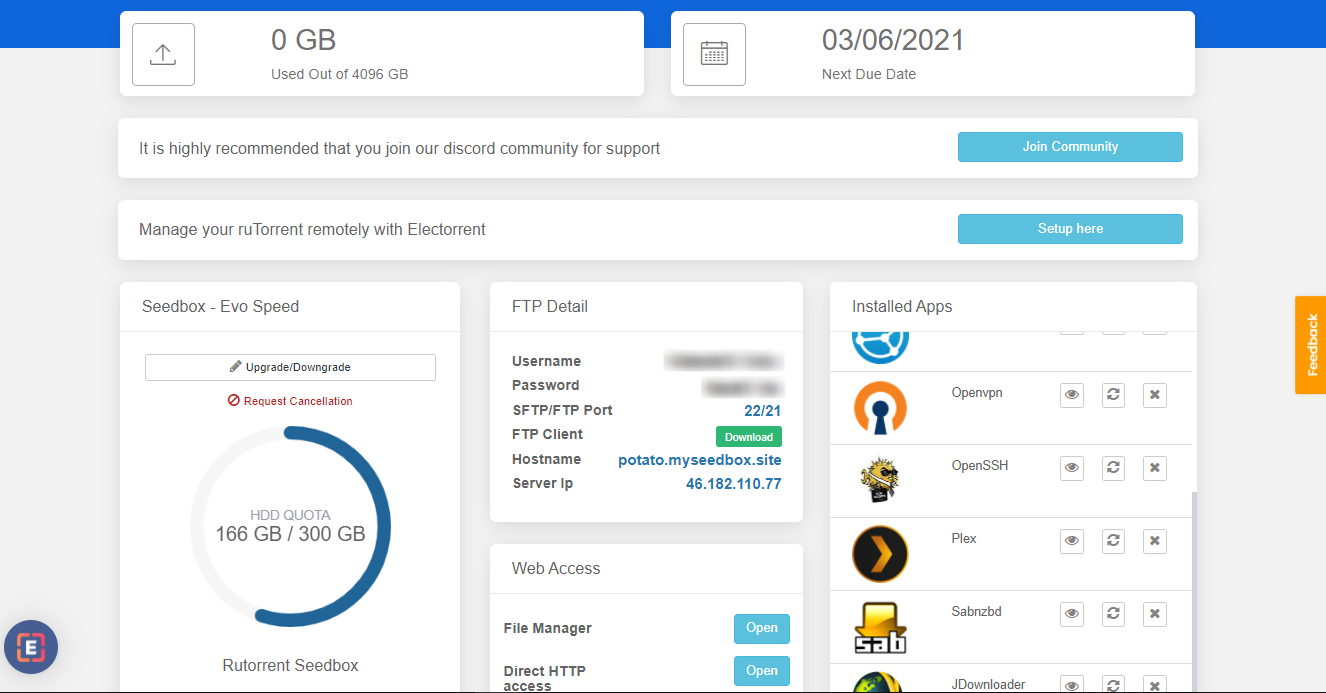
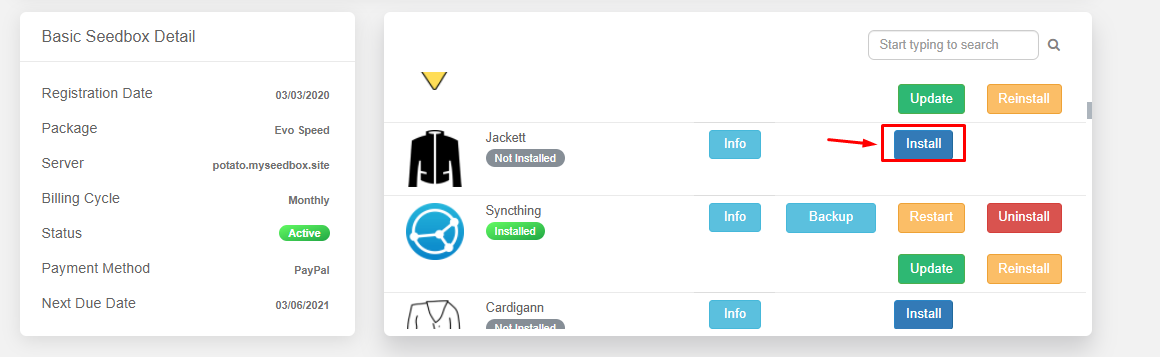
ステップ 2. 検索 for jackett app in アプリs section and install アプリ.
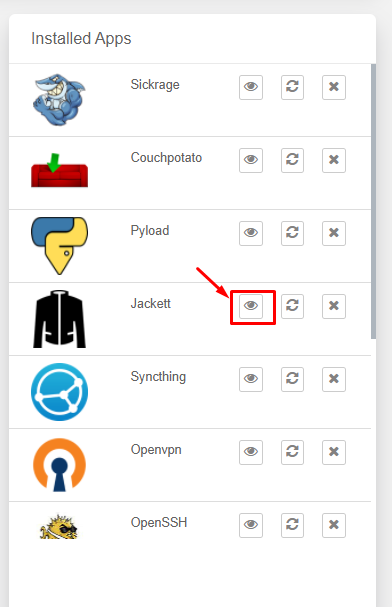
ステップ 3. From the installed apps section open the Jackett app.
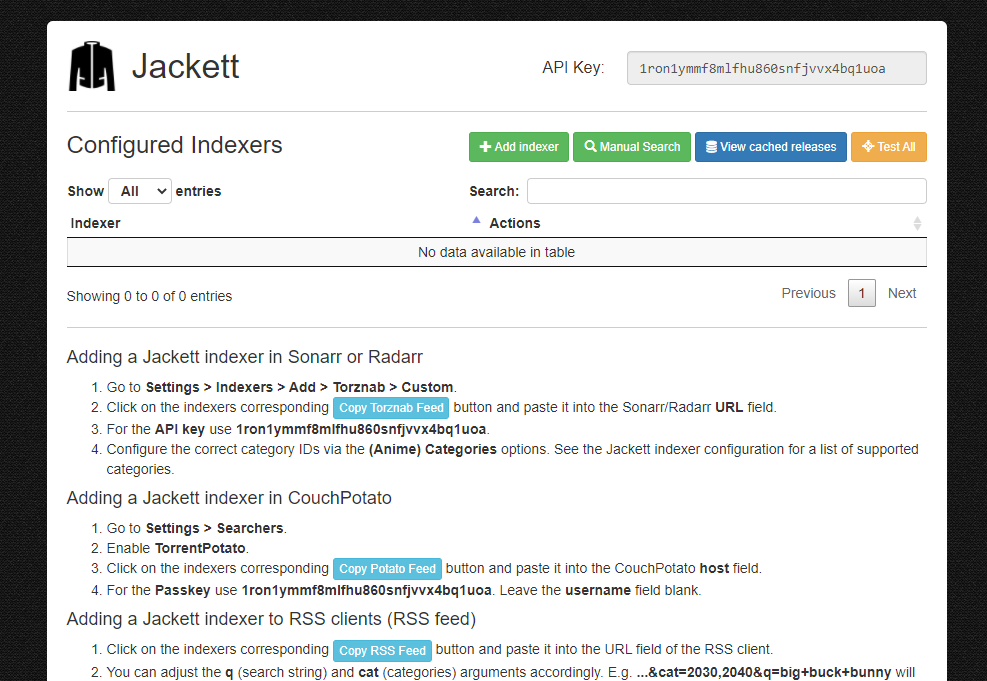
Step 4. You will see the Jackett interface as 以下に表示:
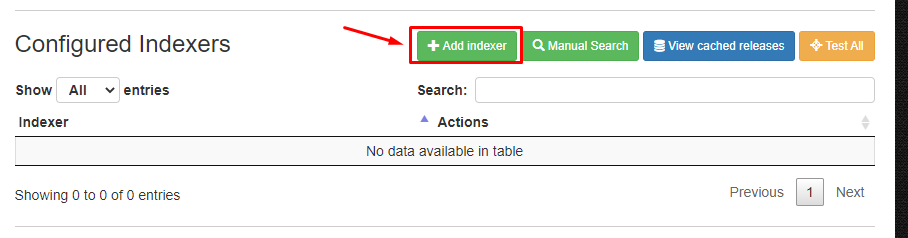
Step 5. To add an index click on the ‘ADD Indexer ‘ in the top menu as 以下に表示.
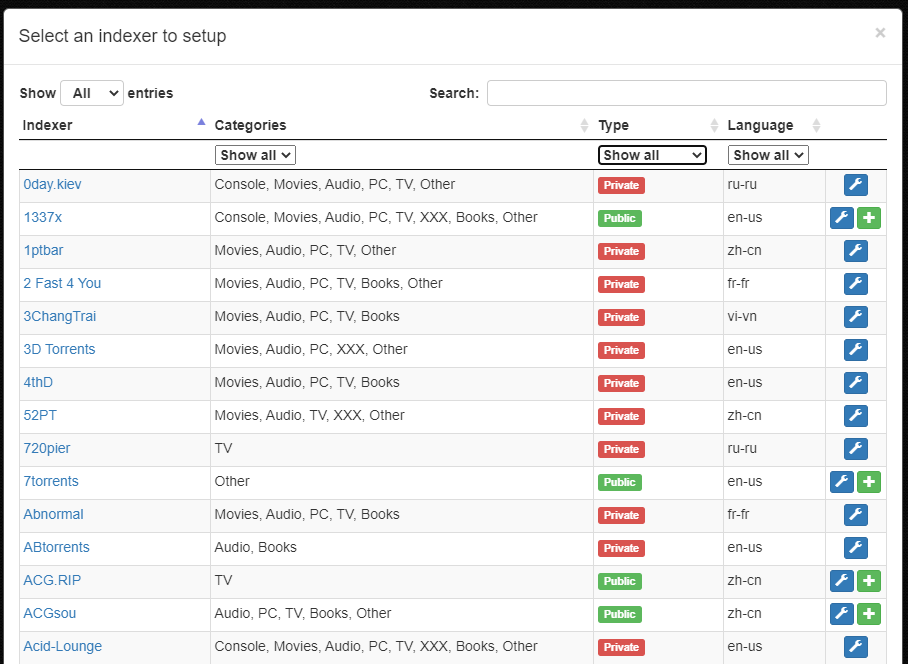
Step 6. A new window will open where できます filter indexers based on type of trackers and search for specific name.
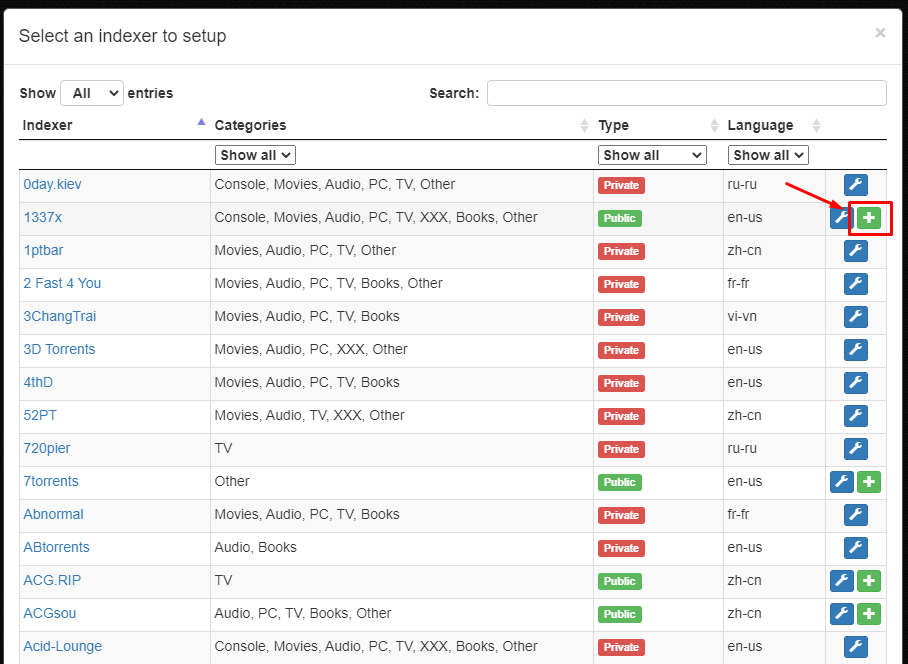
Step 7. To add a index click on the ‘+’ ボタン present in the right most side.
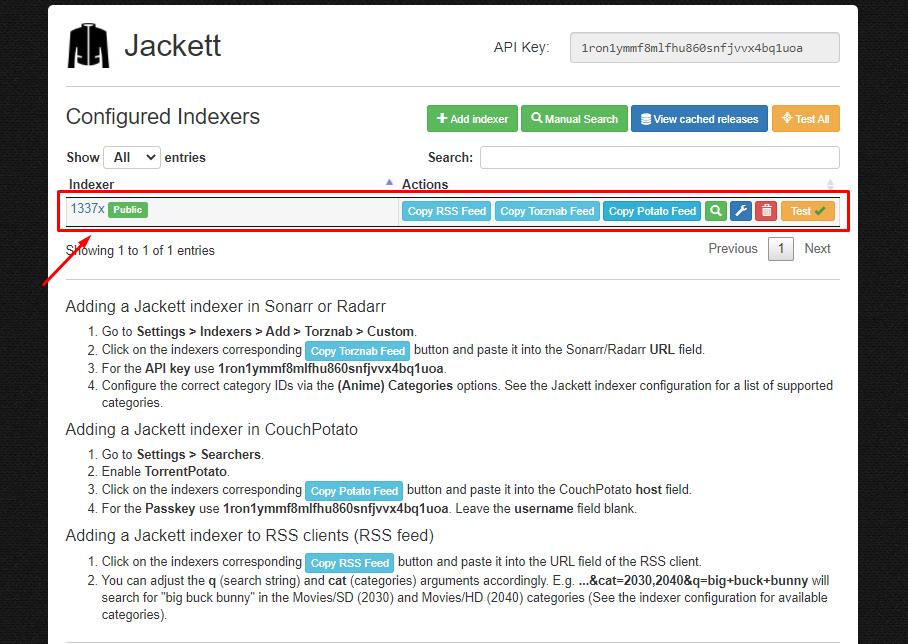
Step 8. After the successful addition of index.できます see the indexer on the main interface of アプリ.
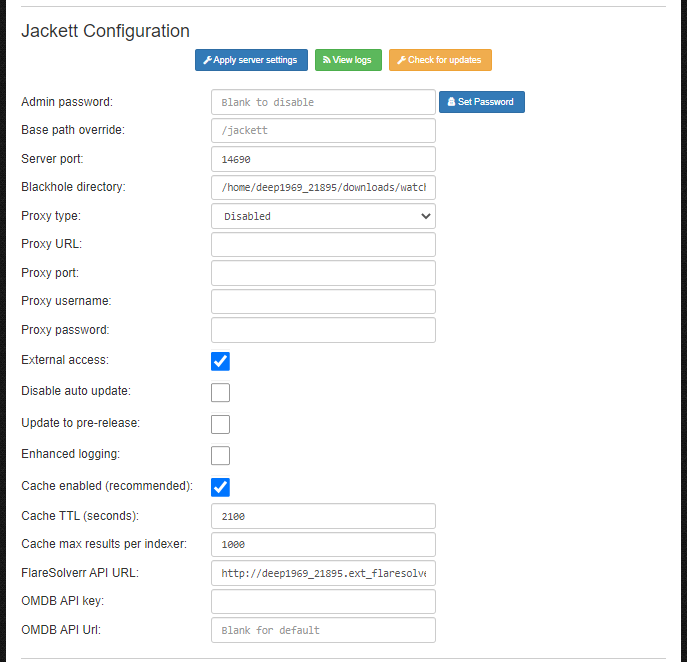
Step 9. できます edit the configuration of アプリ in the ‘Jackett Configuration’.
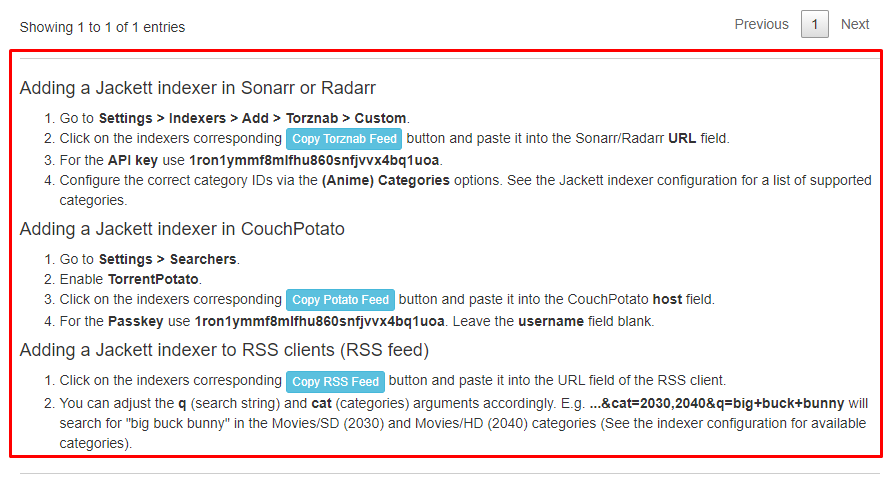
ステップ 10. To add Jackett indexer in Sonarr, Radarr ,Couch Potato and RSS feeds. Refer to the instructions provide in the main interface of アプリ.
関連ガイド
Put this into practice
EvoSeedbox ships with one-click app installs and up to 10 Gbps per box.


