If you are getting slow speeds, you can easily reroute your seedbox:
Step 1: Go to the reroute link: http://myseedbox.site
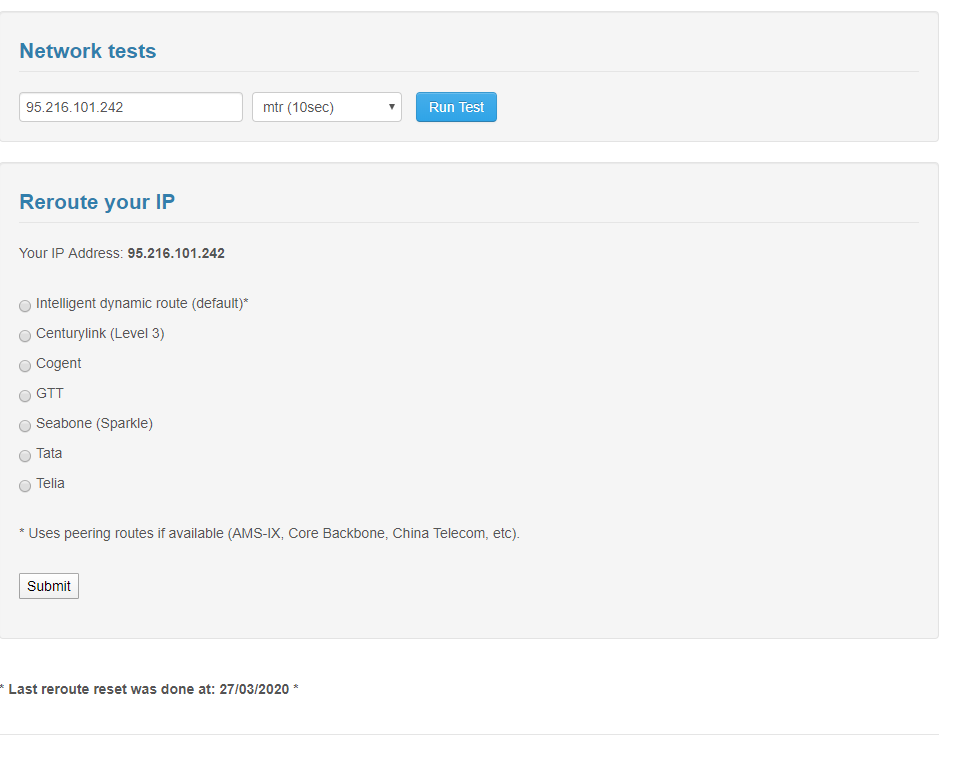
Step 2: Select any of the backbones and click on submit
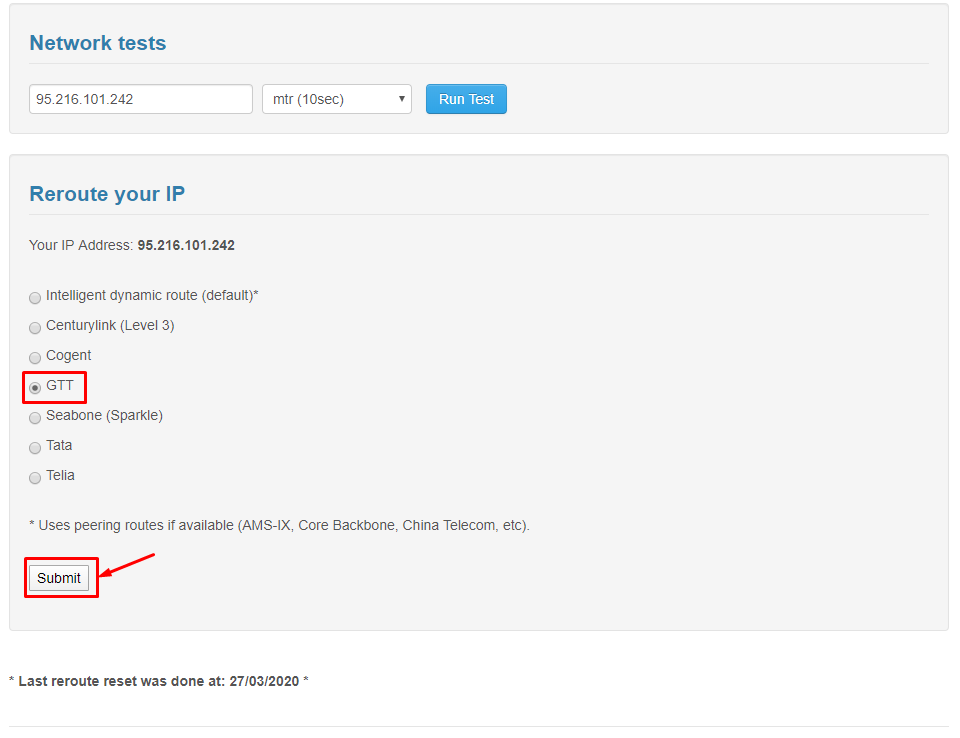
After the page has refreshed click on Run tests:
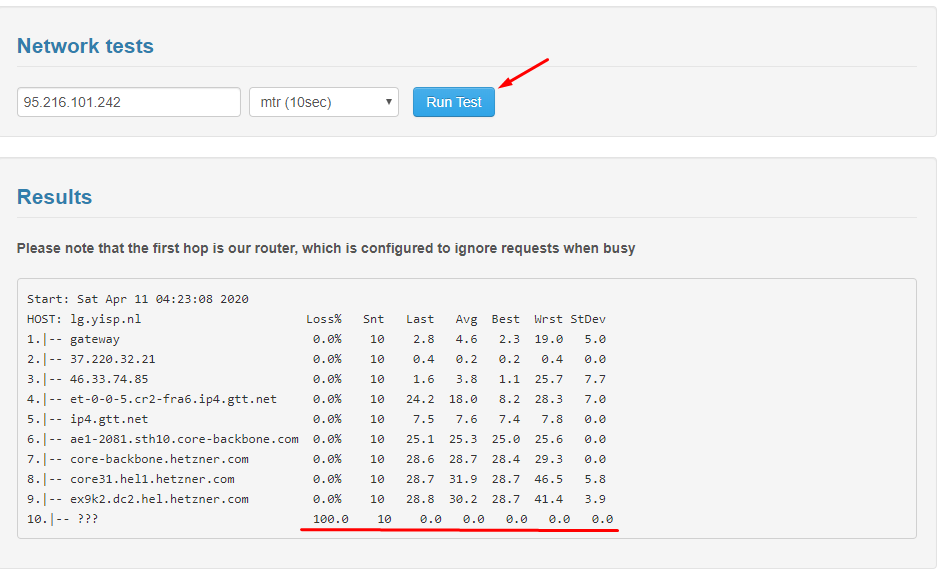
Based on the results below are the important paramenters you have to look at for optimal speeds:
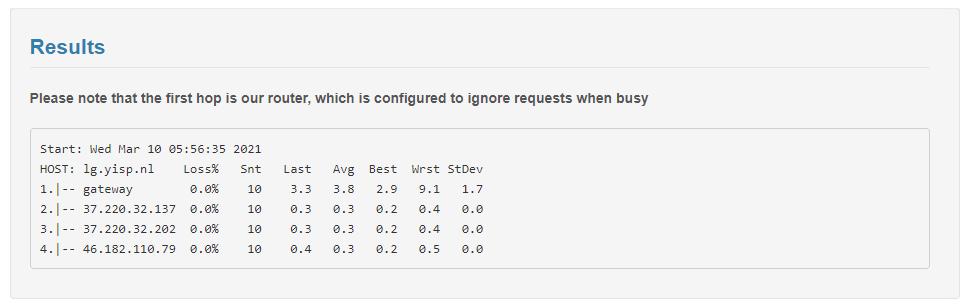
Run test on all the backbones till you find best speeds.
Reroute Your Seedbox for Better Speeds #
If you are experiencing slow transfer speeds between your seedbox and your PC, rerouting can help. Rerouting changes the network path (backbone) your data takes between the datacenter and your ISP, potentially bypassing congested routes.
Steps to Reroute #
- Open the reroute tool from your seedbox dashboard or direct link
- Select a different backbone from the dropdown (common options: Telia, Cogent, Level3, GTT)
- Click Submit
- Click Run Tests to measure the speed on the new route
- Compare the results: look for the route with the highest download speed and lowest latency
What to Look For #
- Download speed: Higher is better. Compare across all available backbones.
- Latency (ping): Lower is better. High latency causes slow FTP transfers even on fast connections.
- Packet loss: Should be 0%. Any packet loss indicates a problematic route.
When to Reroute #
Rerouting is most useful when your speeds suddenly drop but your seedbox itself is performing normally. This typically happens when your ISP’s peering with a specific backbone becomes congested, especially during peak evening hours.


