Reroute Seedbox
On this page ▾
もし are getting slow speeds, できます easily reroute あなたのSeedbox:
ステップ 1: 移動: the reroute link: http://myseedbox.site
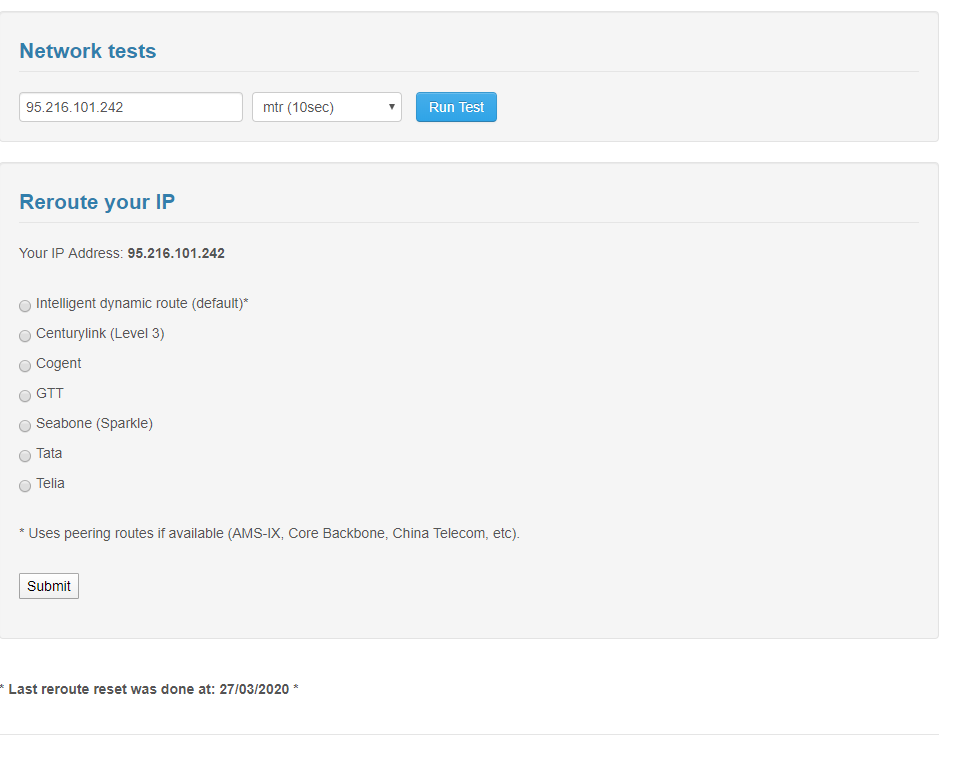
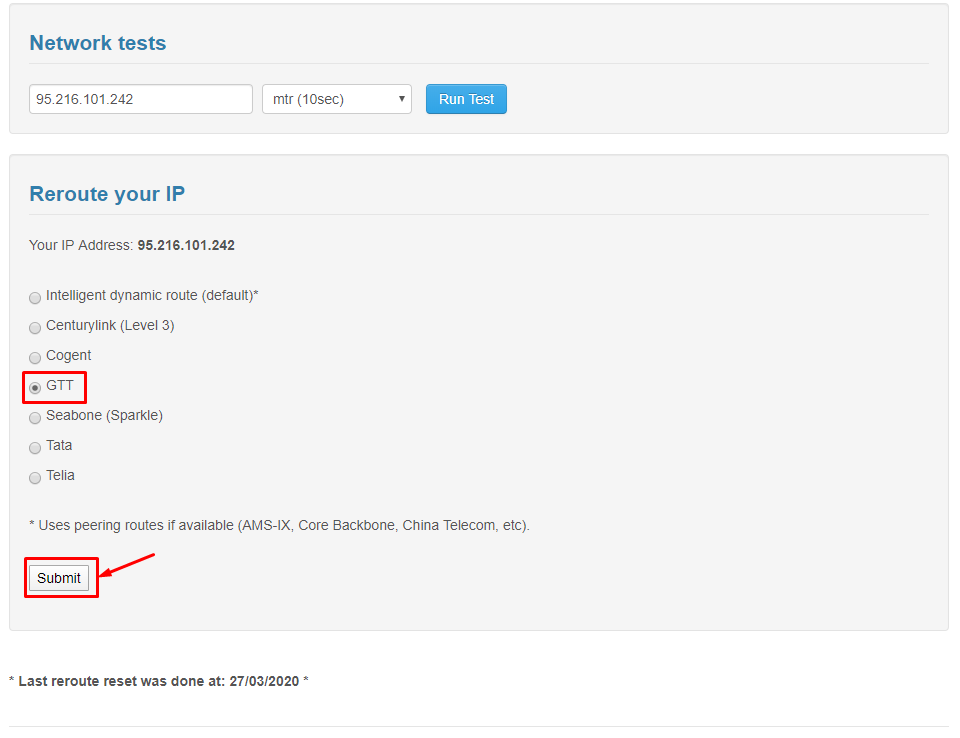
ステップ 2: 選択 any of the backbones and click on submit
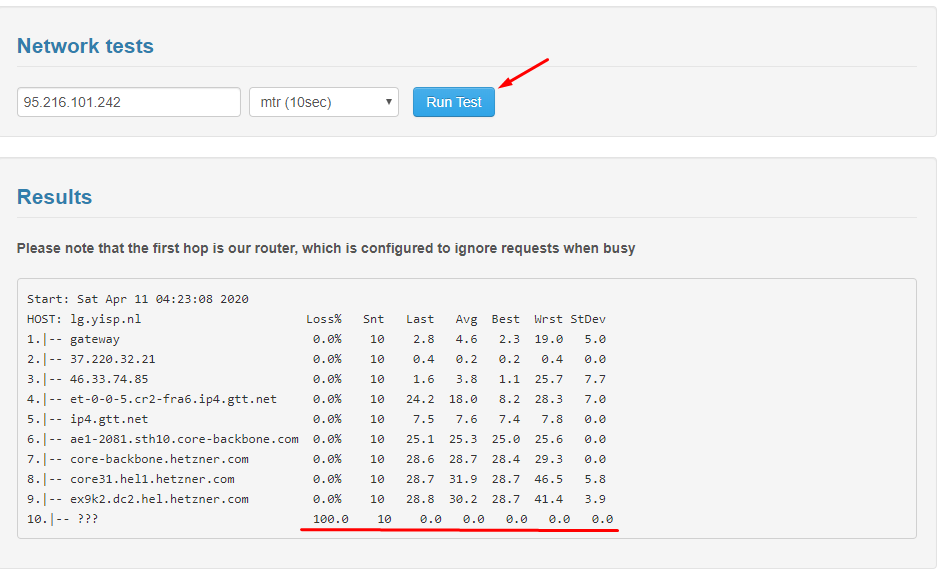
After the page has refreshed click on Run tests:
Based on the results below are the important paramenters you 必要があります look at for optimal speeds:
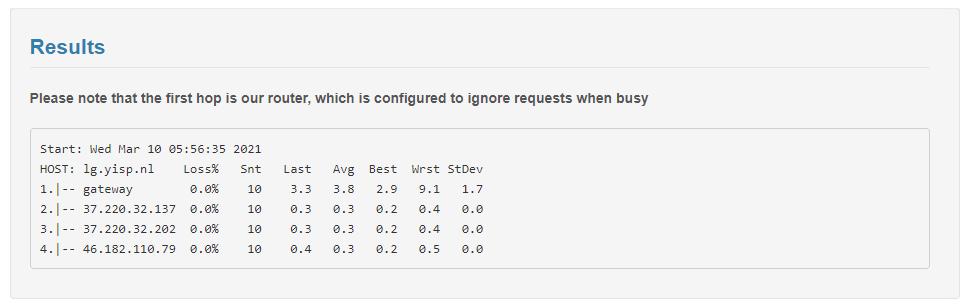
Run test on all the backbones till you find best speeds.
Reroute あなたのSeedbox for Better Speeds
もし are experiencing slow transfer speeds between あなたのSeedbox and your PC, rerouting can help. Rerouting changes the network path (backbone) your data takes between the datacenter and your ISP, potentially bypassing congested routes.
Steps to Reroute
- 開く the reroute tool from あなたのSeedbox dashboard or direct link
- 選択 a different backbone from the dropdown (common options: Telia, Cogent, Level3, GTT)
- Click Submit
- Click Run Tests to measure the speed on the new route
- Compare the results: look for the route with the highest ダウンロード速度 and lowest latency
What to Look For
- ダウンロード speed: Higher is better. Compare across all 利用可能 backbones.
- Latency (ping): Lower is better. High latency causes slow FTP transfers even on fast connections.
- Packet loss: Should be 0%. Any packet loss indicates a problematic route.
When to Reroute
Rerouting is most useful when your speeds suddenly drop but あなたのSeedbox itself is performing normally. This typically happens when your ISP’s peering with a specific backbone becomes congested, especially during peak evening hours.
Put this into practice
EvoSeedbox ships with one-click app installs and up to 10 Gbps per box.


