In this article, we will guide you on how to use HTTP access to download files of the seedbox directly usig HTTP links.
Let’s get started:
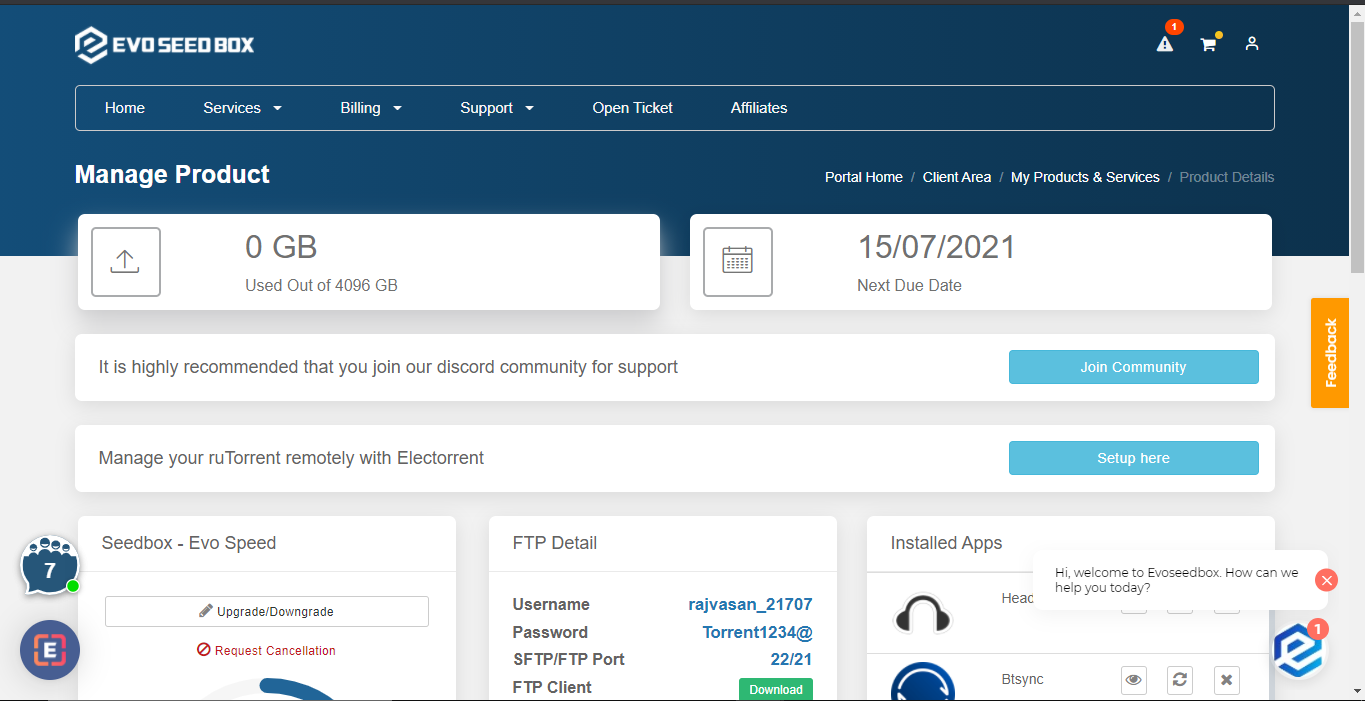
1. Login in your account and open the Seedbox dashboard:
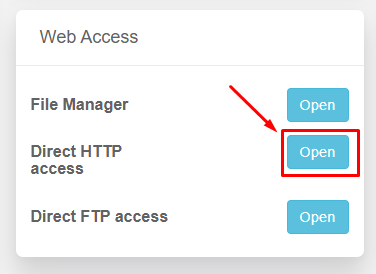
2. Open the HTTP access in the Web access section. This will open HTTP access user interface in a new tab.
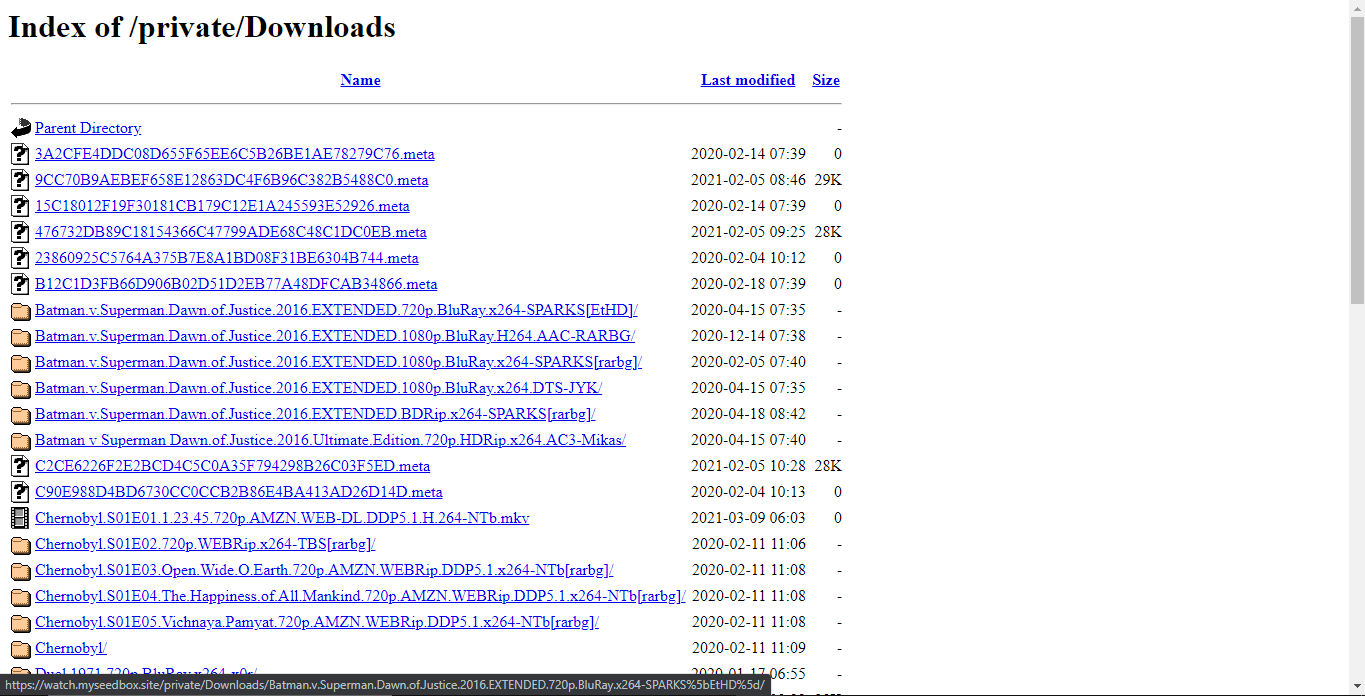
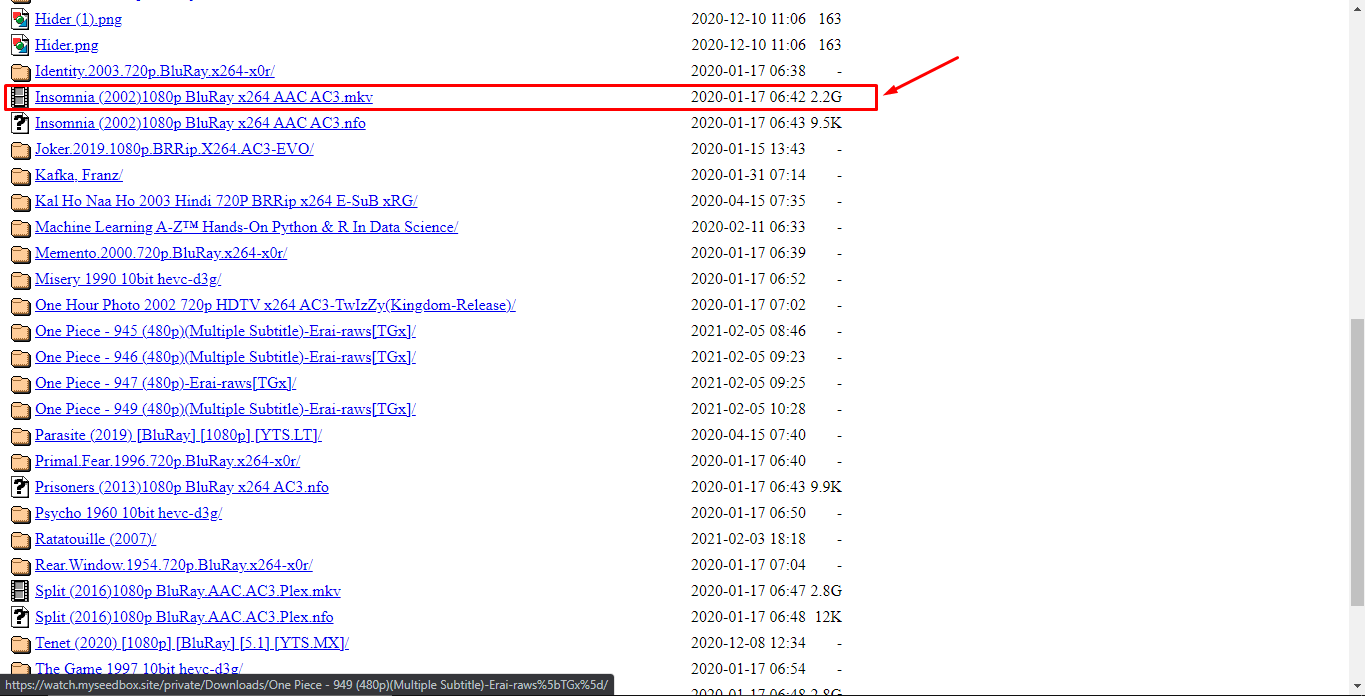
3. You can now directly click on the file to start the download:
Download Seedbox Files via HTTP (Browser Download) #
HTTP access lets you download files from your seedbox directly through your web browser — no FTP client needed. This is the simplest way to grab individual files.
Steps #
- Log in to your Evoseedbox client area and open the dashboard
- Click HTTP Access in the Web Access section
- A file browser opens in a new tab showing all your seedbox files
- Navigate to the file you want and click on it to start downloading
When to Use HTTP vs FTP #
| Method | Best For | Speed |
|---|---|---|
| HTTP (browser) | Single files, quick downloads | Moderate |
| FTP/SFTP (FileZilla) | Multiple files, entire folders | Fast |
| LFTP (command line) | Large files, maximum speed | Fastest |
For downloading many files or entire folders, use FTP/SFTP instead — HTTP downloads are single-threaded and slower for large transfers.


