All apps including rutorrent interface have the same username and password as hidden in the image below.
Please ensure to copy your credentials properly to ensure smooth login.
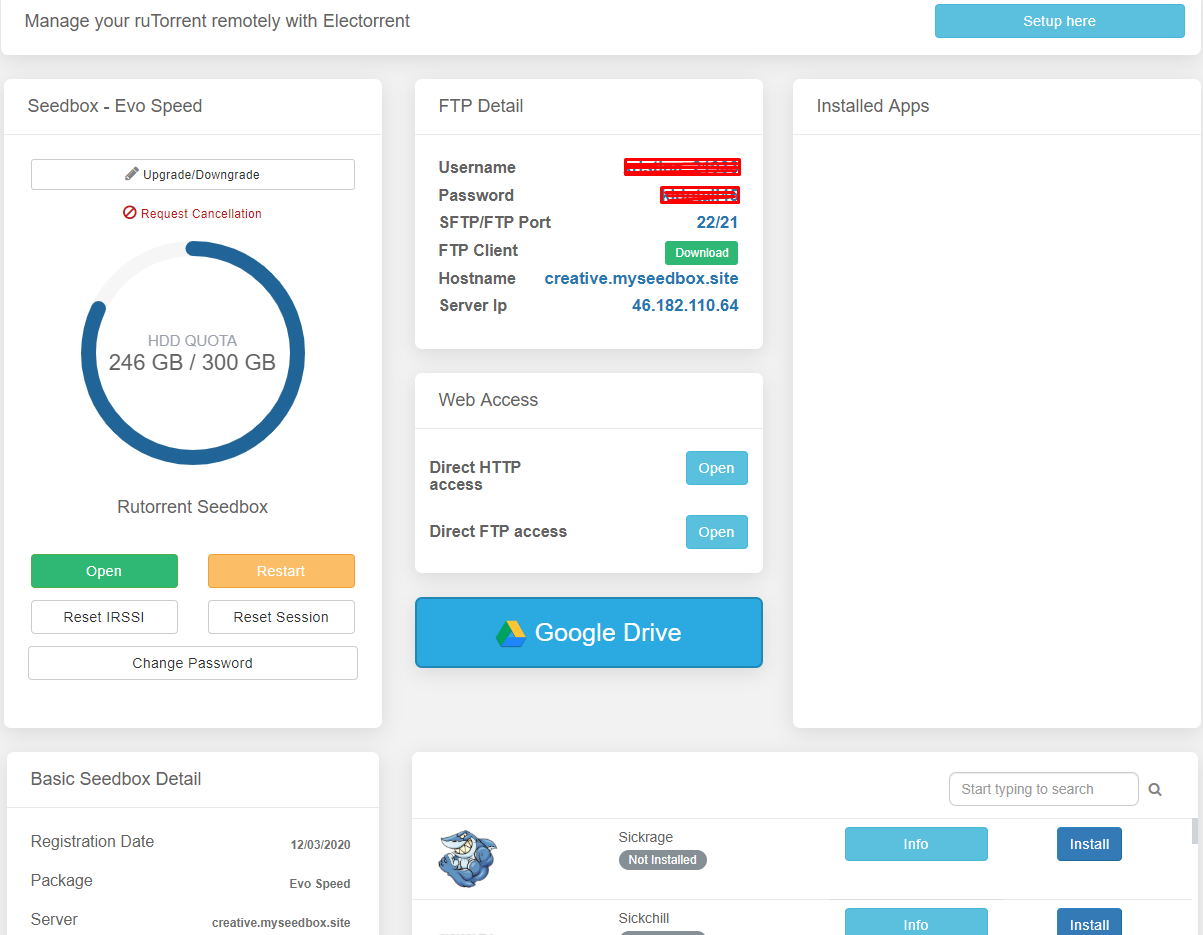
Where to Find Your Login Details #
Your seedbox login credentials are different from your Evoseedbox account credentials. All apps on your seedbox (ruTorrent, Deluge, Plex, Sonarr, Radarr, and others) share the same username and password.
Steps to Find Your Credentials #
- Log in to your Evoseedbox client area
- Navigate to your seedbox dashboard
- Your username and password are displayed in the credentials section
- Click the copy button next to each field to copy them accurately
Important Notes #
- Case-sensitive: Your password is case-sensitive. Copy it exactly — do not retype manually.
- Shared across all apps: The same credentials work for ruTorrent, FTP/SFTP, Plex, and every installed app.
- Not your account password: These are your seedbox credentials, not your Evoseedbox website login.
- Password change: You can change your seedbox password from the dashboard. See How to Change Your Password.
Frequently Asked Questions #
What if my password does not work? #
Ensure you are copying the password using the copy button rather than typing it manually. Hidden characters and special characters are common causes of login failures. If the issue persists, reset your password from the dashboard.
Are my FTP credentials the same as my seedbox credentials? #
Yes. Your FTP/SFTP username and password are the same as your seedbox app credentials. See FTP Credentials for connection details.


