Radarr vs CouchPotato #
  COMPARISON
  ══════════════════════════════════════════════════

  Radarr                        CouchPotato
  ──────                        ───────────
  ✅ Actively developed         ❌ Abandoned
  ✅ Prowlarr integration       ❌ Manual indexers
  ✅ Quality upgrades           ⚠️ Basic matching
  ✅ Modern UI                  ❌ Dated interface
  ✅ Custom formats (HDR, DV)   ❌ No support

  Radarr is the recommended movie manager.
How Radarr Works #
  RADARR AUTOMATION PIPELINE
  ═══════════════════════════════════════════════════════

  You add a movie            Radarr searches         Downloads & organizes
       │                          │                        │
       ▼                          ▼                        ▼
  ┌──────────┐             ┌──────────┐             ┌──────────┐
  │ "I want  │──search────▶│ Prowlarr │──download──▶│ rTorrent │
  │  Dune 2" │             │ queries  │             │          │
  └──────────┘             │ indexers │             └────┬─────┘
                           └──────────┘                  │
                                                    Completed
  Radarr renames & moves                                │
  ┌──────────┐                                          ▼
  │ /movies/ │◀──── Dune.Part.Two.2024.2160p.mkv ──────┘
  │ Dune Part│      renamed to:
  │ Two (2024)│     Dune Part Two (2024).mkv
  └──────────┘
       │
       ▼
  ┌──────────┐
  │ Plex /   │──▶ Ready to stream! 🎬
  │ Jellyfin │
  └──────────┘
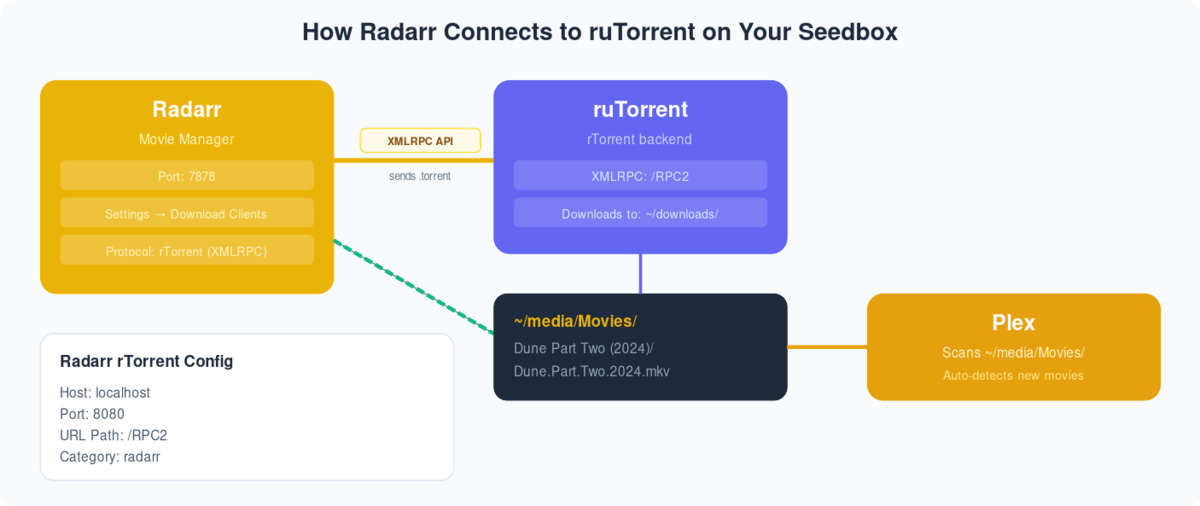
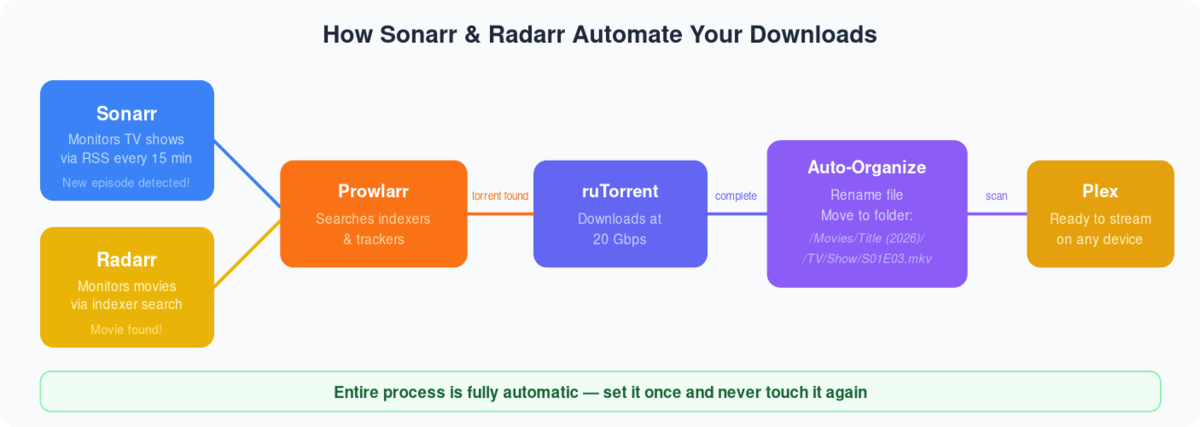
Radarr is one of the best open-source software available to automate torrents. It can be used with devices such as a computer, a server, etc. In this tutorial, I am going to show you how to use radarr with a seedbox.
Seedbox is a remote server used to manage torrents, but by using apps like Radarr, Sonarr, and Plex, you can create your own media center!
Evoseedbox provides seedboxes with 30+ apps to choose from. Get a faster and easier seedbox experience with Evoseedbox.
So let’s get started with our tutorial.
Steps to Install Radarr on your Seedbox #
Step 1: Log in to your seedbox’s client area.
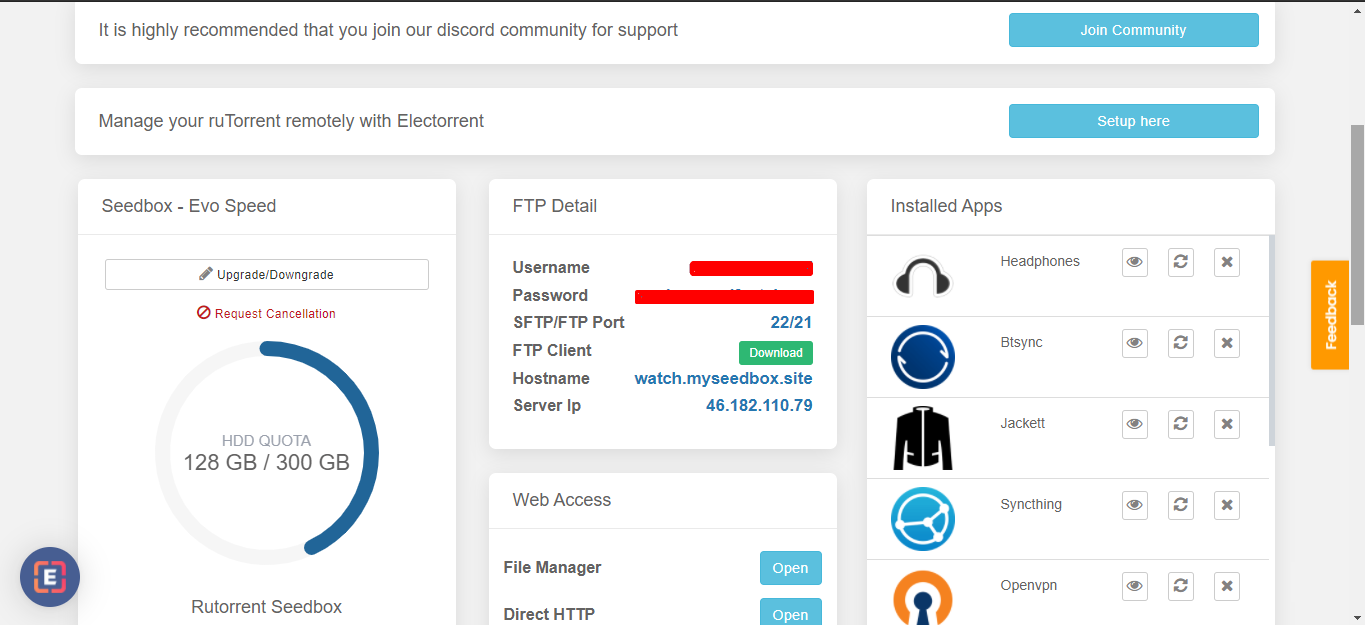
Step 2: Head on to the Apps section and find Radarr.
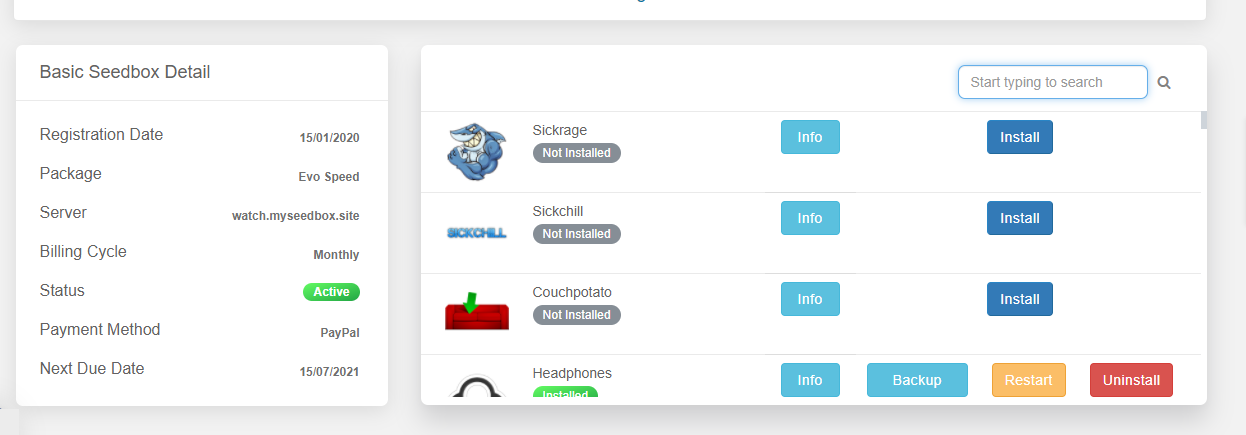
Step 3: Find Radarr and click on the install button.
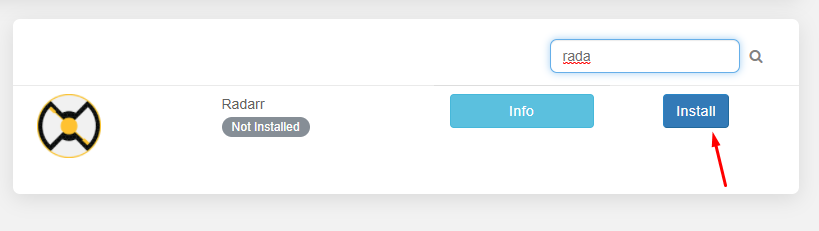
Step 4: Relax as Evoseedbox automatically installs the Radarr app on your seedbox.
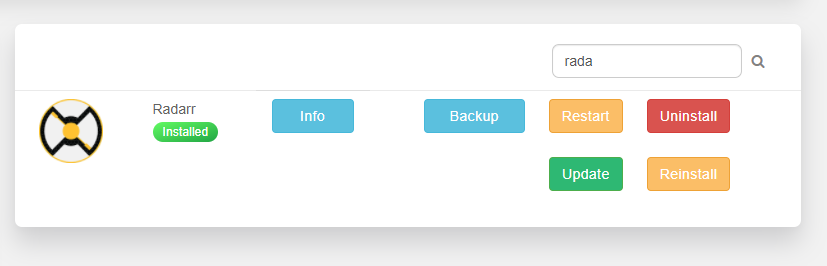
Steps to add indexers in the Radarr app #
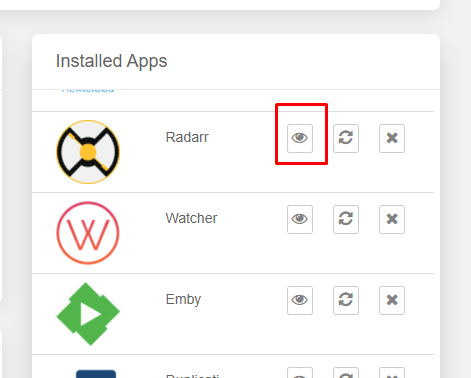
Step 1: Click on the open button to launch the Radarr app
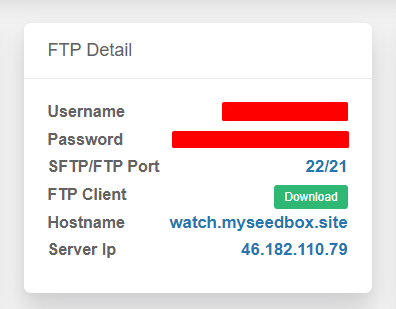
Step 2: Use the FTP credentials given in your client area to log in
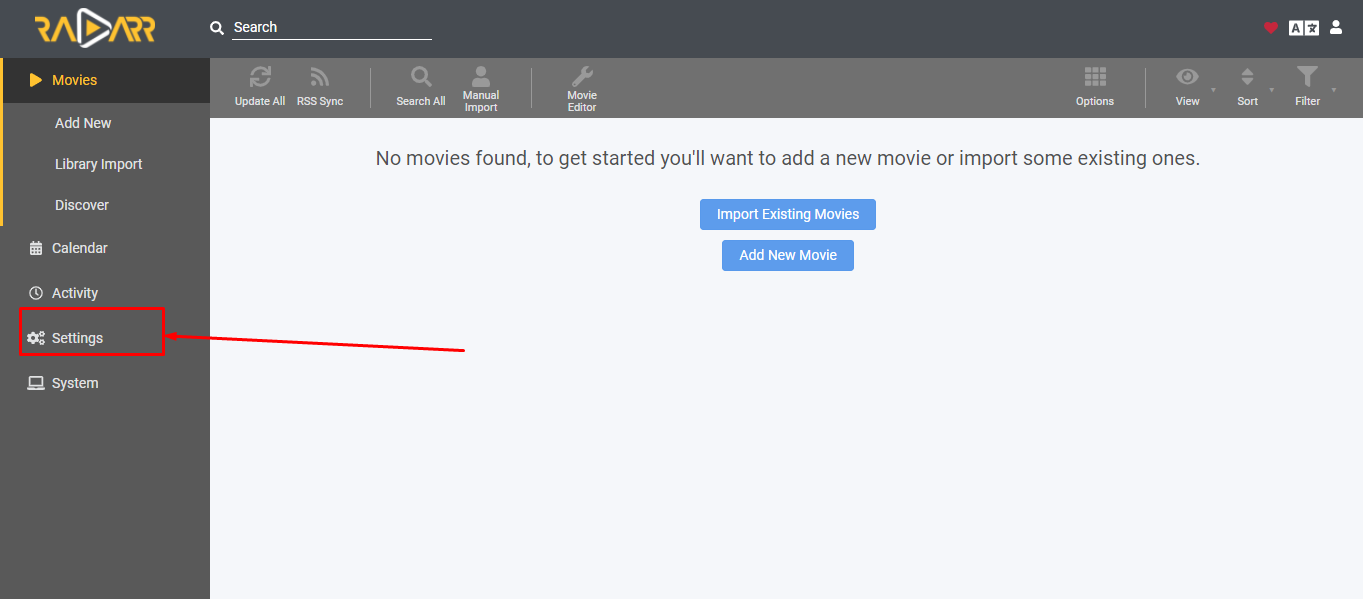
Step 3: Once Radarr opens, move to settings for basic configuration
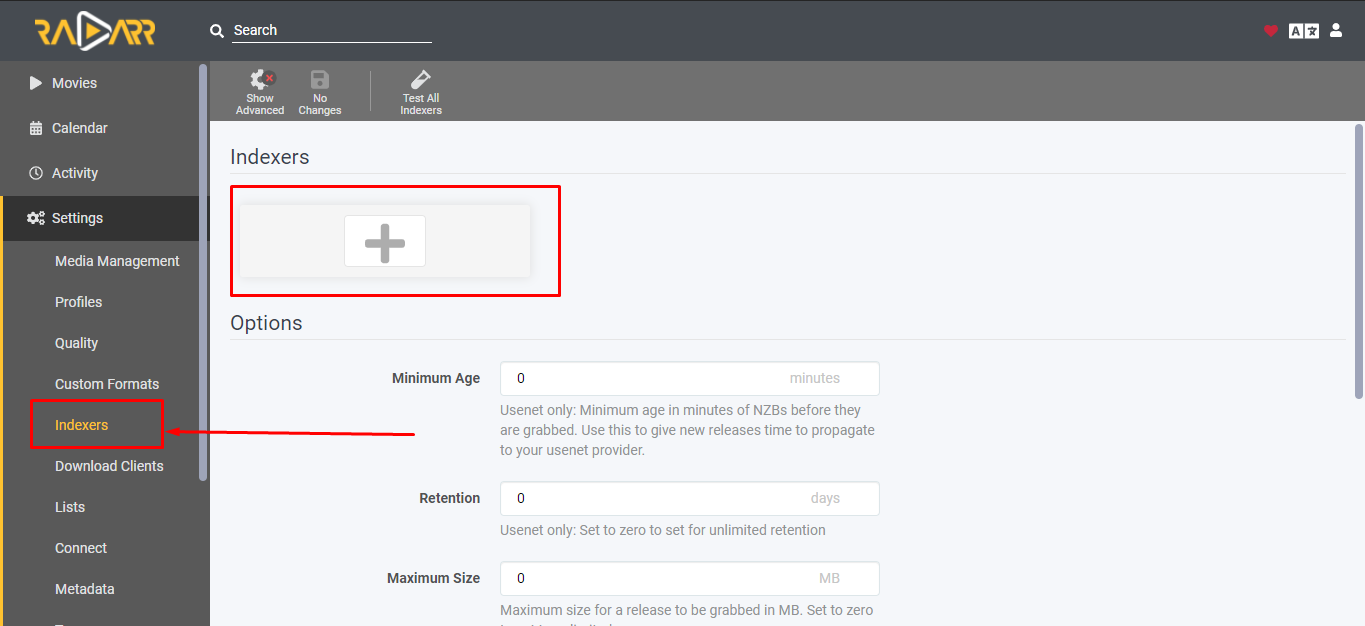
Step 4: Open Indexers and click on the “Plus” button
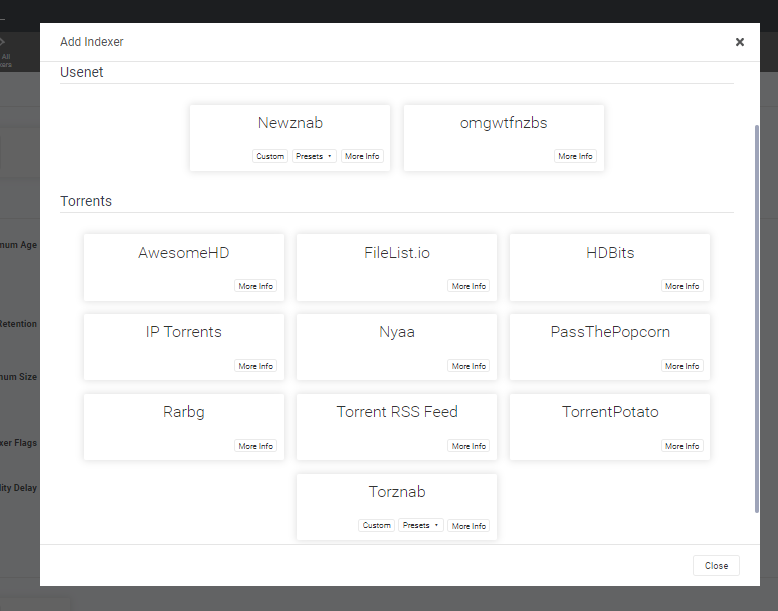
Step 5: A list of indexers will appear. Choose your preferred indexer.
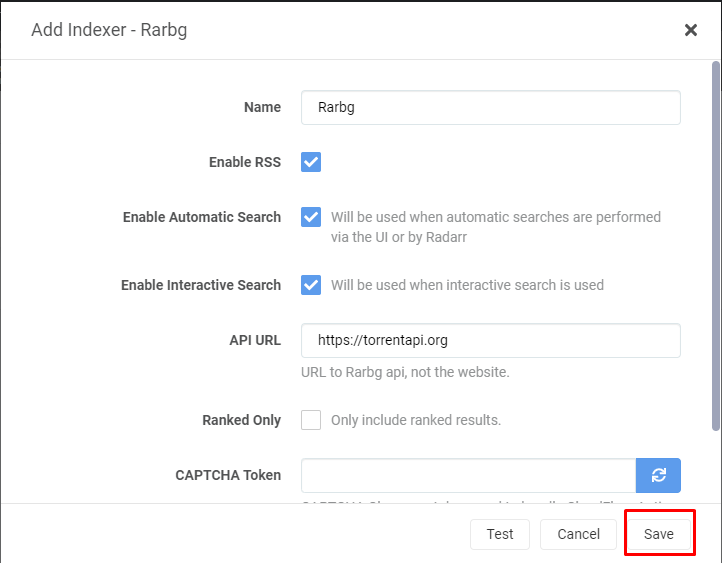
Step 6: Configure any indexer that you choose and save.
How to add movies to your seedbox using the Radarr app? #
We are finally at the part which we really want to know! The Job of configuration is done, it is time to add some movies.
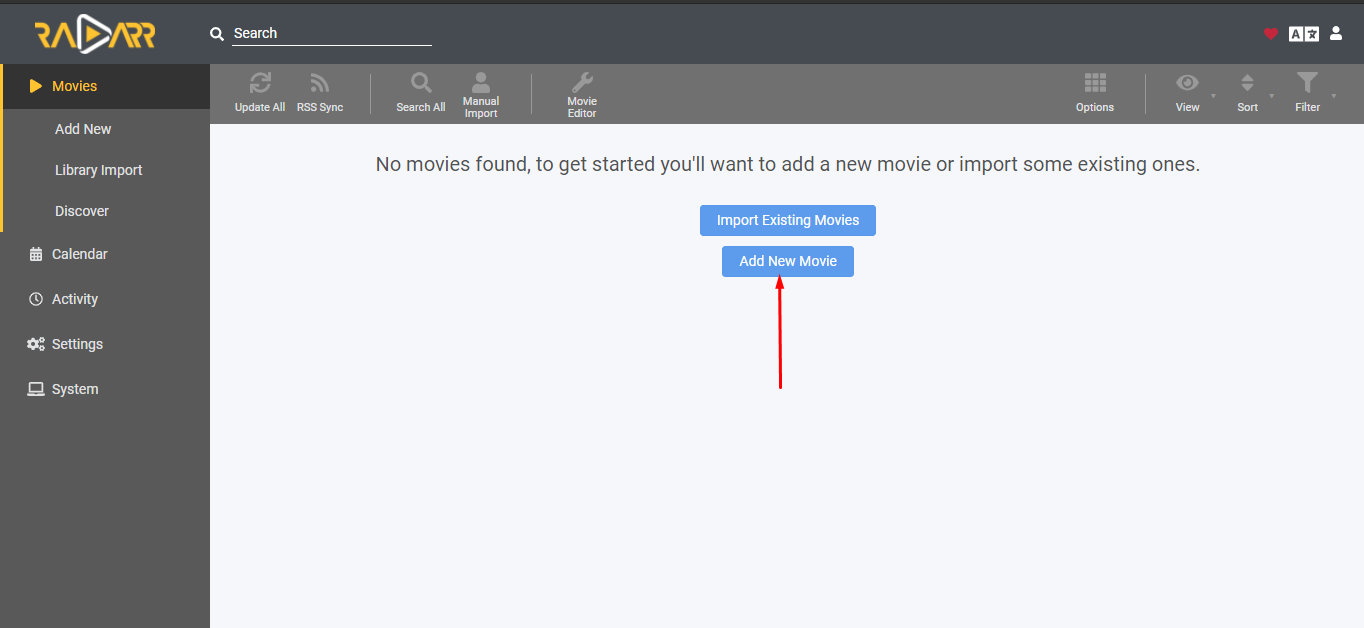
Step 1: Head on to the movies section and click on the “add new movie” Button.
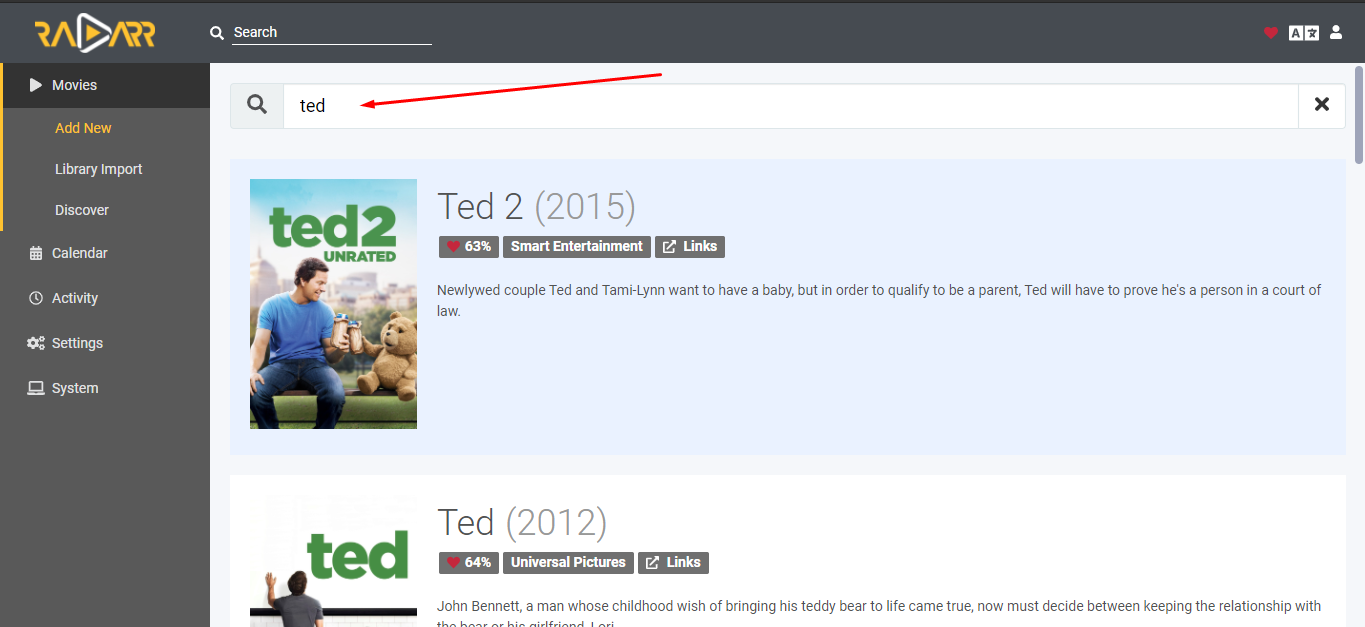
Step 2: Find any available movie from the given search bar.
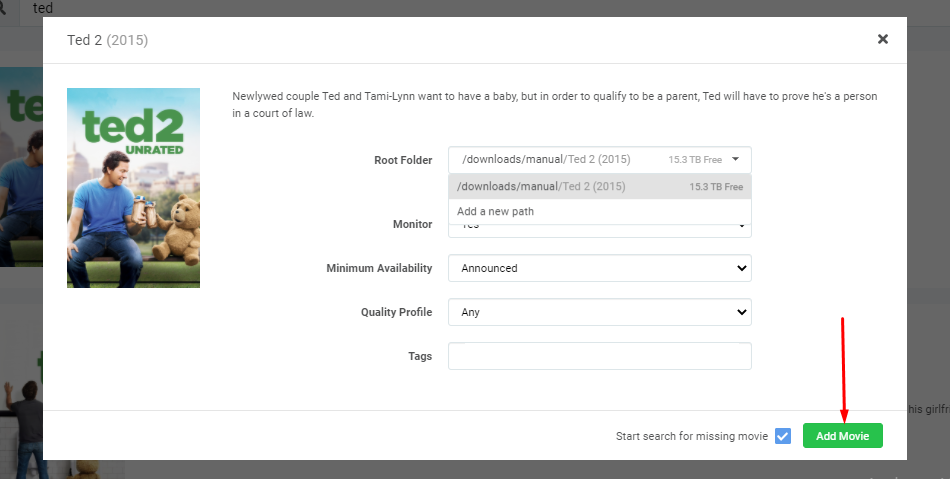
Step 3: Click on the movie and you’ll see a configuration panel. Set the root folder to download the movie in the desired folder and click on the “Add Movie” button
Step 4: Your download will start automatically, you can see it in the queue section.
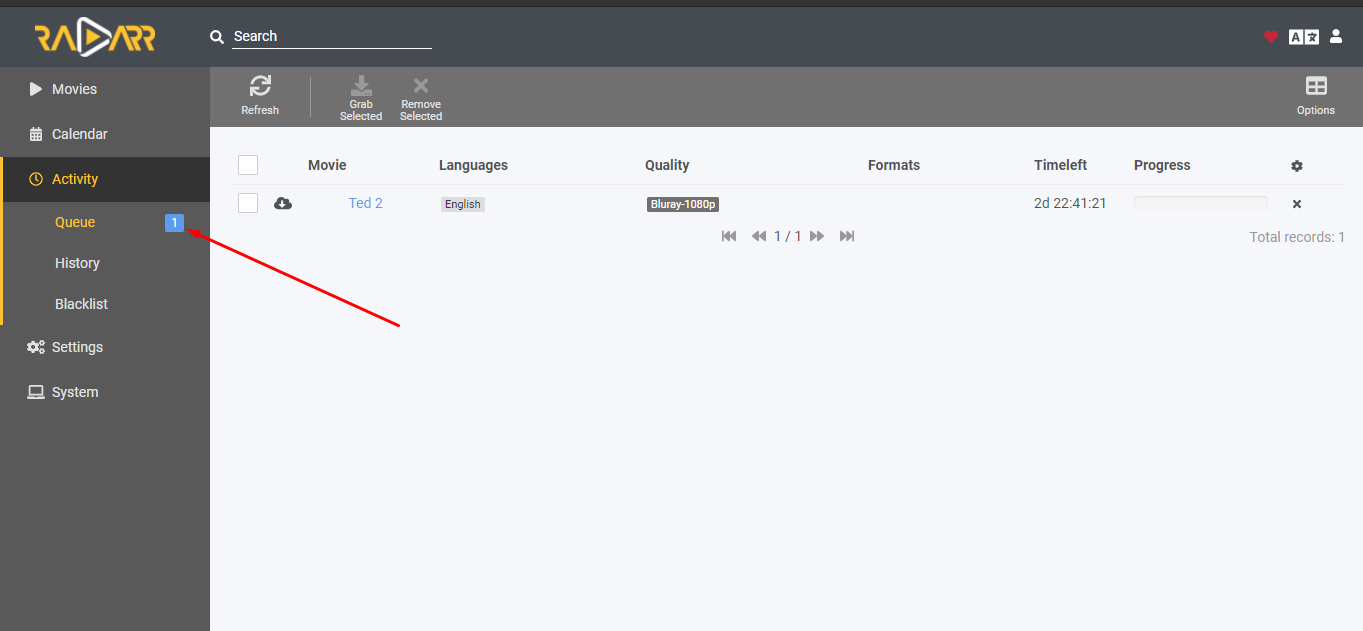
Note: You can check your rutorrent client as well to see if the torrent is added or not. #
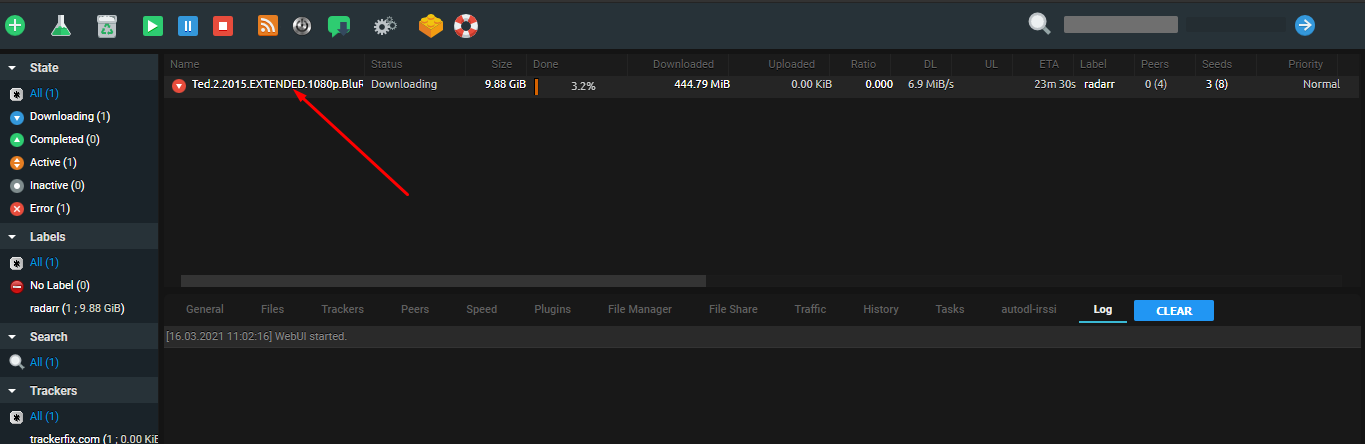
So this is how you can add torrents on your seedbox using the Radarr app. You can even add upcoming movies to the Radarr app too. The app will look for the torrent in your indexers and automatically download them when available.


