Radarr gebruiken met uw Seedbox
On this page ▾
How Radarr Works
  RADARR AUTOMATION PIPELINE
  ═══════════════════════════════════════════════════════

  You add a movie            Radarr searches         Downloads & organizes
       │                          │                        │
       ▼                          ▼                        ▼
  ┌──────────┐             ┌──────────┐             ┌──────────┐
  │ "I want  │──search────▶│ Prowlarr │──download──▶│ rTorrent │
  │  Dune 2" │             │ queries  │             │          │
  └──────────┘             │ indexers │             └────┬─────┘
                           └──────────┘                  │
                                                    Completed
  Radarr renames & moves                                │
  ┌──────────┐                                          ▼
  │ /movies/ │◀──── Dune.Part.Two.2024.2160p.mkv ──────┘
  │ Dune Part│      renamed to:
  │ Two (2024)│     Dune Part Two (2024).mkv
  └──────────┘
       │
       ▼
  ┌──────────┐
  │ Plex /   │──▶ Ready to stream! 🎬
  │ Jellyfin │
  └──────────┘
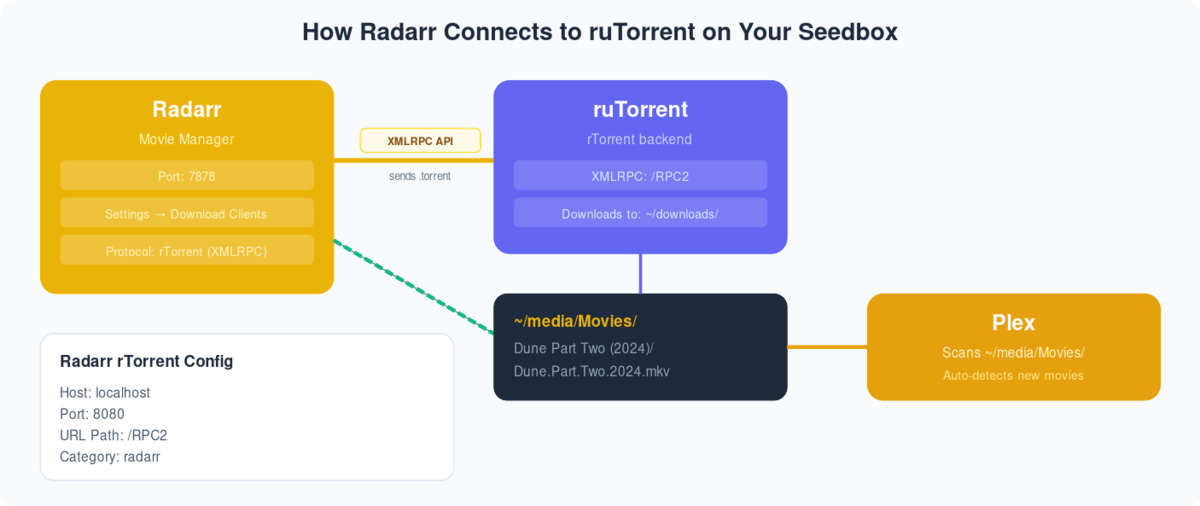
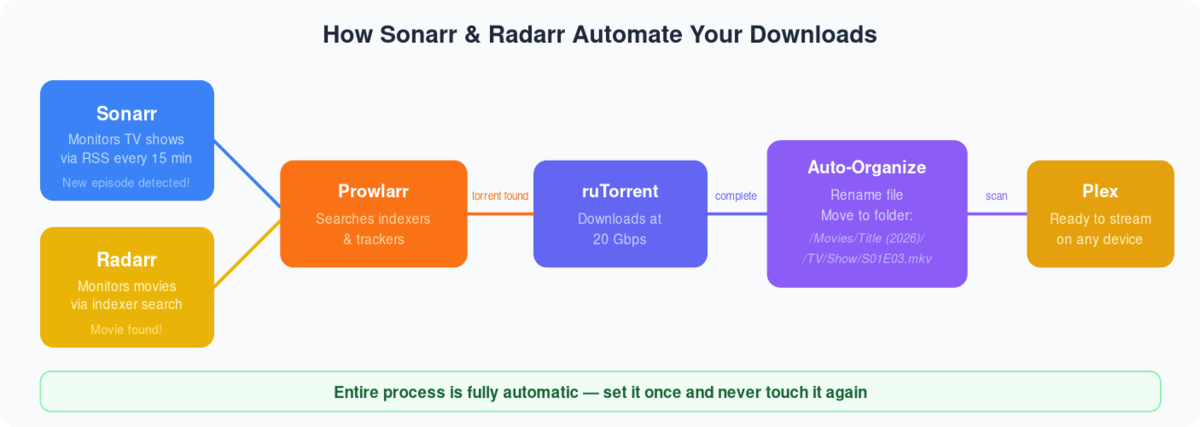
Radarr is one of the best open-source software beschikbaar to automate torrents. It can be used with devices such as a computer, a server, etc. In deze handleiding, I am going to show you how to use radarr with a seedbox.
Seedbox is a remote server wordt gebruikt om manage torrents, but by using apps like Radarr, Sonarr, and Plex, u kunt create your own media center!
Evoseedbox biedt seedboxes with 30+ apps to choose from. Get a faster and easier seedbox experience with Evoseedbox.
So let’s get started with our tutorial.
Steps to Installereneren Radarr op uw Seedbox
Stap 1: Inloggen to uw seedbox’s klantengebied.
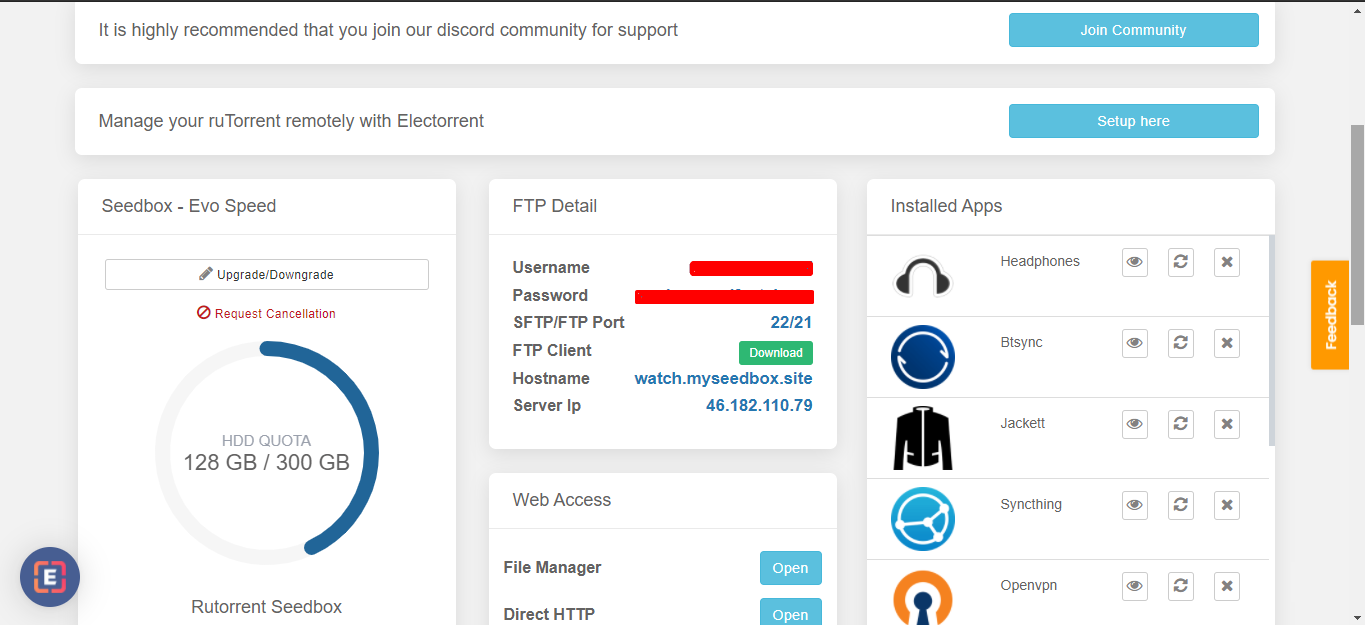
Stap 2: Head on to the Apps section and find Radarr.
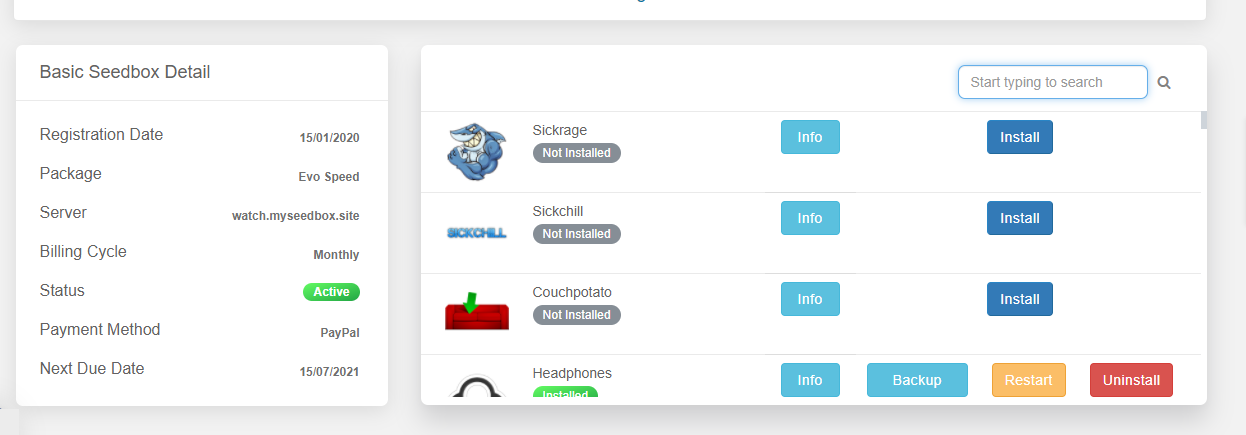
Stap 3: Find Radarr and click on the install knop.
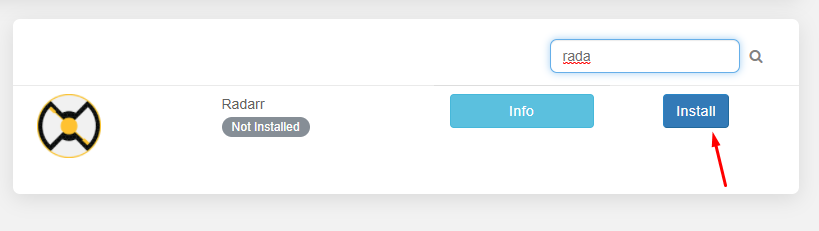
Step 4: Relax as Evoseedbox automatically installs the Radarr app on uw seedbox.
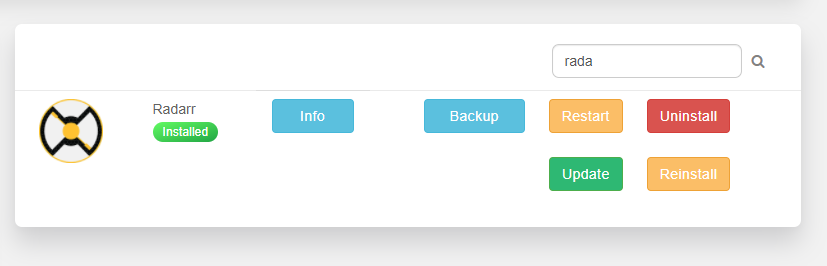
Steps to add indexers in the Radarr app
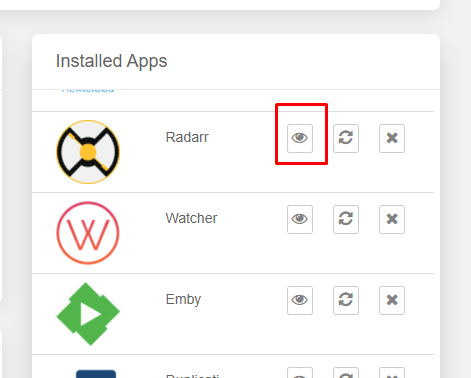
Stap 1: Klik op the open knop to launch the Radarr app
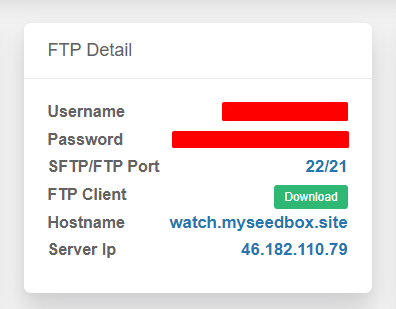
Stap 2: Use the FTP inloggegevens given in uw klantengebied to log in
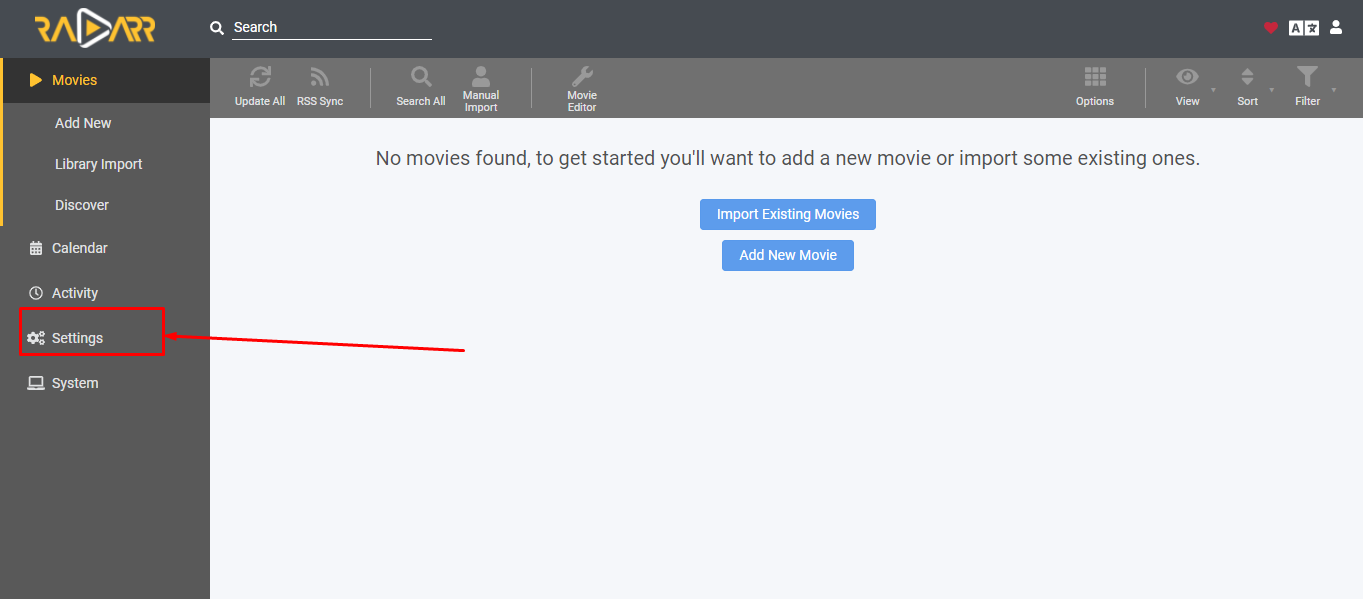
Stap 3: Once Radarr opens, move to settings for basic configuration
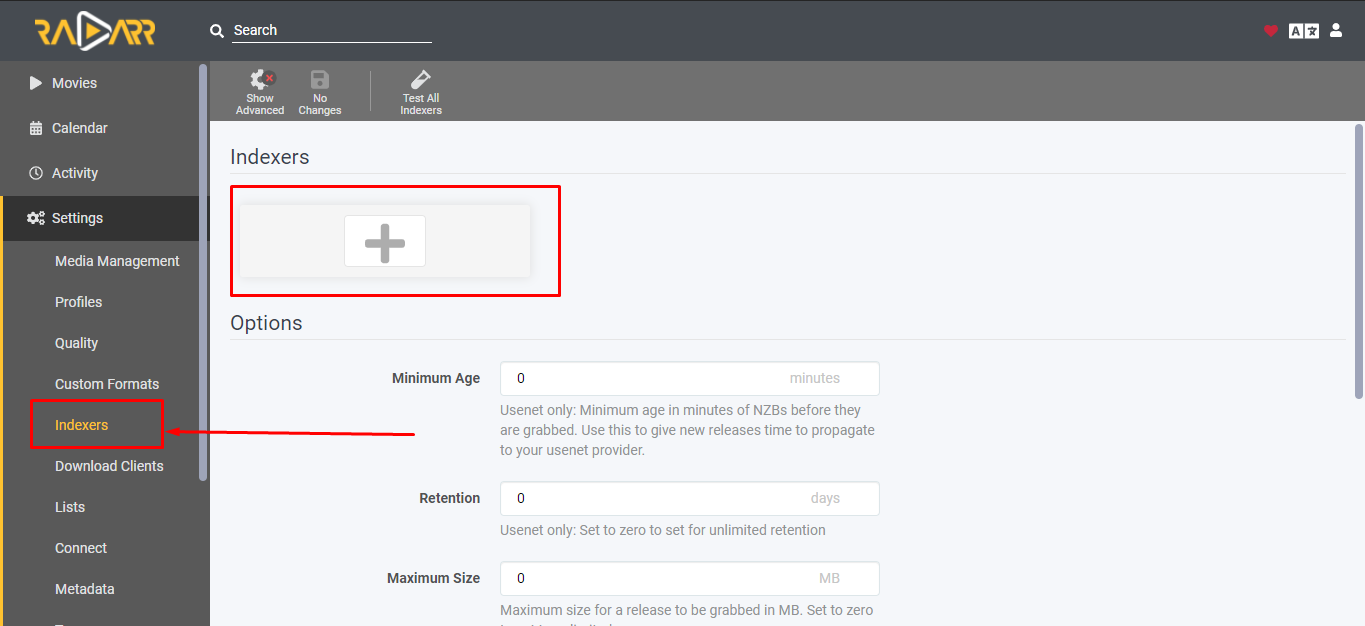
Step 4: Open Indexers and click on the “Plus” knop
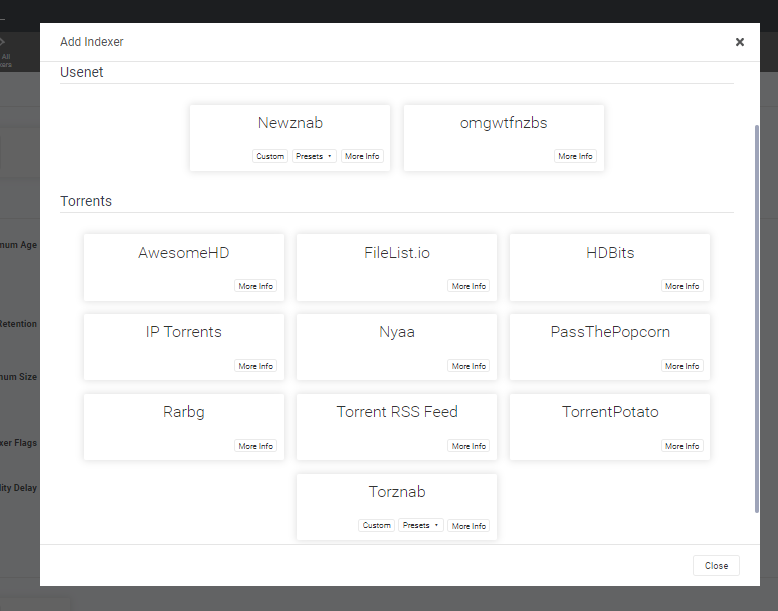
Step 5: A list of indexers will appear. Choose your preferred indexer.
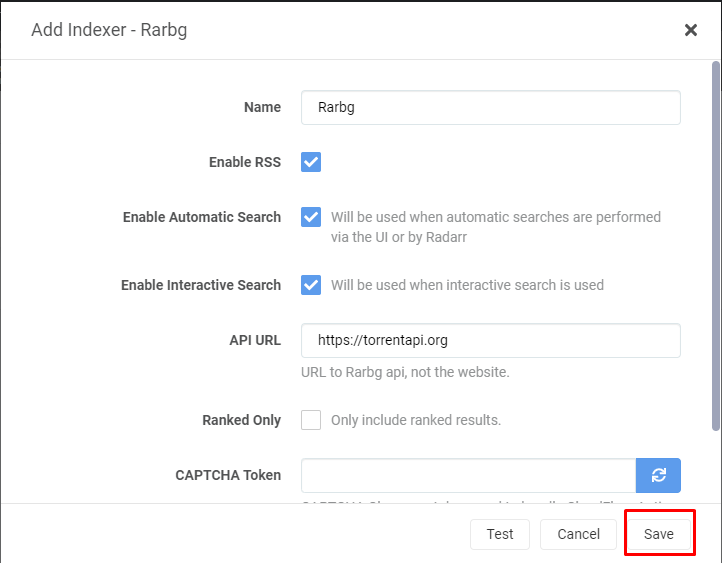
Step 6: Configure any indexer that you choose and save.
Hoe add movies to uw seedbox using the Radarr app?
We are finally at the part which we really want to know! The Job of configuration is done, it is time to add some movies.
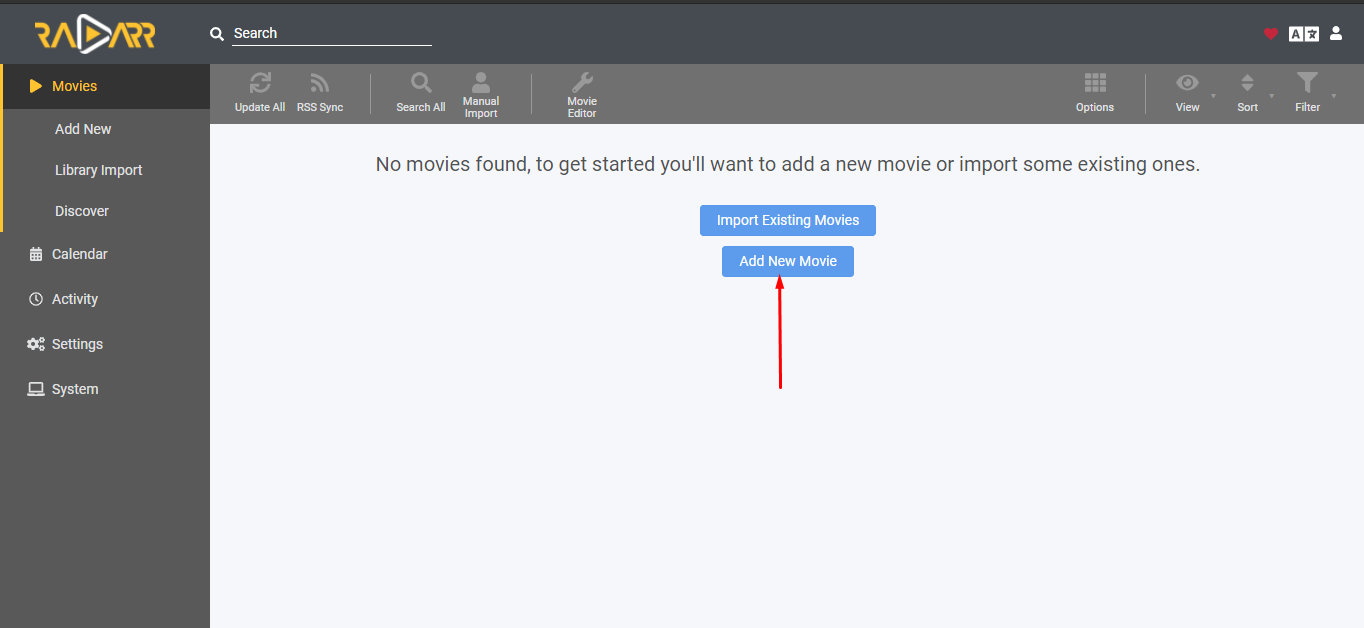
Stap 1: Head on to the movies section and click on the “add new movie” Button.
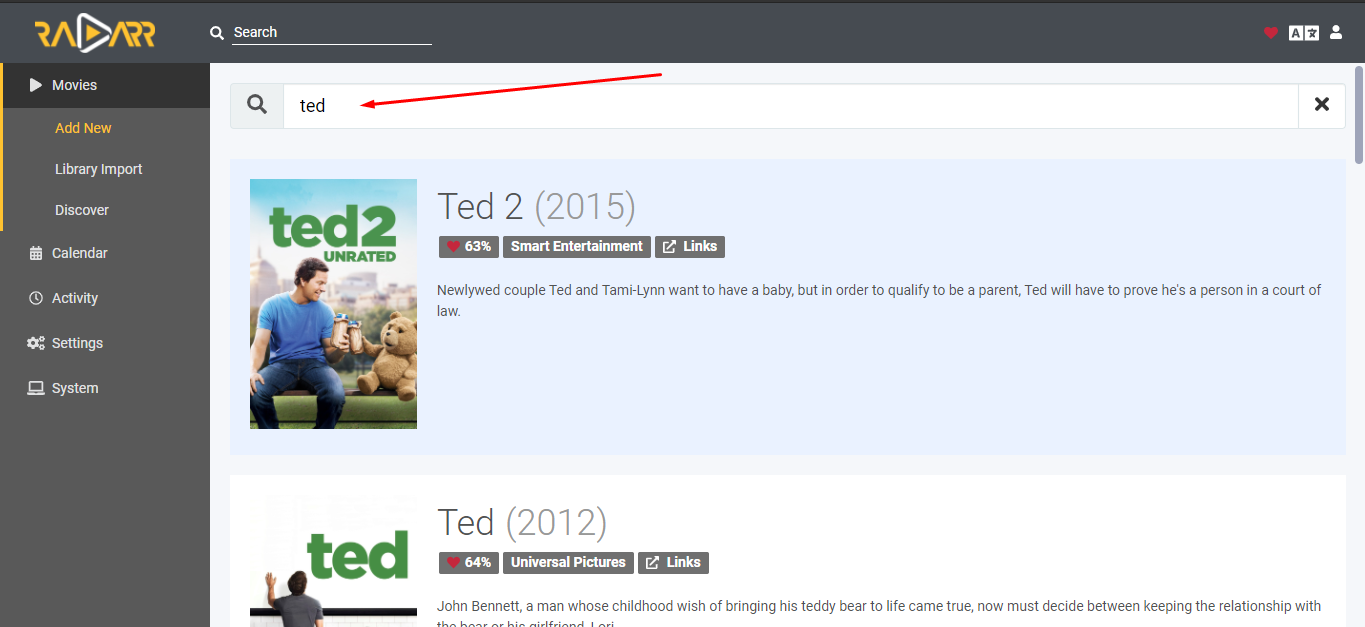
Stap 2: Find any beschikbaar movie from the given search bar.
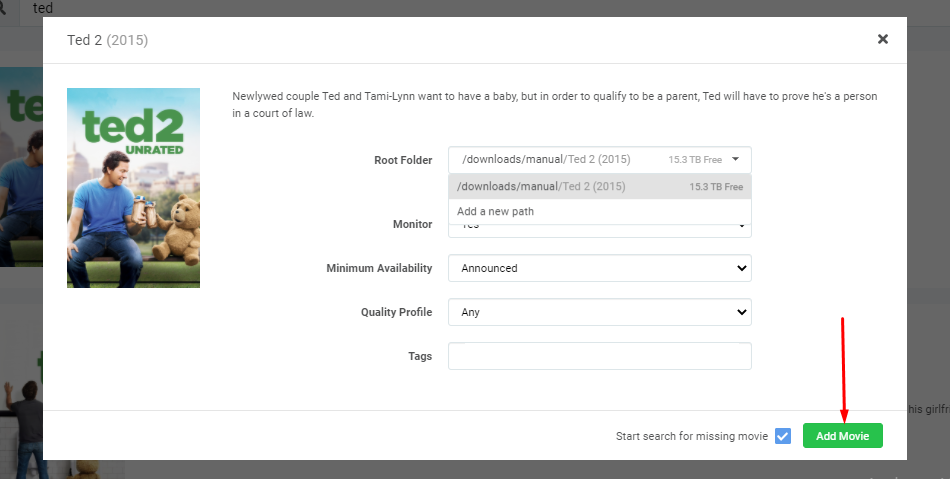
Stap 3: Klik op the movie and you’ll see a configuration panel. Set the root folder to download the movie in the desired folder and click on the “Add Movie” knop
Step 4: Your download will start automatically, u kunt see it in the queue section.
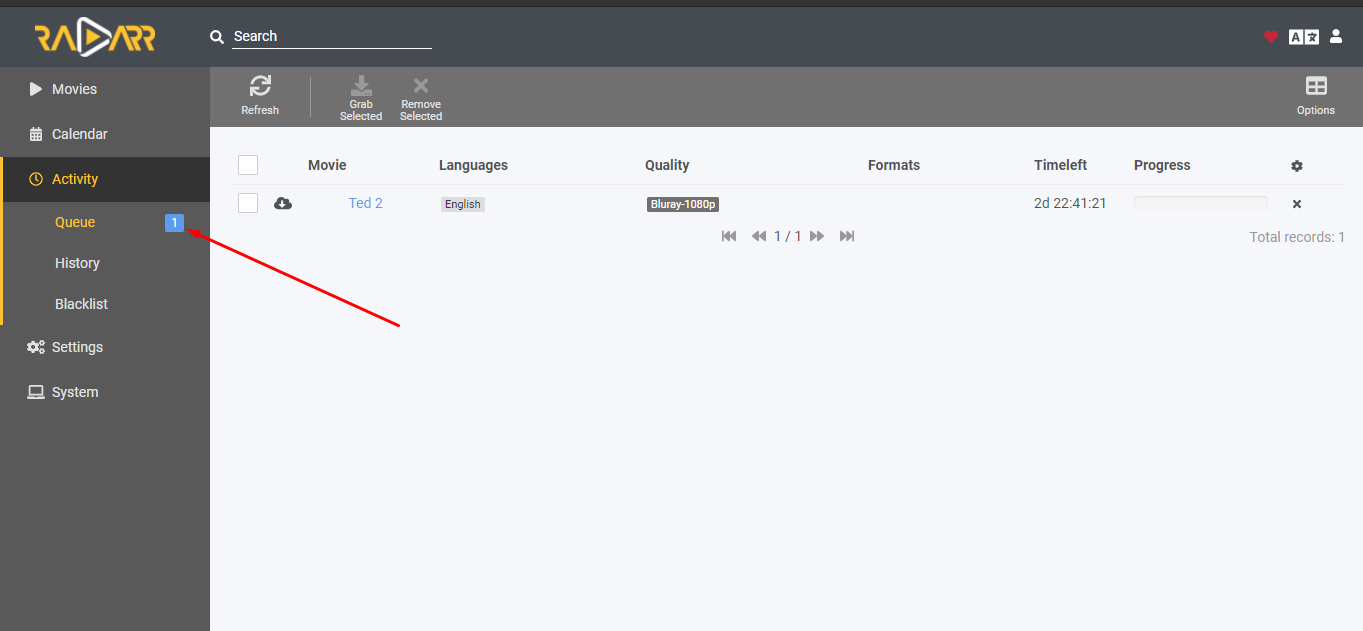
Opmerking: U kunt check your rutorrent client as well to see if the torrent is added or not.
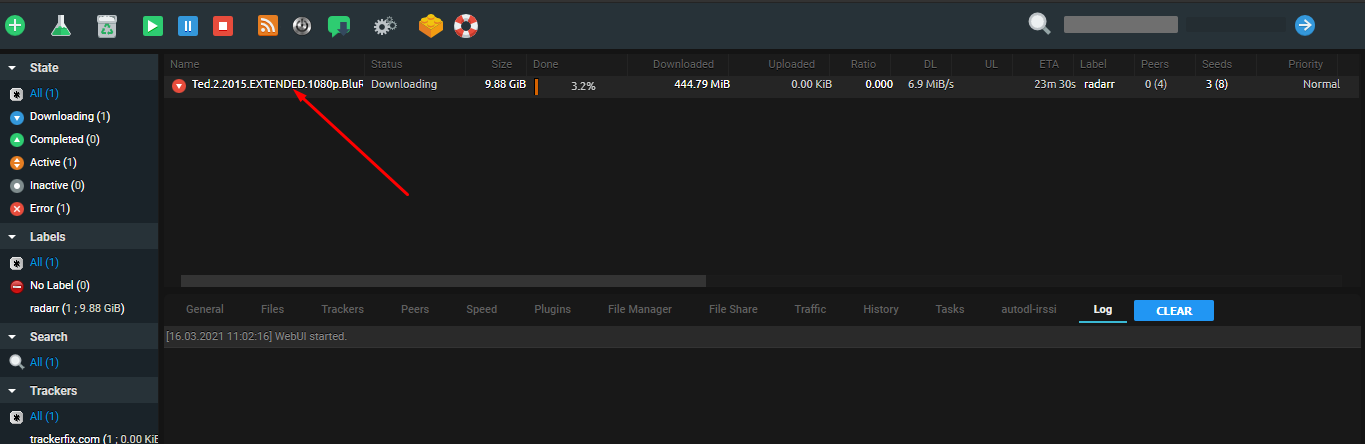
So dit is how u kunt add torrents on uw seedbox using the Radarr app. U kunt even add upcoming movies to the Radarr app too. The app will look for the torrent in uw indexers and automatically download them when beschikbaar.
Gerelateerde handleidingen
Radarr vs CouchPotato
  COMPARISON
  ══════════════════════════════════════════════════

  Radarr                        CouchPotato
  ──────                        ───────────
  ✅ Actively developed         ❌ Abandoned
  ✅ Prowlarr integration       ❌ Manual indexers
  ✅ Quality upgrades           ⚠️ Basic matching
  ✅ Modern UI                  ❌ Dated interface
  ✅ Custom formats (HDR, DV)   ❌ No support

  Radarr is the recommended movie manager.
Put this into practice
EvoSeedbox ships with one-click app installs and up to 10 Gbps per box.


