SeedboxでSonarrを設定する方法
On this page ▾
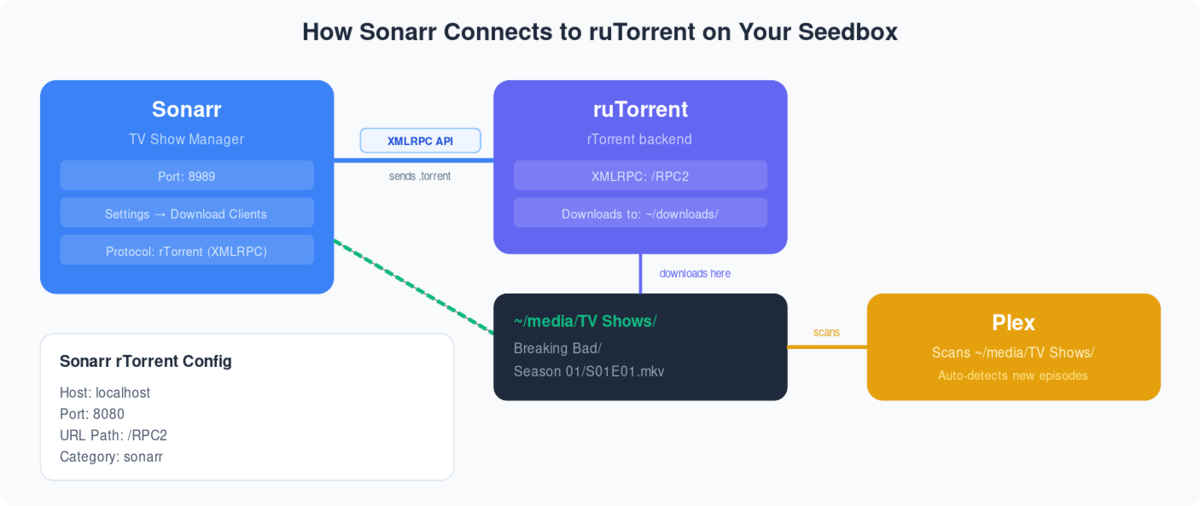
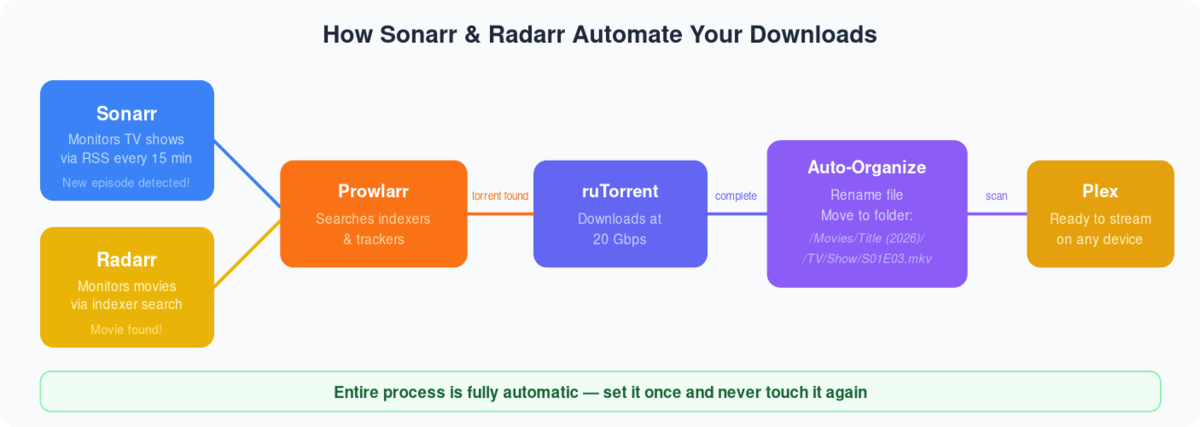
How Sonarr Works
  SONARR AUTOMATION PIPELINE
  ═══════════════════════════════════════════════════════

  1. MONITOR              2. SEARCH              3. DOWNLOAD

  You add a TV show       Sonarr searches        rTorrent downloads
  to your library         your indexers          the episode
       │                       │                      │
       ▼                       ▼                      ▼
  ┌──────────┐           ┌──────────┐           ┌──────────┐
  │  Sonarr  │──search──▶│ Prowlarr │──found───▶│ rTorrent │
  │          │           │ /Jackett │           │          │
  │ Monitors │           │          │           │ Downloads│
  │ for new  │           │ Queries  │           │ torrent  │
  │ episodes │           │ indexers │           └────┬─────┘
  └──────────┘           └──────────┘                │
                                                Completed
  4. ORGANIZE              5. STREAM                 │
                                                     ▼
  ┌──────────┐           ┌──────────┐          ┌──────────┐
  │  Sonarr  │──library──▶│  Plex /  │──▶ 📱💻 │  Rename  │
  │ renames  │           │ Jellyfin │          │  & move  │
  │ & moves  │           │          │          │  to lib  │
  └──────────┘           └──────────┘          └──────────┘
What You Need
  SONARR ECOSYSTEM
  ══════════════════════════════════════

  Required:
  ├── Sonarr           (this guide)
  └── Indexers via Prowlarr or Jackett

  Recommended:
  ├── Prowlarr         (unified indexers)
  ├── Plex or Jellyfin (streaming)
  └── Bazarr           (subtitles)

  Install order: Prowlarr → Sonarr → Plex
- First login あなたの クライアントエリア:

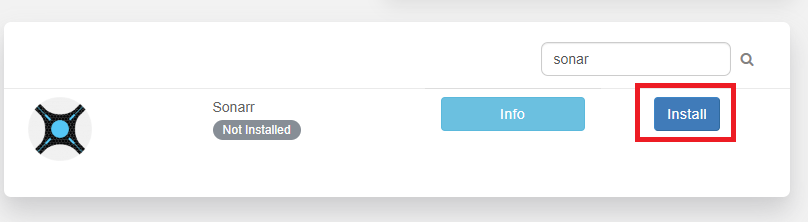
2. 検索 for Sonarr in アプリlication section and choose インストール:
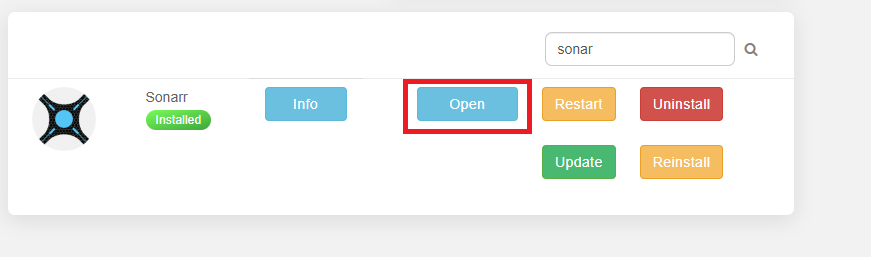
3. Wait for it to finish installing:

4. 開く Sonarr application:
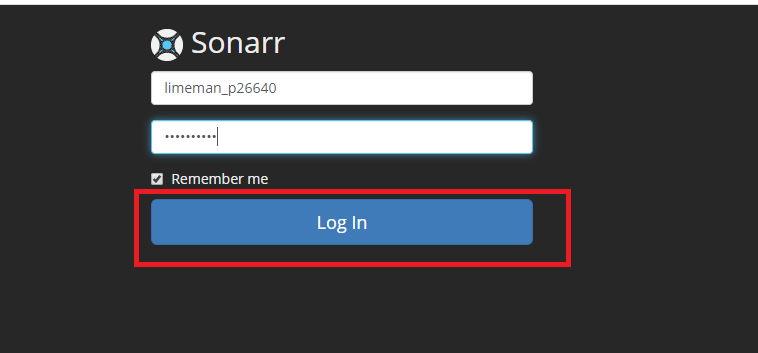
5. Login with your 認証情報:
5. クリックしてください: Settings than choose Indexers:
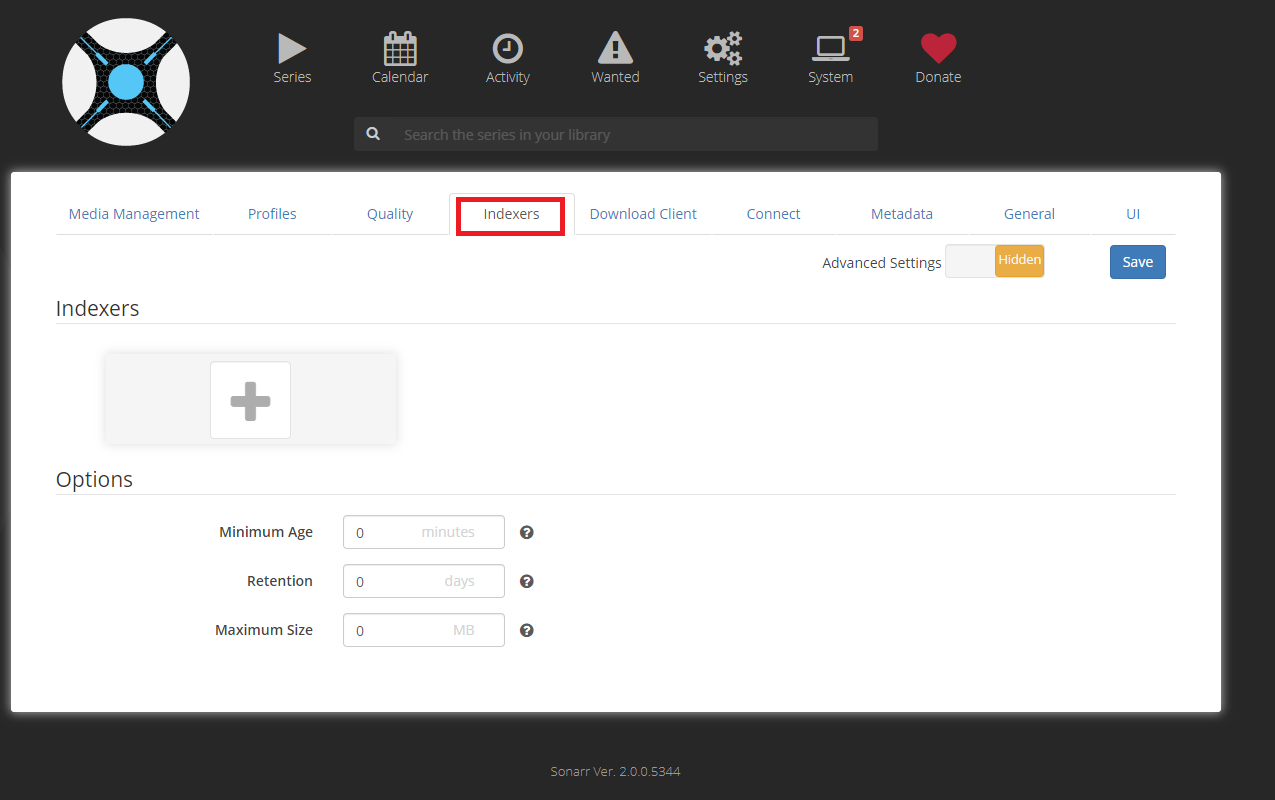
6. Input any RSS torrent feed, Usenet indexers, or api key you have. もしr tracker does not have an RSS feed できます create one with Jackett:

5. クリックしてください: Profiles and adjust any of the profiles あなたの liking by adding and removing quality:

6. On the quality tab できます move the sliders to change size cut offs of specific quality definitions if you like:

7. On the connect tab できます set notifications to various applications to let you know when Sonarr has downloaded a new episode:


8. できます adjust episode naming if you with from the Media Management tab:

9. ダウンロード client tab leave at its defaults:

10. クリックしてください: the Series ボタン and put a series you want to add into the search below choose the Profile you wish and click the + ボタン to add it:
Trouble Shooting

11. 移動: your Show and ensure it is watching for whatever seasons you wish to download:

12. It is setup to sync every 15 minutes on its own and pull new shows, if you wish to search now click the magnifier glass:

TroubleShooting
Reinstall
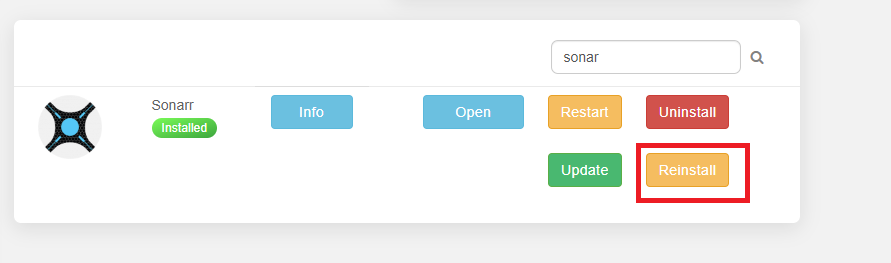
- 検索 for Sonarr under applications and click Reinstall:
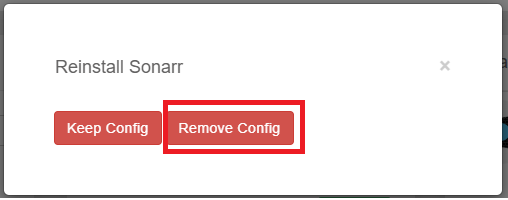
2. Chose Remove Config:
関連ガイド
Understanding Quality Profiles
  QUALITY PROFILE GUIDE
  ═══════════════════════════════════════════════════════

  Profile          Resolution    Size/Episode    Best For
  ───────          ──────────    ────────────    ────────
  SD               480p          200-500 MB      Slow connection
  HD-720p          720p          500 MB-1.5 GB   Good balance
  HD-1080p         1080p         1.5-4 GB        Most users ✓
  Ultra-HD         2160p/4K      5-15 GB         4K displays
  Any              Best match    Varies          "Just get it"

  ┌──────────────────────────────────────────────────┐
  │  Recommended: HD-1080p for most users.           │
  │  See our quality settings guide for fine-tuning. │
  └──────────────────────────────────────────────────┘
Sonarr Key Settings
  IMPORTANT SETTINGS TO CONFIGURE
  ═══════════════════════════════════════════════════════

  Settings → Media Management:
  ├── Rename Episodes: YES ✓
  ├── Standard Format: {Series Title} - S{season:00}E{episode:00}
  ├── Root Folder: /downloads/tv-shows/
  └── Import Extra Files: srt,sub (subtitles)

  Settings → Download Clients:
  └── rTorrent (pre-configured on your seedbox ✓)

  Settings → Indexers:
  └── Managed by Prowlarr (recommended)
      or add manually via Jackett
For detailed quality settings including 4K, see our Sonarr and Radarr Quality Settings Guide. To connect Prowlarr for unified indexer management, see our Prowlarr Setup Guide.
Put this into practice
EvoSeedbox ships with one-click app installs and up to 10 Gbps per box.


