Stream Media Directly from Seedbox with MPV Player
On this page ▾
Downloading a whole movie or TV episode to your computer just to watch it once is a waste of local disk space and time. If your media already lives on your seedbox, you can play it straight from the server without copying a single byte to your machine first. The trick is a small, free media player called MPV combined with the Direct HTTP link that ruTorrent hands you for any file. This guide walks through the whole flow: installing MPV, grabbing the link, and pressing play.
Why stream instead of download?
Pulling a file down before you watch it has three costs: it eats your local storage, you have to wait for the transfer to finish before anything happens, and you end up with a duplicate you now have to manage. Streaming from your seedbox sidesteps all of that.
- Save local disk. Nothing is stored on your computer. Your laptop’s SSD stays free and the file stays where it already is, on the seedbox.
- Instant playback. MPV starts playing while the rest of the file is still coming over the wire. No “wait for 100%” bar.
- It plays almost anything. MPV is built on FFmpeg, so obscure codecs, MKV containers, HEVC, and unusual audio tracks tend to just work without hunting for codec packs.
Why MPV?
MPV is a free, open-source, lightweight media player available for Windows, macOS, and Linux. It has almost no interface to get in the way, it opens fast, and crucially it can open a URL as easily as a local file, which is exactly what we need for streaming from a seedbox. It is a great fit for the play-one-file-and-close workflow.
Step 1: Install MPV
Head to the official site, mpv.io, and grab the build for your operating system. Do not download MPV from random third-party mirrors; stick to the official project links.

On Windows there is no traditional installer. You download a zip archive of the latest build, extract it to a folder you will keep (for example somewhere in your user directory), and run mpv.exe from inside it. macOS users can grab a build or install via Homebrew with brew install mpv, and most Linux distributions offer MPV straight from their package manager (apt install mpv, dnf install mpv, and so on).
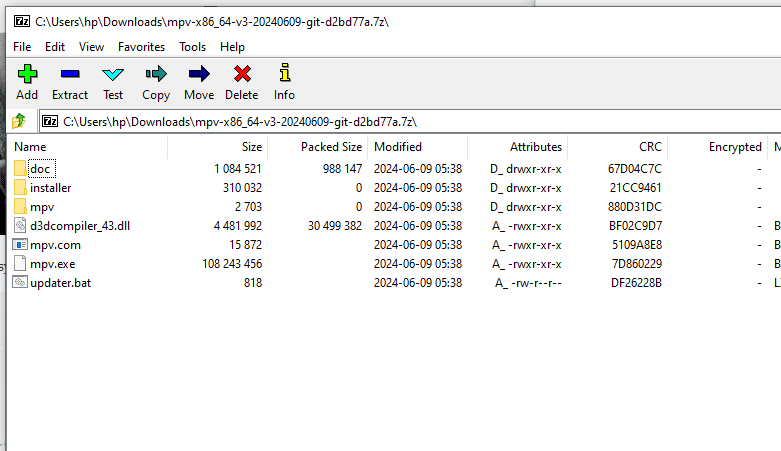
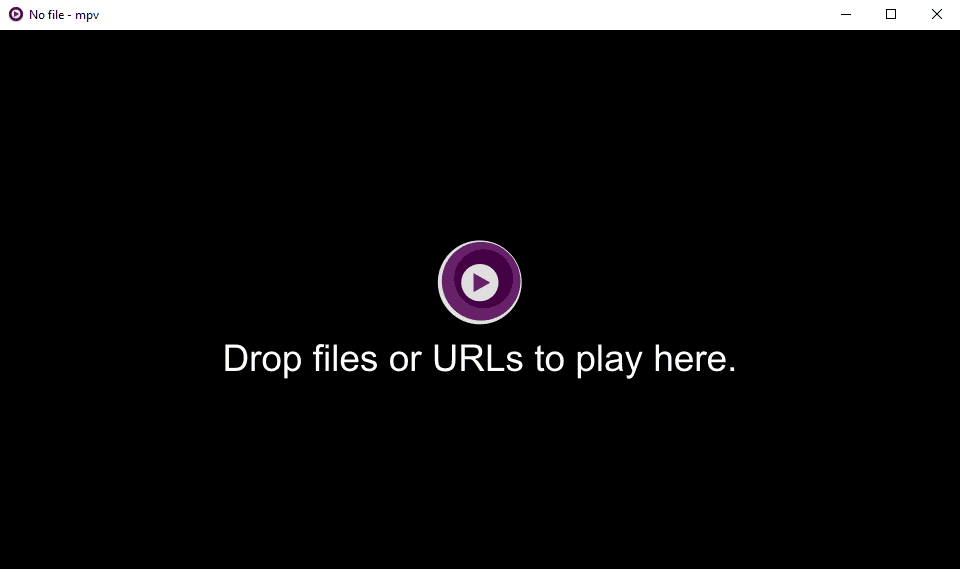
Once it is extracted or installed, launch it once to confirm it opens. You will see a small, mostly empty player window. That blank window is normal, it is waiting for something to play.
Step 2: Get the Direct HTTP link in ruTorrent
Now open ruTorrent on your seedbox in your browser and log in as usual.
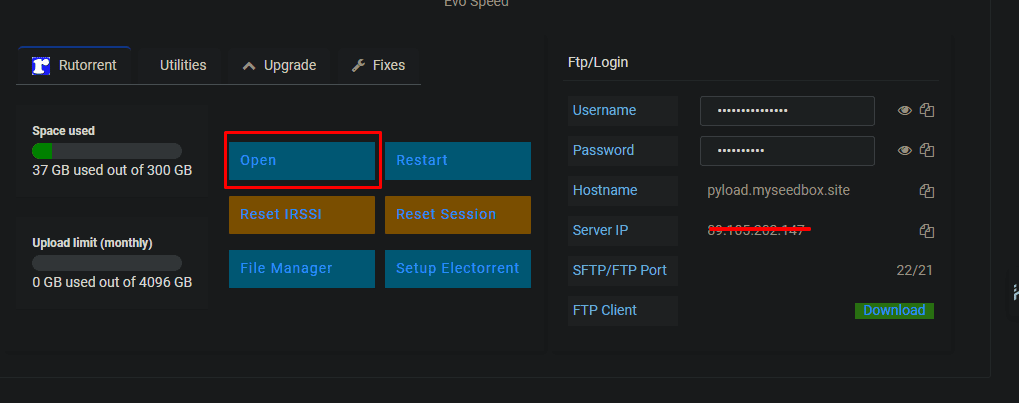
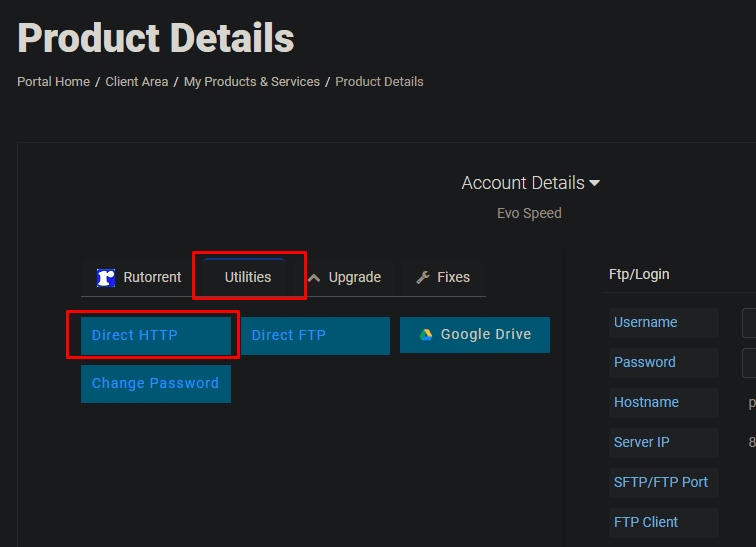
ruTorrent has a built-in file browser that exposes each file over HTTP. Open the Utilities tab and choose Direct HTTP. This gives you a plain directory listing of your seedbox storage.
Browse into the folder that contains your download, then find the actual media file, the .mkv, .mp4, or .avi. Right-click that file and copy its link address. That copied URL is a direct, streamable link to the file on your seedbox. If you want more detail on this file-access layer, the wiki has a dedicated walkthrough on accessing seedbox files over HTTP.
Step 3: Open the link in MPV
With the URL on your clipboard, there are two easy ways to play it:
- Drag and drop. If the link is visible in your browser or a text editor, drag it directly onto the MPV window. MPV treats the dropped URL as a source and starts loading it.
- Open URL. In MPV, use File > Open URL (or paste the link into a fresh MPV window / command line). Paste your copied Direct HTTP link and confirm.
Within a second or two the file begins playing, streamed live from the server.

A note on the login prompt
Your seedbox files sit behind HTTP authentication, so they are not exposed to the open internet. When MPV opens the Direct HTTP link it will use your seedbox username and password, the same credentials you use for ruTorrent. Depending on your setup, you may embed those in the URL or be prompted for them. This is expected and it is what keeps your library private.
MPV vs VLC
MPV is not the only player that can do this. VLC handles network streams just as well, and if you already have VLC installed you do not need to switch. The approach is identical: copy the Direct HTTP link, then open it as a network stream. We have a separate guide on streaming videos on VLC if that is your preferred player. MPV wins on being lighter and faster to launch; VLC wins on having a fuller interface and playlist management. Both are free and open source, so try both and keep whichever feels right.
When to use Plex instead
The MPV method is perfect for grabbing a single file and watching it right now. It is not, however, a media library. If you want browsable posters, resume-where-you-left-off, subtitle handling, and streaming to a TV, phone, or tablet, a proper media server is the better tool. That is what Plex on a seedbox is for, and our wiki covers setting up Plex step by step. Think of MPV as the quick-and-direct option and Plex as the full home-theatre option; many users run both.
Frequently Asked Questions
Do I need to download the file before streaming it in MPV?
No. That is the entire point of this method. MPV opens the Direct HTTP link and streams the file live from your seedbox, so nothing is copied to your local disk. You can watch a 40 GB remux without using 40 GB of space on your laptop.
Why is MPV asking me for a username and password?
Because your seedbox files are protected by HTTP authentication so they are not public. Enter the same username and password you use to log in to ruTorrent. This is normal and keeps your files private.
The video stutters or buffers. What can I do?
Streaming quality depends on the connection between you and the server. A large 4K file over a slow or distant link can buffer. Try a lower-bitrate copy of the file if you have one, make sure nothing else is saturating your connection, or let MPV buffer for a few seconds before playing. For consistently smooth playback of big libraries, a transcoding server like Plex is usually a better fit.
Can I stream from my phone this way?
MPV has mobile-friendly variants (such as mpv-based players on Android), and they can open the same Direct HTTP URL. That said, for phones and tablets most people find a Plex client smoother and easier, since it handles authentication and transcoding for you.
Does this work with any seedbox plan?
Yes. Direct HTTP file access and ruTorrent are standard on EvoSeedbox, so the method works on every plan, including the entry tier. You can see what each plan includes on our pricing page.
Streaming straight from your seedbox with MPV is one of the fastest ways to get from “download finished” to “watching,” with zero local storage used. Install MPV, copy a Direct HTTP link from ruTorrent, and press play. If you do not have a seedbox yet, take a look at our plans starting at $5/mo and start streaming your library from anywhere.
Head of Operations Evoseedbox

Tim Michels writes and maintains the EvoSeedbox wiki and blog — setup guides and automation tutorials for Plex, the *arr stack, Usenet, and more, backed by hands-on experience running the EvoSeedbox fleet.
