How Radarr Works #
  RADARR AUTOMATION PIPELINE
  ═══════════════════════════════════════════════════════

  You add a movie            Radarr searches         Downloads & organizes
       │                          │                        │
       ▼                          ▼                        ▼
  ┌──────────┐             ┌──────────┐             ┌──────────┐
  │ "I want  │──search────▶│ Prowlarr │──download──▶│ rTorrent │
  │  Dune 2" │             │ queries  │             │          │
  └──────────┘             │ indexers │             └────┬─────┘
                           └──────────┘                  │
                                                    Completed
  Radarr renames & moves                                │
  ┌──────────┐                                          ▼
  │ /movies/ │◀──── Dune.Part.Two.2024.2160p.mkv ──────┘
  │ Dune Part│      renamed to:
  │ Two (2024)│     Dune Part Two (2024).mkv
  └──────────┘
       │
       ▼
  ┌──────────┐
  │ Plex /   │──▶ Ready to stream! 🎬
  │ Jellyfin │
  └──────────┘
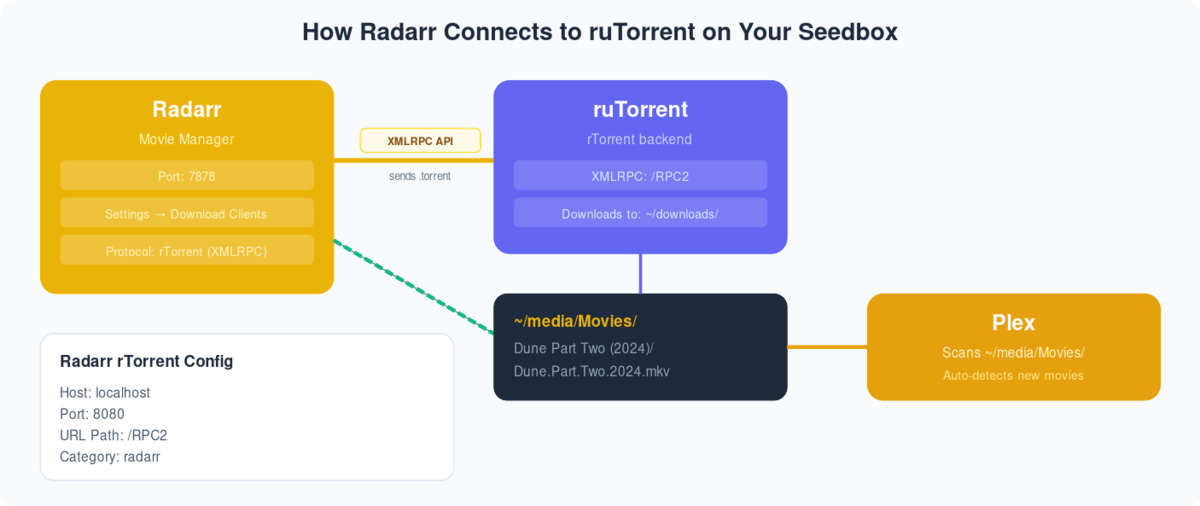
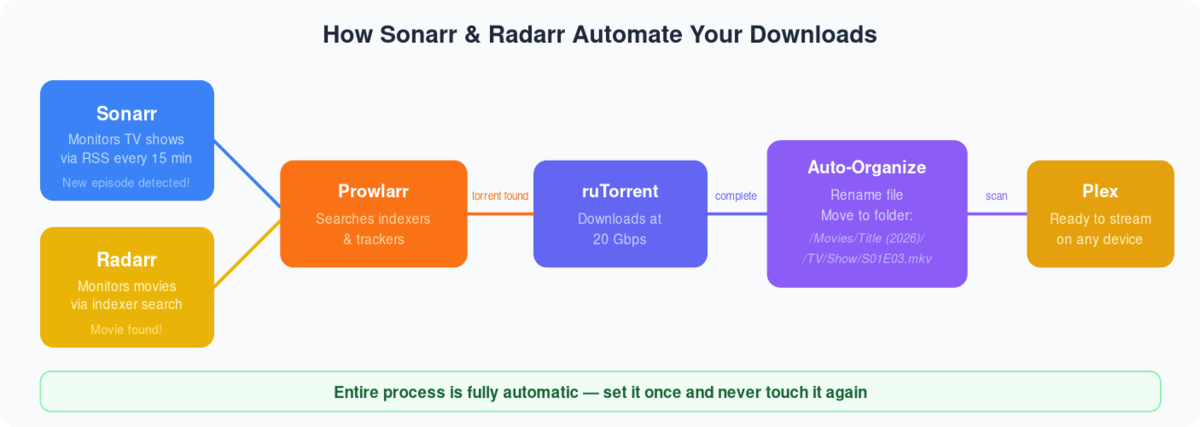
Radarr is one of the best open-source software beschikbaar to automate torrents. It can be used with devices such as a computer, a server, etc. In deze handleiding, I am going to show you how to use radarr with a seedbox.
Seedbox is a remote server wordt gebruikt om manage torrents, but by using apps like Radarr, Sonarr, and Plex, u kunt create your own media center!
Evoseedbox biedt seedboxes with 30+ apps to choose from. Get a faster and easier seedbox experience with Evoseedbox.
So let’s get started with our tutorial.
Steps to Installereneren Radarr op uw Seedbox #
Stap 1: Inloggen to uw seedbox’s klantengebied.
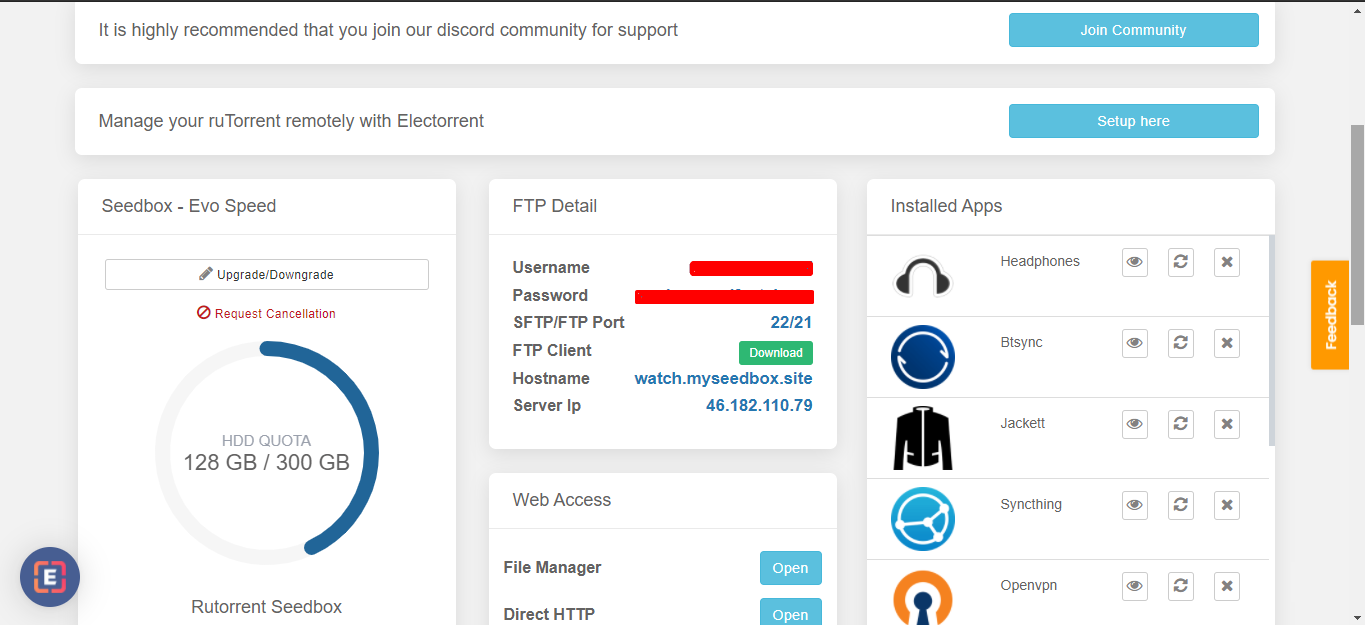
Stap 2: Head on to the Apps section and find Radarr.
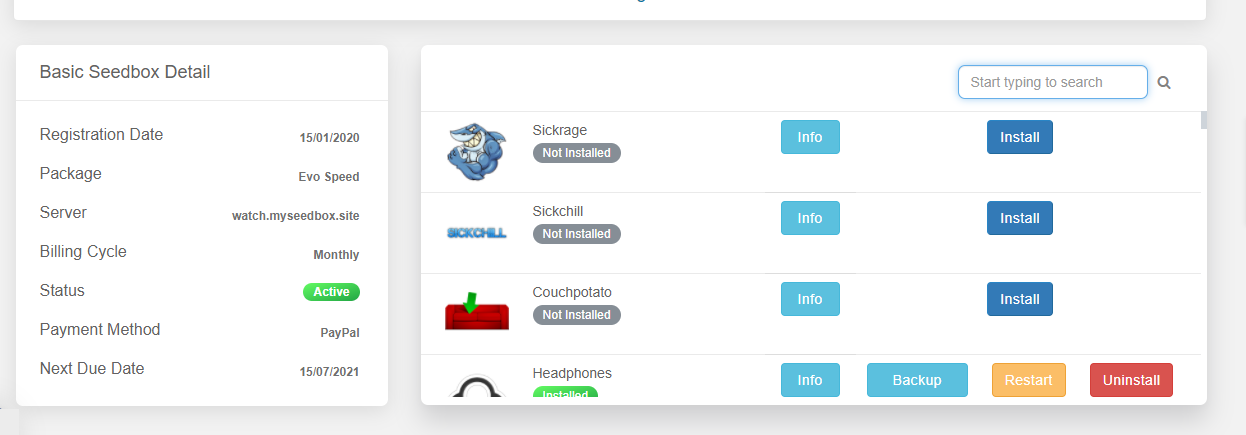
Stap 3: Find Radarr and click on the install knop.
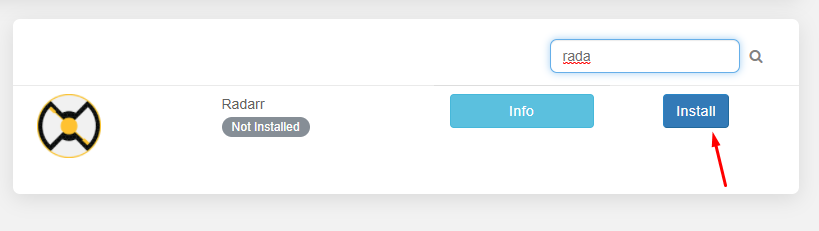
Step 4: Relax as Evoseedbox automatically installs the Radarr app on uw seedbox.
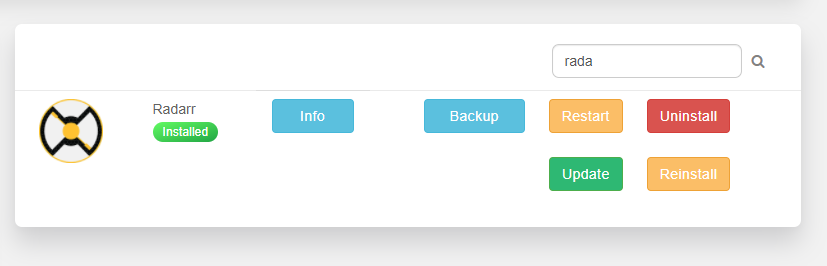
Steps to add indexers in the Radarr app #
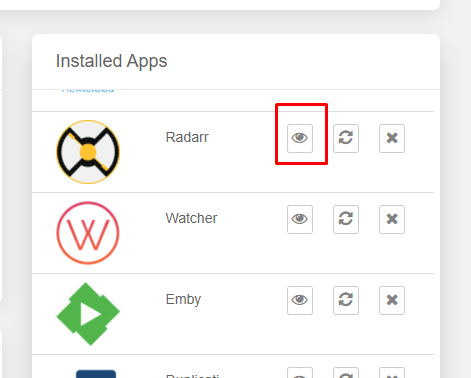
Stap 1: Klik op the open knop to launch the Radarr app
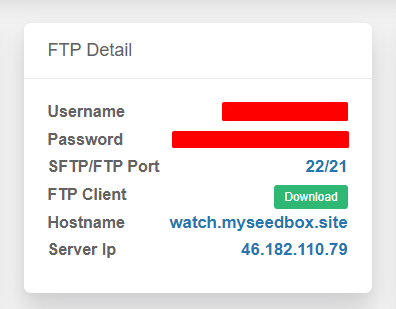
Stap 2: Use the FTP inloggegevens given in uw klantengebied to log in
Stap 3: Once Radarr opens, move to settings for basic configuration
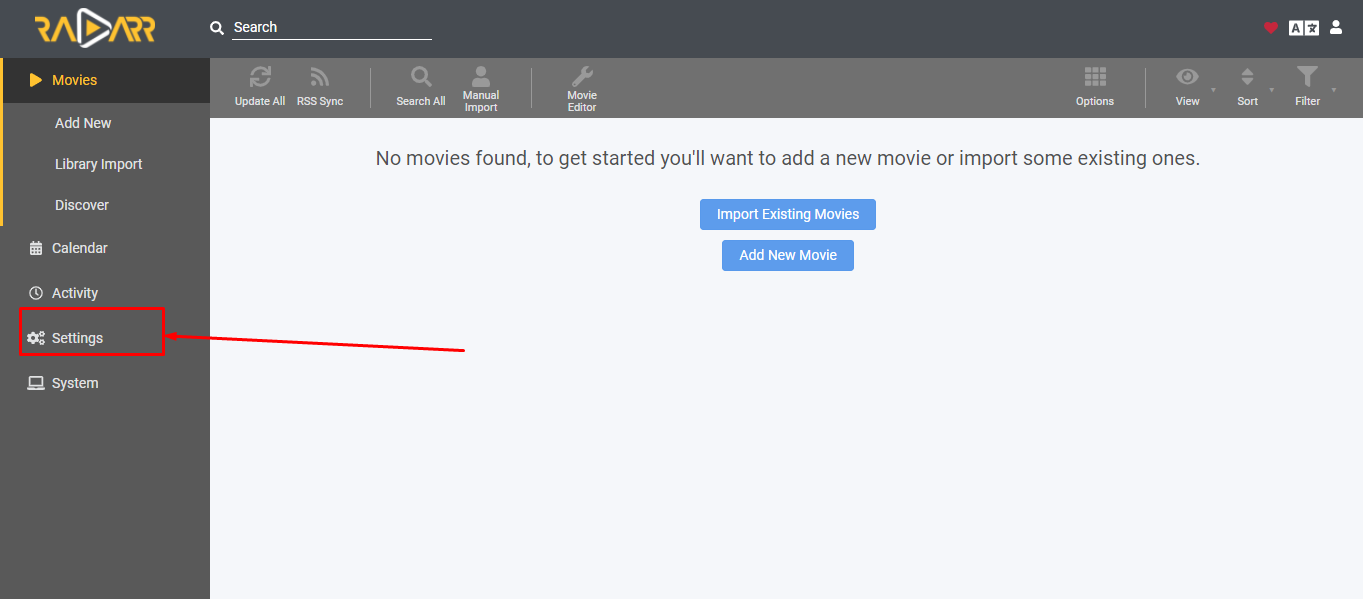
Step 4: Open Indexers and click on the “Plus” knop
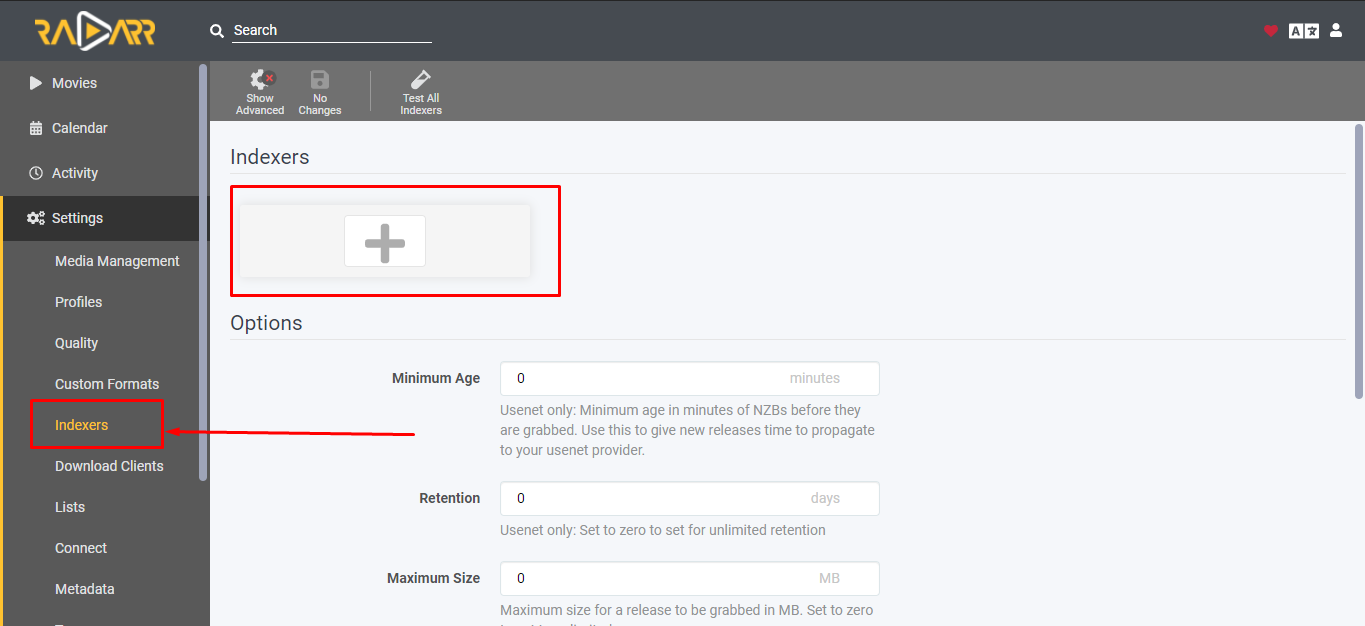
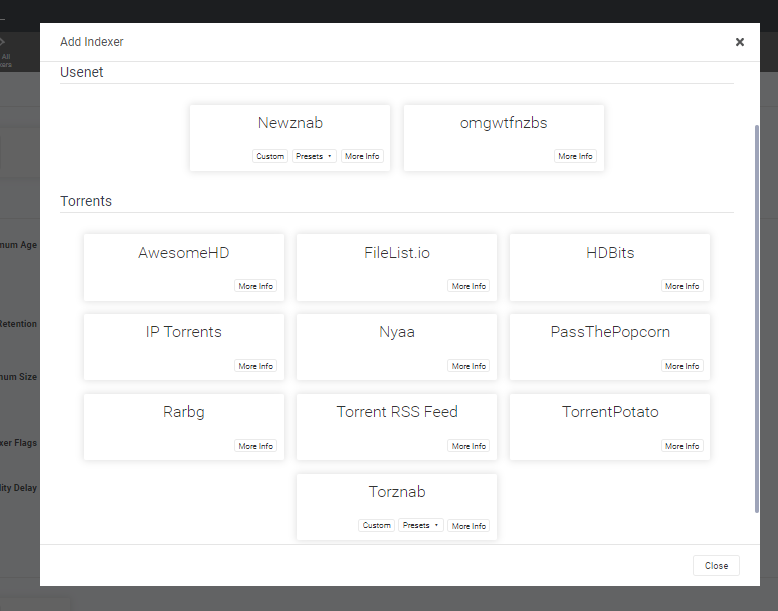
Step 5: A list of indexers will appear. Choose your preferred indexer.
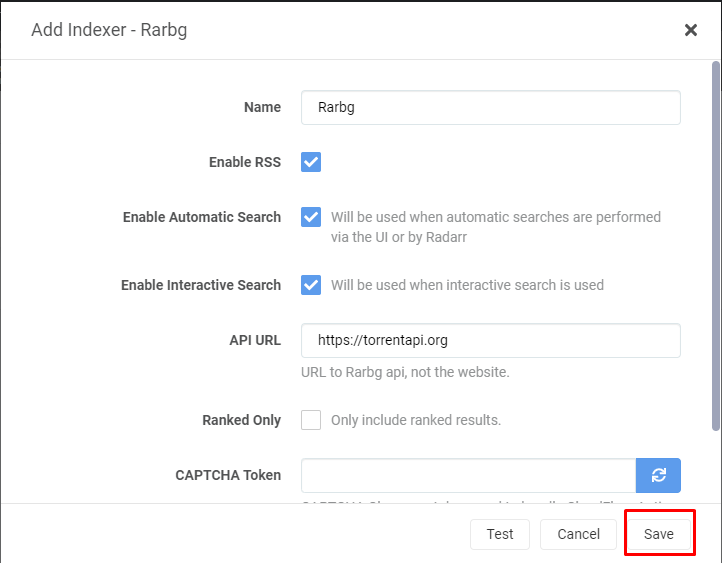
Step 6: Configure any indexer that you choose and save.
Hoe add movies to uw seedbox using the Radarr app? #
We are finally at the part which we really want to know! The Job of configuration is done, it is time to add some movies.
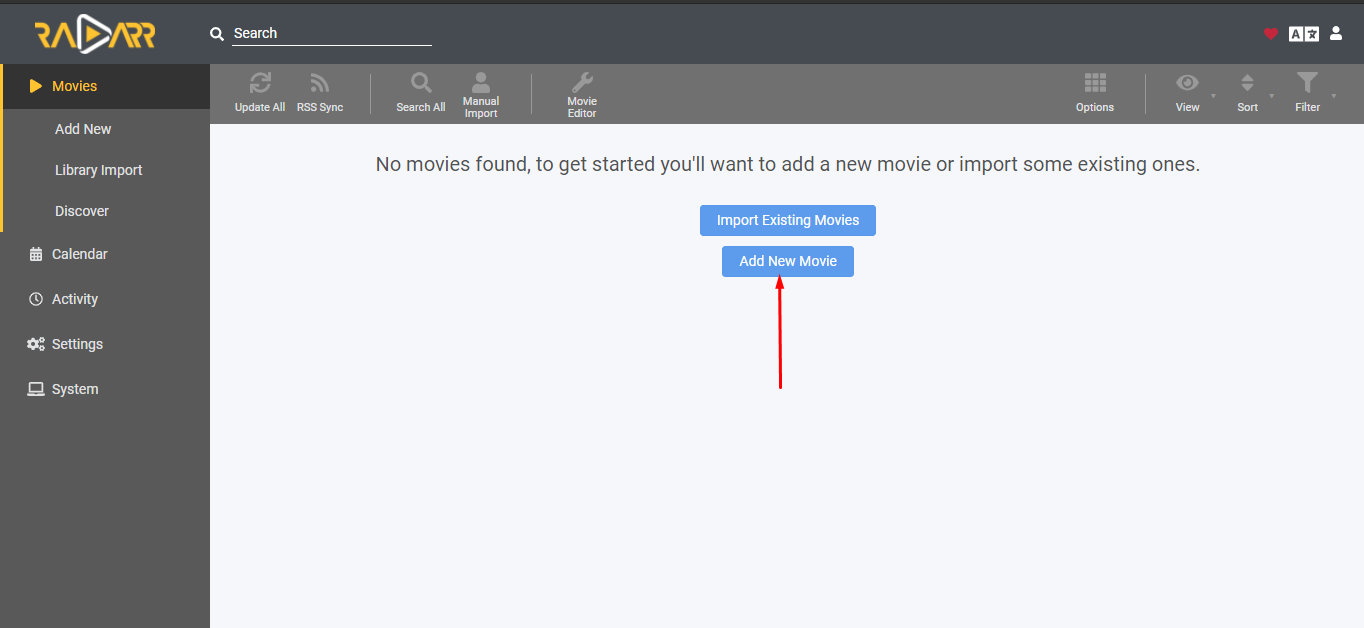
Stap 1: Head on to the movies section and click on the “add new movie” Button.
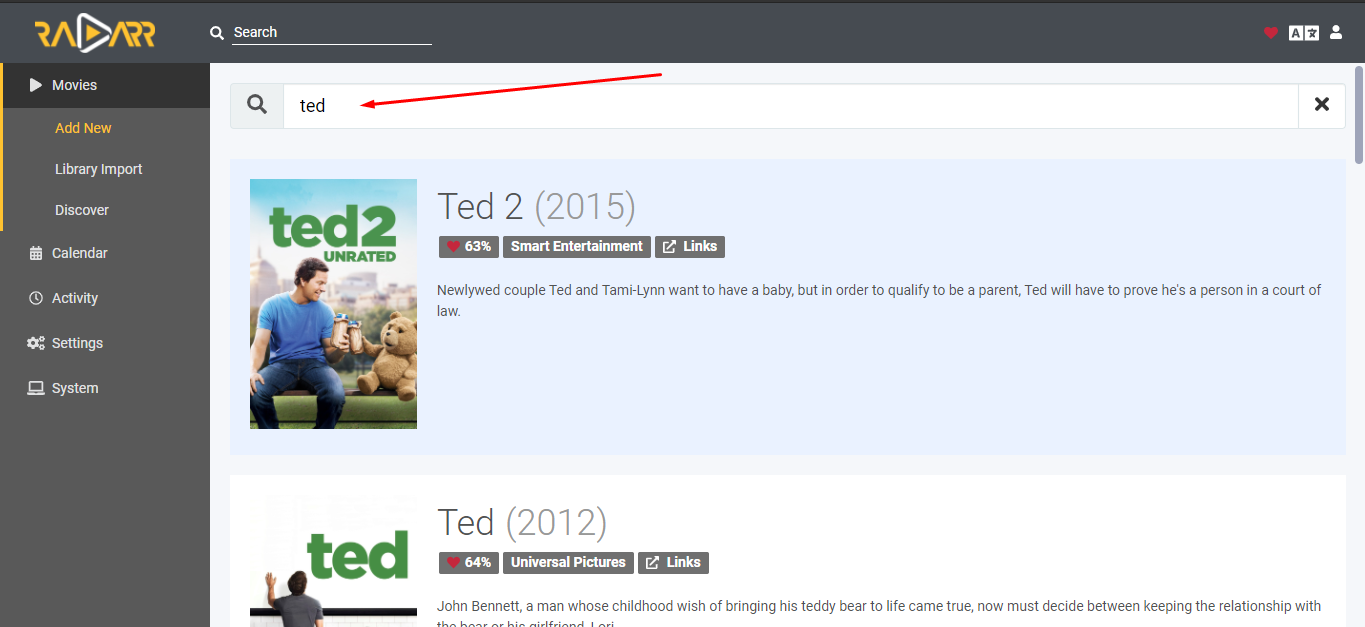
Stap 2: Find any beschikbaar movie from the given search bar.
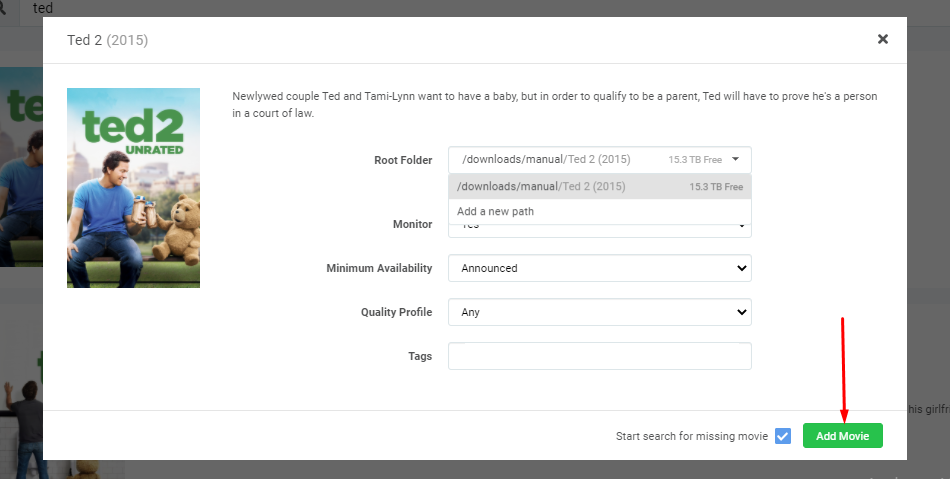
Stap 3: Klik op the movie and you’ll see a configuration panel. Set the root folder to download the movie in the desired folder and click on the “Add Movie” knop
Step 4: Your download will start automatically, u kunt see it in the queue section.
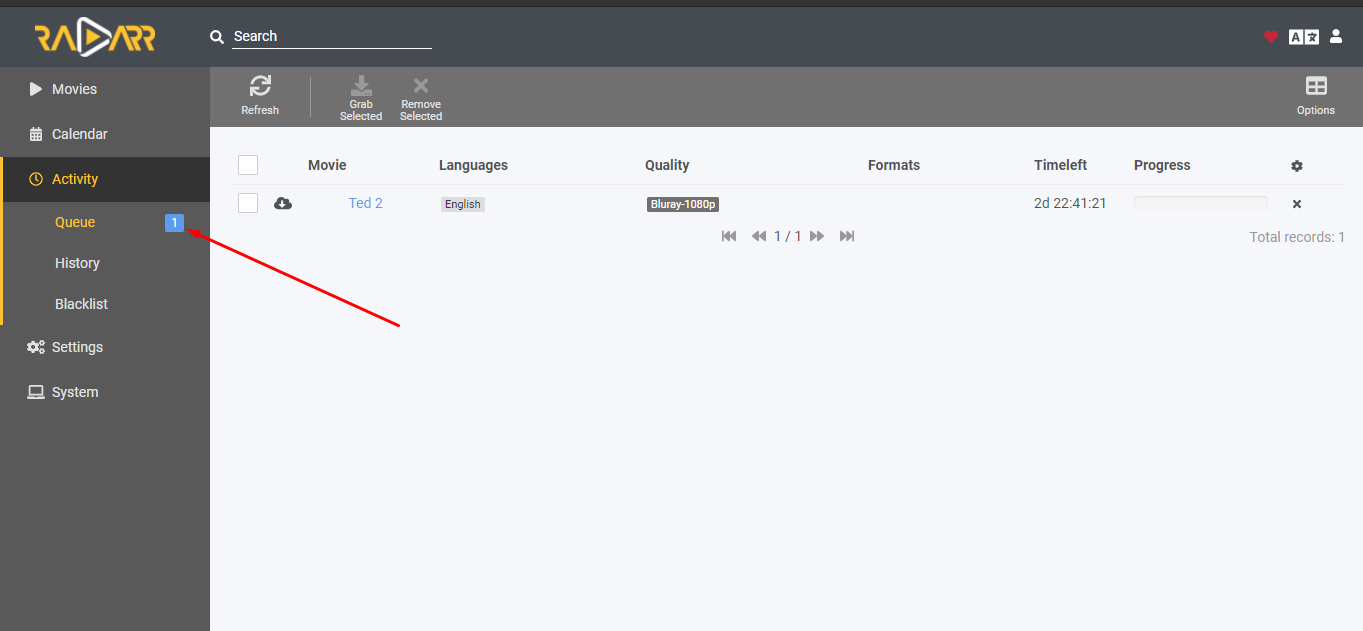
Opmerking: U kunt check your rutorrent client as well to see if the torrent is added or not. #
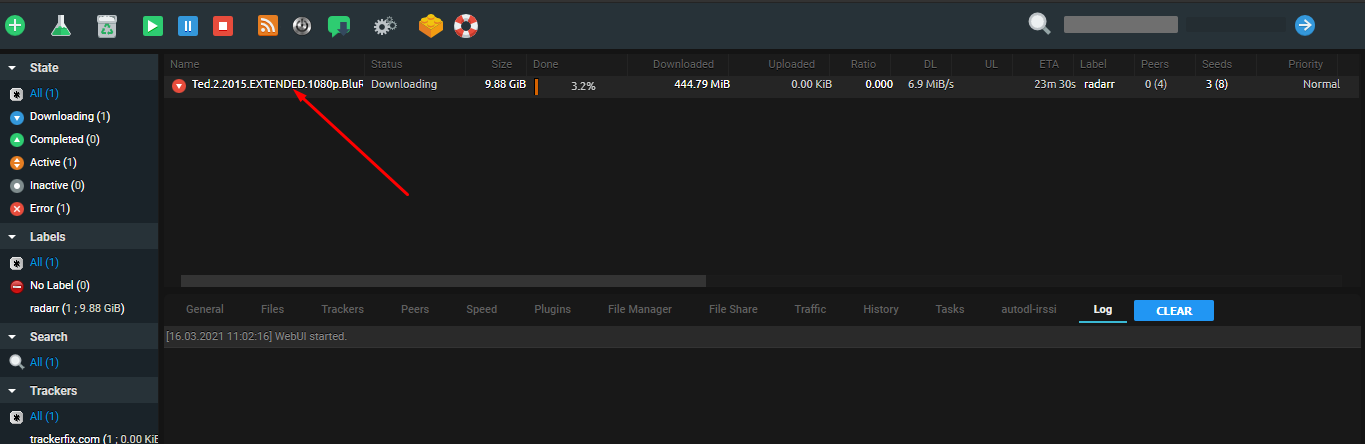
So dit is how u kunt add torrents on uw seedbox using the Radarr app. U kunt even add upcoming movies to the Radarr app too. The app will look for the torrent in uw indexers and automatically download them when beschikbaar.
Gerelateerde handleidingen #
Radarr vs CouchPotato #
  COMPARISON
  ══════════════════════════════════════════════════

  Radarr                        CouchPotato
  ──────                        ───────────
  ✅ Actively developed         ❌ Abandoned
  ✅ Prowlarr integration       ❌ Manual indexers
  ✅ Quality upgrades           ⚠️ Basic matching
  ✅ Modern UI                  ❌ Dated interface
  ✅ Custom formats (HDR, DV)   ❌ No support

  Radarr is the recommended movie manager.


