How Plex Works on Your Seedbox #
  PLEX STREAMING ARCHITECTURE
  ═══════════════════════════════════════════════════════

  Your Seedbox                              Your Devices

  ┌──────────────────────────┐
  │ Media Files              │
  │ /downloads/movies/       │
  │ /downloads/tv-shows/     │            ┌───────────┐
  │ /downloads/music/        │            │ 📱 Phone  │
  └───────────┬──────────────┘            │  (app)    │
              │                           └─────┬─────┘
              ▼                                 │
  ┌──────────────────────────┐            ┌─────▼─────┐
  │     Plex Media Server    │◀──stream──▶│ 💻 Browser│
  │                          │            └─────┬─────┘
  │  Scans library           │                  │
  │  Fetches metadata        │            ┌─────▼─────┐
  │  Transcodes if needed    │◀──stream──▶│ 📺 TV     │
  │  Streams to devices      │            │ (app)     │
  │                          │            └───────────┘
  │  Port: 32400             │
  └──────────────────────────┘       Direct Play = best quality
                                     Transcode = compatibility
  PLEX SETUP CHECKLIST
  ═══════════════════════════════

  1. Install Plex          ✓ One-click from client area
  2. Claim server          ✓ Link to your Plex account
  3. Add libraries         → Point to /downloads/movies etc
  4. Enable remote access  → Settings → Remote Access
  5. Install app on device → plex.tv/downloads
  6. Stream!               🎬
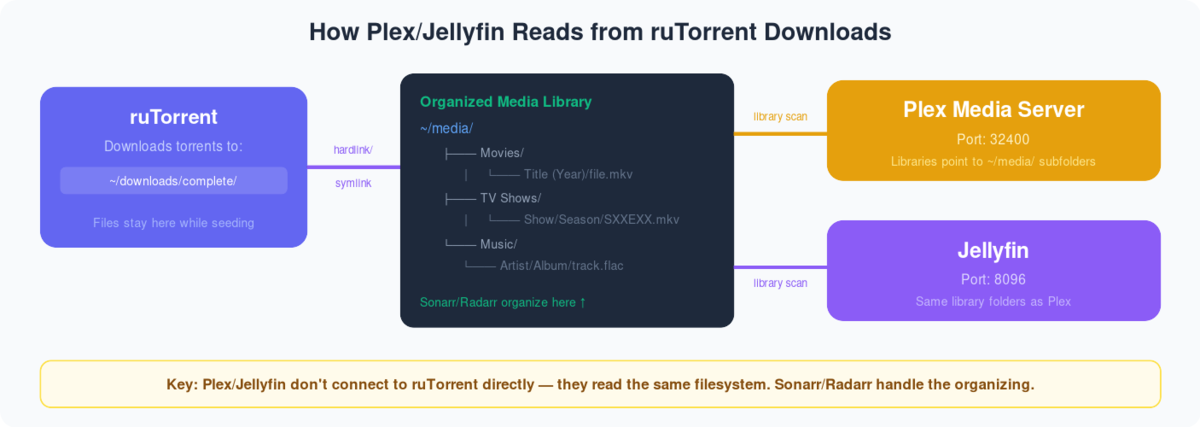
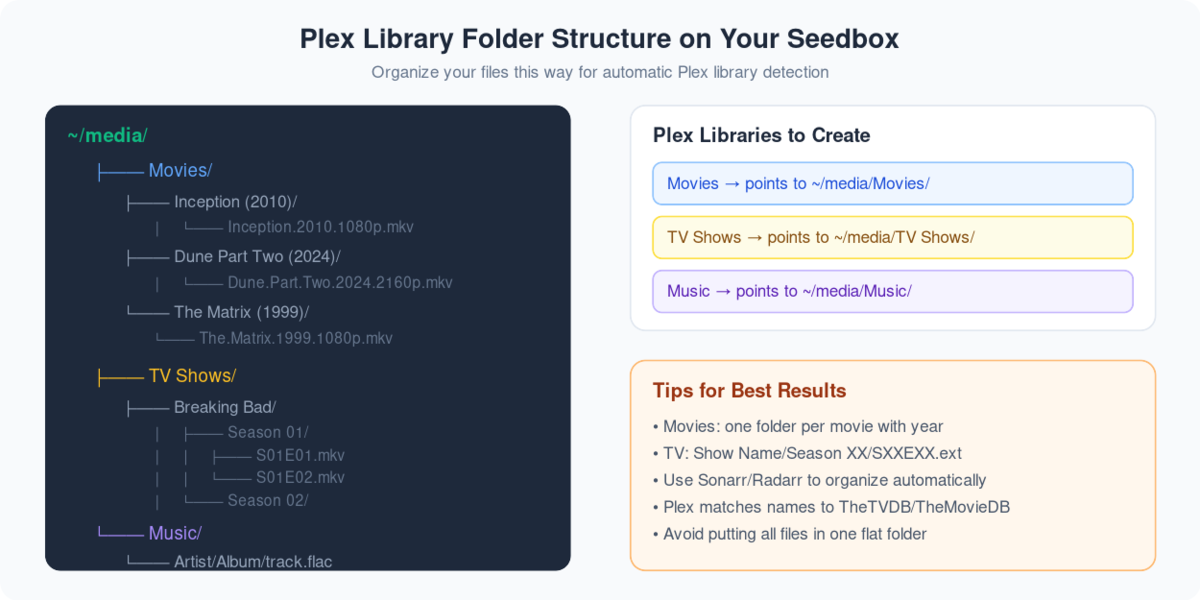
Plex is an application that can bring a Seedbox to life. Plex is an application that can make your remote server seedbox to a media center.
Using Plex, vous pouvez stream and manage your media files on the go!
Avant accessing the benefits of Plex, you have to take a few steps to configure it with votre seedbox.
You will need a Seedbox and a Plex account. This Plex account can be a free one. Plex pass has added benefits, so if you are a power user then go for it!
Steps to set-up Plex #
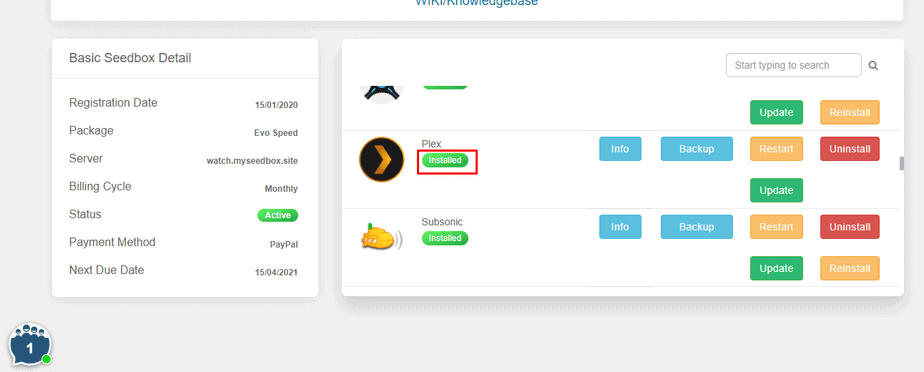
Étape 1: Se connecter to your Seedbox account and install Plex.
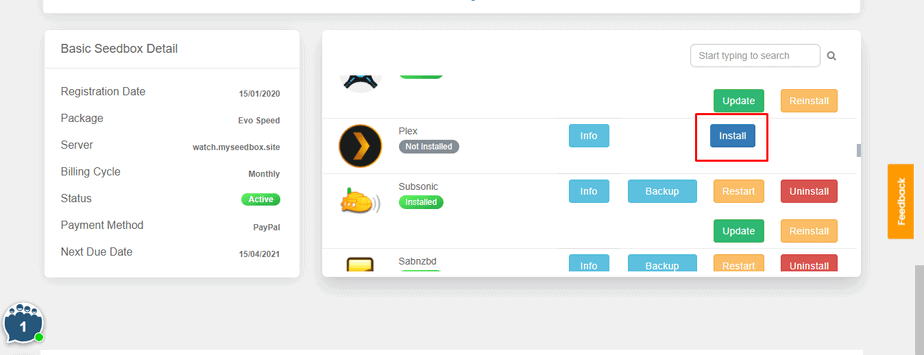
Étape 2: Generate a Plex code.
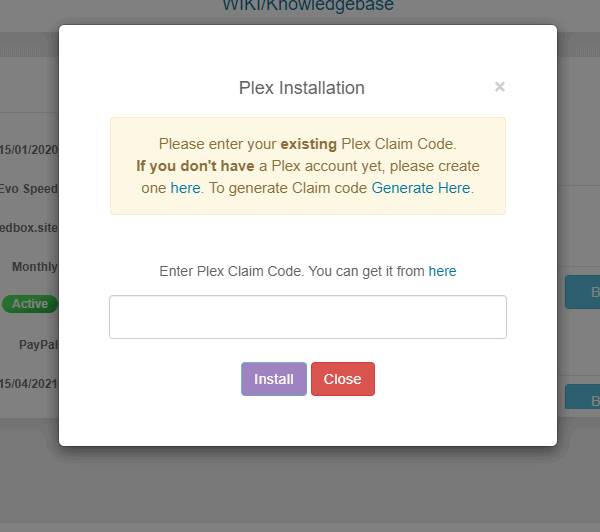
Étape 3: Copier your Plex code and paste it in the section.
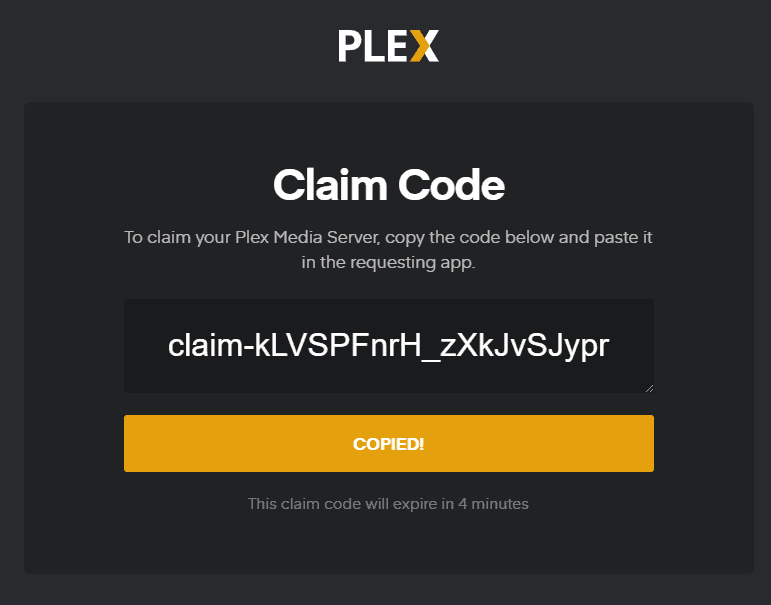
Étape 4: Your Plex is installed and configured with your Seedbox.
Comment Set up Plex? #
Après you have configured votre seedbox with your Plex account, vous verrez the following screen.
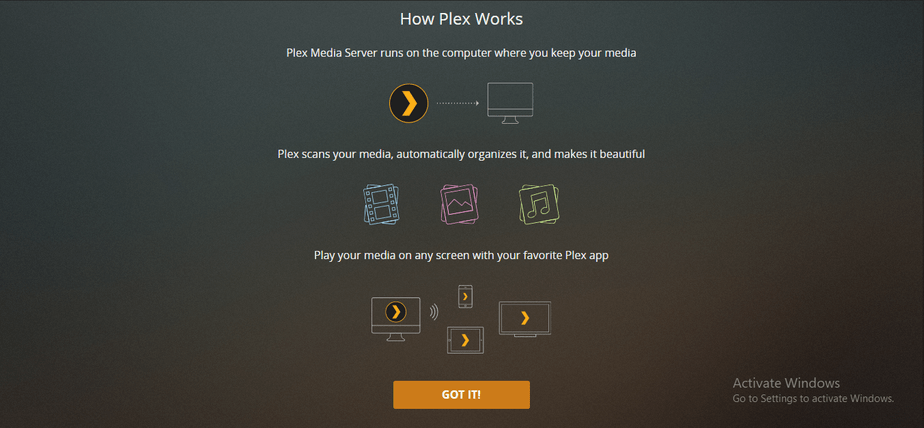
Click and the “GOT IT!” button and move to the first step of setting up.
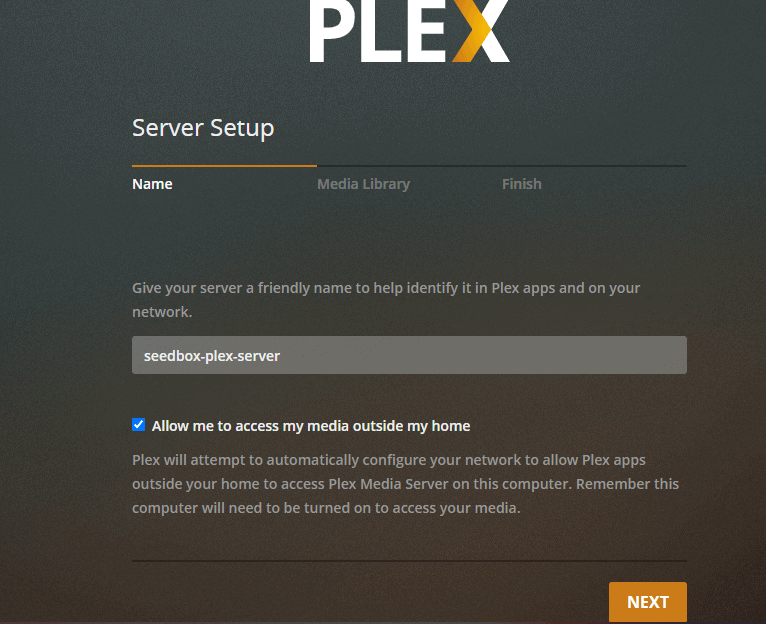
Étape 1: Name your media server.
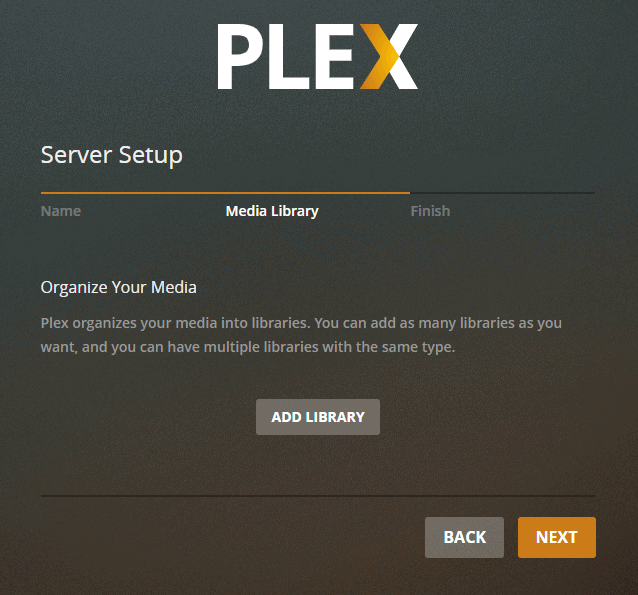
Étape 2: Add library to your Plex Media Center.
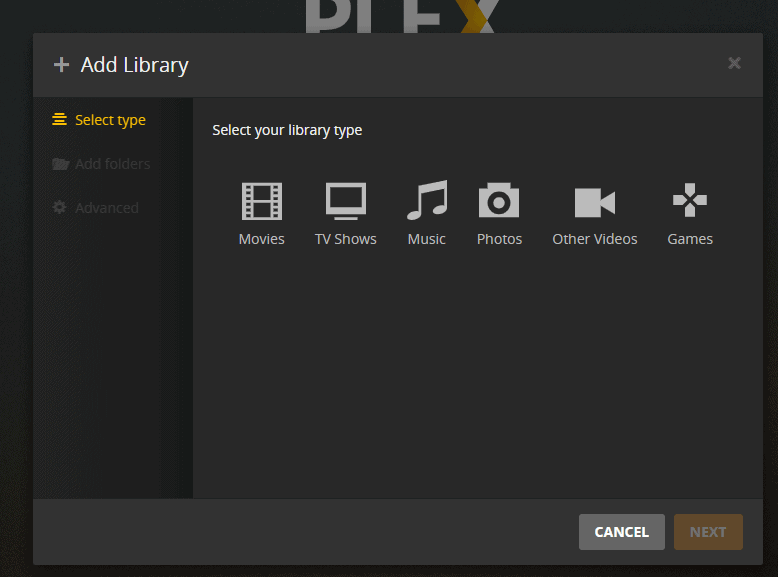
Étape 3: Sélectionnez the type of media you want to add.
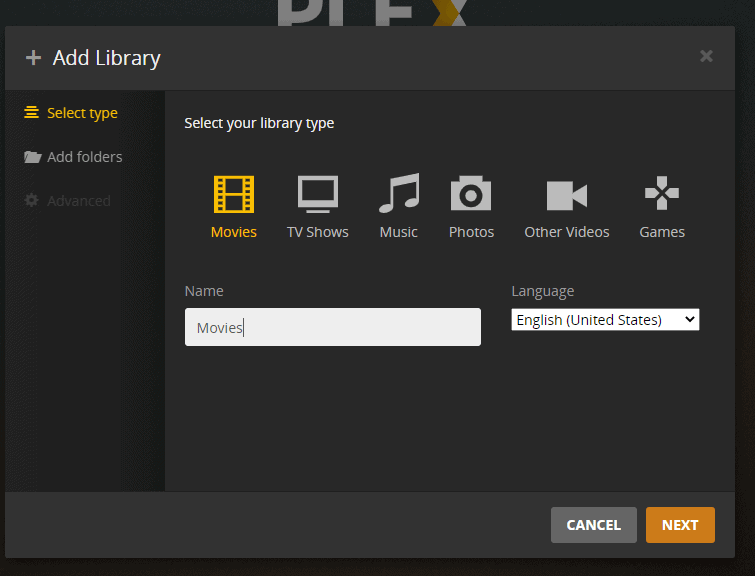
Étape 4: Name your folder, select the language and cliquez sur next.
Étape 5: Browse and add the movie folder from votre seedbox.
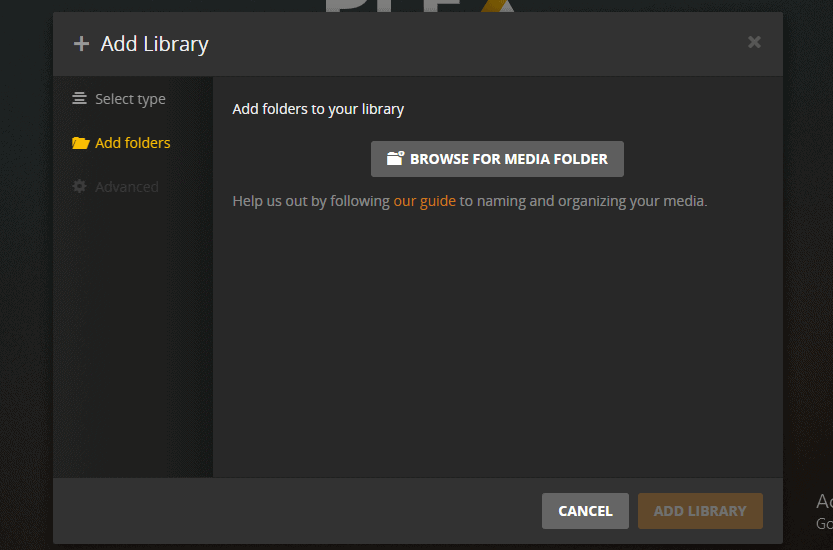
Step 6: Set the path and cliquez sur the Add button
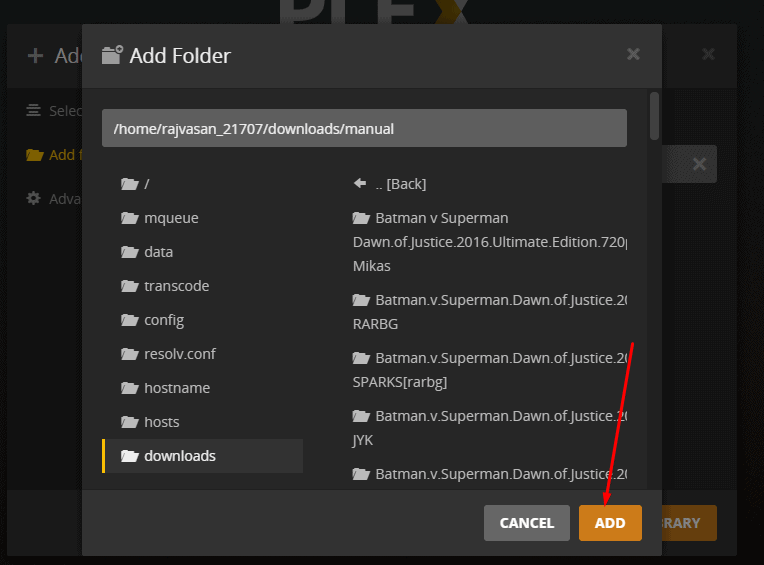
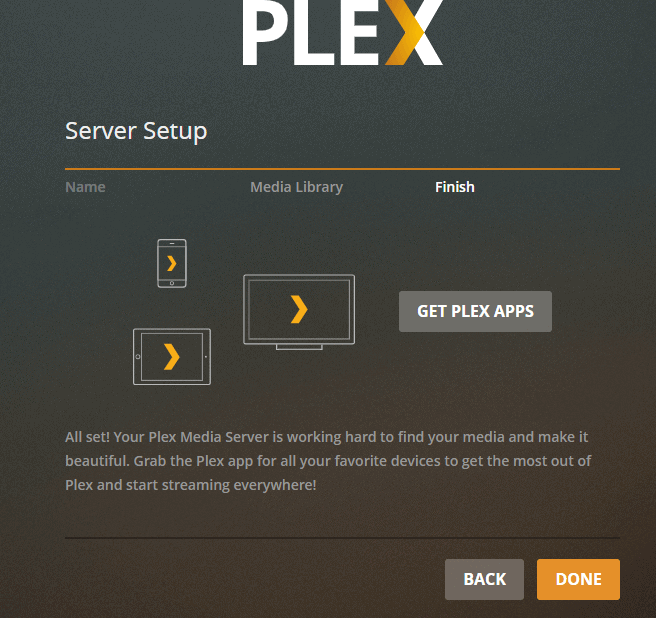
Step 7: Cliquez sur done and your Plex server setup is complete.
Streaming 4K in Plex #
Transcoding 4K media to play on Plex will not be possible as it requires a lot of CPU power. But, vous pouvez directly stream 4K media on Plex. To do that, change the settings to stream at original quality.
Remarque : This will require a high-speed internet connection. Somewhere around 150Mbps.
Plex Scanner Option #
There are two different scanning options given in Plex. One is timed out and detects new media. Choisissez anyone for optimum results.
Guides connexes #
Direct Play vs Transcoding #
  PLAYBACK MODES
  ═══════════════════════════════════════════════════════

  Direct Play (best)             Transcode (fallback)
  ┌──────────────────────┐      ┌──────────────────────┐
  │ File plays as-is     │      │ Server converts video │
  │ No CPU usage         │      │ Uses CPU heavily      │
  │ Full quality         │      │ May reduce quality    │
  │ Fastest streaming    │      │ Slower start          │
  └──────────────────────┘      └──────────────────────┘

  When does transcoding happen?
  ├── Device can't play format (e.g., HEVC on old TV)
  ├── Subtitles are "burned in" (image-based subs)
  ├── Bandwidth too low for full quality
  └── Client requests lower quality

  ┌──────────────────────────────────────────────────┐
  │  TIP: Use MP4/MKV with H.264 + SRT subtitles    │
  │  for maximum Direct Play compatibility.          │
  └──────────────────────────────────────────────────┘
The Complete Media Stack #
  RECOMMENDED PLEX ECOSYSTEM
  ═══════════════════════════════════════════════════════

  Discovery          Download           Organize          Stream
  ─────────          ────────           ────────          ──────

  Overseerr ───▶ Sonarr (TV) ────▶ Renames & ───▶ Plex
  (requests)     Radarr (Movies)    moves files     (streams)
                 ▲                                  │
                 │                                  ▼
              Prowlarr ◀──────────────────────── Tautulli
              (indexers)                          (analytics)


