Note: While Jackett still works, Prowlarr is the recommended modern replacement. Prowlarr automatically syncs indexers to all your *arr apps — no more configuring each app separately. See our Prowlarr migration guide.
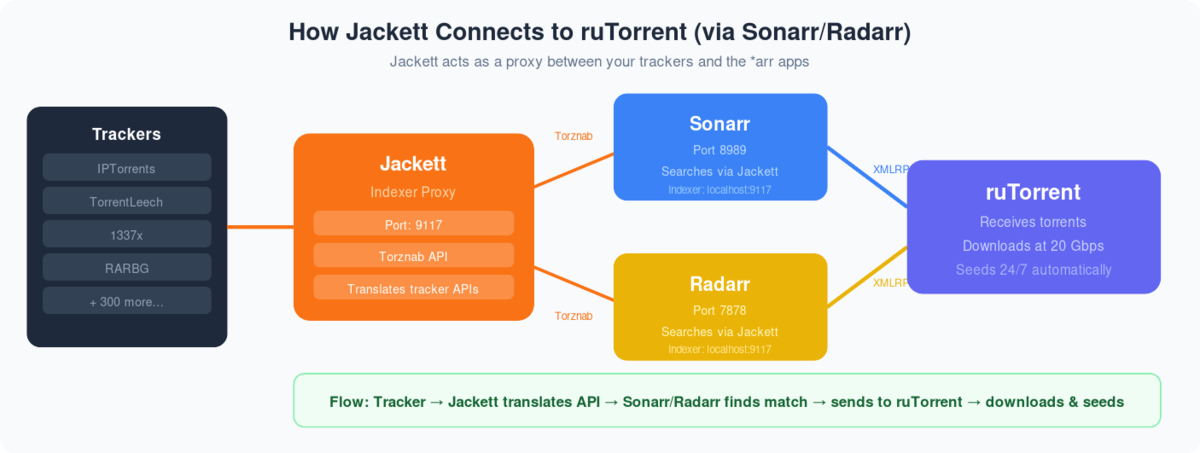
What is Jackett? Jackett is a ‘Bit-torrent’ indexer service that can be used along with radarr and Sonarr to add torrent indexing sites all at one place without needing to visit multiple sites for finding the right torrent.
Как setup jackett and add indexer on evoseedbox?
Шаг 1. Login в вашем личный кабинет:
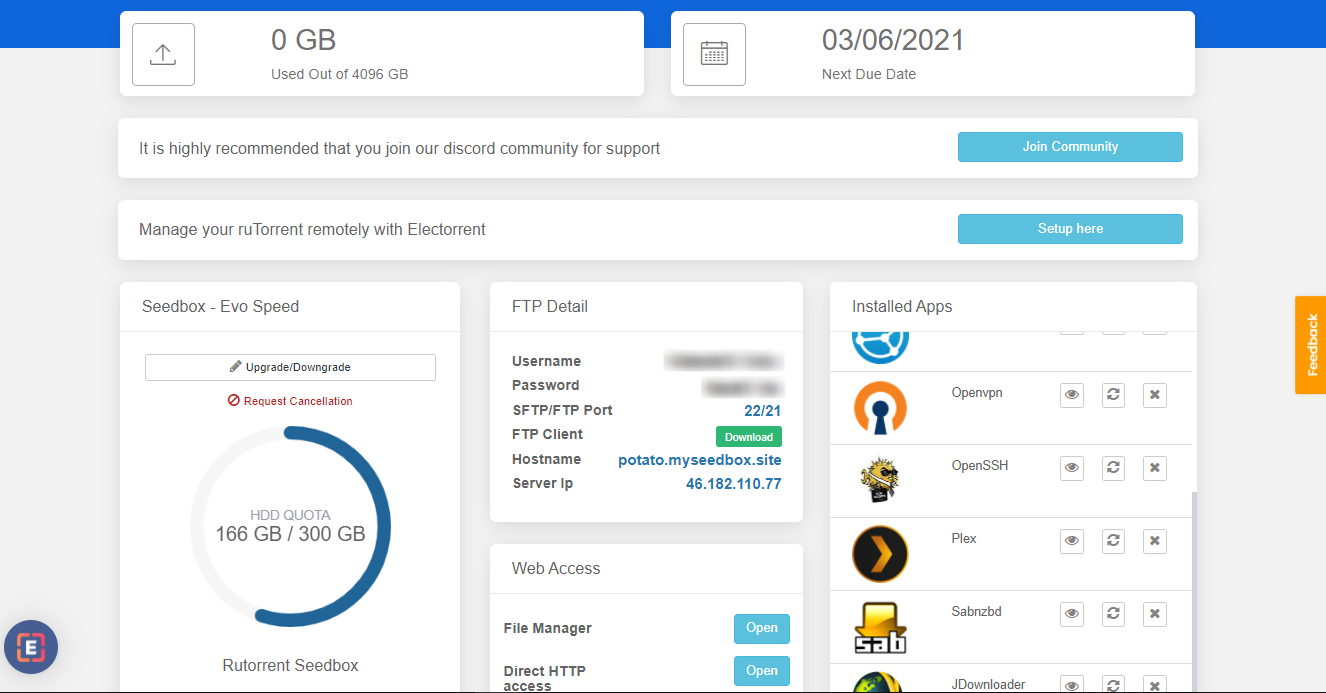
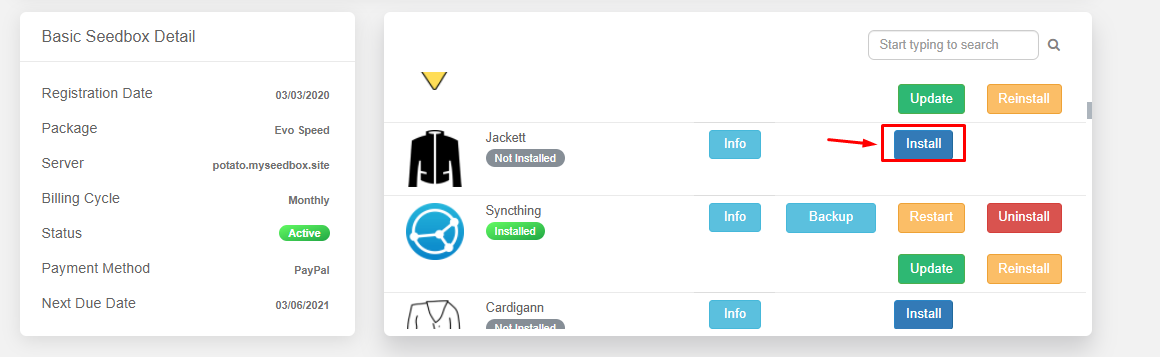
Шаг 2. Поиск for jackett app in приложениеs section and install приложение.
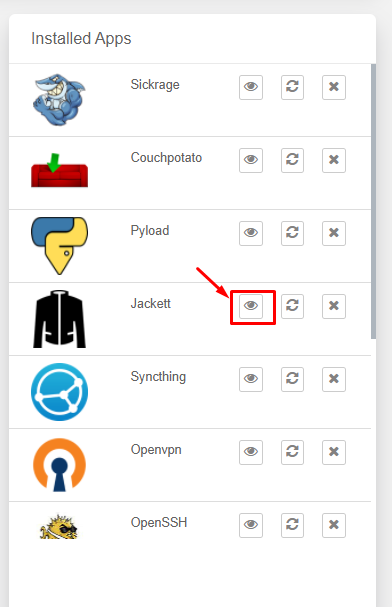
Шаг 3. From the installed apps section open the Jackett app.
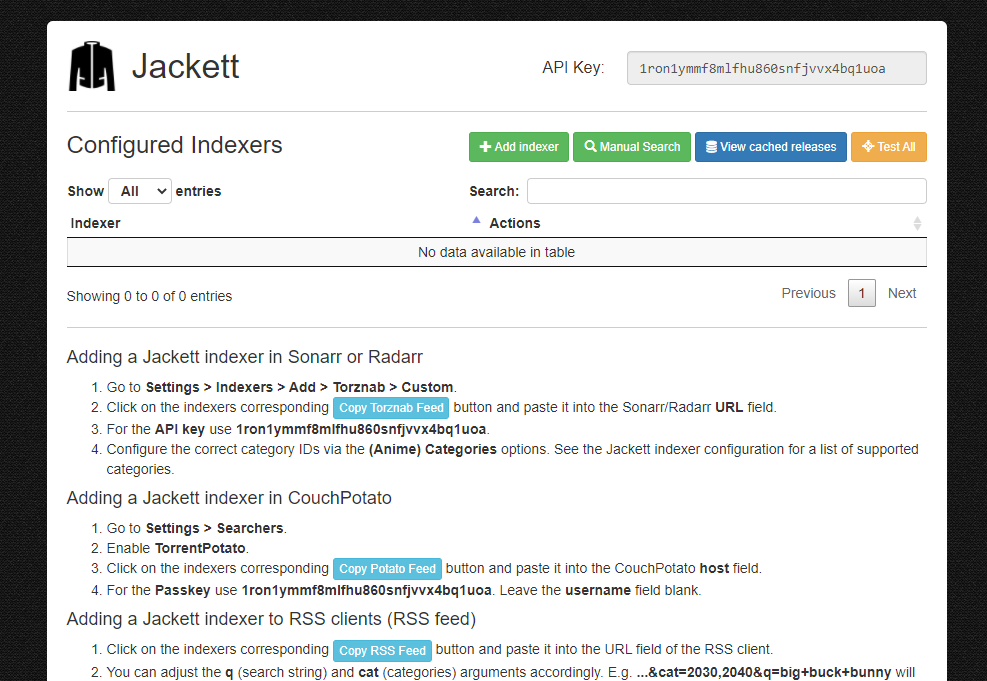
Step 4. Вы будете see the Jackett interface as показано ниже:
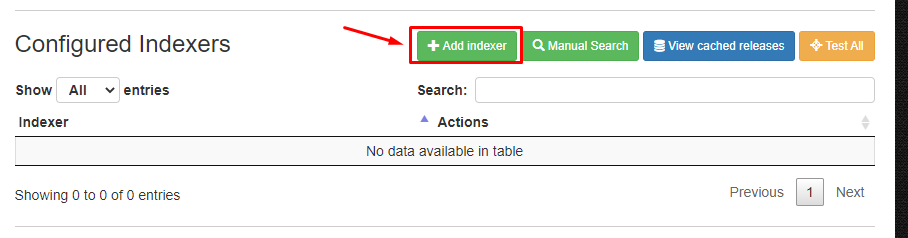
Step 5. To add an index click on the ‘ADD Indexer ‘ in the top menu as показано ниже.
Step 6. A new window will open where вы можете filter indexers based on type of trackers and search for specific name.
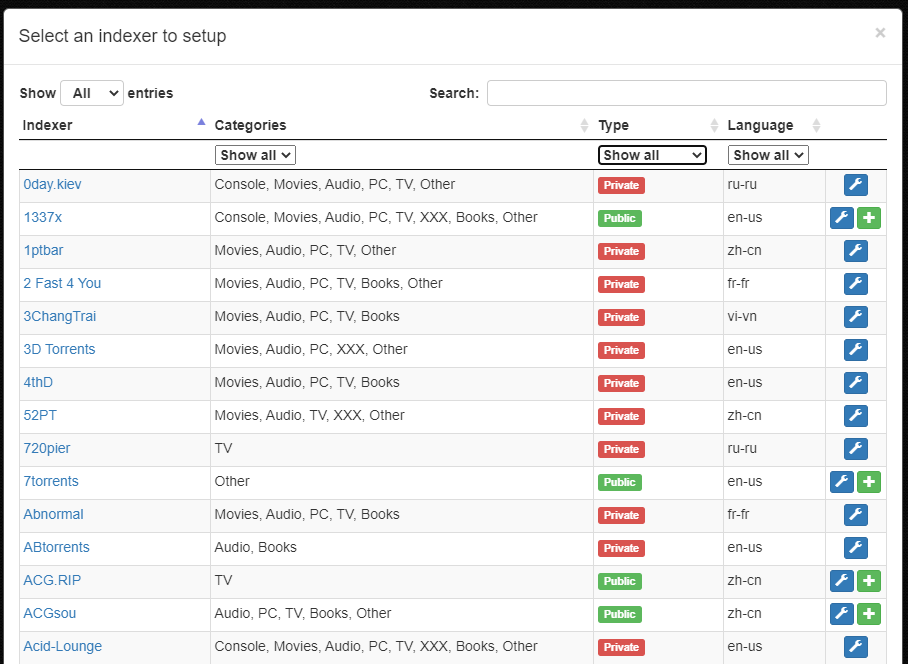
Step 7. To add a index click on the ‘+’ кнопка present in the right most side.
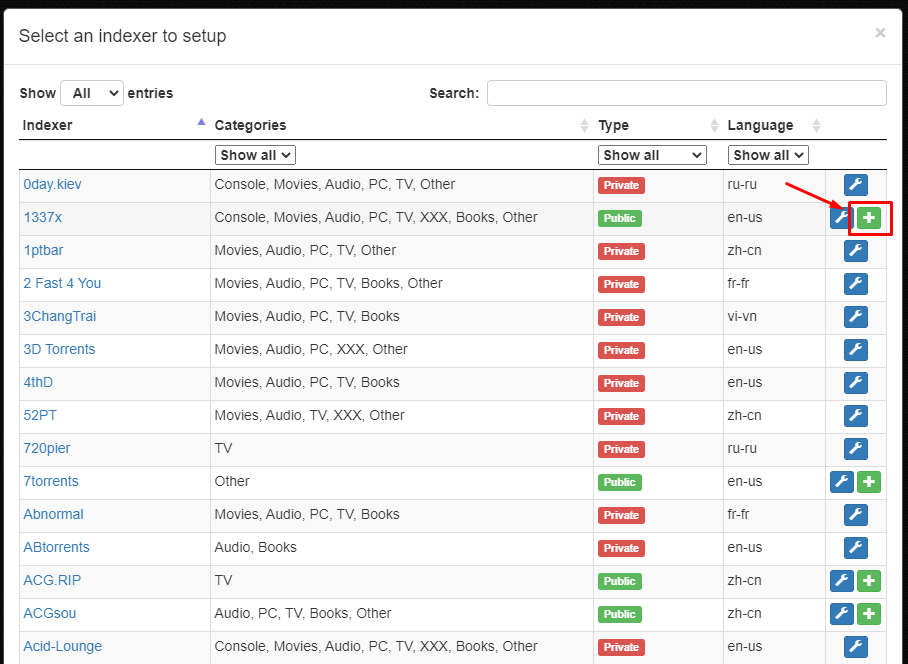
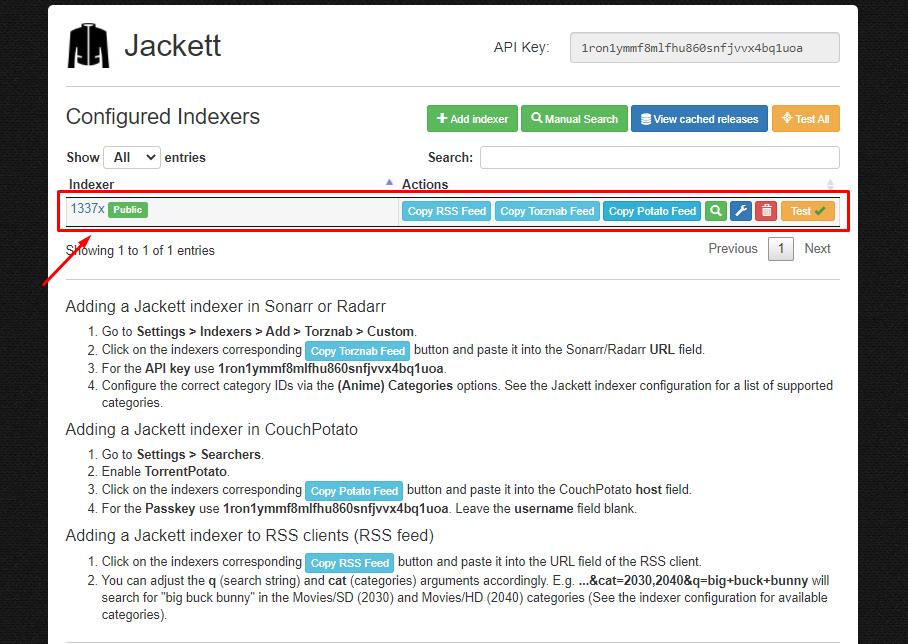
Step 8. After the successful addition of index.Вы можете see the indexer on the main interface of приложение.
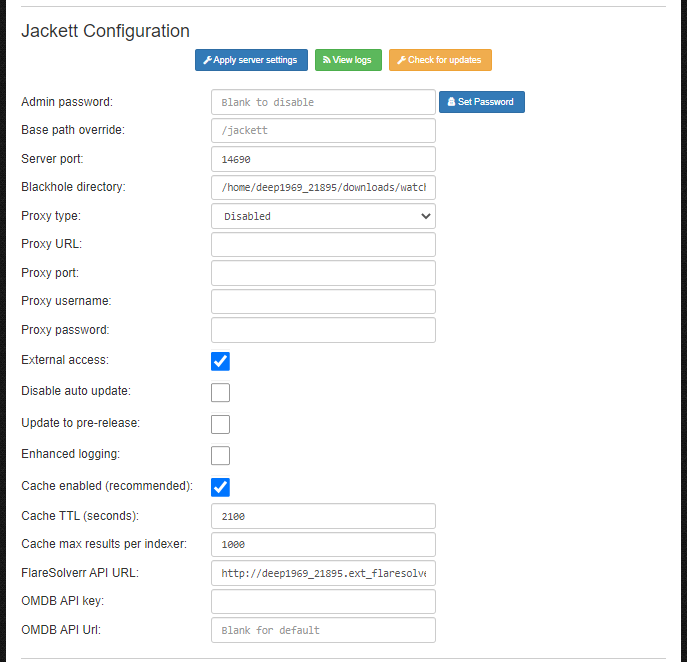
Step 9. Вы можете edit the configuration of приложение in the ‘Jackett Configuration’.
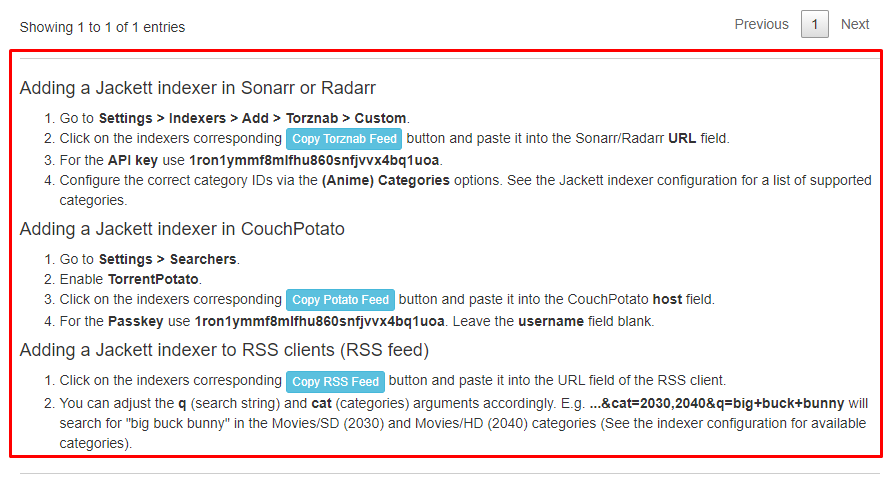
Шаг 10. To add Jackett indexer in Sonarr, Radarr ,Couch Potato and RSS feeds. Refer to the instructions provide in the main interface of приложение.