Adding a Torrent to вашим Seedbox
On this page ▾
Вы можете add torrent to the seedbox with the below methods
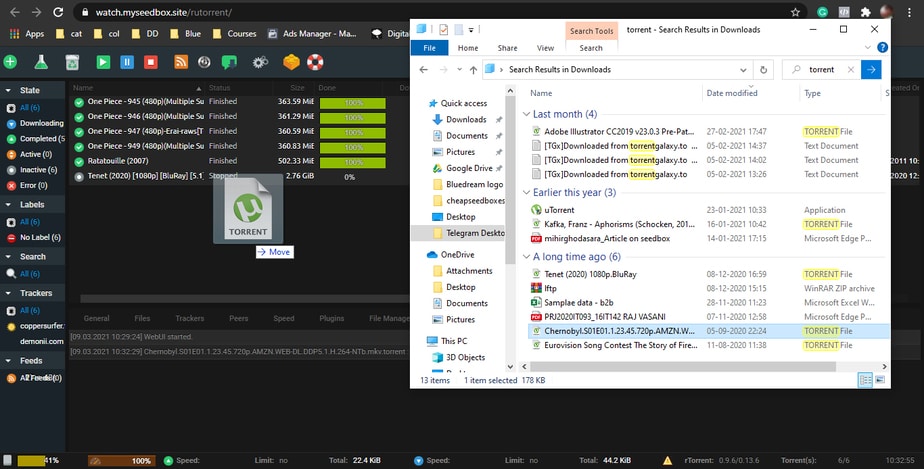
Step1: Drag and drop torrent tracker file in rutorrent
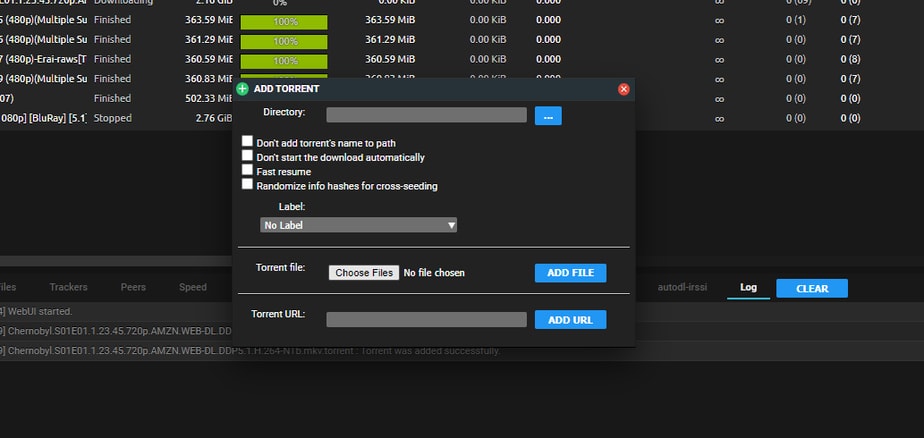
Step2: Add torrent to rutorrent manually

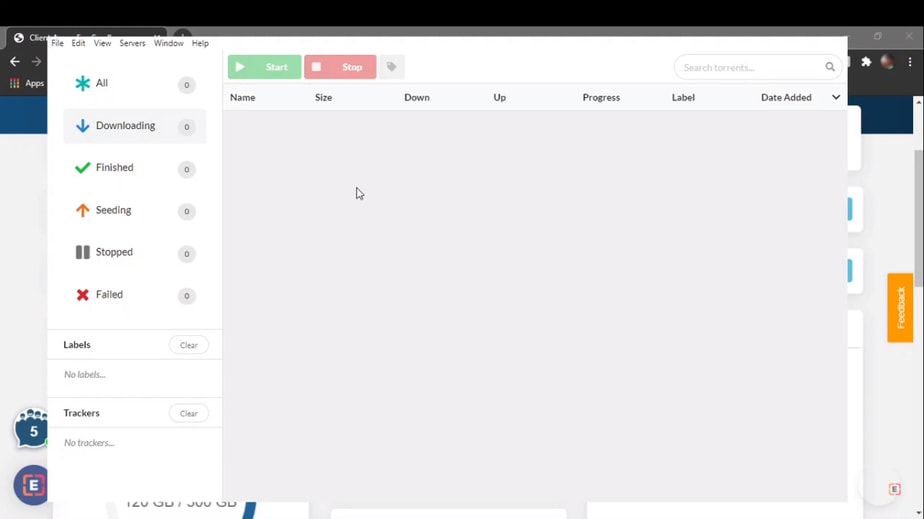
Step3: Add torrent to electorrent manually
Three Ways to Add Torrents
Your Evoseedbox supports multiple methods for adding torrents to вашим seedbox. Choose the method that fits your workflow best.
Method 1: Drag and Drop
The fastest method. Simply drag a .torrent file from ваш компьютер and drop it directly into the ruTorrent веб-интерфейс. The torrent starts downloading immediately.
Method 2: Add Torrent Dialog
- Click the Add Torrent кнопка in the ruTorrent toolbar (or press the + icon)
- Click «Choose File» to browse for a .torrent file, or paste a magnet link in the URL field
- Optionally set a download directory and label
- Click OK to start downloading
Method 3: Magnet Links
Copy a magnet link from any torrent site. In ruTorrent, click Add Torrent, paste the magnet link in the URL field, and click OK. No .torrent file needed.
Method 4: Watch Folder
Загрузить .torrent files to вашим seedbox’s watch folder via FTP. ruTorrent automatically detects and starts downloading them. Useful for batch-adding torrents. See Watch Folder Guide.
Method 5: Remote Add via Browser Extension
Установить the Chrome Remote Torrent Adder or Firefox Torrent Control extension to add torrents directly from any website with one click.
Tips
- Set a default label in ruTorrent settings to automatically organize new torrents
- Use RSS feeds in ruTorrent to automatically download new releases с вашего favorite trackers
- For large .torrent files (>2 MB), use the watch folder method instead of drag-and-drop
Put this into practice
EvoSeedbox ships with one-click app installs and up to 10 Gbps per box.


