Adding a Torrent to Seedbox الخاص بك
On this page ▾
يمكنك add torrent to the seedbox with the below methods
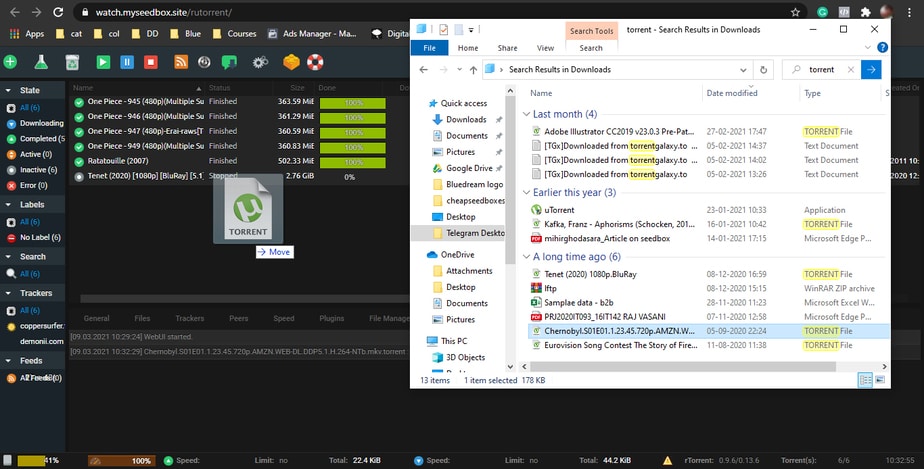
Step1: Drag and drop torrent tracker file in rutorrent
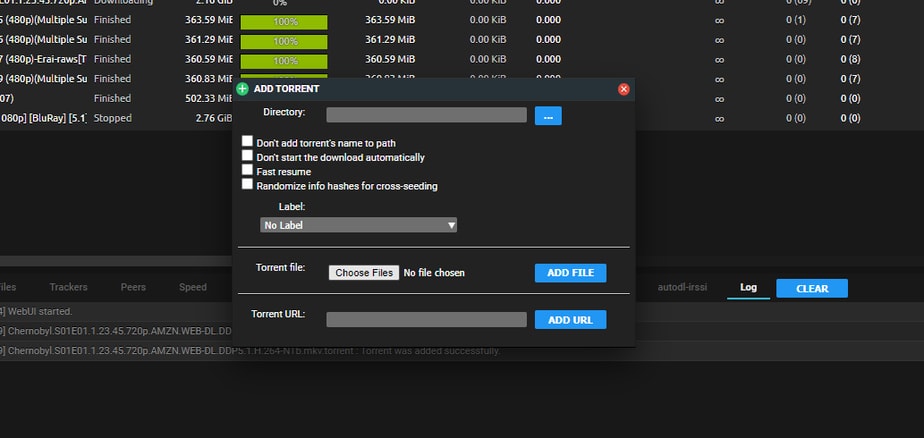
Step2: Add torrent to rutorrent manually

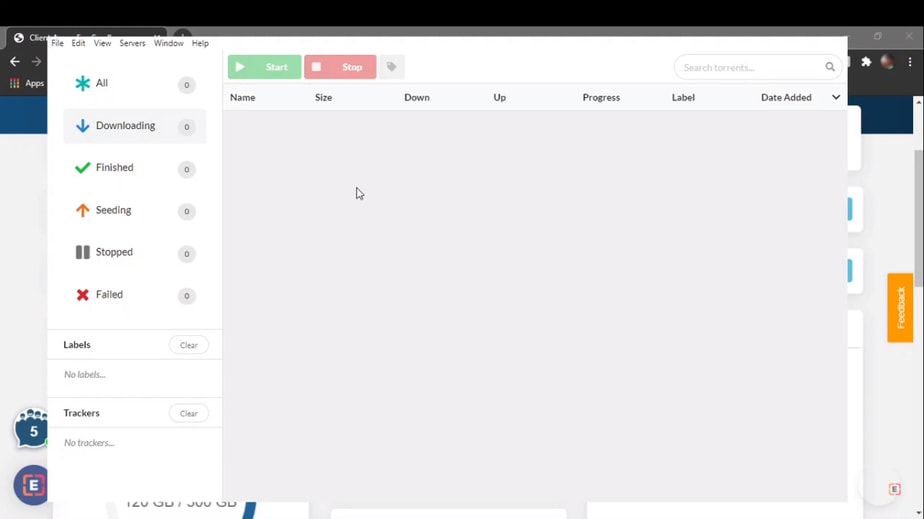
Step3: Add torrent to electorrent manually
Three Ways to Add Torrents
Your Evoseedbox supports multiple methods for adding torrents to الـ Seedbox الخاص بك. Choose the method that fits your workflow best.
Method 1: Drag and Drop
The fastest method. Simply drag a .torrent file from جهاز الكمبيوتر الخاص بك and drop it directly into the ruTorrent واجهة الويب. The torrent starts downloading immediately.
Method 2: Add Torrent Dialog
- Click the Add Torrent زر in the ruTorrent toolbar (or press the + icon)
- Click “Choose File” to browse for a .torrent file, or paste a magnet link in the URL field
- Optionally set a download directory and label
- Click OK to start downloading
Method 3: Magnet Links
Copy a magnet link from any torrent site. In ruTorrent, click Add Torrent, paste the magnet link in the URL field, and click OK. No .torrent file needed.
Method 4: Watch Folder
رفع .torrent files to الـ Seedbox الخاص بك’s watch folder via FTP. ruTorrent automatically detects and starts downloading them. Useful for batch-adding torrents. See Watch Folder Guide.
Method 5: Remote Add via Browser Extension
تثبيت the Chrome Remote Torrent Adder or Firefox Torrent Control extension to add torrents directly from any website with one click.
Tips
- Set a default label in ruTorrent settings to automatically organize new torrents
- Use RSS feeds in ruTorrent to automatically download new releases من favorite trackers
- For large .torrent files (>2 MB), use the watch folder method instead of drag-and-drop
Put this into practice
EvoSeedbox ships with one-click app installs and up to 10 Gbps per box.


