方法: Transfer Files から Seedbox to Google Drive
On this page ▾
There are multiple ways to transfer your data from あなたのSeedbox. できます use an FTP connection to download files あなたの device or use the btsync app.
One of the most convenient ways is using the Evoseedbox Google Drive Integration. A few steps and all your chosen files are transferred automatically.
In this article, I will teach you how to transfer files from あなたのSeedbox あなたの Google Drive.
Steps to upload files from seedbox to Google Drive
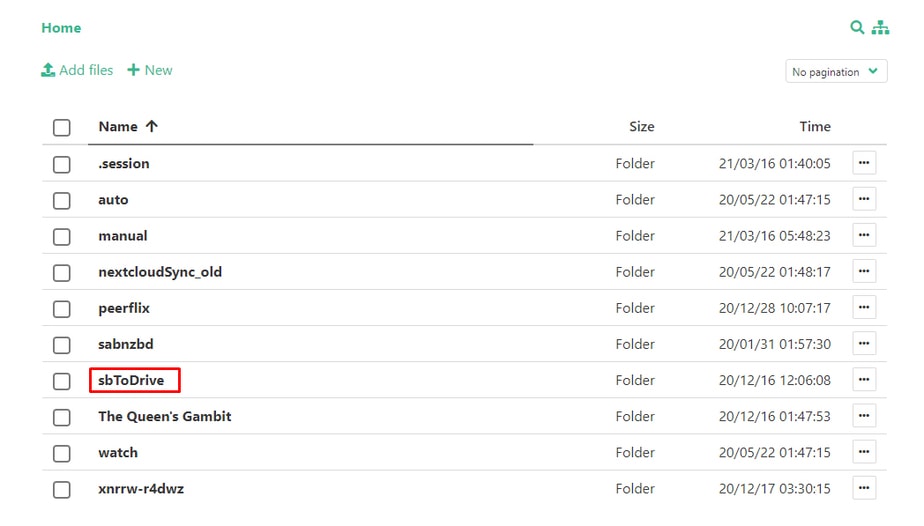
ステップ 1: 選択 all the files that your want to transfer and move/copy them to the “sbToDrive” folder.
(できます use Filegator for this)
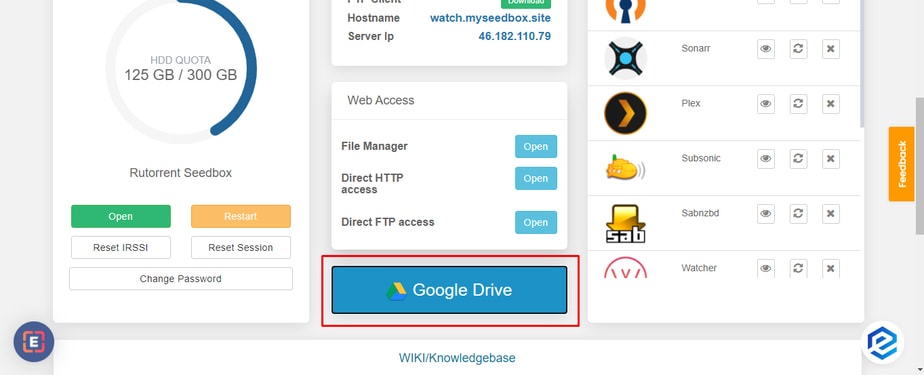
ステップ 2: クリックしてください: the Google Drive ボタン あなたの中の クライアントエリア.
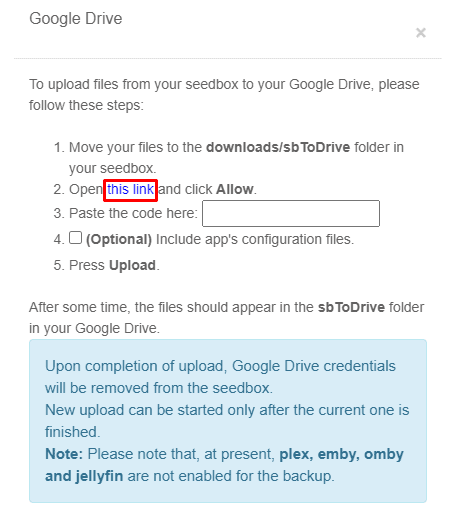
ステップ 3: Click the link provided in the pop-up
Step 4: 選択 the Google Account you want to use the drive of and click the allow ボタン.
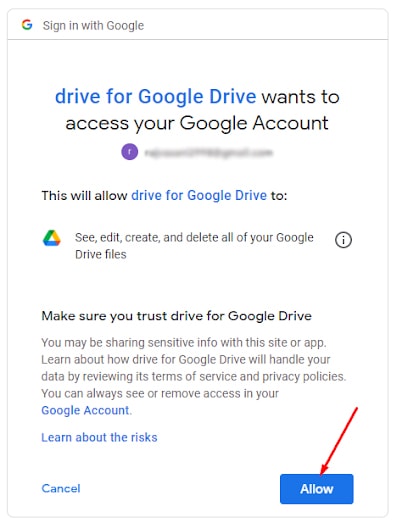
Step 5: A code will appear, copy the code and paste the code in the pop-up.
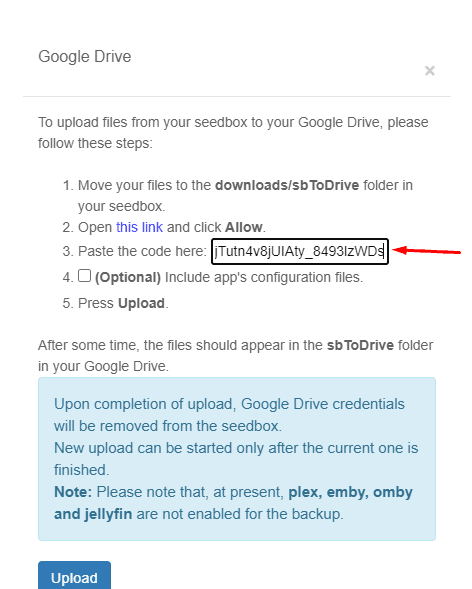
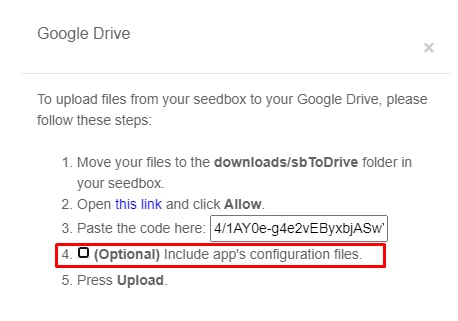
Step 6: できます create a back-up for your app’s configuration, but これは an optional step.
Step 7: クリックしてください: upload, Your files will start transferring and 表示されます see the sbToDrive folder あなたの中の Google drive.
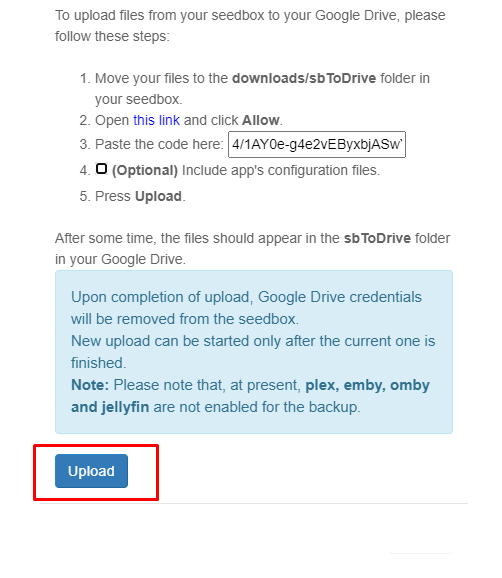
That’s it, in some time, head-on あなたの google drive to view all the files from あなたのSeedbox in the sbToDrive folder.
Put this into practice
EvoSeedbox ships with one-click app installs and up to 10 Gbps per box.


