Что такое Pyload и как Use It
On this page ▾
What is Pyload?
Pyload is a light build and fully featured download manager which supports many of the one-click-hoster, container formats, and video sites and также plain ftp/http links.
Как use Pyload?
The first step is to install приложение из личный кабинет.
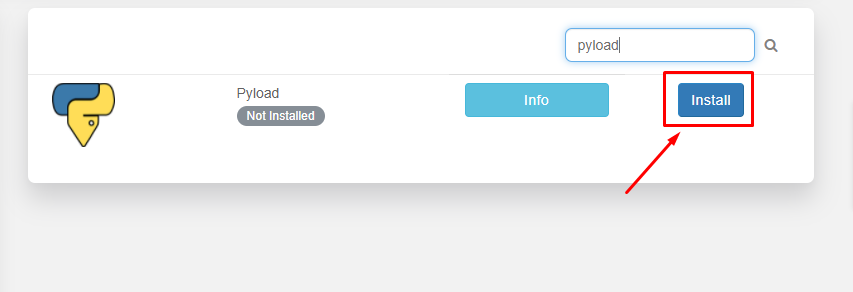
After the installation is complete, open приложение из installed apps section as показано ниже.

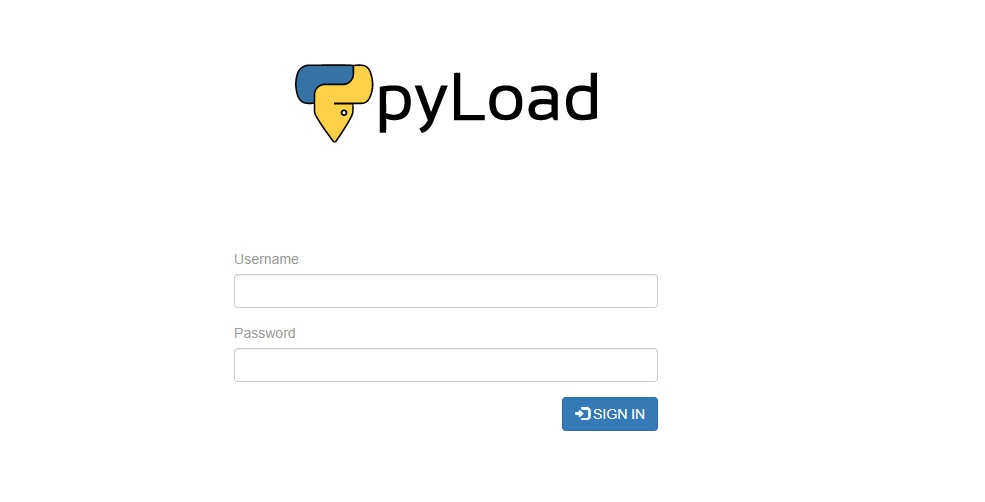
Pyload веб-интерфейс will open in the new tab and вы будете be prompted to provide имя пользователя and пароль for входа в систему. Please use the login учетные данные provided in the FTP details for входа в систему.
После успешного login вы будете see an interface like this:
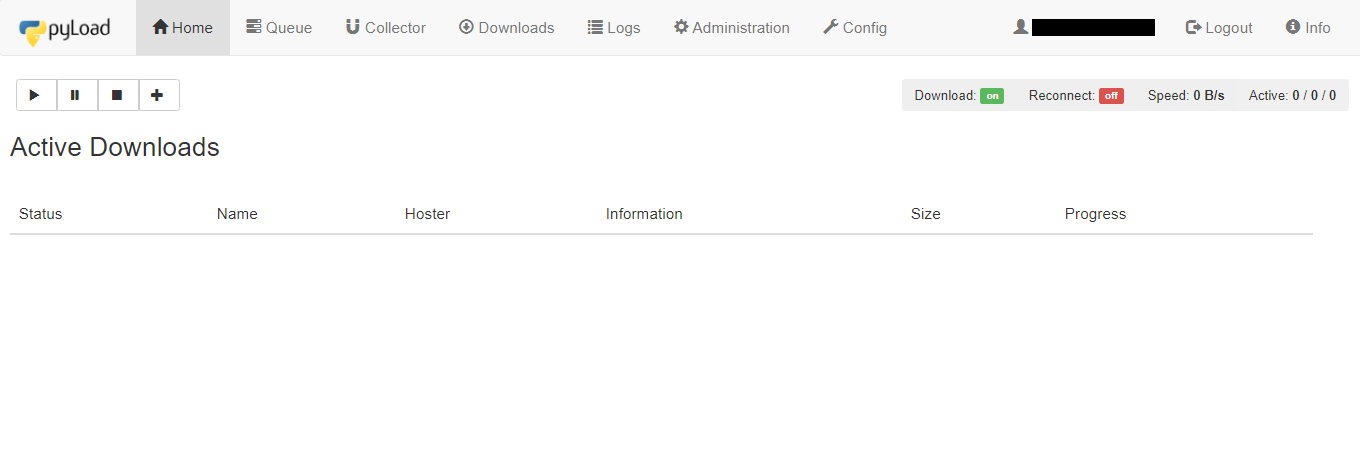
Let’s look at the доступен tabs in приложение:
- Home tab: It предоставляет details about the current active downloads in progress
- Queue: It lists the files which are currently in the queue for download.
- Collector: It allows you to add packages(files) for downloading which can be moved to queue for downloading after the current download of files in the queue is completed.
- Скачатьs: It предоставляет the Pyload download history of вашим seedbox.
- Logs: It предоставляет the seedbox log details.
- Administration: Вы можете manage admin rights from here. add new user, edit пароль.
- Config: Если вы wish to change the settings and configuration of the pyload.Вы можете work around here.
Now let’s try downloading a file using an HTTPS link. Copy the link of the file you хотите download and open the Home tab.
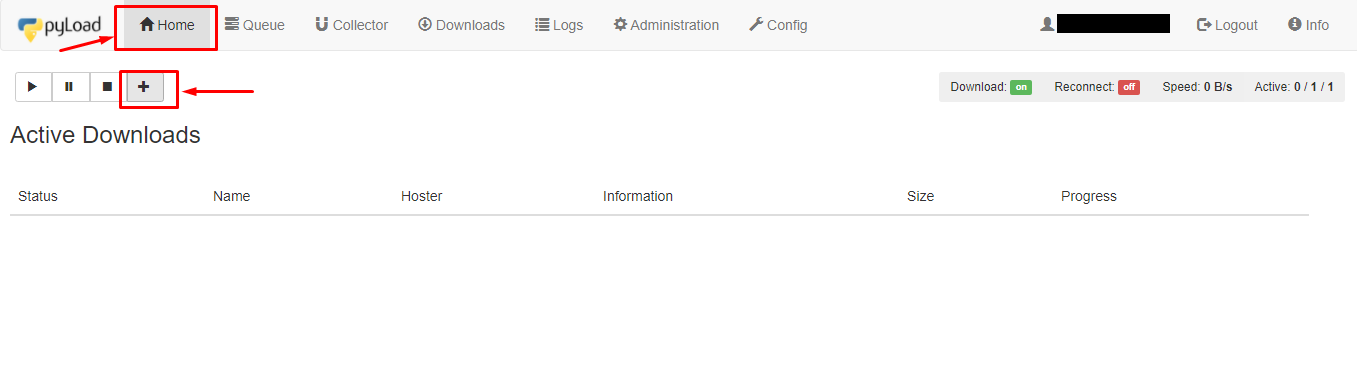
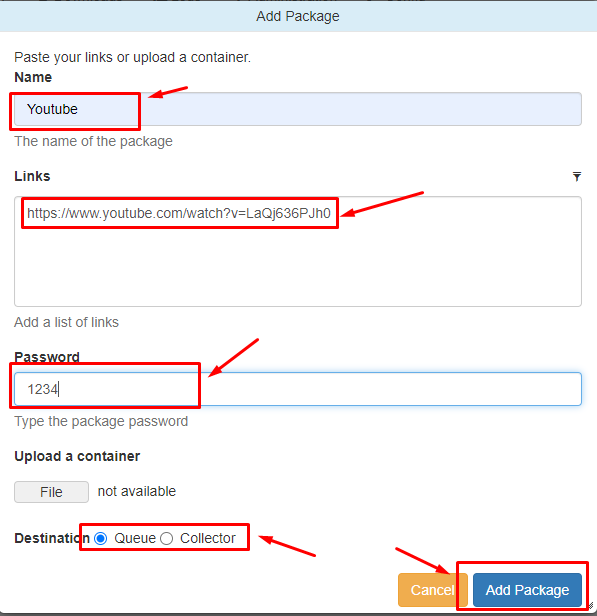
Нажмите на the ‘+’ кнопка to add a package. A new window will open where you нужно add the name of the package. In the link section add links to the files you хотите download and вы можете также set a пароль. In the destination section, вы можете choose either Queue or Collector. Нажмите на the ‘Add package’ кнопка to start downloading.
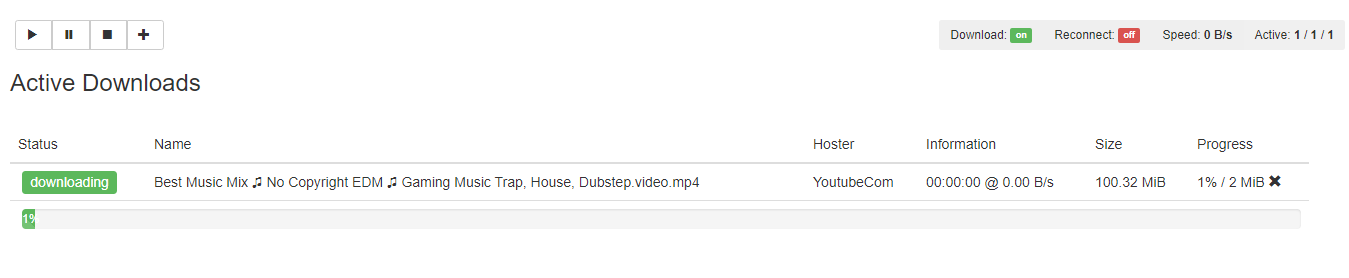
Вы можете check the progress in the home section.
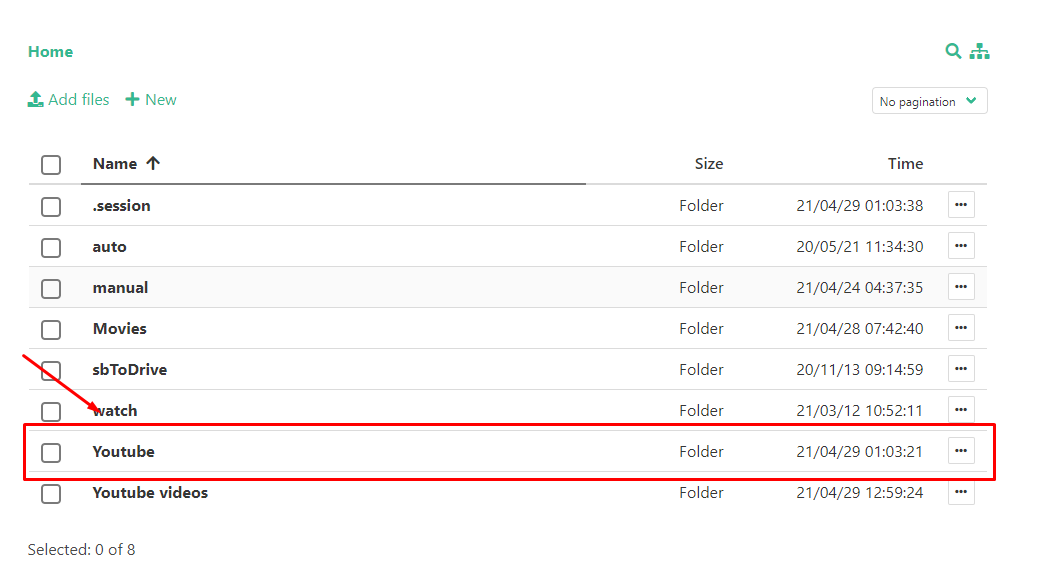
After the download is complete вы можете check the files sing the файловый менеджер.
Put this into practice
EvoSeedbox ships with one-click app installs and up to 10 Gbps per box.


