Evoseedbox Evoseedbox Evoseedbox Evoseedbox
  • Русский
    • Nederlands (Голландский)
    • English (Английский)
    • Français (Французский)
    • Deutsch (Немецкий)
    • 日本語 (Японский)
    • 한국어 (Корейский)
    • Português (Португальский, Португалия)
    • Español (Испанский)
    • العربية (Арабский)
    • Türkçe (Турецкий)
  • Wiki
  • Forum
  • Pricing
Client Area
Посмотр рубрик
  • Home
  • Документация
  • Requestrr Part 1 – Настройка the Discord Bot

Requestrr Part 1 – Настройка the Discord Bot

2 мин. чтения

Requestrr is a chatbot используется для simplify using services like Sonarr/Radarr/Ombi via the use of chat. Current platform is Discord only, but the bot was built around the ideology of quick adaptation for new features as well as new platforms.

Установить Requestrr onна ваш seed box.

Requestrr Part 1 Setting Up The Discord Bot

Once it's installed, click the eye icon and launch приложениеlication. You'll be asked to make a new account, go ahead and do that, then log in.
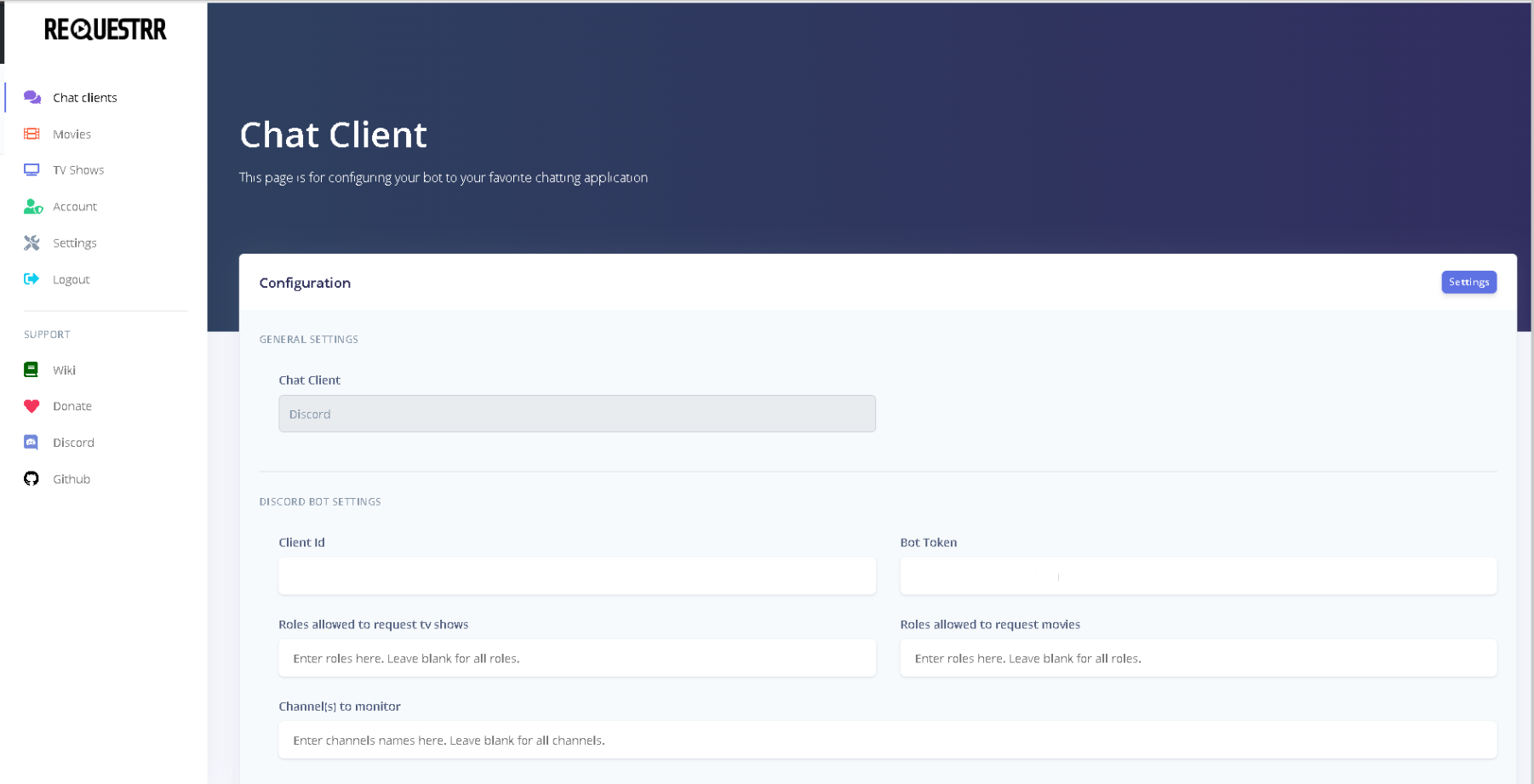
Requestrr Part 1 Setting Up The Discord Bot

Это what вы будете see.

Next log inна ваш discord account в вашем web bowser. And navigate to the Developer Portal.
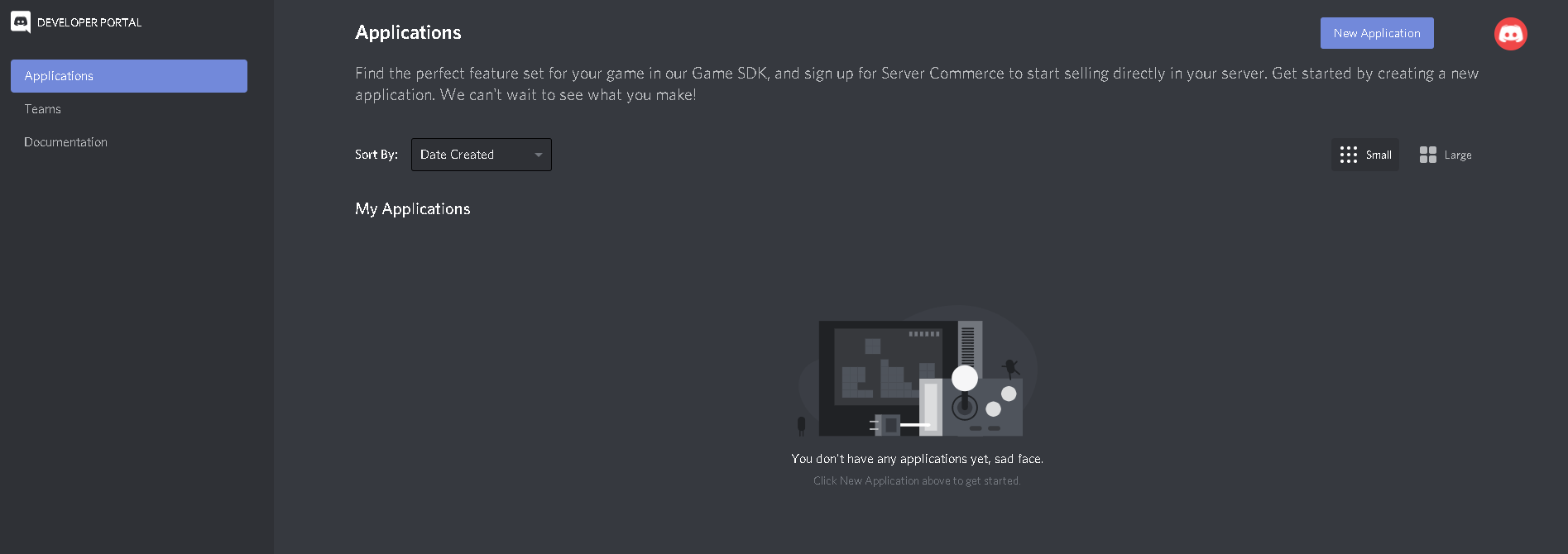
Requestrr Part 1 Setting Up The Discord Bot

Click "New Application" and name it Requestrr
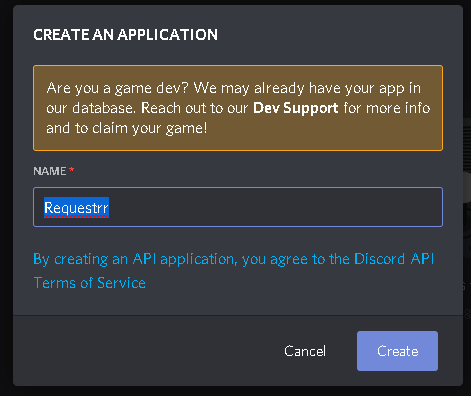
Requestrr Part 1 Setting Up The Discord Bot

Requestrr Part 1 Setting Up The Discord Bot

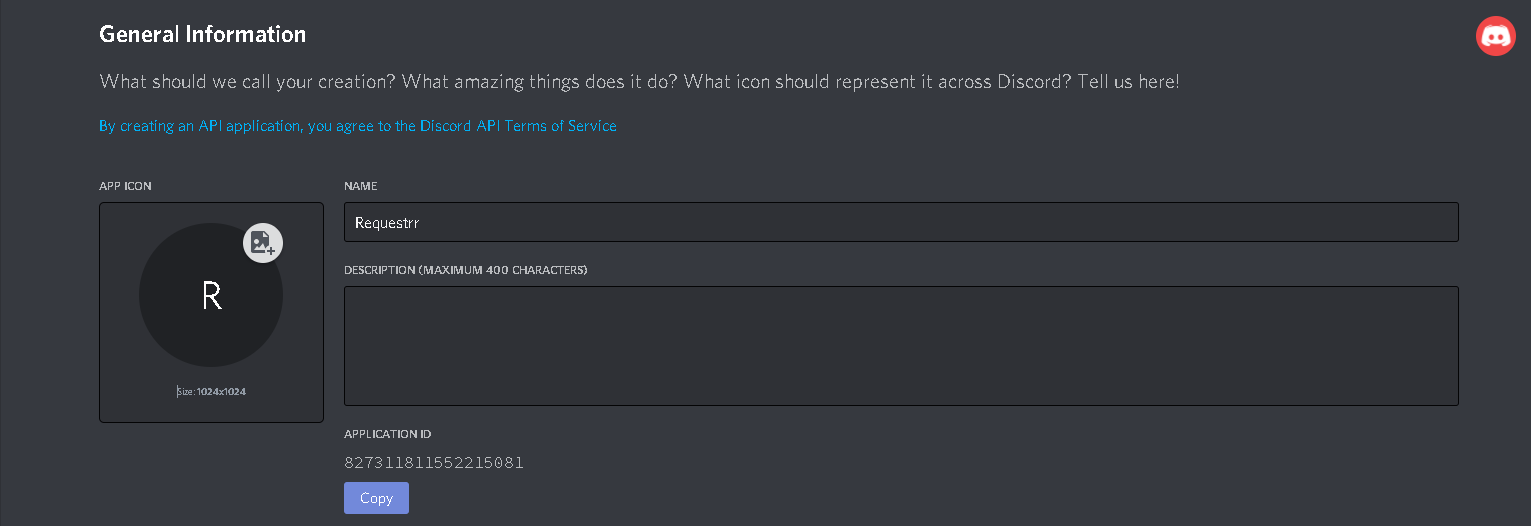
Это what вы будете see once приложениеlication is created.

Copy the Application ID and paste it into the "Client ID" field с вашего chat личный кабинет(The 2nd picture in this guide.)

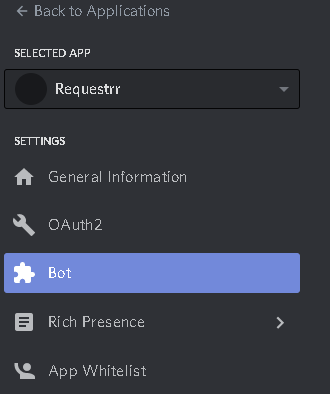
Now we нужно go back to developer portal and make the bot. Нажмите на the name of the Requestrr application из above link.
Requestrr Part 1 Setting Up The Discord Bot

Now click on "Bot" on the left side, and then on the right side of your screen, click add bot.

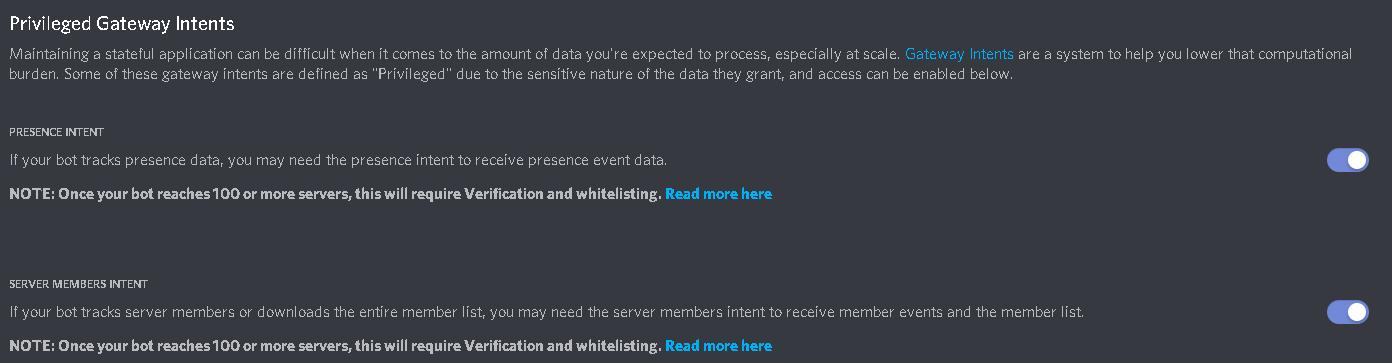
From here you MUST enable these settings. (Presence intent AND Server membrs intent ) This will not work if you do not enable them.
Requestrr Part 1 Setting Up The Discord Bot

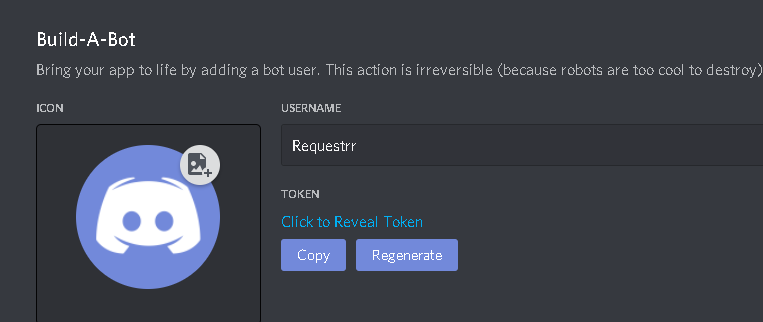
Once those are enabled, scroll back up and under "Token", press copy.
Requestrr Part 1 Setting Up The Discord Bot

Paste that into the field called "Bot Token" from image 2 of this guide.

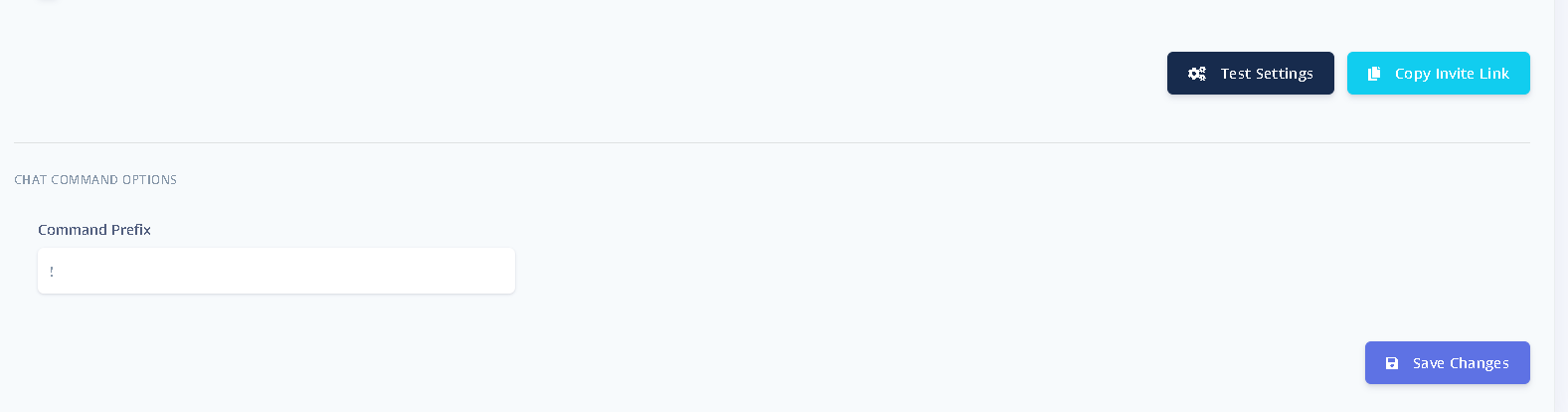
Now прокрутите вниз to the bottom and click "Test Settings"
Requestrr Part 1 Setting Up The Discord Bot

The error will tell you what is wrong, if anything. If no errors, click "Сохранить changes"

Now go на ваш discord settings and make a new server by clicking the "+" sign and selecting приложениеropriate options for your set up.

Requestrr Part 1 Setting Up The Discord Bot

Now that your server is completed, click the copy invite link from where you did the test settings and saved changes.

Requestrr Part 1 Setting Up The Discord Bot

Paste that inна ваш web browser and вы будете be asked what server should the bot join. Выберите your server. Once the bot has joined, it's time to make sure everything is working.

In your server chat type "!ping", and the bot will reply "!pong" if it is connected.
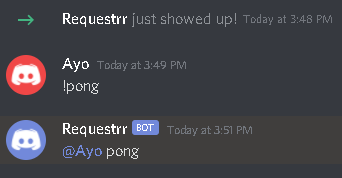
Requestrr Part 1 Setting Up The Discord Bot

Congrats! The hard part is now done.

Обновлено 16.03.2026

Оцените документ

  • Класс
  • Норм
  • Неуд

Поделитесь этой статьёй:

  • Facebook
  • X
  • LinkedIn
  • Pinterest

We create amazing Seedboxes
for everyone to use 😊

Important Links

Scholarship for CS

Refund Policy

Privacy Policy

Terms of service

Cookie Policy

Acceptable Use Policy

Get in Touch

Contact Us

[email protected]

© 2025 Evoseedbox | All rights reserved. By Evo Created with ❤️

  • Nederlands (Голландский)
  • English (Английский)
  • Français (Французский)
  • Deutsch (Немецкий)
  • 日本語 (Японский)
  • 한국어 (Корейский)
  • Português (Португальский, Португалия)
  • Español (Испанский)
  • العربية (Арабский)
  • Русский
  • Türkçe (Турецкий)
Evoseedbox
  • Русский
    • Nederlands (Голландский)
    • English (Английский)
    • Français (Французский)
    • Deutsch (Немецкий)
    • 日本語 (Японский)
    • 한국어 (Корейский)
    • Português (Португальский, Португалия)
    • Español (Испанский)
    • العربية (Арабский)
    • Türkçe (Турецкий)
  • Wiki
  • Forum
  • Pricing
Client Area