By going through this guide you’ll be able to reset your rutorrent client пароль. It is a very простой one-click-based procedure. Let’s get started:
1. Log-in inна ваш account and open вашим seedbox dashboard: #
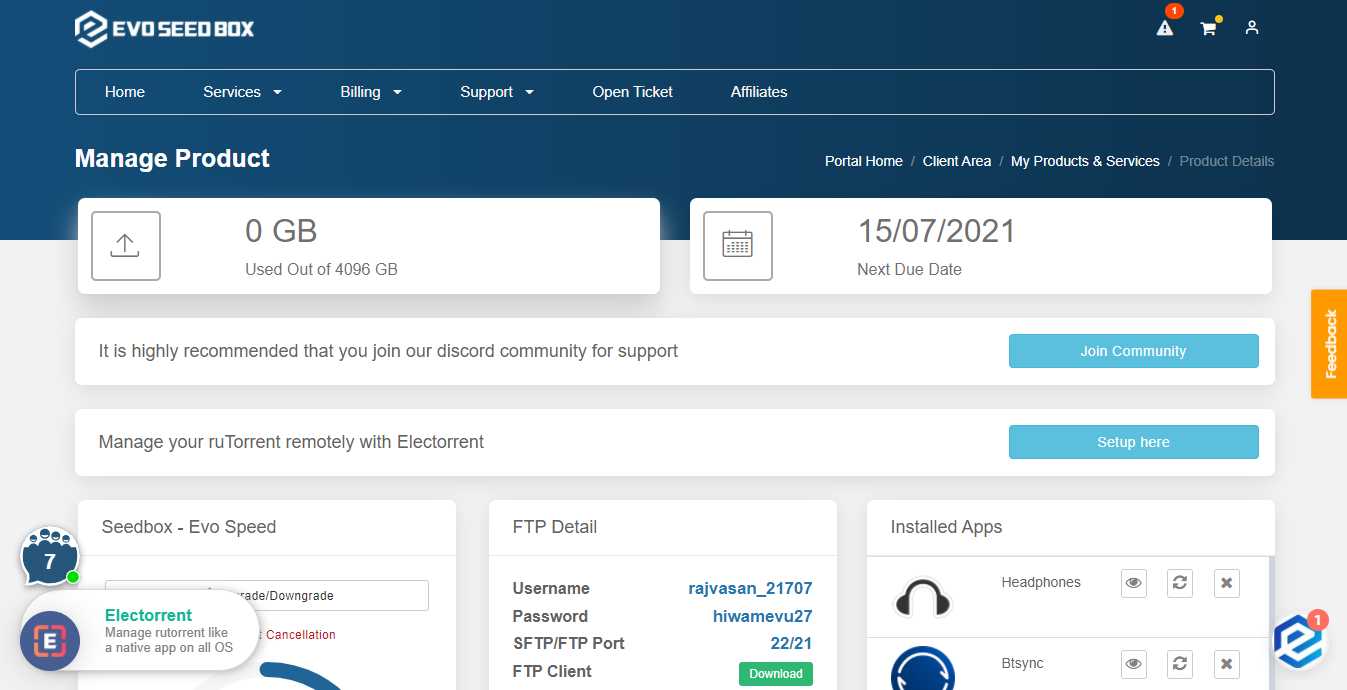
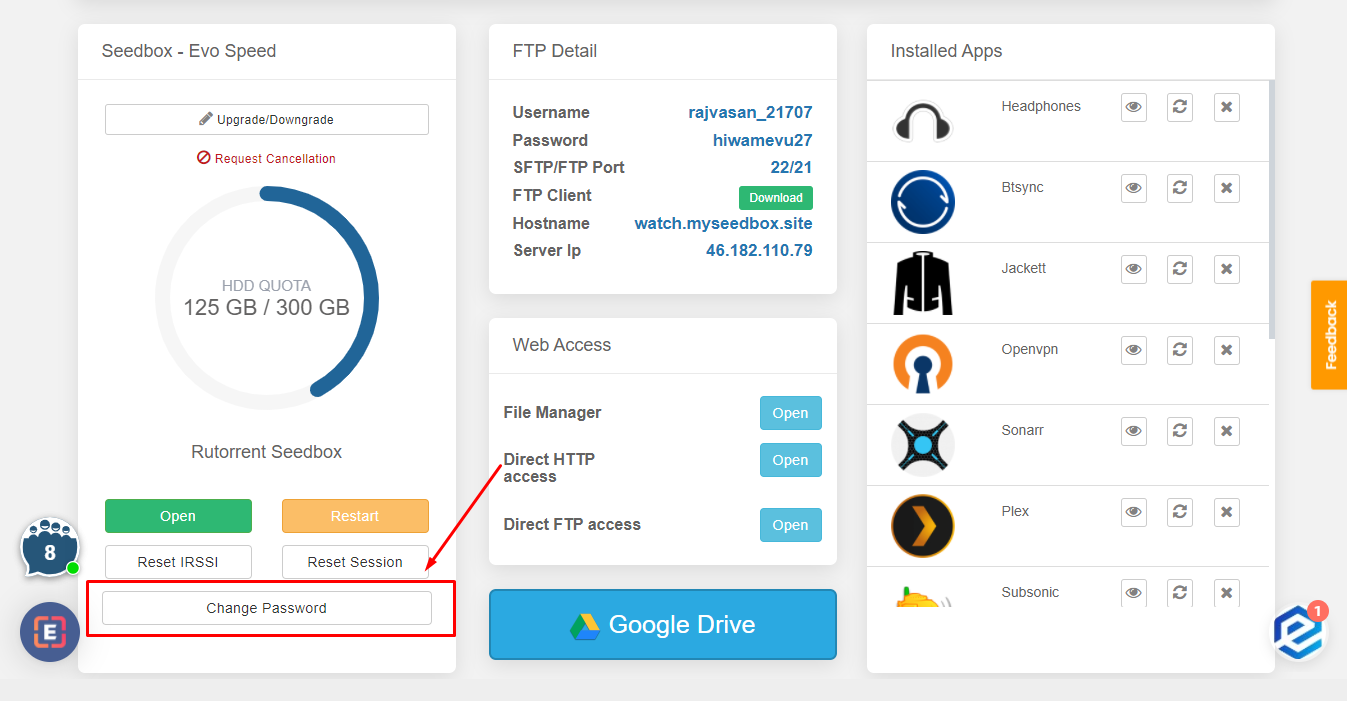
2. Scroll-down to the rutorrent Seedbox section and click on the Change Password Button: #
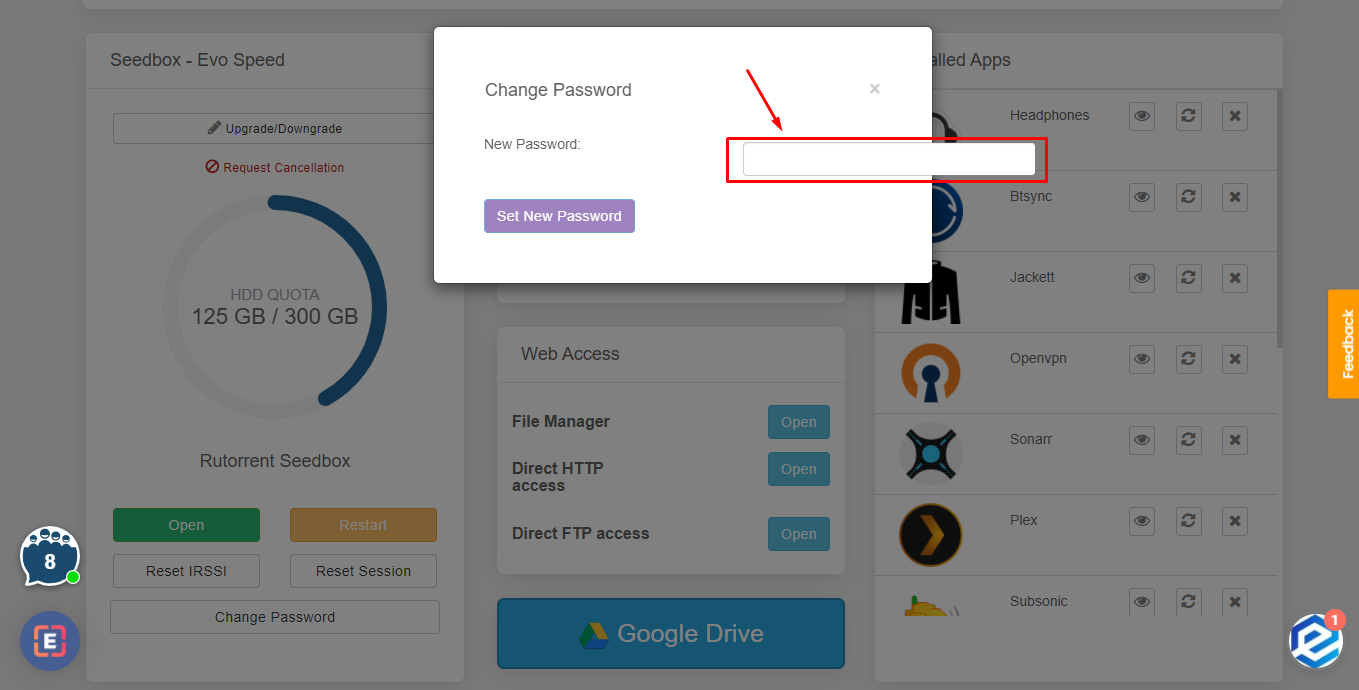
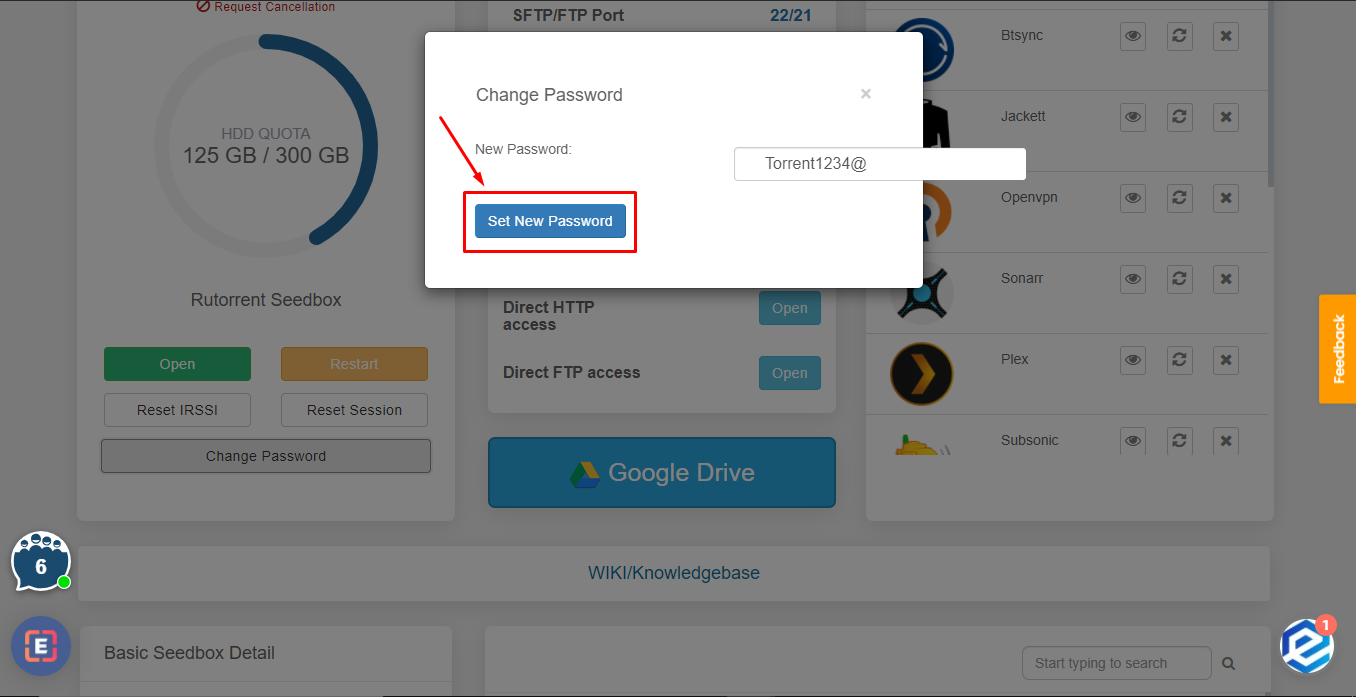
3. Type in the new пароль and press ‘Set New пароль’ кнопка. #
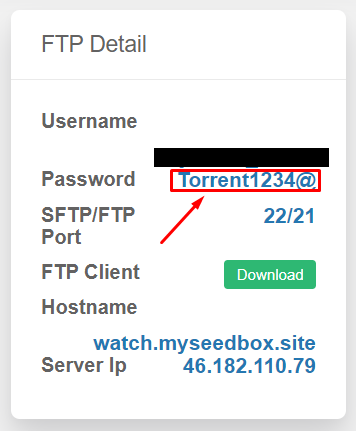
4. Вы можете see the new пароль in the FTP detail. #
Сбросить Your ruTorrent Password #
Вы можете change вашим seedbox пароль (используется для ruTorrent, FTP, and all installed apps) directly с вашего dashboard. Это a one-click process.
Steps #
- Войти to the личный кабинет and open вашим seedbox dashboard
- Прокрутите вниз to the ruTorrent Seedbox section
- Click the Change Password кнопка
- A new пароль is generated automatically
- Copy the new пароль immediately using the copy кнопка
Important: Обновить Your FTP Client #
After changing your пароль, you must update it in:
- FileZilla or any FTP client you use
- Sonarr/Radarr download client settings (if настроитьd)
- Browser extension (Chrome Remote Torrent Adder or Firefox Torrent Control)
- Mobile apps (Transdrone, NZB360)
The ruTorrent quick-launch кнопка в вашем dashboard automatically uses the new пароль.


