Hoe Change Your ruTorrent Client Password
On this page ▾
By going through this guide you’ll be able to reset your rutorrent client wachtwoord. It is a very simple one-click-based procedure. Let’s get started:
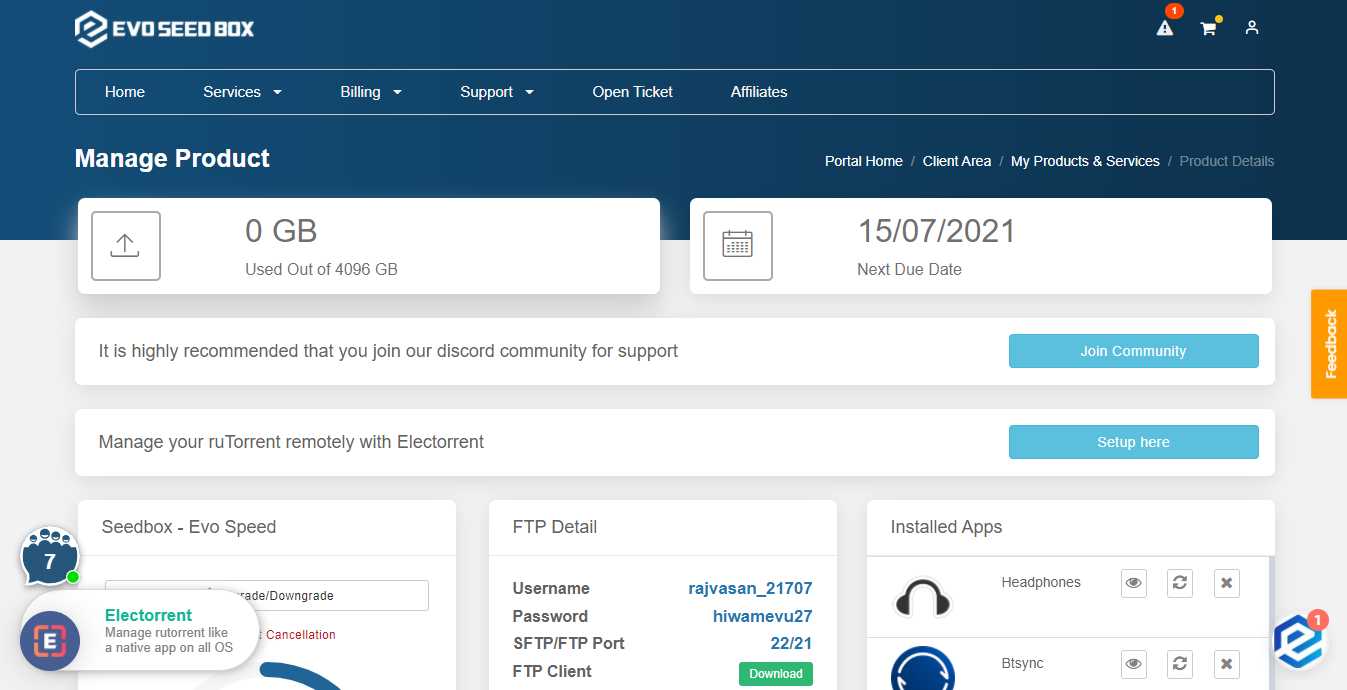
1. Log-in innaar uw account and open uw seedbox dashboard:
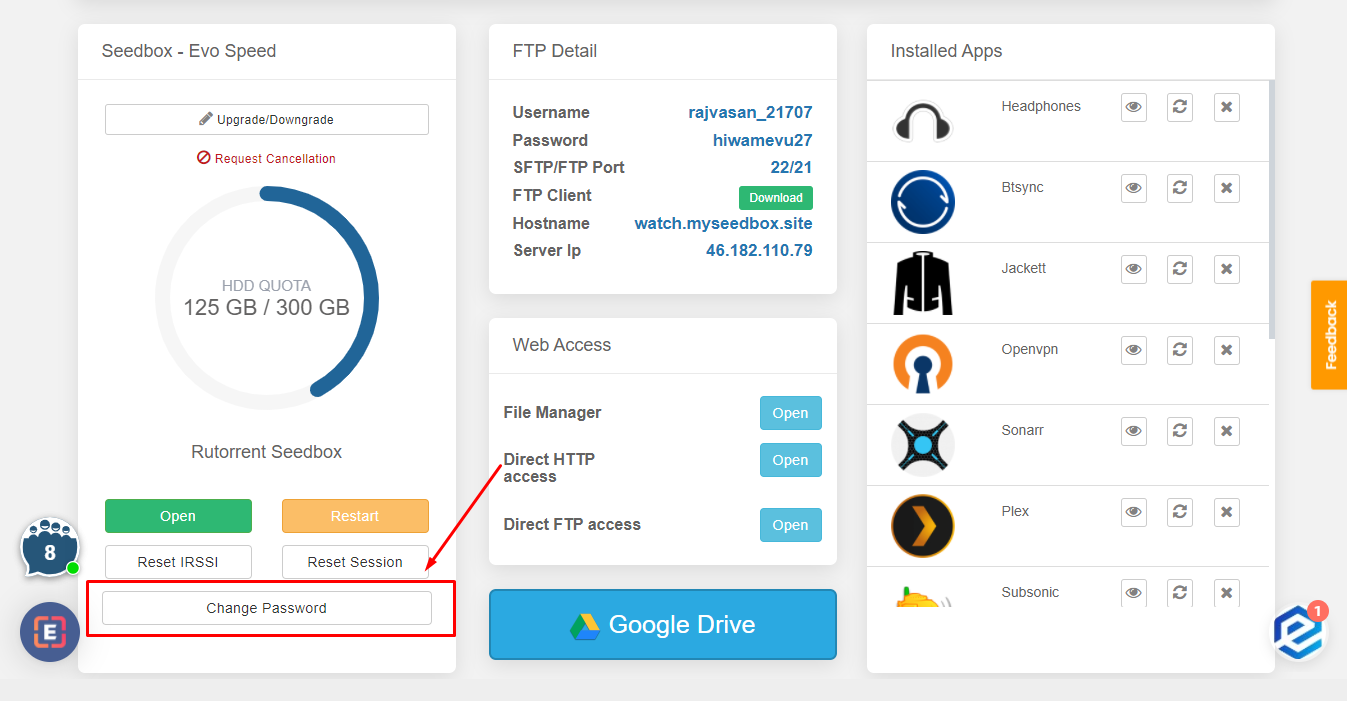
2. Scroll-down to the rutorrent Seedbox section and click on the Change Password Button:
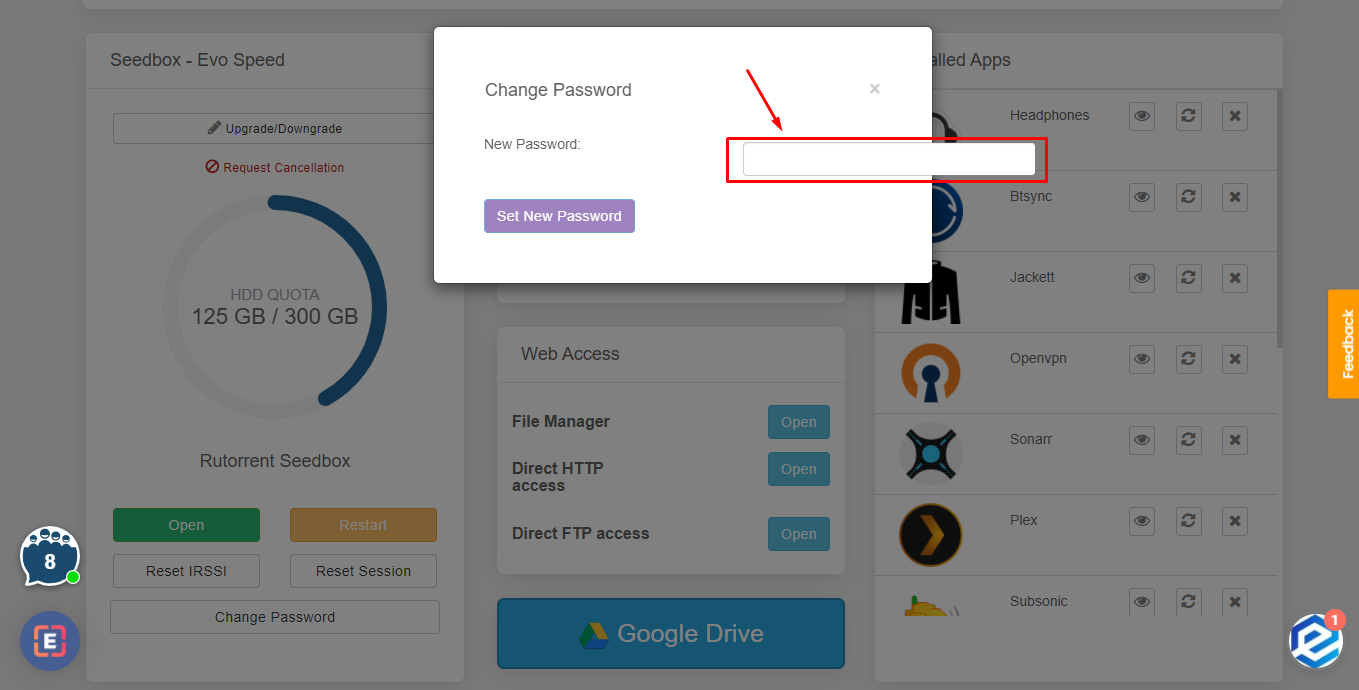
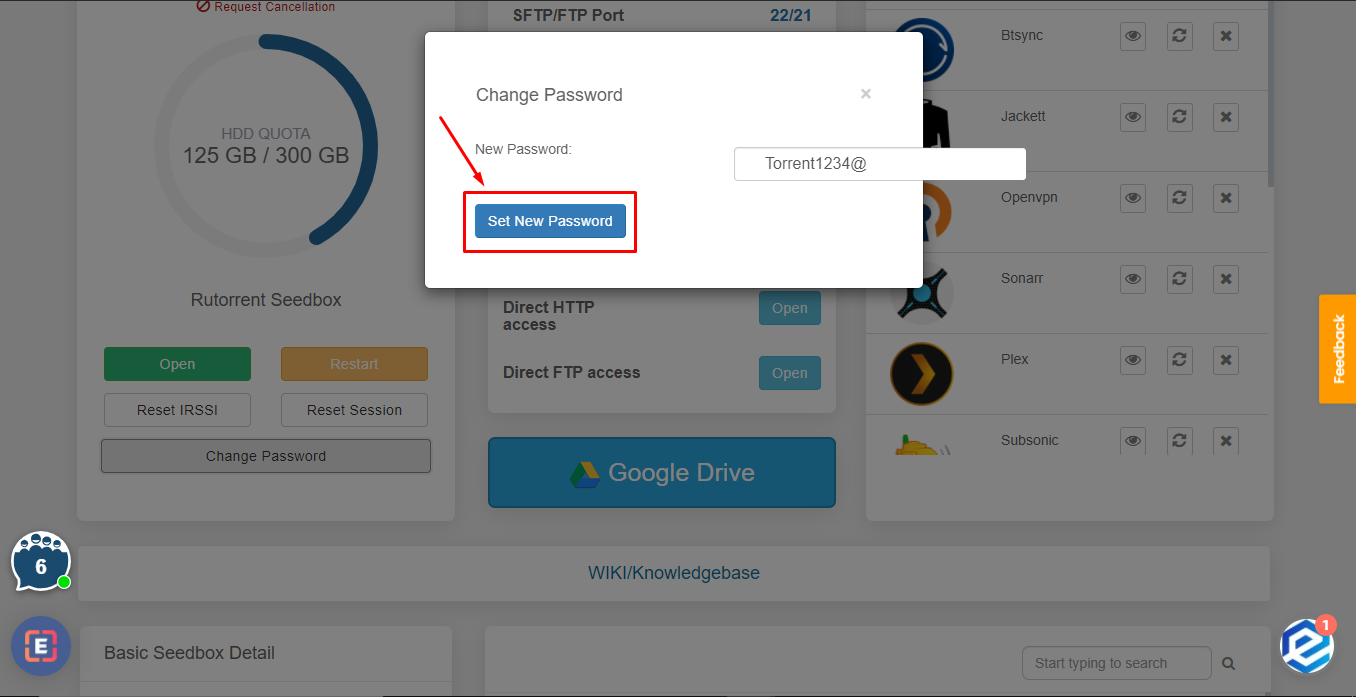
3. Type in the new wachtwoord and press ‘Set New wachtwoord’ knop.
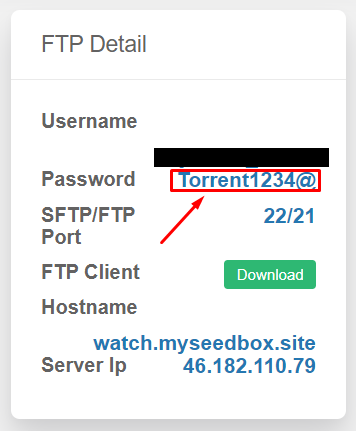
4. U kunt see the new wachtwoord in the FTP detail.
Resetten Your ruTorrent Password
U kunt change uw seedbox wachtwoord (used for ruTorrent, FTP, and all installed apps) directly van uw dashboard. Dit is a one-click process.
Steps
- Inloggen to the klantengebied and open uw seedbox dashboard
- Scroll naar beneden to the ruTorrent Seedbox section
- Click the Change Password knop
- A new wachtwoord is generated automatically
- Copy the new wachtwoord immediately using the copy knop
Important: Bijwerken Your FTP Client
After changing your wachtwoord, you must update it in:
- FileZilla or any FTP client you use
- Sonarr/Radarr download client settings (if configureerd)
- Browser extension (Chrome Remote Torrent Adder or Firefox Torrent Control)
- Mobile apps (Transdrone, NZB360)
The ruTorrent quick-launch knop in uw dashboard automatically uses the new wachtwoord.
Put this into practice
EvoSeedbox ships with one-click app installs and up to 10 Gbps per box.


